My Cart



Video conferencing
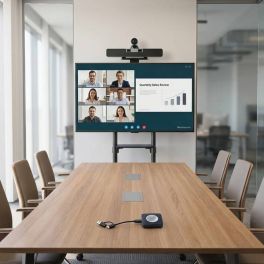
Cleyver Bar Medium Room BYOD Video Conference Kit
A complete video conferencing kit featuring a 4K dual-sensor bar with AI capabilities, a 65-inch 4K screen, a wheeled stand and accessories, designed for medium-sized rooms (6–12 people).- Use: large meeting rooms
- Dual 4K camera: 180° rotating PTZ + 8.5 MP wide-angle lens
- For digital signage: 16/7 operation
- 65" 4K UHD display: clear and eye-catching visuals
- Maximum weight capacity: Supports up to 70 kg for stability.
- Size compatibility: Fits screens from 37'' to 70'' for versatile use.
Call us for availability4.0 of 1 Reviews£2,568.98£2,172.77 £2,607.33 Incl. VATRef: CLEYBAR65RUKCompare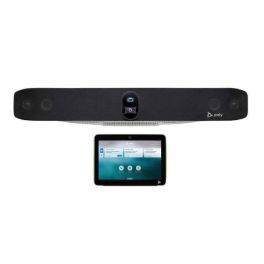
Poly Studio X72 with TC10
Call us for availabilityVideoconferencing solution for large rooms with 4K video bar, artificial intelligence and intuitive touch control.
- All-in-one video conferencing system for large meeting rooms
- Dual 20MP sensor with 4K resolution
- 120° field of view + 7.3x digital zoom
- 2-in-1 tablet: room reservation + meeting control
- 10" touch screen with LED indicators
- Single cable system (PoE)
£5,866.48£5,154.56 £6,185.47 Incl. VATRef: POSTX72TC10UKPCompare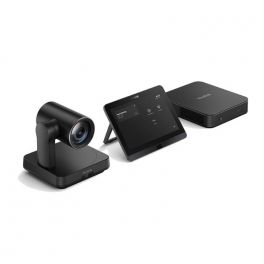
Yealink MVC640 Gen 3 (No Audio)
Call us for availabilityNative Microsoft Teams Rooms system for Medium-to-large rooms- 4K Camera with 12x optical zoom that capture all movements
- 11th Gen Intel® Core i5 mini-PC
- 8-inch touch screen panel
- Cable management with MCore Pro
- Multi-device AVHub
- Optimised for Microsoft Teams
£2,839.09£2,286.99 £2,744.39 Incl. VATRef: YEAMVC640NAG3UKCompare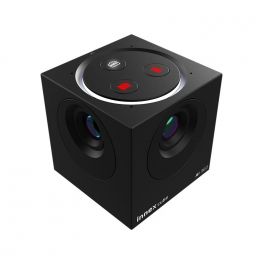
Innex Cube Camera
Call us for availability4K 360° conference camera with flexible support and multiple video capture options via AI.- Panoramic camera for all meeting rooms
- 360° capture with 4K resolution
- Automatic framing via AI
- 2 omnidirectional microphones with noise reduction
- 4 video modes: gallery, scene, conversation, 360° panorama
- Plug & Play USB-C connection
- Compatible with Barco ClickShare solutions
£586.99 £704.39 Incl. VATRef: INNEXCUBECompare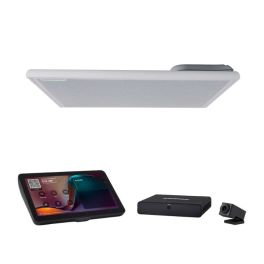
Shure IntelliMix Room Kit IMXRK30 Small Room
Call us for availabilityMicrosoft Teams Rooms video conferencing kit designed for small meeting rooms, with camera, ceiling audio system and touch console.- Usage: small rooms (4-6 people)
- IntelliMix Room audio DSP with echo and noise cancellation
- MXA902 ceiling microphone with integrated speaker
- Huddly IQ camera with automatic AI framing
- 11" touch console: intuitive management
- Quick to set up: automatic configuration and PoE+ included
- Certified and dedicated Microsoft Teams Rooms
£4,947.99 £5,937.59 Incl. VATRef: SHIMXRK30Compare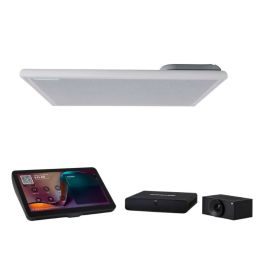
Shure IntelliMix Room Kit IMXRK50 Medium Room
Call us for availabilityMicrosoft Teams Rooms certified videoconferencing kit with IntelliMix Room DSP, Shure ceiling microphone and smart camera, designed for medium-sized rooms.- Usage: medium-sized rooms (6-12 people)
- DSP IntelliMix Room with echo cancellation and noise reduction
- Huddly L1 camera with AI auto-framing
- MXA902 ceiling microphone with integrated speaker
- 11" touch panel: intuitive meeting management
- PoE+ switch included for simplified installation
- Certified and dedicated Microsoft Teams Rooms
£5,822.99 £6,987.59 Incl. VATRef: SHIMXRK50Compare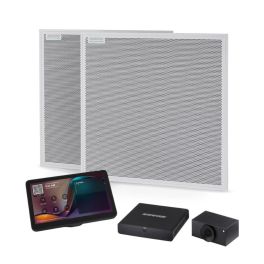
Shure IntelliMix Room Kit IMXRK70 Large Room
Call us for availabilityMicrosoft Teams Rooms certified videoconferencing solution with IntelliMix Room DSP, Shure ceiling microphone array and AI camera, designed for large rooms.- Usage: large rooms (+10 people)
- DSP IntelliMix Room with AEC and advanced noise reduction
- 2 Shure MXA902 ceiling microphones with integrated speaker
- Smart camera with AI auto-framing
- 11" touchscreen console: intuitive meeting control
- PoE+ switch included: simplified network installation
- Certified and dedicated Microsoft Teams Rooms
£7,617.99 £9,141.59 Incl. VATRef: SHIMXRK70Compare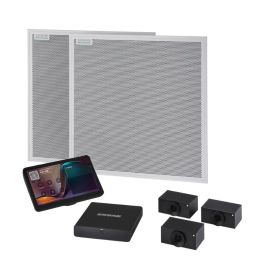
Shure IntelliMix Room Kit IMXRK80 Large Room
Call us for availabilityMicrosoft Teams Rooms certified videoconferencing solution with IntelliMix Room DSP, Shure ceiling microphone array and advanced AI camera, designed for very large rooms.- Usage: very large rooms (+15 people)
- DSP IntelliMix Room with AEC, noise reduction and automatic mixing
- Two Shure MXA902 ceiling microphones with integrated speaker
- Huddly L1 three-camera system with AI auto-framing
- 11" touch console: intuitive meeting control
- PoE+ switch included: centralised power and networking
- Certified and dedicated Microsoft Teams Rooms
£12,258.99 £14,710.79 Incl. VATRef: SHIMXRK80Compare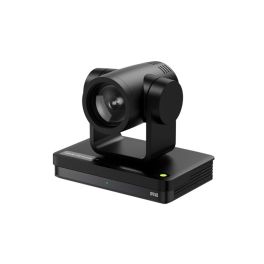
IPEVO VC-Z4K UHD 4K PTZ Camera (Black)
Call us for availabilityProfessional UHD 4K PTZ camera with 12x optical zoom, AI auto-tracking, and seamless integration for hybrid meetings.- Capture every detail in stunning 4K UHD resolution
- Get close to the action with powerful 12x optical zoom
- AI auto-tracking keeps the speaker perfectly in frame
- Effortlessly control the view with smooth pan, tilt and zoom
- Simple plug-and-play setup with wide compatibility across platforms
£799.99£788.99 £946.79 Incl. VATRef: IP593020800Compare
Yealink MeetingEye 500 for Zoom
Call us for availabilityAll-in-one Android mini‑PC for Zoom Rooms: supports multi‑camera, dual 4K HDMI and streamlined cabling via VCH interface!- Multi‑camera Android codec for large rooms
- Dual 4Kp30 HDMI outputs (up to three screens)
- Detachable design, flexible wall/table mounting
- Single-cable VCH integration for power & data
- Compatible with Yealink/third-party audio devices
- AI support: auto‑framing & speaker tracking
- 360° voice pickup with 3m mic array
- Native Zoom Rooms experience
£679.99 £815.99 Incl. VATRef: YEALM500UKCompare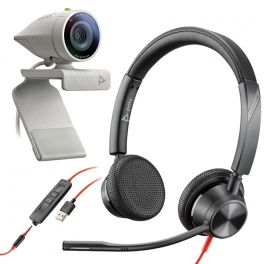
Poly Studio P5 + Blackwire 3325 USB-A
Call us for availabilityAudiovisual pack consisting of a webcam and a headset - Ideal for your day-to-day videoconferencing- Audiovisual kit for high quality videoconferencing
- Full HD resolution webcam with USB connection for your PC
- With privacy cover
- Duo headset with USB connection for your PC
- In-line controls: pick up calls, volume and mute
- Easy to install: plug in and start using
- Compatible with all softphones on the market
£177.00£162.99 £195.59 Incl. VATRef: POP5B3325Compare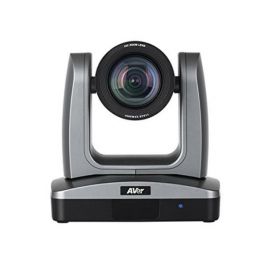
Aver PTZ310 Black
Call us for availabilityProfessional PTZ camera ideal for audiences, hospitals or classrooms- Full HD 1080p60 PTZ camera
- Camera with 12X optical zoom + 12X digital
- Multiple connection: HDMI / IP / 3G-SD / USB / Network
- Smart functions: Auto-tracking and Auto Framing
- Warranty: 3 + 2 (2 additional years)
£2,044.00£1,603.99 £1,924.79 Incl. VATRef: AVPTZ310Compare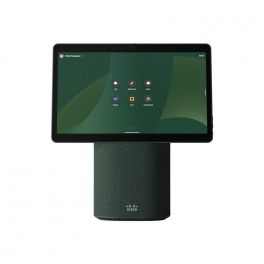
Cisco Webex Desk Mini - woodland green
Call us for availabilityAll-in-one video conferencing device ideal for hybrid working.- 15.6" multi-touch screen
- USB-C connection for charging and file sharing
- Noice Cancellation
- Simple Intuitive Set-up
- Portable and Ergonomic
- All-in-one portable collaboration device
- Integrated Microphone, Camera, and Speakers
- Woodland green version
£2,926.35£2,357.99 £2,829.59 Incl. VATRef: CIWDMWGCompare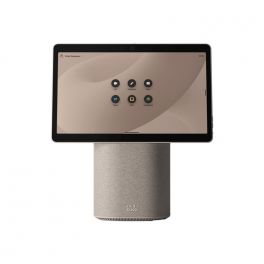
Cisco Webex Desk Mini - desert sand
Call us for availabilityAll-in-one video conferencing device ideal for hybrid working.- 15.6" multi-touch screen
- USB-C connection for charging and file sharing
- Noise Cancellation
- Simple Intuitive Set-up
- Portable and Ergonomic
- All-in-one portable collaboration device
- Integrated Microphone, Camera, and Speakers
- Desert sand version
£2,926.35£2,197.99 £2,637.59 Incl. VATRef: CIWDMDSCompare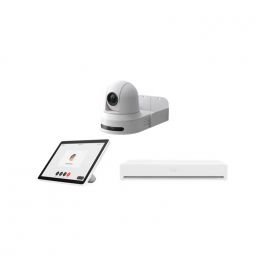
Webex Room Kit Plus PTZ 4K Integrator Bundle
Call us for availability4K PTZ camera for powerful collaboration in large meeting rooms.- PTZ 4K camera
- 20x optical and 12x digital zoom
- Simplified meeting-join experience with OBTP
- Wired or wireless content sharing
- PresenterTrack: intelligent face and upper body detection
- Control system integration
£15,298.73£10,010.99 £12,013.19 Incl. VATRef: CIWRKPPTZCompare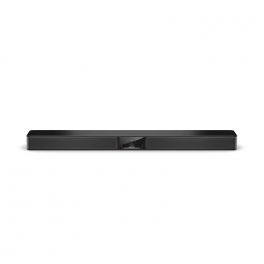
Bose Videobar VB1
Call us for availabilityAll-in-one videoconferencing bar with USB connection - The best Bose Professional sound for your videoconferencing.- USB videoconferencing for your medium-sized rooms
- Bose Professional sound for natural conversations
- Improved image clarity with 4K quality
- Very easy to install and start using
- With Bluetooth for wireless or mobile devices
- With table stand or wall-mount kit
- Compatible with all softphones on the market
- Optimised for Microsoft Teams and Zoom
£1,300.00 £1,560.00 Incl. VATRef: BOSVB1UKCompare
Lifesize Icon 450
Call us for availabilityHigh definition professional video conferencing equipment for medium and small rooms- High definition videoconferencing system (1080p30)
- Small meeting rooms, up to 6 participants
- Save and share meetings with just one click!
- Interoperability with SIP / H323 / WebRTC systems with LifeSize Cloud
- LifeSize Phone HD included with easy-to-use touchscreen
- Ergonomic menu and simplified interface
- Directory of up to 10,000 entries
- Simple and realistic videoconferencing
- Skype for Business optimised
£2,999.99 £3,599.99 Incl. VATRef: LSICON450UKCompare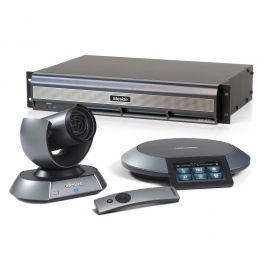
Lifesize Icon 800 Integrator with 10x Cam & Phone HD
Call us for availabilityFull HD video conference for large rooms up to 20 participants, with double screen. Comes with 10x camera and Phone HD- High definition video conferencing system (1080p30)
- Meeting rooms up to 20 participants
- Double screen model (connect up to two screens)
- Interoperability with SIP / H323 / WebRTC systems
- LifeSize Phone HD included with an easy-to-use touchscreen
- Ergonomic menu and simplified interface
- Simple and realistic video conferencing
- Optimized for Skype for Business with LifeSize Cloud
£10,799.99 £12,959.99 Incl. VATRef: LSICON800UKCompare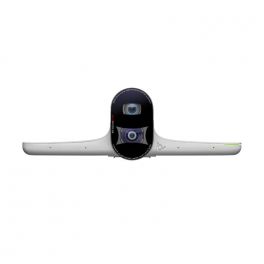
Poly Studio E70
Call us for availabilityArtificial intelligence video conferencing camera - ideal for large meeting spaces- Smart video conferencing camera
- Designed for large meeting rooms (7.62 m range)
- Interchangeable dual-lens system with 20-megapixel 4K sensors
- Double viewing angle: one at 70° and one at 120°
- Poly Director AI: Speaker Tracking + Intelligent Participant Framing
- Array of 4 MEMS microphones for voice detection
- NoiseBlock AI technology: noise cancellation
- Poly Lens Software: Remote Management and Hardware Analysis
- Connects to Poly G7500
- Certified for Microsoft Teams
£3,071.95£2,719.99 £3,263.99 Incl. VATRef: POSTUDIOE70UKCompare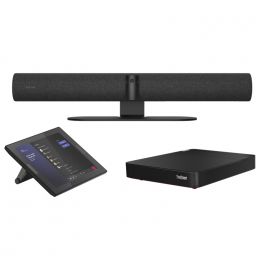
Jabra Panacast 50 Room System
Call us for availabilityAll in One Video Conferencing Solution preconfigured to Microsoft Teams! Includes Lenovo ThinkSmart Core and Tablet!- All in One solution for Small to Medium Rooms
- 180° field of view
- Preconfigured to Microsoft Teams
- Automatic Speaker Tracking
- Live streams your whiteboard content
- Delivers a close-up view of up to four speakers
£3,432.00£3,088.99 £3,706.79 Incl. VATRef: GNPANACAST50ROMSUKCompare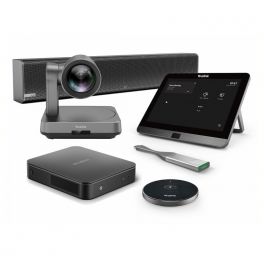
Yealink MVC640 Wireless
Call us for availabilityComplete video conferencing kit for medium rooms - Microsoft Teams certified- 4K resolution PTZ camera
- HD USB Speakerphone
- Captures voices at 360° within a 6 metre radius
- Management touch panel with large 8’’ touch screen (20cm)
- Multi-connection Mini PC to connect your devices
- Quick and easy connection: Plug & Play
- Microsoft Teams certified system
£3,165.00£3,081.99 £3,698.39 Incl. VATRef: YEALINKMVC640SFUKCompare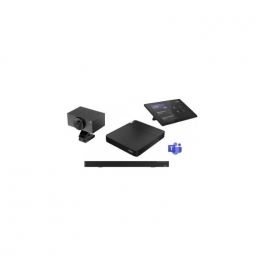
Lenovo Core, Controller & Huddly L1 MTR
Call us for availabilityAll-in-one collaborative solution for large rooms- Complete professional IT solution
- Full HD video
- Auto AI framing
- HD audio technology
- Integrated 4-microphone beamforming array
- Digital signal processing: echo and noise suppression
- Powerful connection box
- IR motion sensor on the touchscreen
- Certified for Microsoft Teams
£4,696.99 £5,636.39 Incl. VATRef: LENTSCOHUDL1MCompare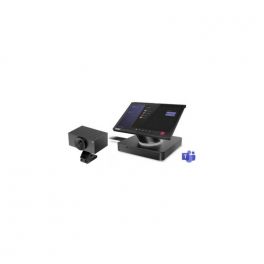
Lenovo ThinkSmart Hub & Huddly L1 MTR
Call us for availabilitySmart collaborative solution for large rooms- Integrated 25.65cm wide touchscreen control panel
- Full HD resolution 1920 x 1080 pixels + 360° rotation
- HD audio technology: 4 high-end 3W speakers
- 4 dual 360° digital microphones
- Maximum security: Lenovo ThinkShield + Windows 10 IoT
- Unique cabling system: always tidy spaces
- Full HD video and Auto AI framing
- Field of view 92˚H 65˚ V 103˚D
- Up to 5x digital zoom
- USB 3.0 port (via USB to PoE adapter)
- 1080p/720p video mode
- Digital PTZ function
- Microsoft Teams certified and dedicated solution
£2,796.00£2,649.99 £3,179.99 Incl. VATRef: LENTSHHUDL1MCompare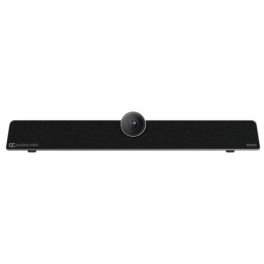
AudioCodes RXV81 Teams Video Collaboration Bar
Call us for availabilityMicrosoft Teams Room video conferencing bar- Ultra HD 4K image sensor
- 110º super-wide angle horizontal field of view
- EPTZ capable, 5x zoom
- Full duplex audio and noise suppression
- 6x beamforming microphone array
- Pickup range: up to 4.5m
- Bluetooth-managed remote controller
- Android 9.0
- Microsoft Teams Room for Android application
£1,270.49£1,054.99 £1,265.99 Incl. VATRef: AURX81TUKCompare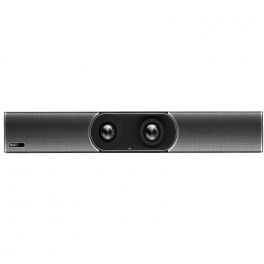
Yealink MeetingBar A30
Call us for availabilityAll-in-One Android Video Bar for Medium Rooms, compatible with Teams, Zoom or any other video conference app.- Medium room video bar
- Dual 8MP PTZ lens
- Wide fields of view at 90° and 120
- AI: Auto framing + voice tracking
- 8 MEMS microphones + dual speakers
- Full-Duplex experience via Yealink Noise Proof technology
- With VCR20 remote control
- Multi-platform: Teams, Zoom, BYOD
£2,185.00£1,109.99 £1,331.99 Incl. VATRef: YEAA30MRUKCompare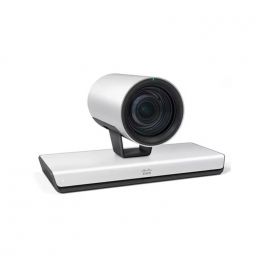
Cisco TelePresence Precision 60 - Conference camera
Call us for availabilityA powerful integrated video conferencing camera for a seamless and clear involvement in virtual meetings.- 1080p HD Video Quality
- Large Pan/Tilt Range
- Wide-Angle Lens
- 10x Optical Zoom
- Automatic and Manual Focus Adjustment
£8,307.42£6,005.99 £7,207.19 Incl. VATRef: CITPP60CAMCompare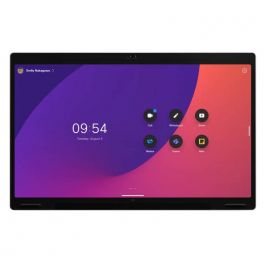
Cisco Webex Board Pro 55 - Non Radio - Video conferencing device
Call us for availabilityA high-performance video-conferencing device with stunning visuals and sound, while offering countless collaboration tools to improve your teamwork.- 55" 4K UHD touchscreen with touch technology
- Digital Whiteboard
- Content Sharing
- Video & Audio Conferencing
- Wireless Presentation
£22,593.96£16,059.99 £19,271.99 Incl. VATRef: CIWBPRO55Compare
Logitech Rally AI Camera
Coming SoonAI-powered PTZ conference camera with automatic participant detection and 4K video, designed for medium to large meeting rooms.- Intended use: medium to large collaborative spaces
- 4K Ultra HD video: professional video conferencing
- PTZ functions: motorised pan, tilt and zoom
- RightSight: automatic framing of active participants
- USB connectivity: easy integration into existing systems
- Compatible with leading video conferencing solutions
- Centralised device management via Logitech Sync
Ref: LORALLYAICompare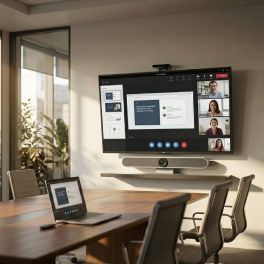
Cleyver 4K Medium Room Conferencing Kit with Screen sharing
Call us for availabilityComplete conferencing solution for medium meeting rooms, combining a Cleyver 4K video bar with 10x optical zoom, a 65-inch Samsung Business TV, wireless screen sharing and a professional wall mount.- 4K Ultra HD camera with 10x digital zoom and 120° angle
- Advanced AI features: auto-framing and voice tracking
- Wireless screen sharing with a single click
- Standalone solution with no software or drivers required
- For digital signage: 16/7 operation
- 65" 4K UHD display: clear and eye-catching visuals
- Wall mount for 43” to 98” screens supporting extra-large professional displays
- Tilt function for improved viewing angles and reduced reflections
£1,834.93£1,453.02 £1,743.63 Incl. VATRef: ODBARML65MUKCompare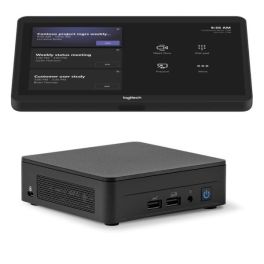
Logitech Tap Room Base V2 for Microsoft Teams
Call us for availabilityV2 Basic Kit for Microsoft Teams Rooms, featuring a 10.1" Logitech Tap touch controller and a pre-configured ASUS NUC mini-PC.- Microsoft Teams Rooms solution: pre-configured base system for creating a standalone meeting room
- 10.1" Logitech Tap: touch controller for starting and managing meetings directly from the table
- ASUS NUC mini-PC: a dedicated processing unit for Microsoft Teams room activities
- Automatic activation: the motion sensor reactivates the system when it detects users’ presence
- 1280 × 800 display: anti-glare screen with an oleophobic surface for clear viewing and easier maintenance
- Flexible installation: integrated cable management and VESA 100 × 100 mm compatibility for a tidy setup
£2,082.99 £2,499.59 Incl. VATRef: LOTAPMSTBASEASU2Compare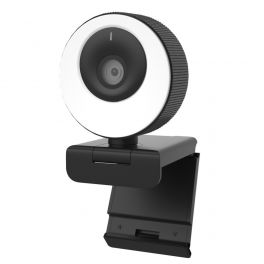
Cleyver Ring Light HD Webcam
DiscontinuedA USB-connected webcam with adjustable light ring for outstanding visual quality- Video conferencing webcam with 1080p HD resolution
- 96° field of view
- Adjustable LED light ring for improved brightness
- HD audio quality: 2 built-in stereo microphones
- Connectivity: USB
- Integrated magnetic privacy shutter
- Quick and easy connection: Plug & Play
- Ideal for recording and streaming
Check similar productsRef: ODWCAMLCompare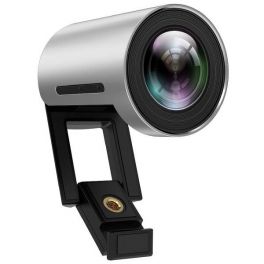
Yealink UVC30-Room 4K USB Camera
Videoconferencing camera with exceptional quality- for small rooms- 4K Video Resolution
- Maximum 60FPS
- 3x Digital Zoom
- 120º Field of View
- Facial Recognition
- Smart camera features: auto framing
Discontinued5 of 1 ReviewsCheck the alternative productRef: YEALINKUVC30Compare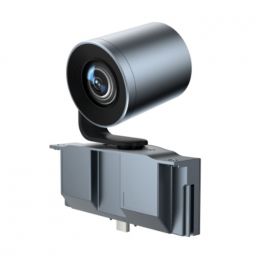
Yealink 12x Optical PTZ Camera Module for Yealink MeetingBoard
Discontinued12x Optical Zoom Camera Solution for Medium and Large Meeting Rooms- 12X optical zoom camera for versatile coverage in medium and large spaces
- 8MP resolution that ensure a high-definition video experience
- Intelligent AI Features to enhance participant and speaker tracking
- Wide Field of View (FOV) for comprehensive coverage in meeting spaces
Check the alternative productRef: YEAMBPTZ12XCAMCompare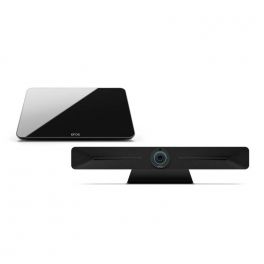
Expand Vison 5 bundle with Expand Control Tablet
DiscontinuedBundle with powerful all-in-one video bar with exceptional audio performance and crystal-clear video and control panel- All-in-one device for UC platforms
- For rooms of 10-12 people
- Runs on Android: no smart device required
- 4 powerful Beamforming microphones for crystal-clear sound recording
- Sony 4k wide-angle sensor
- Direct USB support for BYOD rooms
- Teams and Zoom applications in one click
- Easy installation
- Teams and Zoom certified
Check similar productsRef: SESEXPANDVI5BUNCompare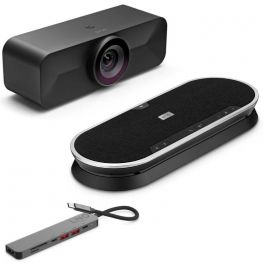
EPOS Vision 1M with Expand 80T and Hub
Video solution with 4K camera, 6-microphone speakerphone and multi-port hub - for medium and large meeting rooms.- Video solution for medium and largerooms
- Camera 4K with intelligent framing
- Viewing angle 95°
- Speakerphone powerful wireless
- Network of 6 micros MEMS omnidirectional
- Epos Voice: suppression of echo + background noise
- Speakers HD with neodymium magnet
- Connectivity: Bluetooth; USB-A or USB-C
- 7-in-1 multi-port hub with USB-C connector included
Discontinued5.0 of 1 ReviewsCheck similar productsRef: SESEXPANDVI1MMIDCompare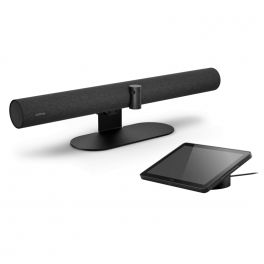
Jabra PanaCast 50 Video Bar System UC
DiscontinuedAll-in-one room system with PanaCast 50 videoconferencing bar and advanced Android processor for computer-free collaboration.- All-in-one meeting system (rooms of 10 people max)
- Android processor: no PC required, standalone solution
- Triple PTZ sensor with 4K resolution
- Wide field of view at 180°
- 8 microphones beamforming + 4 speakers
- Vibration suppression
- Can be used on whiteboard
- Touch tablet 10.1'': meeting management + content sharing
- UC: compatible with all softphones
- Table stand sold separately
Check the alternative productRef: GNPANA50SYSUUKCompare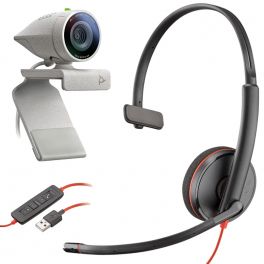
Poly Studio P5 + Blackwire 3210 USB-A
DiscontinuedAudiovisual pack consisting of a webcam and a headset - ideal for your day-to-day videoconferencing- Audiovisual kit for high quality videoconferencing
- Full HD resolution webcam with USB connection for your PC
- With privacy cover
- Mono headset with USB connection for your PC
- In-line controls: pick up calls, volume and mute
- Easy to install: plugin and start using
- Compatible with all softphones on the market
Check similar productsRef: POP5B3210Compare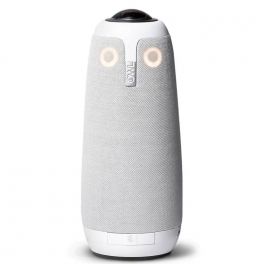
Meeting Owl Pro
DiscontinuedAll-in-one video conferencing with 360º vision - for a complete hybrid team experience- USB video conferencing for meeting rooms
- High-quality camera with 360º angle
- Complete field of vision for your interlocutors
- Speaker with a range of 5 m in 360º
- With built-in microphone
- Plug & Play installation
- Compatible with all softphones on the market
Check the alternative productRef: OWLMEETPROCompare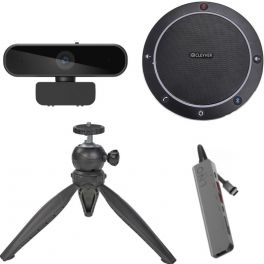
Cleyver Flextool Bluetooth Home Videoconferencing Pack
DiscontinuedIdeal for videoconferencing and small meeting rooms - ideal for any place and time- Practical and simple pack ideal for videoconferencing
- Webcam + Speaker + Tripod + Connection hub
- 90º webcam with high image quality
- 360º surround sound speaker with USB and Bluetooth connection
- All connected with the 7-in-1 USB-C Hub
- Adaptable tripod to take your meeting where you need it
- Compatible with all softphones on the market
Check similar productsRef: ODFLEXVISIOBTCompare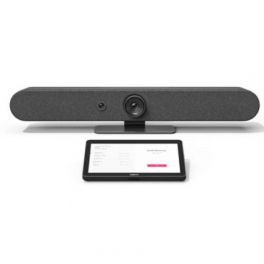
Logitech Rally Bar Mini + Logitech Tap IP
DiscontinuedRally Mini Bar + Tap IP- video conferencing system with meeting room controller- Video conferencing bar for small workspaces
- 4K UHD PTZ camera: the best picture in your meetings
- 120° field of view: the whole group in the frame
- Omni-directional microphones for excellent sound
- Echo and background noise suppression: no disruption
- Quick and easy installation: Plug & Play
- Compatible with Microsoft Teams and Zoom
- Pack includes Logitech TAP controller
Check the alternative productRef: LOTIPRBMGUNIAPPCompare
Characteristics and Core Functions
Modern professional video conferencing delivers communication experiences close to physical presence through advanced audio-visual technologies. Whether webcams, cameras, video bars or 360° cameras, video conferencing solutions ensure natural interactions and optimal image and sound quality to maintain engagement and collective productivity. They are particularly valuable for geographically distributed organisations requiring reliable and regular connections between remote teams.
| Professional video quality | HD/4K resolutions ensuring clear images for meetings and presentations. |
| UC compatibility | Works with Teams, Zoom, Google Meet and more. |
| Adapted configurations | Individual solutions, huddle rooms, medium-sized rooms and large auditoriums. |
| Connectivity | USB, HDMI and wireless options depending on the model. |
| Operational reliability | Professional technologies ensuring meeting stability. |
How to choose the right solution?
- OKRoom type: capacity and usage to select appropriately sized video equipment.
- OKExpected frequency of use: occasional use or daily video conferencing.
- OKCollaboration platforms: Teams standardisation, Zoom or universal multi-application compatibility.
- OKExisting IT infrastructure: integration with network, systems and corporate security policies.
- OKAccessories: tripods, mounts, extension microphones, remote controls and more.

Applications across professional environments
Video conferencing systems are used by businesses for daily meetings and remote working to maintain strong connections with geographically dispersed teams. In training and education, these solutions democratise learning by connecting trainers and remote learners. In consulting and professional services, they enable effective remote client support, while HR teams use them to expand talent pools without geographical constraints.
Why partner with Onedirect?
Onedirect offers video conferencing solutions tailored to every need from leading brands such as Poly, Logitech, Cleyver, Yealink and Jabra. As an official reseller, we ensure fast and secure delivery and provide dedicated after-sales support to assist with your projects. Our team helps you identify the ideal solution based on room architecture and IT infrastructure, ensuring a successful transformation of your collaborative practices.
FAQ – Frequently asked questions
What are the benefits of video conferencing for a business?
Reduced travel and associated costs, improved collective productivity, access to remote talent, increased responsiveness, reduced carbon footprint, better employee satisfaction and greater organisational flexibility for enhanced competitiveness.
Which video conferencing solution should be chosen depending on company size?
For SMEs, individual solutions or BYOD kits are sufficient. For mid-sized organisations, Android kits are recommended for a stable yet flexible setup. Large organisations should opt for standardised kits with centralised management and enterprise support.
Does video conferencing require a fast internet connection?
Yes. A minimum of 2–4 Mbps per participant is required for HD quality. For rooms with multiple participants and content sharing, at least 10–20 Mbps is recommended for stable, low-latency performance.
How can business video conferencing be secured?
Use corporate platforms with encryption, strong authentication, waiting rooms, access control and compliance with IT security policies to ensure confidentiality.
Which accessories can complement a video system?
Screens, speakerphones, soundbars, extension microphones, screen sharing solutions and room booking panels can help you deploy a high-performance video conferencing space.
Related resources
Webcams Icon Conference cameras Icon Meeting bars Icon 360° cameras Icon