
My Cart



Smart Whiteboard
Interactive collaboration for modern meetings
Digital whiteboards combine the advantages of traditional boards with modern collaboration technology. They are specifically designed for meetings, workshops and training sessions and make it possible to develop ideas together, save them and share them directly. With a digital whiteboard, you increase the efficiency of your meetings, encourage interaction and make results permanently available. They are ideal for modern offices, training rooms and creative teams.

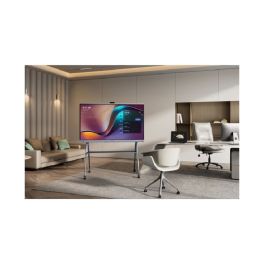
Yealink Meeting Board 75'' Pro
IN STOCKInteractive 4K display with Android 13 and native Teams support for collaborative environments- 4K UHD 75" touchscreen
- 4K camera with artificial intelligence
- 16 built-in microphones in array
- Built-in stereo speakers
- Native integration with Microsoft Teams
- Whiteboard and file sharing
- Dual OS: Android 13 + OPS slot
- Wireless sharing with WPP
£3,799.99 £4,559.99 Incl. VATRef: YEAMB75PROA02Compare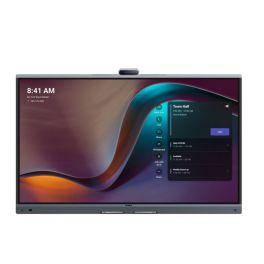
Yealink Meeting Board 65'' Pro
IN STOCKCollaboration display with 4K touchscreen, Android 13, and native Microsoft Teams support.- 65" 4K UHD touchscreen
- Built-in 4K camera with AI features
- 16-microphone array
- Integrated stereo speakers
- Native Microsoft Teams Rooms
- Whiteboard and content sharing
- Dual OS: Android 13 + OPS slot
- Wireless content sharing via WPP
£2,949.99 £3,539.99 Incl. VATRef: YEAMB65PROA02Compare- Special EducationFrom June 1 to June 30, 2026
Prepare for the new school year with our special education pricing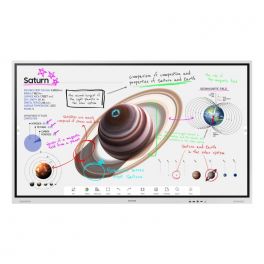
Samsung 65" Flip Pro WMB
IN STOCKNew generation interactive whiteboard to bring your ideas to life.- 65" Professional Interactive Whiteboard
- For real-time annotation and editing
- Landscape orientation supported
- New Edge break-resistant display with 4K resolution
- IR touch technology: up to 20 touchpoints
- Two 10W speakers for media playback
- Capture and layer functions available: simplified annotations
- PC and mobile content sharing via Miracast or AirPlay 2
- Integrated web browser
- Smart sharing: up to 50 devices connected at the same time
£2,076.12£1,617.99 £1,941.59 Incl. VATRef: SAWM65BUKCompare - Special EducationFrom June 1 to June 30, 2026
Prepare for the new school year with our special education pricing
Yealink Meeting Board 86'' Pro
IN STOCKTeams-certified display with built-in audio, camera, and touch collaboration features.- 86" 4K UHD touch screen
- Integrated 4K AI camera
- 16-microphone beamforming array
- Built-in stereo speakers
- Microsoft Teams Rooms native support
- Dual OS support: Android 13 & OPS slot
- Wireless content sharing with WPP
- Smart whiteboard and annotation
£4,499.99 £5,399.99 Incl. VATRef: YEAMB86PROA02Compare 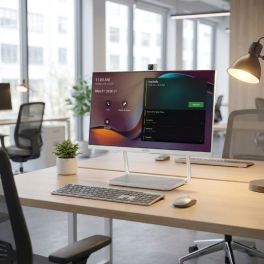
Yealink DeskVision A24 Teams 24-inch Touch Monitor
IN STOCKAll-in-one 23.8-inch touch display with integrated video conferencing, Microsoft Teams support and USB-C docking for streamlined hybrid workspaces.- All-in-one collaboration display: monitor, camera, microphone and speakers
- 23.8" Full HD touchscreen with 10-point multi-touch
- Integrated 4K camera with AI noise cancellation
- Microsoft Teams native support for seamless collaboration workflows
- USB-C docking with power delivery
- Dual mode operation: standalone conferencing system or PC monitor
£1,320.99£1,099.99 £1,319.99 Incl. VATRef: YEADESKVA24Compare- IconBest Seller
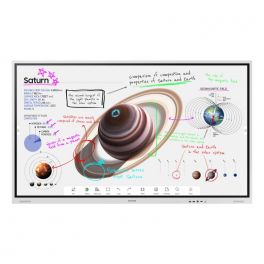
Samsung 55" Flip Pro WMB
New generation interactive whiteboard to bring your ideas to life.- 55" Professional Interactive Whiteboard
- For real-time annotation and editing
- Supported portrait and landscape orientations
- New Edge break-resistant display with 4K resolution
- IR touch technology: up to 20 touchpoints
- Two 10W speakers for media playback
- Capture and layer functions available: simplified annotations
- PC and mobile content sharing via Miracast or AirPlay 2
- Integrated web browser
- Smart sharing: up to 50 devices connected at the same time
IN STOCK4 of 1 Reviews£1,660.90 £1,993.08 Incl. VATRef: SAWM55BUKCompare 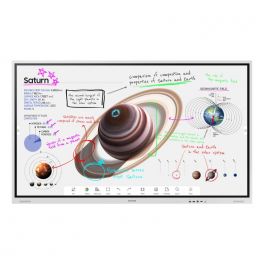
Samsung 75" Flip Pro WMB
IN STOCKNew generation interactive whiteboard to bring your ideas to life.- 75" Professional Interactive Whiteboard
- For real-time annotation and editing
- Supported portrait and landscape orientations
- New Edge break-resistant display with 4K resolution
- IR touch technology: up to 20 touchpoints
- Two 10W speakers for media playback
- Capture and layer functions available: simplified annotations
- PC and mobile content sharing via Miracast or AirPlay 2
- Integrated web browser
- Smart sharing: up to 50 devices connected at the same time
£3,294.12£2,397.99 £2,877.59 Incl. VATRef: SAWM75BUKCompare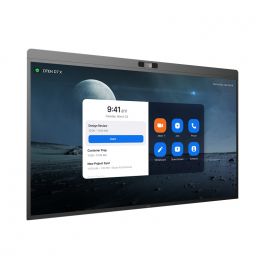
DTEN D7X 55'' - Windows Edition
IN STOCKInteractive display for meeting collaboration- LED 55” display
- Windows edition
- 4K UHD resolution
- 20 touch-points
- Low latency - 50 ms response time
- 180 touch-point reporting rate
- 15-microphone array
- 2x Integrated speakers
- 129º field of view
- PTZ and preset camera
- Zoom Rooms Auto framing & Smart Gallery
- DTEN Smart Framing
- Acoustic Echo Cancellation
- Automatic Gain Control and Noise Reduction
- Smart Connect via single charging USB-C Cable
£4,772.00£4,023.99 £4,828.79 Incl. VATRef: DTD7X55WUKCompare- Special EducationFrom June 1 to June 30, 2026
Prepare for the new school year with our special education pricing
Newline Lyra Pro 75''
IN STOCKInteractive touch display with Wifi and Bluetooth and native Google EDLA certification- Interactive touch display
- Memory: 128 GB / 8 GB RAM
- Wifi 6 & Bluetooth 5.2
- Plug & play USB-C connection
- Android 13 OS
- 4K resolution
- 178° viewing angle
- Integrated 20W speakers
£1,524.99 £1,829.99 Incl. VATRef: NEWLYPRO75UKCompare - Special EducationFrom June 1 to June 30, 2026
Prepare for the new school year with our special education pricing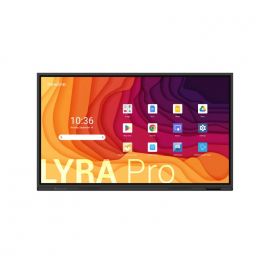
Newline Lyra Pro 65''
IN STOCKInteractive touch display with Wifi and Bluetooth and native Google EDLA certification- Interactive touch display
- Memory: 128 GB / 8 GB RAM
- Wifi 6 & Bluetooth 5.2
- Plug & play USB-C connection
- Android 13 OS
- 4K resolution
- 178° viewing angle
- Integrated 20W speakers
£1,174.99 £1,409.99 Incl. VATRef: NEWLYPRO65UKCompare - Special EducationFrom June 1 to June 30, 2026
Prepare for the new school year with our special education pricing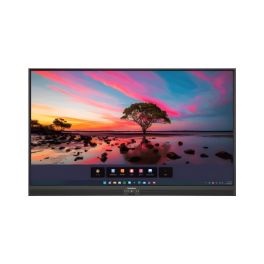
Promethean ActivPanel Premium 10 65''
IN STOCK65'' 4K touchscreen, 50 touchpoints, Wi-Fi 6, digital pen, speakers, and ActivSuite educational software- 65'' 4K UHD display with 977 cd/m² brightness
- Vellum touch technology with 50 simultaneous touchpoints
- Precise writing: differentiation between pen, finger, and palm
- 9H tempered glass with anti-reflective and anti-fingerprint coating
- Speakers: 2x25W + 20W subwoofer
- Compatible with Windows, macOS, Linux, and Android
- Ambient light sensor and fanless design
- Includes ActivInspire licence and 2 ActivSuite licences
£2,599.99£2,156.99 £2,588.39 Incl. VATRef: PROAP10B65EUCompare 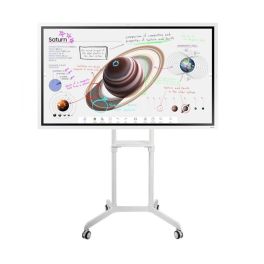
Samsung Flip Pro 65'' + Neomounts Support
Call us for availabilityNext-generation interactive whiteboard to bring your ideas to life in classrooms and meeting spaces.- 65" Professional Interactive Whiteboard
- For real-time annotation and editing
- Landscape orientation supported
- Mobile base for flat screen
- Suitable for screens up to 70" (178cm)
- Tiltable by 5° and rotatable by 90°
£2,485.07£1,957.44 £2,348.93 Incl. VATRef: SAWM65BSPUKCompare- Special EducationFrom June 1 to June 30, 2026
Prepare for the new school year with our special education pricing
iiyama ProLite TE5513A-B2AG 55" 4K Interactive Display
IN STOCKProfessional 55-inch interactive display with 4K UHD resolution, Google EDLA certification, Android 14 and advanced touch technology for collaboration, training and meeting rooms.- 55" 4K UHD interactive display with crisp, detailed images for meeting rooms and educational environments.
- Google EDLA certification for direct access to Google applications and cloud collaboration tools.
- PureTouch-IR+ technology with up to 40 touch points and palm rejection for natural writing.
- Android 14 with integrated iiWare 21E for PC-free working and managing content directly from the display.
- USB-C with Power Delivery up to 100 W for video, touch data and power via a single cable.
- Wi-Fi 6E, Bluetooth 5.0 and Ethernet for modern, reliable connectivity.
- Zero-Gap Air Bonding which reduces parallax and improves accuracy during writing and interaction.
£1,100.99 £1,321.19 Incl. VATRef: IIYTE5513AB2AGCompare - Special EducationFrom June 1 to June 30, 2026
Prepare for the new school year with our special education pricing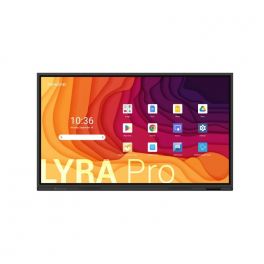
Newline Lyra Pro 86"
IN STOCKInteractive touch display with Wifi and Bluetooth and native Google EDLA certification- Interactive touch display
- Memory: 128 GB / 8 GB RAM
- Wifi 6 & Bluetooth 5.2
- Plug & play USB-C connection
- Android 13 OS
- 4K resolution
- 178° viewing angle
- Integrated 20W speakers
£1,794.99 £2,153.99 Incl. VATRef: NEWLYPRO86UKCompare 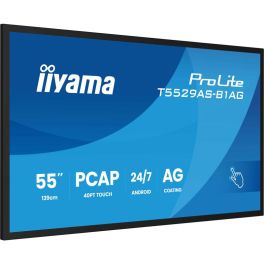
iiyama ProLite T5529AS-B1AG
IN STOCK55'' 4K touchscreen powered by Android, perfect for small rooms!- Use: small collaborative spaces
- 55-inch 4K UHD screen
- Highly precise 20-point touchscreen function
- 500cd/m² brightness: optimal visibility even in daylight
- Built-in Android 14 system
- USB-C connectivity with video, data, and power pass-through
- Integrated collaboration tools: iiShare, EShare, Whiteboard
- 24/7 operation: guaranteed heavy use
- VESA mount 300x400mm
£1,399.00£1,358.99 £1,630.79 Incl. VATRef: IIYT5529ASB1AGCompare- Special EducationFrom June 1 to June 30, 2026
Prepare for the new school year with our special education pricing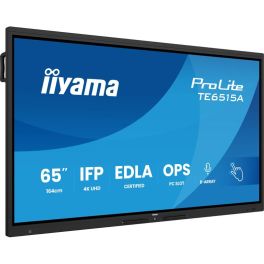
iiyama ProLite TE6515A-B1AG
IN STOCK65" 4K UHD Interactive Display, Google EDLA Certified, designed for seamless collaboration and hybrid teaching.- Ideal for: connected classrooms or meeting spaces
- 65" UHD anti-glare display
- 40-point touch functionality: intuitive interaction
- 8 built-in microphones
- Google EDLA certified with Android 14 built-in
- WiFi 6, Bluetooth 5.0, NFC and PIR sensor
- iiWare 21E suite: whiteboard, EShare, iiControl, browser, etc.
- Premium fanless design with antibacterial fabric finish
£1,459.00£1,415.99 £1,699.19 Incl. VATRef: IIYTE6515AB1AGCompare 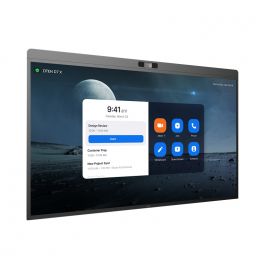
DTEN D7X 55" - Android Edition
IN STOCKInteractive display for meeting collaboration- LED 55” display
- Android edition
- 4K UHD resolution
- 20 touch-points
- Low latency - 50 ms response time
- 180 touch-point reporting rate
- 15-microphone array
- 2x Integrated speakers
- 129º field of view
- PTZ and preset camera
- Zoom Rooms Auto framing & Smart Gallery
- DTEN Smart Framing
- Acoustic Echo Cancellation
- Automatic Gain Control and Noise Reduction
- Smart Connect via single charging USB-C Cable
£4,295.00£3,752.99 £4,503.59 Incl. VATRef: DTD7X55AUKCompare- Special EducationFrom June 1 to June 30, 2026
Prepare for the new school year with our special education pricing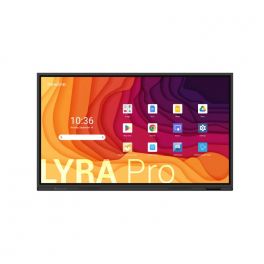
Newline Lyra Pro 55''
IN STOCKInteractive touch display with Wifi and Bluetooth and native Google EDLA certification- Interactive touch display
- Memory: 128 GB / 8 GB RAM
- Wifi 6 & Bluetooth 5.2
- Plug & play USB-C connection
- Android 13 OS
- 4K resolution
- 178° viewing angle
- Integrated 20W speakers
£1,094.99 £1,313.99 Incl. VATRef: NEWLYPRO55UKCompare - Special EducationFrom June 1 to June 30, 2026
Prepare for the new school year with our special education pricing
Samsung Flip Pro WMFX 75'' 4K interactive display
IN STOCK75-inch 4K interactive display for immersive collaboration, featuring advanced multi-touch, built-in tools and a display optimised for large professional spaces.- Advanced multi-touch: up to 20 simultaneous touch points
- 75” 4K UHD screen: optimal visibility for large meeting rooms
- Smooth interaction: 26 ms latency and precise, natural writing
- Integrated collaboration tools: whiteboard, annotation and sharing
- High-performance multitasking: simultaneous multi-window display
- Comprehensive connectivity: HDMI, USB, USB-C, Ethernet and wireless
- Knox security: protection for business data
£2,989.79£2,514.99 £3,017.99 Incl. VATRef: SA75WMFXCompare - Special EducationFrom June 1 to June 30, 2026
Prepare for the new school year with our special education pricing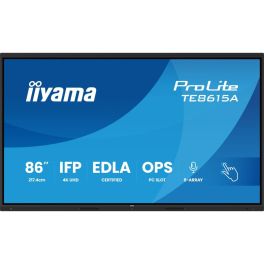
iiyama ProLite TE8615A-B1AG
IN STOCK86" 4K UHD Interactive Display, Google EDLA Certified, designed for seamless collaboration and hybrid teaching.- Ideal for: connected classrooms or meeting spaces
- 86" UHD anti-glare display
- 40-point touch functionality: intuitive interaction
- 8 built-in microphones
- Google EDLA certified with Android 14 built-in
- WiFi 6, Bluetooth 5.0, NFC and PIR sensor
- iiWare 21E suite: whiteboard, EShare, iiControl, browser, etc.
- Premium fanless design with antibacterial fabric finish
£2,159.00£2,094.99 £2,513.99 Incl. VATRef: IIYTE8615AB1AGCompare 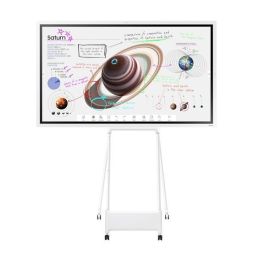
Samsung Flip 4 55'' + PAENA support
Next-generation interactive whiteboard, perfect for collaboration in classrooms or meeting rooms!- 55" Professional Interactive Whiteboard
- For real-time annotation and editing
- Supported portrait and landscape orientations
- PAENA stand with wheels
- 90º swivel supports
- Exclusively for 55" Samsung Flip 2.0 monitor
Call us for availability4.0 of 1 Reviews£2,223.89£2,066.96 £2,480.36 Incl. VATRef: SAWM55BSPUKCompare- Special EducationFrom June 1 to June 30, 2026
Prepare for the new school year with our special education pricing
LG CreateBoard TR3DQ 75-inch UHD Interactive Display
IN STOCK75-inch UHD interactive display with Android 14, 50-point multi-touch and wireless sharing for advanced collaboration.- Multi-touch support for up to 50 points for seamless simultaneous collaboration
- 4K UHD resolution for crisp, professional-quality content
- Android 14 with Google EDLA and access to the Play Store
- Wireless sharing with up to 9 devices simultaneously
- Powerful built-in audio with front-facing speakers and a subwoofer
- Multifunctional USB-C for data, video and charging up to 65W
£1,750.99£1,490.99 £1,789.19 Incl. VATRef: LG75TR3DQCompare 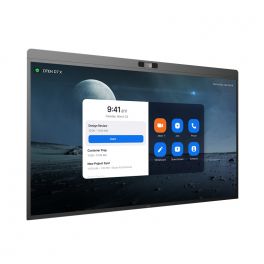
DTEN D7X 75" - Windows Edition
IN STOCKInteractive display for meeting collaboration- LED 75” display
- Windows edition
- 4K UHD resolution
- 20 touch-points
- Low latency - 50 ms response time
- 180 touch-point reporting rate
- 15-microphone array
- 2x Integrated speakers
- 129º field of view
- PTZ and preset camera
- Zoom Rooms Auto framing & Smart Gallery
- DTEN Smart Framing
- Acoustic Echo Cancellation
- Automatic Gain Control and Noise Reduction
- Smart Connect via single charging USB-C Cable
£8,113.00£6,752.99 £8,103.59 Incl. VATRef: DTD7X75WUKCompare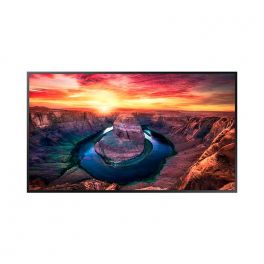
Samsung 43" Interactive Display QMB-T
IN STOCKIntelligent 4K touchscreen ideal for retail, kiosk and enterprise interactions.- 43-inch touch screen
- 4K UHD resolution + anti-reflective treatment
- SmartView+: multiple wireless content sharing
- Automatic display adjustment when the screen is rotated
- Content calibration and customisable menu
- MagicInfo Player: content management
- Scalable web engine
- Ideal for kiosks, shops and businesses
£1,781.31£1,749.99 £2,099.99 Incl. VATRef: SAQM43BTUKCompare
Newline Elara Pro 65" (OPEN BOX)
IN STOCKThe Ultimate Hybrid Solution***OPEN BOX***- Advanced Connectivity: Wi-Fi 6, Bluetooth 5.2, and 100W USB-C power for seamless connections.
- Certified Performance: Google EDLA certified, Android 13, compatible with any hardware/software.
- Interactive Ecosystem: Includes tools for video conferencing, brainstorming, screen sharing, and streaming.
- Superior Features: 4K AI ModCam+, NFC login, Stellar Touch Technology with 50 touch points.
- Robust Specs: 65" 4K display, 16 GB RAM, 320 GB expandable storage, multiple connectivity ports.
£1,995.00£1,499.99 £1,799.99 Incl. VATRef: R-NEWLELPRO65UKCompare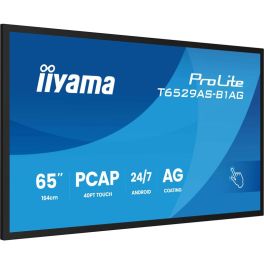
iiyama ProLite T6529AS-B1AG
IN STOCK65'' 4K touchscreen powered by Android, perfect for meeting rooms!- Use: collaborative business spaces
- 65-inch 4K UHD screen
- Highly precise 20-point touchscreen
- 500cd/m² brightness: optimal visibility even in daylight
- Built-in Android 14 system
- USB-C connectivity with video, data, and power pass-through
- Integrated collaboration tools: iiShare, EShare, Whiteboard
- 24/7 operation: guaranteed heavy use
- VESA mount 400x400mm
£1,599.00£1,551.99 £1,862.39 Incl. VATRef: IIYT6529ASB1AGCompare- Special EducationFrom June 1 to June 30, 2026
Prepare for the new school year with our special education pricing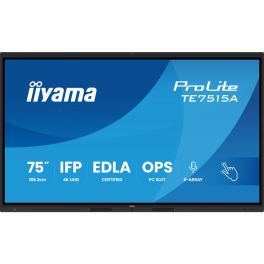
iiyama ProLite TE7515A-B1AG
IN STOCK75" 4K UHD Interactive Display, Google EDLA Certified, designed for seamless collaboration and hybrid teaching.- Ideal for: connected classrooms or meeting spaces
- 75" UHD anti-glare display
- 40-point touch functionality: intuitive interaction
- 8 built-in microphones
- Google EDLA certified with Android 14 built-in
- WiFi 6, Bluetooth 5.0, NFC and PIR sensor
- iiWare 21E suite: whiteboard, EShare, iiControl, browser, etc.
- Premium fanless design with antibacterial fabric finish
£1,799.00£1,648.99 £1,978.79 Incl. VATRef: IIYTE7515AB1AGCompare 
iiyama ProLite TE6513A-B2AG 65" 4K Interactive Display
IN STOCKProfessional 65-inch interactive display with 4K UHD resolution, Android 14, Google EDLA certification and advanced touch technology for collaboration, training and modern meeting rooms.- 65" 4K UHD interactive display designed for meeting rooms, classrooms and collaborative environments.
- Google EDLA certification for direct access to Google applications and cloud tools.
- PureTouch-IR+ technology with up to 40 simultaneous touch points
- Android 14 with integrated iiWare 21E for PC-free operation and content management
- USB-C with Power Delivery up to 100 W for video, touch data and power via a single cable.
- Wi-Fi 6E and Bluetooth 5.0 for reliable, high-performance connectivity.
- Zero-Gap Air Bonding which improves writing accuracy and reduces parallax.
£1,246.99 £1,496.39 Incl. VATRef: IIYTE6513AB2AGCompare
Logitech Rally Board 65'' White
IN STOCKEffortless 65” touchscreen video conferencing with 4K clarity, powerful audio, AI enhancements, and eco-friendly design.- 65‘’ touch screen for smooth and natural collaboration
- 4K camera with 4X HD digital zoom
- High quality stereo speakers
- Beamforming microphones: Clear and accurate voice capture.
- AI technology: Automatic adjustments for a better experience.
- Works with Microsoft Teams, Zoom and Google Meet.
- Eco-friendly design: Recycled materials and sustainable packaging.
- Second display support, up to UHD 4K60 (3840 x 2160)
£6,035.99£5,689.99 £6,827.99 Incl. VATRef: LORALLYBO65BUKCompare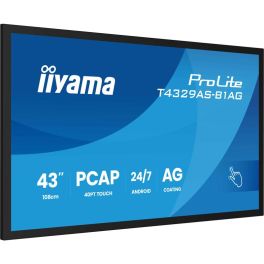
iiyama T4329AS-B1AG Signage Display
IN STOCK43'' 4K touchscreen powered by Android, perfect for small rooms!- Use: small collaborative spaces
- 43-inch 4K UHD screen
- Highly precise 20-point touchscreen
- 500cd/m² brightness: optimal visibility even in daylight
- Built-in Android 14 system
- USB-C connectivity with video, data, and power pass-through
- Integrated collaboration tools: iiShare, EShare, Whiteboard
- 24/7 operation: designed for heavy use
- VESA mount 300x300mm
£1,059.00£1,028.99 £1,234.79 Incl. VATRef: IIYT4329ASCompare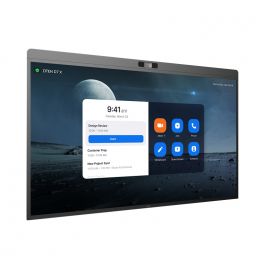
DTEN D7X 75" - Android Edition
IN STOCKInteractive display for meeting collaboration- LED 75” display
- Android edition
- 4K UHD resolution
- 20 touch-points
- Low latency - 50 ms response time
- 180 touch-point reporting rate
- 15-microphone array
- 2x Integrated speakers
- 129º field of view
- PTZ and preset camera
- Zoom Rooms Auto framing & Smart Gallery
- DTEN Smart Framing
- Acoustic Echo Cancellation
- Automatic Gain Control and Noise Reduction
- Smart Connect via single charging USB-C Cable
£7,792.39£5,900.99 £7,081.19 Incl. VATRef: DTD7X75AUKCompare- Special EducationFrom June 1 to June 30, 2026
Prepare for the new school year with our special education pricing
Samsung Flip Pro WMFX 55'' 4K interactive display
IN STOCKA 55-inch professional 4K interactive display designed for meeting collaboration, featuring smooth handwriting, multi-user functionality and secure built-in tools.- Multi-user collaboration: up to 20 simultaneous touch points
- 55” interactive display: 4K UHD resolution for optimal readability
- Ultra-smooth writing: 26 ms latency and 2,048 pressure levels
- Multitasking mode: display multiple content streams on a single screen
- Intuitive Flip interface: quick access to whiteboard and sharing tools
- Samsung Knox security: advanced data protection
- Rotating design: use in portrait or landscape mode
£1,627.99£1,367.99 £1,641.59 Incl. VATRef: SA55WMFXCompare - Special EducationFrom June 1 to June 30, 2026
Prepare for the new school year with our special education pricing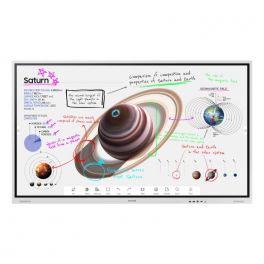
Samsung 85" Flip Pro WMB
IN STOCKNew generation interactive whiteboard to bring your ideas to life.- 85" Professional Interactive Whiteboard
- For real-time annotation and editing
- Supported portrait and landscape orientations
- New Edge break-resistant display with 4K resolution
- IR touch technology: up to 20 touchpoints
- Two 10W speakers for media playback
- Capture and layer functions available: simplified annotations
- PC and mobile content sharing via Miracast or AirPlay 2
- Integrated web browser
- Smart sharing: up to 50 devices connected at the same time
£4,968.86£3,583.99 £4,300.79 Incl. VATRef: SAWM85BUKCompare 
Neat Board 50
IN STOCK50'' touchscreen with a 50 MP high-resolution camera and flawless audio for perfect collaboration that will transform your meetings.- 50'' capacitive multi-touch LCD screen
- Ultra HD 4K with 3840 × 2160 resolution
- Anti-glare and anti-fingerprint coating with 7H glass surface
- 50 MP camera with 113° field of view
- Adaptive group framing, dynamic individual framing and speaker tracking
- Supports connection to a second screen
- Built-in sensors for ambient light, temperature, humidity, and air quality
- Table stand included
£5,229.99£4,422.99 £5,307.59 Incl. VATRef: NEATBOARD50SECompare- Special EducationFrom June 1 to June 30, 2026
Prepare for the new school year with our special education pricing
iiyama ProLite TE8613A-B2AG 86-inch 4K touchscreen
IN STOCK86-inch 4K interactive touchscreen with Android, iiWare and EDLA certification, designed for collaborative work and modern meeting rooms.- Uses: business collaboration, interactive education
- 86-inch 4K UHD screen: large display area
- Interactive touchscreen: precise multi-touch technology
- EDLA certified: direct access to Google services and apps
- Android with iiWare: integrated tools for whiteboarding and collaboration
- USB-C connectivity: video, data and power via a single cable
- Built-in speakers: for ready-to-use conferencing solutions
£1,750.99 £2,101.19 Incl. VATRef: IIYTE8613AB2AGCompare - Special EducationFrom June 1 to June 30, 2026
Prepare for the new school year with our special education pricing
Samsung Flip Pro WMFX 65'' 4K interactive display
Call us for availability65-inch 4K interactive display designed for collaborative meetings and training sessions, featuring advanced multi-touch functionality, built-in tools and comprehensive connectivity.- Multi-user: up to 20 simultaneous touch points
- Large 65” 4K UHD screen: comfortable viewing
- Smooth and precise interaction: 26 ms latency and natural writing
- Multi-window display for greater efficiency
- Optimised Flip interface: quick access to collaboration tools
- Integrated Knox security: enterprise data protection
- Rotating design: use in portrait or landscape mode
£2,015.19£1,831.99 £2,198.39 Incl. VATRef: SA65WMFXCompare - Special EducationFrom June 1 to June 30, 2026
Prepare for the new school year with our special education pricing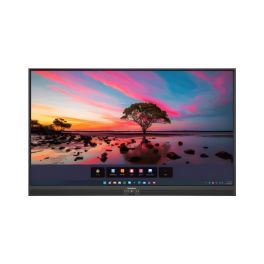
Promethean ActivPanel Premium 10 75''
Call us for availability75'' 4K touchscreen, 50 touchpoints, Wi-Fi 6, digital pen, built-in speakers, and ActivSuite educational software- 75'' 4K UHD display with 880 cd/m² brightness
- Vellum touch technology with 50 simultaneous touchpoints
- Precise writing: differentiation between pen, finger, and palm
- 9H tempered glass with anti-reflective and anti-fingerprint coating
- Speakers: 2x25W + 20W subwoofer
- Compatible with Windows, macOS, Linux, and Android
- Ambient light sensor and fanless design
- Includes ActivInspire licence and 2 ActivSuite licences
£2,999.99 £3,599.99 Incl. VATRef: PROAP10B75EUCompare 
MAXHUB V6550 XBoard V7 65" Collaborative Display
Call us for availability65" all-in-one collaborative display with 4K UHD display, triple camera, intelligent audio for advanced video conferencing.- Usage: meeting rooms, videoconferencing, hybrid collaboration
- 65-inch 4K UHD surface: high colour accuracy
- Triple 50 MP camera with automatic framing and tracking
- Infrared touchscreen with 50 simultaneous touch points
- Anti-glare coating: optimal visibility
- 2.1 smart audio: 16-microphone array and AI processing
- BYOM features: MAXHUB Share, wireless dongle or USB-C
- MAXHUB MT71 OPS module required
£2,367.99 £2,841.59 Incl. VATRef: MAXHV6550Compare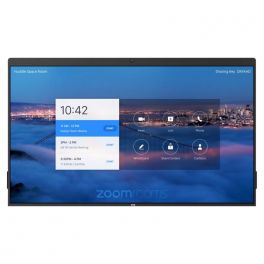
DTEN ON 55"
Call us for availabilityA single device for video conferencing, whiteboarding and sharing documents- DTEN OS with simple connectivity for premium meeting experience
- 16-microphone array and sophisticated AI-powered DSP sound technology delivers crystal clear audio
- Incredibly responsive multi-touch Ultra HD 4K display with up to 120-degree camera
- Simple. Reliable. Plug-and-play ready
- Compatible with Zoom only.
£2,648.99 £3,178.79 Incl. VATRef: DTON55UKCompare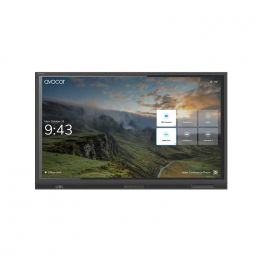
AVOCOR AVE-5530 55" TOUCH 4K
Call us for availabilityA high-performance interactive display built for collaboration, dependability and durability.- 55" 4K UHD LED touchscreen display
- Anti-glare, anti-reflective and anti-bacterial glass
- 4K UHD resolution with a wide 178-degree viewing angle
- Compatible with Windows, Mac OS, Chrome OS, and Linux OS
- Zero parallax between glass and display encourages viewing from every angle
£1,999.00£1,881.99 £2,258.39 Incl. VATRef: AVO5530UKCompare
Characteristics and Core Functions
Interactive whiteboards for conference rooms combine precise touch hardware with collaborative software platforms. They are designed to integrate into existing networks and videoconferencing setups, providing a central surface for planning, workshops and decision-making.
| PCAP or infrared touch technology | Accurate detection of pen and finger input supports handwriting, sketching and gesture control |
| Multi-user input (10–40 points) | Several participants can interact simultaneously, encouraging group work and co-creation |
| Full HD, 2K or 4K UHD resolution | Detailed visuals ensure that diagrams, charts and annotations remain easy to read |
| IPS / VA panels with wide viewing angles | Content remains legible for everyone around the table, not just those seated directly in front of the screen |
| Comprehensive connectivity | HDMI, USB-C, DisplayPort, LAN, WiFi and Bluetooth support integration with laptops, networks and peripherals |
| Digital whiteboard and annotation tools | Built-in software allows teams to write, highlight and capture notes without external applications |
| Screen mirroring and collaboration apps | Participants can share content from their own devices and work together on shared documents |
How to Select the Right Conference Room Whiteboard
- OKType of meetings – Evaluate whether sessions are primarily strategic, creative, training-focused or project-driven to determine required software features
- OKRoom size and seating – Choose screen size and resolution that provide clear visibility for everyone present
- OKIntegration with UC platforms – Confirm compatibility with Teams, Zoom, Meet or other video tools used in your organisation
- OKPen and accessory requirements – Decide if active pens, erasers or dedicated toolbars are needed to match user preferences
- OKNetwork and management – Consider how devices will be updated, monitored and managed by IT over time
- OKContent export and storage – Ensure whiteboard sessions can be saved, shared and revisited after the meeting

Applications Across Professional Environments
Project teams use interactive whiteboards to visualise roadmaps, Kanban boards and dependency diagrams during planning sessions. Information can be reorganised quickly, supporting agile methodologies and iterative decision-making.
Sales and marketing teams rely on these boards for client-facing workshops, where proposals, campaign ideas or solution designs can be created together in real time. The ability to annotate directly on slides or documents makes sessions more engaging and productive.
Training departments and leadership groups use digital whiteboards to deliver interactive courses, strategy off-sites and management meetings, ensuring that key outputs are captured digitally rather than lost once sessions end.
Why Partner with Onedirect?
Onedirect supplies interactive whiteboard solutions from manufacturers including Samsung, LG, iiyama, Sony and Maxhub, all selected for their suitability in professional environments. Our stock availability and delivery capabilities support multi-room deployments within tight project timelines.
We help you specify screen sizes, touch technologies and software ecosystems aligned with how your teams collaborate. Considerations such as pen ergonomics, mounting options and connectivity are addressed during the selection process to ensure smooth installation.
As collaboration practices evolve, Onedirect remains available to advise on expansions, accessories and upgrades, helping you maintain a consistent experience across all meeting spaces.
FAQ – Frequently Asked Questions
What is the difference between an interactive whiteboard and a standard display?
Interactive whiteboards support touch input, annotation and collaboration software, allowing users to write, draw and interact directly with content rather than just viewing it.
Can multiple people use an interactive whiteboard at the same time?
Yes. Most professional interactive whiteboards support multi-touch input, enabling several users to work simultaneously on the same screen.
Do interactive whiteboards work with Teams and Zoom?
Many models integrate with Microsoft Teams, Zoom and Google Meet, either natively or via connected PCs and room systems.
Are interactive whiteboards suitable for large meeting rooms?
Yes. Large-format interactive whiteboards with 4K resolution and wide viewing angles are well suited to boardrooms, training rooms and collaboration spaces.
Can whiteboard content be saved after a meeting?
Most interactive whiteboards allow sessions to be saved, exported or shared digitally, ensuring that meeting outputs are preserved and accessible.
Related Resources
Digital Signage Icon Touchscreen Kiosks Icon Touchscreen Displays Icon