
My Cart



Retail Touchscreen Displays
Engaging displays for retail reception areas
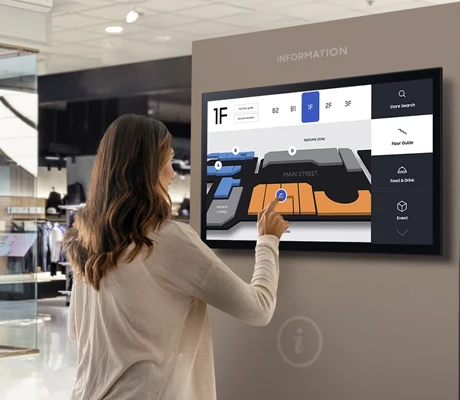
Display and digital signage solutions for retail help retailers to present products emotionally, inform customers and trigger buying impulses directly at the point of sale. They are used in shop windows, aisles, checkout areas and on sales floors. With professional solutions for retail, you increase the visibility of your offers, optimise the shopping experience and can adapt content flexibly to target groups, times of day and campaigns.

iiyama ProLite T2755MSC-B1
IN STOCKThe 27” Full HD touchscreen for smooth interaction and dynamic content display!- 27’’ Full HD touchscreen with IPS panel
- Ultra-responsive 10-point multi-touch
- Matte anti-glare coating
- Fast 5 ms response time
- HDMI, DisplayPort, and USB 3.2 connectivity
- Adjustable tilt from 5° to 90°
- Built-in speakers
- VESA 100 x 100 mm mount compatible
£340.00£331.99 £398.39 Incl. VATRef: IIYT2755MSC-B1Compare
iiyama ProLite TF3215MC-B2AG Monitor
IN STOCKExperience stunning visuals and responsive touch interaction.- Impressive Display Size: Enjoy a spacious 31.5" screen for optimal viewing.
- Full HD Resolution: Crystal clear 1920 x 1080 pixels for vivid graphics.
- Robust Touch Technology: Multi-touch functionality enhances interactivity.
- IP65 Rating: Dust and water resistant, ideal for public installations.
- Flexible Orientation: Easily switch between landscape and portrait modes.
£854.69£675.99 £811.19 Incl. VATRef: IIYTF3215MB2GCompare
iiyama ProLite TF5539AS-B1AG
IN STOCK55'' all-in-one touchscreen with Android, perfect for kiosks, shops, or meeting rooms.- For kiosks, meeting rooms, shops, and more...
- 55'' 4K UHD screen
- Touchscreen with up to 40 touch points
- Built-in Android 11 system
- IP65 (front panel): water and dust resistant
- Compatible with display windows thanks to through-glass touch
- FailOver function: content always active
- Open Frame design: customised integration
£1,979.00£1,920.99 £2,305.19 Incl. VATRef: IIYTF5539ASB1AGCompare
iiyama ProLite T2255MSC-B1
IN STOCKThe ideal touchscreen for displaying dynamic content!- 21.5” Full HD touchscreen
- IPS panel: accurate colours and wide viewing angles
- MPP 2.0 stylus: ultra-precise writing and drawing
- Anti-smudge coating for a consistently clear screen
- Adjustable stand for optimal comfort
- HDMI, DisplayPort, and USB 3.0 connectivity
- Built-in speakers for multimedia use
- Blue light filter & Flicker-Free technology for visual comfort
£244.24£219.99 £263.99 Incl. VATRef: IIYT2255MSC-B1Compare
iiyama ProLite TF6539AS-B1AG
IN STOCK65'' all-in-one touchscreen with Android, perfect for kiosks, shops, or meeting rooms.- For kiosks, meeting rooms, shops, and more...
- 65'' 4K UHD screen
- Touchscreen with up to 40 touch points
- Built-in Android 11 system
- IP65 (front panel): water and dust resistant
- Compatible with display windows thanks to through-glass touch
- FailOver function: content always active
- Open Frame design: customised integration
£2,799.00£2,715.99 £3,259.19 Incl. VATRef: IIYTF6539ASCompare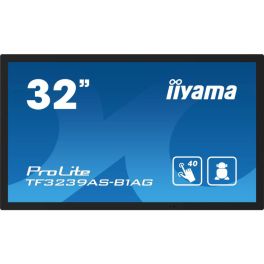
iiyama ProLite TF3239AS-B1AG
IN STOCK32'' all-in-one touchscreen with Android, perfect for kiosks, shops, or meeting rooms.- For kiosks, meeting rooms, shops, and more...
- 32'' Full HD screen
- Touchscreen with up to 40 touch points
- Built-in Android 11 system
- IP65 (front panel): water and dust resistant
- Compatible with display windows thanks to through-glass touch
- FailOver function: content always active
- Open Frame design: customised integration
£1,267.19£1,151.99 £1,382.39 Incl. VATRef: IIYTF3239ASCompare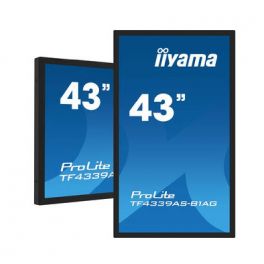
iiyama Prolite TF4339AS-B1AG
IN STOCKVersatile 43" professional touchscreen display with Full HD resolution.- 43-inch screen (109.2 cm)
- Full HD resolution (1920 x 1080 pixels)
- Anti-glare coating for clear visibility even in bright conditions
- 12-point touch technology
- Durable design for intensive daily use
- Metal casing
£1,369.00£1,328.99 £1,594.79 Incl. VATRef: IYTF4339ASB1AGCompare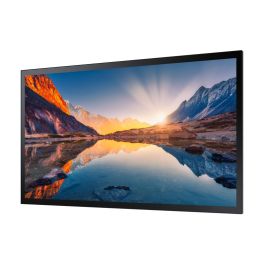
Samsung QM55B-T 55'' Digital Signage Panel
IN STOCKTransform your display experience with stunning 4K visuals.- Stunning 4K Resolution for crystal-clear visuals.
- Bright Display at 400 cd/m² for vibrant colours.
- 24/7 Operation ensures reliability for constant use.
- Touchscreen Capabilities for interactive experiences.
- Built-in Tizen 6.5 OS for seamless app integration.
£2,299.99 £2,759.99 Incl. VATRef: SAMQM55BTCompare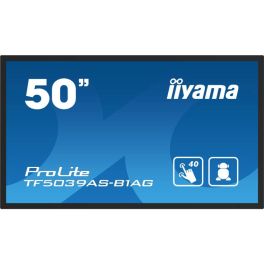
iiyama ProLite TF5039AS-B1AG
IN STOCK50'' all-in-one touchscreen with Android, perfect for kiosks, shops, or meeting rooms.- For kiosks, meeting rooms, shops, and more...
- 50'' 4K UHD screen
- Touchscreen with up to 40 touch points
- Built-in Android 11 system
- IP65 (front panel): water and dust resistant
- Compatible with display windows thanks to through-glass touch
- FailOver function: content always active
- Open Frame design: customised integration
£1,799.00£1,561.99 £1,874.39 Incl. VATRef: IIYTF5039ASB1AGCompare- Special EducationFrom June 1 to June 30, 2026
Prepare for the new school year with our special education pricing
iiyama ProLite TE8613A-B2AG 86-inch 4K touchscreen
IN STOCK86-inch 4K interactive touchscreen with Android, iiWare and EDLA certification, designed for collaborative work and modern meeting rooms.- Uses: business collaboration, interactive education
- 86-inch 4K UHD screen: large display area
- Interactive touchscreen: precise multi-touch technology
- EDLA certified: direct access to Google services and apps
- Android with iiWare: integrated tools for whiteboarding and collaboration
- USB-C connectivity: video, data and power via a single cable
- Built-in speakers: for ready-to-use conferencing solutions
£1,750.99 £2,101.19 Incl. VATRef: IIYTE8613AB2AGCompare 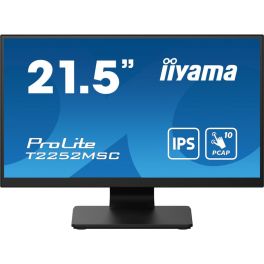
iiyama ProLite T2252MSC-B2 Monitor
Call us for availabilityExperience touch technology with stunning Full HD clarity.- Touchscreen capability for interactive use.
- Full HD resolution provides sharp and clear visuals.
- Fast response time ensures smooth performance.
- Built-in USB hub for easy connectivity.
- VESA mount support for flexible installation options.
£185.00 £222.00 Incl. VATRef: IIYT2252MSCB2Compare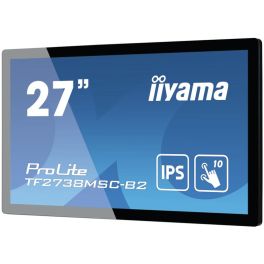
iiyama ProLite TF2738MSC-B2
Call us for availabilityExperience seamless interaction with the iiyama ProLite TF2738MSC-B2.- Vibrant Full HD Display delivers crystal-clear visuals at 1920 x 1080 pixels.
- Multi-Touch Capability supports simultaneous touch from multiple users, enhancing collaboration.
- Durable Design with rugged bezel and edge-to-edge glass for increased protection and usability.
- Wide Viewing Angles at 178° ensure everyone can see the screen clearly, no matter the position.
- Multiple Connectivity Options including DVI, HDMI, and DisplayPort for versatile integrations.
£549.92£475.99 £571.19 Incl. VATRef: IIYTF2738MSCCompare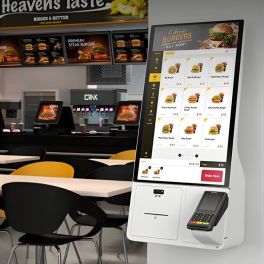
Samsung Kiosk KM24C-3
Call us for availabilitySamsung 24" interactive kiosk with Windows 10: compact, secure, versatile and ready to offer self-service in any commercial environment.- Integrated Windows 10 IoT Enterprise operating system
- Modular design with multiple payment options
- Compatible with card, QR code, NFC, and more
- Integrated printer for tickets and receipts
- 11th generation Intel® Core™ processor
- Flexible installation: wall, countertop or stand
- UL2282 certified antimicrobial coating
- Screen protected with high-strength film, operational 16/7
£1,298.99 £1,558.79 Incl. VATRef: SAKM24C3Compare- Special EducationFrom June 1 to June 30, 2026
Prepare for the new school year with our special education pricing
Samsung WA65FX-P 65-inch 4K Interactive Display
Call us for availability65-inch interactive 4K display for meeting rooms and classrooms, featuring multi-touch and built-in tools for efficient collaboration.- 65" 4K UHD display: High image quality for presentations and training sessions
- Multi-touch functionality: Multiple users can interact simultaneously
- Integrated system: Work directly without an external PC
- Wireless screen sharing: Share content quickly and easily
- Whiteboard and annotation tools: Efficient real-time collaboration
- Versatile connectivity: Easy integration into existing systems
£3,064.99£2,166.99 £2,600.39 Incl. VATRef: SALH65WAFPLGCXENCompare 
iiyama ProLite T2238MSC-B1 Monitor
Call us for availabilityElevate your display experience with touch technology.- Touchscreen Capability: Interact easily with 10-point touch technology.
- Full HD Resolution: Enjoy sharp images with 1920 x 1080 pixels.
- Robust Design: Built with scratch-resistant glass and metal housing.
- Versatile Orientation: Use in landscape, portrait, or face-up modes.
- IPX1 Rated: Protected against dripping water, ideal for commercial use.
£433.39£393.99 £472.79 Incl. VATRef: IIYT2238MSCB1Compare- Special EducationFrom June 1 to June 30, 2026
Prepare for the new school year with our special education pricing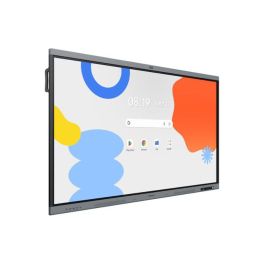
Samsung WA86FX-P 86 inch 4K Interactive Display
Call us for availability86-inch interactive display for education and business, featuring 4K resolution, multi-touch and built-in collaboration tools for efficient teamwork.- 86" 4K UHD display: Clear display of content for presentations and lessons
- Multi-touch technology: Simultaneous use by multiple people
- Integrated Android system: Direct access to apps and whiteboard functions
- Screen sharing: Wireless content transmission from multiple devices
- Writing and annotation tools: Intuitive real-time collaboration
- Robust design: For intensive use in schools and businesses
£4,377.99£3,725.99 £4,471.19 Incl. VATRef: SALH86WAFPLGCXENCompare - Special EducationFrom June 1 to June 30, 2026
Prepare for the new school year with our special education pricing
ViewSonic TD2423 24-inch Full HD touchscreen
Call us for availability24-inch Full HD touchscreen with 10-point capacitive multi-touch functionality, a robust design and flexible connectivity options for interactive applications.- Applications: point-of-sale systems, interactive kiosks and interactive applications
- 24-inch touchscreen with a resolution of 1920 x 1080
- 10-point touch technology: precise and responsive operation
- Robust design with a scratch-resistant surface
- Connections: HDMI, DisplayPort and USB
- Ergonomic stand with tilt function
£305.99 £367.19 Incl. VATRef: VSTD2423Compare 
iiyama ProLite T1732MSC-B1S
Call us for availability17" PC monitor with touchscreen capabilities and tilt options, perfect for all office tasks.- 43cm (17") PC monitor
- 5:4 display with 1280 x 1024px resolution
- 10-point touchscreen technology
- Scratch-resistant screen
- Two 1W speakers
- HDMI, DisplayPort, VGA, mini-jack: full connectivity
- Tiltable 90° forwards and 5° backwards
£350.00£349.99 £419.99 Incl. VATRef: IIYT1732MSCB1SCompare
iiyama T4362AS-B1
Call us for availabilityInteractive Signage Display for Modern Environments- Interactive flat panel design
- 4K Ultra HD resolution (3840 x 2160)
- 42.5" (108 cm) IPS display with 500 cd/m² brightness
- 24/7 operational capacity
- Multi-touch PCAP touchscreen technology
- Built-in Android 8.0 processor
- Seamless integration in vertical and horizontal orientations
£1,006.99 £1,208.39 Incl. VATRef: IIYT4362ASCompare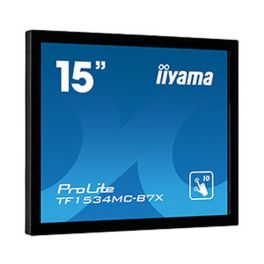
iiyama ProLite TF1534MC-B7X
Call us for availabilityElevate your POS experience with cutting-edge touch technology.- Exceptional Durability: Designed with edge-to-edge glass for scratch-resistance.
- IP65 Rating: Provides dust and water resistance, perfect for various environments.
- Versatile Touch Response: Enjoy seamless interaction with Touch-Through-Glass technology.
- Easy Integration: Can be mounted easily with optional brackets for kiosks and retail displays.
- Brilliant Display: Features a 15-inch screen with 1024 x 768 resolution for clear visuals.
£423.96£347.99 £417.59 Incl. VATRef: IIYTF1534MCCompare
iiyama ProLite TF2234MC-B7X 21.5'' Touchscreen Monitor
Call us for availabilityElevate your interaction with the iiyama touch monitor.- Engaging Touch Experience - Multi-user capabilities enhance interactivity.
- Sharp Full HD Display - 1920 x 1080 resolution delivers vibrant visuals.
- Durable Scratch Resistance - Glass overlay ensures longevity and clarity.
- Robust IP65 Rating - Dust and water resistance for reliable usage in various environments.
- Versatile Connectivity Options - Features multiple ports including HDMI and DisplayPort for broad compatibility.
£462.37£373.99 £448.79 Incl. VATRef: IIYTF2234MB7XCompare
iiyama ProLite T2455MSC-B1
The ultra-slim 24" touchscreen that brings your display to life!- Ultra-responsive 10-point touchscreen
- Full HD IPS panel with accurate colours
- High brightness (400 cd/m²)
- Anti-fingerprint coating
- Built-in webcam and microphone
- USB 3.2 hub with 2 ports
- Edge-to-edge glass design
- VESA mount compatible
Discontinued4 of 1 ReviewsCheck the alternative productRef: IIYT2455MSC-B1Compare
iiyama ProLite T2452MSC-B1 Touchscreen Monitor
DiscontinuedExperience the future of interaction with full HD clarity!- Seamless touch experience thanks to accurate PCAP technology.
- Vibrant visuals with IPS technology for stunning colour performance.
- Versatile connectivity options including HDMI and DisplayPort for easy setup.
- Multi-user capabilities support simultaneous touch for collaborative tasks.
- Designed for durability with an anti-fingerprint coating to resist smudges.
Check similar productsRef: IIYT2452MSCB1Compare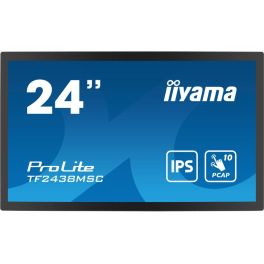
iiyama ProLite TF2438MSC-B1
DiscontinuedCapture attention with stunning visuals and seamless interaction.- Exceptional Visuals: Enjoy vibrant colours and sharp details with Full HD resolution.
- Reliable Touch Experience: Optical bonded PCAP technology ensures responsive multi-touch functionality.
- Durable Design: Scratch-resistant glass and robust metal housing withstand heavy use.
- Flexible Orientation: Supports landscape and portrait modes for versatile applications.
- Built-in Audio: Integrated speakers enhance presentations and interactive displays.
Check similar productsRef: IIYTF2438MSCCompare
Characteristics and Core Functions
Retail and reception touch displays are engineered for durability, security and seamless integration with business applications. Their kiosk capabilities ensure that customer journeys remain focused and that devices are easy to administer across multiple sites.
| High-precision PCAP or infrared touch (10–20 points) | Delivers reliable response to customer gestures, supporting intuitive interfaces and quick interactions |
| Reinforced panels and housings | Designed for continuous daily operation and resistance to incidental knocks or misuse |
| Android and Windows compatibility | Runs retail platforms, CRM front-ends and custom kiosk applications |
| HDMI / USB / LAN / WiFi connectivity | Ensures stable links to back-end systems, databases and payment gateways |
| Kiosk mode with navigation lock | Restricts users to approved screens, protecting system integrity and data privacy |
| Fixed or freestanding mounting options | Allows flexible placement in aisles, reception zones or showrooms |
| High brightness for well-lit environments | Maintains readability under store lighting or near shop windows |
| Integration with retail software and sensors | Supports advanced scenarios such as context-sensitive content or queue management |
How to Select the Right Interactive Display for Retail and Reception
- OKService objectives – Clarify whether the main purpose is ordering, check-in, product discovery, loyalty registration or a combination of tasks
- OKTraffic patterns – Analyse visitor flow to determine optimal placement, screen size and orientation
- OKBrand and interior design – Choose hardware that complements store or lobby aesthetics
- OKSecurity requirements – Assess the need for anti-theft features, robust mounts and controlled access
- OKIntegration with existing systems – Confirm compatibility with POS, CRM, queue management or booking platforms
- OKScalability – Evaluate whether the solution can be rolled out across multiple branches with centralised management

Applications Across Professional Environments
Retailers deploy interactive displays to provide self-service catalogue access, enabling shoppers to check product availability, view alternatives and place click-and-collect orders. This extends the digital shelf without increasing physical stock requirements.
In reception areas, touch kiosks manage visitor registration, badge printing and arrival notifications. Guests can confirm appointments, sign agreements or explore directories without waiting for staff assistance.
Showrooms and flagship stores use large-format interactive displays to deliver immersive brand experiences. Customers can explore configurations, view explainer content and submit enquiries directly through the interface.
Why Partner with Onedirect?
Onedirect supplies interactive displays for retail and reception environments from brands including Samsung, HP, iiyama and Eizo. Our solutions are selected for durability, reliability and compatibility with professional software platforms.
We support customers in designing hardware configurations that reflect customer journeys, store layouts and data requirements. Factors such as vandal resistance, mounting methods and connectivity are addressed during the selection process.
With fast delivery, stable stock availability and responsive technical support, Onedirect helps organisations build and scale self-service and digital experience initiatives with confidence.
FAQ – Frequently Asked Questions
What are retail and reception interactive displays used for?
They are used for self-service ordering, visitor check-in, product discovery, queue management and information delivery in customer-facing environments.
Are these displays suitable for high-traffic locations?
Yes. Professional models use reinforced panels and housings designed for continuous daily operation in busy public spaces.
Can retail interactive displays run kiosk applications securely?
Yes. Kiosk mode and navigation locking restrict access to approved applications, protecting data and system integrity.
Do these displays integrate with POS and CRM systems?
Most models support standard connectivity and operating systems, enabling integration with POS, CRM, booking and queue management platforms.
Can the same display model be rolled out across multiple sites?
Yes. Centralised management and standardised hardware make it easier to deploy and manage displays consistently across branches or locations.
Related Resources
Digital Signage Icon Touchscreen Kiosks Icon Touchscreen Displays Icon