
My Cart



Microsoft Teams rooms
Microsoft Teams Rooms (Windows) kits for secure collaboration
Microsoft Teams Rooms (Windows) solutions are dedicated meeting room systems designed for organisations using Microsoft Teams. Based on a Windows environment, they offer advanced functionality, enhanced security, centralised management and seamless integration with Microsoft tools, delivering a consistent Teams experience in professional meeting rooms of all sizes.
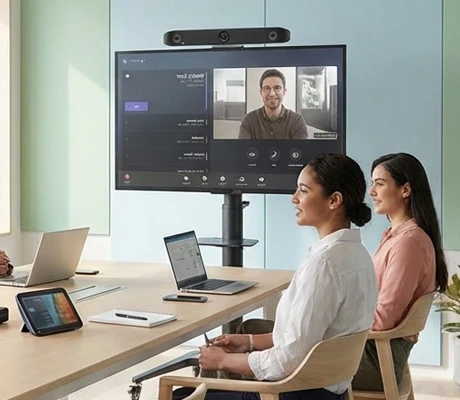
Characteristics and Core Functions
MTR Windows kits are Microsoft Teams Rooms certified solutions designed to deliver an optimal collaboration experience. Integrating advanced features and enterprise-grade security, they are ideal for demanding organisations that rely on the Microsoft ecosystem to equip strategic and/or critical meeting spaces.
| Official Microsoft certification | Smooth Microsoft Teams experience, ensuring optimal performance. |
| Native Teams interface | Preconfigured professional mini-PC and touch screen with an intuitive meeting interface. |
| Windows security | Built-in protection protocols. |
| Advanced Teams features | Full support for content sharing, whiteboard and more. |
| Centralised management | Monitoring, updates and remote configuration via the Teams Admin Center. |
How to choose the right solution?
- OKMicrosoft 365 standardisation: organisations using the Teams ecosystem and prioritising maximum consistency.
- OKAudio and video sizing: based on room size and typical number of regular participants.
- OKRoom complexity: simple spaces or architectural layouts requiring multiple components.
- OKRequired IT support: centralised management enabled by native integration with Microsoft administration tools.
- OKAccessories: depending on business needs and room configuration (extension microphones, tabletop cameras, etc.).
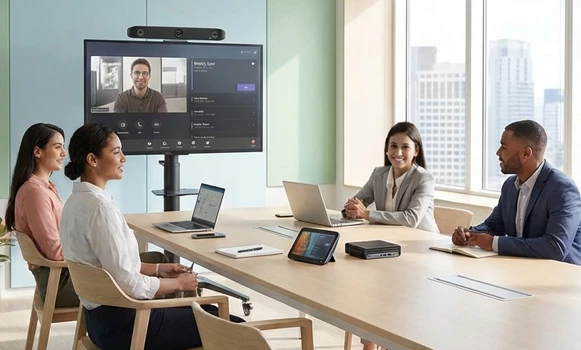
Applications across professional environments
MTR Windows kits are used by large organisations to standardise Teams meeting rooms and reduce the learning curve, and by international companies to ensure consistent collaboration. In financial and legal sectors and boardrooms, they guarantee secure communications, while educational institutions use them to support hybrid learning through native Teams tools.
Why partner with Onedirect?
Onedirect offers certified MTR Windows kits from partner brands such as Poly, Logitech and Yealink. As an official reseller, we guarantee certification compliance as well as fast and secure delivery. We also provide dedicated after-sales support to assist with your deployments. Our team advises you on selecting the optimal Microsoft Teams Rooms architecture based on the room to be equipped, ensuring a successful installation that maximises benefits for your employees and organisation.
FAQ – Frequently asked questions
Why choose MTR Windows rather than an Android or BYOD kit?
An MTR kit offers official Microsoft certification, an optimised Teams interface, as well as higher security and reliability. They are generally preferred by organisations standardised on Teams with intensive usage and high requirements.
What benefits does Microsoft Teams Rooms certification provide?
Native Teams integration, enhanced security, centralised management, priority updates and guaranteed optimal operation with all current and future Teams features.
Can multiple MTR rooms be managed centrally?
Yes. Via the Microsoft Teams Admin Center, you can monitor, configure, update and centrally support all MTR rooms within the organisation.
Are these kits compatible with other platforms?
They are optimised for Teams, but may in some cases work with other UC platforms.
Which accessories are recommended?
In larger rooms, extension microphones or 360° tabletop cameras can be valuable additions to ensure an equitable meeting experience for all participants.