My Cart



PC Monitors
Reliable displays for everyday work
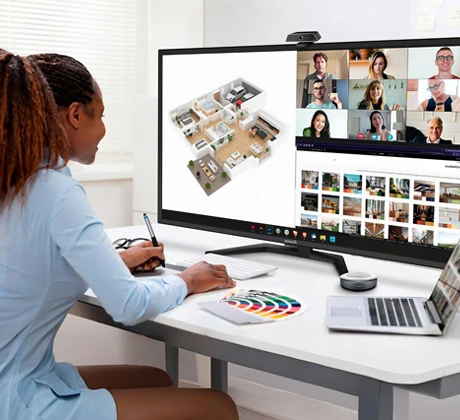
Professional PC monitors are designed for daily use in the office, in home working environments or in specialised applications. They offer ergonomic image display and support productive work at individual and multi-user workstations. With a professional PC monitor, you create the foundation for comfortable, efficient working and ensure that your employees benefit from clear, eye-friendly image quality.
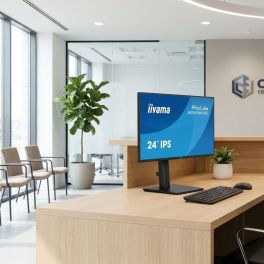
iiyama ProLite XB2496HSC-B1 24-inch IPS monitor
IN STOCK24-inch Full HD monitor with an IPS panel, 144 Hz refresh rate and a 65 W USB-C port, designed to deliver efficient workstations in the office and in hybrid working environments.- 24-inch IPS display: Full HD resolution with wide viewing angles
- 144 Hz refresh rate: smooth display for productive work
- 65 W USB-C: video, data and power via a single cable
- Ergonomic stand: height-adjustable, swivelling and tilting
- Eye-care technologies: Flicker-Free and Low Blue Light
- Ultra-slim bezels: ideal for multi-screen setups
£148.99 £178.79 Incl. VATRef: IIYAMAXB2496HSCCompare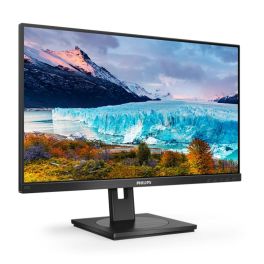
Philips 272S1AE FHD IPS Monitor 27''
IN STOCKA 27-inch Full HD monitor with an IPS panel, an ergonomic stand and a wide range of connectivity options for productive office workstations.- 27-inch IPS display: Large workspace with consistent colours and wide viewing angles
- Full HD resolution: Clear display for Office applications and multitasking
- Ergonomic stand: Height-adjustable, tiltable, swivelling and with a pivot function
- Built-in speakers: Space-saving audio solution for the workplace
- Extensive connectivity: HDMI, DisplayPort, VGA and USB hub
- Eye-care technologies: FlickerFree and LowBlue Mode for extended use
£130.99£102.99 £123.59 Incl. VATRef: PHI272S1AECompare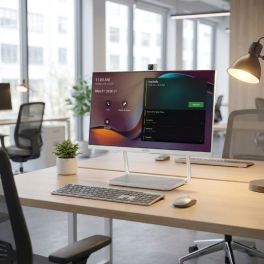
Yealink DeskVision A24 Teams 24-inch Touch Monitor
IN STOCKAll-in-one 23.8-inch touch display with integrated video conferencing, Microsoft Teams support and USB-C docking for streamlined hybrid workspaces.- All-in-one collaboration display: monitor, camera, microphone and speakers
- 23.8" Full HD touchscreen with 10-point multi-touch
- Integrated 4K camera with AI noise cancellation
- Microsoft Teams native support for seamless collaboration workflows
- USB-C docking with power delivery
- Dual mode operation: standalone conferencing system or PC monitor
£1,841.99£1,043.99 £1,252.79 Incl. VATRef: YEADESKVA24Compare
iiyama ProLite XCB4594DQSN-B1 Curved Monitor 45''
IN STOCK45" curved ultra-wide monitor with Dual QHD resolution, USB-C dock, LAN connectivity and KVM switch, designed for multitasking workstations and immersive productivity.- 45" curved ultra-wide display with Dual QHD (5120 × 1440) resolution
- 1500R curved VA panel delivers immersive viewing
- Integrated USB-C dock with 90W power delivery
- KVM switch and RJ45 LAN port allow control of multiple computers
- Multiple connectivity options including HDMI, DisplayPort, USB hub and USB-C
- Ergonomic stand with tilt adjustment and VESA mounting compatibility
£601.69£538.99 £646.79 Incl. VATRef: IIYXCB4594DQSNB1Compare
iiyama ProLite XUB2490HSUH-B2 24-inch IPS Monitor
IN STOCK24-inch Full HD IPS monitor with integrated Windows Hello webcam, USB hub and ergonomic stand for professional hybrid workspaces and daily productivity.- 24" Full HD display with 100Hz refresh rate: smooth and detailed visuals
- Integrated 5MP webcam with autofocus, microphone and privacy shutter
- Windows Hello support: secure biometric login
- Ergonomic stand: height adjustment, swivel, tilt and pivot functions
- USB hub connectivity: HDMI and DisplayPort
- Flicker-free and blue light reduction technologies
£133.00£132.99 £159.59 Incl. VATRef: IIYXUB2490HSUHB2Compare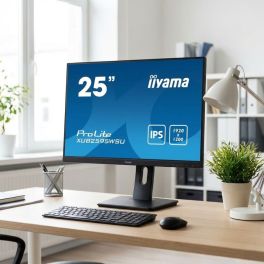
iiyama ProLite XUB2595WSU B5 25 Inch IPS Monitor
IN STOCK25-inch WUXGA IPS monitor with 16:10 format, ergonomic stand and USB hub, designed for professional productivity and extended workspace efficiency.- 25” IPS panel with WUXGA resolution (1920x1200) for extra vertical workspace
- 16:10 aspect ratio ideal for business applications and document-heavy tasks
- Ergonomic stand with height adjustment, tilt, swivel and pivot
- Integrated USB hub for easy connection of peripherals
- Flicker-free + Blue Light reducer to reduce eye strain during long sessions
- Multiple inputs including HDMI, DisplayPort and VGA for versatile connectivity
- Ultra-slim bezel perfect for multi-monitor setups
£133.00 £159.60 Incl. VATRef: IIYXUB2595WSUCompare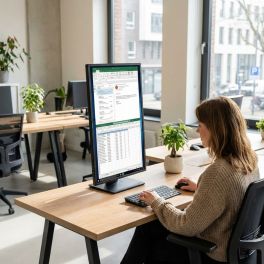
iiyama ProLite XB3270QSU-B1 Monitor
IN STOCK32-inch QHD VA monitor with high contrast, ergonomic stand and versatile connectivity, designed for professional workspaces requiring large screen real estate.- 32” QHD display (2560x1440) for detailed visuals and enhanced workspace
- VA panel technology with high contrast for deeper blacks and sharp images
- Ergonomic stand with height adjustment, tilt, swivel and pivot
- Integrated USB hub for easy connection of office peripherals
- Flicker-free + Blue Light reducer for reduced eye fatigue during long use
- Multiple inputs including HDMI, DisplayPort and DVI for flexible connectivity
- Large screen format ideal for multitasking and professional applications
£175.00 £210.00 Incl. VATRef: IIYXB3270QSU1Compare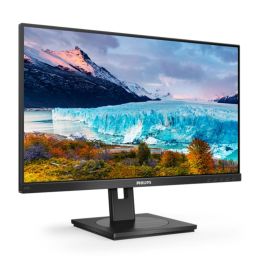
Philips 242S1AE 24-inch FHD IPS monitor
IN STOCK24-inch Full HD monitor with an IPS panel, ergonomic stand and built-in speakers for productive work in the office.- 24-inch IPS display: Clear colors and wide viewing angles for comfortable work
- Full HD resolution: Sharp image for office applications and multitasking
- Ergonomic stand: Height adjustable, tiltable and swiveling for an optimal sitting position
- Integrated speakers: Space-saving audio solution for the workspace
- Extensive connectivity: HDMI, DisplayPort, VGA and USB hub
- Eye comfort technologies: FlickerFree and LowBlue Mode for extended use
£148.99£115.99 £139.19 Incl. VATRef: PHI242S1AECompare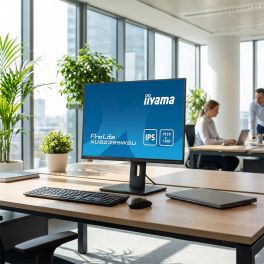
iiyama ProLite XUB2395WSU-B5 22.5'' IPS monitor
IN STOCK22.5" professional WUXGA monitor with an IPS panel, a height-adjustable stand and swivel function for optimal comfort in the office.- 22.5" WUXGA display: 11% taller than Full HD for greater productivity
- IPS panel: accurate colours and wide 178° viewing angles
- Ergonomic stand: 150 mm height adjustment, tilt and swivel
- Full connectivity: HDMI, DisplayPort, VGA and integrated USB hub
- Eye comfort: Flicker-Free technology and blue light reduction
- Borderless design: ideal for multi-screen setups
£218.99 £262.79 Incl. VATRef: IIYXUB2395WSUB5Compare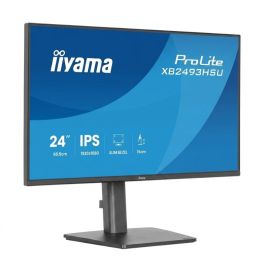
iiyama ProLite XB2493HSU B1 24" IPS Monitor
IN STOCK24-inch Full HD IPS monitor with a 120 Hz refresh rate, an ergonomic stand and HDMI, DisplayPort and USB connectivity, designed for professional environments and everyday multitasking.- 24" Full HD IPS display with vivid colours and wide viewing angles
- 120 Hz refresh rate for a smoother, more responsive experience
- Ultra-slim 4-sided design ideal for multi-monitor setups
- Adjustable ergonomic stand with height, swivel, tilt and pivot
- HDMI, DisplayPort and USB hub connectivity for greater productivity
- Flicker-Free and Low Blue Light technologies to improve visual comfort
£205.99 £247.19 Incl. VATRef: IIYXB2493HSUB1Compare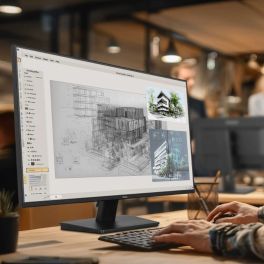
iiyama ProLite X2797HSU-B1 27" IPS Full HD Monitor
IN STOCKA 27-inch professional monitor with a Full HD IPS panel, a 120 Hz refresh rate, a built-in USB hub and a four-sided borderless design, ideal for modern workstations and multi-monitor set-ups.- 27" IPS monitor with Full HD resolution and a refresh rate of up to 120 Hz for smooth, detailed images.
- Ultra-slim bezel on all four sides – ideal for multi-monitor set-ups and professional workstations.
- 4-port USB hub, HDMI and DisplayPort inputs, and a headphone output for easy connection of peripherals and devices.
- Flicker-Free, Low Blue Light and TÜV Rheinland Eye Comfort technologies to reduce eye strain during long working days.
- Built-in speakers, Adaptive Sync support and VESA 100x100 mounting for greater versatility.
- TCO and EPEAT Silver certifications and a 5-year warranty for a reliable and sustainable investment.
£115.99 £139.19 Incl. VATRef: IIYX2797HSUB1Compare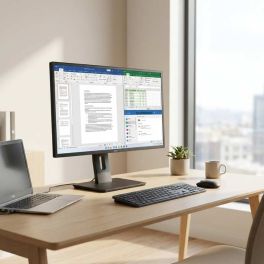
IIYAMA ProLite XB2792HSU-B1 27
IN STOCK27-inch Full HD professional monitor with an IPS panel, borderless design and an adjustable ergonomic stand, ideal for intensive office use.- 27" Full HD IPS panel with accurate colours and wide viewing angles
- 120Hz refresh rate for smooth images and greater visual comfort
- 4-sided borderless design ideal for multi-monitor setups
- Adjustable ergonomic stand with height, pivot and swivel
- Eye Safe and Flicker Free technologies for eye protection
- Integrated USB hub and HDMI and DisplayPort connectivity
£148.99 £178.79 Incl. VATRef: IIYXB2792HSUB1Compare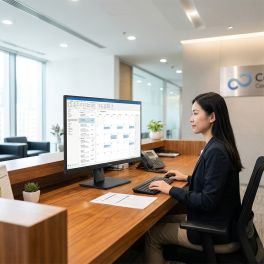
iiyama ProLite XUB3297QSNP-B1 32-inch QHD Monitor
IN STOCK32-inch QHD IPS monitor with USB-C dock, LAN connectivity and integrated KVM switch for efficient multi-device professional workspaces.- 32" IPS display with 2560 x 1440 resolution and 100Hz refresh rate
- USB-C dock with 95W power delivery
- Integrated KVM switch: control of two PCs with one keyboard and mouse
- DisplayPort daisy chaining supports efficient multi-monitor setups
- LAN connectivity via USB-C: stable wired network access
- Blue Light Reducer and flicker-free technology
£298.99£259.99 £311.99 Incl. VATRef: IIYXUB3297Compare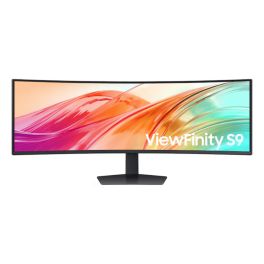
Samsung ViewFinity S95UF 49-inch DQHD monitor
IN STOCKProfessional 49-inch ultra-wide monitor with DQHD resolution, USB-C and 120 Hz, designed for demanding multitasking, high productivity and challenging work environments.- 49-inch curved format: extended and immersive workspace
- DQHD resolution: detailed display without distracting borders
- 120 Hz refresh rate for optimal smoothness
- USB-C connectivity with power delivery and video transmission
- PBP/PIP function for displaying multiple sources simultaneously
- Ergonomic design: height adjustable, tiltable and swivel
- Optimised for multitasking and professional work environments
£962.99£799.99 £959.99 Incl. VATRef: SAS49F950UAUCompare
Dell Pro P2425 WUXGA IPS Monitor 24''
Call us for availability24" WUXGA IPS office monitor with 16:10 aspect ratio, 100Hz refresh rate and multiple connectivity options, designed for comfortable daily productivity.- 24" WUXGA IPS display with 1920 × 1200 resolution and 16:10 aspect ratio
- 100Hz refresh rate delivers smoother motion
- TÜV Rheinland 4-star eye comfort certification to reduce blue light exposure
- Wide viewing angles with IPS technology ensure consistent colours
- Multiple connectivity options including HDMI, DisplayPort, VGA and USB hub
- Quick access USB-C port provides up to 15W power delivery
- Fully adjustable stand with height, tilt, swivel and pivot functions
£165.99 £199.19 Incl. VATRef: DELL2425Compare
EIZO FlexScan EV2740X 27-inch 4K USB-C Monitor
Call us for availability27-inch 4K UHD business monitor with USB-C docking, LAN connectivity and KVM functionality for flexible hybrid work and high-density visual precision.- 27" 4K UHD monitor with 163 ppi: ultra-sharp text and detailed visuals
- USB-C docking with LAN and up to 94W power delivery
- KVM switch: controlling multiple systems from one workspace
- Picture-by-Picture: displays two signal sources simultaneously
- IPS panel with 2000:1 contrast and wide 178° viewing angles
- Eye care technologies: flicker-free and Auto EcoView brightness control
£699.99£649.99 £779.99 Incl. VATRef: EIZOEV2740XUKCompare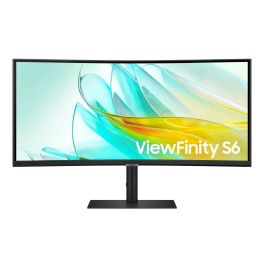
Samsung 34" S65UC ViewFinity S6
Call us for availability34" curved professional monitor with UWQHD resolution, USB-C with up to 90W charging and integrated hub for advanced workstations.- 34" curved UWQHD 3440 x 1440 display for panoramic viewing and increased productivity
- USB-C with Power Delivery up to 90W to power and connect your laptop with a single cable
- Thunderbolt 4 (selected models) with daisy chain support for dual-monitor setups
- Integrated USB hub and LAN port for a clean and connected workstation
- Refresh rate up to 100 Hz with HDR10 support
- Adjustable ergonomic design with customizable height and tilt
£560.00£489.99 £587.99 Incl. VATRef: SAS65UCUKCompare
Samsung LS27D600UAU 27 Inch QHD IPS Monitor
Call us for availability27-inch QHD IPS monitor with 100Hz refresh rate, USB-C connectivity and ergonomic design, ideal for professional productivity and smooth workflows.- 27” QHD IPS display (2560x1440) for sharp detail and increased workspace
- 100Hz refresh rate for smoother visuals and improved user experience
- USB-C connectivity with video, data and power delivery via one cable
- Ergonomic stand with height adjustment, tilt, swivel and pivot
- Flicker-free + Eye Saver mode to reduce eye strain during extended use
- Multiple inputs including HDMI and DisplayPort for flexible connectivity
- Borderless design ideal for multi-monitor professional setups
£279.99£263.99 £316.79 Incl. VATRef: SALS27D600UAUXXUCompare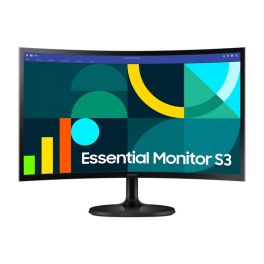
Samsung S3 S36GD 24'' Curved Monitor 100Hz
Call us for availability24-inch curved Full HD monitor with 100Hz refresh rate and VA panel, designed for comfortable everyday use and smooth visuals.- 24” curved display : immersive viewing with 1800R curvature
- Full HD resolution : 1920 x 1080 for everyday tasks
- 100Hz refresh rate : smoother motion and reduced blur
- VA panel : enhanced contrast and deeper blacks
- Eye comfort features : flicker-free and Eye Saver Mode
- AMD FreeSync : reduced screen tearing
- Slim design : modern look for home or office setups
£119.99£96.99 £116.39 Incl. VATRef: SALS24D360GAUXXUCompare
Samsung S31D 24'' FHD Monitor IPS
Call us for availability24-inch Full HD monitor with IPS panel and essential connectivity, designed for everyday office tasks and reliable professional use.- 24” Full HD display : 1920 x 1080 resolution for daily tasks
- IPS panel : consistent colours and wide viewing angles
- 75Hz refresh rate : smoother visuals than standard 60Hz
- Slim design : modern look for office environments
- Multiple connectivity : HDMI and VGA inputs
- Eye comfort features : flicker-free and Eye Saver Mode
- Energy efficient : optimised power consumption
£89.99£73.99 £88.79 Incl. VATRef: SALS24D310EAUXXUCompare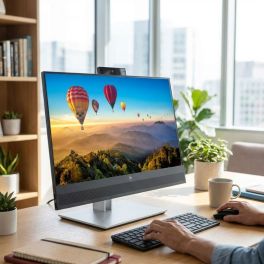
HP E24m G4 FHD USB-C Conferencing Monitor
Call us for availability23.8” Full HD IPS conferencing monitor with integrated webcam, microphones and speakers, plus USB-C docking for efficient hybrid work and video collaboration.- 23.8” Full HD IPS display for clear visuals and comfortable daily use
- Integrated 5MP webcam with privacy shutter for secure video conferencing
- Dual microphones and front speakers for optimised audio collaboration
- USB-C docking with 65W power delivery for single-cable laptop connection
- Pop-up webcam with Windows Hello for fast and secure login
- Ergonomic stand with height, tilt, swivel and pivot adjustments
- Advanced connectivity with DisplayPort, HDMI and USB hub
£364.09£332.99 £399.59 Incl. VATRef: HP40Z32AAUKCompare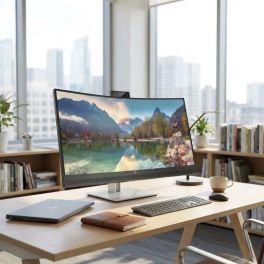
HP E34m G4 WQHD Curved USB-C Conference Display
Call us for availability34” WQHD curved conferencing monitor with integrated webcam, microphones and USB-C docking, designed for immersive collaboration and efficient multitasking.
- 34” WQHD curved display for immersive viewing and multitasking
- Integrated 5MP webcam with privacy shutter for secure video conferencing
- Dual microphones and speakers for clear audio collaboration
- USB-C docking with 65W power delivery for single-cable connectivity
- 21:9 ultra-wide format ideal for productivity and side-by-side workflows
- Ergonomic adjustability with height and tilt for user comfort
- Advanced connectivity including HDMI, DisplayPort, USB hub and Ethernet
£559.99 £671.99 Incl. VATRef: HP40Z26AAUKCompare
HP E24mv G4 FHD Conferencing Monitor
Call us for availability23.8” Full HD IPS conferencing monitor with integrated webcam, microphones and speakers, designed for efficient video collaboration in professional environments.- 23.8” Full HD IPS display for clear video and everyday productivity
- Integrated 5MP webcam with privacy shutter for secure conferencing
- Dual microphones and speakers for optimised audio performance
- Plug-and-play USB connectivity for easy setup with laptops and desktops
- HP Eye Ease technology to reduce blue light without colour distortion
- 3-sided micro-edge bezel ideal for multi-monitor configurations
- Ergonomic stand with height, tilt, swivel and pivot adjustments
£209.99 £251.99 Incl. VATRef: HP169L0AAUKCompare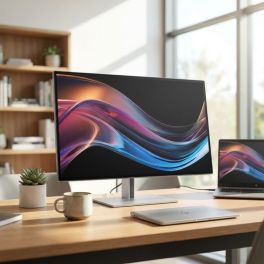
HP 27" 4K Thunderbolt 4 Pro Monitor
Call us for availability27” 4K UHD IPS monitor with Thunderbolt 4 connectivity, high colour accuracy and advanced docking features for professional and creative workflows.- 27” 4K UHD (3840x2160) resolution for ultra-sharp detail and precision work
- Thunderbolt 4 connectivity with high-speed data, video and power delivery
- IPS Black panel technology for deeper contrast and accurate colours
- Wide colour coverage including DCI-P3 for creative workflows
- Daisy chaining support to connect multiple displays efficiently
- Ergonomic design with height, tilt, swivel and pivot adjustments
- Advanced connectivity hub with multiple ports for professional setups
£658.89£498.99 £598.79 Incl. VATRef: HP8J9G2AAUKCompare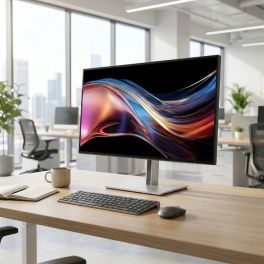
HP Series 7 Pro 27-inch QHD Thunderbolt 4 Monitor
Call us for availability27-inch QHD professional monitor with IPS Black panel, Thunderbolt 4 connectivity and factory-calibrated colour for precise and efficient workflows.- 27" QHD display: sharp and detailed visuals
- IPS Black technology with 2000:1 contrast: deeper blacks and improved clarity
- Thunderbolt 4 connectivity with up to 100W power delivery
- Factory-calibrated colour with 98% Display P3
- 120 Hz refresh rate with AMD FreeSync Premium: smooth performance
- Ergonomic adjustability: height, tilt, swivel and pivot
£589.99 £707.99 Incl. VATRef: HP8J9E6AAUKCompare
EIZO FlexScan EV2480 24-inch IPS USB-C Monitor
Call us for availability23.8-inch Full HD IPS monitor with USB-C connectivity and 70W power delivery, designed for ergonomic office use and efficient single-cable setups.- 23.8" Full HD IPS display with wide viewing angles and clear image
- USB-C connectivity with up to 70W power delivery
- Flicker-free technology and low blue light
- Auto EcoView sensor adjusts brightness based on ambient light
- Ergonomic stand: height, tilt, swivel and pivot adjustment
- Integrated USB hub with multiple downstream ports for peripherals
£269.99 £323.99 Incl. VATRef: EIZOEV2480UKCompare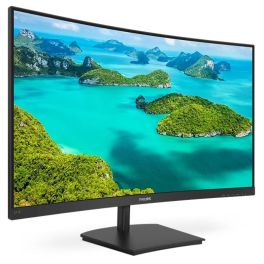
Philips 241E1SCA FHD Curved Monitor 24 inch
Call us for availability24-inch curved Full HD monitor with VA panel, designed for immersive viewing and comfortable daily use in office and home environments.- 24 inch curved display: Immersive viewing experience with enhanced field of vision
- Full HD resolution: Sharp and clear image quality for work and multimedia
- VA panel technology: High contrast and deep blacks for improved visual performance
- Adaptive Sync: Smooth visuals without screen tearing
- Built-in speakers: Integrated audio solution for desk efficiency
- Eye comfort features: FlickerFree and LowBlue Mode reduce eye strain
£157.99 £189.59 Incl. VATRef: PHI241E1SCACompare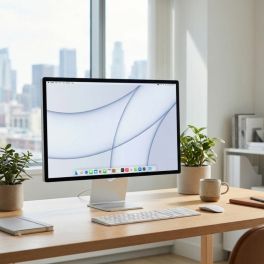
Apple Studio Display XDR 27-inch 5K with adjustable height
Call us for availabilityA 27-inch professional display featuring Retina XDR 5K technology, mini-LED and an adjustable stand, ideal for video editing, graphic design and advanced video conferencing.- 27-inch 5K Retina XDR display: precise images, crisp text and exceptional detail
- Mini-LED with high dynamic range: up to 1,000 nits in SDR and up to 2,000 nits in HDR
- 120Hz refresh rate with adaptive sync: smoother motion
- P3 and Adobe RGB colours: accurate colour reproduction for design, photography and printing
- 12 MP camera with Center Stage: video conferencing and framing of documents and objects
- Built-in audio: 3 studio-quality microphones + 6 speakers with spatial audio and Dolby Atmos
- Thunderbolt 5 and USB-C ports for peripherals and accessories
£4,377.99 £5,253.59 Incl. VATRef: APMFEL4FDACompare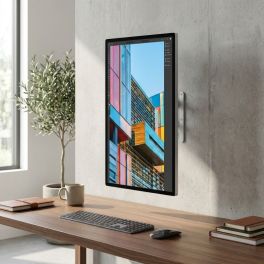
Apple Studio Display 27-inch 5K standard glass, VESA mount
Call us for availability27-inch 5K display with standard glass and VESA mounting, designed for Mac workstations, fixed installations and professional video conferencing.- Standard glass and 600 nits: designed for everyday professional use
- 5K Retina display with 5120 x 2880 resolution: crisp text, exceptional detail and precise display
- 12MP camera with auto-framing and overhead view
- Six high-fidelity speakers and three studio-quality microphones
- Thunderbolt 5 and USB-C ports for peripherals, storage and accessories
- 10 x 10 cm VESA mount: wall or arm mounting, horizontal or vertical orientation
- All-in-one solution for productivity, content creation and hybrid collaboration
£1,750.99 £2,101.19 Incl. VATRef: APMFEY4FDACompare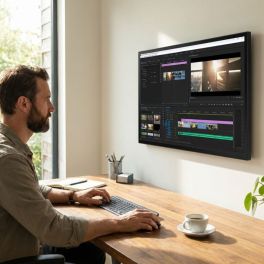
Apple Studio Display 27-inch 5K nano-textured glass, VESA mount
Call us for availability27-inch 5K display with nano-textured glass and VESA mounting, designed for Mac workstations, fixed installations and high-brightness environments.- Nanotextured glass: reduces glare and improves visibility
- 5120 x 2880 Retina 5K display: crisp text, exceptional detail and precise colour reproduction
- 600 nits brightness and P3 colour gamut: supports 1 billion colours
- 12MP camera with auto-framing and low-angle view
- Six high-fidelity speakers and three studio-quality microphones
- Thunderbolt 5 and USB-C ports for peripherals and accessories
- 10 x 10 cm VESA mount: wall or arm mounting, in landscape or portrait orientation
£2,013.99 £2,416.79 Incl. VATRef: APMFF24FDACompare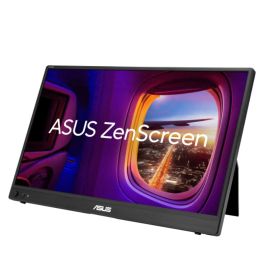
ASUS ZenScreen MB16AHVE 16 Zoll FHD IPS Monitor
Call us for availabilityPortable 16-inch FHD IPS monitor with two USB-C ports, Mini-HDMI, automatic screen rotation and bidirectional power delivery.- 16-inch portable monitor: a slim and lightweight design for an extended workspace on the move
- Full HD IPS display: 1920 × 1080 pixels for a clear display and wide viewing angles
- Flexible connectivity: two multifunctional USB-C ports and Mini-HDMI
- Power Pass Through: bidirectional power supply between the monitor and a compatible laptop
- Automatic screen rotation: switch between landscape and portrait orientation using ASUS DisplayWidget Centre
- ASUS Eye Care: TÜV Rheinland-certified Flicker-Free and Low Blue Light technologies
- Single-cable connection: USB-C transmits both video signals and power to compatible devices
£174.99 £209.99 Incl. VATRef: ASUMB16AHVECompare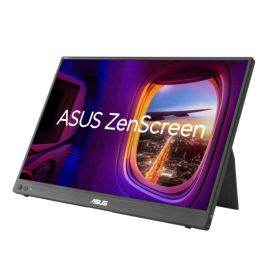
ASUS ZenScreen MB16FC 16-inch WUXGA LED
Call us for availabilityPortable 16-inch LED monitor with an IPS panel, WUXGA resolution, 75 Hz, USB-C, Mini-HDMI and Power Pass Through for flexible workspaces.- Portable 16-inch LED monitor: slim 16:10 display for more workspace on the go
- WUXGA resolution: 1920 × 1200 pixels and an IPS panel with a 178° viewing angle
- Up to 75 Hz: smooth display with a 5 ms GTG response time
- Flexible connectivity: two USB-C ports with DP Alt Mode and Mini-HDMI
- Power Pass Through: bidirectional power delivery with up to 65 W
- Automatic rotation: Switch between portrait and landscape orientation via ASUS DisplayWidget Centre
- ASUS Eye Care: TÜV-certified Flicker-Free and Low-Blue-Light technologies
£181.99 £218.39 Incl. VATRef: ASUMB16FCCompare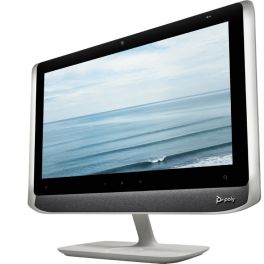
Poly Studio P21 Personal Meeting Display
Call us for availabilityAll-in-one 21.5" personal video conferencing display with integrated 1080p camera, stereo speakers, microphone and adjustable lighting, connecting to PC or Mac via USB.- All-in-one video: 21.5" monitor, camera, speakers and microphone
- Full HD 1080p camera with 4x digital zoom
- Integrated stereo speakers and directional microphone
- Adjustable ambient lighting: stay properly illuminated during video calls
- Simple USB connection to PC or Mac
- Integrated privacy shutter and control buttons
- Poly Lens management platform: device monitoring, configuration and updates
£461.95£459.99 £551.99 Incl. VATRef: POSTUDIOP21UKCompare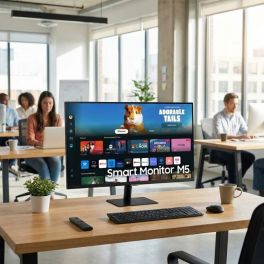
Samsung M50D 32'' Full HD Smart Monitor
Call us for availability32-inch Full HD smart monitor with integrated apps, WiFi connectivity and remote access features, ideal for flexible workspaces and multimedia use.- 32” Full HD display for clear visuals in work and multimedia applications
- Smart TV apps built-in including streaming platforms without external devices
- WiFi and Bluetooth connectivity for wireless access and device pairing
- Remote PC and Office 365 access for flexible and remote working environments
- Multiple inputs with HDMI and USB for versatile connectivity
- Integrated speakers for a complete all-in-one setup
- Clean, minimalist design suitable for modern workspaces and home offices
£229.99£212.99 £255.59 Incl. VATRef: SALS32DM500EUXXUCompare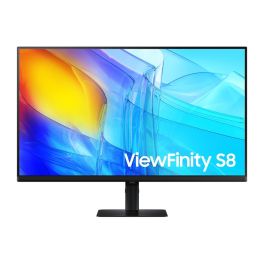
Samsung ViewFinity S8 S32D800EAU 32'' 4K Monitor
Call us for availability32-inch 4K UHD professional monitor with IPS panel, HDR10 support and ergonomic design, ideal for precision work and multitasking.- 32” 4K UHD display : ultra-sharp 3840 x 2160 resolution for detailed work
- IPS panel : accurate colours and wide viewing angles
- HDR10 support : enhanced contrast and image depth
- Ergonomic stand : height, tilt, swivel and pivot adjustments
- Integrated USB hub : connect peripherals directly to the monitor
- Multiple inputs : HDMI and DisplayPort connectivity
- Eye comfort features : flicker-free and low blue light mode
£339.99£283.99 £340.79 Incl. VATRef: SALS32D800EAUXXUCompare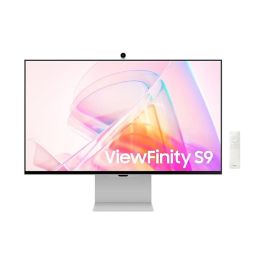
Samsung ViewFinity S90PC 27'' LCD 5K monitor
Call us for availability27-inch 5K professional monitor with a resolution of 5120 x 2880, ideal for graphic design, creative work and high-precision work environments.- 5K resolution: ultra-detailed images and maximum precision
- 27-inch screen in 16:9 aspect ratio
- Built-in 4K camera and speakers
- LED LCD panel: crisp, uniform image
- 75 Hz refresh rate: smooth display
- Eye-care features: Eye Saver, Flicker Free
- Ergonomic design: height-adjustable, swivel and tilt
- Thunderbolt 4: power your PC via the monitor!
£1,339.99£1,058.99 £1,270.79 Incl. VATRef: SALS27C902PAUXXUCompare
HP Series 7 Pro 37.5-inch Curved WQHD+ Monitor
Call us for availabilityUltra-wide 37.5-inch curved monitor with WQHD+ resolution, IPS Black panel and Thunderbolt 4 connectivity for high-performance multitasking and colour-critical workflows.- 37.5" WQHD+ curved ultrawide display: immersive multitasking
- IPS Black technology with 2000:1 contrast: deeper blacks and enhanced detail
- Thunderbolt 4 connectivity with up to 100W power delivery
- Factory-calibrated colour accuracy with 98% Display P3
- Integrated Poly Studio speakers with DTS Virtual:X
- Ergonomic design: height, tilt and swivel adjustment
£1,099.99 £1,319.99 Incl. VATRef: HP8K167AAUKCompare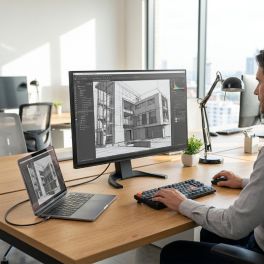
EIZO FlexScan EV3240X 32 4K USB-C Monitor
Call us for availability31.5-inch 4K UHD monitor with USB-C docking, LAN and 94W power delivery, designed for high-resolution productivity and advanced multi-device workflows.- 31.5" 4K UHD display: ultra-sharp detail
- USB-C docking station with LAN and up to 94W power delivery
- Integrated KVM switch to control multiple PCs with one keyboard and mouse
- Picture-by-Picture and Picture-in-Picture
- IPS panel with 2000:1 contrast and 350 cd/m² brightness
- Ergonomic design: height, tilt, swivel and pivot adjustment
£939.99 £1,127.99 Incl. VATRef: EIZOEV3240XUKCompare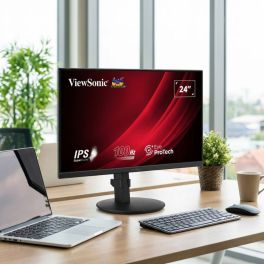
ViewSonic VG2408A 24-inch IPS monitor
Call us for availability24-inch Full HD monitor with an IPS panel, an ergonomic stand and versatile connectivity options for comfortable everyday use in the office.- Ideal for professional workstations
- 24-inch screen with 1920 x 1080 resolution
- IPS panel: accurate colours and wide viewing angles
- Ergonomic stand: height, tilt, swivel and pivot adjustment
- Eye-care technologies for extended use
- Slim-bezel design for multi-screen setups
- Connections: HDMI, DisplayPort and a USB hub
£218.99 £262.79 Incl. VATRef: VSVG2408ACompare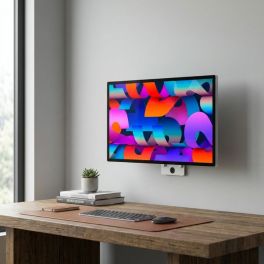
Apple Studio Display XDR 27-inch 5K with nano-textured glass, VESA mount
Call us for availabilityA 27-inch professional display with Retina XDR 5K, nano-textured glass and VESA mounting, designed for mounting, colour management and fixed setups.- Nano-textured glass: diffuses light to reduce glare and improve visibility
- 5K Retina XDR display: precise images, crisp text and exceptional detail
- High Dynamic Range Mini-LED: up to 1,000 nits in SDR and 2,000 nits in HDR
- 120Hz refresh rate with adaptive sync: smoother motion
- Supports 1 billion colours, wide P3 and Adobe RGB colour gamuts
- 12MP camera with Centre Stage, 3 microphones and 6 high-fidelity speakers
- 10x10cm VESA mount: wall or arm mounting, in landscape or portrait orientation
£4,552.99 £5,463.59 Incl. VATRef: APMFEQ4FDACompare
Characteristics and Core Functions
Business PC monitors are engineered to deliver accurate images while supporting healthy working conditions. Ergonomic stands and eye-care technologies contribute to user well-being over long sessions.
| IPS / VA panels with wide viewing angles | Colours and contrast remain stable when users move or when multiple people view the screen |
| Full HD / 2K / 4K resolution options | Choice of pixel density tailored to office applications, creative tasks or analytical work |
| HDMI / DisplayPort / USB-C connectivity | Supports a variety of PC, laptop and docking configurations, including single-cable USB-C setups |
| Low Blue Light and Flicker-Free modes | Eye-care features help reduce fatigue during extended use |
| Ergonomic stands | Height, tilt, swivel and pivot adjustments allow users to position screens correctly for comfort |
| Energy-efficient design | Lower power consumption supports sustainability initiatives and reduces running costs |
| VESA mounting compatibility | Allows use with monitor arms or multi-screen mounts for advanced desk setups |
| Productivity features | Window-organisation tools and picture-by-picture modes enhance multitasking |
How to Select the Right PC Monitor
- OKPrimary workload – Determine whether users focus on office applications, data-heavy dashboards, design tasks or mixed usage
- OKScreen size and resolution – Balance available desk space and pixel density according to typical viewing distances
- OKConnectivity and docking – Decide whether USB-C power delivery, daisy-chaining or legacy ports are required
- OKErgonomic policies – Align stand adjustability and mounting options with occupational health and safety guidelines
- OKMulti-monitor requirements – Plan for dual or triple monitor configurations where productivity demands it
- OKHybrid work considerations – Ensure monitors used at home or in hot-desking setups integrate seamlessly with corporate laptops
Applications Across Professional Environments
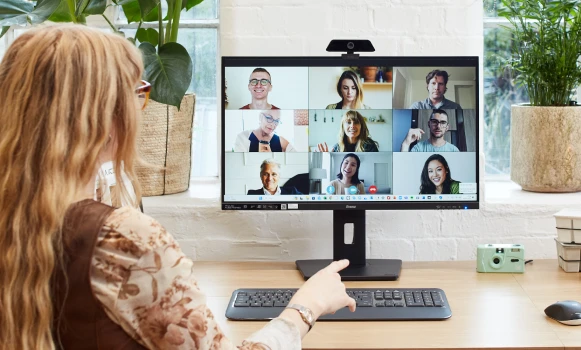
Office staff use business monitors for email, document creation and collaboration tools, benefiting from sharp text and comfortable ergonomics. Finance and administrative teams often choose higher resolutions or ultrawide formats to view spreadsheets, dashboards and reports more efficiently.
IT departments, support desks and control-room environments rely on multi-monitor setups to manage logs, monitoring tools and remote sessions simultaneously. Consistent image quality and reliability are essential for accurate oversight and fast response.
Marketing and design teams use colour-accurate business monitors for layout work, campaign planning and content review, particularly when connected to laptops or docking stations via USB-C.
Why Partner with Onedirect?
Onedirect offers a wide range of business PC monitors from recognised manufacturers, giving organisations reliable solutions for both large-scale deployments and targeted upgrades. Our portfolio prioritises professional features over consumer-focused extras.
We help you define standard monitor profiles for different user groups, simplifying procurement, rollout and asset management. Connectivity, ergonomics and energy efficiency are evaluated against your IT and workplace standards.
With fast delivery and dependable after-sales support, Onedirect helps maintain a consistent and comfortable desktop experience across offices, hybrid workspaces and home-working environments.
FAQ – Frequently Asked Questions
What is the difference between a business monitor and a consumer monitor?
Business monitors prioritise ergonomics, eye-care features, reliability and long-term availability, making them better suited to daily professional use.
Is USB-C important for modern office monitors?
USB-C allows video, data and power delivery through a single cable, simplifying desk setups and supporting laptop-based workstations.
What resolution is best for office work?
Full HD is sufficient for standard office tasks, while 2K or 4K is beneficial for larger screens, data-heavy work or multitasking.
Are ergonomic stands really necessary?
Yes. Height, tilt and swivel adjustments help reduce neck and eye strain, supporting employee comfort and compliance with ergonomic guidelines.
Can business monitors be used in multi-screen setups?
Yes. Many models support VESA mounting and daisy-chaining, making them suitable for dual or triple monitor configurations.