
My Cart



360° cameras
360° panoramic cameras for fully immersive meetings
A 360° camera provides a full panoramic view of the meeting room, ensuring simultaneous visibility of all participants with no blind spots. Often equipped with AI features such as automatic framing, intelligent tracking and active speaker view, it delivers a smooth and engaging experience in meeting rooms, brainstorming spaces and table-based setups where participants surround the camera.

- IconBest Seller
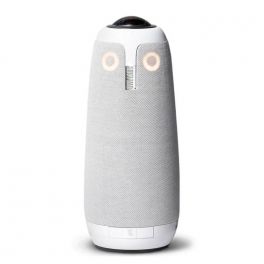
Meeting Owl 3
A new generation 360° videoconferencing system dedicated to hybrid teams and huddle spaces- AI video conferencing solution
- Panoramic " fisheye " camera with 1080p HD resolution
- 360° capture over 3 meters
- Autofocus on the active speaker
- 8 beamforming omnidirectional mic array
- Sound capture from 5.5 meters away
- Plug & Play USB-C connection
- Compatible with all video conferencing software
IN STOCK5 of 3 Reviews£1,049.00£912.99 £1,095.59 Incl. VATRef: OWLMEET3Compare 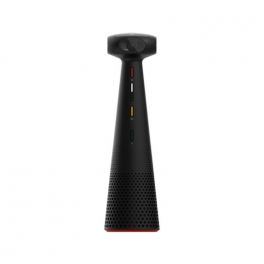
Ipevo Totem 360
IN STOCK360° panoramic camera with multiple video modes allowing you to adapt your TOTEM 360 to your individual requirements.- 360° and 5K capable Panoramic Camera
- Person & Voice AI tracking
- AI noise reduction
- Four video modes for conferencing, presenting and hybrid learning
- Compatible with all conferencing software
£597.29£568.99 £682.79 Incl. VATRef: IPEVO360Compare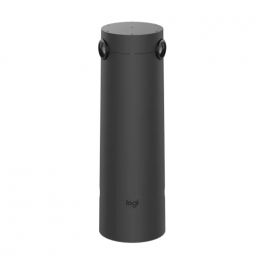
Logitech Sight
IN STOCKMulti-participant video conferencing camera equipped with AI for incredible visuals.- 315° video framing
- 4K video resolution
- 3 status indication LEDs (audio - call status - battery)
- Supports included for quick installation
- Compatible with most commonly used platforms (Microsoft, Zoom, Google Meet)
- Indispensable accessory Rally Bar / Rally Bar mini (sold separately)
£2,099.00£1,534.99 £1,841.99 Incl. VATRef: LOSIGHTCompare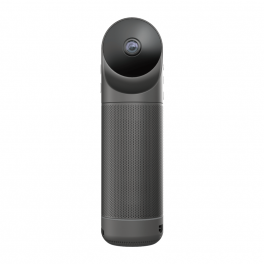
Kandao Meeting Pro
All-in-one 360º video conferencing solution - the best ally to make your meetings a success- All-in-one 360º video conferencing solution
- Can be used with or without a PC
- 4K camera for a sharp picture
- Autofocus on speaker or group
- Great audio quality for successful meetings
- Built-in microphones for HD sound
- Android system for a practical experience
- HDMI, Wifi, USB and RJ45 connections
- Compatible with all softphones on the market
IN STOCK3.7 of 3 Reviews£790.89£725.99 £871.19 Incl. VATRef: KANMEEPROCompare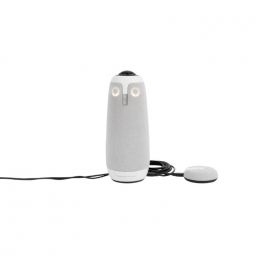
Pack Meeting Owl 3 + Expansion Mic
Pack Meeting Owl 3 + Expansion Mic- AI video conferencing solution
- Panoramic " fisheye " camera with 1080p HD resolution
- 360° capture over 3 meters
- Extension microphone for Meetng Owl 3
- Extends audio range in meeting rooms
- Smooth transcription : Microphones with capture at 2.5 meters
IN STOCK5.0 of 3 Reviews£1,285.99£1,099.96 £1,319.95 Incl. VATRef: OWLMEET3PACKCompare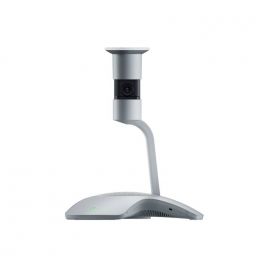
Yealink Smartvision 60
IN STOCKAn extremely powerful video conferencing solution with a 10K camera with a 360° view and integrated microphones.- 360-degree panoramic view
- 10K Video Capture
- Integrated Microphones
- AI Features
- Voice Transcription and Translation
£2,478.99£1,999.99 £2,399.99 Incl. VATRef: YEASMAVIS60Compare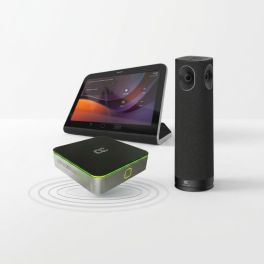
AudioCodes RXV200-B360 Kit Microsoft Teams Rooms 360°
IN STOCKMicrosoft Teams Rooms system with a 360° panoramic camera, built-in audio and touch controls for small and medium-sized rooms.- Microsoft Teams Rooms system for small and medium-sized rooms with 4 to 8 participants
- RXVCam360 panoramic with integrated camera, microphones and speaker
- AI-powered smart video via Smart Gallery and speaker tracking
- RX-PAD touch control for easy meeting initiation and management
- Dual display support with 4K HDMI output for external screens
- HDMI IN content sharing from a laptop in the room
- Centralised management via Teams Admin Center and AudioCodes Device Manager
£2,626.99 £3,152.39 Incl. VATRef: AUDRXV200B360Compare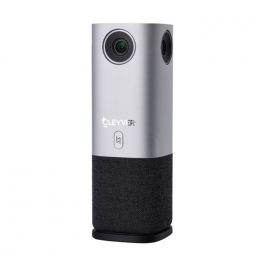
Cleyver Huddle Meet 360
IN STOCKFirst Cleyver 360° camera with AI tracking and framing technologies.- Video conferencing camera at 360°
- CMOS sensor with 5Mpx resolution Full HD
- Diagonal field of view at 140°
- 6 presentation modes
- Array of 4 omnidirectional microphones
- Speaker HD of 3W integrated
- Automatic PTZ cropping + Voice Tracking via AI
- Connection Plug & Play in USB
- Compatible with all videoconferencing platforms
£430.99 £517.19 Incl. VATRef: ODHCAM360Compare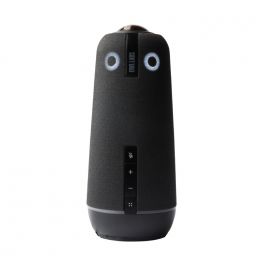
OWL LABS Meeting OWL 4+
Call us for availabilityThe ultimate all-in-one video, Microsoft Teams certified, conferencing device, now with 4K Ultra HD 360° video.- All-in-one videoconferencing solution for all rooms
- Automatic focus of the speaker
- 360° 4K Ultra HD 360° panoramic fisheye camera
- 360° audio capture up to 5.5 m (16 ft)
- Enterprise Ethernet or WiFi connection
- USB-C Plug & Play connection
- Expandable: Owl Bar and Expansion Mic support
- Microsoft Teams Certified
- Compatible with all video conferencing platforms
£1,829.99£1,710.99 £2,053.19 Incl. VATRef: OWLMEET4PCompare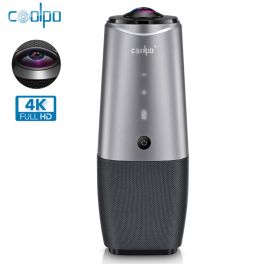
Coolpo AI Huddle Pana
Call us for availabilityIntelligent all-in-one 4K videoconferencing technology: suitable for small spaces- Portable all-in-one videoconferencing solution
- 4K camera for a clear image
- Loudspeaker with 360° voice capturing
- 4 built-in microphone networks
- Connectivity: via USB-A
- Operating system compatibility: Windows and Mac
- Ideal for universities, hospitals and consultants
- Compatible with Zoom, Cisco, WebEx, Slack and Google Hangouts
£599.99£549.99 £659.99 Incl. VATRef: COOLPANACompare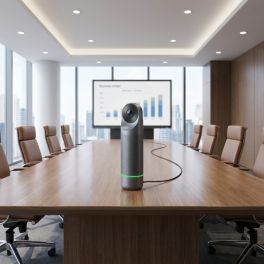
Kandao Meeting Pro 2 4K 360° Camera
Coming Soon4K 360° video conferencing camera with artificial intelligence, built-in audio and a standalone system for professional hybrid meetings.- 360° video in 4K HDR: full room coverage
- Smart auto-framing: automatic framing of participants
- Speaker tracking: highlights the active speaker
- 8 built-in microphones: voice capture up to 5.5 m
- AI noise reduction: improved audio clarity
- Standalone system: operates without a PC
- Full connectivity: USB-C, HDMI, Wi-Fi, Bluetooth, Ethernet
£699.99 £839.99 Incl. VATRef: KANMEEPRO2Compare
Owl Labs Meeting Owl 5 Pro 360 Camera
Out of stockSmart video conferencing system with a 360° 4K camera, AI-powered autofocus and comprehensive audio-visual coverage for hybrid meeting rooms.- 360° camera with 4K UHD resolution for more immersive hybrid meetings.
- AI-powered smart autofocus that tracks the active speaker using voice, movement and vision.
- 8 beamforming microphones with audio pickup up to 5.5 metres.
- 3 built-in speakers for clear sound coverage throughout the room.
- Compatible with Teams, Zoom, Google Meet and Webex via BYOD USB connection.
- WiFi 6E and advanced connectivity with USB-C, HDMI and dual Ethernet.
- Ideal for medium and large rooms with the option to expand using an additional microphone or a second unit.
£2,699.95£2,349.95 £2,819.94 Incl. VATRef: OWLMEET5PROCompare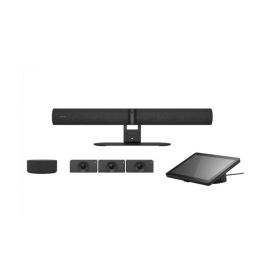
Jabra PanaCast 55 VBS Kit Multi Android
Coming SoonModular video conferencing system featuring a Jabra Android video bar, a Huddly Crew multi-camera system and a speaker, designed for large, flexible rooms.- Scalable: ideal for large rooms and flexible spaces
- Huddly Crew multi-camera system with AI: dynamic speaker tracking
- PanaCast 55 4K 180°: full room coverage
- Android-based solution: video conferencing without an additional PC
- Professional audio: clear voice transmission throughout the room
- Touchscreen controller for easy meeting management
- UC-compatible: supports all major platforms
Ref: GNPANACAST55KMCompare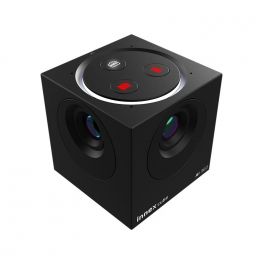
Innex Cube Camera
Call us for availability4K 360° conference camera with flexible support and multiple video capture options via AI.- Panoramic camera for all meeting rooms
- 360° capture with 4K resolution
- Automatic framing via AI
- 2 omnidirectional microphones with noise reduction
- 4 video modes: gallery, scene, conversation, 360° panorama
- Plug & Play USB-C connection
- Compatible with Barco ClickShare solutions
£586.99 £704.39 Incl. VATRef: INNEXCUBECompare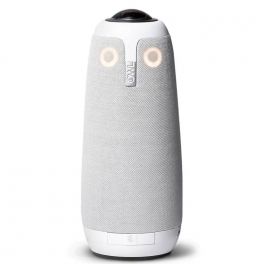
Meeting Owl Pro
DiscontinuedAll-in-one video conferencing with 360º vision - for a complete hybrid team experience- USB video conferencing for meeting rooms
- High-quality camera with 360º angle
- Complete field of vision for your interlocutors
- Speaker with a range of 5 m in 360º
- With built-in microphone
- Plug & Play installation
- Compatible with all softphones on the market
Check the alternative productRef: OWLMEETPROCompare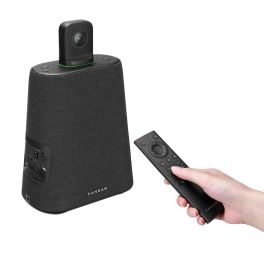
Kandao Visio Meeting Ultra Standard
DiscontinuedHigh-performance video conferencing system with a 360° camera, dual touch displays and AI tracking for professional meeting rooms.- AI-powered speaker tracking (Algorithm 4.0)
- 360° panoramic view thanks to two fisheye lenses
- Dual 15.6″ touchscreens with Android OS
- 4K resolution at 30 fps
- Eight omnidirectional microphones with noise suppression
- Hi-Fi speakers (10 W)
- Flexible connectivity: USB-C, HDMI, Ethernet, Wi-Fi 6
- PoE power supply supported
Check the alternative productRef: KANMT1002Compare
Characteristics and Core Functions
Professional 360° cameras transform traditional video conferencing by capturing the entire room in a single video stream. They provide full immersion and constant visibility of all participants. 360° cameras create a natural shared presence, overcoming the limitations of conventional directional video capture.
| Full panoramic capture | 360° view to include all participants and eliminate blind spots. |
| Automatic tracking | The camera detects and follows speakers automatically. |
| Multiple display modes | Full panorama, speaker view, participant gallery and more. |
| Spatial audio | Beamforming technology capturing voices from all directions. |
| Simple installation | Central table placement with no complex mounting required. |
| Universal compatibility | USB or USB-C connection supporting all collaboration platforms. |
How to choose the right solution?
- OKNumber of participants: number of people around the table to ensure optimal audio capture range.
- OKRequired AI features: basic panoramic view or advanced intelligent framing with automatic tracking.
- OKPrimary use case: collaborative brainstorming or formal meetings requiring multiple framing options.
- OKPlatforms used: Microsoft Teams certified solutions or universal compatibility with all video conferencing software.
- OKPortability: define whether the installation will be fixed and permanent or temporary in shared workspaces.

Applications across professional environments
360° cameras are used in hybrid meetings to encourage interaction, and in executive committees to ensure equal presence for all members. In creative agencies and workshops, they enable immersive brainstorming sessions, while universities use them to make classes more participative. Finally, research and development teams rely on 360° cameras to facilitate prototype and model reviews by involving geographically distributed experts.
Why partner with Onedirect?
Onedirect offers professional 360° cameras from innovative brands such as Owl Labs, Insta360, Kandao, Cleyver and Yealink. As an official reseller, we guarantee fast and secure delivery and provide dedicated after-sales support. Our team advises you on room compatibility, optimal AI features and integration with existing systems, ensuring an installation that maximises engagement and inclusion for all participants.
FAQ – Frequently asked questions
When should a 360° camera be chosen instead of a standard camera?
For round-table meetings where participants sit around the camera, dynamic collaborative brainstorming sessions and environments where room layout makes traditional framing less effective.
How are participants displayed for remote attendees?
Several modes are available: full 360° panorama, automatic active speaker view, or a gallery view of all participants. Artificial intelligence manages transitions automatically based on who is speaking.
Do 360° cameras require special installation?
No. Simple placement at the centre of the table is sufficient. A USB or USB-C connection to a personal computer enables immediate operation without complex infrastructure.
Can a 360° camera be used for training sessions and webinars?
Yes. These cameras are excellent for collaborative training around a table. For webinars with a fixed presenter, traditional cameras may be more suitable depending on the teaching format.
Which accessories can complement a 360° camera?
Some models support cascading multiple cameras to cover larger rooms. Otherwise, extension microphones and cables are among the main accessories.