
My Cart



Video conferencing screens
All-in-one video conferencing screens for immersive collaboration
A videoconferencing screen offers an interactive, all-in-one solution for professional meetings. Featuring a touchscreen, camera, audio system and collaborative functions, it guarantees an immersive and collaborative experience for all participants, whether they are present in person or joining remotely. Available in several formats, with Teams Rooms or Zoom Rooms certification, it is suitable for meeting rooms, workshops and customer presentations.

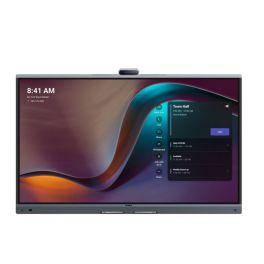
Yealink Meeting Board 65'' Pro
IN STOCKCollaboration display with 4K touchscreen, Android 13, and native Microsoft Teams support.- 65" 4K UHD touchscreen
- Built-in 4K camera with AI features
- 16-microphone array
- Integrated stereo speakers
- Native Microsoft Teams Rooms
- Whiteboard and content sharing
- Dual OS: Android 13 + OPS slot
- Wireless content sharing via WPP
£3,468.99£2,743.99 £3,292.79 Incl. VATRef: YEAMB65PROA02Compare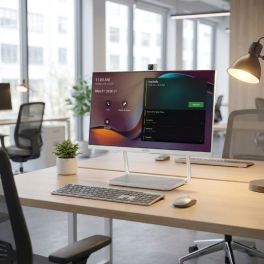
Yealink DeskVision A24 Teams 24-inch Touch Monitor
IN STOCKAll-in-one 23.8-inch touch display with integrated video conferencing, Microsoft Teams support and USB-C docking for streamlined hybrid workspaces.- All-in-one collaboration display: monitor, camera, microphone and speakers
- 23.8" Full HD touchscreen with 10-point multi-touch
- Integrated 4K camera with AI noise cancellation
- Microsoft Teams native support for seamless collaboration workflows
- USB-C docking with power delivery
- Dual mode operation: standalone conferencing system or PC monitor
£1,841.99£1,043.99 £1,252.79 Incl. VATRef: YEADESKVA24Compare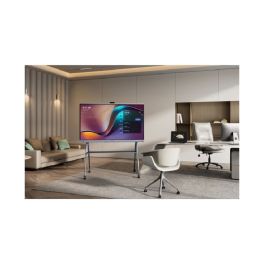
Yealink Meeting Board 75'' Pro
IN STOCKInteractive 4K display with Android 13 and native Teams support for collaborative environments- 4K UHD 75" touchscreen
- 4K camera with artificial intelligence
- 16 built-in microphones in array
- Built-in stereo speakers
- Native integration with Microsoft Teams
- Whiteboard and file sharing
- Dual OS: Android 13 + OPS slot
- Wireless sharing with WPP
£4,460.99£3,588.99 £4,306.79 Incl. VATRef: YEAMB75PROA02Compare
iiyama ProLite XUB2490HSUH-B2 24-inch IPS Monitor
IN STOCK24-inch Full HD IPS monitor with integrated Windows Hello webcam, USB hub and ergonomic stand for professional hybrid workspaces and daily productivity.- 24" Full HD display with 100Hz refresh rate: smooth and detailed visuals
- Integrated 5MP webcam with autofocus, microphone and privacy shutter
- Windows Hello support: secure biometric login
- Ergonomic stand: height adjustment, swivel, tilt and pivot functions
- USB hub connectivity: HDMI and DisplayPort
- Flicker-free and blue light reduction technologies
£133.00£132.99 £159.59 Incl. VATRef: IIYXUB2490HSUHB2Compare
Samsung WA65FX-P 65-inch 4K Interactive Display
IN STOCK65-inch interactive 4K display for meeting rooms and classrooms, featuring multi-touch and built-in tools for efficient collaboration.- 65" 4K UHD display: High image quality for presentations and training sessions
- Multi-touch functionality: Multiple users can interact simultaneously
- Integrated system: Work directly without an external PC
- Wireless screen sharing: Share content quickly and easily
- Whiteboard and annotation tools: Efficient real-time collaboration
- Versatile connectivity: Easy integration into existing systems
£3,064.99£1,638.99 £1,966.79 Incl. VATRef: SALH65WAFPLGCXENCompare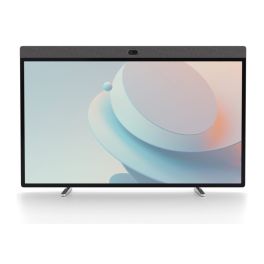
Neat Board 50 All In One Collaboration Display
IN STOCK50-inch 4K touchscreen collaboration board with integrated camera, microphones and speakers for hybrid meetings and interactive teamwork.- 50-inch 4K multi-touch display for interactive meetings, presentations and whiteboarding
- 50 MP wide-angle camera with 113° field of view
- Advanced audio system with beamforming microphones and echo cancellation
- Native Microsoft Teams and Zoom Rooms support
- USB-C connectivity with 90W power delivery
- Flexible installation options: table stand, wall mounting and dual-screen support
- Integrated whiteboarding tools: natural annotation and brainstorming
£5,999.99 £7,199.99 Incl. VATRef: NEATBOARD50BUNUKCompare
Yealink Meeting Board 86'' Pro
IN STOCKTeams-certified display with built-in audio, camera, and touch collaboration features.- 86" 4K UHD touch screen
- Integrated 4K AI camera
- 16-microphone beamforming array
- Built-in stereo speakers
- Microsoft Teams Rooms native support
- Dual OS support: Android 13 & OPS slot
- Wireless content sharing with WPP
- Smart whiteboard and annotation
£5,514.99£4,593.99 £5,512.79 Incl. VATRef: YEAMB86PROA02Compare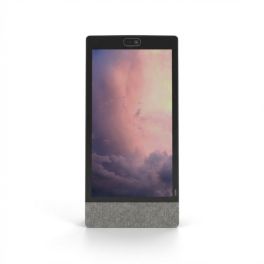
Neat Frame Collaboration Display 15,6''
IN STOCKPortrait-oriented 15.6" touchscreen collaboration device with integrated camera, microphones and speakers, designed for personal workspaces, kiosks and virtual reception.- Designed for personal workstations, focus rooms and reception areas
- 15.6" portrait Full HD touchscreen
- 50 MP camera with 113° field of view and 4x digital zoom
- Advanced audio system: beamforming microphones and two-way speakers
- Automatic framing and noise reduction
- Integrated sensors: light, depth and environmental monitoring
- Designed for Zoom with remote management through Neat Pulse
£1,428.89£1,253.99 £1,504.79 Incl. VATRef: NEATFRAMEUKCompare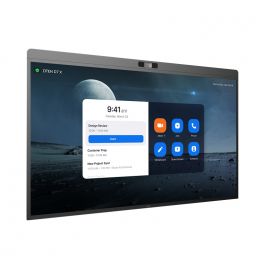
DTEN D7X 75" - Android Edition
IN STOCKInteractive display for meeting collaboration- LED 75” display
- Android edition
- 4K UHD resolution
- 20 touch-points
- Low latency - 50 ms response time
- 180 touch-point reporting rate
- 15-microphone array
- 2x Integrated speakers
- 129º field of view
- PTZ and preset camera
- Zoom Rooms Auto framing & Smart Gallery
- DTEN Smart Framing
- Acoustic Echo Cancellation
- Automatic Gain Control and Noise Reduction
- Smart Connect via single charging USB-C Cable
£7,792.39£5,899.99 £7,079.99 Incl. VATRef: DTD7X75AUKCompare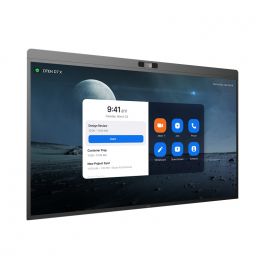
DTEN D7X 55'' - Windows Edition
Call us for availabilityInteractive display for meeting collaboration- LED 55” display
- Windows edition
- 4K UHD resolution
- 20 touch-points
- Low latency - 50 ms response time
- 180 touch-point reporting rate
- 15-microphone array
- 2x Integrated speakers
- 129º field of view
- PTZ and preset camera
- Zoom Rooms Auto framing & Smart Gallery
- DTEN Smart Framing
- Acoustic Echo Cancellation
- Automatic Gain Control and Noise Reduction
- Smart Connect via single charging USB-C Cable
£4,772.00£3,977.99 £4,773.59 Incl. VATRef: DTD7X55WUKCompare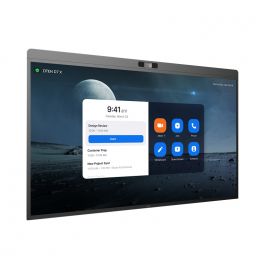
DTEN D7X 55" - Android Edition
Call us for availabilityInteractive display for meeting collaboration- LED 55” display
- Android edition
- 4K UHD resolution
- 20 touch-points
- Low latency - 50 ms response time
- 180 touch-point reporting rate
- 15-microphone array
- 2x Integrated speakers
- 129º field of view
- PTZ and preset camera
- Zoom Rooms Auto framing & Smart Gallery
- DTEN Smart Framing
- Acoustic Echo Cancellation
- Automatic Gain Control and Noise Reduction
- Smart Connect via single charging USB-C Cable
£4,295.00£3,539.99 £4,247.99 Incl. VATRef: DTD7X55AUKCompare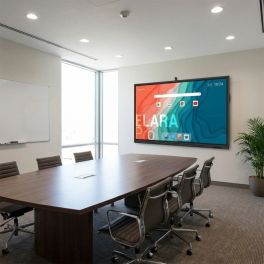
Newline Elara 65 Pro 65" 4K Touch Display
Call us for availability65-inch professional interactive display with 4K UHD resolution, Google EDLA-certified Android 13, 4K camera and integrated audio for advanced collaboration.- 65" professional interactive display for meeting rooms and education
- 4K UHD resolution for crisp, detailed presentations
- Android 13 with Google EDLA certification and access to Google Play
- Advanced multi-touch interaction with high writing precision
- Integrated 4K camera, microphones and speakers for video conferencing
- Full connectivity with USB-C, HDMI, DisplayPort and Wi-Fi 6
£1,994.99 £2,393.99 Incl. VATRef: NEWLEL65PROCompare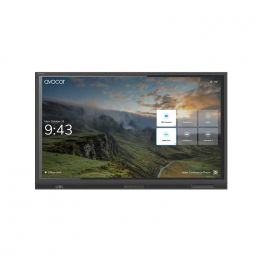
AVOCOR AVE-5530 55" TOUCH 4K
Call us for availabilityA high-performance interactive display built for collaboration, dependability and durability.- 55" 4K UHD LED touchscreen display
- Anti-glare, anti-reflective and anti-bacterial glass
- 4K UHD resolution with a wide 178-degree viewing angle
- Compatible with Windows, Mac OS, Chrome OS, and Linux OS
- Zero parallax between glass and display encourages viewing from every angle
£1,999.00£1,881.99 £2,258.39 Incl. VATRef: AVO5530UKCompare
Samsung Interactive WA75FX-P 4K 75-inch
Call us for availability- Use: meeting rooms, training rooms, classrooms
- 75" 4K touchscreen with 50 simultaneous touch points
- Android 15 with Google EDLA: native access to Google apps
- Integrated 48 MP camera for video conferencing without additional equipment
- 8 microphones with 10 m range and 180° voice capture
- Powerful audio system with two 20 W speakers + woofer
- Comprehensive connectivity: HDMI, USB-C, Wi-Fi 6, Bluetooth and OPS
£4,377.99£2,206.99 £2,648.39 Incl. VATRef: SALH75WAFPLGCXENCompare
Apple Studio Display XDR 27-inch 5K with adjustable height
Call us for availabilityA 27-inch professional display featuring Retina XDR 5K technology, mini-LED and an adjustable stand, ideal for video editing, graphic design and advanced video conferencing.- 27-inch 5K Retina XDR display: precise images, crisp text and exceptional detail
- Mini-LED with high dynamic range: up to 1,000 nits in SDR and up to 2,000 nits in HDR
- 120Hz refresh rate with adaptive sync: smoother motion
- P3 and Adobe RGB colours: accurate colour reproduction for design, photography and printing
- 12 MP camera with Center Stage: video conferencing and framing of documents and objects
- Built-in audio: 3 studio-quality microphones + 6 speakers with spatial audio and Dolby Atmos
- Thunderbolt 5 and USB-C ports for peripherals and accessories
£4,377.99 £5,253.59 Incl. VATRef: APMFEL4FDACompare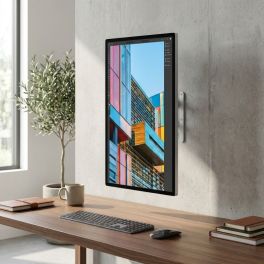
Apple Studio Display 27-inch 5K standard glass, VESA mount
Call us for availability27-inch 5K display with standard glass and VESA mounting, designed for Mac workstations, fixed installations and professional video conferencing.- Standard glass and 600 nits: designed for everyday professional use
- 5K Retina display with 5120 x 2880 resolution: crisp text, exceptional detail and precise display
- 12MP camera with auto-framing and overhead view
- Six high-fidelity speakers and three studio-quality microphones
- Thunderbolt 5 and USB-C ports for peripherals, storage and accessories
- 10 x 10 cm VESA mount: wall or arm mounting, horizontal or vertical orientation
- All-in-one solution for productivity, content creation and hybrid collaboration
£1,750.99 £2,101.19 Incl. VATRef: APMFEY4FDACompare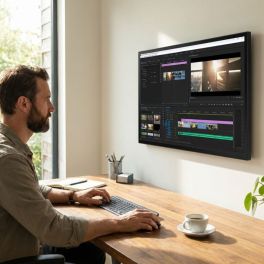
Apple Studio Display 27-inch 5K nano-textured glass, VESA mount
Call us for availability27-inch 5K display with nano-textured glass and VESA mounting, designed for Mac workstations, fixed installations and high-brightness environments.- Nanotextured glass: reduces glare and improves visibility
- 5120 x 2880 Retina 5K display: crisp text, exceptional detail and precise colour reproduction
- 600 nits brightness and P3 colour gamut: supports 1 billion colours
- 12MP camera with auto-framing and low-angle view
- Six high-fidelity speakers and three studio-quality microphones
- Thunderbolt 5 and USB-C ports for peripherals and accessories
- 10 x 10 cm VESA mount: wall or arm mounting, in landscape or portrait orientation
£2,013.99 £2,416.79 Incl. VATRef: APMFF24FDACompare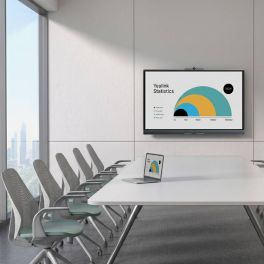
Yealink MeetingBoard C EDLA 75-inch BYOM interactive display
Out of stock75-inch all-in-one interactive display with Android 15, Google EDLA, a 50 MP 4K camera, 8 microphones, a collaborative whiteboard and BYOM.- 75-inch 4K interactive display with anti-glare panel and 20 touch points
- Google EDLA with Android 15: access to Chrome, Google Meet and compatible apps
- 50 MP 4K camera with auto-framing, speaker tracking and AI features
- Full-duplex audio with 8 microphones, 8 m range and noise cancellation
- Collaborative whiteboard with low-latency writing (21 ms) and export via QR code
- BYOM via the VCH51 Pro (optional) for single-cable meetings
£3,501.99£2,891.99 £3,470.39 Incl. VATRef: YEAMB75CEDLACompare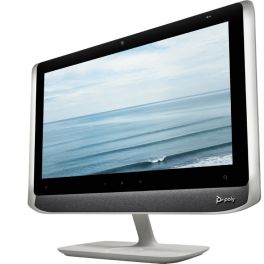
Poly Studio P21 Personal Meeting Display
Call us for availabilityAll-in-one 21.5" personal video conferencing display with integrated 1080p camera, stereo speakers, microphone and adjustable lighting, connecting to PC or Mac via USB.- All-in-one video: 21.5" monitor, camera, speakers and microphone
- Full HD 1080p camera with 4x digital zoom
- Integrated stereo speakers and directional microphone
- Adjustable ambient lighting: stay properly illuminated during video calls
- Simple USB connection to PC or Mac
- Integrated privacy shutter and control buttons
- Poly Lens management platform: device monitoring, configuration and updates
£461.95£459.99 £551.99 Incl. VATRef: POSTUDIOP21UKCompare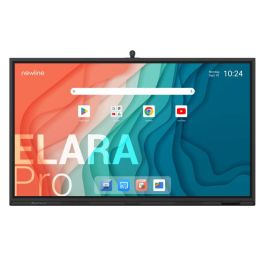
Newline Elara Pro 86'' Screen
Call us for availability86" all-in-one interactive display with 4K camera, 8 microphones, Bluetooth, and Google EDLA certification - designed to reinvent collaboration.- Google EDLA certified: integrated Google apps
- Operating system: Android 13
- 86’’ 4K resolution display
- Anti-glare and antibacterial glass
- 50-point multi-touch technology
- Built-in wide-angle 4K camera (120°)
- Integrated subwoofer + 8 microphones
- Wired or wireless content sharing
- Wi-Fi 6 and Bluetooth 5.2: modern and secure connectivity
£2,749.99 £3,299.99 Incl. VATRef: NEWTT8623QCACompare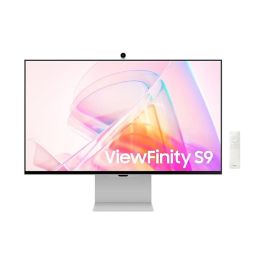
Samsung ViewFinity S90PC 27'' LCD 5K monitor
Call us for availability27-inch 5K professional monitor with a resolution of 5120 x 2880, ideal for graphic design, creative work and high-precision work environments.- 5K resolution: ultra-detailed images and maximum precision
- 27-inch screen in 16:9 aspect ratio
- Built-in 4K camera and speakers
- LED LCD panel: crisp, uniform image
- 75 Hz refresh rate: smooth display
- Eye-care features: Eye Saver, Flicker Free
- Ergonomic design: height-adjustable, swivel and tilt
- Thunderbolt 4: power your PC via the monitor!
£1,339.99£1,058.99 £1,270.79 Incl. VATRef: SALS27C902PAUXXUCompare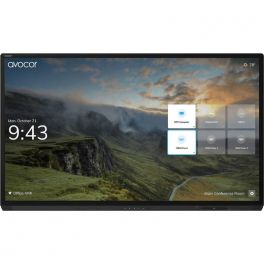
AVOCOR AVG-7560 75"4K Interactive Display
Call us for availabilityAn interactive display designed for maximum collaboration and high performance.- 75" 4K UHD resolution touch screen display
- Multi-touch technology that allow up to 20 points of touch the screen simultaneously for increased collaboration
- Multi-device connectivity options with HDMI, USB, VGA and DisplayPort inputs
- Four built-in 10W speakers for high-quality sound
- Anti-glare surface and zero parallax allow viewing from any angle
£6,499.00£6,116.99 £7,340.39 Incl. VATRef: AVO7560UKCompare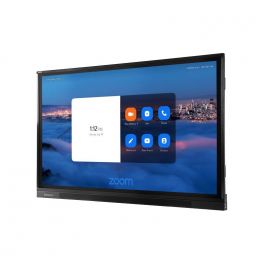
Avocor AVF-7550
Call us for availabilityA powerful interactive display designed for collaboration and interaction, where you can see every detail.- 4K Ultra HD resolution
- Ability to view multiple content sources at once
- Wide viewing angles of 178-degrees
- Smartphone Mirroring
- Built-in Speakers and Microphone Array
£6,029.00£5,669.99 £6,803.99 Incl. VATRef: AVOF7550UKCompare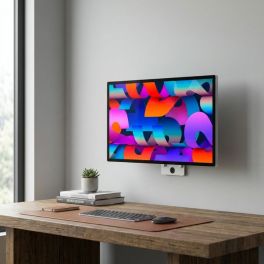
Apple Studio Display XDR 27-inch 5K with nano-textured glass, VESA mount
Call us for availabilityA 27-inch professional display with Retina XDR 5K, nano-textured glass and VESA mounting, designed for mounting, colour management and fixed setups.- Nano-textured glass: diffuses light to reduce glare and improve visibility
- 5K Retina XDR display: precise images, crisp text and exceptional detail
- High Dynamic Range Mini-LED: up to 1,000 nits in SDR and 2,000 nits in HDR
- 120Hz refresh rate with adaptive sync: smoother motion
- Supports 1 billion colours, wide P3 and Adobe RGB colour gamuts
- 12MP camera with Centre Stage, 3 microphones and 6 high-fidelity speakers
- 10x10cm VESA mount: wall or arm mounting, in landscape or portrait orientation
£4,552.99 £5,463.59 Incl. VATRef: APMFEQ4FDACompare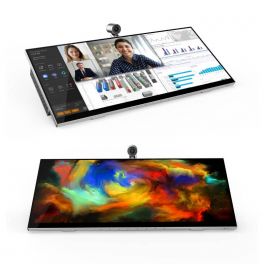
Jupiter Pana 34
Call us for availabilityAll-in-one desktop monitor with 21:9 panoramic display, 4K camera, speakers, and 8 microphones.- All-in-one desktop monitor
- 34-inch screen with 3,440 x 1,440 pixel resolution
- 21:9 widescreen display
- 4K camera with Windows Hello
- Two 12W speakers
- 8 digital microphones with 7m capture range
- Echo cancellation + noise suppression
- Tiltable and swivel mount
- 10-point multitouch Microsoft Pen included
£1,588.95£1,126.95 £1,352.34 Incl. VATRef: JUPPANA31TCompare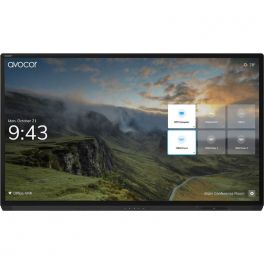
AVOCOR AVG-8560 85" 4K Interactive Display
Call us for availabilityAn interactive display designed for maximum collaboration and high performance.- 86" 4K UHD resolution touch screen display
- Multi-touch technology that allow up to 20 points of touch the screen simultaneously for increased collaboration
- Multi-device connectivity options with HDMI, USB, VGA and DisplayPort inputs
- Four built-in 10W speakers for high-quality sound
- Anti-glare surface and zero parallax allow viewing from any angle
£7,999.00£7,528.99 £9,034.79 Incl. VATRef: AVO8560UKCompare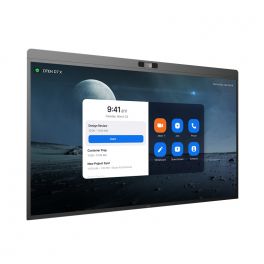
DTEN D7X 75" - Windows Edition
Call us for availabilityInteractive display for meeting collaboration- LED 75” display
- Windows edition
- 4K UHD resolution
- 20 touch-points
- Low latency - 50 ms response time
- 180 touch-point reporting rate
- 15-microphone array
- 2x Integrated speakers
- 129º field of view
- PTZ and preset camera
- Zoom Rooms Auto framing & Smart Gallery
- DTEN Smart Framing
- Acoustic Echo Cancellation
- Automatic Gain Control and Noise Reduction
- Smart Connect via single charging USB-C Cable
£8,113.00£6,939.99 £8,327.99 Incl. VATRef: DTD7X75WUKCompare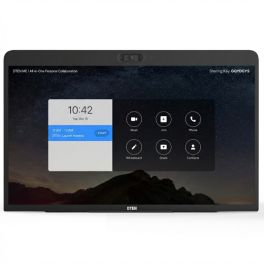
DTEN ME Personal Collaboration Display 27''
Call us for availabilityAll-in-one 27" touchscreen collaboration device with integrated cameras, microphone array and speakers, designed for Zoom meetings and personal hybrid workspaces.- Designed for personal video meetings and collaboration
- 27" Full HD touchscreen display
- Triple camera system with 160° field of view
- Eight-microphone array with noise reduction
- Integrated stereo speakers provide balanced audio
- Zoom for Home: instant access to meetings, calls and collaboration tools
- HDMI input to use the display as a secondary monitor
- Flexible connectivity with Ethernet and dual-band Wi-Fi
£699.99£659.99 £791.99 Incl. VATRef: DTME27UKCompare
Apple Studio Display 27-inch 5K Display with tilting stand
Call us for availability27-inch 5K display with a 12 MP camera, built-in audio system and Thunderbolt 5 connectivity, ideal for Mac workstations and video conferencing.- 27-inch 5K Retina display: exceptional detail and precise visuals
- 600 nits brightness and P3 colour gamut: consistent colour reproduction
- 12MP camera with Centre Stage: automatic framing and document view
- Six speakers: immersive sound with Spatial Audio and Dolby Atmos support
- Studio-quality microphones: clear voice capture for calls and meetings
- Thunderbolt 5 and USB-C connectivity: direct connection to your Mac
- Adjustable stand: tilt from -5° to 25°
£1,663.99 £1,996.79 Incl. VATRef: APMFEX4FDACompare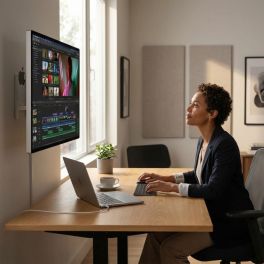
Apple Studio Display XDR 27-inch 5K Standard Glass
Call us for availabilityA 27-inch professional display with Retina XDR 5K, standard glass and VESA mounting, ideal for desktop use, editing and advanced visual work.- 27-inch 5K Retina XDR display: precise images, crisp text and exceptional detail
- High Dynamic Range Mini-LED: up to 1,000 nits in SDR and 2,000 nits in HDR
- 120Hz refresh rate with adaptive sync: smoother motion
- Support for 1 billion colours, wide P3 and Adobe RGB colour gamuts
- 12 MP camera with auto-framing and top-down view
- Six high-fidelity speakers and 3 microphones for meetings and multimedia content
- 10x10 cm VESA mount: wall or arm mounting, in landscape or portrait orientation
£4,377.99 £5,253.59 Incl. VATRef: APMFEN4FDACompare
Apple Studio Display 27-inch 5K with nano-textured glass
Call us for availability27-inch 5K display with nano-textured glass, a 12 MP camera and a stand with adjustable height and tilt, designed for demanding Mac workstations.- Nanotextured glass: reduces glare and improves visibility in very bright conditions
- 5K Retina display with 5120 x 2880 resolution: crisp text, exceptional detail and precise display
- 600 nits brightness and P3 colour gamut: supports 1 billion colours
- 12MP camera with auto-framing and overhead view
- 6 high-fidelity speakers and 3 microphones for meetings and multimedia content
- Thunderbolt 5 and USB-C ports for peripherals and accessories
- Stand tilts from -5° to +25° and is height-adjustable by 10.5 cm
£2,626.99 £3,152.39 Incl. VATRef: APMFF04FDACompare
iiyama ProLite TE7513A-B2AG 75" 4K Interactive Display
Call us for availabilityProfessional 75-inch interactive display with 4K UHD resolution, Android 14, Google EDLA and advanced touch technology for collaboration, training and video conferencing in large venues.- 75" 4K UHD interactive display designed for meeting rooms, classrooms and large collaborative spaces.
- Google EDLA certification for direct access to Google applications
- PureTouch-IR+ technology with up to 40 simultaneous touch points
- Android 14 with integrated iiWare 21E for PC-free operation and content management
- USB-C with Power Delivery up to 100 W
- Wi-Fi 6E and Bluetooth 5.0
- Zero-Gap Air Bonding for more precise writing and a natural user experience.
£1,699.99 £2,039.99 Incl. VATRef: IIYTE7513AB2AGCompare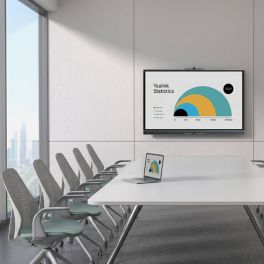
Yealink MeetingBoard C EDLA 65-inch BYOM interactive display
Out of stock65-inch all-in-one interactive display with Android 15, Google EDLA, a 50 MP 4K camera, 8 microphones, a collaborative whiteboard and BYOM.- 65-inch 4K interactive display with anti-glare panel and 20 touch points
- Google EDLA with Android 15: access to Chrome, Google Meet and compatible apps
- 50 MP 4K camera with auto-framing, speaker tracking and AI features
- Full-duplex audio with 8 microphones, 8 m range and noise cancellation
- Collaborative whiteboard with low-latency writing (21 ms) and export via QR code
- BYOM via the VCH51 Pro (optional) for single-cable meetings
£3,063.99£2,141.99 £2,570.39 Incl. VATRef: YEAMB65CEDLACompare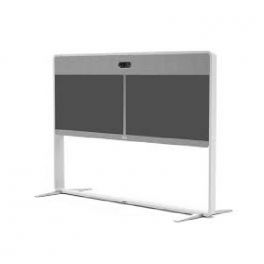
Cisco - Stand - for Webex Room 55 Dual
Call us for availabilityFloor Stand for Webex Room 55 Dual.- Floor Stand for Webex Room 55 Dual.
£4,200.38£3,383.99 £4,060.79 Incl. VATRef: CISTDUO55Compare
Logitech Rally Board 65'' White
Call us for availabilityEffortless 65” touchscreen video conferencing with 4K clarity, powerful audio, AI enhancements, and eco-friendly design.- 65‘’ touch screen for smooth and natural collaboration
- 4K camera with 4X HD digital zoom
- High quality stereo speakers
- Beamforming microphones: Clear and accurate voice capture.
- AI technology: Automatic adjustments for a better experience.
- Works with Microsoft Teams, Zoom and Google Meet.
- Eco-friendly design: Recycled materials and sustainable packaging.
- Second display support, up to UHD 4K60 (3840 x 2160)
£6,035.99£5,689.99 £6,827.99 Incl. VATRef: LORALLYBO65BUKCompare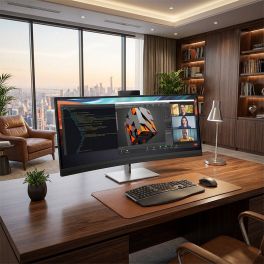
HP Series 7 Pro 740pm 5K2K Curved Monitor 39.7"
Call us for availabilityUltra-wide 39.7" 5K2K curved conferencing monitor with integrated webcam, Thunderbolt connectivity and precise colour accuracy for advanced workspaces.- 39.7" 5K2K ultrawide display: expansive workspace with high pixel density
- Curved 21:9 format: immersive viewing and improved multitasking
- Integrated 4K webcam: video conferencing with privacy shutter
- Thunderbolt connectivity: high-speed data, video and power delivery
- Wide colour accuracy: 100% sRGB and 98% Display P3 with factory calibration
- HP Device Bridge 2.0: control two devices with one keyboard and mouse
£1,475.09£1,240.99 £1,489.19 Incl. VATRef: HP8Y2R2AAUKCompare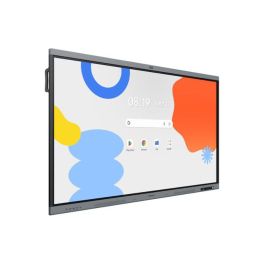
Samsung WA86FX-P 86 inch 4K Interactive Display
Call us for availability86-inch interactive display for education and business, featuring 4K resolution, multi-touch and built-in collaboration tools for efficient teamwork.- 86" 4K UHD display: Clear display of content for presentations and lessons
- Multi-touch technology: Simultaneous use by multiple people
- Integrated Android system: Direct access to apps and whiteboard functions
- Screen sharing: Wireless content transmission from multiple devices
- Writing and annotation tools: Intuitive real-time collaboration
- Robust design: For intensive use in schools and businesses
£4,377.99£2,414.99 £2,897.99 Incl. VATRef: SALH86WAFPLGCXENCompare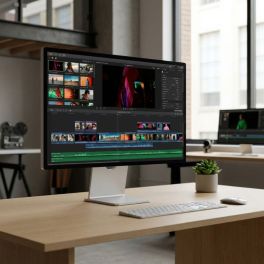
Apple Studio Display XDR 27-inch 5K with nano-textured glass
Call us for availabilityA 27-inch professional display with Retina XDR 5K, nano-textured glass and an adjustable stand, designed for editing, graphic design and advanced video collaboration.- Nano-textured glass: diffuses light to reduce glare and improve visibility
- 5K Retina XDR display: precise images, crisp text and exceptional detail
- High Dynamic Range Mini-LED: up to 1,000 nits in SDR and 2,000 nits in HDR
- 120Hz refresh rate with adaptive sync: smoother motion
- Colours: supports 1 billion colours, wide P3 and Adobe RGB colour gamuts
- Camera and audio: 12 MP camera with Centre Stage, 3 microphones and 6 high-fidelity speakers
- Stand tilts from -5° to +25°, height adjustable by 10.5 cm
£4,552.99 £5,463.59 Incl. VATRef: APMFEP4FDACompare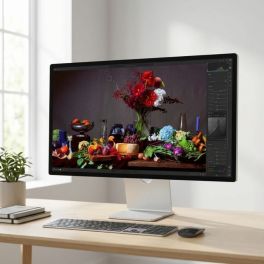
Apple Studio Display 27-inch 5K with standard glass, height-adjustable
Call us for availability27-inch Apple display with 5K resolution, standard glass, 12 MP camera, built-in audio system and an adjustable stand for Mac workstations.- Standard glass and 600 nits: designed for everyday professional use
- 27-inch 5K Retina display: crisp text, exceptional detail and precise display
- 12MP camera with auto-framing and overhead view
- Built-in audio and voice: 6 high-fidelity speakers and 3 studio-quality microphones
- Thunderbolt 5 and USB-C ports for peripherals, storage and accessories
- Stand tilts from -5° to +25° and is height-adjustable by 10.5cm
- All-in-one solution for productivity, content creation and hybrid collaboration.
£2,188.99 £2,626.79 Incl. VATRef: APMFEW4FDACompare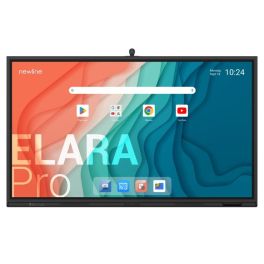
Newline Elara 75 Pro 75" 4K Touch Display
Call us for availabilityProfessional 75-inch interactive display with 4K UHD resolution, Android 13 with Google EDLA, advanced multi-touch technology, and integrated 4K camera.- 75" professional interactive display for meeting rooms and classrooms
- 4K UHD resolution (3840 x 2160) for accurate viewing
- Android 13 with Google EDLA certification and access to Google Play
- High-precision Stellar Touch (IR) multi-touch technology
- 4K AI ModCam+ camera and integrated microphones for video conferencing
- Designed for continuous professional use in collaborative environments
£2,324.99 £2,789.99 Incl. VATRef: NEWTT7523QCACompare
Characteristics and Core Functions
Video conferencing screens are designed to deliver an immersive visual experience for remote teams. They combine high-resolution displays, touch functionality and compatibility with video conferencing systems. Natively equipped with cameras, microphones and speakers, they ensure a superior collaboration experience and remove technological barriers between on-site and remote participants.
| Optimised for video conferencing | Cameras, microphones and speakers natively integrated for hybrid collaboration. |
| Touch screen | Intuitive interaction for presentations. |
| Professional resolutions | Full HD or 4K for clear display of remote participants and shared content. |
| Multiple formats | Different sizes available to suit all room types. |
| Integrated system compatibility | Some models are optimised for Microsoft Teams, Zoom Rooms or Google Meet. |
How to choose the right solution?
- OKScreen size: based on the number of participants and typical viewing distance for visual comfort.
- OKRequired certification: Teams Rooms or Zoom Rooms for native integration, or UC for multi-platform compatibility.
- OKRequired image quality: standard Full HD or 4K for detailed content.
- OKType of touch usage: presentations, workshops, brainstorming sessions, group training.
- OKAvailable budget: standard professional screen or premium model with advanced integrated technologies.
Applications across professional environments
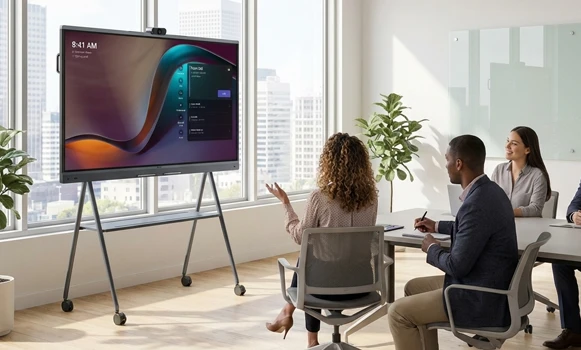
Video conferencing screens are used in small huddle spaces to support brainstorming and decision-making, and in meeting rooms to create a natural visual presence between remote teams. In training environments, they make workshops more dynamic and interactive, while consulting teams use them to professionalise client presentations. In education, they support hybrid teaching, and in coworking spaces they enhance team collaboration. They are also used in the retail sector for demonstrations or strategic meetings.
Why partner with Onedirect?
Onedirect distributes video conferencing screens from leading brands such as Yealink, Huawei, MAXHUB and DTEN. As an official reseller, we guarantee fast and secure delivery and provide dedicated after-sales support to assist you over time. Our team advises you on optimal sizing and integration with existing infrastructure, ensuring meeting experiences that maximise engagement and collaborative efficiency.
FAQ – Frequently asked questions
What is the difference between a video conferencing screen and a standard meeting room screen?
Video conferencing screens integrate a touch surface, camera, microphones, speakers and collaborative features, while standard screens focus primarily on content display.
What screen size should be chosen for a video conferencing room?
For rooms with 4–6 people, a 55–65 inch screen is recommended. For 8–12 people, 75–86 inches is advised. For large spaces with 15+ participants, a 98 inch screen or a multi-screen setup is recommended.
Can a video conferencing screen be used for standard presentations?
Yes. These screens can also be used for basic content display in meeting rooms, while their primary purpose remains delivering all-in-one video conferencing solutions.
Which accessories can be paired with a video conferencing screen?
Wall or floor mounts, extension microphones and room booking panels can complement your meeting room or classroom setup.
Can an interactive screen be used for education?
Yes. They are ideal for running hybrid classes and enhancing interactive training sessions.