
My Cart



Touchscreen Kiosks
Interactive self-service and information points
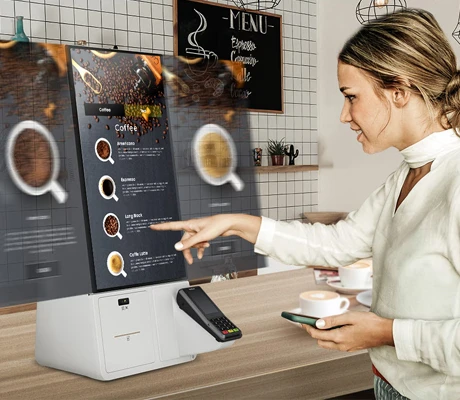
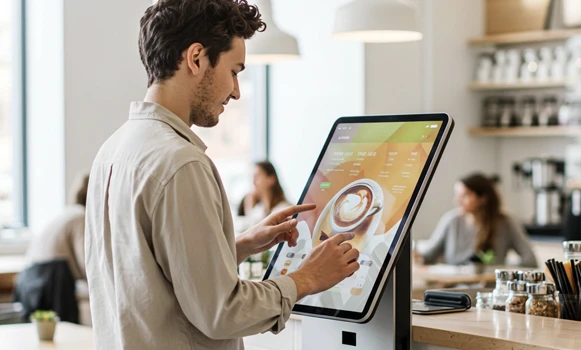
Touchscreen kiosks are interactive self-service solutions combining display, housing and touch technology. Ideal for information points, ticketing, check-in systems, product configurators or digital catalogues in retail, corporate and public spaces. With digital signage kiosks, you automate processes, reduce staff workload and deliver a modern customer experience.
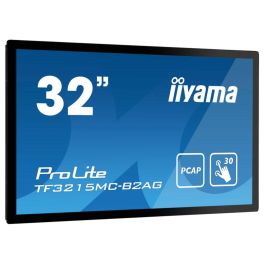
iiyama ProLite TF3215MC-B2AG Monitor
IN STOCKExperience stunning visuals and responsive touch interaction.- Impressive Display Size: Enjoy a spacious 31.5" screen for optimal viewing.
- Full HD Resolution: Crystal clear 1920 x 1080 pixels for vivid graphics.
- Robust Touch Technology: Multi-touch functionality enhances interactivity.
- IP65 Rating: Dust and water resistant, ideal for public installations.
- Flexible Orientation: Easily switch between landscape and portrait modes.
£854.69£675.99 £811.19 Incl. VATRef: IIYTF3215MB2GCompare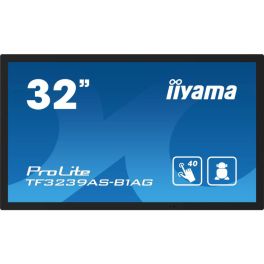
iiyama ProLite TF3239AS-B1AG
IN STOCK32'' all-in-one touchscreen with Android, perfect for kiosks, shops, or meeting rooms.- For kiosks, meeting rooms, shops, and more...
- 32'' Full HD screen
- Touchscreen with up to 40 touch points
- Built-in Android 11 system
- IP65 (front panel): water and dust resistant
- Compatible with display windows thanks to through-glass touch
- FailOver function: content always active
- Open Frame design: customised integration
£1,267.19£1,151.99 £1,382.39 Incl. VATRef: IIYTF3239ASCompare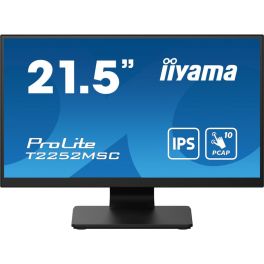
iiyama ProLite T2252MSC-B2 Monitor
Call us for availabilityExperience touch technology with stunning Full HD clarity.- Touchscreen capability for interactive use.
- Full HD resolution provides sharp and clear visuals.
- Fast response time ensures smooth performance.
- Built-in USB hub for easy connectivity.
- VESA mount support for flexible installation options.
£185.00 £222.00 Incl. VATRef: IIYT2252MSCB2Compare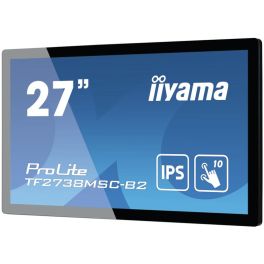
iiyama ProLite TF2738MSC-B2
Call us for availabilityExperience seamless interaction with the iiyama ProLite TF2738MSC-B2.- Vibrant Full HD Display delivers crystal-clear visuals at 1920 x 1080 pixels.
- Multi-Touch Capability supports simultaneous touch from multiple users, enhancing collaboration.
- Durable Design with rugged bezel and edge-to-edge glass for increased protection and usability.
- Wide Viewing Angles at 178° ensure everyone can see the screen clearly, no matter the position.
- Multiple Connectivity Options including DVI, HDMI, and DisplayPort for versatile integrations.
£549.92£475.99 £571.19 Incl. VATRef: IIYTF2738MSCCompare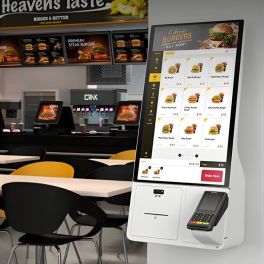
Samsung Kiosk KM24C-3
Call us for availabilitySamsung 24" interactive kiosk with Windows 10: compact, secure, versatile and ready to offer self-service in any commercial environment.- Integrated Windows 10 IoT Enterprise operating system
- Modular design with multiple payment options
- Compatible with card, QR code, NFC, and more
- Integrated printer for tickets and receipts
- 11th generation Intel® Core™ processor
- Flexible installation: wall, countertop or stand
- UL2282 certified antimicrobial coating
- Screen protected with high-strength film, operational 16/7
£1,298.99 £1,558.79 Incl. VATRef: SAKM24C3Compare
iiyama ProLite T2238MSC-B1 Monitor
Call us for availabilityElevate your display experience with touch technology.- Touchscreen Capability: Interact easily with 10-point touch technology.
- Full HD Resolution: Enjoy sharp images with 1920 x 1080 pixels.
- Robust Design: Built with scratch-resistant glass and metal housing.
- Versatile Orientation: Use in landscape, portrait, or face-up modes.
- IPX1 Rated: Protected against dripping water, ideal for commercial use.
£433.39£393.99 £472.79 Incl. VATRef: IIYT2238MSCB1Compare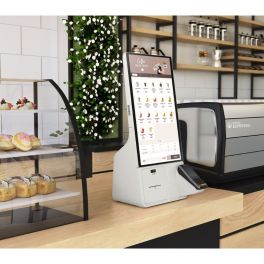
Samsung24 Inch Kiosk (Windows, Celeron) KMC-W
Call us for availability24" Full HD kiosk display with capacitive touch, Windows IoT, 16/7 operation, built-in SoC.- 4-inch Full HD (1920×1080) LED display
- Capacitive touchscreen, precise operation
- Windows 10 IoT Enterprise installed
- Intel Celeron SoC, 256 GB flash memory
- Brightness approx. 250 cd/m², ADS panel
- Viewing angle 178° horizontal & vertical
- Power consumption typ. ~88 W, standby ~0.5 W
- Vertical orientation, white kiosk design
£1,039.99 £1,247.99 Incl. VATRef: SAKM24CCCompare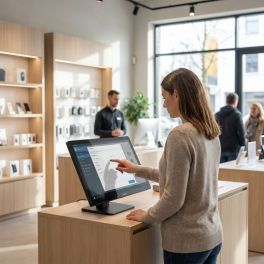
iiyama ProLite TW2223AS-B3P 21.5" Android Touchscreen Display
Call us for availabilityProfessional 21.5" Full HD touch panel PC with Android 14, 10-point PCAP touch technology, integrated PoE and the iiSignage² platform for digital signage and self-service applications.- 21.5" Full HD Touch Panel PC with an IPS panel for crisp images and accurate colours.
- Android 14 with Google Mobile Services
- 10-point In-cell PCAP touch technology for smooth and responsive interaction.
- Power over Ethernet (PoE) for power and data via a single cable.
- Integrated iiSignage² for centralised management of digital signage content.
- 24/7 operation with support for landscape, portrait and face-up installation.
- Wi-Fi, Bluetooth and LAN for comprehensive connectivity in professional environments.
£576.99 £692.39 Incl. VATRef: IIYTW2223ASB3PCompare
iiyama ProLite T1732MSC-B1S
Call us for availability17" PC monitor with touchscreen capabilities and tilt options, perfect for all office tasks.- 43cm (17") PC monitor
- 5:4 display with 1280 x 1024px resolution
- 10-point touchscreen technology
- Scratch-resistant screen
- Two 1W speakers
- HDMI, DisplayPort, VGA, mini-jack: full connectivity
- Tiltable 90° forwards and 5° backwards
£350.00£349.99 £419.99 Incl. VATRef: IIYT1732MSCB1SCompare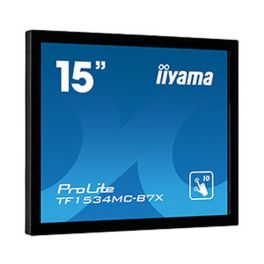
iiyama ProLite TF1534MC-B7X
Call us for availabilityElevate your POS experience with cutting-edge touch technology.- Exceptional Durability: Designed with edge-to-edge glass for scratch-resistance.
- IP65 Rating: Provides dust and water resistance, perfect for various environments.
- Versatile Touch Response: Enjoy seamless interaction with Touch-Through-Glass technology.
- Easy Integration: Can be mounted easily with optional brackets for kiosks and retail displays.
- Brilliant Display: Features a 15-inch screen with 1024 x 768 resolution for clear visuals.
£423.96£347.99 £417.59 Incl. VATRef: IIYTF1534MCCompare
iiyama ProLite TF2234MC-B7X 21.5'' Touchscreen Monitor
Call us for availabilityElevate your interaction with the iiyama touch monitor.- Engaging Touch Experience - Multi-user capabilities enhance interactivity.
- Sharp Full HD Display - 1920 x 1080 resolution delivers vibrant visuals.
- Durable Scratch Resistance - Glass overlay ensures longevity and clarity.
- Robust IP65 Rating - Dust and water resistance for reliable usage in various environments.
- Versatile Connectivity Options - Features multiple ports including HDMI and DisplayPort for broad compatibility.
£462.37£373.99 £448.79 Incl. VATRef: IIYTF2234MB7XCompare
iiyama ProLite T2452MSC-B1 Touchscreen Monitor
DiscontinuedExperience the future of interaction with full HD clarity!- Seamless touch experience thanks to accurate PCAP technology.
- Vibrant visuals with IPS technology for stunning colour performance.
- Versatile connectivity options including HDMI and DisplayPort for easy setup.
- Multi-user capabilities support simultaneous touch for collaborative tasks.
- Designed for durability with an anti-fingerprint coating to resist smudges.
Check similar productsRef: IIYT2452MSCB1Compare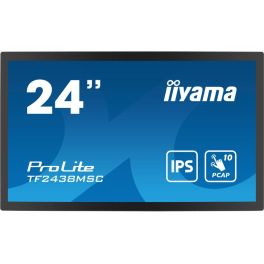
iiyama ProLite TF2438MSC-B1
DiscontinuedCapture attention with stunning visuals and seamless interaction.- Exceptional Visuals: Enjoy vibrant colours and sharp details with Full HD resolution.
- Reliable Touch Experience: Optical bonded PCAP technology ensures responsive multi-touch functionality.
- Durable Design: Scratch-resistant glass and robust metal housing withstand heavy use.
- Flexible Orientation: Supports landscape and portrait modes for versatile applications.
- Built-in Audio: Integrated speakers enhance presentations and interactive displays.
Check similar productsRef: IIYTF2438MSCCompare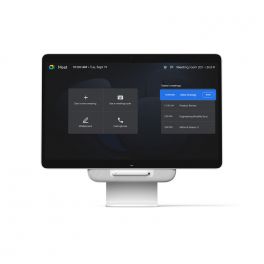
Avocor Google Meet One Desk 27''
DiscontinuedAll-in-one solution: meeting screen, interactive whiteboard, monitor and laptop docking station.- Versatile 27" touchscreen
- Optimised for Google Meet, compatible with other services
- Tiltable for whiteboard use
- One-touch meeting start
- USB-C connection for laptop
- Integrated camera, microphone and TrueVoice® audio
- Google AI voice commands (coming soon)
- Google licence required for activation
Check similar productsRef: AVOMEET27Compare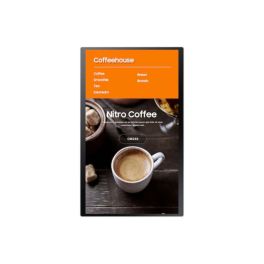
SAMSUNG Smart LCD Signage Kiosk KM24A
DiscontinuedCompact 24" touchscreen kiosk with Full HD, Tizen OS and versatile integration options for retail.- 24" Full HD touchscreen with 10-point capacitive touch
- Tizen operating system for flexible app integration
- Modular design for easy expansion
- Supports various payment methods (QR, NFC, credit card)
- IP5X certified for dust protection
- Integrated speaker for audio output
- Compatible with MagicINFO for content management
- Hygienic use thanks to antibacterial coating
Check similar productsRef: SAKM24ACompare
Characteristics and Core Functions
Touch Screen Kiosks are engineered with a focus on security, reliability and ease of management. Lockable enclosures and kiosk software features keep devices dedicated to a single task, while integrated connectivity ensures uninterrupted access to cloud applications and back-office systems.
| Secure kiosk mode | Restricts users to approved apps or web portals, protecting system integrity and sensitive data |
| Metal or anti-theft casing | Robust housings deter tampering and theft in unsupervised or high-traffic locations |
| WiFi and LAN connectivity | Stable network access supports real-time lookups, bookings and cloud-based services |
| Integrated power and charging | Continuous charging keeps devices operational during extended opening hours |
| Commercial-grade touchscreens | Panels designed for frequent interactions provide consistent responsiveness and durability |
| Adjustable tilt and height | Ergonomic positioning improves accessibility for different user groups, including wheelchair users |
| Compatibility with kiosk management software | Centralised configuration and monitoring simplify fleet management across multiple sites |
How to Select the Right Touch Screen Kiosk
- OK Intended workflow: Define whether the kiosk will be used for visitor registration, product search, ordering, ticketing or survey capture
- OK Location type: Choose between freestanding units for lobbies, countertop models for reception desks or compact formats for narrow corridors
- OK Security level: Assess the risk of theft or vandalism to determine enclosure strength and mounting method
- OK Connectivity requirements: Decide whether WiFi is sufficient or if wired Ethernet is preferable for reliability and compliance
- OK Operating system and apps: Align tablet OS (Android or iOS) with your preferred software platforms and kiosk management tools
- OK Brand presentation: Ensure the kiosk’s colour, finish and cable routing integrate seamlessly into your reception or retail design
Applications Across Professional Environments
In retail stores, kiosk tablets provide customers with self-service access to extended catalogues, stock checks and loyalty programme enrolment. This allows staff to focus on higher-value consultations while routine queries are handled directly at the terminal.
Corporate offices, co-working spaces and public buildings use kiosks for visitor sign-in, badge printing and compliance confirmations. Structured workflows reduce queues at reception, improve traceability and enhance the overall visitor experience.
At trade fairs, museums and hospitality venues, interactive kiosks function as digital guides, supporting ticket validation, wayfinding, menu browsing and access to event information. Touch-based interfaces simplify navigation for users with varying levels of digital familiarity.
Why Partner with Onedirect?
Onedirect brings together professional tablets, enclosures and stands from brands such as Samsung, iiyama, Philips and LG to build robust, business-ready kiosk solutions. Our logistics capabilities enable rapid, consistent deployment across single or multiple locations.
Our advisers recommend form factors and mounting options that reflect your visitor journey and site layout, from discreet reception kiosks to prominent in-store touchpoints. We also consider connectivity requirements, peripheral integration and future scalability when specifying hardware.
With ongoing support from our customer service and after-sales teams, you benefit from a long-term partner who can assist with additional units, replacement components and upgrades as your self-service strategy evolves.
FAQ – Frequently Asked Questions
What are touch screen kiosks typically used for?
Touch screen kiosks are commonly used for visitor registration, self-check-in, product search, ordering, ticketing, surveys and information access in public or customer-facing environments.
Are touch screen kiosks secure for public use?
Yes. Professional kiosks use lockable enclosures and secure kiosk modes that restrict access to approved applications, reducing the risk of tampering or misuse.
Can kiosks be managed remotely?
Many kiosks are compatible with kiosk management software that allows centralised configuration, monitoring and updates across multiple devices and locations.
Are touchscreen kiosks accessible to all users?
Adjustable height and tilt options help improve accessibility for different user groups, including wheelchair users, and support compliance with accessibility guidelines.
Can kiosks operate continuously during opening hours?
Yes. Integrated power and charging systems allow kiosks to remain operational throughout the day, making them suitable for extended opening hours and high-traffic use.
Related Resources
Touchscreen Displays Icon Digital signage Icon Display Accessories Icon