
My Cart



Touch controllers
Touch solutions for meeting room control
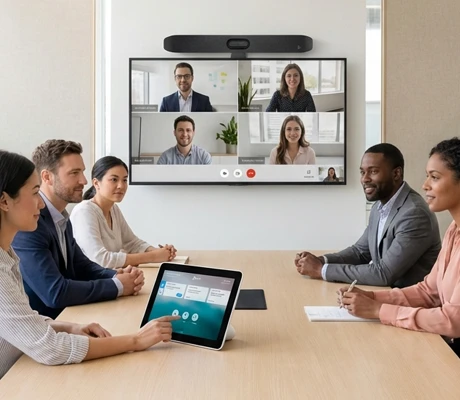
A touch controller simplifies meeting management by centralising control of audio, video and content sharing. Available in different screen sizes, it adapts to Microsoft Teams Rooms, Zoom Rooms or BYOD systems, ensuring a smooth user experience in meeting rooms, training spaces and collaborative environments.
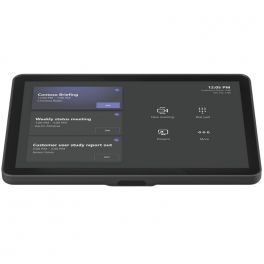
Logitech Tap IP
Meeting space controller- designed to easily manage your video conferences- Simplified management of your video conferences
- Large 10" LCD touch screen with colour display
- 10 point multi-touch support
- Integrated ultrasonic speaker
- Possibility of sharing content directly through the tablet
- Ports and interfaces: Ethernet, Wifi or Bluetooth and POE
- Compatible with Microsoft Teams (Android Zoom, RingCentral)
- Only compatible with Rally Bar, Rally Bar Mini (without NUC)
- NOT FOR RESELLING, can only be purchased if it's going to be added to an already existing Logitech system
IN STOCK5 of 1 Reviews£706.20£531.99 £638.39 Incl. VATRef: LOTAPIPCompare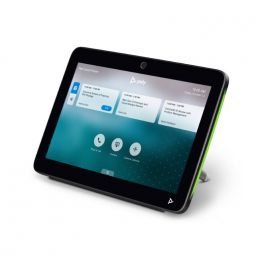
Poly TC10 Black
IN STOCK2-in-1 touch panel for room scheduling and meeting control.- 2-in-1 tablet: room reservation + meeting control
- 10" touch screen with LED indicators
- Single cable system (PoE)
- Proximity sensor available
- Seamless integration with Zoom
- Also available in white
£1,105.49£803.99 £964.79 Incl. VATRef: POSTTC10NCompare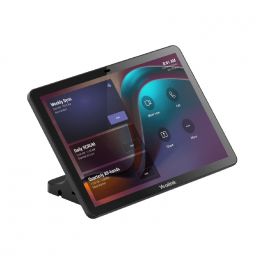
Yealink CTP25
IN STOCKTouch console with 10.1" IPS display for intuitive meeting control, allowing you to adjust the camera, layout and more with a single touch and no fingerprints.- 10.1" touch console for meeting control
- Compatible with Android 13 (with continuous updates)
- MDEP support
- Content sharing/BYOD/USB-C cable power supply
- Ultrasonic technology
- Multiple deployment methods
£581.99 £698.39 Incl. VATRef: YEACTP25Compare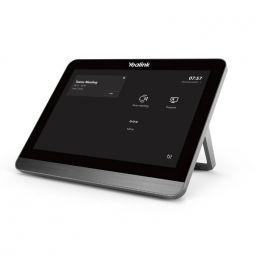
Yealink CTP18 Collaboration Touch Panel
IN STOCK8-inch control panel for Yealink video conferencing systems- 8-inch management tablet with touch screen
- Designed for video conferencing management
- Power over Ethernet (PoE) Support
- Flexible data transmission with connection to VCS endpoint
- Android 9.0 operating system
- Annotation on Shared Content
- Compatible just with Android based products such as Yealink MeetingBar A20 and A30 and MeetingBoard 65 and 86.
£397.09£324.99 £389.99 Incl. VATRef: YEALINKCTP18STDCompare
Neat Pad
IN STOCKSimple and elegant touch screen for controlling meetings and viewing room availability- 8-inch high-definition touch screen
- Zoom and Teams video call control
- Ethernet connectivity (PoE)
- Wall and desktop mounting accessories included
- Wall or tabletop integration possible
- Certified for Microsoft Teams and Zoom
£901.99£759.99 £911.99 Incl. VATRef: NEATPADCompare
Lenovo ThinkSmart Hub 11H1000KUK Kit MTR
IN STOCKAll-in-one Microsoft Teams room hub with 10.1'' WUXGA touch, 4 speakers/4 mics, one-touch start and single-cable- Slimmer, sleeker redesign for modern rooms.
- 10.1" WUXGA anti-glare, smudge-resistant touchscreen.
- 4× 3W speakers and four dual-array microphones.
- One-touch meeting start.
- 360° rotatable display for shared control.
- Single-cable mechanism reduces cable clutter.
- Intel vPro, Core i5, 16GB RAM, 256GB SSD.
- Remote deployment via ThinkSmart Manager.
£2,199.99£1,965.99 £2,359.19 Incl. VATRef: LEN11H1000KUKCompare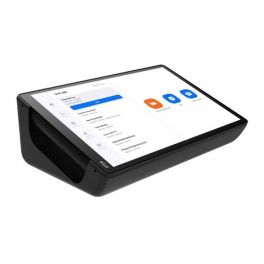
DTEN Mate PoE
IN STOCKThe DTEN Mate offers a comprehensive and ergonomic solution to manage your meeting rooms with just a single click.- Flexible Zoom Rooms Controller
- 10" Touchscreen Display
- Lightweight
- Able to connect to other Zoom Rooms certified appliances
£739.00£589.99 £707.99 Incl. VATRef: DTMATEUKCompare
Yealink Corekit C5U MS
IN STOCKMCore 4 Mini-PC with MTouch Plus touch panel and RoomSensor: a compact and smart Microsoft Teams Rooms system.- Native Microsoft Teams integration.
- MCore 4 Mini-PC with Intel Ultra5 125H.
- 11.6" MTouch Plus Full HD touch panel.
- RoomSensor for occupancy and environmental monitoring.
- Supports both wired and wireless content sharing.
- Extended AV connectivity and multiple ports.
- Remote management via Yealink Device Management.
£2,597.99£2,208.99 £2,650.79 Incl. VATRef: YEAC5UMSCompare
EPOS EXPAND Control
IN STOCKThe EXPAND Control tablet serves as either a meeting room controller or a scheduling panel, seamlessly integrating with leading UC solutions for any meeting room.- Certified for All UC Solutions
- Teams on Android
- Zoom Rooms
- Directly Supports EXPAND Video Conference solutions
- Clean Installation
- Multiple Mounting Options
- Can be used as a Controller or Scheduling Panel
£688.99£547.99 £657.59 Incl. VATRef: SESEXPANDCTRCompare
Insta360 Touch Panel
IN STOCKControl your Insta360 Connect with ease using this dedicated Touch Panel.- Seamlessly pairs with Insta360 Connect
- Simplifies and speeds up your workflow
- Dedicated interface for streamlined control
- Designed for smooth, intuitive operation
- Enhances user control and productivity
- Ideal companion for professional setups
£428.99 £514.79 Incl. VATRef: INSTA360TPANELCompare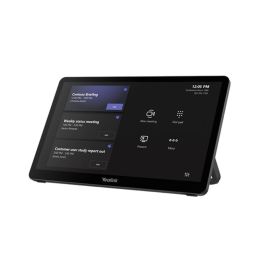
Yealink MTouch Plus 11.6" Touch Panel
Call us for availabilityYealink MTouch Plus: 11.6" Full HD IPS anti-fingerprint/anti-glare touch panel with wall or table mounting options, multi-panel control and screen sharing (depending on version).- 11.6" IPS screen with anti-glare and anti-fingerprint coating and Full HD resolution (1920 x 1080).
- More convenient meeting control with a smooth touch experience and narrow bezel display.
- Multi-panel control so that multiple participants can manage the meeting simultaneously (depending on version).
- Screen sharing via AirPlay, Miracast or Google Cast (depending on version).
- Wireless BYOD and collaboration options designed for rooms (depending on version).
- 3 deployment methods: wall, desktop or flat with expansion bracket.
- Integration with RoomSensor to activate the system when entering the room and view environmental data (depending on version).
£1,049.99£939.99 £1,127.99 Incl. VATRef: YEALINKMTOUCHPCompare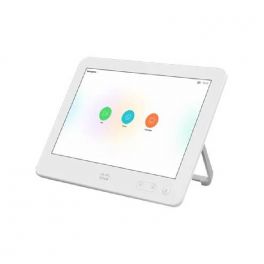
Cisco Touch 10 Control Unit
Call us for availabilityVideo conferencing system control unit for an effortless user experience around conference calls and sharing content.- Effortlessly start or end a conference call with just one tap
- Share content from your own devices
- Very flexible and customizable
- 10.1" LCD display
£1,400.13£1,154.99 £1,385.99 Incl. VATRef: CITOUCH10Compare
Yealink MCoreKit-C5 MS Touch Controller
Call us for availabilityElevate your meetings with the Yealink MCoreKit-C5.- Efficient collaboration: Built for Microsoft Teams Rooms, ensuring seamless communication.
- High performance: Powered by an Intel Core 11th i5 processor for smooth operation.
- Excellent visuals: 11.6-inch IPS display with 1080P resolution for clear video.
- Flexible connectivity: Offers multiple HDMI outputs and supports 5K HDMI out.
- Enhanced meeting control: Multiple touch panels allow easy management of meetings.
£2,099.99 £2,519.99 Incl. VATRef: YEALCOREKITC5MSUKCompare
Yealink MCoreKit-C4
Call us for availabilityRevolutionize your meetings with seamless video collaboration.- High Performance - Equipped with an Intel Core i5 processor for smooth multi-tasking.
- Multiple Outputs - Features 3x HDMI output for connecting to multiple displays.
- Human Motion Sensor - Automatically detects presence to enhance meeting efficiency.
- Bluetooth Connectivity - Easy pairing with devices for wireless collaboration.
- Compact Design - Mini PC form factor saves space without sacrificing power.
£1,900.00 £2,280.00 Incl. VATRef: YEALMVCMCOREUKCompare
Lenovo ThinkSmart Core + USB Controller
Call us for availabilityTeams Rooms-certified conferencing device designed to enhance collaboration in any meeting environment- Certified for Microsoft Teams Rooms
- 10.1'' wired touchscreen controller
- Core Ultra 5 135H, 16GB RAM, 256GB SSD
- Wi-Fi 6E, Gigabit Ethernet networking
- Bluetooth 5.3; Intel vPro support
- HDMI input plus dual HDMI outputs
- 2× USB-C 3.2 Gen 2/DP 1.4 ports
- 3-year warranty and Premier Support
£2,499.99£2,327.99 £2,793.59 Incl. VATRef: LEN12WA000AUKCompare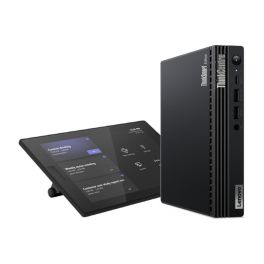
Lenovo ThinkSmart 12XH0008UK Tiny Kit MTR
Call us for availabilityMicrosoft Teams Rooms kit with 10.1'' touch console, and compact PC for reliable, room-ready conferencing.- 10.1'' 1280×800 touchscreen, anti-glare, anti-fingerprint.
- 10-point multi-touch for intuitive control.
- Compute system: Core i3-13100T, 16GB RAM, 256GB SSD.
- Connectivity: HDMI, USB-C, USB 3.2, RJ-45.
- Networking: Wi-Fi 6E and Bluetooth 5.3.
- Wired touchscreen connection.
- Security slot (Kensington compatible).
- Windows 11 IoT Enterprise included.
£1,349.99£1,190.99 £1,429.19 Incl. VATRef: LEN12XH0008UKCompare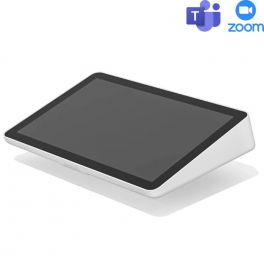
Logitech Tap IP White
Call us for availabilityMeeting space controller- designed to easily manage your video conferences- Simplified management of your video conferences
- Large 10" LCD touch screen with colour display
- 10 point multi-touch support
- Integrated ultrasonic speaker
- Possibility of sharing content directly through the tablet
- Ports and interfaces: Ethernet, Wifi or Bluetooth and POE
- Compatible with Microsoft Teams (Android Zoom, RingCentral)
- Only compatible with Rally Bar, Rally Bar Mini (without NUC)
- NOT FOR RESELLING, can only be purchased if it's going to be added to an already existing Logitech system
£706.20£531.99 £638.39 Incl. VATRef: LOTAPIPWCompare
Yealink MTouch E2 Touch Panel
Call us for availability8'' all-in-one touch panel with HDMI/USB-C input and motion sensor- 8-inch IPS screen
- 1280 × 800 resolution
- 10-point multi-touch
- Human motion sensor
- Wired/wireless content sharing
- Built-in Wi-Fi AP
- HDMI/USB-C video input
- Adjustable bracket (28°–50°)
£749.99 £899.99 Incl. VATRef: YEALMTOUCHE2UKCompare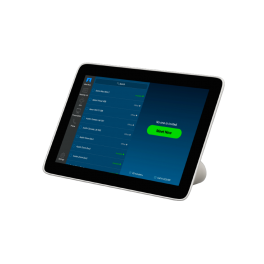
Poly Studio TC8
Call us for availabilityIntuitive touch interface for Poly video conferencing solutions- 8" high-resolution intuitive touch display
- 75-degree viewing angle
- Single cable for clutter-free set-up: PoE
- Compatible with Poly Studio X family / Poly G7500
- Simple content sharing
- LCD panel with LED backlighting
£577.95£569.99 £683.99 Incl. VATRef: POSTTC8UKCompare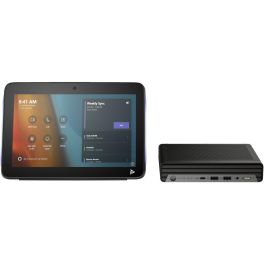
Poly Studio Base Kit G9 Plus
Call us for availabilityBasic kit with touchscreen tablet and HP mini PC for setting up ready-to-use Microsoft Teams rooms.- Preconfigured Kit for Microsoft Teams Rooms
- Standalone device operation
- 10'' multi-touch tablet
- 2-in-1 tablet: room booking + meeting control
- Single-cable system (PoE)
- HP IP Mini-PC
- Windows 11 IoT + automatic BIOS recovery (HP Sure Start)
- To be used with Poly video solutions
£2,133.95£2,038.99 £2,446.79 Incl. VATRef: PLG9PLUSKITUKCompare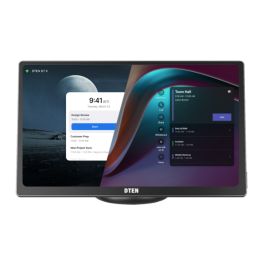
DTEN Mate Gen 2 Touch Controller
Call us for availability11.6-inch touchscreen room controller for managing your meetings, BYOD sharing and the in-room experience, with PoE power supply.- 11.6-inch touchscreen: easy meeting control
- 1920 x 1080 Full HD screen: clear display and good readability
- Table-top installation with adjustable angle from 15° to 60°
- 802.3af PoE power supply for simplified deployment with fewer cables
- 6 built-in microphones to enhance the control experience
- RJ45 connection and USB-C cable included: BYOD and content sharing
- Designed for meeting spaces requiring a dedicated, easy-to-use interface
£743.99 £892.79 Incl. VATRef: DTMATE2Compare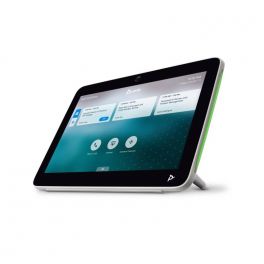
Poly TC10 White
Discontinued2-in-1 touch panel for room scheduling and meeting control.- 2-in-1 tablet: room reservation + meeting control
- 10" touch screen with LED indicators
- Single cable system (PoE)
- Proximity sensor available
- Seamless integration with Zoom
- Also available in black
Check similar productsRef: POSTTC10WCompare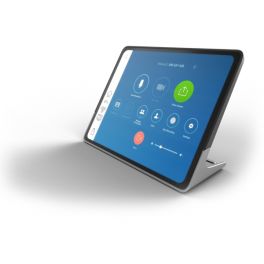
Stem Audio Control
DiscontinuedControl panel designed to help you control all your Stem products from one device- Power over Ethernet connection
- Multiple mount options
- 10" touch display
- Simple easy-to-use interface
Check similar productsRef: STCONTROLCompare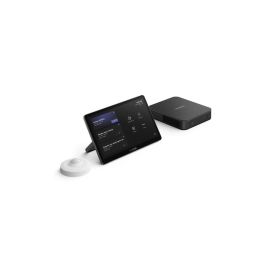
Yealink MCoreKit-C5
DiscontinuedElevate your meetings with the Yealink MCoreKit-C5.- Efficient collaboration: Built for Microsoft Teams Rooms, ensuring seamless communication.
- High performance: Powered by an Intel Core 11th i5 processor for smooth operation.
- Excellent visuals: 11.6-inch IPS display with 1080P resolution for clear video.
- Flexible connectivity: Offers multiple HDMI outputs and supports 5K HDMI out.
- Enhanced meeting control: Multiple touch panels allow easy management of meetings.
Check similar productsRef: YEALCOREKITC5MSIKCompare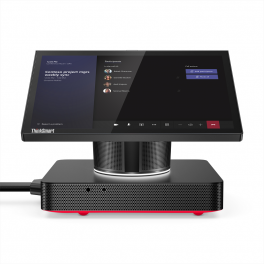
ThinkSmart Hub Kit for Microsoft Teams Room
DiscontinuedAll-in-one collaboration tool for Teams meeting rooms- All-in-one collaboration device for professionals
- Suitable for small and medium-sized spaces (2 - 15 people)
- Integrated 10.1" wide touchscreen control panel anti-glare and smudge resistant
- Full HD resolution and 360° rotation
- HD audio technology: 4 premium-tuned speakers
- 4 omnidirectional mics for 360° audio capture
- Maximum security: Lenovo ThinkShield + Windows 10 IoT
- Unique cabling system: always tidy spaces
- Premium support: 3-year Onsite + 3Yr Premier Support + First Year maintenance and 1y ThinkSmart Manager
- Microsoft Teams certified and dedicated solution
Check the alternative productRef: LENTHKMTRUKCompare
Characteristics and Core Functions
A video conferencing touch controller centralises the control of meeting room equipment through an intuitive interface. Designed for professional environments, it provides full control over audio, video and content sharing systems, allowing users to manage hybrid meetings with ease.
| 7’’ to 12’’ capacitive touch screen | Responsive interface suitable for all user profiles. |
| Native UC compatibility | Optimised for Microsoft Teams Rooms, Zoom Rooms and other professional platforms. |
| PoE or USB connectivity | Simplified installation with network power or USB depending on the model. |
| Integrated audio/video control | Volume, mute, camera framing and source selection management. |
| Customisable interface | Ergonomics adapted to each company’s specific needs. |
How to choose the right solution?
- OKVideo conferencing platform used: check native compatibility with Microsoft Teams, Zoom, Google Meet or other UC solutions.
- OKTouch screen size: choose between 7’’ and 12’’.
- OKConnection mode: PoE for cable-free power or USB for simple integration.
- OKControl features: ensure the controller manages PTZ cameras, video bars and microphones.
- OKInstallation type: verify tabletop mounting options according to room layout.
- OKScalability and updates: select a model supporting automatic and secure updates.
Applications across professional environments
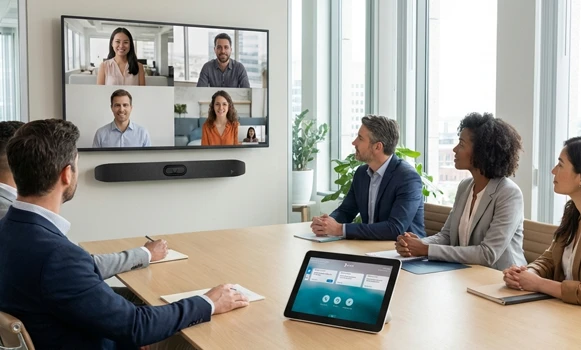
Touch controllers are deployed in corporate meeting rooms to simplify the start-up and control of video conferencing sessions. They are also used in training spaces where ease of use is essential, as well as in boardrooms and collaborative spaces where multiple devices must be managed simultaneously. Hybrid environments particularly benefit from this technology, enabling in-room participants to control audio, video and content sharing without technical expertise. In executive centres and boardrooms, touch controllers deliver a premium experience while ensuring reliability and network security.
Why partner with Onedirect?
Onedirect supports you in selecting the right touch controllers with tailored advice aligned with your video conferencing infrastructure. Our permanent stock ensures immediate availability of leading brands such as Yealink, Logitech, Poly, Lenovo and DTEN. Benefit from fast and secure delivery, competitive pricing and dedicated after-sales support to ensure reliable operation of your equipment. As an official reseller, we supply only certified accessories for optimal integration in your meeting rooms.
FAQ – Frequently asked questions
What is the difference between a touch controller and a standard tablet?
A touch controller is specifically designed for video conferencing, with an optimised interface, native UC compatibility and direct control of room equipment. Unlike a standard tablet, it offers professional control functions and enterprise-grade network security.
Can a touch controller be used with multiple video conferencing platforms?
Most modern controllers support multiple UC platforms such as Microsoft Teams, Zoom and Google Meet. However, compatibility should always be checked against your existing infrastructure.
Can a meeting room be booked using a touch controller?
Some touch controllers include room booking features connected to space management systems (Exchange calendars, Google Workspace). They display real-time availability and allow meetings to be booked or extended directly from the interface. This feature depends on the model and system integration.
Does installation require specific technical skills?
Controllers with PoE or USB connectivity can be installed quickly without complex cabling. Initial configuration may require a technician, but daily use remains intuitive for all users.
Do touch controllers work with PTZ cameras?
Yes, most professional models allow control of PTZ cameras, including framing, zoom and position presets, directly from the touch interface.