
My Cart



Meeting Room Touchscreen Displays
Interactive Screens for Engaging Conference Room Sessions
Conference room solutions combine presentation technology, video conferencing systems, audio and control in one functional overall concept. They are designed to meet the requirements of modern meetings from spontaneous discussions through to international video calls. With professionally equipped conference rooms, you increase the quality of your meetings, reduce technical barriers and create a consistent user experience across all meeting environments.

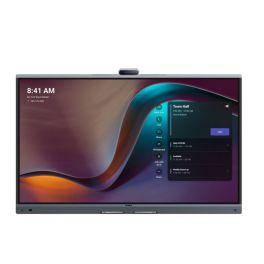
Yealink Meeting Board 65'' Pro
IN STOCKCollaboration display with 4K touchscreen, Android 13, and native Microsoft Teams support.- 65" 4K UHD touchscreen
- Built-in 4K camera with AI features
- 16-microphone array
- Integrated stereo speakers
- Native Microsoft Teams Rooms
- Whiteboard and content sharing
- Dual OS: Android 13 + OPS slot
- Wireless content sharing via WPP
£2,949.99 £3,539.99 Incl. VATRef: YEAMB65PROA02Compare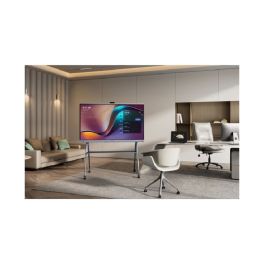
Yealink Meeting Board 75'' Pro
IN STOCKInteractive 4K display with Android 13 and native Teams support for collaborative environments- 4K UHD 75" touchscreen
- 4K camera with artificial intelligence
- 16 built-in microphones in array
- Built-in stereo speakers
- Native integration with Microsoft Teams
- Whiteboard and file sharing
- Dual OS: Android 13 + OPS slot
- Wireless sharing with WPP
£3,799.99 £4,559.99 Incl. VATRef: YEAMB75PROA02Compare- IconBest Seller
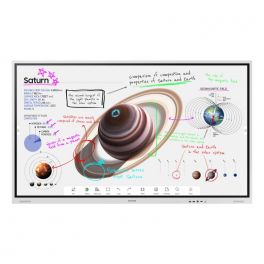
Samsung 55" Flip Pro WMB
New generation interactive whiteboard to bring your ideas to life.- 55" Professional Interactive Whiteboard
- For real-time annotation and editing
- Supported portrait and landscape orientations
- New Edge break-resistant display with 4K resolution
- IR touch technology: up to 20 touchpoints
- Two 10W speakers for media playback
- Capture and layer functions available: simplified annotations
- PC and mobile content sharing via Miracast or AirPlay 2
- Integrated web browser
- Smart sharing: up to 50 devices connected at the same time
IN STOCK4 of 1 Reviews£1,660.90 £1,993.08 Incl. VATRef: SAWM55BUKCompare 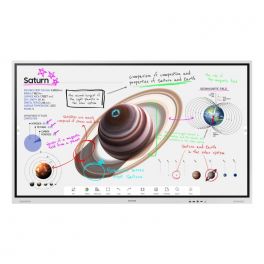
Samsung 65" Flip Pro WMB
IN STOCKNew generation interactive whiteboard to bring your ideas to life.- 65" Professional Interactive Whiteboard
- For real-time annotation and editing
- Landscape orientation supported
- New Edge break-resistant display with 4K resolution
- IR touch technology: up to 20 touchpoints
- Two 10W speakers for media playback
- Capture and layer functions available: simplified annotations
- PC and mobile content sharing via Miracast or AirPlay 2
- Integrated web browser
- Smart sharing: up to 50 devices connected at the same time
£2,076.12£1,553.99 £1,864.79 Incl. VATRef: SAWM65BUKCompare
Yealink Meeting Board 86'' Pro
IN STOCKTeams-certified display with built-in audio, camera, and touch collaboration features.- 86" 4K UHD touch screen
- Integrated 4K AI camera
- 16-microphone beamforming array
- Built-in stereo speakers
- Microsoft Teams Rooms native support
- Dual OS support: Android 13 & OPS slot
- Wireless content sharing with WPP
- Smart whiteboard and annotation
£4,499.99 £5,399.99 Incl. VATRef: YEAMB86PROA02Compare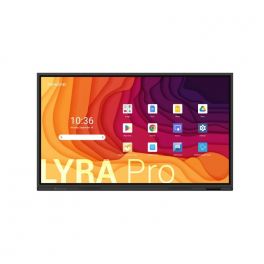
Newline Lyra Pro 86"
IN STOCKInteractive touch display with Wifi and Bluetooth and native Google EDLA certification- Interactive touch display
- Memory: 128 GB / 8 GB RAM
- Wifi 6 & Bluetooth 5.2
- Plug & play USB-C connection
- Android 13 OS
- 4K resolution
- 178° viewing angle
- Integrated 20W speakers
£1,794.99 £2,153.99 Incl. VATRef: NEWLYPRO86UKCompare
Newline Lyra Pro 75''
IN STOCKInteractive touch display with Wifi and Bluetooth and native Google EDLA certification- Interactive touch display
- Memory: 128 GB / 8 GB RAM
- Wifi 6 & Bluetooth 5.2
- Plug & play USB-C connection
- Android 13 OS
- 4K resolution
- 178° viewing angle
- Integrated 20W speakers
£1,524.99 £1,829.99 Incl. VATRef: NEWLYPRO75UKCompare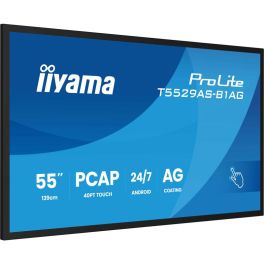
iiyama ProLite T5529AS-B1AG
IN STOCK55'' 4K touchscreen powered by Android, perfect for small rooms!- Use: small collaborative spaces
- 55-inch 4K UHD screen
- Highly precise 20-point touchscreen function
- 500cd/m² brightness: optimal visibility even in daylight
- Built-in Android 14 system
- USB-C connectivity with video, data, and power pass-through
- Integrated collaboration tools: iiShare, EShare, Whiteboard
- 24/7 operation: guaranteed heavy use
- VESA mount 300x400mm
£1,399.00£1,358.99 £1,630.79 Incl. VATRef: IIYT5529ASB1AGCompare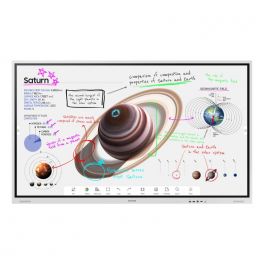
Samsung 75" Flip Pro WMB
IN STOCKNew generation interactive whiteboard to bring your ideas to life.- 75" Professional Interactive Whiteboard
- For real-time annotation and editing
- Supported portrait and landscape orientations
- New Edge break-resistant display with 4K resolution
- IR touch technology: up to 20 touchpoints
- Two 10W speakers for media playback
- Capture and layer functions available: simplified annotations
- PC and mobile content sharing via Miracast or AirPlay 2
- Integrated web browser
- Smart sharing: up to 50 devices connected at the same time
£3,294.12£2,379.99 £2,855.99 Incl. VATRef: SAWM75BUKCompare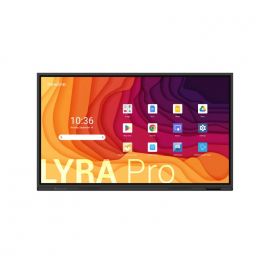
Newline Lyra Pro 65''
IN STOCKInteractive touch display with Wifi and Bluetooth and native Google EDLA certification- Interactive touch display
- Memory: 128 GB / 8 GB RAM
- Wifi 6 & Bluetooth 5.2
- Plug & play USB-C connection
- Android 13 OS
- 4K resolution
- 178° viewing angle
- Integrated 20W speakers
£1,174.99 £1,409.99 Incl. VATRef: NEWLYPRO65UKCompare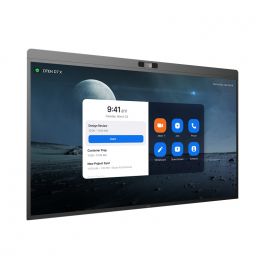
DTEN D7X 55'' - Windows Edition
IN STOCKInteractive display for meeting collaboration- LED 55” display
- Windows edition
- 4K UHD resolution
- 20 touch-points
- Low latency - 50 ms response time
- 180 touch-point reporting rate
- 15-microphone array
- 2x Integrated speakers
- 129º field of view
- PTZ and preset camera
- Zoom Rooms Auto framing & Smart Gallery
- DTEN Smart Framing
- Acoustic Echo Cancellation
- Automatic Gain Control and Noise Reduction
- Smart Connect via single charging USB-C Cable
£4,772.00£4,039.99 £4,847.99 Incl. VATRef: DTD7X55WUKCompare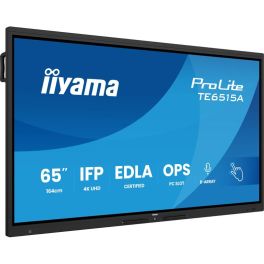
iiyama ProLite TE6515A-B1AG
IN STOCK65" 4K UHD Interactive Display, Google EDLA Certified, designed for seamless collaboration and hybrid teaching.- Ideal for: connected classrooms or meeting spaces
- 65" UHD anti-glare display
- 40-point touch functionality: intuitive interaction
- 8 built-in microphones
- Google EDLA certified with Android 14 built-in
- WiFi 6, Bluetooth 5.0, NFC and PIR sensor
- iiWare 21E suite: whiteboard, EShare, iiControl, browser, etc.
- Premium fanless design with antibacterial fabric finish
£1,459.00£1,415.99 £1,699.19 Incl. VATRef: IIYTE6515AB1AGCompare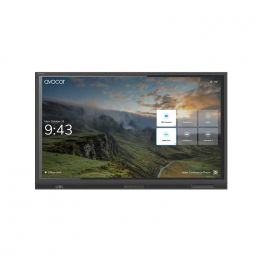
AVOCOR AVE-5530 55" TOUCH 4K
IN STOCKA high-performance interactive display built for collaboration, dependability and durability.- 55" 4K UHD LED touchscreen display
- Anti-glare, anti-reflective and anti-bacterial glass
- 4K UHD resolution with a wide 178-degree viewing angle
- Compatible with Windows, Mac OS, Chrome OS, and Linux OS
- Zero parallax between glass and display encourages viewing from every angle
£1,999.00£1,881.99 £2,258.39 Incl. VATRef: AVO5530UKCompare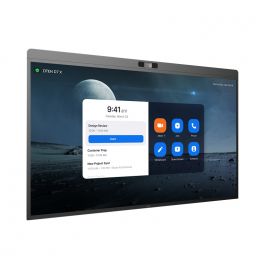
DTEN D7X 55" - Android Edition
IN STOCKInteractive display for meeting collaboration- LED 55” display
- Android edition
- 4K UHD resolution
- 20 touch-points
- Low latency - 50 ms response time
- 180 touch-point reporting rate
- 15-microphone array
- 2x Integrated speakers
- 129º field of view
- PTZ and preset camera
- Zoom Rooms Auto framing & Smart Gallery
- DTEN Smart Framing
- Acoustic Echo Cancellation
- Automatic Gain Control and Noise Reduction
- Smart Connect via single charging USB-C Cable
£4,295.00£3,924.99 £4,709.99 Incl. VATRef: DTD7X55AUKCompare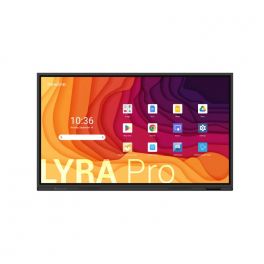
Newline Lyra Pro 55''
IN STOCKInteractive touch display with Wifi and Bluetooth and native Google EDLA certification- Interactive touch display
- Memory: 128 GB / 8 GB RAM
- Wifi 6 & Bluetooth 5.2
- Plug & play USB-C connection
- Android 13 OS
- 4K resolution
- 178° viewing angle
- Integrated 20W speakers
£1,094.99 £1,313.99 Incl. VATRef: NEWLYPRO55UKCompare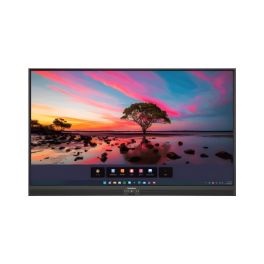
Promethean ActivPanel Premium 10 65''
IN STOCK65'' 4K touchscreen, 50 touchpoints, Wi-Fi 6, digital pen, speakers, and ActivSuite educational software- 65'' 4K UHD display with 977 cd/m² brightness
- Vellum touch technology with 50 simultaneous touchpoints
- Precise writing: differentiation between pen, finger, and palm
- 9H tempered glass with anti-reflective and anti-fingerprint coating
- Speakers: 2x25W + 20W subwoofer
- Compatible with Windows, macOS, Linux, and Android
- Ambient light sensor and fanless design
- Includes ActivInspire licence and 2 ActivSuite licences
£2,599.99£2,156.99 £2,588.39 Incl. VATRef: PROAP10B65EUCompare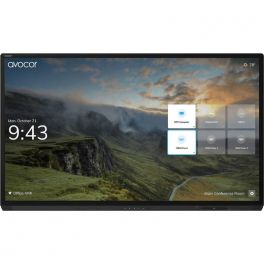
AVOCOR AVG-7560 75"4K Interactive Display
IN STOCKAn interactive display designed for maximum collaboration and high performance.- 75" 4K UHD resolution touch screen display
- Multi-touch technology that allow up to 20 points of touch the screen simultaneously for increased collaboration
- Multi-device connectivity options with HDMI, USB, VGA and DisplayPort inputs
- Four built-in 10W speakers for high-quality sound
- Anti-glare surface and zero parallax allow viewing from any angle
£6,499.00£6,116.99 £7,340.39 Incl. VATRef: AVO7560UKCompare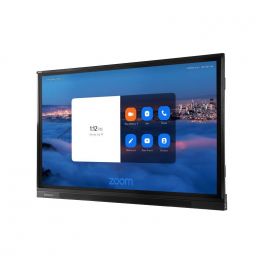
Avocor AVF-6550
IN STOCKA powerful interactive display designed for collaboration and interaction, where you can see every detail.- 4K Ultra HD resolution
- Ability to view multiple content sources at once
- Wide viewing angles of 178-degrees
- Smartphone Mirroring
- Built-in Speakers and Microphone Array
£4,999.00£4,704.99 £5,645.99 Incl. VATRef: AVOF6550UKCompare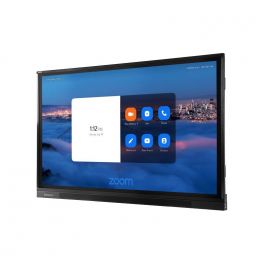
Avocor AVF-7550
IN STOCKA powerful interactive display designed for collaboration and interaction, where you can see every detail.- 4K Ultra HD resolution
- Ability to view multiple content sources at once
- Wide viewing angles of 178-degrees
- Smartphone Mirroring
- Built-in Speakers and Microphone Array
£6,029.00£5,669.99 £6,803.99 Incl. VATRef: AVOF7550UKCompare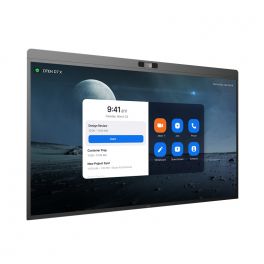
DTEN D7X 75" - Windows Edition
IN STOCKInteractive display for meeting collaboration- LED 75” display
- Windows edition
- 4K UHD resolution
- 20 touch-points
- Low latency - 50 ms response time
- 180 touch-point reporting rate
- 15-microphone array
- 2x Integrated speakers
- 129º field of view
- PTZ and preset camera
- Zoom Rooms Auto framing & Smart Gallery
- DTEN Smart Framing
- Acoustic Echo Cancellation
- Automatic Gain Control and Noise Reduction
- Smart Connect via single charging USB-C Cable
£8,113.00£6,675.99 £8,011.19 Incl. VATRef: DTD7X75WUKCompare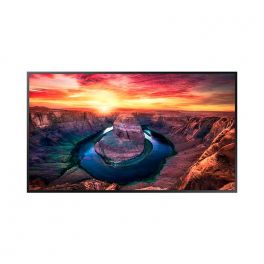
Samsung 43" Interactive Display QMB-T
IN STOCKIntelligent 4K touchscreen ideal for retail, kiosk and enterprise interactions.- 43-inch touch screen
- 4K UHD resolution + anti-reflective treatment
- SmartView+: multiple wireless content sharing
- Automatic display adjustment when the screen is rotated
- Content calibration and customisable menu
- MagicInfo Player: content management
- Scalable web engine
- Ideal for kiosks, shops and businesses
£1,781.31£1,749.99 £2,099.99 Incl. VATRef: SAQM43BTUKCompare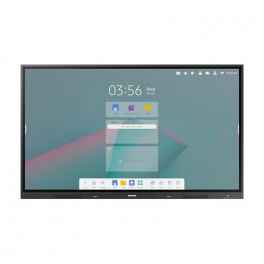
Samsung 86" Interactive E-board WAC
IN STOCK4K touchscreen with Android 11 and multi-window option, ideal for collaborative meetings and classrooms.- Interactive display for classrooms
- Android 11: customisable user interface
- 86-inch panel with 4K resolution
- 20-point multi-touch technology
- Integrated stereo front speaker
- Wireless screen sharing (up to 9) + multi-window options
- Wifi, Bluetooth, HDMI Out and USB-C 3-in-1
- With Samsung WhiteBoard
£3,665.00£3,249.99 £3,899.99 Incl. VATRef: SAWA86CUKCompare
Newline Elara Pro 65" (OPEN BOX)
IN STOCKThe Ultimate Hybrid Solution***OPEN BOX***- Advanced Connectivity: Wi-Fi 6, Bluetooth 5.2, and 100W USB-C power for seamless connections.
- Certified Performance: Google EDLA certified, Android 13, compatible with any hardware/software.
- Interactive Ecosystem: Includes tools for video conferencing, brainstorming, screen sharing, and streaming.
- Superior Features: 4K AI ModCam+, NFC login, Stellar Touch Technology with 50 touch points.
- Robust Specs: 65" 4K display, 16 GB RAM, 320 GB expandable storage, multiple connectivity ports.
£1,995.00£1,499.99 £1,799.99 Incl. VATRef: R-NEWLELPRO65UKCompare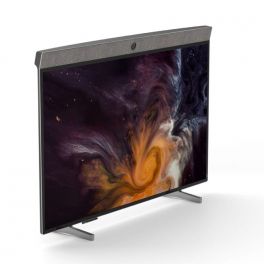
Neat Board
IN STOCK65" all-in-one multi-touch screen- perfect for collaborative meeting rooms- 65-inch 4K multi-touch display
- All-in-one: Camera, microphone and speakers
- Audio system with echo cancellation and noise cancellation
- 120° wide-angle camera
- Integrated 5-microphone array
- Wifi and Ethernet connection
- Technology with functions for content sharing, note-taking, etc.
- Certified for Microsoft Teams and Zoom
£5,892.69£5,283.99 £6,340.79 Incl. VATRef: NEATBOARD65UKCompare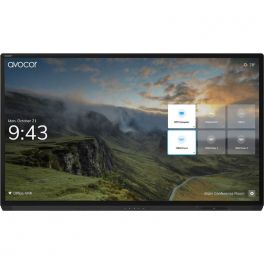
AVOCOR AVG-8560 85" 4K Interactive Display
IN STOCKAn interactive display designed for maximum collaboration and high performance.- 86" 4K UHD resolution touch screen display
- Multi-touch technology that allow up to 20 points of touch the screen simultaneously for increased collaboration
- Multi-device connectivity options with HDMI, USB, VGA and DisplayPort inputs
- Four built-in 10W speakers for high-quality sound
- Anti-glare surface and zero parallax allow viewing from any angle
£7,999.00£7,528.99 £9,034.79 Incl. VATRef: AVO8560UKCompare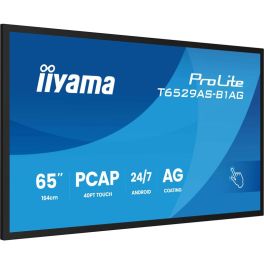
iiyama ProLite T6529AS-B1AG
IN STOCK65'' 4K touchscreen powered by Android, perfect for meeting rooms!- Use: collaborative business spaces
- 65-inch 4K UHD screen
- Highly precise 20-point touchscreen
- 500cd/m² brightness: optimal visibility even in daylight
- Built-in Android 14 system
- USB-C connectivity with video, data, and power pass-through
- Integrated collaboration tools: iiShare, EShare, Whiteboard
- 24/7 operation: guaranteed heavy use
- VESA mount 400x400mm
£1,599.00£1,551.99 £1,862.39 Incl. VATRef: IIYT6529ASB1AGCompare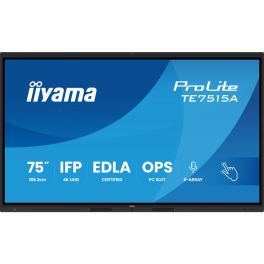
iiyama ProLite TE7515A-B1AG
IN STOCK75" 4K UHD Interactive Display, Google EDLA Certified, designed for seamless collaboration and hybrid teaching.- Ideal for: connected classrooms or meeting spaces
- 75" UHD anti-glare display
- 40-point touch functionality: intuitive interaction
- 8 built-in microphones
- Google EDLA certified with Android 14 built-in
- WiFi 6, Bluetooth 5.0, NFC and PIR sensor
- iiWare 21E suite: whiteboard, EShare, iiControl, browser, etc.
- Premium fanless design with antibacterial fabric finish
£1,799.00£1,648.99 £1,978.79 Incl. VATRef: IIYTE7515AB1AGCompare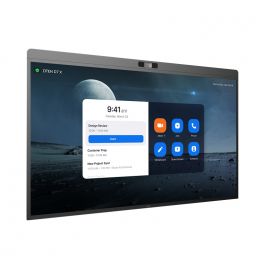
DTEN D7X 75" - Android Edition
IN STOCKInteractive display for meeting collaboration- LED 75” display
- Android edition
- 4K UHD resolution
- 20 touch-points
- Low latency - 50 ms response time
- 180 touch-point reporting rate
- 15-microphone array
- 2x Integrated speakers
- 129º field of view
- PTZ and preset camera
- Zoom Rooms Auto framing & Smart Gallery
- DTEN Smart Framing
- Acoustic Echo Cancellation
- Automatic Gain Control and Noise Reduction
- Smart Connect via single charging USB-C Cable
£7,792.39£6,047.99 £7,257.59 Incl. VATRef: DTD7X75AUKCompare
Logitech Rally Board 65'' White
IN STOCKEffortless 65” touchscreen video conferencing with 4K clarity, powerful audio, AI enhancements, and eco-friendly design.- 65‘’ touch screen for smooth and natural collaboration
- 4K camera with 4X HD digital zoom
- High quality stereo speakers
- Beamforming microphones: Clear and accurate voice capture.
- AI technology: Automatic adjustments for a better experience.
- Works with Microsoft Teams, Zoom and Google Meet.
- Eco-friendly design: Recycled materials and sustainable packaging.
- Second display support, up to UHD 4K60 (3840 x 2160)
£6,035.99£5,689.99 £6,827.99 Incl. VATRef: LORALLYBO65BUKCompare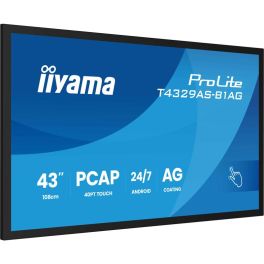
iiyama T4329AS-B1AG Signage Display
IN STOCK43'' 4K touchscreen powered by Android, perfect for small rooms!- Use: small collaborative spaces
- 43-inch 4K UHD screen
- Highly precise 20-point touchscreen
- 500cd/m² brightness: optimal visibility even in daylight
- Built-in Android 14 system
- USB-C connectivity with video, data, and power pass-through
- Integrated collaboration tools: iiShare, EShare, Whiteboard
- 24/7 operation: designed for heavy use
- VESA mount 300x300mm
£1,059.00£1,028.99 £1,234.79 Incl. VATRef: IIYT4329ASCompare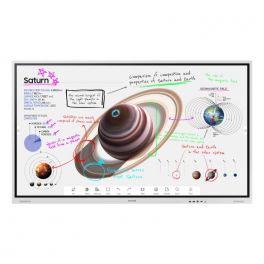
Samsung 85" Flip Pro WMB
IN STOCKNew generation interactive whiteboard to bring your ideas to life.- 85" Professional Interactive Whiteboard
- For real-time annotation and editing
- Supported portrait and landscape orientations
- New Edge break-resistant display with 4K resolution
- IR touch technology: up to 20 touchpoints
- Two 10W speakers for media playback
- Capture and layer functions available: simplified annotations
- PC and mobile content sharing via Miracast or AirPlay 2
- Integrated web browser
- Smart sharing: up to 50 devices connected at the same time
£4,968.86£3,564.99 £4,277.99 Incl. VATRef: SAWM85BUKCompare
Newline Lyra Pro 98''
IN STOCKInteractive touch display with Wifi and Bluetooth and native Google EDLA certification- Interactive touch display
- Memory: 128 GB / 8 GB RAM
- Wifi 6 & Bluetooth 5.2
- Plug & play USB-C connection
- Android 13 OS
- 4K resolution
- 178° viewing angle
- Integrated 20W speakers
£5,394.99 £6,473.99 Incl. VATRef: NEWLYPRO98UKCompare
Neat Board 50
IN STOCK50'' touchscreen with a 50 MP high-resolution camera and flawless audio for perfect collaboration that will transform your meetings.- 50'' capacitive multi-touch LCD screen
- Ultra HD 4K with 3840 × 2160 resolution
- Anti-glare and anti-fingerprint coating with 7H glass surface
- 50 MP camera with 113° field of view
- Adaptive group framing, dynamic individual framing and speaker tracking
- Supports connection to a second screen
- Built-in sensors for ambient light, temperature, humidity, and air quality
- Table stand included
£5,229.99£5,107.99 £6,129.59 Incl. VATRef: NEATBOARD50SECompare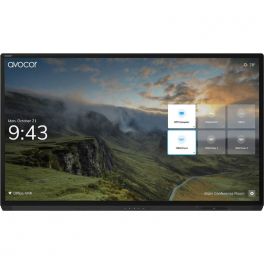
AVOCOR AVG-6560 65" 4K Interactive Display
IN STOCKAn interactive display designed for maximum collaboration and high performance.- 65" 4K UHD resolution touch screen display
- Multi-touch technology that allow up to 20 points of touch the screen simultaneously for increased collaboration
- Built-in Intel i5 Processor, 8GB RAM and 128GB SSD storage
- Four built-in 10W speakers for high-quality sound
- Anti-glare surface and zero parallax allow viewing from any angle
£4,999.00£4,704.99 £5,645.99 Incl. VATRef: AVO6560UKCompare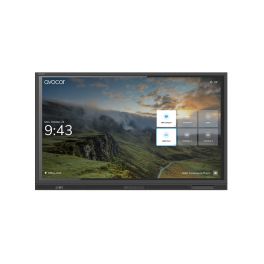
AVOCOR AVE-8630 86" TOUCH
IN STOCKA visually stunning interactive display that prioritises high-performance, collaboration and durability.- 4K UHD resolution for improved image quality and detail
- 20-point multi-touch support for a natural and interactive user interface.
- Immense connectivity with many ports, including HDMI, USB and more
- 178-degree viewing ange for maximum participation
- Compatibility across many meeting softwares
£4,999.00£4,704.99 £5,645.99 Incl. VATRef: AVO8630UKCompare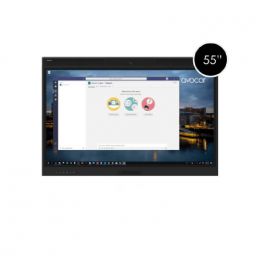
Avocor 55" WCD AVW-5555
IN STOCKA powerful interactive display designed for collaboration and interaction, where you can see every detail.- An interactive 55" 4K UHD (3840 x 2160) touch screen
- Anti-glare glass with edge-to-edge design
- Connectivity: 4 HDMI inputs, 2 DisplayPort inputs, 1 USB-C input
- Integrated Camera and Microphone Array
- Compatibility with a variety of Operating Systems
£4,499.00£3,645.99 £4,375.19 Incl. VATRef: AVO5555UKCompare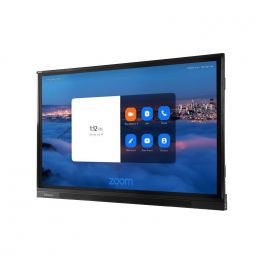
Avocor AVF-8650
IN STOCKA powerful interactive display designed for collaboration and interaction, where you can see every detail.- 4K Ultra HD resolution
- Ability to view multiple content sources at once
- Wide viewing angles of 178-degrees
- Smartphone Mirroring
- Built-in Speakers and Microphone Array
£7,699.00£7,245.99 £8,695.19 Incl. VATRef: AVOF8650UKCompare
BenQ RE7504 75'' Display
Call us for availability75'' 4K UHD interactive display with Android 14, High Precision IR touch, and ClassroomCare® technology.- 75'' UHD 4K (3840 × 2160) resolution
- Android 14 (EDLA) operating system
- High Precision IR touch with up to 40 points
- Dual 20W speakers and 8-microphone array
- Anti-glare, germ-resistant tempered glass
- Wifi 6 and Bluetooth 5.2 connectivity
£2,199.99£1,952.99 £2,343.59 Incl. VATRef: BENQRE7504Compare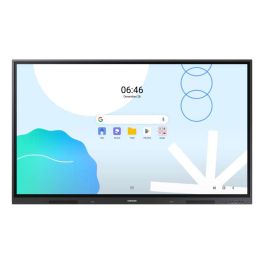
SAMSUNG WA65D Screen
Call us for availability65-inch UHD touch display for meeting rooms and classrooms, featuring Android 13 and responsive IR touch technology!- 65" UHD display with 3,840 x 2,160 pixels
- Android 13 operating system
- Supports up to 40-point multi-touch
- Multiple connectivity options: HDMI, USB-C, RJ-45
- Integrated speakers (2 x 15W)
- EDLA-certified for Google services
- Low touch latency (45 ms)
- Wi-Fi 6 and Bluetooth support
£1,599.99 £1,919.99 Incl. VATRef: SAWA65DUKCompare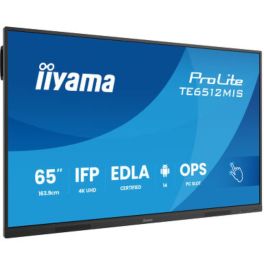
iiyama ProLite TE6512MIS-B4AG
Call us for availability65'' 4K UHD interactive touch screen with PureTouch-IR, Android 14 & USB-C Power Delivery.- 65-inch 4K UHD VA panel with Direct-LED
- 40 touch points with PureTouch-IR, ±1.5 mm accuracy
- Thin bezels and zero-gap air bonding glass
- Android 14 / iiWare 13E including Google EDLA & DMS
- USB-C with 65 W Power Delivery & Display/Touch/Audio support
- Front-facing integrated speakers (2 × 16 W)
- 24/7 operation with fanless design
- Wide connectivity options: HDMI, DisplayPort, VGA, RJ-45, USB ports
£1,129.00£1,094.99 £1,313.99 Incl. VATRef: IIYTE6512Compare
Characteristics and Core Functions
Conference-room touch screens deliver dependable performance in busy corporate environments. Ruggedised panels and secure mounting options ensure long service life, while connectivity and software features support a wide variety of meeting styles, from quick stand-ups to workshops and hybrid sessions.
| High-precision PCAP or infrared touch | Provides smooth writing and responsive gesture control for confident on-screen interactions |
| 10–20 point multitouch | Accommodates several users working together at the display during workshops and brainstorming |
| Reinforced panel for continuous operation | Designed for frequent daily use with minimal degradation in image quality or touch response |
| Android / Windows compatibility | Supports room-based applications, UC clients and content-sharing tools |
| HDMI / USB / LAN / WiFi interfaces | Connectivity for laptops, room PCs and networks, including secure wired options |
| Kiosk mode and app locking | Restricts the device to approved applications, protecting the integrity of meeting room systems |
| Fixed or freestanding mounts | Choice of wall-mounted or mobile solutions to match conference room layouts |
| High brightness for well-lit spaces | Maintains legibility even in rooms with large windows or strong ambient lighting |
How to Select the Right Interactive Screen for Conference Rooms
- OKRoom size and seating configuration – Determine screen dimensions and aspect ratio based on the distance to the furthest participant
- OKMeeting formats – Evaluate the balance between presentations, workshops and videoconferencing to define required touch and software capabilities
- OKIntegration with UC platforms – Confirm that the display works seamlessly with your chosen conferencing systems and peripherals
- OKSecurity and management – Consider how IT will control updates, user access and configuration across multiple rooms
- OKMounting and cable routing – Plan for neat installations that keep cables hidden and avoid trip hazards
- OKScalability – Choose models that can be replicated across locations to support standardised room designs
Applications Across Professional Environments
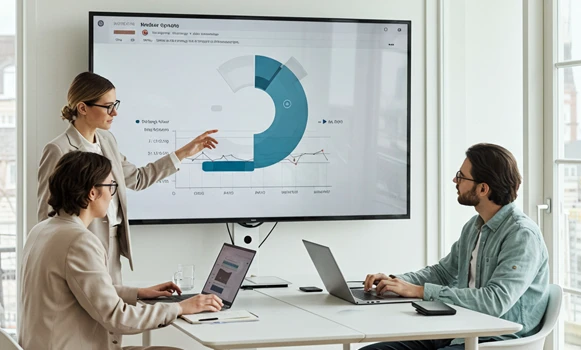
Interactive conference room screens support everyday internal meetings, where teams need to review reports, annotate roadmaps and make decisions quickly. Touch capability allows participants to interact with data directly at the display rather than relying solely on keyboard and mouse input.
Client-facing spaces benefit from dynamic demonstrations where proposals, designs or solution architectures can be adapted live in response to feedback. Notes and mark-ups created during the meeting can be exported and shared afterwards.
Hybrid meetings gain from displays that act as both whiteboards and content windows, complementing room cameras and audio systems to keep remote attendees aligned with in-room activity.
Why Partner with Onedirect?
Onedirect supplies interactive conference room screens from brands such as iiyama, Samsung, Newline, Maxhub and LG. Our portfolio focuses on professional-grade hardware suited to intensive business use.
We work closely with IT and facilities teams to specify screen sizes, mounts and connectivity that suit each room type, taking into account camera placement and cable management. Our experience with UC platforms helps ensure displays integrate smoothly into existing collaboration ecosystems.
With reliable stock availability and responsive after-sales support, Onedirect provides a long-term partner for expanding and refreshing your interactive meeting spaces.
FAQ – Frequently Asked Questions
What are conference room touch screens used for?
They are used for presentations, workshops, brainstorming sessions and hybrid meetings, allowing participants to interact directly with shared content.
Are conference room touch screens suitable for daily use?
Yes. Professional models use reinforced panels and commercial-grade components designed for frequent daily operation.
Do these screens work with Teams and Zoom?
Most professional interactive screens support Microsoft Teams, Zoom and Google Meet via connected PCs or integrated applications.
Can content created during meetings be saved?
Yes. Annotations and whiteboard content can usually be exported or shared digitally after meetings.
Should conference room touch screens be wall-mounted or mobile?
Both options are available. Wall mounts suit permanent rooms, while mobile stands support flexible or shared spaces.
Related Resources
Meeting Room Displays Icon Classroom Touchscreen Displays Icon Meeting Room Equipment Icon