
My Cart



Printers
Printers for point of sale, retail and professional use
Point of sale printers meet the printing needs of shops, warehouses and other professional environments, from product labelling and barcode printing to receipts and mobile printing. Discover our range of POS printers for different applications, including label printers, receipt printers and portable models.
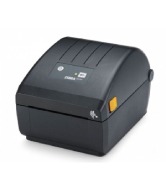
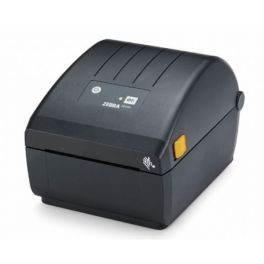
Zebra ZD220 desktop printer
Call us for availability10 cm label printer with thermal technology, 203 DPI resolution, a print speed of 102 mm/sec and a fast USB connection.- Printing technology: direct thermal or thermal transfer
- 203 DPI resolution: excellent print quality
- Print speed: 102 mm/sec
- USB connectivity
- LED indicator for print status
- Print DNA software with Link-OS Basic technology
- Energy Star certified: reduces running costs
£165.99 £199.19 Incl. VATRef: ZEBZD220Compare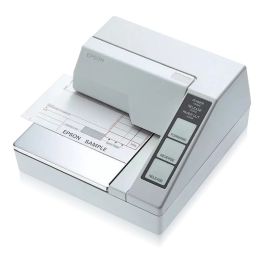
Epson TM-U295 RS232 Dot Matrix Printer
Call us for availabilityCompact flatbed dot matrix printer with an RS-232 connection, designed for professional printing of cheques, receipts and POS documents.- Flatbed dot matrix printing directly onto cheques, receipts and other documents
- Serial connection: RS-232 interface
- Cash drawer management: dedicated connection for integration into a POS environment
- Impact technology using a replaceable ribbon
- Lightweight design: weighs 1.6 kg for easy installation
£323.99 £388.79 Incl. VATRef: EPTMU295Compare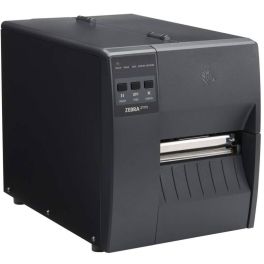
Zebra ZT111D Label printer
Call us for availabilityA professional label printer for those on a tight budget, offering 203 DPI direct thermal printing, with comprehensive connectivity including USB, Bluetooth and Ethernet.- Direct thermal printing: durable and crisp labels
- 203 DPI resolution: excellent print quality
- Print widths of 10.4 cm
- Robust construction: suitable for heavy-duty industrial use
- 256 MB memory
- Compatible with Windows, Android and iOS
- Multiple connectivity options: USB, Ethernet and Bluetooth
- Compatible with multiple barcode formats (QR code, PDF417 and Data Matrix)
£454.99 £545.99 Incl. VATRef: ZEBZT111TDCompare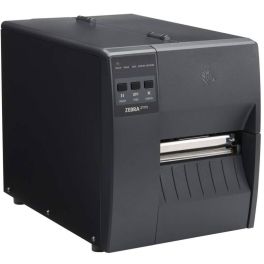
Zebra ZT111T Label printer
Call us for availabilityA professional label printer offering excellent print quality at 203 DPI with full Wi-Fi and Ethernet connectivity.- Direct thermal printing: durable, crisp labels
- 203 DPI resolution: excellent print quality
- Print widths of 104mm
- 450m ribbon capacity: extended runtime
- Robust construction: suitable for heavy-duty industrial use
- 256MB memory
- Compatible with Windows, Android and iOS
- Multiple connectivity options: Wi-Fi, Ethernet and USB
- Compatible with multiple barcode formats (QR code, PDF417 and Data Matrix)
£516.99 £620.39 Incl. VATRef: ZEBZT111TTCompare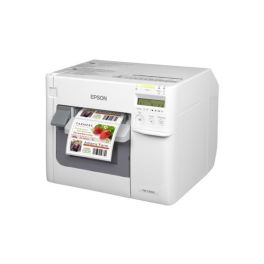
Epson ColorWorks C3500 Colour Label Printer
Call us for availabilityDesktop inkjet printer for colour labels with a print width of up to 104 mm, a resolution of 720 x 360 dpi and a print speed of up to 103 mm/s.- Colour printing: produces customised labels, boxes and cards in-house
- Resolution up to 720 x 360 dpi: reproduces text, images, logos and barcodes
- Maximum speed 103 mm/s: optimises colour label production
- Separate pigment inks: allow you to replace only the colour that has run out
- Print width up to 104 mm
- Compatible with matt and glossy paper, pre-cut labels and media with a black border
- Automatic cutter: simplifies label production and separation
£1,094.99 £1,313.99 Incl. VATRef: EPTMC3500Compare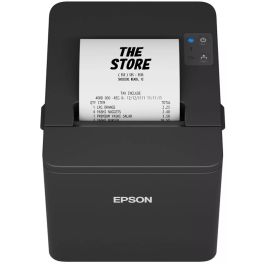
Epson TM T20IV USB + Serie Ticket Printer
Call us for availabilityA fast and reliable 80 mm POS thermal printer with a print speed of 250 mm/s, automatic paper feed and USB + serie connections.- Solution designed for retail outlets, shops and hotels
- Fast thermal printing: speeds of up to 250 mm/s to streamline receipt printing
- Cost-effective management: automatic reduction of margins, line breaks and barcode height
- Two paper widths: compatible with 80 mm and 58 mm rolls
- Flexible connectivity: USB 2.0 and RS-232
- Reliability: mechanism designed for 15 million lines and a paper cutter rated for 2 million cuts
- Precise printing: resolution of 203 x 203 dpi
£146.99 £176.39 Incl. VATRef: EPTMT204Compare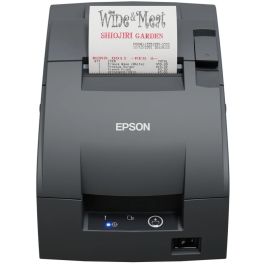
Epson TM-U220IIB RS232 Dot Matrix Printer
Call us for availabilityPOS dot matrix printer with RS-232 serial connection, three roll widths, automatic cutter and end-of-paper sensor.- Dot matrix printing: needle-based technology for printing receipts in a POS environment
- RS-232 serial connection: wired interface
- Three paper sizes: accepts rolls 76, 69.5 and 57.5 mm wide
- Automatic cutting: built-in cutter with partial cut to facilitate receipt separation
- Print head rated for 150 million characters and paper cutter rated for up to 800,000 cuts
- Paper management: end-of-roll sensor for easy monitoring of consumables
- Connection to cash drawer: integration into a point-of-sale system
£288.99 £346.79 Incl. VATRef: EPTM2202BCompare
Zebra ZT231D Direct Thermal Printer
Call us for availabilityA 203 dpi direct thermal industrial printer with speeds of up to 305 mm/s, a 4.3" touchscreen display and USB, Ethernet and serial connectivity.- Direct thermal printing: ideal for professional labels
- 203 dpi resolution: produces crisp text and barcodes
- Speeds of up to 305 mm/s: supports high-volume print workloads
- 4.3-inch colour touchscreen: simplifies setup, monitoring and day-to-day use
- USB, Ethernet and RS-232: offers versatile standard connections
- Metal chassis: designed for use in light industrial environments
- Zebra Print DNA: simplifies configuration, management, security and maintenance
£516.99 £620.39 Incl. VATRef: ZEBZT231DCompare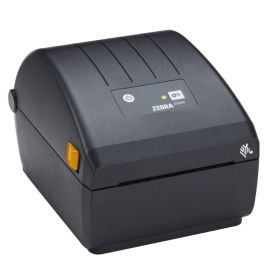
Zebra ZD230 Label printer
Call us for availability4-inch label printer with high-quality thermal printing at 203 dpi and a speed of 152 mm/sec for optimum productivity.- Thermal printing: durable and crisp labels
- 203 DPI resolution: excellent print quality
- Print speed of 152 mm/sec: optimum productivity
- Print widths from 25.4 to 112 mm
- USB connectivity: quick and easy to use
- Compatible with multiple barcode formats (1D, 2D, QR)
£253.99 £304.79 Incl. VATRef: ZEBZD230Compare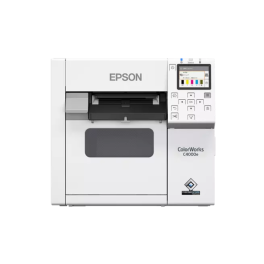
Epson ColorWorks C4000e BK Colour Label Printer
Call us for availabilityDesktop inkjet printer for colour labels with a resolution of up to 1200 x 1200 dpi, a print width of 108 mm, an automatic cutter and an LCD display.- PrecisionCore technology: detailed and customised colour printing
- Resolution of up to 1,200 x 1,200 dpi for text, images and logos
- Speed of up to 100 mm/s: designed for small to medium-volume production
- Print width of up to 108 mm: suitable for various label formats
- 2.7-inch colour LCD screen: simplifies setup, monitoring and day-to-day use
- Automatic cutter: built-in and replaceable without the need for a technician
- Supports ESC/Label and ZPL II emulation, with drivers for Windows, Linux and Mac
£1,523.99 £1,828.79 Incl. VATRef: EPCWC4000ECompare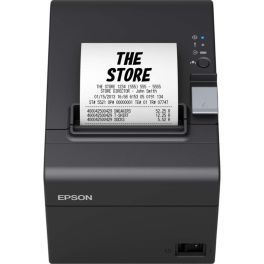
Epson TM-T20III USB Serial Receipt Printer
Call us for availability80 mm POS thermal printer with a print speed of 250 mm/s, featuring USB and serial connections, automatic paper-saving mode and a built-in paper cutter.- Fast thermal printing: speeds of up to 250 mm/s for efficient receipt printing
- Flexible wired connection: version equipped with USB and serial interfaces
- Paper savings: automatic reduction of margins, line breaks and barcode height
- 80 and 58 mm rolls: two widths supported
- Reliability: mechanism designed for 15 million lines and print head rated for 150 km
- Automatic cutter: partial cut with a lifespan of up to 1.5 million cuts
- Versatile installation: wall mount supplied to optimise space
£122.99 £147.59 Incl. VATRef: EPTMT20IIICompare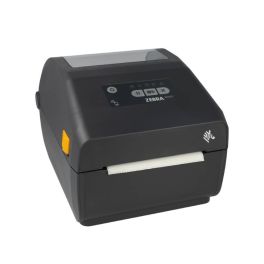
Zebra ZD421 label printer
Call us for availabilityProfessional-grade label printing with fast 152mm/sec output, high 203 DPI resolution, and versatile connectivity options including Bluetooth 5.0 and Ethernet.- 203 x 203 DPI resolution for crisp, professional-quality label output
- 152 mm/sec print speed enabling rapid label production
- Multiple connectivity options including Ethernet, Bluetooth 5.0, and USB
- 10.4 cm maximum print width suitable for most standard label formats
- 256 MB internal memory for reliable performance
- 512 MB Flash storage for extensive label template storage
- LCD display for easy operation and status monitoring
- Thermal transfer technology for durable, long-lasting prints
£419.99 £503.99 Incl. VATRef: ZEBZD4A042Compare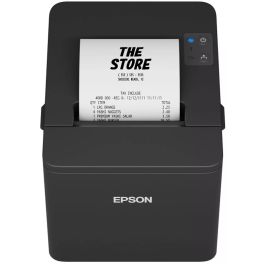
Epson TM-T20IV USB/Ethernet Receipt Printer
Call us for availability80 mm POS thermal printer with a print speed of 250 mm/s, featuring USB, RS-232 and Ethernet connectivity, automatic paper feed adjustment and a built-in paper cutter.- High-speed thermal printing: speeds of up to 250 mm/s to speed up ticket printing
- Triple connectivity: USB 2.0, RS-232 and 10/100 Base-T Ethernet interfaces
- Paper savings: automatic reduction of margins, line spacing and barcode height
- 80 and 58 mm formats: compatible with two roll widths
- Reliability: mechanism rated for 15 million lines and paper cutter rated for 2 million cuts
- Clear printing: 203 x 203 dpi resolution
- Flexible installation: wall mount supplied for easy integration
£153.99 £184.79 Incl. VATRef: EPTMTV204Compare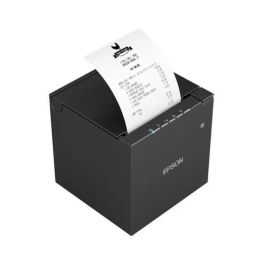
Epson TM-M30III USB/Ethernet Receipt Printer
Call us for availabilityCompact POS thermal printer with a print speed of 300 mm/s, featuring 18 W USB-C PD, Ethernet, 58/80 mm paper widths and IPX2 protection for confined spaces.- Fast printing: speeds of up to 300 mm/s to speed up ticket printing
- Resolution of 203 x 203 dpi
- Ultra-compact design: just 127 x 127 x 130 mm for easy installation
- Full wired connectivity: USB-A, USB-C and 10/100 Base-T Ethernet
- USB-C Power Delivery: powers a compatible tablet up to 18 W
- 58 or 80 mm receipts: two supported roll sizes
- Designed for demanding environments: IPX2 protection against liquid ingress
- Paper straightening mechanism to produce flatter receipts
£192.99 £231.59 Incl. VATRef: EPTMT30Compare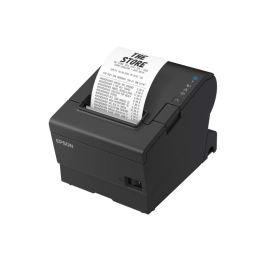
Epson TM-T88VII USB Ethernet Receipt Printer
Call us for availabilityHigh-performance POS thermal printer with a print speed of 500 mm/s, featuring USB, Ethernet and RS-232 connectivity, designed for fast and reliable receipt printing.- High-speed printing: up to 500 mm/s to speed up the checkout process
- Comprehensive connectivity: USB, 10/100 Base-T Ethernet and RS-232
- USB host: USB 2.0-A port available to expand connection options
- Backwards compatibility: compatible with existing TM-T88V and TM-T88VI software
- Simplified integration: footprint identical to previous generations
- Low power consumption and support for phenol-free paper
£262.99 £315.59 Incl. VATRef: EPTMT88Compare
Which printer should you choose for your point of sale?
Choosing the right professional printer depends primarily on what you need to print, your daily printing volume and where the device will be used. A label printer is designed for identification and traceability, a receipt printer supports checkout operations, while a portable printer allows you to print wherever you are working.
| Label printers | For printing product labels, barcodes, references, logistics information or shipping labels. |
| Receipt printers | For quickly printing receipts and other transaction documents at the checkout. |
| Portable printers | For mobile printing in a shop, warehouse, during deliveries or from a mobile workstation. |
| Direct thermal printing | Uses heat-sensitive media and does not require an ink ribbon; it is commonly used for certain receipts and labels. |
| Thermal transfer | Uses a ribbon to transfer the print onto the media and is suitable for applications requiring more durable labels. |
| Connectivity | USB, Ethernet, Wi-Fi or Bluetooth, depending on the model and your workstation integration requirements. |
How to choose your POS printer
- OK Define what you need to print : receipts, product labels, barcodes, logistics documents or other media.
- OK Assess your printing volume: occasional use or several hundred prints per day.
- OK Choose the printing technology: direct thermal or thermal transfer depending on the media and required durability.
- OK Check compatible formats: paper or label width and roll diameter.
- OK Check connectivity: USB or Ethernet for a fixed workstation, or Wi-Fi and Bluetooth for greater flexibility.
- OK Consider consumables: check the availability and compatibility of the required paper, labels and ribbons.
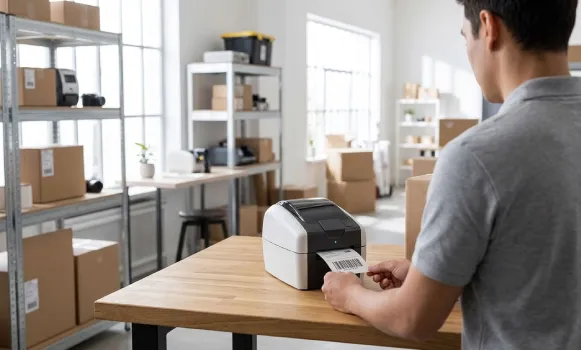
Direct thermal or thermal transfer printer: what's the difference?
Direct thermal printing creates the image directly on heat-sensitive media and therefore does not require a ribbon. It is particularly suitable for printouts that only need to remain readable for a limited period. Thermal transfer, on the other hand, uses a ribbon to transfer the print onto the label. This technology is generally preferred when print legibility and durability need to be maintained for longer. The right choice therefore depends on the media, its intended use and the required lifespan.
Printers across professional environments
In shops and points of sale, printers are used for receipts, product labels and barcodes. In warehouses and logistics, they support goods identification, order preparation and traceability. Portable models are suitable for situations where printing needs to be carried out directly next to the product, parcel or location where the work is being performed.
Why choose Onedirect?
Onedirect offers printers for point of sale and professional environments designed for a wide range of printing requirements. Compare models by printing technology, connectivity, supported formats and intended use. Our advisers can also help you check compatibility between the printer, your equipment and the required consumables.
FAQ – Frequently asked questions
What is a POS printer?
A POS printer is a printer used in a point of sale environment for tasks such as printing receipts or labels. The type of printer you need depends on the media being printed and the system it needs to connect to.
Which printer should you choose for a point of sale?
For checkout operations, choose a point of sale receipt printer designed for receipts. For product identification, barcodes or logistics, choose a label printer. If you need to print on the move, a portable printer is generally more suitable.
What is the difference between a receipt printer and a label printer?
A receipt printer is primarily designed to print receipts and transaction documents on paper, while a label printer produces adhesive media used for identification, barcodes, traceability or shipping.
Does a thermal printer need ink?
A direct thermal printer uses neither ink cartridges nor toner: it prints onto heat-sensitive paper or labels. A thermal transfer printer uses a ribbon instead, but does not require a conventional ink cartridge.
Which connectivity should you choose for a professional printer?
USB is generally suitable for a single workstation, while Ethernet makes network integration easier. Wi-Fi or Bluetooth can be useful when the printer needs to offer greater flexibility or work with compatible mobile devices.
How do you choose compatible printer consumables?
Check the printing technology, supported dimensions and compatible references specified by the manufacturer. Depending on the printer, you may need thermal paper, label rolls or suitable ribbons.