
My Cart



Corded Analogue Phone
Analogue Phone: Dependable Communication
Landline phones are one of the most widely used in companies and are still a safe bet! In fact, it's often the easiest to use, once plugged into your Telecom telephone socket or your traditional switchboard, it's ready to use straight away.
Our analogue phone models provide a robust communication solution with no complex installation.
- Continuous availability: Operates even during power cuts
- Cost-effective: Low purchase and running costs
- Wide range: From classic to contemporary telephones

- Back to WorkPromotional price valid until 25/09/2026.
Extra discount: £25 off orders over £400 with BACK25
£50 off orders over £700 with BACK50
£80 off orders over £1,000 with BACK80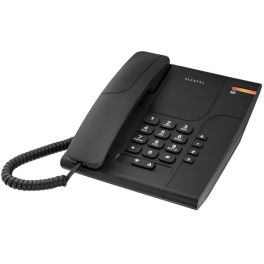
Alcatel Temporis 180 - Black
Practical analogue business phone compatible with PBX messaging system - black- Incoming call light indicator
- Last number redial
- Wall mountable
- Message waiting indicator: compatible with PBX
- Adjustable earpiece volume: 5 levels
- Also available in white
IN STOCK4.4 of 69 Reviews£25.00£19.99 £23.99 Incl. VATRef: ALT180Compare - Back to WorkPromotional price valid until 25/09/2026.
Extra discount: £25 off orders over £400 with BACK25
£50 off orders over £700 with BACK50
£80 off orders over £1,000 with BACK80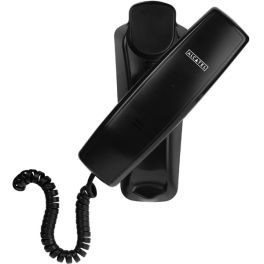
Alcatel Temporis 10 Black Analogue Phone
Black wall-mountable telephone by Alcatel- Wall mountable
- Call answering/ending on handset
- Backlit display
- Adjustable volume
- 2 volume levels
- Colour Black
IN STOCK4.5 of 47 Reviews£17.99£14.99 £17.99 Incl. VATRef: ALT10NCompare 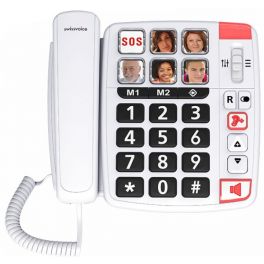
Swissvoice Xtra 1110
Easy-to-use phone with photo memories.- Telephone with large keys and braille writing
- 6 memories with photos (including SOS key)
- 2 direct memories (M1, M2)
- Hands-free function
- Super powerful melody, up to 85 dB
- Audio key - volume Bost in the handset, up to 30 dB
- Voice equalizer function in the handset
- Compatible with hearing aids
IN STOCK4.6 of 10 Reviews£38.49£32.99 £39.59 Incl. VATRef: SWXTRA1110Compare- IconBest Seller
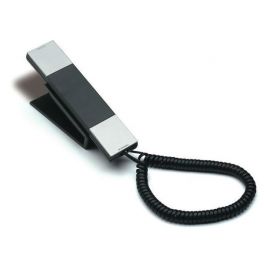
Jacob Jensen HT20 - Silver
Landline phone with professional and elegant design- Landline Phone
- Keypad in the headset
- Pause keys, mute
- Elegant design
- Detachable base
IN STOCK4.5 of 5 Reviews£64.99£53.99 £64.79 Incl. VATRef: JJ1Compare 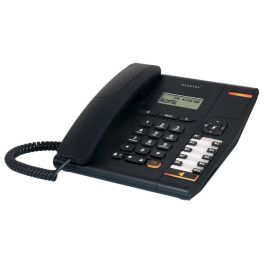
Alcatel Temporis 580 Black Analogue Business Phone
Feature-packed analogue business phone with headset port - black- Dot matrix 2-line screen
- Compatibility with PBX system
- Headset port (RJ9) and direct headset key
- 10 memories and 50-entry directory
- Line-powered
- Available in black or white
IN STOCK4.4 of 46 Reviews£50.00£29.99 £35.99 Incl. VATRef: ALT580Compare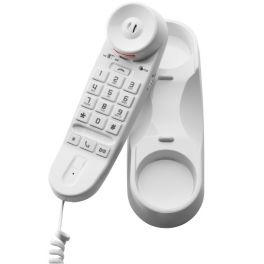
Depaepe Premium 20 Analogue Phone (White)
Professional Wall Mounted Phone- Wall mounting possible
- Silent mode call light
- Keyboard illuminated with large keys
- "Mute" button
- Side Volume Adjustment
- Redial to the last number called
- Hearing Aid Compatible
- Ideal for hospitals, hotels, service stations, corridors, lobbies, banks, exhibition centers.
IN STOCK4.7 of 15 Reviews£22.99£12.99 £15.59 Incl. VATRef: DEPREM20Compare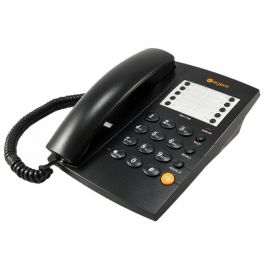
Agent 1000 Black Analogue Desktop Phone
IN STOCKCost effective and stylish basic analogue desk phone with hands free - perfect for businesses- Essential office functions: redial, hands free, headset port
- Simple black design
- Good sound and audio quality
- Cost-effective, simple solution for small to medium-sized businesses
£29.99£19.99 £23.99 Incl. VATRef: AG1000BUKCompare- IconBest Seller
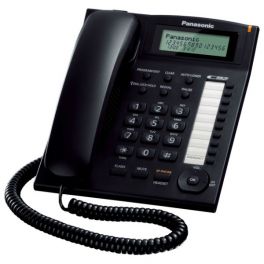
Panasonic KX-TS880 (Black)
Panasonic fixed phone with a display, handsfree and headset
- Hands-free
- 16 digit LCD display
- Headset jack (2.5mm Jack)
- Call indicator
IN STOCK4.4 of 29 Reviews£38.99 £46.79 Incl. VATRef: PA880ECompare 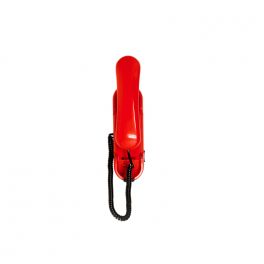
Depaepe HD2000 Urgence 1 Memory - Red
The HD2000 Urgence hot line telephone gives instant access to 1 preprogrammed numbers- Tone pulse dialling
- 2 call signal leds
- EEPROM memory backup
- Memory capacity: 23 digits (including *, #, flash or Pause)
- Ringer high - medium - low selection
- Optional desk mount kit
- Colors: red, white or dark grey
- Dimensions: 235 x 73 x 72 mm
- Weight: 0.55 kg
IN STOCK4.9 of 14 Reviews£199.99£120.99 £145.19 Incl. VATRef: DEHD21RCompare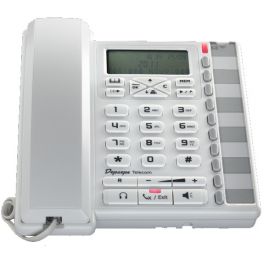
Depaepe Premium 300 Analogue Desktop Phone (White)
Phone with screen able to hold 100 contacts- 3-line alphanumeric display
- Contact book:100 names and numbers
- Hands-free speakerphone
- RJ9 Earphone Jack
- Hot-line key
- 10 direct memory keys with labels and LEDs.
IN STOCK4.7 of 6 Reviews£39.99£24.99 £29.99 Incl. VATRef: DEPREM300BCompare- Back to WorkPromotional price valid until 25/09/2026.
Extra discount: £25 off orders over £400 with BACK25
£50 off orders over £700 with BACK50
£80 off orders over £1,000 with BACK80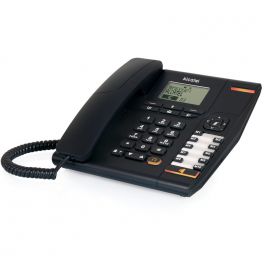
Alcatel Temporis 880
a professional corded analogue deskphone with handsfree function and 170-entry phonebook- Professional analogue corded deskphone
- Handsfree feature
- 10 direct memory keys
- 170-entry phonebook
- Large alphanumerical display
IN STOCK4.7 of 70 Reviews£65.00£34.99 £41.99 Incl. VATRef: ALT880Compare 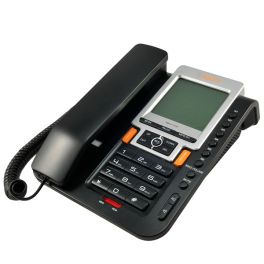
Agent 1100 CLI Analogue Telephone
IN STOCKAnalogue office desk phone with LCD display, quick dial and speakerphone- Feature-rich office desk phone
- Headset port
- LCD display
- 4 1-touch memories
- 10 2-touch memories
- Speakerphone
- Battery powered
£40.69£34.99 £41.99 Incl. VATRef: AG1100UKCompare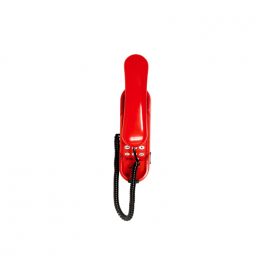
Depaepe HD2000 Keypad - Red
High visibility wall mounting phone - ideal design for security purposes- Tone pulse dialling
- Adjustable hook flash duration (100 - 300 ms)
- 2 call signal LEDs
- Ringer high - low - off
- Waiting message led (reversed polarity, high voltage DC current, ringing current)
- Adjustable receive level
- Data port
- Microphone mute
- Redial key
- Optional desk mount kit
IN STOCK4.8 of 4 Reviews£99.99£66.99 £80.39 Incl. VATRef: DEHD2Compare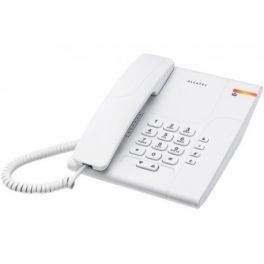
Alcatel Temporis 180 - White
Practical analogue business phone compatible with PBX messaging system - white- Incoming call light indicator
- Line-powered
- Last number redial
- Wall mountable
- Message waiting indicator: compatible with PBX
- Adjustable earpiece volume: 5 levels
- Also available in black
IN STOCK4.8 of 16 Reviews£25.00£19.99 £23.99 Incl. VATRef: ALT180IVCompare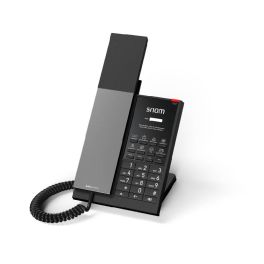
Snom HD350A Analogue Telephone
IN STOCKAnalogue hotel telephone with antibacterial casing, customisable front panel, and GDPR-compliant design.- Antibacterial casing for enhanced hygiene
- Customisable front panel for branding
- Three LED indicators for call status and messages
- Eight programmable function keys for speed dial
- Hands-free function with dedicated button
- Hearing aid compatible handset (HAC)
- Flexible installation: desk or wall mounting
- GDPR-compliant: no storage of personal data
£59.00 £70.80 Incl. VATRef: SMHD350ACompare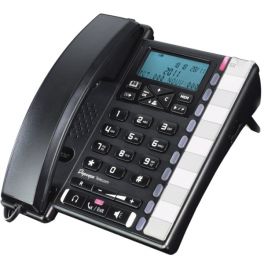
Depaepe Premium 300 Analogue Desktop Phone Black
Phone with screen able to hold 100 contacts- 3-line alphanumeric display
- Contact book:100 names and numbers
- Hands-free speakerphone
- RJ9 Earphone Jack
- Hot-line key
- 10 direct memory keys with labels and LEDs.
IN STOCK4.5 of 44 Reviews£39.99£25.99 £31.19 Incl. VATRef: DEPREM300Compare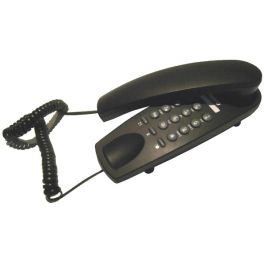
Kero Ket 41 (Black)
IN STOCKEasy to use fixed-line, 2-piece telephone- 2-piece, fixed-line telephone
- Base keyboard
- R key
- Redial
- Mute button
- Desk or wall mountable
£14.99 £17.99 Incl. VATRef: KET41NCompare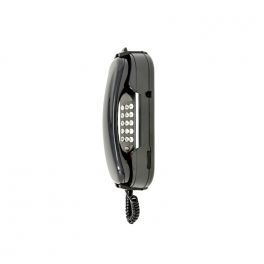
Depaepe HD2000 Keypad - Black
Wall mounted phone - ideal design for security purposes- Tone pulse dialling
- Adjustable hook flash duration (100 - 300 ms)
- 2 call signal LEDs
- Ringer high - low - off
- Waiting message led (reversed polarity, high voltage DC current, ringing current)
- Adjustable receive level
- Data port
- Microphone mute
- Redial key
- Optional desk mount kit
IN STOCK4 of 3 Reviews£99.99£66.99 £80.39 Incl. VATRef: DEHD2ACompare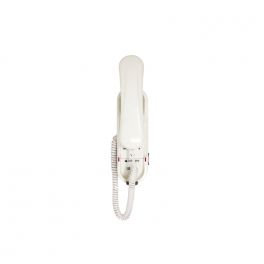
Depaepe HD2000 Keypad - White
Wall-mountable - ideal for security purposes- Tone pulse dialling
- Adjustable hook flash duration (100 - 300 ms)
- 2 call signal LEDs
- Ringer high - low - off
- Waiting message led (reversed polarity, high voltage DC current, ringing current)
- Adjustable receive level
- Data port
- Microphone mute
- Redial key
- Optional desk mount kit
IN STOCK4.7 of 10 Reviews£99.99£66.99 £80.39 Incl. VATRef: DEHD2IVCompare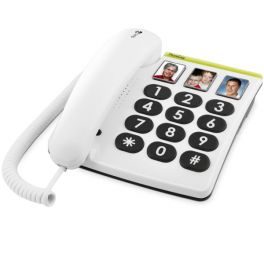
Doro PhoneEasy 331PH
Simple corded phone, 3 direct memories with photo keys- Phone with large keys
- 3 direct memories with photo
- Comfortable: large
- Volume adjustment key
- Call light indicator
- Last number redial
- Compatible with hearing aids
- Great comfortable headset
- Adjustable
IN STOCK4.8 of 15 Reviews£39.99 £47.99 Incl. VATRef: DM331PHCompare- Ref: SIDESK400BECompare
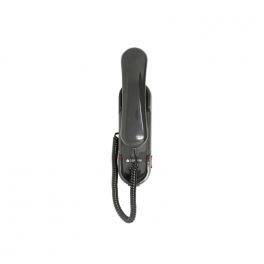
Depaepe HD2000 Urgence 3 Memory - Black
IN STOCKWall Mountable Emergency Phone with 3 Programable Memory Keys- Tone pulse dialling
- 2 call signal LEDs
- EEPROM memory backup
- Memory capacity: 23 digits (including *, #, flash or Pause)
- Ringer high - medium - low selection
- Optional desk mount kit
- Colors: red, white or dark grey
- Dimensions: 235 x 73 x 72 mm
- Weight: 0.55 kg
£229.99£130.99 £157.19 Incl. VATRef: DEHD33Compare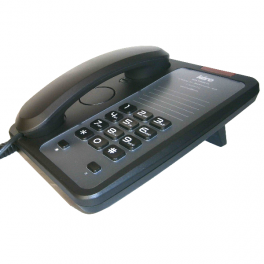
Kero Ket 43 (Black)
IN STOCKElegant analogue telephone in black- Light indicator for incoming calls
- 2 volume levels
- Redial
- Dial tones
- R key
- Wall-mountable
£19.99 £23.99 Incl. VATRef: KET43NCompare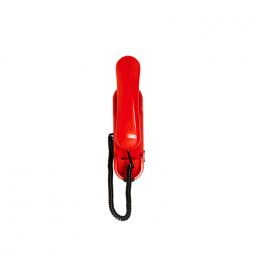
Depaepe HD2000 Without Keypad - Red
Depaepe HD2000 Wall-mount telephone without keypad for use in all environments- No keypad, no dialler.
- 2 visual LEDs on each side of the base.
- Ringer high/low/off selection.
- Message waiting lamp (ringing current, DC signal, Reversed polarity).
- Magnetic hook.
- No device opening for connection and fixing.
- Dimensions: 235x73x72 mm
- Weight: 0.550 kg
- Colors: white, red or dark grey
- Optional desk mount kit
Call us for availability4.4 of 9 Reviews£82.99£59.99 £71.99 Incl. VATRef: DEHDRCompare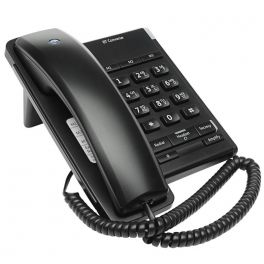
BT Converse 2100 Telephone - Black
Simple wall-mountable office phone with headset capability- Can be wall mounted
- Headset port for handsfree use
- Compatible with PBX systems
- Volume control
- Last number redial
- Line powered, no batteries required
Call us for availability5 of 1 Reviews£29.99 £35.99 Incl. VATRef: BT2100BUKCompare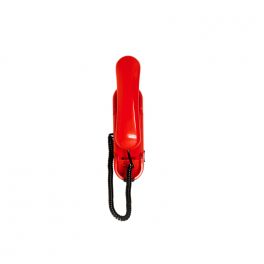
Depaepe HD2000 Urgence 2 Memory - Red
Depaepe HD2000 Emergency telephone with 2 number automatic dialling.- Tone pulse dialling
- 2 call signal LEDs
- EEPROM memory backup
- Memory capacity: 23 digits (including *, #, flash, or Pause)
- Ringer high - medium - low selection
- Optional desk mount kit
- Colors: red, white, or dark grey
- Dimensions: 235 x 73 x 72 mm
- Weight: 0.55 kg
Call us for availability5 of 1 Reviews£199.99£149.99 £179.99 Incl. VATRef: DEHD22RCompare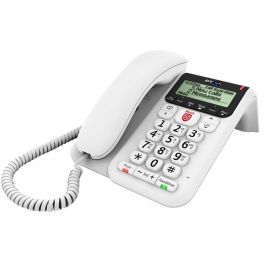
BT Decor 2600
Call us for availabilityCorded deskphone with Advanced Nuisance Call Blocker and answer machine- BT Call Guardian “Hot Key”, for one touch blocking
- Block up to 1000 numbers or block calls by area code
- 200 Name & Number directory
- Answer machine
- Outgoing call controls (PIN protect calls to premium / mobile numbers)
£29.16 £34.99 Incl. VATRef: BTDEC2600WUKCompare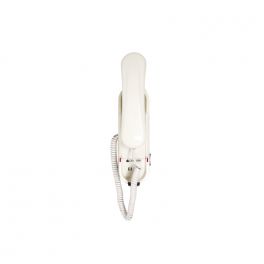
Depaepe HD2000 Without Keypad - White
Depaepe HD2000 wall-mount telephone without keypad for use in all environments- No keypad, no dialler.
- 2 visual LEDs on each side of the base.
- Ringer high/low/off selection.
- Message waiting lamp (ringing current, DC signal, Reversed polarity).
- Magnetic hook.
- No device opening for connection and fixing.
- Dimensions: 235x73x72 mm
- Weight: 0.550 kg
- Colors: white, red or dark grey
- Optional desk mount kit
Call us for availability5 of 1 Reviews£99.99£58.99 £70.79 Incl. VATRef: DEHDCompare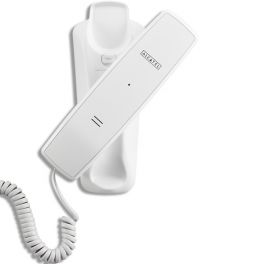
Alcatel Temporis 10 White Analogue Phone
White wall-mounted telephone by Alcatel- Wall mountable
- Call answering/ending on handset
- Backlit display
- Adjustable volume
- 2 volume levels
- White
Call us for availability3 of 44 Reviews£17.99£14.99 £17.99 Incl. VATRef: ALT10IVCompare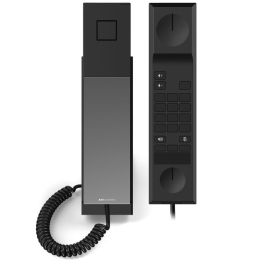
Snom HD30LA
Call us for availabilityHigh-quality analogue lobby phone with antibacterial housing for hotels and communal areas.- Analogue (PABX) connection via RJ-11
- Antibacterial, hygienic housing
- Automatic direct dial on handset lift
- Customisable front panel (branding)
- Three programmable audio buttons
- LED indicators for mute & speaker
- Hearing aid compatible (HAC)
- Suitable for desk or wall mounting
£51.99 £62.39 Incl. VATRef: SMHD30Compare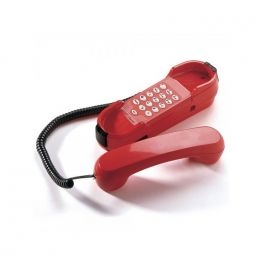
Depaepe HD2000 Urgence 3 Memory - Red
Wall Mountable Emergency Phone with 3 Programable Memory Keys- Tone pulse dialling
- 2 call signal LEDs
- EEPROM memory backup
- Memory capacity: 23 digits (including *, #, flash or Pause)
- Ringer high - medium - low selection
- Optional desk mount kit
- Colors: red, white or dark grey
- Dimensions: 235 x 73 x 72 mm
- Weight: 0.55 kg
Call us for availability4.9 of 12 Reviews£229.99£130.99 £157.19 Incl. VATRef: DEHD33RCompare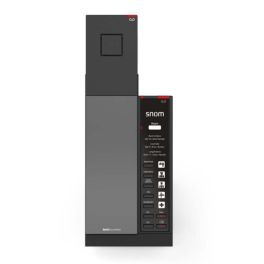
Snom HD341A IP phone Black
Call us for availabilityAnalogue DECT telephone for hotel rooms, with hospitality-specific features, speed dial buttons and a compact, antibacterial design.- Built for hotel rooms: reliable analog guest phone for everyday hospitality use.
- Cordless DECT handset: more freedom of movement and comfortable in-room calling.
- Antibacterial housing: supports hygiene-focused environments and frequent cleaning routines.
- 5 speed-dial keys: quick access to reception, room service and essential numbers.
- Guest-friendly operation: clear call handling with speakerphone, mute and volume control.
- Flexible mounting: suitable for desk placement or wall mounting (mounting kit included).
- Expandable setup: can be paired with additional DECT handsets for extra rooms/areas.
£101.99 £122.39 Incl. VATRef: SMHD341ACompare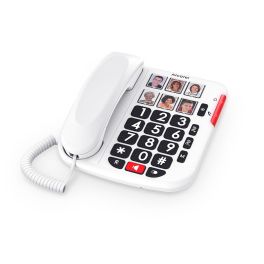
ALCATEL TMAX10+ WHT
An analogue landline telephone with large keys, featuring 6 speed-dial numbers with photos and a loud ringtone (85dB), designed for easy use at home, in a reception area or for basic customer service.- Analogue corded telephone
- Large buttons: make dialling easier and improve user comfort
- 6 one-touch memories with photo for quick contact identification at a glance
- Hands-free function available
- Loud ringer with two levels: high (85 dB); low (65 dB)
- Incoming call LED indicator and adjustable ringer with 1 melody and 3 volume levels
- Desk or wall-mounted installation
Call us for availability5 of 1 Reviews£17.99 £21.59 Incl. VATRef: ALTMAX10PLUSCompare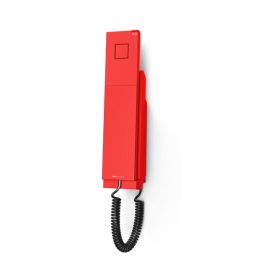
Snom E303A Analogue wall-mounted emergency telephone
Call us for availabilityAn analogue emergency telephone, designed to be mounted on the wall and highly visible, ideal for public places and workplaces.- Analogue emergency telephone: quick and immediate calls
- Wall-mounted design, ideal for public places and communal areas
- 3 programmable speed dial buttons for priority contacts
- High-visibility red design: easy to identify
- Antibacterial housing for shared spaces
- Compatible with analogue PABX systems via an RJ11 connection
£43.99£25.99 £31.19 Incl. VATRef: SME303ACompare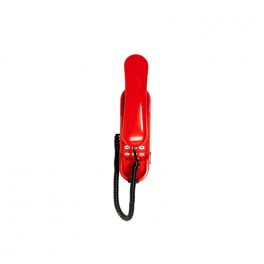
Depaepe HD2000 Urgence with Keypad - Red
Call us for availabilityWall Mountable Emergency Phone with Keypad and One Programmed Number- Tone pulse dialling
- 2 call signal LEDs
- EEPROM memory backup
- Memory capacity: 23 digits (including *, #, flash, or Pause)
- Ringer high - medium - low selection
- Optional desk mount kit
- Colors: red, white, or dark grey
- Dimensions: 235 x 73 x 72 mm
- Weight: 0.55 kg
£199.99£119.99 £143.99 Incl. VATRef: DEHD6RCompare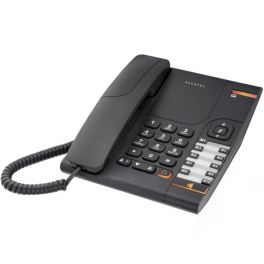
Alcatel Temporis 380 Black Analogue Deskphone
Analogue desk phone with speakerphone and headset socket- Hands free speakerphone
- 10 speed dial memories
- Direct access headset key
- Incoming call and message waiting LEDs
- Wall mountable
Call us for availability4.7 of 52 Reviews£38.00£24.99 £29.99 Incl. VATRef: ALT380Compare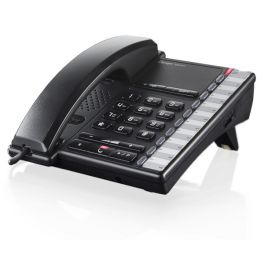
Depaepe Premium 100 (Black)
Entry level desk phone with great functionality- Budget friendly desk phone
- 10 one-touch memory keys
- Message and call waiting light
- Call barring
Call us for availability4 of 5 ReviewsQuoteRef: DEPREM100Compare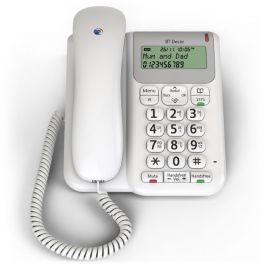
BT Decor 2200 Telephone - White
Corded telephone ideal for home and office use with caller ID and 50 name phonebook- Corded desk telephone for home or office use
- Speakerphone, Caller ID, Message Waiting Capability
- Mute button, auto redial
- 50 name and number directory
- LCD display
Discontinued5 of 6 ReviewsCheck similar productsRef: BTDEC2200WUKCompare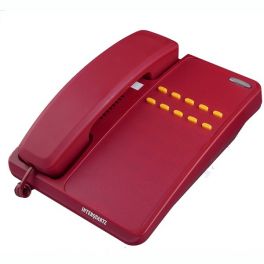
Interquartz 9281P Programmable Emergency Telephone
DiscontinuedInterquartz 9281P Emergency Telephone - Up to 10 buttons- No keypad
- Triple standard message waiting
- Ringer indicator light
- Ringer volume adjust
- Ringer pitch adjust
- Hearing aid compatible
- Wall-mountable
- Printable overlay
Check similar productsRef: IQ9281PUKCompare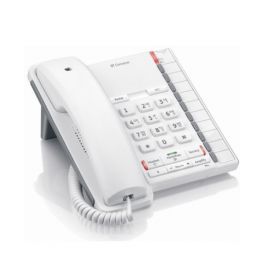
BT Converse 2200 Corded Telephone - White
Cost-effective corded office phone that is compatible with PBX systems- Cost-effective corded office phone
- Compatible with PBX systems
- Line-powered - no PSU or batteries required
- RJ11 headset port
- Speakerphone and handsfree volume control
Discontinued5 of 3 ReviewsCheck the alternative productRef: BT2200WUKCompare
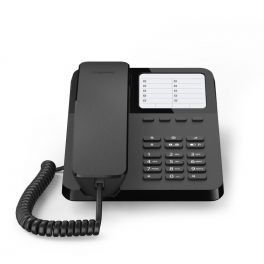
Discover the Versatility of Analogue Phones
In a world dominated by digital communication, the charm and reliability of the analogue phone still have a vital place in business communications. Also known as traditional landline or PSTN phones, these devices deliver consistent performance, ease of use and a touch of nostalgia that many businesses still value. That’s why we offer a carefully curated selection of high-quality analogue telephone solutions that continue to excel in today’s connected world.
Benefits of using traditional landline phones
- Reliability: Analogue phones are less prone to outages and interruptions than their digital counterparts, ensuring consistent communication.
- Ease of use: With straightforward design and intuitive functionality, these phones require minimal training and are ideal for users of all ages.
- Cost-effective: Traditional landline phones typically have lower purchase and maintenance costs, making them a budget-friendly choice for businesses.
- Sound quality: Analogue phones provide clear audio, essential for effective communication in professional environments.
- Power independence: Unlike VoIP phones, PSTN phones don’t rely on an internet connection and can continue to work during power cuts.
- Durability: Analogue phones are robustly built, often with hard-wearing designs that withstand everyday use in busy offices.
- Integration with existing systems: These phones can be integrated easily with traditional PBX systems, enabling seamless communication across established networks.
- Privacy: Analogue phones offer improved privacy, being less susceptible to hacking than internet-based systems.
- Familiarity: Many users appreciate the tactile experience of a traditional landline phone, which fosters a sense of reliability and trust.
The future of analogue technology
Although the telecoms industry is increasingly shifting to digital solutions, analogue phones remain relevant. The planned phase-out of analogue networks by 2030 does not mean the end of analogue handsets, they will continue to function via router ports and VoIP adapters.
Manufacturers such as Gigaset are continually evolving their analogue product lines, integrating modern features while retaining proven core technology. Hybrid solutions combine analogue reliability with digital convenience features, building bridges to the digital future. For businesses and home users who value simple, dependable communication, the traditional landline phone remains an attractive choice. The combination of tried-and-tested technology, straightforward operation and high availability makes it a timeless solution for essential communication needs.
Troubleshooting corded analogue phones
POTS phones are widely used in offices and businesses thanks to their reliability and low maintenance. Occasionally, however, issues may arise. Below is an overview of common causes and quick fixes.
1. No dial tone
Check the wall socket: Is the phone correctly plugged into the TAE socket?
Inspect the cabling: Are the handset or line cables damaged or loose?
Test the phone on a different socket: This helps rule out a fault with the phone itself.
Check the PBX/router: Ensure the analogue port is enabled.
2. The caller can’t hear you
Test the microphone: Speak directly into it; if possible, test with a second device.
Swap the handset: The handset may be defective; a replacement will confirm.
Check the cable: Loose connections at the handset port can cause audio issues.
3. You can’t hear the other party
Check the volume controls: Some phones have volume buttons or a dial.
Test the handset on another phone: The handset speaker may be faulty.
4. The analogue phone doesn’t ring on incoming calls
Disable quiet/DND/night mode: Some models have a mute or night setting.
Check ringer volume: It may be set too low.
Verify call distribution on the PBX: Is the extension correctly assigned?
5. Dialling doesn’t work
Enable tone dialling (DTMF): Many modern systems require tone rather than pulse dialling.
Check the keypad: Faulty keys can prevent dialling.
PBX restrictions: Certain numbers may be blocked by the system.
6. Echo or poor voice quality
Avoid long cables: Excessive line length can cause interference.
Move the device away from the router/other electronics: Electromagnetic interference can cause echo.
Clean the handset: Dirt in the microphone or speaker can affect audio.
FAQs
1. Will my analogue phone still work after the switch to All-IP?
Yes. Your traditional landline phone will continue to work via the analogue ports on your router. The All-IP migration affects the provider’s transmission technology, not your end devices. Modern routers automatically convert analogue signals into digital data packets.
2. Can I run multiple PSTN phones on one router?
That depends on your router model. Many routers provide two analogue ports (FON1 and FON2), allowing two separate analogue phones. With a TAE splitter you can connect multiple devices to one port, but they will share the same number.
3. Why doesn’t my answerphone work since installing the router?
You may need to enable the answerphone in the router configuration. Open the router interface and activate the answerphone for the relevant port. Also make sure the call diversion time is shorter than the activation time of the device’s built-in answerphone.
4. Can I connect my old analogue phone to a modern fibre connection?
Yes, via the router. Fibre routers include analogue ports to which you can connect your trusted phone. Thanks to digital transmission, call quality can even be better than over traditional copper lines.
5. What should I look for when buying a POST phone?
Hands-free functionality for convenience, a display for caller ID and, if needed, an integrated answerphone. For office use, programmable keys and conferencing features are advantageous. Branded devices such as Gigaset generally offer better long-term quality.
6. How can I improve the sound quality of my analogue phone?
Position the device away from other electronics, use high-quality cables and review your router settings for optimal audio codecs. For persistent issues, a signal booster or replacing ageing internal wiring may help.
7. Are traditional landline phones more secure against eavesdropping than IP phones?
Analogue phones are generally harder to hack remotely because they aren’t reachable over the internet. However, they can be tapped via physical access to the line. For maximum security in sensitive environments, additional protective measures are recommended.
8. Are analogue phones still relevant in today’s digital era?
Yes. Many organisations rely on analogue phones for their reliability, ease of use and independence from internet-related disruptions.
9. How do I choose the right PSTN phone for my business?
Consider your company size, the features you need and your budget. It’s also worth checking whether you require specific integrations with your existing communications systems.
10. Can I use an analogue phone with a VoIP system?
Yes. With the right adapters, you can connect analogue phones to VoIP systems, allowing you to retain existing devices while benefiting from modern technology.