
My Cart



Receipt printers
Receipt printers for professional points of sale
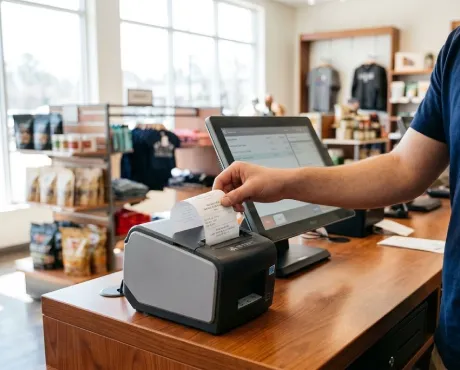
Receipt printers allow you to quickly print receipts and transaction records at the checkout. Designed for shops, restaurants and other points of sale, they integrate with POS systems through a range of connectivity options. Discover professional models suited to your printing volume, paper format and POS equipment.
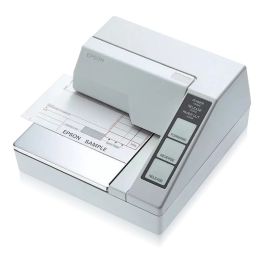
Epson TM-U295 RS232 Dot Matrix Printer
Call us for availabilityCompact flatbed dot matrix printer with an RS-232 connection, designed for professional printing of cheques, receipts and POS documents.£323.99 £388.79 Incl. VATRef: EPTMU295Compare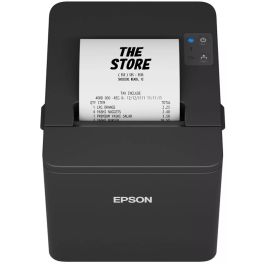
Epson TM T20IV USB + Serie Ticket Printer
Call us for availabilityA fast and reliable 80 mm POS thermal printer with a print speed of 250 mm/s, automatic paper feed and USB + serie connections.£146.99 £176.39 Incl. VATRef: EPTMT204Compare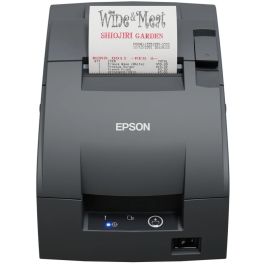
Epson TM-U220IIB RS232 Dot Matrix Printer
Call us for availabilityPOS dot matrix printer with RS-232 serial connection, three roll widths, automatic cutter and end-of-paper sensor.£288.99 £346.79 Incl. VATRef: EPTM2202BCompare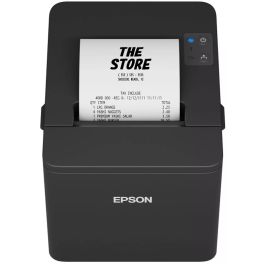
Epson TM-T20IV USB/Ethernet Receipt Printer
Call us for availability80 mm POS thermal printer with a print speed of 250 mm/s, featuring USB, RS-232 and Ethernet connectivity, automatic paper feed adjustment and a built-in paper cutter.£153.99 £184.79 Incl. VATRef: EPTMTV204Compare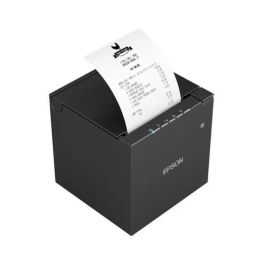
Epson TM-M30III USB/Ethernet Receipt Printer
Call us for availabilityCompact POS thermal printer with a print speed of 300 mm/s, featuring 18 W USB-C PD, Ethernet, 58/80 mm paper widths and IPX2 protection for confined spaces.£192.99 £231.59 Incl. VATRef: EPTMT30Compare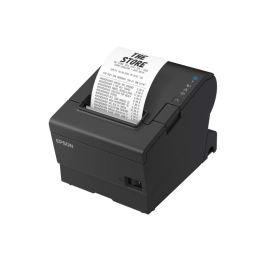
Epson TM-T88VII USB Ethernet Receipt Printer
Call us for availabilityHigh-performance POS thermal printer with a print speed of 500 mm/s, featuring USB, Ethernet and RS-232 connectivity, designed for fast and reliable receipt printing.£262.99 £315.59 Incl. VATRef: EPTMT88Compare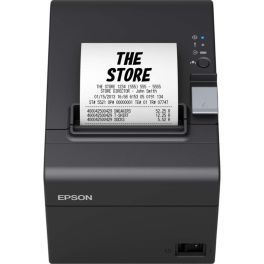
Epson TM-T20III USB Serial Receipt Printer
Discontinued80 mm POS thermal printer with a print speed of 250 mm/s, featuring USB and serial connections, automatic paper-saving mode and a built-in paper cutter.Check the alternative productRef: EPTMT20IIICompare
Key features of receipt printers
When choosing a receipt printer, consider your daily printing volume, paper width, printing speed and connection to your POS system. Thermal printers are particularly suitable for checkout environments thanks to their fast operation and the fact that they require no ink cartridges or toner.
| Thermal technology | Prints directly onto heat-sensitive paper without requiring ink cartridges or toner. |
| Paper width | Formats vary between models, so check compatibility with the paper rolls used at your point of sale. |
| Printing speed | Faster printing helps speed up checkout when large numbers of receipts need to be produced one after another. |
| Receipt cutting | Some models include an automatic cutter to quickly separate receipts after printing. |
| Connectivity | USB, Ethernet, Bluetooth or Wi-Fi depending on the model and POS system configuration. |
| POS compatibility | Check that the printer is compatible with your software, terminal and checkout environment. |
How to choose your receipt printer
- OK Check the paper format: make sure the width and roll dimensions are compatible with those used at your point of sale.
- OK Assess receipt volume: higher printing speeds and capacity are useful for busy checkout environments.
- OK Choose the connectivity: USB for a direct connection, Ethernet for network use or wireless connectivity where required by your setup.
- OK Check compatibility: make sure the printer works with your software and POS system.
- OK Consider automatic cutting: an integrated cutter makes successive transactions easier at busy checkout stations.
- OK Check consumables: confirm the dimensions and specifications of compatible paper rolls before purchasing.
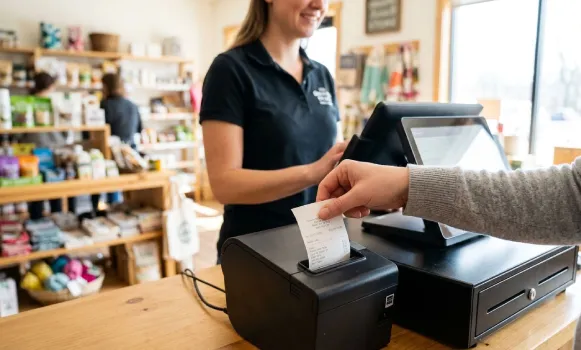
Why use a thermal printer for receipts?
Direct thermal printing is particularly well suited to receipts: the printhead applies heat directly to heat-sensitive paper without using ink cartridges or toner. This technology provides fast printing and simplifies consumable management. You simply replace the thermal paper roll when it runs out.
Which paper width should you choose for your receipts?
The paper roll format must always match your printer's specifications. 80 mm and 58 mm rolls are among the widths commonly used for receipts, but not all printers support the same dimensions. You should also check the maximum roll diameter and the manufacturer's specifications before choosing your consumables.
Receipt printers across professional environments
Receipt printers are used in shops, retail businesses, restaurants, hotels and other establishments equipped with a POS system. For busy checkout stations, printing speed and automatic cutting may be priorities. For installations connected to several devices, connectivity and compatibility with the POS system become essential considerations.
Why choose Onedirect?
Onedirect offers professional receipt printers for different checkout environments. Compare models by printing speed, connectivity, compatible paper formats and features. Our advisers can also help you check compatibility with your POS equipment and choose the right consumables.
FAQ – Frequently asked questions
Which receipt printer should you choose?
Choose a printer that supports your paper format, daily receipt volume and POS system connectivity. For busy checkout stations, printing speed and automatic cutting are also important factors to consider.
Does a receipt printer need ink?
A direct thermal receipt printer uses neither ink cartridges nor toner. It prints using heat on a roll of heat-sensitive paper.
What is the difference between an 80 mm and 58 mm receipt printer?
The main difference is the paper width. An 80 mm roll provides more space for displaying information, while a 58 mm format is more compact. The correct width depends primarily on your printer and POS system.
How do you connect a receipt printer?
Depending on the model, a receipt printer can connect via USB, Ethernet, Bluetooth or Wi-Fi. The right option depends on your POS system, network configuration and the interfaces available on your equipment.
What is the difference between a receipt printer and a label printer?
A receipt printer is primarily designed to print receipts on paper rolls, while a label printer produces labels for product identification, barcodes, shipping or traceability.
How do you choose paper for a receipt printer?
Check the paper width, maximum roll diameter and other specifications provided by the manufacturer. For a direct thermal receipt printer, use thermal paper that is compatible with the model.