
My Cart



Camera stands
Optimal positioning and stability for video capture
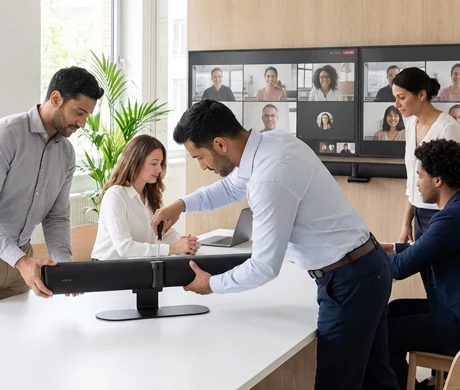
A video conferencing camera stand ensures stable mounting and optimal positioning of the device. Available in wall-mounted, tabletop, ceiling or mobile versions, camera stands guarantee ideal framing of participants, maximum visual ergonomics and seamless aesthetic integration into professional work environments.
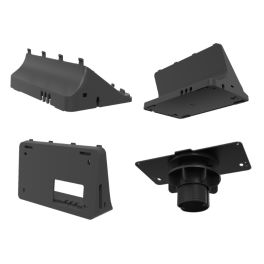
Yealink CTP25 Mount Kit
IN STOCKVersatile mounting solutions for CTP25: desk stands, wall mount, and table lock kit- Three mounting options included
- Desk stand: low and high versions
- Wall-mountable for space saving
- Table lock kit for secure use
- Sturdy build and compact design
- Simple to install and deploy
- Compatible with CTP25 device
- Different heights for flexible positioning
£32.99£25.99 £31.19 Incl. VATRef: YEALCTP25KITUKCompare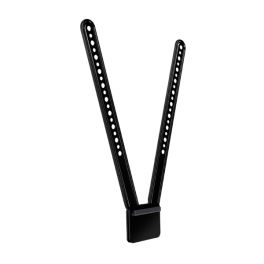
Logitech TV Mount
IN STOCKTV mounting part to keep the Logitech MeetUp webcam stable and secure- TV mounting part for Logitech MeetUp Webcam
- Secure fastening
- Coupling above or below the monitor
- Dimensions: 400 mm x 83 mm x 16 mm
- Works with most flat screen TV
£99.99£66.99 £80.39 Incl. VATRef: LOMEETUPTVCompare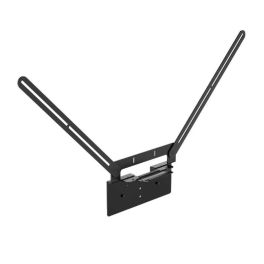
Yealink VB-TVMount-01
IN STOCKVESA mounting bracket for Yealink MeetingBar A40, MeetingBar A50 and SmartVision 40 video bars.- Compatibility: Yealink MeetingBar A40, MeetingBar A50 and SmartVision 40
- Flexible installation in various configurations
- Mounting options: can be placed at the top or bottom
- Secure and stable mounting
- Saves space in meeting rooms
- Quick installation and setup.
£121.99£102.99 £123.59 Incl. VATRef: YEALINKVBTVMOUNT01Compare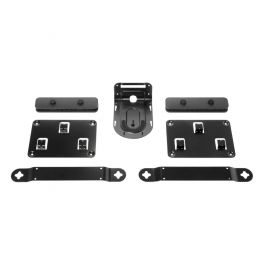
Logitech Rally Mounting Kit
IN STOCKFlexible and secure mounting system designed for Logitech Rally series- Compatible with Logitech Rally / Logitech Rally Plus
- Invertible camera bracket for wall mounting and near-ceiling installation
- Low-profile speaker brackets for "floating appearance"
- Ventilated brackets for Display and Table Hubs
- Cable retention brackets for secure connections
£189.99£181.99 £218.39 Incl. VATRef: LORALLYKITCompare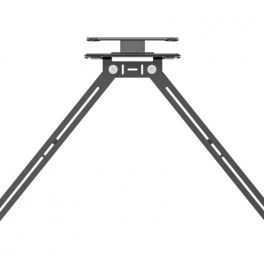
Logitech TV Mount for Video Bars
IN STOCKTV or screen mounting bracket for Logitech Rally video bars- TV or screen mounting bracket for Logitech video bars
- Compatible with Rally Camera, Rally Bar and Rally Bar Mini
- Allows the video bar to be adjusted to the angle (up to 10°)
- Mounts above and below the TV or screen
- Flexible and adjustable support arm to fit most screens
- Compatible with VESA mounting points
£178.99£131.99 £158.39 Incl. VATRef: LOTVMOUNTCompare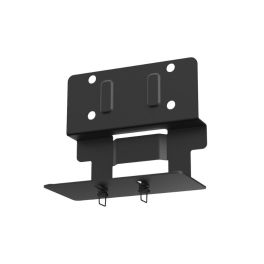
Yealink MD-AVBracket-S
IN STOCKCompact AV support for clean and secure integration into Yealink Meeting systems- AV compatibility: Yealink A40 and SmartVision 40 video bars
- Discreet mounting: blends seamlessly into Yealink MeetingDisplay systems
- No wall drilling required
- Easy installation: screw your video bar into place in just a few minutes and hang it up
- Ready to use: supplied with all required mounting accessories
£23.99£18.99 £22.79 Incl. VATRef: YEAMDAVBRACKETSCompare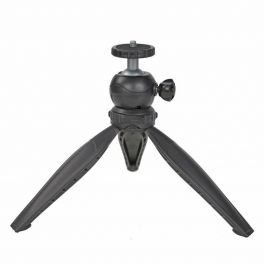
Multi-functional desktop tripod for your webcam
IN STOCKWebcams desktop tripod - ideal for private office or small meeting rooms- Desktop tripod for your webcam
- Multifunctional with 360º panoramic rotation
- Maximum height 14 cm - minimum height 10 cm
- 1/4 inch screw
- Tripod length closed 20 cm
- Maximum load is 2.5 kg
- Weight: 141 g
- Material: Aluminium alloy
- Colour: Black
£8.99£5.99 £7.19 Incl. VATRef: ODWCAMPODCompare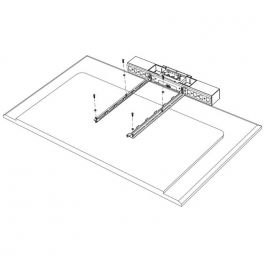
Poly Studio USB VESA Mount
IN STOCKPoly mounting kit for Monitor- Your Poly Studio is secure with no surprises
- Monitor mounting kit
- 1 x supported VESA Display 100 x 100 - 600 x 600
- Also for wall fixings
- Poly MPN: 7230-86040-001
£193.59£126.99 £152.39 Incl. VATRef: POSTUDIOMKCompare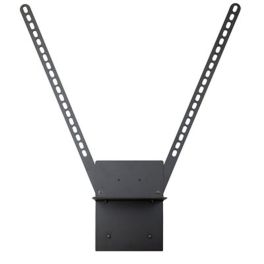
Barco ClickShare TV Mount
IN STOCKTV Mounting Kit for ClickShare Bar Core, Bar Pro, C-10, C-5, CX-20, CX-30- Mount for versatile positioning
- Sleek black finish to suit any décor
- Sturdy and secure, ideal for TVs of various sizes
- Easy to install and adjust in any setting
- Compatible with ClickShare: Bar Core, Bar Pro, C-10, C-5, CX-20, CX-30
£139.99£112.99 £135.59 Incl. VATRef: BARCOKITBARCompare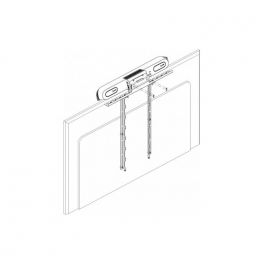
Poly Monitor Stand for Poly Studio X30, X32 and V12
IN STOCKOfficial HP Poly mounting brackets for securely and stylishly mounting Studio X30, X32 and V12 video conferencing bars directly onto professional displays.- Official HP Poly mount for Studio X30, X32 and V12 video conferencing bars
- Direct display mounting for clean and professional installations
- Compact and discreet design ideal for modern meeting rooms
- Compatible with professional displays in Microsoft Teams Rooms and UC environments
- Stable and secure installation for fixed video conferencing setups
- Official HP Poly accessory specifically designed for the Studio series
£85.79£79.99 £95.99 Incl. VATRef: POSTX30KITCompare
Neat glass mount for Neat Pad
IN STOCKMount your Neat Pad in style and securely on glass surfaces, with a clean installation and perfect visibility.- Adhesive Glass Mount
- Easy and Secure Installation
- Ideal for Rooms with Glass Walls
- Compatible with Neat Pad
£71.49£42.99 £51.59 Incl. VATRef: NEATPADGLASSCompare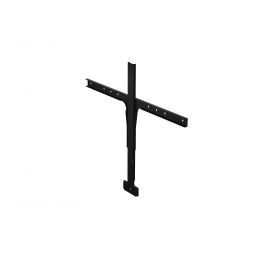
Jabra PanaCast 50 Screen Mount
IN STOCKUnder-display mounting bracket for the Jabra PanaCast 50- Mounting bracket suitable for the Jabra PanaCast 50
- For screen and camera installation
- Product colour: black
£91.29£82.99 £99.59 Incl. VATRef: GNPANA50SOPCompare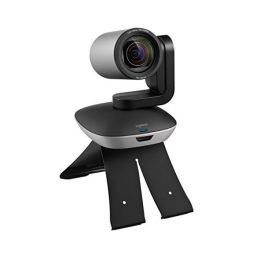
Logitech Camera mount
Camera mount for Logitech Group webcam- Compatible with Logitech Group camera
IN STOCK5 of 1 Reviews£19.99£15.99 £19.19 Incl. VATRef: LOGROUPSUPCompare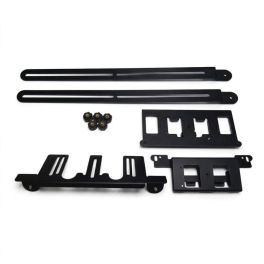
Cleyver TV Mount for the Cleyver PTZ DualBar
IN STOCKA VESA mount specifically designed for mounting the Cleyver DualBar PTZ video conferencing bar above or below professional displays.- Dedicated mount for the Cleyver DualBar PTZ video conferencing bar
- Above- or below-screen installation for professional meeting and video conferencing rooms
- Compatible with standard VESA mounts for professional displays
- Stable and discreet mounting for clean, modern AV setups
- Sturdy metal frame with a professional black finish
- Ideal for Teams Rooms and Zoom Rooms in hybrid and corporate spaces
£69.99 £83.99 Incl. VATRef: ODLDUALBARSUPTVCompare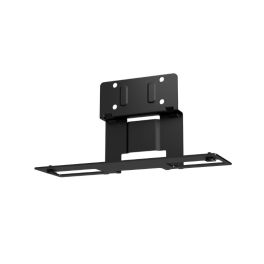
Yealink MD-AVBracket-L
IN STOCKProfessional AV support for secure integration of Yealink devices into MD systems- AV compatibility: Yealink A50 and SmartVision 50 video bars
- Discreet mounting: blends seamlessly into Yealink MeetingDisplay systems
- No wall drilling required
- Easy installation: secure your video bar in just a few minutes and hang it in place
- Ready to use: supplied with all required mounting accessories
£23.99£18.99 £22.79 Incl. VATRef: YEAMDAVBRACKETLCompare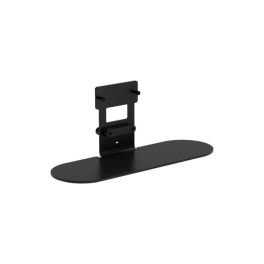
Jabra PanaCast table stand
IN STOCKTable mount for Jabra PanaCast devices, designed for stable installation and optimal positioning in meeting rooms.- Table stand designed for Jabra PanaCast devices
- Stable and secure installation for professional environments
- Compact design: ideal for meeting rooms and offices
- Optimised positioning to improve the field of view
- Robust construction for heavy-duty use
£130.99£101.99 £122.39 Incl. VATRef: GNTABLESTANDCompare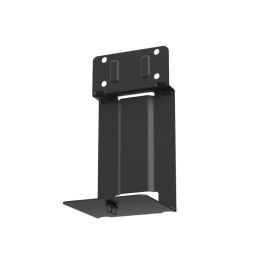
Yealink MD-PTZBracket
IN STOCKProfessional support for secure installation of Yealink PTZ cameras in MeetingDesk- Dedicated PTZ camera mount: Specifically designed for Yealink UVC86 and SmartVision 80 cameras
- No wall drilling required: Installation without damaging walls
- Quick installation thanks to the screw and suspension design
- Seamless integration: Perfect attachment to MeetingDisplay
- Compact design: Dimensions of 145 × 139.6 × 288.5 mm fit into most conference rooms.
- Lightweight construction: weighs only 1.3 kg for easy handling and installation.
- Professional appearance.
- Stable mount: the robust mounting structure ensures the stability of the camera.
£23.99£18.99 £22.79 Incl. VATRef: YEAMDPTZBRACKETCompare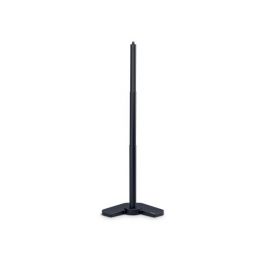
Jabra PanaCast Table Stand
Jabra PanaCast video conferencing stand, ideal for use in multiple locations- Sturdy support for Jabra PanaCast
- Easy mobility
- Height adjustable
- Exclusive accessories for PanaCast Jabra
IN STOCK5 of 2 Reviews£71.49£52.99 £63.59 Incl. VATRef: GNPANASTANDCompare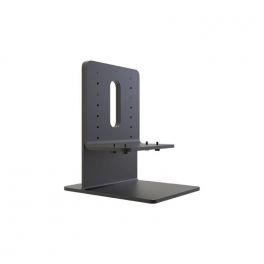
DTEN ME Stand
IN STOCKMaximize productivity and comfort with the adjustable DTEN ME Stand and desktop mount- Simple design for hassle-free installation
- Solid all-metal construction for enhanced durability
- Weighted base for added stability
- Standard 100 x 100 mm VESA compatible
- Knurled thumb screws for easy adjustment & maintenance
- Product Dimensions: 8.27 x 6.30 x 9.37 in (210 x 160 x 238 mm)
- Product Weight: 3.74 lb (1.7 kg)
£127.59£88.99 £106.79 Incl. VATRef: DTMESTANDCompare
Screen Mount (VESA) for Huddly L1 & S1
IN STOCKVideo conferencing camera mount for Huddly L1
- Screen size: up to 85"
- VESA mounting interface: 600 x 400 mm
- Colour: black
- For Huddly L1 Camera
£175.99£125.99 £151.19 Incl. VATRef: HUDDL1SOPCompare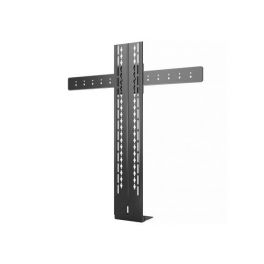
Yealink Mount Kit for UVC40, MeetingBar A20/A30 and MeetingEye 400/600
IN STOCKYealink TV mount for video bars UVC40, MeetingEye 400/600, MeetingBar A20/A30- TV mounting solution for video bar
- Installation under the screen
- Compatible with Yealink UVC40, MeetingEye 400/600 and MeetingBar A20/A30
£143.99£91.99 £110.39 Incl. VATRef: YEALINKMVC400TVMCompare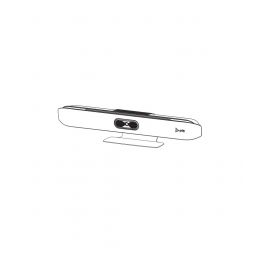
Poly Studio X50 Table Stand
Call us for availabilityPoly Studio X50 Video Conference Bar Stand- Base for Poly Studio X50
- Ensure maximum stability
- High-quality accessory
- Poly original product
- Compatible with Poly Studio X50
£51.69£46.99 £56.39 Incl. VATRef: POSTX50SUPCompare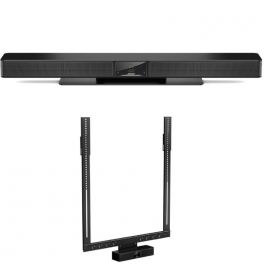
Bose Professional Videobar VB1 and Screen Support
Call us for availabilityAll-in-one videoconferencing bar for traditional collaborative workspaces.- All-in-one professional videobar
- Designed for medium-sized meeting rooms
- 8MP camera with 4K UHD resolution
- PTZ features with 5x zoom and 123° field of view
- Visual processing technologies based on AI
- Network of 6 microphones with 360° capture on 6m
- Echo cancellation and noise suppression
- Connections: USB-C; HDMI; RJ45; Bluetooth and Wifi
- Compatible with all softphones
- Optimized for Microsoft Teams and Zoom
- Integrated tilt screen support
£1,430.89£1,346.35 £1,615.62 Incl. VATRef: BOSVB1PACKVESAUKCompare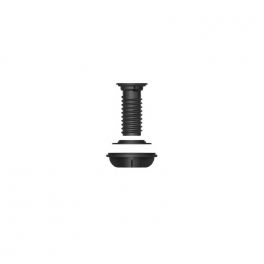
Jabra PanaCast 50 Control Table Mount
Call us for availabilityTable mount for PanaCast Control- Table mount for PanaCast Control
£38.49£34.99 £41.99 Incl. VATRef: GNPANACONTRMCompare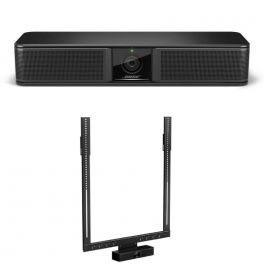
Bose Professional Videobar VB-S and Screen Support
Call us for availabilityBring Bose Professional performance to every meeting with this Microsoft Teams-certified all-in-one USB solution.- All-in-one USB solution
- Elegant design
- 4K UHD camera
- Group and individual modes with auto framing
- Audio signature Bose Professional
- Array of 4 beamforming microphones
- Simple configuration and management software
- Various mounting options
- Microsoft Teams certified
- Integrated tilt screen support
£932.78£667.34 £800.81 Incl. VATRef: BOSVBSPACKVESAUKCompare
Insta360 Connect TV Mount
Call us for availabilityFlexible VESA arm that offers easy swivel and depth adjustments.- Mounts Insta360 Connect above or below your TV
- VESA-compatible support with multifunctional arm
- Swivel adjustment allows full-room coverage
- Depth adjustment to position device at ideal distance
- Quick installation and removal design
- Designed for variety of display types and sizes
£101.99 £122.39 Incl. VATRef: INSTA360TVMCompare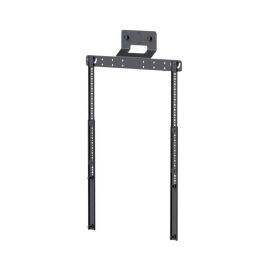
Sennheiser VESA mounting kit for TC S/M bars
Call us for availabilityVESA mount for attaching a TeamConnect Bar S or M to a compatible screen for a clean, professional installation.- Compatibility: Sennheiser TeamConnect S and M bars
- VESA mounting: direct attachment to compatible screen/monitor
- Clean installation: reduces clutter and simplifies cable management
- Space-saving: ideal for meeting rooms and huddle spaces
- Stable mounting: designed to meet professional AV requirements
£95.99 £115.19 Incl. VATRef: SETCBARMOUNTCompare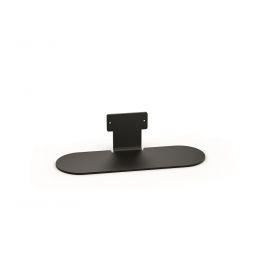
Jabra PanaCast 50 Table Stand
DiscontinuedTable stand for Jabra PanaCast 50- Mount for Jabra PanaCast 50
- To set up on a table or desk
- Device Color: Black
Check the alternative productRef: GNPANA50STANDCompare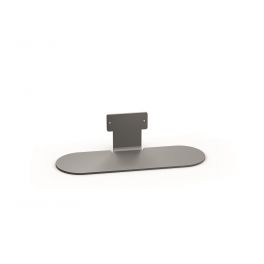
Jabra PanaCast 50 Grey Table Stand
Table stand for Jabra PanaCast 50- Mount for Jabra PanaCast 50
- To set up on a table or desk
- Device Color: Grey
Discontinued5 of 1 ReviewsCheck the alternative productRef: GNPANA50STANDGCompare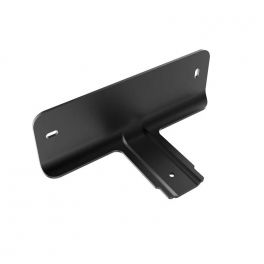
Cleyver Meeting Track Wall Bracket
DiscontinuedCleyver Meeting Track video conferencing wall mount bracket- Wall mounting bracket
- Exclusive accessory for Cleyver Meeting Track
- Dimensions: 170*80*60
- Weight: 2,2g
Check similar productsRef: ODWCAMBAR60WBCompare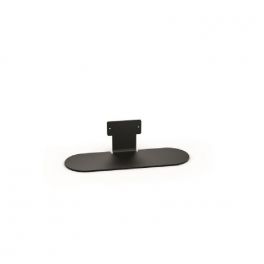
Jabra P50 VBS Table Stand
DiscontinuedStand for mounting the Jabra P50 VBS on the desk- Table stand for Jabra P50 VBS
- For placing on the table
- Fixes the rail to the stand
- Colour: black
Check the alternative productRef: GNPANA50TSCompare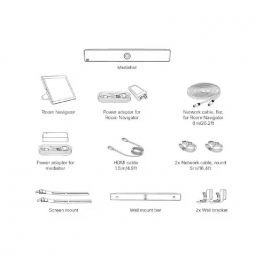
Cisco Screen Mount kit for Webex Room Kit Mini
DiscontinuedVideo conferencing mount kit for Webex Room Kit Mini.- Video conferencing mount kit for Webex Room Kit Mini.
Check similar productsRef: CISCRNMCompare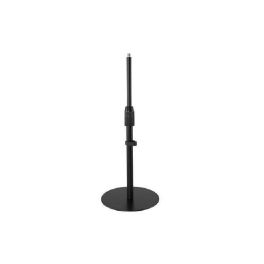
Kensington K87651WW Height-Adjustable Versatile Support – Desktop
DiscontinuedProfessional and flexible, perfect for video conferencing.- Adjustable height for optimal flexibility in your setup.
- Non-slip base ensures stability during use.
- Cable management keeps your workspace tidy and organised.
- Compatible with many accessories within the Kensington ecosystem.
- Professional appearance to make a great impression during video calls.
Check similar productsRef: KEN87651WWCompare
Characteristics and Core Functions
Camera stands ensure optimal positioning of cameras for ergonomic video capture of in-room participants. They provide stability, adjustable flexibility and seamless integration, optimising the visual experience for remote participants while maintaining the professional aesthetic of modern collaborative spaces.
| Compatibility | Standard mounts support most leading professional camera brands and models. |
| Full adjustability | Tilt, rotation and height adjustments for optimal framing depending on room configuration. |
| Guaranteed stability | Robust construction eliminates vibration and ensures professional video quality. |
| Secure installation | Reliable mounts for wall, ceiling or screen installations without risk of falling. |
| Professional finish | Design and materials that enhance the visual appeal of workspaces. |
How to choose the right solution?
- OKCamera type used: weight, dimensions and compatibility with standard mounting systems.
- OKDesired optimal position: wall-mounted facing participants, above/below display, or ceiling-mounted for specific angles.
- OKRoom configuration: architectural constraints influencing available mounting options.
- OKRequired flexibility: permanent fixed installation or regular adjustment depending on usage.
- OKDesired aesthetics: visible functional mount or discreet integration minimising visual impact.
Applications across professional environments
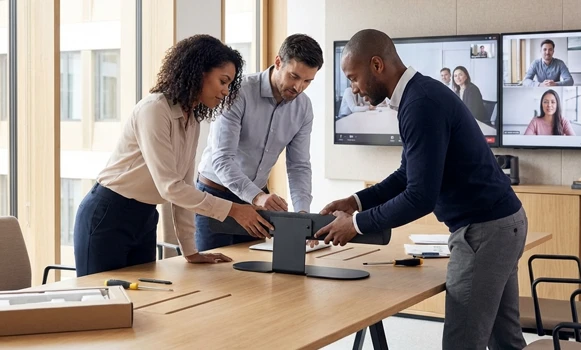
Camera stands are used in meeting rooms in wall-mounted configurations to optimise viewing angles and maintain natural interaction between in-room and remote participants. In auditoriums and universities, ceiling mounts are used to cover large spaces. In multi-display rooms, dedicated mounts integrate cameras seamlessly without affecting screen visibility.
Why partner with Onedirect?
Onedirect offers professional camera stands compatible with all major brands, including Logitech, Poly, Yealink, Aver and many others. As an official reseller, we ensure fast and secure delivery and provide dedicated after-sales support when needed. Our team advises you on the most suitable mounting solution based on room architecture, ensuring professional video capture with optimal visual ergonomics.
FAQ – Frequently asked questions
How can the best position for a video conferencing camera be determined?
Ideally, the camera should be positioned at seated eye level, centred and facing participants, slightly above the display. This creates natural angles and enhances eye contact with remote participants.
Are camera stands compatible with all camera brands?
Most use standard VESA mounts or universal 1/4"" and 3/8"" threads. Always check the technical specifications of both the camera and the stand to ensure compatibility before purchase.
Can a camera be mounted directly on a display?
Yes. Specific mounts clip onto the top edge of displays without drilling or adhesives.
Do wall-mounted installations require drilling?
Generally yes, especially for heavier PTZ cameras, to ensure stability and safety. Some lightweight mounts offer adhesive solutions for walls where drilling is not possible.
How can camera cables be concealed for a clean installation?
Use wall trunking, integrated cable channels within mounts, or in-wall cabling during renovations to achieve a professional, cable-free appearance.