
My Cart



Classroom Touchscreen Displays
Technology that supports effective learning
Display and signage solutions for education support schools, universities and training institutions in communication and collaboration. They are used in lecture theatres, classrooms, foyers and across campus areas. With professional solutions for the education sector, you create a contemporary learning environment, improve information flows and support both teaching staff and learners in their day-to-day activities.

- IconBest Seller
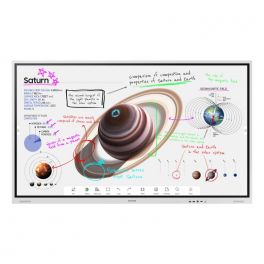
Samsung 55" Flip Pro WMB
New generation interactive whiteboard to bring your ideas to life.- 55" Professional Interactive Whiteboard
- For real-time annotation and editing
- Supported portrait and landscape orientations
- New Edge break-resistant display with 4K resolution
- IR touch technology: up to 20 touchpoints
- Two 10W speakers for media playback
- Capture and layer functions available: simplified annotations
- PC and mobile content sharing via Miracast or AirPlay 2
- Integrated web browser
- Smart sharing: up to 50 devices connected at the same time
IN STOCK4 of 1 Reviews£1,660.90 £1,993.08 Incl. VATRef: SAWM55BUKCompare - Special EducationFrom June 1 to June 30, 2026
Prepare for the new school year with our special education pricing
Newline Lyra Pro 75''
IN STOCKInteractive touch display with Wifi and Bluetooth and native Google EDLA certification- Interactive touch display
- Memory: 128 GB / 8 GB RAM
- Wifi 6 & Bluetooth 5.2
- Plug & play USB-C connection
- Android 13 OS
- 4K resolution
- 178° viewing angle
- Integrated 20W speakers
£1,524.99 £1,829.99 Incl. VATRef: NEWLYPRO75UKCompare - Special EducationFrom June 1 to June 30, 2026
Prepare for the new school year with our special education pricing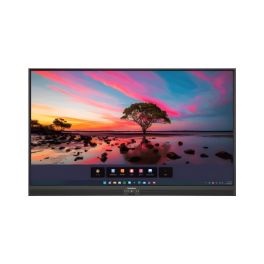
Promethean ActivPanel Premium 10 65''
IN STOCK65'' 4K touchscreen, 50 touchpoints, Wi-Fi 6, digital pen, speakers, and ActivSuite educational software- 65'' 4K UHD display with 977 cd/m² brightness
- Vellum touch technology with 50 simultaneous touchpoints
- Precise writing: differentiation between pen, finger, and palm
- 9H tempered glass with anti-reflective and anti-fingerprint coating
- Speakers: 2x25W + 20W subwoofer
- Compatible with Windows, macOS, Linux, and Android
- Ambient light sensor and fanless design
- Includes ActivInspire licence and 2 ActivSuite licences
£2,599.99£2,156.99 £2,588.39 Incl. VATRef: PROAP10B65EUCompare - Special EducationFrom June 1 to June 30, 2026
Prepare for the new school year with our special education pricing
iiyama ProLite TE5513A-B2AG 55" 4K Interactive Display
IN STOCKProfessional 55-inch interactive display with 4K UHD resolution, Google EDLA certification, Android 14 and advanced touch technology for collaboration, training and meeting rooms.- 55" 4K UHD interactive display with crisp, detailed images for meeting rooms and educational environments.
- Google EDLA certification for direct access to Google applications and cloud collaboration tools.
- PureTouch-IR+ technology with up to 40 touch points and palm rejection for natural writing.
- Android 14 with integrated iiWare 21E for PC-free working and managing content directly from the display.
- USB-C with Power Delivery up to 100 W for video, touch data and power via a single cable.
- Wi-Fi 6E, Bluetooth 5.0 and Ethernet for modern, reliable connectivity.
- Zero-Gap Air Bonding which reduces parallax and improves accuracy during writing and interaction.
£1,100.99 £1,321.19 Incl. VATRef: IIYTE5513AB2AGCompare - Special EducationFrom June 1 to June 30, 2026
Prepare for the new school year with our special education pricing
Samsung Flip Pro WMFX 75'' 4K interactive display
IN STOCK75-inch 4K interactive display for immersive collaboration, featuring advanced multi-touch, built-in tools and a display optimised for large professional spaces.- Advanced multi-touch: up to 20 simultaneous touch points
- 75” 4K UHD screen: optimal visibility for large meeting rooms
- Smooth interaction: 26 ms latency and precise, natural writing
- Integrated collaboration tools: whiteboard, annotation and sharing
- High-performance multitasking: simultaneous multi-window display
- Comprehensive connectivity: HDMI, USB, USB-C, Ethernet and wireless
- Knox security: protection for business data
£2,989.79£2,514.99 £3,017.99 Incl. VATRef: SA75WMFXCompare - Special EducationFrom June 1 to June 30, 2026
Prepare for the new school year with our special education pricing
LG CreateBoard TR3DQ 75-inch UHD Interactive Display
IN STOCK75-inch UHD interactive display with Android 14, 50-point multi-touch and wireless sharing for advanced collaboration.- Multi-touch support for up to 50 points for seamless simultaneous collaboration
- 4K UHD resolution for crisp, professional-quality content
- Android 14 with Google EDLA and access to the Play Store
- Wireless sharing with up to 9 devices simultaneously
- Powerful built-in audio with front-facing speakers and a subwoofer
- Multifunctional USB-C for data, video and charging up to 65W
£1,750.99£1,490.99 £1,789.19 Incl. VATRef: LG75TR3DQCompare 
iiyama ProLite TE6513A-B2AG 65" 4K Interactive Display
IN STOCKProfessional 65-inch interactive display with 4K UHD resolution, Android 14, Google EDLA certification and advanced touch technology for collaboration, training and modern meeting rooms.- 65" 4K UHD interactive display designed for meeting rooms, classrooms and collaborative environments.
- Google EDLA certification for direct access to Google applications and cloud tools.
- PureTouch-IR+ technology with up to 40 simultaneous touch points
- Android 14 with integrated iiWare 21E for PC-free operation and content management
- USB-C with Power Delivery up to 100 W for video, touch data and power via a single cable.
- Wi-Fi 6E and Bluetooth 5.0 for reliable, high-performance connectivity.
- Zero-Gap Air Bonding which improves writing accuracy and reduces parallax.
£1,246.99 £1,496.39 Incl. VATRef: IIYTE6513AB2AGCompare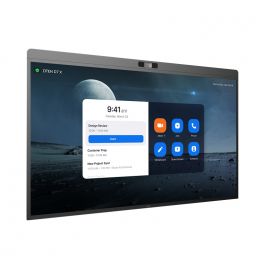
DTEN D7X 75" - Android Edition
IN STOCKInteractive display for meeting collaboration- LED 75” display
- Android edition
- 4K UHD resolution
- 20 touch-points
- Low latency - 50 ms response time
- 180 touch-point reporting rate
- 15-microphone array
- 2x Integrated speakers
- 129º field of view
- PTZ and preset camera
- Zoom Rooms Auto framing & Smart Gallery
- DTEN Smart Framing
- Acoustic Echo Cancellation
- Automatic Gain Control and Noise Reduction
- Smart Connect via single charging USB-C Cable
£7,792.39£5,900.99 £7,081.19 Incl. VATRef: DTD7X75AUKCompare- Special EducationFrom June 1 to June 30, 2026
Prepare for the new school year with our special education pricing
Samsung Flip Pro WMFX 55'' 4K interactive display
IN STOCKA 55-inch professional 4K interactive display designed for meeting collaboration, featuring smooth handwriting, multi-user functionality and secure built-in tools.- Multi-user collaboration: up to 20 simultaneous touch points
- 55” interactive display: 4K UHD resolution for optimal readability
- Ultra-smooth writing: 26 ms latency and 2,048 pressure levels
- Multitasking mode: display multiple content streams on a single screen
- Intuitive Flip interface: quick access to whiteboard and sharing tools
- Samsung Knox security: advanced data protection
- Rotating design: use in portrait or landscape mode
£1,627.99£1,367.99 £1,641.59 Incl. VATRef: SA55WMFXCompare 
Neat Board 50
IN STOCK50'' touchscreen with a 50 MP high-resolution camera and flawless audio for perfect collaboration that will transform your meetings.- 50'' capacitive multi-touch LCD screen
- Ultra HD 4K with 3840 × 2160 resolution
- Anti-glare and anti-fingerprint coating with 7H glass surface
- 50 MP camera with 113° field of view
- Adaptive group framing, dynamic individual framing and speaker tracking
- Supports connection to a second screen
- Built-in sensors for ambient light, temperature, humidity, and air quality
- Table stand included
£5,229.99£4,422.99 £5,307.59 Incl. VATRef: NEATBOARD50SECompare- Special EducationFrom June 1 to June 30, 2026
Prepare for the new school year with our special education pricing
iiyama ProLite TE8613A-B2AG 86-inch 4K touchscreen
IN STOCK86-inch 4K interactive touchscreen with Android, iiWare and EDLA certification, designed for collaborative work and modern meeting rooms.- Uses: business collaboration, interactive education
- 86-inch 4K UHD screen: large display area
- Interactive touchscreen: precise multi-touch technology
- EDLA certified: direct access to Google services and apps
- Android with iiWare: integrated tools for whiteboarding and collaboration
- USB-C connectivity: video, data and power via a single cable
- Built-in speakers: for ready-to-use conferencing solutions
£1,750.99 £2,101.19 Incl. VATRef: IIYTE8613AB2AGCompare - Special EducationFrom June 1 to June 30, 2026
Prepare for the new school year with our special education pricing
Samsung Flip Pro WMFX 65'' 4K interactive display
Call us for availability65-inch 4K interactive display designed for collaborative meetings and training sessions, featuring advanced multi-touch functionality, built-in tools and comprehensive connectivity.- Multi-user: up to 20 simultaneous touch points
- Large 65” 4K UHD screen: comfortable viewing
- Smooth and precise interaction: 26 ms latency and natural writing
- Multi-window display for greater efficiency
- Optimised Flip interface: quick access to collaboration tools
- Integrated Knox security: enterprise data protection
- Rotating design: use in portrait or landscape mode
£2,015.19£1,831.99 £2,198.39 Incl. VATRef: SA65WMFXCompare - Special EducationFrom June 1 to June 30, 2026
Prepare for the new school year with our special education pricing
Promethean ActivPanel Premium 10 75''
Call us for availability75'' 4K touchscreen, 50 touchpoints, Wi-Fi 6, digital pen, built-in speakers, and ActivSuite educational software- 75'' 4K UHD display with 880 cd/m² brightness
- Vellum touch technology with 50 simultaneous touchpoints
- Precise writing: differentiation between pen, finger, and palm
- 9H tempered glass with anti-reflective and anti-fingerprint coating
- Speakers: 2x25W + 20W subwoofer
- Compatible with Windows, macOS, Linux, and Android
- Ambient light sensor and fanless design
- Includes ActivInspire licence and 2 ActivSuite licences
£2,999.99 £3,599.99 Incl. VATRef: PROAP10B75EUCompare 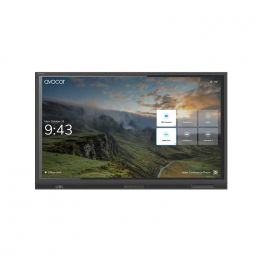
AVOCOR AVE-5530 55" TOUCH 4K
Call us for availabilityA high-performance interactive display built for collaboration, dependability and durability.- 55" 4K UHD LED touchscreen display
- Anti-glare, anti-reflective and anti-bacterial glass
- 4K UHD resolution with a wide 178-degree viewing angle
- Compatible with Windows, Mac OS, Chrome OS, and Linux OS
- Zero parallax between glass and display encourages viewing from every angle
£1,999.00£1,881.99 £2,258.39 Incl. VATRef: AVO5530UKCompare- Special EducationFrom June 1 to June 30, 2026
Prepare for the new school year with our special education pricing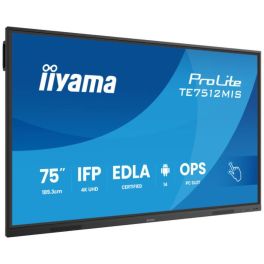
iiyama ProLite TE7512MIS-B4AG
Call us for availability75'' 4K UHD interactive touch screen with PureTouch-IR, Android 14 & USB-C Power Delivery.- 75-inch 4K UHD VA panel with Direct-LED
- 40 touch points with PureTouch-IR, ±1.5 mm accuracy
- Thin bezels and zero-gap air bonding glass
- Android 14 / iiWare 13E including Google EDLA & DMS
- USB-C with 65 W Power Delivery & Display/Touch/Audio support
- Front-facing integrated speakers (2 × 16 W)
- 24/7 operation with fanless design
- Wide range of connectivity options: HDMI, DisplayPort, VGA, RJ-45, USB ports
£1,459.00£1,415.99 £1,699.19 Incl. VATRef: IIYTE7512Compare 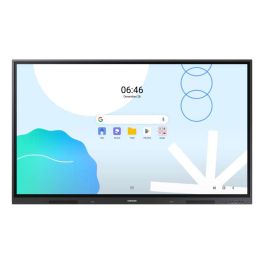
SAMSUNG WA65D Screen
Call us for availability65-inch UHD touch display for meeting rooms and classrooms, featuring Android 13 and responsive IR touch technology!- 65" UHD display with 3,840 x 2,160 pixels
- Android 13 operating system
- Supports up to 40-point multi-touch
- Multiple connectivity options: HDMI, USB-C, RJ-45
- Integrated speakers (2 x 15W)
- EDLA-certified for Google services
- Low touch latency (45 ms)
- Wi-Fi 6 and Bluetooth support
£1,599.99 £1,919.99 Incl. VATRef: SAWA65DUKCompare- Special EducationFrom June 1 to June 30, 2026
Prepare for the new school year with our special education pricing
Samsung Interactive WA75FX-P 4K 75-inch
Call us for availability- Use: meeting rooms, training rooms, classrooms
- 75" 4K touchscreen with 50 simultaneous touch points
- Android 15 with Google EDLA: native access to Google apps
- Integrated 48 MP camera for video conferencing without additional equipment
- 8 microphones with 10 m range and 180° voice capture
- Powerful audio system with two 20 W speakers + woofer
- Comprehensive connectivity: HDMI, USB-C, Wi-Fi 6, Bluetooth and OPS
£4,377.99£2,263.99 £2,716.79 Incl. VATRef: SALH75WAFPLGCXENCompare - Special EducationFrom June 1 to June 30, 2026
Prepare for the new school year with our special education pricing
LG CreateBoard TR3DQ 65-inch Interactive Monitor
Call us for availability65-inch UHD interactive display with Android 14, 50-point multi-touch and wireless sharing for collaboration and teaching.- Multi-touch support for up to 50 points for simultaneous collaboration
- 4K UHD resolution for clear, detailed content
- Android 14 with Google EDLA and access to the Play Store
- Wireless sharing with up to 9 devices simultaneously
- Powerful built-in audio with front-facing speakers and a subwoofer
- Multifunctional USB-C with up to 65W charging and data transfer
£1,575.99 £1,891.19 Incl. VATRef: LG65TR3DQCompare 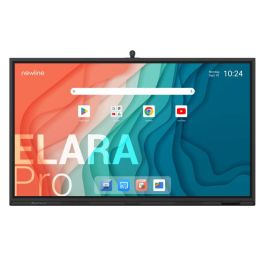
Newline Elara Pro 86'' Screen
Call us for availability86" all-in-one interactive display with 4K camera, 8 microphones, Bluetooth, and Google EDLA certification - designed to reinvent collaboration.- Google EDLA certified: integrated Google apps
- Operating system: Android 13
- 86’’ 4K resolution display
- Anti-glare and antibacterial glass
- 50-point multi-touch technology
- Built-in wide-angle 4K camera (120°)
- Integrated subwoofer + 8 microphones
- Wired or wireless content sharing
- Wi-Fi 6 and Bluetooth 5.2: modern and secure connectivity
£2,749.99 £3,299.99 Incl. VATRef: NEWTT8623QCACompare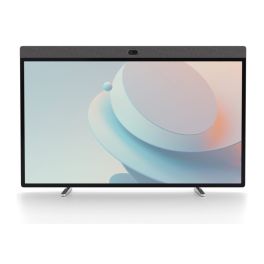
Neat Board 50 All In One Collaboration Display
Call us for availability50-inch 4K touchscreen collaboration board with integrated camera, microphones and speakers for hybrid meetings and interactive teamwork.- 50-inch 4K multi-touch display for interactive meetings, presentations and whiteboarding
- 50 MP wide-angle camera with 113° field of view
- Advanced audio system with beamforming microphones and echo cancellation
- Native Microsoft Teams and Zoom Rooms support
- USB-C connectivity with 90W power delivery
- Flexible installation options: table stand, wall mounting and dual-screen support
- Integrated whiteboarding tools: natural annotation and brainstorming
£5,999.99 £7,199.99 Incl. VATRef: NEATBOARD50BUNUKCompare- Special EducationFrom June 1 to June 30, 2026
Prepare for the new school year with our special education pricing
Samsung WA65FX-P 65-inch 4K Interactive Display
Call us for availability65-inch interactive 4K display for meeting rooms and classrooms, featuring multi-touch and built-in tools for efficient collaboration.- 65" 4K UHD display: High image quality for presentations and training sessions
- Multi-touch functionality: Multiple users can interact simultaneously
- Integrated system: Work directly without an external PC
- Wireless screen sharing: Share content quickly and easily
- Whiteboard and annotation tools: Efficient real-time collaboration
- Versatile connectivity: Easy integration into existing systems
£3,064.99£2,166.99 £2,600.39 Incl. VATRef: SALH65WAFPLGCXENCompare - Special EducationFrom June 1 to June 30, 2026
Prepare for the new school year with our special education pricing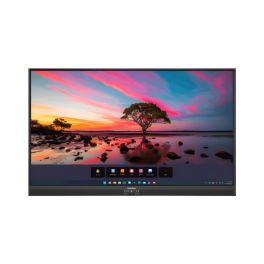
Promethean ActivPanel Premium 10 55''
Call us for availability55'' 4K touchscreen, 50 touchpoints, Wi-Fi 6, digital pen, built-in speakers, and ActivSuite educational software- 55'' 4K UHD display with 977 cd/m² brightness
- Vellum touch technology with 50 simultaneous touchpoints
- Precise writing with differentiation between pen, finger, and palm
- 9H tempered glass with anti-reflective and anti-fingerprint coating
- Powerful audio with built-in speakers: 2x25W
- Compatible with Windows, macOS, Linux, and Android
- Ambient light sensor and silent fanless design
- Includes ActivInspire licence and 2 ActivSuite licences
£2,099.99£1,790.99 £2,149.19 Incl. VATRef: PROAP10B55EUCompare - Special EducationFrom June 1 to June 30, 2026
Prepare for the new school year with our special education pricing
Samsung Flip Pro WMFX 85'' 4K interactive display
Call us for availabilityAn 85-inch 4K interactive display designed for large collaborative spaces, offering advanced multi-touch functionality, an immersive display and built-in professional tools.- 20-point multi-touch: advanced simultaneous collaboration
- 85” 4K UHD screen: maximum immersion for large rooms and auditoriums
- Natural interaction: 26 ms latency and smooth writing
- Integrated collaboration tools: whiteboard, annotation, sharing
- Multitasking display: multiple content streams on a single screen
- Extensive connectivity: HDMI, USB, USB-C, network, wireless
- Samsung Knox security: protection for business data
£3,786.19£3,441.99 £4,130.39 Incl. VATRef: SA85WMFXCompare - Special EducationFrom June 1 to June 30, 2026
Prepare for the new school year with our special education pricing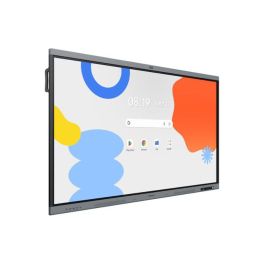
Samsung WA86FX-P 86 inch 4K Interactive Display
Call us for availability86-inch interactive display for education and business, featuring 4K resolution, multi-touch and built-in collaboration tools for efficient teamwork.- 86" 4K UHD display: Clear display of content for presentations and lessons
- Multi-touch technology: Simultaneous use by multiple people
- Integrated Android system: Direct access to apps and whiteboard functions
- Screen sharing: Wireless content transmission from multiple devices
- Writing and annotation tools: Intuitive real-time collaboration
- Robust design: For intensive use in schools and businesses
£4,377.99£3,725.99 £4,471.19 Incl. VATRef: SALH86WAFPLGCXENCompare 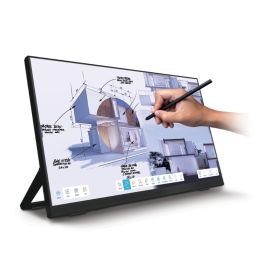
iiyama ProLite T2755QSC-B1 27-inch touchscreen
Call us for availability27-inch QHD touchscreen with IPS panel, PCAP technology and a USB-C port – ideal for retail, meeting rooms and point-of-sale applications.- Robust construction suitable for commercial environments
- 27-inch QHD IPS display: clear visuals and high level of detail
- 10-point PCAP touchscreen: precise and responsive interaction
- Edge-to-edge glass design: modern styling
- USB-C connectivity for video, data and power
- VESA 100 x 100 mm mount
- Connections: HDMI, DisplayPort and USB
£431.99 £518.39 Incl. VATRef: IIYT2755QSCCompare
Newline Elara 75 Pro 75" 4K Touch Display
Call us for availabilityProfessional 75-inch interactive display with 4K UHD resolution, Android 13 with Google EDLA, advanced multi-touch technology, and integrated 4K camera.- 75" professional interactive display for meeting rooms and classrooms
- 4K UHD resolution (3840 x 2160) for accurate viewing
- Android 13 with Google EDLA certification and access to Google Play
- High-precision Stellar Touch (IR) multi-touch technology
- 4K AI ModCam+ camera and integrated microphones for video conferencing
- Designed for continuous professional use in collaborative environments
£2,324.99 £2,789.99 Incl. VATRef: NEWTT7523QCACompare- Special EducationFrom June 1 to June 30, 2026
Prepare for the new school year with our special education pricing
iiyama ProLite TE9813A-B1AG 98" Interactive Display
Call us for availability98" professional interactive display with 4K UHD resolution and Android 14, designed for immersive collaboration in large spaces.- Usage: XL meeting rooms, lecture theatres and classrooms
- 98-inch 4K surface: maximum visibility
- Infrared touchscreen with up to 40 simultaneous touch points
- AG anti-glare surface: excellent readability in all conditions
- Integrated Android 14 (iiWare): standalone use without an external PC
- Collaborative tools: whiteboard, annotation and screen sharing
- Full connectivity with HDMI, USB, LAN and Wi-Fi
£3,999.00£3,881.99 £4,658.39 Incl. VATRef: IIYTE9813AB1AGCompare - Special EducationFrom June 1 to June 30, 2026
Prepare for the new school year with our special education pricing
LG CreateBoard TR3DQ 55-inch UHD Interactive Monitor
Call us for availability55-inch UHD interactive display with Android 14, 50-point multi-touch, and wireless sharing for collaboration and training.- Up to 50-point touch for smooth simultaneous collaboration
- 4K UHD resolution for sharp and detailed images
- Android 14 with Google EDLA access to the Play Store and apps
- Wireless sharing for up to 9 devices simultaneously
- Powerful integrated audio with front-facing speakers and subwoofer
- Multifunction USB-C for data, video and charging up to 65W
£1,400.99 £1,681.19 Incl. VATRef: LG55TR3DQCompare - IconBest Seller

Newline Elara Pro 65"
DiscontinuedThe Ultimate Hybrid Solution- Advanced Connectivity: Wi-Fi 6, Bluetooth 5.2, and 100W USB-C power for seamless connections.
- Certified Performance: Google EDLA certified, Android 13, compatible with any hardware/software.
- Interactive Ecosystem: Includes tools for video conferencing, brainstorming, screen sharing, and streaming.
- Superior Features: 4K AI ModCam+, NFC login, Stellar Touch Technology with 50 touch points.
- Robust Specs: 65" 4K display, 16 GB RAM, 320 GB expandable storage, multiple connectivity ports.
Check the alternative productRef: NEWLELPRO65UKCompare 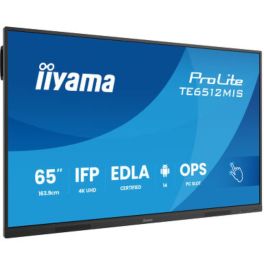
iiyama ProLite TE6512MIS-B4AG
Discontinued65'' 4K UHD interactive touch screen with PureTouch-IR, Android 14 & USB-C Power Delivery.- 65-inch 4K UHD VA panel with Direct-LED
- 40 touch points with PureTouch-IR, ±1.5 mm accuracy
- Thin bezels and zero-gap air bonding glass
- Android 14 / iiWare 13E including Google EDLA & DMS
- USB-C with 65 W Power Delivery & Display/Touch/Audio support
- Front-facing integrated speakers (2 × 16 W)
- 24/7 operation with fanless design
- Wide connectivity options: HDMI, DisplayPort, VGA, RJ-45, USB ports
Check the alternative productRef: IIYTE6512Compare
iiyama ProLite TE8613A-B1AG 86" Interactive Display
Discontinued86" professional interactive display with 4K UHD resolution and Android 14, designed for advanced collaboration in large meeting rooms and education.- Usage: large meeting rooms, lecture theatres and classrooms
- 86-inch 4K surface: maximum visibility
- Infrared touchscreen with up to 40 simultaneous touch points
- AG anti-glare surface: excellent readability in all conditions
- Integrated Android 14 (iiWare): stand-alone use without an external PC
- Collaborative tools: whiteboard, annotation and screen sharing
- Full connectivity with HDMI, USB, LAN and Wi-Fi
Check the alternative productRef: IIYTE8613AB1AGCompare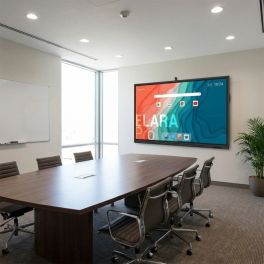
Newline Elara 65 Pro 65" 4K Touch Display
Discontinued65-inch professional interactive display with 4K UHD resolution, Google EDLA-certified Android 13, 4K camera and integrated audio for advanced collaboration.- 65" professional interactive display for meeting rooms and education
- 4K UHD resolution for crisp, detailed presentations
- Android 13 with Google EDLA certification and access to Google Play
- Advanced multi-touch interaction with high writing precision
- Integrated 4K camera, microphones and speakers for video conferencing
- Full connectivity with USB-C, HDMI, DisplayPort and Wi-Fi 6
Check similar productsRef: NEWLEL65PROCompare- Special EducationFrom June 1 to June 30, 2026
Prepare for the new school year with our special education pricing
iiyama ProLite TE5513A-B1AG 55" Interactive Display
Discontinued55" interactive touchscreen with 4K UHD resolution and Android 14, designed for collaboration in meeting rooms and educational environments.- Usage: meeting rooms, teaching and collaborative spaces
- 55-inch 4K surface: clear and precise collaboration
- Infrared touchscreen with up to 40 simultaneous touch points
- AG anti-glare surface: excellent readability in all conditions
- Integrated Android 14 (iiWare): standalone use without an external PC
- Collaborative tools: whiteboard, annotation and screen sharing
- Full connectivity with HDMI, USB, LAN and Wi-Fi
Check the alternative productRef: IIYTE5513A-B1AGCompare 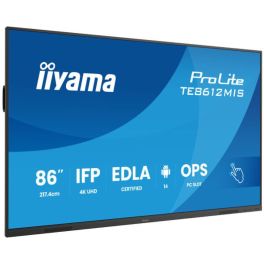
iiyama ProLite TE8612MIS-B4AG
Discontinued86'' 4K UHD interactive touch screen with PureTouch-IR, Android 14 & USB-C Power Delivery.- 86-inch 4K UHD VA panel with Direct-LED
- 40 touch points with PureTouch-IR, ±1.5 mm accuracy
- Thin bezels and zero-gap air bonding glass
- Android 14 / iiWare 13E including Google EDLA & DMS
- USB-C with 65 W Power Delivery & Display/Touch/Audio support
- Front-facing integrated speakers (2 × 16 W)
- 24/7 operation with fanless design
- Wide range of connectivity options: HDMI, DisplayPort, VGA, RJ-45, USB ports
Check the alternative productRef: IIYTE8612Compare
iiyama ProLite TE8614MIS-B2AG
Discontinued86'' 4K UHD interactive display with PureTouch-IR+ technology, WiFi, and Google EDLA certification – perfect for seamless collaboration- Display for education and professional collaboration
- 86'' surface with 4K UHD screen
- Supports up to 50 touch points
- WiFi and Bluetooth connectivity
- iiWare 12E system based on Android 13
- Anti-glare coating and tempered glass
- Built-in speakers and 8-array microphone
- Horizontal and vertical display orientation
Check similar productsRef: IIYTE8614MISB2AGCompare- Special EducationFrom June 1 to June 30, 2026
Prepare for the new school year with our special education pricing
Newline C Series 86” 4K Touch Display
DiscontinuedProfessional 86-inch interactive display with 4K UHD resolution, Stellar Touch technology and USB-C connectivity, designed for education and collaboration with PCs or OPS.- 86" interactive display for large classrooms and meeting rooms
- 4K UHD resolution for crisp, detailed content
- Stellar Touch technology with up to 40 simultaneous touch points
- No operating system, ideal for use with external PC or OPS
- Plug & Play USB-C connectivity for audio, video, data and touch
- Integrated front speakers 15 W x2
Check the alternative productRef: NEWLTT8623CCompare
Characteristics and Core Functions
Education-focused touch screens are built to withstand intensive use in busy classrooms. They incorporate connectivity and software features that help teachers manage lessons efficiently, encourage student participation and adapt content to different age groups and teaching approaches.
| High-precision PCAP / IR touch with 20–40 points | Supports simultaneous interaction from several students, ideal for collaborative exercises and group work |
| 4K UHD resolution with anti-glare surface | Ensures text, diagrams and multimedia content remain readable from all areas of the classroom |
| Dual operating system (Android + Windows) | Provides access to educational apps as well as familiar productivity and office tools |
| Integrated educational software and whiteboard tools | Ready-to-use templates, subject-specific tools and annotation features without additional licences |
| HDMI / USB-C / LAN / WiFi connectivity | Allows teachers and students to connect laptops or tablets and share content wirelessly |
| Classroom mode and session recording | Facilitates lesson control and enables saving, replaying or sharing recorded sessions |
| Compatibility with educational apps | Supports a broad ecosystem of learning platforms and digital teaching resources |
How to Select the Right Educational Touch Screen
- OKClassroom size and layout – Choose screen size based on room depth and student seating to ensure clear visibility
- OKCurriculum requirements – Identify the types of content and applications used, such as STEM tools, language platforms or video
- OKIT infrastructure – Align connectivity, security and device management features with school networks and policies
- OKTeacher workflows – Consider how lessons are prepared, delivered and saved for future classes
- OKStudent devices – Check compatibility with existing laptops or tablets used by pupils
- OKFuture-proofing – Ensure the platform supports updates and evolving digital curricula
Applications Across Educational Environments
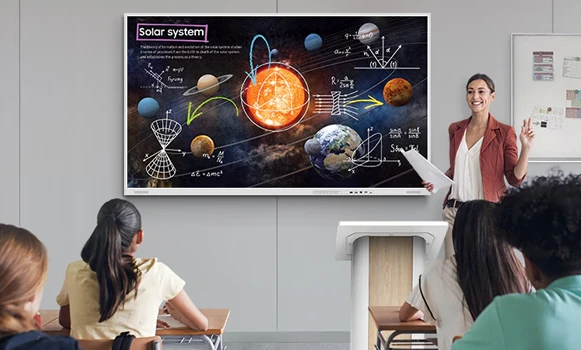
Primary and secondary schools use interactive screens to demonstrate concepts with visual content, annotate diagrams and involve pupils directly at the board. Touch interaction and instant visual feedback help improve engagement and knowledge retention.
Vocational training centres and academies rely on interactive displays for technical diagrams, simulations and hands-on exercises. Trainers can switch easily between presentations, whiteboard tools and application sharing.
Corporate training rooms also benefit from education-grade screens, creating interactive learning environments where participants collaborate on case studies and scenario-based activities, with outputs saved for later review.
Why Partner with Onedirect?
Onedirect delivers interactive education solutions from brands such as iiyama, Samsung, Newline, Maxhub and LG. Our range covers a wide variety of classroom sizes and budget levels while maintaining professional-grade reliability.
We support schools, colleges and training organisations in selecting the right screen size, mounting options, connectivity and software features. Our advice also includes integration with learning management systems and existing device fleets.
With reliable delivery schedules and dedicated after-sales support, Onedirect accompanies educational institutions throughout the full lifecycle of their interactive teaching technology.
FAQ – Frequently Asked Questions
Are educational touch screens suitable for daily classroom use?
Yes. They are designed for intensive daily use, with reinforced panels and durable touch technology suitable for busy classrooms.
Can multiple students use the screen at the same time?
Most education-focused touch screens support 20–40 simultaneous touch points, enabling collaborative learning.
Do educational touch screens work with school laptops and tablets?
Yes. They support standard connections such as HDMI and USB-C, as well as wireless sharing from compatible devices.
Can lessons be saved or recorded?
Many models include classroom modes and recording features that allow lessons to be saved, replayed or shared.
Are these screens compatible with educational software platforms?
Yes. They support a wide range of educational apps, learning platforms and digital resources.
Related Resources
Touchscreen Displays Icon Meeting Room Displays Icon Meeting Room Equipment Icon