
My Cart



Thermal label printers
Thermal label printers for professional use
Thermal label printers allow you to quickly create labels for products, barcodes, parcels, shipping and traceability. Discover our range of professional thermal printers for retail, warehouses and logistics environments, with different label formats, resolutions, printing speeds and connectivity options.
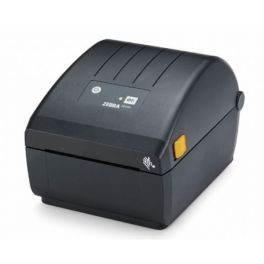
Zebra ZD220 desktop printer
Call us for availability10 cm label printer with thermal technology, 203 DPI resolution, a print speed of 102 mm/sec and a fast USB connection.£165.99 £199.19 Incl. VATRef: ZEBZD220Compare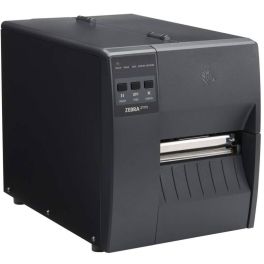
Zebra ZT111D Label printer
Call us for availabilityA professional label printer for those on a tight budget, offering 203 DPI direct thermal printing, with comprehensive connectivity including USB, Bluetooth and Ethernet.£454.99 £545.99 Incl. VATRef: ZEBZT111TDCompare
Zebra ZT111T Label printer
Call us for availabilityA professional label printer offering excellent print quality at 203 DPI with full Wi-Fi and Ethernet connectivity.£516.99 £620.39 Incl. VATRef: ZEBZT111TTCompare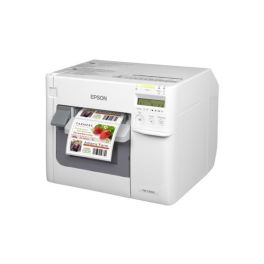
Epson ColorWorks C3500 Colour Label Printer
Call us for availabilityDesktop inkjet printer for colour labels with a print width of up to 104 mm, a resolution of 720 x 360 dpi and a print speed of up to 103 mm/s.£1,094.99 £1,313.99 Incl. VATRef: EPTMC3500Compare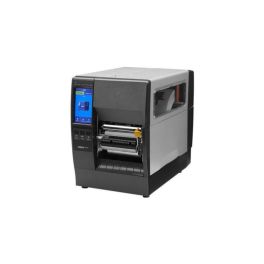
Zebra ZT231D Direct Thermal Printer
Call us for availabilityA 203 dpi direct thermal industrial printer with speeds of up to 305 mm/s, a 4.3" touchscreen display and USB, Ethernet and serial connectivity.£516.99 £620.39 Incl. VATRef: ZEBZT231DCompare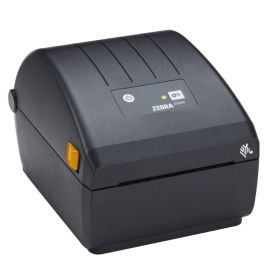
Zebra ZD230 Label printer
Call us for availability4-inch label printer with high-quality thermal printing at 203 dpi and a speed of 152 mm/sec for optimum productivity.£253.99 £304.79 Incl. VATRef: ZEBZD230Compare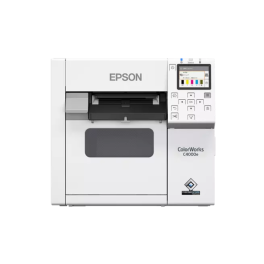
Epson ColorWorks C4000e BK Colour Label Printer
Call us for availabilityDesktop inkjet printer for colour labels with a resolution of up to 1200 x 1200 dpi, a print width of 108 mm, an automatic cutter and an LCD display.£1,523.99 £1,828.79 Incl. VATRef: EPCWC4000ECompare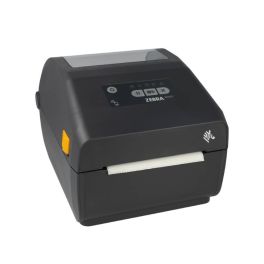
Zebra ZD421 label printer
Call us for availabilityProfessional-grade label printing with fast 152mm/sec output, high 203 DPI resolution, and versatile connectivity options including Bluetooth 5.0 and Ethernet.£419.99£343.99 £412.79 Incl. VATRef: ZEBZD4A042Compare
Key features of thermal label printers
A thermal label printer allows you to print the information needed to identify products and goods on demand, including text, references, barcodes, QR codes and logistics data. To choose the right model, it is important to compare the printing technology, resolution, label width, printing speed and connectivity.
| Direct thermal | Prints directly onto heat-sensitive labels without using a ribbon. |
| Thermal transfer | Uses a ribbon to transfer the print onto the label and is suitable for applications requiring greater durability. |
| Print resolution | Measured in dpi, resolution affects the precision of text, logos and barcodes, particularly when they are small or detailed. |
| Print width | Determines the maximum label dimensions that can be printed by the device. |
| Printing speed | An important factor when large quantities of labels need to be produced every day. |
| Connectivity | USB, Ethernet, Wi-Fi or Bluetooth depending on the model and the type of integration required. |
How to choose your thermal label printer
- OK Define your requirements: product labelling, barcodes, order preparation, shipping or logistics identification.
- OK Choose the technology: direct thermal for ribbon-free printing or thermal transfer for greater durability.
- OK Check label sizes: consider the print width and dimensions of compatible media.
- OK Choose the right resolution: a higher resolution is useful for small labels, fine text or compact barcodes.
- OK Assess daily printing volume: for intensive printing, consider both speed and capacity.
- OK Check consumables: make sure label rolls and thermal transfer ribbons are compatible.
Direct thermal or thermal transfer: which technology should you choose?
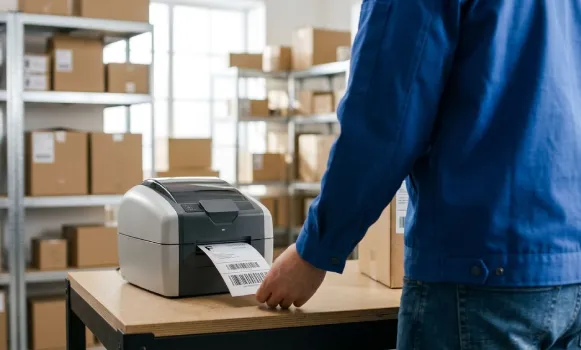
With direct thermal printing, the printhead applies heat directly to a heat-sensitive label, so no ribbon is required. This technology is particularly suitable for labels that do not need to be kept for long periods. Thermal transfer uses a ribbon to transfer the print onto the media and generally produces labels that remain durable for longer. The right choice therefore depends on the required lifespan, operating conditions and media being printed.
Which resolution should you choose for a thermal label printer?
Resolution, measured in dpi, determines the level of print detail. For standard labels with text and barcodes of a typical size, a standard resolution may be sufficient. A higher resolution is useful for printing small text, detailed logos or compact barcodes and 2D codes. It is therefore better to choose the resolution according to the actual size and content of your labels rather than automatically opting for the highest dpi available.
Thermal label printers across professional environments
In retail, thermal label printers make it easier to identify and organise products. In warehouses and logistics, they are used for barcodes, parcels, locations, shipping and traceability. They also meet the needs of industrial and other professional environments where products, equipment or goods need to be identified quickly and clearly.
Why choose Onedirect?
Onedirect offers professional thermal label printers for different printing volumes and working environments. Compare models by printing technology, resolution, speed, compatible formats and connectivity. Our advisers can also help you check compatibility between your printer, labels and other required consumables.
FAQ – Frequently asked questions
What is a thermal label printer?
A thermal label printer uses heat to produce the print. It works either directly with heat-sensitive labels or with a ribbon in the case of thermal transfer printing. It is commonly used to print references, barcodes and logistics information.
Does a thermal printer need ink?
No. A direct thermal printer uses no ink, toner or ribbon. A thermal transfer printer, however, requires a compatible ribbon to transfer the print onto the label.
What is the difference between direct thermal and thermal transfer printing?
Direct thermal printing uses heat-sensitive media without a ribbon and is mainly suitable for labels that only need to remain readable for a limited period. Thermal transfer uses a ribbon and generally provides a more durable print.
Can you print barcodes with a thermal printer?
Yes. Thermal label printers are commonly used to create labels with barcodes and, depending on the model and software used, 2D codes such as QR codes.
Which resolution should you choose: 203, 300 or 600 dpi?
The right resolution depends on the level of detail and label size. 203 dpi is suitable for many standard applications, 300 dpi provides greater precision for small text and codes, while 600 dpi is designed for applications requiring very fine print detail.
How do you know which labels are compatible with your printer?
Check the printing technology, maximum supported width, roll dimensions and the manufacturer's specifications. For a thermal transfer printer, you should also check ribbon compatibility.
Which thermal printer should you choose for intensive professional use?
For high printing volumes, choose a printer designed for professional use and compare factors such as printing speed, recommended print volume, consumable capacity, connectivity and how easy it is to replace the rolls.