My Cart



Meeting bars
All-in-one video bars for collaborative spaces
A professional video conferencing meeting bar combines a camera, microphones and speakers in a single compact device. Available as a plug-and-play USB solution or as a Teams Rooms and Zoom Rooms certified system, it delivers a smooth user experience in small and medium-sized meeting rooms. Easy to install and use, it simplifies hybrid collaboration.

- IconBest Seller
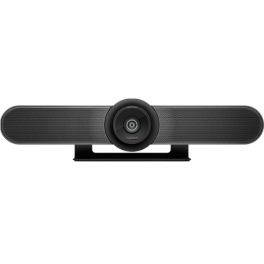
Logitech MeetUp
An advanced conference camera- optimised for small and huddle conference rooms- Super-wide 120° field of view
- Ultra HD 4K image sensor
- 3-microphones and a custom-tuned speaker
- Plug&Play USB connectivity
- Compatible with all meeting apps, Microsoft Teams, Zoom, Google Meet, etc
IN STOCK4.7 of 13 Reviews£999.99£369.99 £443.99 Incl. VATRef: LOMEETUPCompare - IconBest Seller
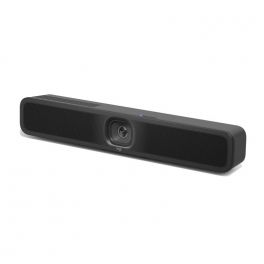
Logitech MeetUp 2
Discover the new AI-enhanced USB conference camera, ideal for small meeting rooms!- All-in-one bar with camera, microphones and speakers
- For small meeting rooms
- 4K UHD resolution lens
- 120° panoramic view
- Automatic framing and thumbnail display
- 6 microphones with AI noise suppression
- USB connection to PC/Mac
- Compatible with all videoconferencing software
IN STOCK5 of 1 Reviews£849.99£594.99 £713.99 Incl. VATRef: LOMEETUPV2Compare 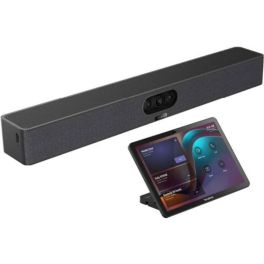
Yealink Meetingbar A25 with CTP25
IN STOCKCompact all-in-one video bar with 151° ultra-wide-angle camera and AI audio for small focus rooms, plus touchscreen pad for intuitive control of your meetings- 151° ultra-wide-angle camera
- Three 4K lenses for razor-sharp images
- Electronic lens cover (privacy shutter)
- 8-MEMS microphone array with 5 m range
- Full-duplex audio with AI noise cancellation
- One-cable solution: power + network via Cat5e
- Android 13 operating system, MDEP security
- Management via Yealink Cloud, Teams Admin Center, or Zoom Device Platform
- 10.1'' touchpad for controlling meetings
- Support for Android 13 (with continuous upgrades)
- Content sharing/BYOD/power sharing via USB-C cable
£1,921.99£1,479.99 £1,775.99 Incl. VATRef: YEALINKA25CTP25Compare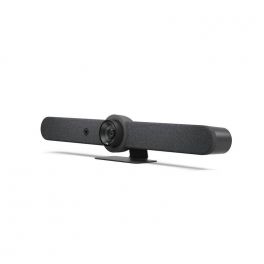
Logitech Rally Bar - Graphite
IN STOCKAll-in-one video conferencing bar without additional software - ideal for medium-sized rooms- Video conferencing bar for medium-sized rooms
- With USB connection for PC / MAC
- 4K camera for sharp images
- With Artificial Intelligence viewfinder
- 5x Optical Zoom: adapted to meeting needs
- Exceptional sound - for an outstanding audio experience
- Zoom and Teams Certified
- Compatible with all softphones on the market
£3,599.00£2,661.99 £3,194.39 Incl. VATRef: LORALLYBARGUKCompare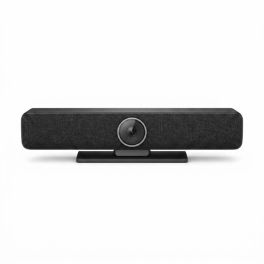
Cleyver Medium Room Bar 4K 90° AI Camera
IN STOCK3-in-1 video conferencing bar with 4K camera, integrated audio and AI features, designed to effectively equip small and medium-sized meeting rooms.- 4K E-PTZ camera with 4x digital zoom and 90° field of view
- AI auto framing: speaker tracking, auto framing and mosaic mode
- 4 built-in microphones with noise and echo reduction (DSP)
- Powerful 20 W speaker for clear voice reproduction
- Ideal for small and medium-sized rooms with up to 6 participants
- Compatible wired extension microphone to extend audio capture
£262.99 £315.59 Incl. VATRef: ODMCAMBAR4KCompare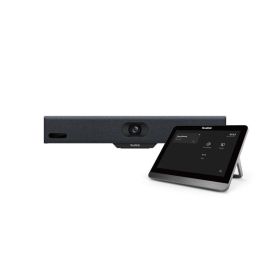
Yealink MeetingBar A10 with Control Panel
IN STOCKRevolutionise your virtual meetings with unmatched clarity.- 4K UHD video resolution
- AI auto framing & speaker tracking
- 120° wide field of view
- Built-in 8 MEMS mic array
- Dual-band Wi-Fi & Bluetooth
- Android 11 operating system
- Multiple mounting options
- Wireless device mode with WPP30
£1,656.99£1,086.99 £1,304.39 Incl. VATRef: YEALA10020UKCompare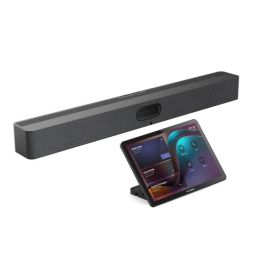
Yealink MeetingBar A50 + CTP25 Touch Controller
IN STOCKProfessional Yealink A50 video bar with CTP25 touch controller, designed for medium to large meeting rooms with premium audio and video performance.- Triple 50MP camera with 4K resolution
- AI: IntelliFocus and Speaker Tracking
- 16 MEMS microphones with 10 m range
- 4 integrated stereo speakers
- Motorised privacy shutter
- Compatible with Teams and Zoom
- Flexible BYOD mode
- Centralised remote management
£2,694.99£2,285.99 £2,743.19 Incl. VATRef: YEAA50031Compare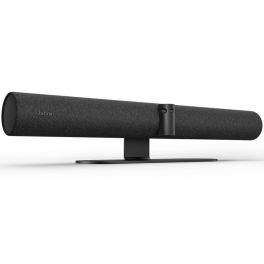
Jabra PanaCast 50 Black
IN STOCKAll-in-one smart 4K video bar with wide-angle for video conferencing up to 10 people- All-in-one video conferencing solution
- Designed for rooms of up to 10 people
- 4K video quality with 3 cameras
- Wide 180º field of view
- Counting system for the people in the meeting
- 8-microphone array to cover medium-sized rooms
- 4 stereo speakers with vibration suppression
- Whiteboard function to share live content
- Quick and easy connection: Plug & Play to PC (USB-C)
- Compatible with all major UC platforms
- Certified for Teams and Zoom
£1,101.00£888.99 £1,066.79 Incl. VATRef: GNPANACAST50UKCompare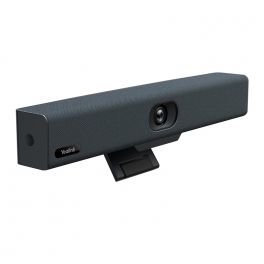
Yealink UVC34
IN STOCKAll-in-one USB video bar for small meeting rooms- Video conference bar with USB connection
- 8 Mpx camera with 120° field of view
- Microphone array 4/ 5 meter range
- Echo-canceling speakerphone for natural exchanges
- Power Lens Cap - Your Privacy First
- Ease of use: 9 camera presets
- Self-framing technology : meetings at the center
- Compatible with any softphone on the market
- Requires Windows7, Windows8.1, Windows10, or Mac OS 10.10 or higher
£560.99£258.99 £310.79 Incl. VATRef: YEALINKUVC34Compare
Poly Studio X32 Video Conferencing Bar
IN STOCKAll-in-one video bar with 4K camera, Wi-Fi 6, Zoom & Teams certified!- 4K camera with 120° field of view
- Certified for Zoom & Microsoft Teams
- Wi-Fi 6 and Bluetooth 5.0
- Integrated MEMS-directional microphones
- External speaker with 5W output
- Multiple HDMI and USB ports
- Poly NoiseBlockAI & Acoustic Fence
- Supports H.323 & SIP protocols
£1,967.99£1,749.99 £2,099.99 Incl. VATRef: POSTUDIO32UKCompare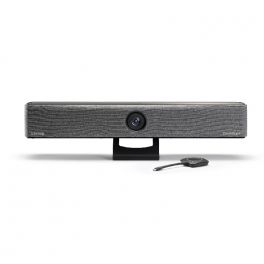
Barco ClickShare Bar CB Core with 1 button
IN STOCKAll-in-one video bar for wireless conferencing in small to medium meeting rooms with any platform.- All-in-one video bar and content sharing button
- Clear, high-quality stereo audio
- 4K ePTZ camera with AI and 120° vision
- Simplified installation
- Wireless presentation solution
- Carbon neutral product
- Compatible with all softphones on the market
- 1-year standard warranty. 5 years of coverage when you register through SmartCare.
£2,499.99£1,661.99 £1,994.39 Incl. VATRef: BARCOBARCORECompare- IconBest Seller
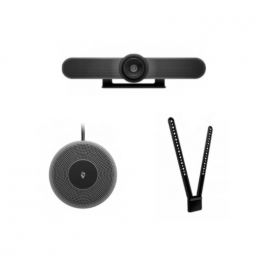
Logitech Meetup and Expansion Microphone with TV mount
Complete Pack with 4K Conference Webcam and Expansion Microphone with TV Mounting Part bundle- Complementary microphone for Logitech MeetUp Webcam
- Greater flexibility and superior sound in tight spaces
- Clear hearing up to 4.2 meters.
- Simple call mute
- Connection type: Plug & Play
- Ideal for meetings with up to 8 people
- TV mounting part
- Coupling above or below the monitor
IN STOCK4.7 of 15 Reviews£1,354.97£568.39 £682.07 Incl. VATRef: LOMEETUPPACKMTVVCompare 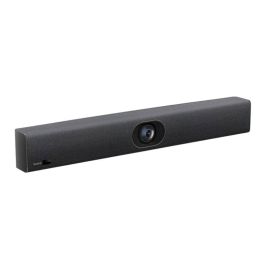
Yealink UVC40 E2
IN STOCKIntelligent video system with integrated video bar and microphone, ideal for medium-sized meeting rooms.- 4K video resolution for sharp, detailed images
- Built-in AI for auto-framing and speaker tracking
- Wide field of view (FOV) of 133°
- 8 MEMS microphones for clear audio
- Noise reduction with Yealink Noise Proof
- Simple and immediate Plug & Play connectivity
£473.99£337.99 £405.59 Incl. VATRef: YEALINKUVC40V2Compare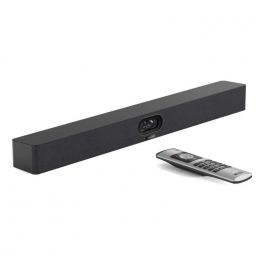
Yealink MeetingBar A40
IN STOCKHigh-quality all-in-one video bar with 4K dual cameras and AI-powered audio, perfect for small to medium-sized meeting rooms.- 4K dual cameras with 120° wide-angle
- AI-powered noise cancellation
- 6 m voice pickup range
- 8 MEMS microphones for crystal-clear sound
- Intelligent framing with IntelliFrame AI technology
- Supports Microsoft Teams and Zoom Rooms
- BYOD feature with simple plug-and-play integration
- Easy installation with a one-cable solution
£1,898.99£1,197.99 £1,437.59 Incl. VATRef: YEAA40UKCompare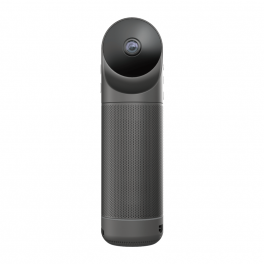
Kandao Meeting Pro
All-in-one 360º video conferencing solution - the best ally to make your meetings a success- All-in-one 360º video conferencing solution
- Can be used with or without a PC
- 4K camera for a sharp picture
- Autofocus on speaker or group
- Great audio quality for successful meetings
- Built-in microphones for HD sound
- Android system for a practical experience
- HDMI, Wifi, USB and RJ45 connections
- Compatible with all softphones on the market
IN STOCK3.7 of 3 Reviews£790.89£639.99 £767.99 Incl. VATRef: KANMEEPROCompare- IconBest Seller
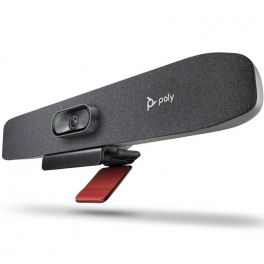
Poly Studio R30
USB Video bar for Small Conference Spaces- New generation all-in-one video bar
- Ideal for small meeting rooms
- PTZ camera with 4K UHD sensor
- 120° field of view with automatic framing of participants
- Integrated array of 3 beamforming microphones
- AI noise and echo suppression technologies
- Remote management and adjustment via Poly Lens
- Connection: USB Plug & Play
- Certified for Zoom Rooms and Microsoft Teams
IN STOCK5 of 1 Reviews£601.69£364.99 £437.99 Incl. VATRef: POSTUR30UKCompare 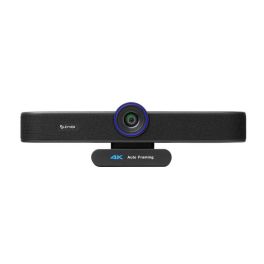
Cleyver Small Meet Bar+
IN STOCKAll-in-one 4K videoconferencing bar ideal for small and medium meeting rooms.- 3-in-1 video bar: integrated camera, microphones and speaker for small meeting rooms
- 4K Ultra HD video: Sony sensor with 30 fps for sharp and detailed image quality
- Wide-angle coverage: 88.2° field of view ideal for 3–4 participants
- 4x digital zoom & ePTZ: flexible framing and smooth image adjustment
- Integrated microphones: voice pickup up to 5 metres for clear conversations
- Built-in speaker: clear audio playback without external devices
- Plug & Play USB: no software installation required, easy deployment
- Broad compatibility: works with Teams, Zoom, Skype and other softphones
£169.99 £203.99 Incl. VATRef: ODSCAMBAR4KCompare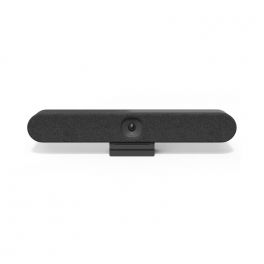
Logitech Rally Bar Huddle
Simple and powerful video conferencing solution for small spaces.- All-in-one video conferencing bar
- Ideal for small meeting rooms
- Ability to work without a PC (appliance), with PCs or with own devices (BYOD)
- Compatible with all major video platforms
- Internet connection: wired or wireless
- 120° camera with 4K resolution
- Built-in microphone and speakers
IN STOCK5 of 1 Reviews£1,799.00£1,573.99 £1,888.79 Incl. VATRef: LORALLYBARHUUKCompare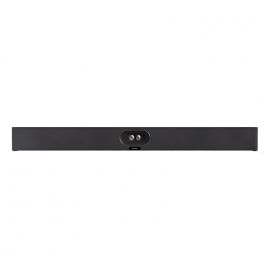
Yealink SmartVision 40
IN STOCKAll-in-one video bar with AI-powered audio and video functions, specially designed for small to medium-sized rooms.- Dual 48MP lenses with 4K streaming
- 120° panoramic view
- AI: Group framing and speaker tracking
- Virtual background: Eliminates background distractions
- 8 microphones + 2 speakers
- Intelligent noise reduction processing
- Expandable audio with 2 extension microphones
- Remotely configurable and manageable
£916.00£780.99 £937.19 Incl. VATRef: YEASMAVIS40UKCompare
Logitech MeetUp 2 with Active USB Cable
USB conference camera with AI and 5m USB-C cable, ideal for small meeting rooms- All-in-one bar with camera, microphones and speakers
- For small meeting rooms
- 4K UHD resolution lens
- 5m long USB-C cable (USB 3.1 Gen 2)
- 24-pin USB-C to 24-pin USB-C (Male)
- Supports DisplayPort Alternate Mode
IN STOCK5.0 of 1 Reviews£1,049.98£722.63 £867.16 Incl. VATRef: LOSRSMEETV2PCompare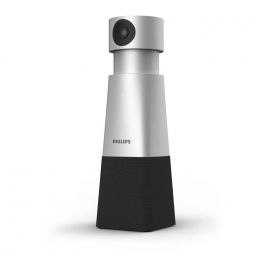
Philips Smart Meeting PSE0550
IN STOCKPortable conference system with 4K resolution, 4 microphones, note taking and Sembly meeting assistant.- USB camera for small rooms (up to 6 speakers)
- Camera 4Kwith PTZ movements and4x zoom
- 2 speakers + 4 microphones with 360° capture
- Integrated automatic note-taking
- Instant summary of meetings
- Automated action plans at the end of the meeting
- Clear separation of speakers via voice identification
- Autonomy: 5 hours in conversation
- Compatible with all softphones
£399.99£317.99 £381.59 Incl. VATRef: PHPSE0550Compare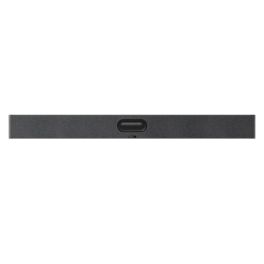
Yealink VideoBar A50-010
Video Bar for medium to large meeting rooms with triple 4K camera, 16 microphones, and stereo audio.- Triple 50 MP camera with 4K resolution
- AI: IntelliFocus, Auto Framing, Speaker Tracking
- 16 MEMS microphones, 10 m pickup range
- 4 built-in speakers with stereo sound
- Motorised physical privacy shutter
- Natively compatible with Teams and Zoom
- BYOD mode (General Mode) via USB
- Remote management and updates
IN STOCK5 of 2 Reviews£2,367.99£1,987.99 £2,385.59 Incl. VATRef: YEAA50010Compare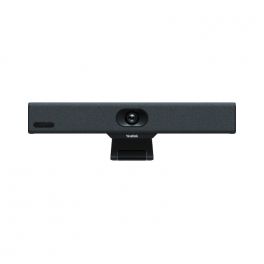
Yealink MeetingBar A10
IN STOCKAll-in-One Android Video Bar for Huddle Rooms, compatible with Teams, Zoom, or any other video conference app.- 4K Videoconferencing
- Plug&Play
- Auto framing and auto tracking
- 8 built-in microphones with ANC (noise cancellation)
- Control panel, remote control and presentation pod (purchased separately)
- Certified for Microsoft Teams, Zoom, BYOD
£1,083.99£790.99 £949.19 Incl. VATRef: YEAA10TUKCompare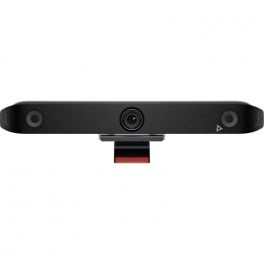
Poly Studio X-52
IN STOCKA state-of-the-art collaboration tool that transforms how teams interact and work together in the modern workplace.- 20MP 4K UHD 95° FOV Camera
- Integrated microphones with Poly noise filtering technologies
- Built-in Speakers
- All-in-one design with simple set-up
- Poly DirectorAI smart camera technology and Auto-Framing
£3,959.99£3,095.99 £3,715.19 Incl. VATRef: POSTX52UKCompare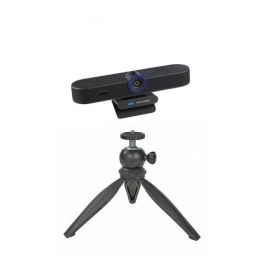
Cleyver Small Meet Bar Pack + with tripod
IN STOCK4K image and sound video solution with tripod, special for small rooms- 4K Camera 30 fps with 4x Digital Zoom
- Sony IMX415 Sensor and 3840 x 2160 resolution
- Field of view: 88.2° (D), 80.2° (H), 51° (V)
- Desktop tripod for your webcam
- Multifunctional with 360º panoramic rotation
- Maximum height 14 cm - minimum height 10 cm
£178.98£170.70 £204.84 Incl. VATRef: ODSCAMBAR4KPODCompare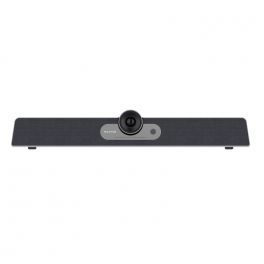
MAXHUB UC S07 USB Videobar
IN STOCKAll-in-one 4K Ultra HD USB videobar with integrated device management and AI features- Plug-and-play USB BYOD videobar
- Built-in 6-element microphones with 8m pickup
- Background noise filter with noise reduction and echo-cancellation
- 4K Ultra HD with 5x digital zoom
- 120º wide-angle camera with adjustable 15º tilt
- Hands-free function within a 3m range
- Auto-framing and active speaker tracking
- Integrated device management compatible with all videoconferencing platforms
- For up to 8 people meeting rooms
£586.29£532.99 £639.59 Incl. VATRef: MAXHUCS07Compare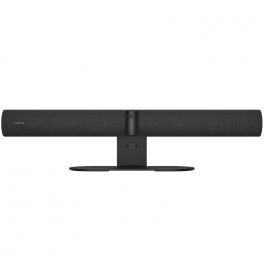
Jabra PanaCast 50 Video Bar System UC
IN STOCKAll-in-one video conferencing system with intelligent video and audio, designed for seamless UC integration in medium to large meeting rooms.- All-in-one video system with camera, speakers and microphones integrated
- Ultra-wide 180° field of view ensures full room coverage
- Intelligent video features with AI-driven framing and tracking
- Professional audio quality with advanced beamforming microphones
- Native UC compatibility for Microsoft Teams, Zoom and more
- Simple installation with flexible mounting options
£3,199.99£2,837.99 £3,405.59 Incl. VATRef: GNPANA50SYSTEMUCCompare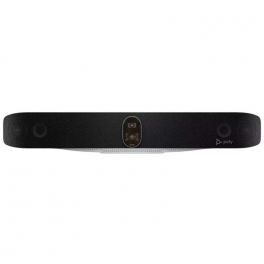
Poly Studio V72
IN STOCKAll-in-one video conferencing system with USB connectivity and advanced audiovisual technologies – perfect for large meeting rooms.- All-in-one video bar for large spaces
- Dual 20MP sensor with 4K UHD resolution
- Wide 120° field of view (HFOV)
- Poly DirectorAI: smart framing
- 2 high-sensitivity microphones with 7.62m pickup range
- Bidirectional speakers
- Can be paired with Poly E360 and tabletop microphones
£4,599.99£4,199.99 £5,039.99 Incl. VATRef: POSTV72Compare- Back to WorkPromotional price valid until 25/09/2026.
Extra discount: £25 off orders over £400 with BACK25
£50 off orders over £700 with BACK50
£80 off orders over £1,000 with BACK80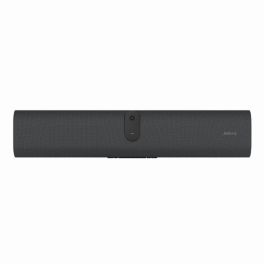
Jabra PanaCast U30 BYOD Videobar
IN STOCKAI-powered videobar for small meeting rooms with 120° wide-angle video, single-cable BYOD connectivity and Android 13 platform.- AI-powered videobar designed for BYOD installations in small meeting rooms
- 120° wide-angle lens for comprehensive room visibility in compact spaces
- Single-cable USB-C connectivity with included USB-C 3.2 Gen 1 cable
- Integrated microphones and speakers for precise voice pickup and clear audio
- Android 13 platform with MDEP for enhanced security and future integrations
- Display wake sensor and onboard wallpapers for improved room usability
- Remote management with Jabra Plus for simplified updates and device handling
£705.99£619.99 £743.99 Incl. VATRef: GNPANACASTU30Compare 
Lenovo ThinkSmart Bar 180
IN STOCKVideo conferencing bar with 180° field-of-view, 8-microphone array, Bluetooth, and high-quality stereo sound.- 180° horizontal field-of-view webcam
- 8-microphone beamforming array
- Stereo sound-bar output
- Bluetooth wireless connectivity
- Digital video resolution 3840 × 1080
- 6× digital zoom
- RJ‑45 and USB‑C interfaces
- Frequency response 80–20,000 Hz (output)
£1,199.99£888.99 £1,066.79 Incl. VATRef: LENBAR180UKCompare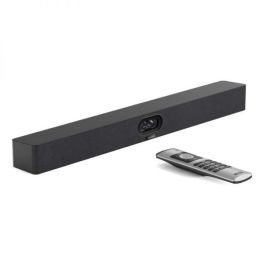
Yealink MeetingBar A40 4K Video Bar Open Box
IN STOCKOpen-box: all-in-one 4K video bar with dual cameras, AI audio and BYOD for small to medium meeting rooms. Repacked in a neutral box with a 1-year warranty.- Open Box: repacked in a neutral box and covered by a 1-year warranty!
- All-in-one 4K video bar for small to medium meeting rooms.
- Dual 48 MP cameras with a wide 120° field of view.
- IntelliFrame AI technology for intelligent participant framing.
- 8 MEMS microphones with a voice pickup range of up to 6 metres.
- AI-powered noise cancellation for clearer conversations.
- Microsoft Teams, Zoom Rooms and BYOD support for flexible collaboration.
£999.99 £1,199.99 Incl. VATRef: R-YEAA40UKCompare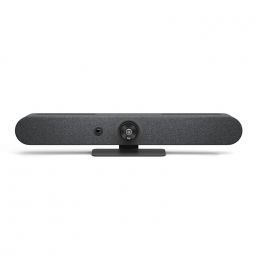
Logitech Rally Bar Mini - Graphite
IN STOCKPowerful all-in-one solution for hassle-free video conferencing and collaboration- High-end all-in-one video conferencing bar for small to medium meeting rooms
- Ideal for holding professional-looking conference room
- Features powerful 4K optics for panoramic-like video meetings
- Quick and easy to install and set up with a plug&play connection
- High-precision beamforming mics will concentrate on the busy talker
- Focus on what matters with background noise suppression
- Advanced audio engineering ensures that every word spoken is clearly heard
- With just one touch, easily link to your preferred conferencing platform and start your meeting
£2,699.99£2,229.99 £2,675.99 Incl. VATRef: LORALLYBARMINIGUKCompare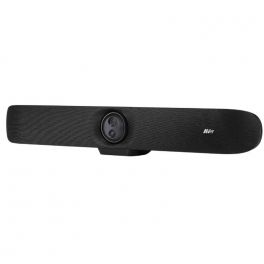
AVer VB350
IN STOCKLarge room USB video conferencing bar with dual 4K lenses!- Video conferencing bar for large rooms
- 3-in-1: cameras, microphones, speakers
- Dual PTZ 4K lens with 18x zoom
- Auto-frame + speaker tracking
- 14 microphones with AI noise and echo suppression
- Connection USB Plug & Play
- Adding expansion microphones and speakers is possible
- All softphone compatible
£1,851.00£1,471.99 £1,766.39 Incl. VATRef: AVVB350Compare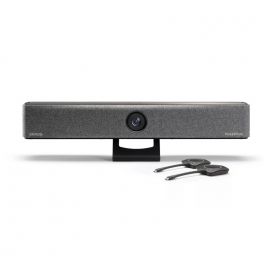
Barco ClickShare Bar Pro
IN STOCKAll-in-one video bar for wireless conferencing in medium-sized conference rooms on any platform- All-in-one video bar and 2 buttons for sharing content
- Clear, high-quality stereo audio
- 4K ePTZ camera with AI and 120° view
- Wired room dock for sharing 4K content
- Advanced interactivity: touchback, annotation and whiteboard
- Wireless presentation solution, supports 2 screens
- Climate-neutral product
- Compatible with all softphones available on the market
- Warranty 1 year standard. 5 years of coverage when registered via SmartCare.
- 5-year warranty (with SmartCare registration)*
£2,999.99 £3,599.99 Incl. VATRef: BARCOBARPROCompare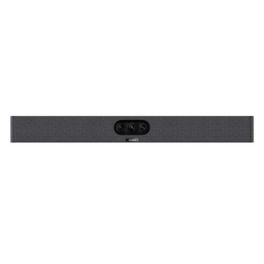
Yealink MeetingBar A25
IN STOCKCompact all-in-one video bar with 151° ultra-wide-angle camera and AI audio for small focus rooms.- 151° ultra-wide-angle camera
- Three 4K lenses for razor-sharp images
- Electronic lens cover (privacy shutter)
- 8-MEMS microphone array with 5 m range
- Full-duplex audio with AI noise reduction
- One-cable solution: power + network via Cat5e
- Android 13 operating system, MDEP security
- Management via Yealink Cloud, Teams Admin Center, or Zoom Device Platform
£1,397.99£1,092.99 £1,311.59 Incl. VATRef: YEALINKA25Compare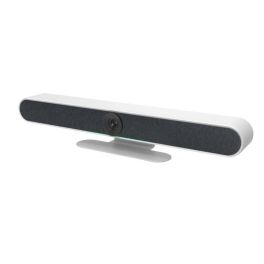
Cleyver Medium Large Room Bar 4K Zoom 10x
Call us for availability3-in-1 videoconferencing bar with 4K camera, stereo audio and smart features, ideal for meeting rooms with up to 12 people.- 4K Ultra HD camera with 10x digital zoom and 120° angle
- Advanced AI features: auto-framing and voice tracking
- 6 digital microphones with up to 6 metres of pickup range
- Two 2×10 W stereo speakers for consistent sound distribution
- Built-in Bluetooth 5.0 for mobile and tablet connectivity
- Electric privacy cover for added security
£437.99 £525.59 Incl. VATRef: ODMLCAMBAR4KCompare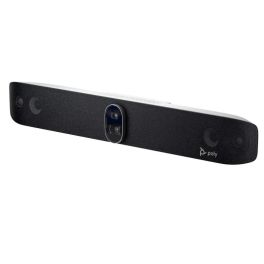
Poly Studio X72 Video Bar
Call us for availabilitySmart video conferencing system with 4K video and audio bar – essential for large meeting rooms.- All-in-one video conferencing system for large meeting rooms
- Dual 20MP sensor with 4K resolution
- 120° field of view + 7.3x digital zoom
- Poly DirectorAI: intelligent participant framing
- Long-range microphones (7.62 metres)
- Bidirectional stereo speakers
- Poly NoiseBlockAI and Acoustic Fence: background noise reduction
- Remote management via Poly Lens
- Compatible with Zoom, Microsoft Teams and Google Meet
£4,760.99£4,500.99 £5,401.19 Incl. VATRef: POSTX72UKCompare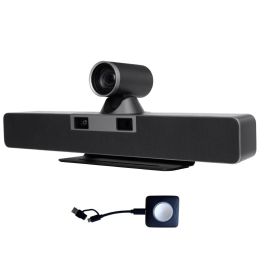
Cleyver Large Room DUALBAR PTZ
All-in-one video conferencing bar designed for large meeting rooms, featuring dual 4K cameras, AI framing functions, 360° stereo sound, and long-range microphones.- Use: large meeting rooms
- Dual 4K camera: 180° rotating PTZ + 8.5 MP wide-angle lens
- 117° field of view and 12x optical zoom
- AI features: intelligent framing, auto gallery, voice and gesture tracking
- 6 beamforming microphones capturing voices up to 8 m away
- Powerful stereo sound (2 x 8W)
- BYOM/BYOD function: one-click sharing via wireless button
- Comprehensive connectivity: USB-C, HDMI, RJ45, Bluetooth 5.0
- Flexible installation: includes wall mount and table stand
Call us for availability4 of 1 Reviews£1,126.99£1,099.99 £1,319.99 Incl. VATRef: ODLDUALBARPTZCompare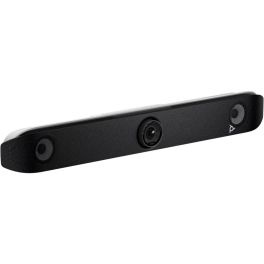
Poly V52 Video Bar
Call us for availability4K video bar with long-range microphones, AI-powered control and USB connectivity – ideal for medium-sized meeting rooms!- All-in-one video bar
- For medium-sized meeting rooms
- 20MP sensor with 4K UHD resolution
- 110° field of view
- Poly Director AI: voice tracking, group framing and picture-in-picture view
- 2 stereo speakers + 4 long-range microphones
- NoiseBlock AI: removes background noise
- Plug & Play USB connection
- Poly Lens software: remote management and device analytics
- Compatible with all video conferencing platforms
£2,699.99£2,210.99 £2,653.19 Incl. VATRef: POSTV52UKCompare
IPEVO VC-B4K UHD 4K All-in-One Video Bar
Call us for availabilityAll-in-one 4K UHD video bar with AI framing, beamforming microphones, and powerful speakers for seamless hybrid meetings- Crystal-clear 4K UHD camera with smart auto-framing
- Built-in beamforming microphones that capture voices clearly
- Integrated high-quality speakers for rich, room-filling sound
- Intelligent noise reduction keeps conversations clear and focused
- Quick, hassle-free plug-and-play USB setup
- Works seamlessly with all major video conferencing platforms
£699.99£698.99 £838.79 Incl. VATRef: IP593120800Compare
Characteristics and Core Functions
Video conferencing bars are all-in-one solutions designed to optimise space and simplify meeting room setup without compromising audio-visual quality. They integrate a camera, microphones and speakers into a single device, eliminating complex cabling and ensuring fast deployment with maximum operational efficiency.
| All-in-one integration | Camera, microphones and speakers combined in a single device. |
| Fast installation | Simple USB or network connection for quick deployment. |
| Wide-angle camera | 90°–180° field of view to effectively capture all participants. |
| Broad compatibility | Works with all collaboration platforms (excluding certified models). |
| Elegant design | Refined finishes that blend seamlessly into modern workspaces. |
How to choose the right solution?
- OKAudio and video capture: based on target room capacity and number of regular participants.
- OKRequired field of view: standard 90° angle or ultra-wide 120°–180° for specific layouts.
- OKRequired audio quality: standard pickup or premium audio with advanced beamforming and echo cancellation.
- OKSmart features: fixed camera or AI-powered system with automatic tracking and intelligent framing.
- OKPreferred connection type: USB BYOD for flexibility or Teams/Zoom certification for native integration.
Applications across professional environments
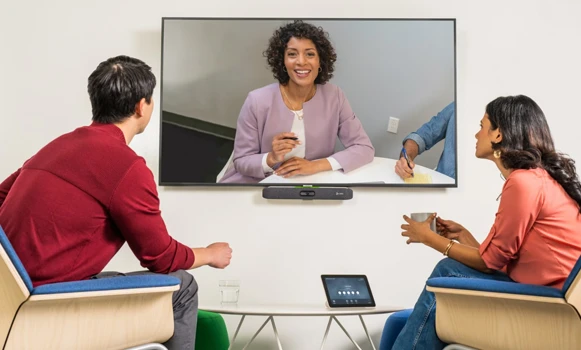
Video conferencing bars are used by businesses to quickly increase the number of accessible collaborative spaces. In SMEs, they enable the deployment of professional solutions while keeping budgets under control, and they are a compact option for coworking spaces. They are also valued for private meetings in executive offices, demonstrations in commercial environments and training sessions requiring fast and efficient interactions.
Why partner with Onedirect?
Onedirect offers professional video conferencing bars from leading brands such as Yealink, Poly, Logitech, Jabra and many others. As an official reseller, we guarantee authentic products, fast and secure delivery, and dedicated after-sales support. Our team helps you identify the right solution based on room capacity and platform choice according to your infrastructure, ensuring a successful installation and optimal user satisfaction.
FAQ – Frequently asked questions
What is the difference between a video conferencing bar and a separate kit?
Video bars natively integrate all audio and video components into a single device, optimising space. Separate kits offer greater positioning flexibility, which can be beneficial in more complex rooms.
Do video bars require an external computer?
USB BYOD video bars require a personal computer. Certified MTR Windows bars include a mini-PC and a dedicated controller for fully autonomous operation.
How should a video conferencing bar be positioned in a room?
Ideally below or above a display, centred facing participants at seated eye level. Some models also support wall mounting depending on architectural constraints.
Can video bars be expanded with additional components?
Some models support extension microphones for larger rooms. For major future changes, modular systems may be a better option from the outset.
Which accessories can complement a video bar?
Depending on the model, wall mounts, TV mounts, extension microphones and room booking panels can complete your video conferencing setup.
Related resources
Show more filters