
My Cart



Computer and Network
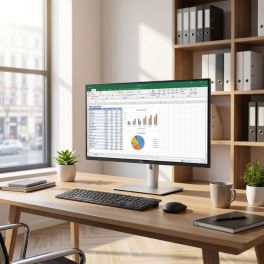
Dell Pro 24 Plus P2425DE Monitor USB-C QHD
Call us for availability24-inch professional QHD monitor with a built-in USB-C hub, IPS panel and advanced ergonomic features, designed for modern workstations and business productivity.£494.99£209.99 £251.99 Incl. VATRef: DELLP2425DECompare
HP Series 5 Pro 527pm QHD USB C Monitor
Call us for availability27-inch QHD USB-C conferencing monitor designed for professional environments with business-focused connectivity and collaboration features.£369.99£365.99 £439.19 Incl. VATRef: HP527PMQHD27UKCompare
ASUS 15.6" LED - ZenScreen MB16AHP portable Monitor
Call us for availabilityPortable 15.6-inch IPS monitor with Full HD, built-in 7,800 mAh battery, USB-C and Micro-HDMI for productive working on the move£351.99£279.99 £335.99 Incl. VATRef: ASUMB16AHPCompare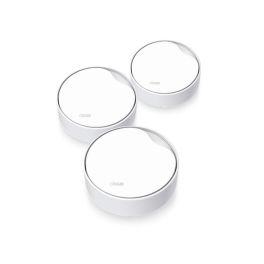
TP Link Deco X50 PoE Pack 3 Mesh WiFi 6 AX3000
Call us for availabilityPack of 3 Mesh WiFi 6 AX3000 units with PoE, 2.5 Gbps ports and flexible installation options: ceiling, wall or tabletop.£349.99 £419.99 Incl. VATRef: TPDECOX50Compare
Dell Pro MS3220 Wired Laser Mouse
Call us for availabilityWired USB 2.0 laser mouse with 5 buttons and adjustable resolution up to 3,200 dpi for the professional workplace.£21.99£17.99 £21.59 Incl. VATRef: DELLMS3220Compare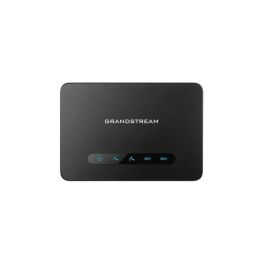
Grandstream HT812 V2 2-port Gigabit VoIP ATA
Out of stockVoIP telephone adapter with 2 FXS ports, 2 Gigabit connections and a built-in NAT router, ideal for connecting analogue telephones to corporate IP networks.£39.99 £47.99 Incl. VATRef: GRAHT812V2Compare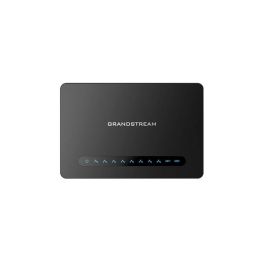
Grandstream HT818 V2 8-port FXS VoIP gateway
Out of stockA professional VoIP gateway with 8 FXS ports, an integrated Gigabit NAT router and 2 SIP profiles, ideal for connecting analogue telephones to corporate IP networks.£98.99 £118.79 Incl. VATRef: GRAHT818V2Compare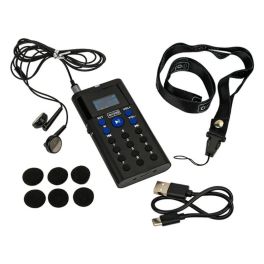
Rondson AR-50 AG Audio Guide with 16 GB of memory
Call us for availabilityProfessional audio guide with 16 GB of storage, support for 41 languages, a battery life of approximately 40 hours and intuitive operation via the number keys.£218.99£192.99 £231.59 Incl. VATRef: SONOAR50GCompare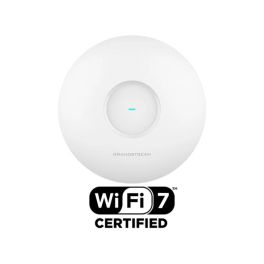
Grandstream GWN7673 Wi-Fi 7 PoE Access Point
Out of stockDual-band Wi-Fi 7 access point with speeds of up to 5 Gbps, a 2.5 GbE port and capacity for 512 devices on enterprise networks.£113.99 £136.79 Incl. VATRef: GRAGWN7673Compare
HP 425 Programmable Bluetooth Mouse, 4,000 DPI
Call us for availabilityA portable Bluetooth mouse that can connect to up to three devices, with a resolution of 4,000 dpi, six programmable buttons and a battery life of up to 24 months.£34.99£22.99 £27.59 Incl. VATRef: HP7M1D5AACompare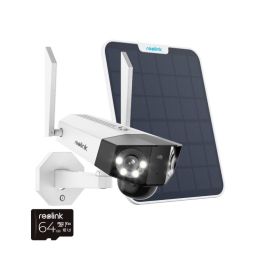
Reolink 2K+ WiFi Duo Lens Battery Cam Kit +64GB
Call us for availabilityProtect your home/ business with a panorama view WiFi camera£182.99£167.99 £201.59 Incl. VATRef: REODLB6MS2M64UKCompare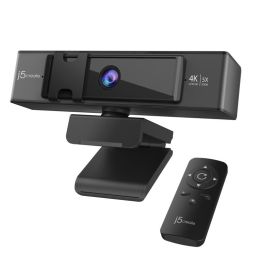
j5create USB 4K ULTRA HD Webcam
Call us for availabilityRedefine clarity, control, and connectivity with the j5create 4K Ultra HD Webcam.£89.16£84.99 £101.99 Incl. VATRef: J5JVCU435NCompare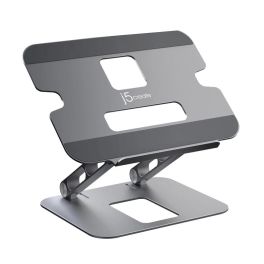
j5create Multi-Angle Laptop Stand
Call us for availabilityWork smarter and stay comfortable with the versatile j5create Multi-Angle Laptop Stand.£47.29£34.99 £41.99 Incl. VATRef: J5JTS127NCompare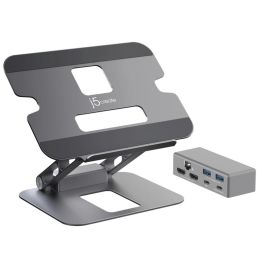
j5create Multi-Angle Dual 4K Docking Stand
Call us for availabilityRedefine your workspace with the j5create Multi-Angle Dual 4K Docking Stand, where form meets functionality.£109.99£82.99 £99.59 Incl. VATRef: J5JTS427NCompare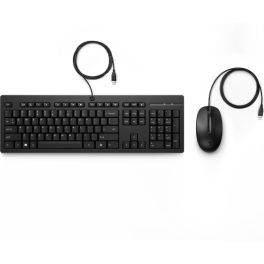
HP 225 Wired Mouse and Keyboard Combo
Call us for availabilityProfessional office tools that are comfortable to use throughout the day.£35.00£18.99 £22.79 Incl. VATRef: HP286J4AAUKCompare
Logitech Pebble Mouse 2 M350s Pink
Call us for availabilityWireless mouse that combines modern design with silent functionality – ideal for any work environment.£25.99 £31.19 Incl. VATRef: LOM350SPINKCompare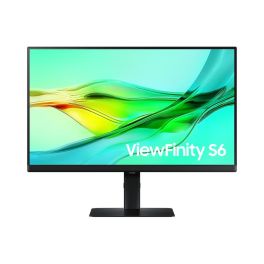
Samsung ViewFinity S6 S24D600UAU 24 Inch QHD Monitor
Call us for availability24" QHD IPS monitor with USB-C connectivity and ergonomic stand, designed for professional workspaces requiring clarity, comfort and efficient multitasking.£249.99£226.99 £272.39 Incl. VATRef: SALS24D600UAUXXUCompare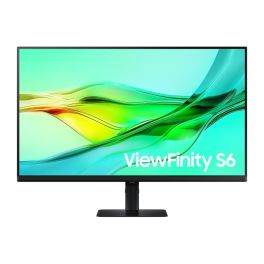
Samsung ViewFinity S60UD 32'' QHD Monitor
Call us for availability32-inch QHD professional monitor with USB-C connectivity, IPS panel and ergonomic design, ideal for productivity and multi-device workspaces.£319.99£271.99 £326.39 Incl. VATRef: SALS32D600UAUXXUCompare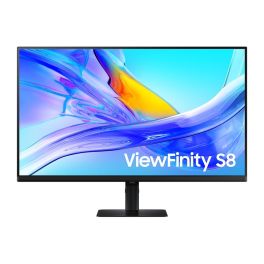
Samsung ViewFinity S80UD 27'' 4K USB-C Monitor
Call us for availability27-inch 4K UHD monitor with USB-C connectivity, IPS panel and ergonomic stand, designed for professional productivity and clean desk setups.£362.99£265.99 £319.19 Incl. VATRef: SALS27D800UAUXXUCompare
Samsung S4 S40GD 27'' FHD IPS Monitor
Call us for availability27-inch Full HD monitor with IPS panel and 100Hz refresh rate, designed for smooth performance and everyday professional productivity.£129.99£117.99 £141.59 Incl. VATRef: SALS27D406GAUXXUCompare
HP E24i G4 WUXGA Monitor
Call us for availability24” WUXGA IPS monitor with 16:10 aspect ratio, ergonomic adjustability and advanced eye comfort features for professional office productivity.
£175.99£145.99 £175.19 Incl. VATRef: HP9VJ40AAUKCompare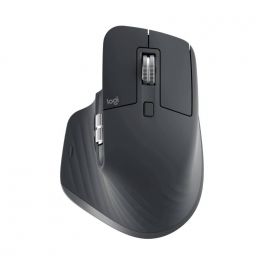
Logitech MX Master 3S
Call us for availabilityErgonomic wireless mouse for professionals£119.99 £143.99 Incl. VATRef: LOSMXM3BUKCompare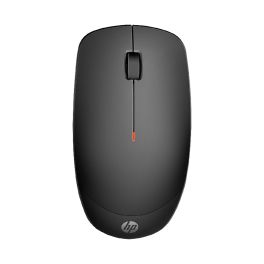
HP 235 Slim Wireless Mouse
Call us for availabilityExperience ultimate comfort and precision in your workflow.£14.29£11.99 £14.39 Incl. VATRef: HPM235Compare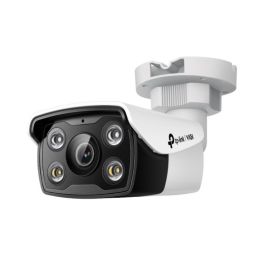
TP-Link VIGI 4MP Outdoor Full-Color Bullet Network Camera
Call us for availabilityExperience security like never before with vibrant full-colour video, night vision, and smart detection features.£65.99£62.99 £75.59 Incl. VATRef: TPLVC34028Compare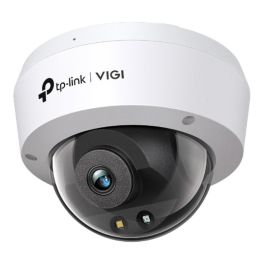
TP-Link VIGI 4MP Full-Color Dome Network Camera
Call us for availabilityExperience unparalleled security with the TP-Link VIGI 4MP Camera. Enjoy vivid night vision, enhanced human and vehicle classification, and a sturdy design built to withstand harsh environments.£61.99 £74.39 Incl. VATRef: TPLVC24028Compare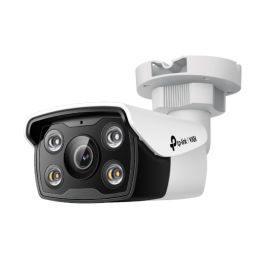
TP-Link VIGI C350 5MP Outdoor Full-Color Bullet Network Camera
Call us for availabilityThe TP-Link VIGI C350 offers unmatched security with full-colour visuals around the clock. Benefit from its advanced AI detection and 24/7 monitoring capabilities.£67.99 £81.59 Incl. VATRef: TPLVC3504Compare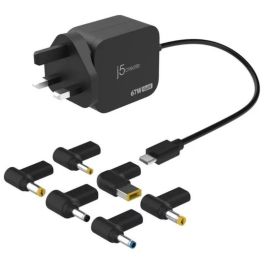
J5Create 67W USB-C Charger with 6 DC Connectors
Call us for availabilityCompact 67W GaN USB-C PD charger with six DC connectors, delivering fast, efficient power for modern and legacy laptops.£51.99 £62.39 Incl. VATRef: J5JUP1565DCFFNUKCompare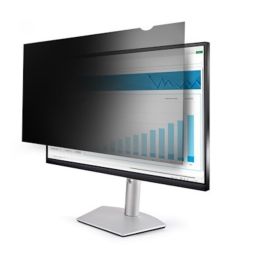
StarTech Monitor Privacy Screen for 20 inch PC Display
Call us for availabilityProtect sensitive data and reduce screen glare with the StarTech 20" Monitor Privacy Screen ideal for offices, public spaces, and compliance environments.£57.99 £69.59 Incl. VATRef: PRIFIL20PCompare
Apple Studio Display 27-inch 5K nano-textured glass, tilting stand
Call us for availability27-inch 5K display with nano-textured glass, a 12 MP camera and a tilting stand, designed for Mac workstations and brightly lit environments.£2,013.99£1,597.99 £1,917.59 Incl. VATRef: APMFF14FDACompare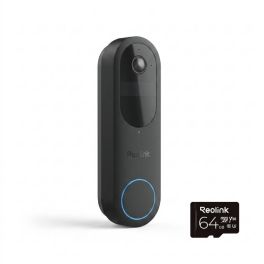
Reolink Video Doorbell WiFi Black 2K Battery
Call us for availabilitySmart battery-powered video doorbell with 2K resolution, head-to-toe view, dual-band WiFi and package detection for enhanced entrance security.£99.99£83.99 £100.79 Incl. VATRef: REOPT2K064Compare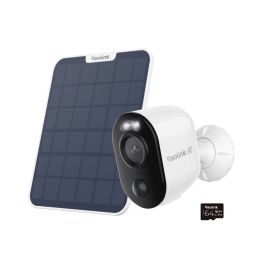
Reolink Argus 3 Ultra 4K Solar Battery Camera
Call us for availabilityStandalone 4K wireless security camera with rechargeable battery, solar panel and dual-band WiFi for flexible outdoor protection without subscription fees.£91.99 £110.39 Incl. VATRef: REOARGUS4KWCompare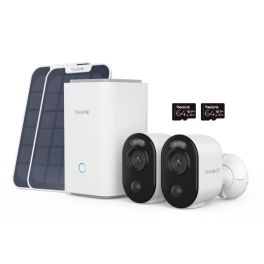
Reolink Advantage Series 4K WiFi Battery Cam Kit
Call us for availabilityComplete wireless security system with two 4K battery-powered cameras, Home Hub and 128GB local storage for reliable, subscription-free monitoring.£249.99 £299.99 Incl. VATRef: REOBWS4KITCompare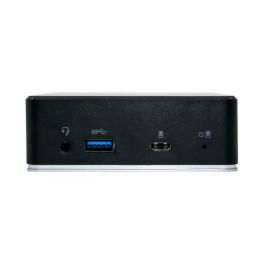
Origin Storage USB C A Multi Mount Dock
Call us for availabilityVersatile USB-C/A docking station with multi-mount design, dual HDMI and power delivery, ideal for fixed workstations and flexible installations.£98.99 £118.79 Incl. VATRef: ORIDOCKUSBCACompare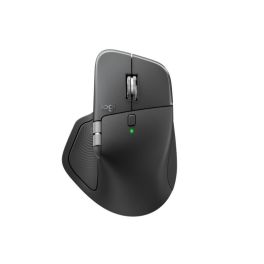
Logitech MX Master 4 Business Mouse
Call us for availabilityErgonomic wireless business mouse with an 8000 DPI Darkfield sensor, MagSpeed scroll wheel and a secure Logi Bolt connection.£175.99£102.99 £123.59 Incl. VATRef: LOSMXM4BUSCompare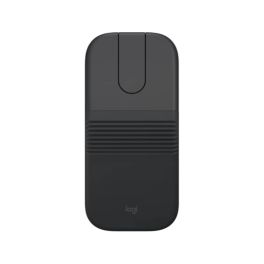
Logitech Mobi Fold for Business Foldable Bluetooth Mouse
Call us for availabilityA foldable, ultra-portable wireless mouse designed for mobile professionals, featuring dual connectivity, adaptive scrolling and long battery life.£73.99£62.99 £75.59 Incl. VATRef: LOMOBIFOLDCompare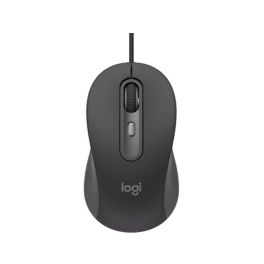
Logitech M520 Business USB-C Mouse with SilentTouch technology
Call us for availabilityProfessional USB-C wired mouse, ambidextrous design, SmartWheel, silent clicks and an optical sensor adjustable up to 4000 DPI.£25.99 £31.19 Incl. VATRef: LOM520Compare
TP-Link TL SG105PE 4-port Gigabit PoE+ switch
Call us for availability5-port Easy Smart Gigabit switch with 4 PoE+ ports, a 65 W power budget, and VLAN and QoS management for small professional networks.£43.99£37.99 £45.59 Incl. VATRef: TPLSG105PEV2Compare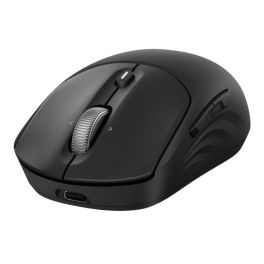
HP 705 Rechargeable Mouse, 6,000 DPI
Call us for availabilityRechargeable wireless mouse for productive working, featuring Bluetooth, a 2.4 GHz connection, up to 6,000 dpi and programmable buttons.£65.99£33.99 £40.79 Incl. VATRef: HP705Compare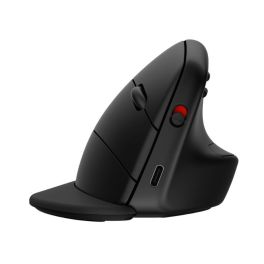
HP 925 Ergonomic Vertical Mouse, 4,000 DPI
Call us for availabilityErgonomic vertical wireless mouse with a detachable wrist rest, Bluetooth 5.3, up to 4000 dpi and 5 programmable buttons.£118.99£62.99 £75.59 Incl. VATRef: HP925Compare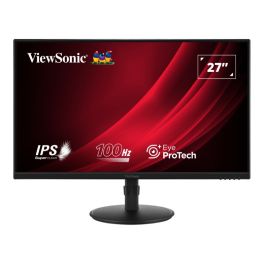
ViewSonic VG2708A-MHD 27-Inch Full HD Monitor
Out of stock27-inch Full HD IPS monitor with a 100Hz refresh rate, fully adjustable ergonomic stand, built-in speakers and Eye ProTech+ for professional workspaces.£91.99 £110.39 Incl. VATRef: VSVVG2708AMHDCompare
Discover Computer and Network Solutions
staying connected and equipped with the right technology is no longer optional, it’s essential. Whether you're running a small startup or managing a large enterprise, reliable computing and networking solutions are the backbone of productivity and growth. In this section, we will explore the various types of products available, tips for choosing the right equipment, and answer some of the most frequently asked questions regarding PC and Network Tools.
Choose the Right Computer and Network Solutions According to Your Needs
Selecting IT and networking equipment can feel overwhelming, but breaking it down into key categories makes the process much easier. Here are some of the main areas to consider:
- Routers and Switches: These devices are the backbone of your network, facilitating communication between devices. Routers connect multiple networks and provide internet access, while switches distribute data within the same network. Choose high-performance models for larger businesses that require robust connectivity.
- Network Security: Safeguarding your data is crucial. Investing in firewalls, VPNs, and intrusion detection systems helps protect your network from external threats. Make sure you choose solutions that comply with industry standards and provide comprehensive support.
- Wireless Access Points: For businesses requiring flexibility, wireless access points are essential. They extend your network's range, allowing employees to connect seamlessly from different locations. Look for models that support the latest Wi-Fi standards for optimal performance.
- Networking Cables: Don't underestimate the importance of quality cables. Ethernet cables, fiber optic cables, and patch panels play a vital role in maintaining a stable connection. Choose durable and high-speed options to ensure minimal signal loss.
- Computing Devices: From desktops to laptops, the computing devices you choose can greatly impact productivity. Consider your team's needs regarding processing power and portability.
Tips Before Buying Computer and Network Solutions
Before making a purchase, here are some crucial tips to guide you in selecting the right Computer & Networking products:
- Assess Your Needs: Evaluate the size of your business and the extent of your networking requirements. Understanding how many devices will be connected and the bandwidth needed will help you choose the right solutions.
- Research Brands and Models: Not all products are created equal. Look for reputable brands with positive reviews and reliable customer support. It's wise to compare different models to find the best fit for your operational needs.
- Consider Scalability: As your business grows, your networking needs may change. Opt for solutions that allow for easy upgrades and expansions without requiring a complete overhaul of your existing setup.
- Check Compatibility: Make sure all devices are compatible with each other and your existing infrastructure. This includes hardware, software, and any specific protocols you may be using.
- Evaluate Security Features: Security should be a top priority. Look for products with built-in security features and the ability to integrate with your existing security policies.
- Budget Wisely: While it's tempting to opt for the cheapest option, consider the long-term value of your investment. Quality products may have a higher upfront cost but can save you money in maintenance and replacements down the line.
Frequently Asked Questions About Computer and Network Solutions
- What is the difference between a router and a switch? A router connects different networks and directs data traffic, while a switch connects devices within the same network, enabling communication between them.
- How do I know if I need a wireless access point? If your business requires internet access in multiple locations or areas where a router's signal is weak, a wireless access point can enhance connectivity.
- What should I look for in a network security solution? Look for features such as intrusion detection, data encryption, firewall capabilities, and compatibility with existing security measures.
- How often should I upgrade my networking equipment? Regularly assess your equipment's performance and functionality. Generally, it's recommended to upgrade every 3-5 years or when you notice significant performance issues.
- Can I set up a home office network? Yes! A home office network can be established using routers, switches, and wireless access points, depending on your specific needs.