
My Cart



Computer and Network

Samsung 43" M70D UHD Smart Monitor
Call us for availability43-inch UHD 4K smart monitor with integrated apps, large-format display and wireless connectivity, ideal for multitasking, collaboration and multimedia environments.- 43” UHD 4K display (3840x2160) for maximum workspace and visual clarity
- Smart TV apps built-in for direct access to streaming and online content
- WiFi and Bluetooth connectivity for wireless screen sharing and peripherals
- Remote PC and Office 365 access for flexible, cloud-based working
- Multiple inputs including HDMI and USB for versatile device connection
- Integrated speakers for a complete all-in-one setup
- Large-format screen ideal for multitasking, presentations and shared workspaces
£409.99 £491.99 Incl. VATRef: SALS43DM702UUXXUCompare
Samsung ViewFinity S8 S27D800EAU 27'' 4K Monitor
Call us for availability27-inch 4K UHD professional monitor with IPS panel, HDR10 and ergonomic design, ideal for colour-accurate work and multitasking environments.- 27” 4K UHD display : ultra-sharp 3840 x 2160 resolution
- IPS panel : accurate colours with 99% sRGB coverage
- HDR10 support : enhanced contrast and image depth
- Ergonomic stand : height, tilt, swivel and pivot adjustment
- USB hub integrated : simplified connectivity for peripherals
- Eye comfort features : flicker-free and Eye Saver Mode
- Multitasking tools : Picture-in-Picture and Picture-by-Picture
£289.99 £347.99 Incl. VATRef: SALS27D800EAUXXUCompare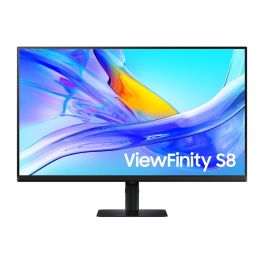
Samsung ViewFinity S80UD 32'' 4K USB-C Monitor
Call us for availability32-inch professional UHD IPS monitor with USB-C connectivity and a built-in hub, designed for modern workstations requiring image precision and simplified connectivity.- 32" UHD 4K display: precise visuals and an expanded workspace
- IPS panel with wide viewing angles: accurate colour reproduction
- USB-C with power delivery: connect and charge a PC with a single cable
- USB hub for easy connection of a keyboard, mouse and other peripherals
- Eye comfort: blue light reduction and Flicker-Free technology
- Slim-bezel design ideal for multi-screen setups
- Easy Setup Stand: quick, tool-free installation
£369.99£345.99 £415.19 Incl. VATRef: SALS32D800UAUXXUCompare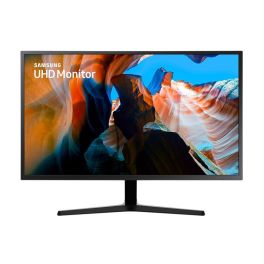
Samsung UJ590 32'' 4K UHD Monitor
Call us for availability32-inch 4K UHD monitor with VA panel, AMD FreeSync and multi-input connectivity, ideal for office productivity and everyday professional use.- 32” 4K UHD display : 3840 x 2160 resolution for detailed visuals
- VA panel : deep contrast and rich colours
- AMD FreeSync : smoother image performance
- Multi-input connectivity : HDMI and DisplayPort support
- Picture-by-Picture : display two sources simultaneously
- Slim design : modern look for professional environments
- Eye comfort features : flicker-free and Eye Saver Mode
£289.99£272.99 £327.59 Incl. VATRef: SALU32J590UQPXXUCompare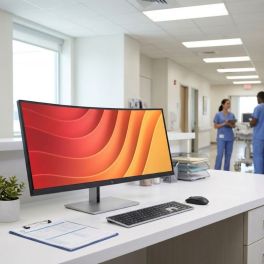
HP DQHD E45c G5 Curved Monitor
Call us for availability44.5” DQHD curved ultra-wide monitor with dual QHD resolution, USB-C docking and advanced multitasking features for high-performance professional environments.- 44.5” DQHD (5120x1440) display equivalent to dual QHD screens
- 1500R curved panel for immersive viewing and reduced eye movement
- USB-C docking with power delivery for simplified workstation setup
- Integrated KVM switch to control multiple devices with one keyboard and mouse
- Split-screen and multitasking features for efficient workflows
- Ergonomic adjustability with height, tilt and swivel
- Extensive connectivity including HDMI, DisplayPort, USB hub and Ethernet
£1,109.89£968.99 £1,162.79 Incl. VATRef: HP6N4C1AAUKCompare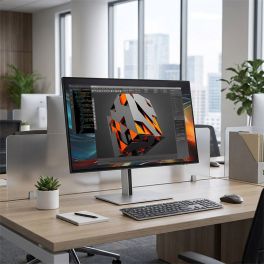
HP Series 7 Pro 724pf IPS Monitor 23.8"
Call us for availabilityProfessional 23.8" Full HD monitor with IPS panel, ergonomic stand and advanced connectivity for efficient and comfortable daily work.
- 23.8" Full HD display: detailed visuals for everyday professional use
- IPS panel technology: consistent colours and wide viewing angles
- Ergonomic stand: height, tilt and swivel adjustments
- Modern connectivity: DisplayPort, HDMI and USB hub for flexible setup
- Eye comfort features: low blue light and flicker-free technology
- 3-sided micro-edge design: ideal for multi-monitor environments
£209.99 £251.99 Incl. VATRef: HP8X530AAUKCompare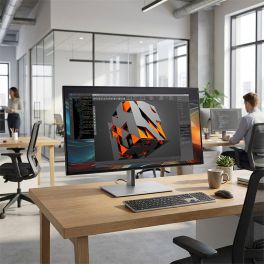
HP Series 7 Pro 732pk Thunderbolt 4K Monitor 31.5"
Call us for availability31.5" 4K professional monitor with IPS Black technology, Thunderbolt 4 connectivity and precise colour accuracy for demanding work environments.
- 31.5" 4K display: ultra-sharp resolution for detailed workflows
- IPS Black technology: deeper contrast (2000:1) and accurate colours
- Thunderbolt 4 connectivity: single-cable video, data and up to 100W charging
- Wide colour gamut: 98% Display P3 and 100% sRGB
- KVM switch: control multiple devices with one keyboard and mouse
- Docking monitor: advanced connectivity and daisy chaining
£799.99£789.99 £947.99 Incl. VATRef: HP8Y2K9AAUKCompare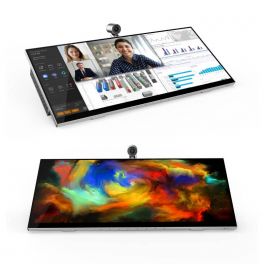
Jupiter Pana 34
Call us for availabilityAll-in-one desktop monitor with 21:9 panoramic display, 4K camera, speakers, and 8 microphones.- All-in-one desktop monitor
- 34-inch screen with 3,440 x 1,440 pixel resolution
- 21:9 widescreen display
- 4K camera with Windows Hello
- Two 12W speakers
- 8 digital microphones with 7m capture range
- Echo cancellation + noise suppression
- Tiltable and swivel mount
- 10-point multitouch Microsoft Pen included
£1,588.95£1,126.95 £1,352.34 Incl. VATRef: JUPPANA31TCompare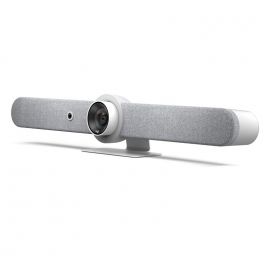
Logitech Rally Bar Mini - White
Call us for availabilityPowerful all-in-one video conferencing bar - Ideal for small meeting rooms- Video conferencing bar for small meeting rooms
- 4K UHD PTZ camera: High-quality image
- 120° field of view
- Omnidirectional microphones: excellent audio
- Echo and background noise suppression
- Quick and easy installation: Plug&Play
- Compatible with Microsoft Teams and Zoom
- Exists in graphite
£2,699.99£2,147.99 £2,577.59 Incl. VATRef: LORALLYBARMINIWUKCompare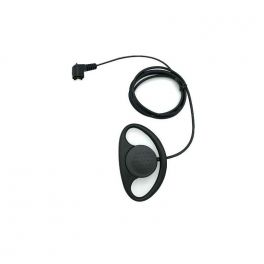
Earloop kit for Escolta Team-play
Call us for availabilityD-shaped headset to connect with Team-play Escort intercom- Earloop kit for Escola Team-play
£12.99 £15.59 Incl. VATRef: ESBRAVOHHE01Compare
Zebra DS2208 Wired USB 1D/2D Scanner
Call us for availabilityZebra DS2208 wired USB scanner for 1D and 2D barcodes: PRZM omnidirectional scanning, reading range up to 36.8 cm, IP52 rating and drop resistance from a height of 1.5 m.- 1D and 2D scanning: captures Code 39, 128, EAN/UPC, Data Matrix, PDF417 and QR codes
- Wired USB connection
- PRZM decoding to facilitate barcode scanning even when the barcode is damaged
- Omnidirectional scanning for faster day-to-day use
- Reading range up to 36.8 cm: reads a 13-mil UPC code from 1.3 to 36.8 cm
- Robust: withstands drops of 1.5 m onto concrete and has an IP52 ingress protection rating
- Pre-configuration, support for 90 international keyboards and management via Zebra 123Scan
£87.99 £105.59 Incl. VATRef: ZEBDS2208Compare
Philips VoiceTracer DVT7110
Call us for availabilityPhilips DVT 7110 audio recorder for indoor, outdoor and long-range video recording- Digital recorder 8GB
- Colour LCD display
- High quality dual microphone with noise reduction
- Directional microphone for long range recording
- Optimised for video recording
- Up to 2147 hours of continuous recording time
- Plug & Play on Windows and Mac
- 2 3.5mm female connectors (microphone + headphones)
- 1000 mAh battery: Fast charging
- Powerful and easy to use
- Microphone + headphones
£149.99£110.99 £133.19 Incl. VATRef: PHDVT7110Compare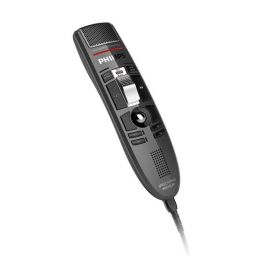
Philips SpeechMike LFH3510
Call us for availabilityDictation microphone with slide-switch operation (record, stop, play & fast rewind)- Studio quality precision microphone
- 4 configurable function buttons
- Record, stop, play and fast rewind functions
- Integrated motion sensor
- Compatible with Mac and Windows
- Slide-switch operation
£269.99£256.99 £308.39 Incl. VATRef: PHLFH3510Compare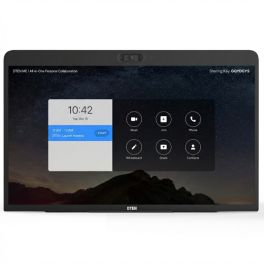
DTEN ME Personal Collaboration Display 27''
Call us for availabilityAll-in-one 27" touchscreen collaboration device with integrated cameras, microphone array and speakers, designed for Zoom meetings and personal hybrid workspaces.- Designed for personal video meetings and collaboration
- 27" Full HD touchscreen display
- Triple camera system with 160° field of view
- Eight-microphone array with noise reduction
- Integrated stereo speakers provide balanced audio
- Zoom for Home: instant access to meetings, calls and collaboration tools
- HDMI input to use the display as a secondary monitor
- Flexible connectivity with Ethernet and dual-band Wi-Fi
£699.99£659.99 £791.99 Incl. VATRef: DTME27UKCompare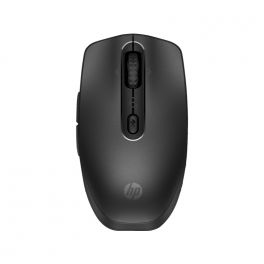
HP 695 Rechargeable Wireless Mouse
Call us for availabilityRechargeable Bluetooth mouse for up to three devices, with Qi and USB-C charging, 4000 dpi and six programmable buttons.- Flexible charging options: Qi wireless or USB-C
- Bluetooth connection to up to three devices
- Six programmable buttons: customisable via HP Accessory Centre
- Precise control: multi-surface sensor with a resolution of up to 4,000 dpi
- 4-way scrolling: tilt wheel for horizontal and vertical navigation
- Up to 4 months’ battery life: designed for long working sessions
- Wide operating system support: Windows 11, Windows 10, macOS and ChromeOS
£69.99 £83.99 Incl. VATRef: HP8F1Y4AACompare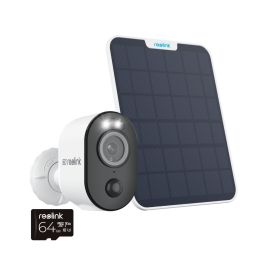
Reolink 4K Argus 3 WiFi AI Battery Cam Kit +64GB
Call us for availabilityExperience crystal-clear 4K security with smart AI detection and solar-powered convenience.- Adjustable Solar Panel: Maximize sunlight capture for continuous power.
- Crisp Night Vision: Clear visibility up to 33ft in total darkness.
- Standalone: No base station, extra settings, or subscription fees.
- Dual-Band WiFi: Supports 5/2.4 GHz for better range and speed.
- Smart Alerts: Notifications for people, vehicles, and animals.
- Easy Installation: Versatile placement options.
- Multiple Storage Options: Save videos to microSD card, Reolink NVR, or FTP server.
- Two-Way Audio: Communicate directly through the camera.
£116.99 £140.39 Incl. VATRef: REOA4K3S2M64UKCompare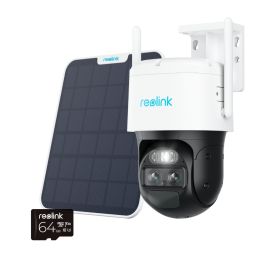
Reolink 2K TrackMix Auto PTZ AI WiFi Solar + 64GB
Call us for availabilitysecurity that’s always on, even off the grid with Reolink 2k TrackMix Auto PTZ.- Crystal-Clear 4K Video: Dual lenses capture every detail from all angles.
- Intelligent Tracking: Auto-follows movement for complete coverage.
- Totally Wire-Free: 4G LTE connectivity, no WiFi needed.
- Eco-Friendly Power: Solar panel and battery ensure continuous uptime.
- Day & Night Color Vision: Bright, clear visuals anytime, anywhere.
- Smart Alerts: Detects people, vehicles, and pets, cutting out false notifications.
- Easy Communication: Two-way audio for instant interaction.
- Flexible Storage: 64GB memory, expandable for more footage.
- Voice-Control Ready: Seamless with Alexa and Google Assistant.
£265.99£230.99 £277.19 Incl. VATRef: REOTMB4MS2M64UKCompare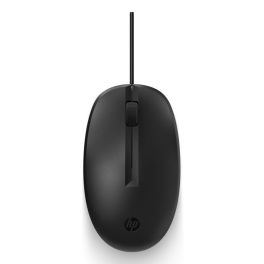
HP 125 Wired Mouse
Call us for availabilityEnhance your daily productivity with effortless ease.- Comfortable Design Perfectly positioned buttons for all-day use.
- Easy Connectivity Simple plug and play USB setup.
- Responsible Manufacturing Made with low halogen components for a better choice.
- Easy to Clean Designed to withstand daily sanitising with disinfecting wipes.
- Reliable Performance Optical technology ensures precision and responsiveness.
£8.99£5.99 £7.19 Incl. VATRef: HP3125Compare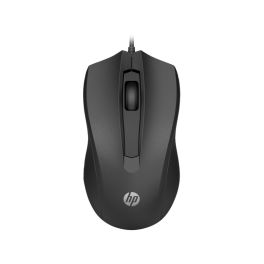
HP 105 Black Wired Mouse
Call us for availabilityExperience comfort and precision with every click!- Comfortable design for all-day use – fits naturally in your hand.
- High precision with an optical sensor of 1,600 DPI.
- Quick USB connectivity – plug and play right out of the box.
- Three versatile buttons provide easy navigation and control.
- Durable build made for everyday use in the office.
£7.99 £9.59 Incl. VATRef: HPM105BCompare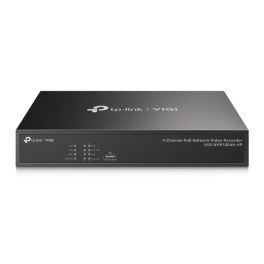
TP-Link VIGI 4 Channel PoE+ Network Video Recorder NVR1004H-4P
Call us for availabilityEnhance your security with the VIGI 4 Channel PoE+ NVR. It offers 4K resolution for crystal-clear imaging and simplified installation with PoE+ capabilities.- 4K HDMI Video Output: Experience sharp image definition up to 8MP for every detail.
- Simplified Deployment: Connect and power your PoE cameras with a single cable.
- 4-Channel Simultaneous Playback: Easily replay footage from up to 4 cameras at once.
- Efficient Compression: Save disk space without sacrificing image quality.
- Unmatched Compatibility: Add IPCs from various brands effortlessly.
- Plug & Play: Fast installation for new VIGI IP Cameras.
- 24/7 Continuous Recording: Store up to 10TB of footage for quick access.
- Remote Monitoring: Use the VIGI app for convenient access anytime, anywhere.
£189.99 £227.99 Incl. VATRef: TPLVNVR1004H4PCompare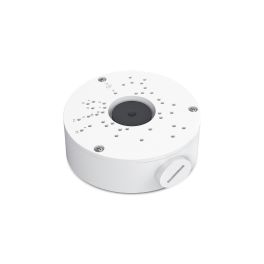
TP-Link VIGI VJB-300 junction box for IP camera
Call us for availabilitySecure your networking setup with the TP-Link VJB-300 junction box. Enjoy waterproof durability and easy installation for a seamless experience.- Practical Design - Effectively hides and protects your cables.
- Aluminium Build - Offers excellent waterproof capabilities.
- Compatible Design - Works seamlessly with all VIGI cameras.
- Easy Installation - Simplifies your network setup process.
£21.99 £26.39 Incl. VATRef: TPLVLB300Compare
TP-Link VIGI 4MP Outdoor Network Camera
Call us for availabilitySecure your property with real-time visuals and powerful smart features. Enjoy 24-hour full-colour clarity and intelligent tracking.- 4MP Super-High Definition: More pixels mean clearer images and more details.
- 24h Full-Colour: See vibrant colours even in total darkness.
- 3× Zoom: Get closer to the action without losing clarity.
- Human & Vehicle Classification: Smart notifications for accurate monitoring.
- Smart Detection: Reduces false alarms for reliable security.
- Active Defense: Alerts potential intruders with sound and light.
- Two-Way Audio: Communicate remotely through the camera.
- IP66 Waterproof: Designed for outdoor conditions, ensuring durability.
£125.99 £151.19 Incl. VATRef: TPLV540VCompare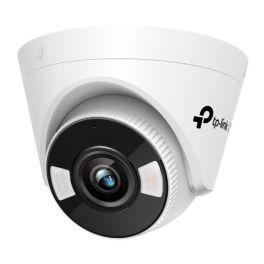
TP LInk VIGI C450
Call us for availabilityTP-Link VIGI C450 (2.8 mm) – 5 MP Full-Colour Turret Network Camera with PoE, built-in mic and speaker for 24/7 professional surveillance.- 5 MP Super HD resolution for excellent detail recognition
- 24/7 colour monitoring even in complete darkness thanks to white light & IR LEDs
- AI-powered person & vehicle detection for accurate alerts
- Smart Detection: zone-based detection of intrusion, line crossing, and more
- Active Defence: acoustic & visual deterrence triggered by events
- Two-way audio with built-in microphone & speaker
- H.265+ video encoding for low bandwidth with high quality
- Supports ONVIF, microSD (up to 256 GB) & management via app, web UI, NVR
£67.54 £81.05 Incl. VATRef: TPLVV450Compare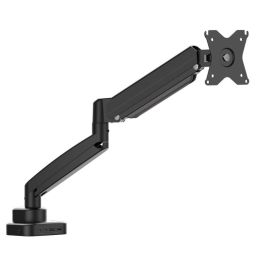
JTSA301 Ergonomic Monitor Mount with Dock
Call us for availabilityOne arm, one dock, one clean and ergonomic workspace.- Monitor arm with integrated USB-C docking functionality
- Supports height, tilt, swivel and rotation adjustments
- Reduces desk clutter by combining mount and connectivity
- Single USB-C cable powers display, data and peripherals
- Designed to improve posture and viewing comfort
- Solid construction for stable monitor positioning
- Ideal for modern laptops and flexible desk setups
£120.99 £145.19 Incl. VATRef: J5JTSA301NUKCompare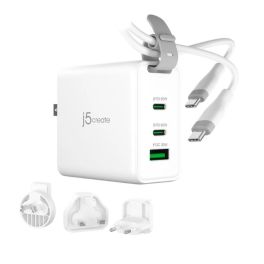
j5create JUP3565CV 65W GaN USB-C3-Port Travel Charger
Call us for availabilityCompact 65W GaN travel charger with three ports and interchangeable plugs for fast, safe charging wherever you work.- Provides up to 65W USB-C Power Delivery output
- Designed for laptops, tablets and high-demand USB-C devices
- Efficient power management for consistent charging
- Compact housing suitable for desk or travel use
- Automatically adjusts output based on connected device
- Integrated safety controls for long-term reliability
- Ideal as a primary or backup USB-C charger
£39.99 £47.99 Incl. VATRef: J5JUP3365CVNUKCompare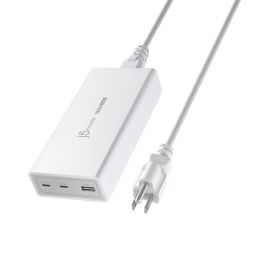
J5create JUP37185W 185W GaN PD 3.1 USB-C 3-Port Charger
Call us for availabilityAll-in-one 185W GaN charger with PD 3.1 – fast, safe charging for laptops and mobile devices across three ports.- 185W total output with GaN efficiency for fast, powerful charging
- PD 3.1 USB-C port supplies up to 140W ideal for laptops
- Second USB-C port delivers up to 45W for tablets & smaller devices
- USB-A port provides up to 12W fast charging for phones & accessories
- Automatic power balancing when multiple devices are connected
- Built-in protection: surge, overcharge, overcurrent & overheat
- Compact GaN design reduces heat and size
- Versatile compatibility with laptops, phones, tablets & game consoles
£88.99 £106.79 Incl. VATRef: J5JUP37185WFNUKCompare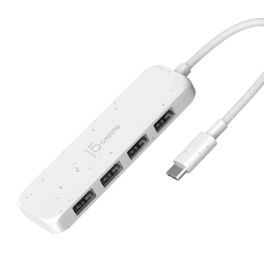
J5create USB-C to 4-Port Type-A Gen 2 Hub
Call us for availabilityCompact USB-C hub with four high-speed USB-A Gen 2 ports, delivering fast data expansion for modern laptops and workspaces.- Expands one USB-C port into four USB-A ports
- USB 3.2 Gen 2 technology with up to 10 Gbps data transfer
- Ideal for connecting peripherals, storage and accessories
- Backward compatible with USB 3.0 and USB 2.0 devices
- Bus-powered design with no external power required
- Plug-and-play operation with no drivers needed
- Compact and lightweight for mobile professionals
£23.99 £28.79 Incl. VATRef: J5JCH341EWNUKCompare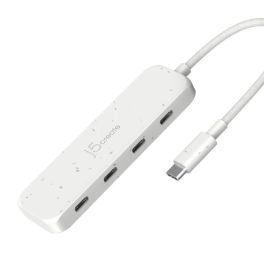
J5Create USB-C to 4-Port Type-C Gen 2 Hub
Call us for availabilityHigh-speed USB-C hub with four USB-C Gen 2 ports, delivering fast, flexible data expansion for modern laptops and workspaces.- Expands a single USB-C port into four USB-C ports
- USB 3.2 Gen 2 technology with up to 10 Gbps data transfer
- Ideal for high-speed storage and USB-C peripherals
- Bus-powered design with no external power adapter required
- Backward compatible with USB 3.0 and USB 2.0 devices
- Plug-and-play operation with no drivers needed
- Compact, lightweight design for mobile professionals
£26.99 £32.39 Incl. VATRef: J5JCH345EWNUKCompare
ViewSonic VA220-H 22-inch Full HD monitor
Call us for availability22-inch Full HD monitor with a VA panel, HDMI port and smooth display, designed for office workstations and everyday use.- Ideal for the office and remote working
- 22-inch screen with 1920 x 1080 resolution
- VA panel technology: high contrast and sharp display
- Smooth display with fast response time
- Eye-care technologies for extended use
- HDMI port for easy integration into existing setups
£130.99 £157.19 Incl. VATRef: VSVA220HCompare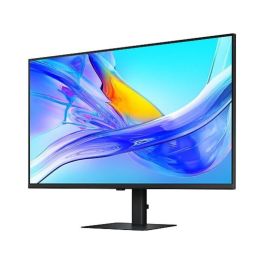
Samsung S80UD 37 inch 4K USB C Monitor
Call us for availability37-inch 4K monitor with USB-C, ideal for professional multitasking environments, offering high image clarity and efficient connectivity in the office- 37-inch 4K UHD for maximum workspace and razor-sharp display
- USB-C connection for video, data and power via a single cable
- Ergonomic design with height adjustment and pivot function
- IPS panel for consistent colours and wide viewing angles
- Multiple connectivity options including HDMI, DisplayPort and USB hub
- Ideal for multitasking thanks to the large screen and high resolution
£568.99£399.99 £479.99 Incl. VATRef: SALS37D800UAUXENCompare
D-Link DCF-141 GaN charger, 140 W
Call us for availability140 W GaN charger with 3 USB-C ports, 1 USB-A port and fast charging, designed to power up to 4 devices at your desk or whilst working from home.- 140 W GaN charger: powers PCs, tablets, smartphones and accessories
- Charge up to 4 devices simultaneously thanks to 3 USB-C ports and 1 USB-A port
- Up to 140 W via the USB-C1 and USB-C2 ports, compatible with PD 3.1 and QC 4.0
- GaN technology: high power output with improved thermal management
- Intelligent power distribution depending on the type of device
- Advanced protection against overcurrent, overvoltage, overcharging, overheating and short circuits
- Ideal for office use, home working and shared workspaces
£60.99 £73.19 Incl. VATRef: DCF141ECompare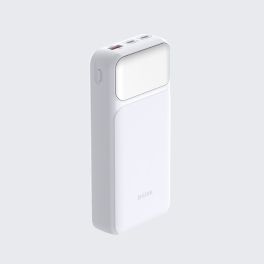
D-Link DPP-201 External Power Bank with 20,000 mAh
Call us for availability20,000 mAh power bank with fast charging up to 65 W, 2 USB-C ports, 1 USB-A port and a digital LED display for laptops, tablets and smartphones.- 20,000 mAh power bank: charges PCs, smartphones, tablets, etc.
- Fast charging up to 65 W: reduces waiting times and improves productivity
- Simultaneous charging of up to 3 devices thanks to 2 USB-C ports and 1 USB-A port
- Digital LED display: check the battery level at a glance
- USB-C input up to 65 W for fast recharging of the power bank
- Electronic protection against overcurrent, overvoltage, overcharging, overheating and short circuits
£34.99£33.99 £40.79 Incl. VATRef: DPP201Compare
Apple Studio Display 27-inch 5K Display with tilting stand
Call us for availability27-inch 5K display with a 12 MP camera, built-in audio system and Thunderbolt 5 connectivity, ideal for Mac workstations and video conferencing.- 27-inch 5K Retina display: exceptional detail and precise visuals
- 600 nits brightness and P3 colour gamut: consistent colour reproduction
- 12MP camera with Centre Stage: automatic framing and document view
- Six speakers: immersive sound with Spatial Audio and Dolby Atmos support
- Studio-quality microphones: clear voice capture for calls and meetings
- Thunderbolt 5 and USB-C connectivity: direct connection to your Mac
- Adjustable stand: tilt from -5° to 25°
£1,663.99 £1,996.79 Incl. VATRef: APMFEX4FDACompare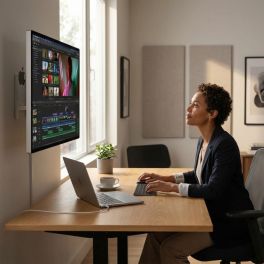
Apple Studio Display XDR 27-inch 5K Standard Glass
Call us for availabilityA 27-inch professional display with Retina XDR 5K, standard glass and VESA mounting, ideal for desktop use, editing and advanced visual work.- 27-inch 5K Retina XDR display: precise images, crisp text and exceptional detail
- High Dynamic Range Mini-LED: up to 1,000 nits in SDR and 2,000 nits in HDR
- 120Hz refresh rate with adaptive sync: smoother motion
- Support for 1 billion colours, wide P3 and Adobe RGB colour gamuts
- 12 MP camera with auto-framing and top-down view
- Six high-fidelity speakers and 3 microphones for meetings and multimedia content
- 10x10 cm VESA mount: wall or arm mounting, in landscape or portrait orientation
£4,377.99 £5,253.59 Incl. VATRef: APMFEN4FDACompare
Apple Studio Display 27-inch 5K with nano-textured glass
Call us for availability27-inch 5K display with nano-textured glass, a 12 MP camera and a stand with adjustable height and tilt, designed for demanding Mac workstations.- Nanotextured glass: reduces glare and improves visibility in very bright conditions
- 5K Retina display with 5120 x 2880 resolution: crisp text, exceptional detail and precise display
- 600 nits brightness and P3 colour gamut: supports 1 billion colours
- 12MP camera with auto-framing and overhead view
- 6 high-fidelity speakers and 3 microphones for meetings and multimedia content
- Thunderbolt 5 and USB-C ports for peripherals and accessories
- Stand tilts from -5° to +25° and is height-adjustable by 10.5 cm
£2,626.99 £3,152.39 Incl. VATRef: APMFF04FDACompare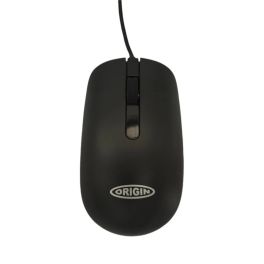
Origin Storage Wired Optical Mouse
Call us for availabilityReliable USB wired mouse designed for everyday office use, offering stable connection and precise control without the need for batteries.- USB wired connection for stable and uninterrupted performance
- Plug and play setup with no drivers required
- Optical sensor for precise and smooth cursor control
- Ergonomic design suitable for daily office use
- No batteries required for continuous operation
- Wide compatibility with Windows and macOS systems
£9.99 £11.99 Incl. VATRef: ORIMWDRCompare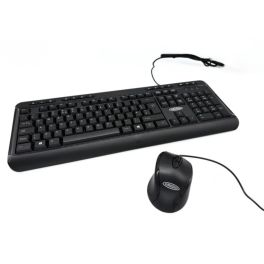
Origin Storage USB Keyboard Mouse Combo
Call us for availabilityWired USB keyboard and mouse combo designed for efficient daily use, offering reliable performance and easy deployment in business environments.- Keyboard and mouse combo for complete workstation setup
- USB wired connectivity ensures stable and reliable performance
- Plug and play installation with no drivers required
- Full-size keyboard layout for comfortable typing
- Optical mouse included for precise cursor control
- Wide compatibility with Windows and macOS systems
£14.99 £17.99 Incl. VATRef: ORIKBDMSUSBCompare
Microsoft SQL Server 2025 Device CAL Licence
Call us for availabilityDevice-based access licence for Microsoft SQL Server 2025, enabling the sharing of SQL Server resources via a licensed device.- Device CAL licensing model for access via a shared device.
- Ideal for shift work and shared workstations with multiple users per device.
- Compatible with Microsoft SQL Server in professional enterprise environments.
- Centralised device licensing simplifies the management of SQL access.
- Suitable for on-premises and hybrid IT infrastructures with SQL Server deployment.
- Flexible use for terminals, workstations and shared PCs.
£332.99 £399.59 Incl. VATRef: MICSQLS25DEVICompare
Dell Pro 27 Plus P2725D Monitor QHD IPS
Call us for availabilityA 27-inch professional QHD monitor with an IPS panel, advanced ergonomic features and high-definition images, designed for multitasking and business productivity.- 27" QHD professional monitor ideal for advanced productivity and business multitasking
- QHD resolution 2560 x 1440 for crisp images and a larger workspace
- IPS panel with wide viewing angles for consistent colours and visual quality
- Full ergonomics with height, tilt, swivel and pivot adjustment
- Versatile connectivity with HDMI, DisplayPort and integrated USB hub
- ComfortView Plus technology to reduce eye strain during daily use
- Slim-bezel design perfect for professional multi-monitor setups
£489.99 £587.99 Incl. VATRef: DELLP2725DCompare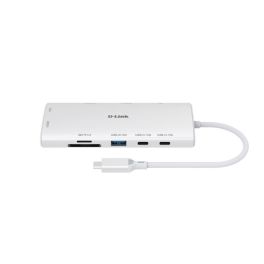
D-Link DUP-A01 Hub USB-C 10 in 1
Call us for availability10-in-1 USB-C hub with dual 4K HDMI outputs, high-speed USB ports, Gigabit Ethernet and Power Delivery up to 100W.- Professional 10-in-1 USB-C hub ideal for modern workstations and hybrid working
- Dual HDMI 2.0 4K at 60Hz outputs for high-definition multi-monitor setups
- USB 3.1 ports up to 10 Gbps for fast data transfers and enhanced productivity
- Integrated Gigabit Ethernet port for reliable wired network connections
- Power Delivery up to 100W to power laptops and peripherals via USB-C
- Integrated SD and microSD card readers for fast data backup and transfer
- Compact and portable design ideal for the office, remote working and on the go
£51.95£42.99 £51.59 Incl. VATRef: DLDUPA01Compare
Discover Computer and Network Solutions
staying connected and equipped with the right technology is no longer optional, it’s essential. Whether you're running a small startup or managing a large enterprise, reliable computing and networking solutions are the backbone of productivity and growth. In this section, we will explore the various types of products available, tips for choosing the right equipment, and answer some of the most frequently asked questions regarding PC and Network Tools.
Choose the Right Computer and Network Solutions According to Your Needs
Selecting IT and networking equipment can feel overwhelming, but breaking it down into key categories makes the process much easier. Here are some of the main areas to consider:
- Routers and Switches: These devices are the backbone of your network, facilitating communication between devices. Routers connect multiple networks and provide internet access, while switches distribute data within the same network. Choose high-performance models for larger businesses that require robust connectivity.
- Network Security: Safeguarding your data is crucial. Investing in firewalls, VPNs, and intrusion detection systems helps protect your network from external threats. Make sure you choose solutions that comply with industry standards and provide comprehensive support.
- Wireless Access Points: For businesses requiring flexibility, wireless access points are essential. They extend your network's range, allowing employees to connect seamlessly from different locations. Look for models that support the latest Wi-Fi standards for optimal performance.
- Networking Cables: Don't underestimate the importance of quality cables. Ethernet cables, fiber optic cables, and patch panels play a vital role in maintaining a stable connection. Choose durable and high-speed options to ensure minimal signal loss.
- Computing Devices: From desktops to laptops, the computing devices you choose can greatly impact productivity. Consider your team's needs regarding processing power and portability.
Tips Before Buying Computer and Network Solutions
Before making a purchase, here are some crucial tips to guide you in selecting the right Computer & Networking products:
- Assess Your Needs: Evaluate the size of your business and the extent of your networking requirements. Understanding how many devices will be connected and the bandwidth needed will help you choose the right solutions.
- Research Brands and Models: Not all products are created equal. Look for reputable brands with positive reviews and reliable customer support. It's wise to compare different models to find the best fit for your operational needs.
- Consider Scalability: As your business grows, your networking needs may change. Opt for solutions that allow for easy upgrades and expansions without requiring a complete overhaul of your existing setup.
- Check Compatibility: Make sure all devices are compatible with each other and your existing infrastructure. This includes hardware, software, and any specific protocols you may be using.
- Evaluate Security Features: Security should be a top priority. Look for products with built-in security features and the ability to integrate with your existing security policies.
- Budget Wisely: While it's tempting to opt for the cheapest option, consider the long-term value of your investment. Quality products may have a higher upfront cost but can save you money in maintenance and replacements down the line.
Frequently Asked Questions About Computer and Network Solutions
- What is the difference between a router and a switch? A router connects different networks and directs data traffic, while a switch connects devices within the same network, enabling communication between them.
- How do I know if I need a wireless access point? If your business requires internet access in multiple locations or areas where a router's signal is weak, a wireless access point can enhance connectivity.
- What should I look for in a network security solution? Look for features such as intrusion detection, data encryption, firewall capabilities, and compatibility with existing security measures.
- How often should I upgrade my networking equipment? Regularly assess your equipment's performance and functionality. Generally, it's recommended to upgrade every 3-5 years or when you notice significant performance issues.
- Can I set up a home office network? Yes! A home office network can be established using routers, switches, and wireless access points, depending on your specific needs.