My Cart



Professional Displays
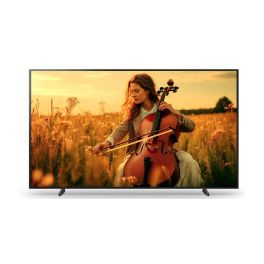
Sony BRAVIA FWD-98XR55 98 Inch 4K Smart TV
Call us for availability98” 4K Smart TV with Cognitive Processor XR and Google TV, designed for large professional spaces requiring immersive visuals and smart content access.- 98” 4K UHD Smart TV for ultra-large professional displays
- Cognitive Processor XR for enhanced contrast and colour accuracy
- Google TV platform with apps and smart content access
- Chromecast built-in for wireless screen sharing
- Extensive connectivity including HDMI, USB, LAN and Wi-Fi
- Slim large-format design for impactful visual environments
£6,999.95£5,783.99 £6,940.79 Incl. VATRef: SOFWD98XR55Compare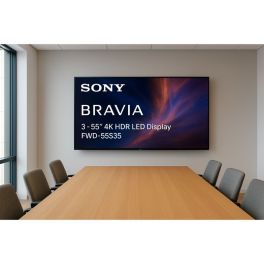
Sony Bravia FWD 55S35 55 Inch Full HD Smart TV
Call us for availability55” Full HD professional Smart TV with integrated tuner, designed for hospitality, retail and hybrid use with live TV and digital content.- 55” Full HD display with TV tuner for live TV and professional content
- Hybrid professional Smart TV for bars, hospitality and retail
- Smart platform with access to apps and streaming services
- Ideal for commercial environments requiring TV and signage in one device
- Flexible connectivity with HDMI, USB, Ethernet and Wi-Fi
- Modern slim design suitable for wall mounting
£1,299.95£958.99 £1,150.79 Incl. VATRef: SOFWD55S35Compare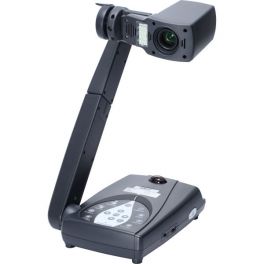
AVer M70
Call us for availabilityFull HD viewer, with LED, 12x optical zoom and integrated annotation tools
- Visualizer with a mechanical arm and integrated LED lamp
- HDMI output for Full HD images and 12x optical zoom
- Easily capture large documents and three-dimensional objects
- Built-in memory with SDHC card slot and USB OTG port
- Built-in microphone for simple audio recording and HDMI output support for simultaneous audio and video playback
- Presentation tools (reflector and viewfinder functions), image in image, split screen, ideal for step-by-step presentations and comparisons
- Easy-to-use on-screen menu that puts each option a few clicks away
£720.99 £865.19 Incl. VATRef: AVM70Compare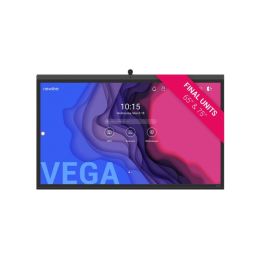
Newline 75'' Vega Interactive Display
Call us for availabilityPremium 75" interactive display with 4K resolution, built-in AV, PCAP touch, and advanced connectivity for collaboration.- 75" 4K LED display
- Certified optical bonding
- Built-in 4K camera with 120° FOV
- Integrated 8-mic array (8m range)
- 20W stereo speakers + 15W subwoofer
- Anti-glare antimicrobial glass
- 2 x PCAP passive pens
- Android 11 OS with OTA upgrade
£4,149.99 £4,979.99 Incl. VATRef: NEWTT7522ZUKCompare
EIZO FlexScan EV2480 24-inch IPS USB-C Monitor
Call us for availability23.8-inch Full HD IPS monitor with USB-C connectivity and 70W power delivery, designed for ergonomic office use and efficient single-cable setups.- 23.8" Full HD IPS display with wide viewing angles and clear image
- USB-C connectivity with up to 70W power delivery
- Flicker-free technology and low blue light
- Auto EcoView sensor adjusts brightness based on ambient light
- Ergonomic stand: height, tilt, swivel and pivot adjustment
- Integrated USB hub with multiple downstream ports for peripherals
£269.99 £323.99 Incl. VATRef: EIZOEV2480UKCompare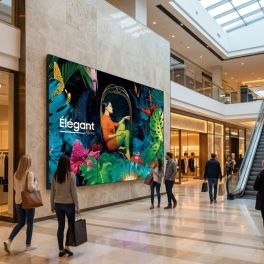
Samsung VHC-E 55" Video Wall
Call us for availability55" video wall with ultra-thin bezels, 700 nits brightness and 24/7 operation for total visual immersion.- Ultra-thin bezels (0.44 mm): seamless, immersive display
- 24/7 operation: certified for intensive use
- Full HD (1920 × 1080) panel with high contrast
- 700 nits brightness: ideal for bright spaces
- Wide viewing angles (178°)
- Color Expert Pro technology and automatic calibration
- IP5X: dust resistance
- Slim and robust design, designed for corporate and retail environments
£2,799.95£1,779.99 £2,135.99 Incl. VATRef: SAVH55VHCECompare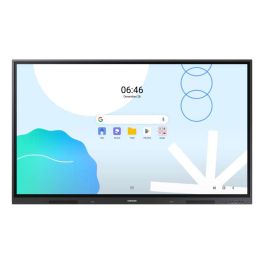
SAMSUNG WA65D Screen
Call us for availability65-inch UHD touch display for meeting rooms and classrooms, featuring Android 13 and responsive IR touch technology!- 65" UHD display with 3,840 x 2,160 pixels
- Android 13 operating system
- Supports up to 40-point multi-touch
- Multiple connectivity options: HDMI, USB-C, RJ-45
- Integrated speakers (2 x 15W)
- EDLA-certified for Google services
- Low touch latency (45 ms)
- Wi-Fi 6 and Bluetooth support
£1,599.99£1,249.99 £1,499.99 Incl. VATRef: SAWA65DUKCompare
LG 49XF3E Outdoor Signage 49″ Full HD
Call us for availability49" professional open-frame display with 24/7 continuous operation, designed for shop windows and brightly lit environments.- Usage: shop windows, public spaces and commercial environments
- High brightness 3000 cd/m²: perfect readability in shop windows
- 49" Full HD format
- LED backlit IPS panel: uniform colours and wide viewing angles
- webOS platform with integrated SoC for content management
- Open frame design
- 24/7 operation
£5,691.99 £6,830.39 Incl. VATRef: LG49XF3ECompare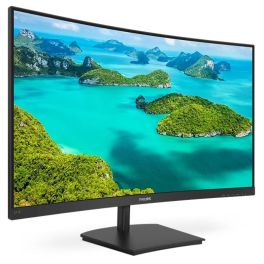
Philips 241E1SCA FHD Curved Monitor 24 inch
Call us for availability24-inch curved Full HD monitor with VA panel, designed for immersive viewing and comfortable daily use in office and home environments.- 24 inch curved display: Immersive viewing experience with enhanced field of vision
- Full HD resolution: Sharp and clear image quality for work and multimedia
- VA panel technology: High contrast and deep blacks for improved visual performance
- Adaptive Sync: Smooth visuals without screen tearing
- Built-in speakers: Integrated audio solution for desk efficiency
- Eye comfort features: FlickerFree and LowBlue Mode reduce eye strain
£157.99 £189.59 Incl. VATRef: PHI241E1SCACompare
Samsung Interactive WA75FX-P 4K 75-inch
Call us for availability- Use: meeting rooms, training rooms, classrooms
- 75" 4K touchscreen with 50 simultaneous touch points
- Android 15 with Google EDLA: native access to Google apps
- Integrated 48 MP camera for video conferencing without additional equipment
- 8 microphones with 10 m range and 180° voice capture
- Powerful audio system with two 20 W speakers + woofer
- Comprehensive connectivity: HDMI, USB-C, Wi-Fi 6, Bluetooth and OPS
£4,377.99£2,287.99 £2,745.59 Incl. VATRef: SALH75WAFPLGCXENCompare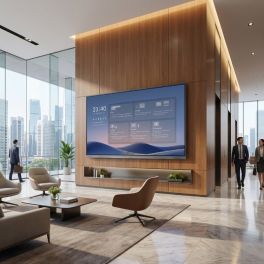
MAXHUB ND86CMB 86-inch 4K digital display
Call us for availabilityAn 86-inch professional 4K display designed for 24/7 continuous operation, in-room collaboration and digital signage, featuring advanced connectivity and high brightness.- Digital signage for retail, business, hospitality and public spaces
- 86-inch 4K UHD screen: precise large-format display
- 24/7 operation
- 500 nits brightness with anti-glare treatment
- Wireless sharing and BYOD via USB-C, dongle or Miracast, AirPlay and Chromecast
- Microsoft Teams Rooms compatible with dedicated meeting mode
- Advanced connectivity: HDMI, USB-C, dual Ethernet and RS-232/IP/CEC control
- Centralised management via MAXHUB Pivot and multi-CMS compatibility
£2,013.99 £2,416.79 Incl. VATRef: MAXND86CMBCompare
Samsung The Terrace 65-inch 4K Neo QLED Outdoor TV
Call us for availability65-inch outdoor TV with a 4K Neo QLED screen and IP56 protection rating, designed for reliable, professional-grade picture quality in exposed and bright environments.- Use: outdoor digital signage
- Large 65-inch 4K display: optimal visibility outdoors
- Neo QLED technology with high contrast and advanced image processing
- 120 Hz refresh rate for smooth visuals
- Smart TV with Tizen and access to professional applications
- Extended connectivity: HDMI, USB, Wi-Fi, Bluetooth and Ethernet
- IP56 protection against dust and water
£5,253.99£3,898.99 £4,678.79 Incl. VATRef: SATQ65LST7DCompare
Samsung EM13D-X 13-inch colour e-paper display
Call us for availability13-inch ultra-low-power colour e-paper display for professional digital signage, ideal for digital signage applications without a continuous power supply.- Ultra-low power consumption: energy used only when content is updated
- 13” colour e-paper screen: glare-free display, similar to paper
- High resolution: crisp display for text, labels and signage
- No permanent power supply required: ideal for stand-alone installations
- Compact design: easy integration into retail outlets or offices
- Modern connectivity: simplified content updates
- Sustainable solution: eco-friendly alternative to traditional screens
£875.99£871.99 £1,046.39 Incl. VATRef: SAEPAPER13Compare
LG CreateBoard TR3DQ 65-inch Interactive Monitor
Call us for availability65-inch UHD interactive display with Android 14, 50-point multi-touch and wireless sharing for collaboration and teaching.- Multi-touch support for up to 50 points for simultaneous collaboration
- 4K UHD resolution for clear, detailed content
- Android 14 with Google EDLA and access to the Play Store
- Wireless sharing with up to 9 devices simultaneously
- Powerful built-in audio with front-facing speakers and a subwoofer
- Multifunctional USB-C with up to 65W charging and data transfer
£1,575.99£1,085.99 £1,303.19 Incl. VATRef: LG65TR3DQCompare
Apple Studio Display XDR 27-inch 5K with adjustable height
Call us for availabilityA 27-inch professional display featuring Retina XDR 5K technology, mini-LED and an adjustable stand, ideal for video editing, graphic design and advanced video conferencing.- 27-inch 5K Retina XDR display: precise images, crisp text and exceptional detail
- Mini-LED with high dynamic range: up to 1,000 nits in SDR and up to 2,000 nits in HDR
- 120Hz refresh rate with adaptive sync: smoother motion
- P3 and Adobe RGB colours: accurate colour reproduction for design, photography and printing
- 12 MP camera with Center Stage: video conferencing and framing of documents and objects
- Built-in audio: 3 studio-quality microphones + 6 speakers with spatial audio and Dolby Atmos
- Thunderbolt 5 and USB-C ports for peripherals and accessories
£4,377.99 £5,253.59 Incl. VATRef: APMFEL4FDACompare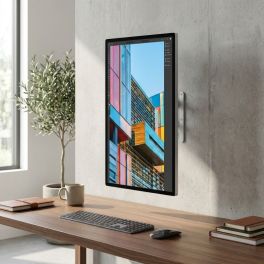
Apple Studio Display 27-inch 5K standard glass, VESA mount
Call us for availability27-inch 5K display with standard glass and VESA mounting, designed for Mac workstations, fixed installations and professional video conferencing.- Standard glass and 600 nits: designed for everyday professional use
- 5K Retina display with 5120 x 2880 resolution: crisp text, exceptional detail and precise display
- 12MP camera with auto-framing and overhead view
- Six high-fidelity speakers and three studio-quality microphones
- Thunderbolt 5 and USB-C ports for peripherals, storage and accessories
- 10 x 10 cm VESA mount: wall or arm mounting, horizontal or vertical orientation
- All-in-one solution for productivity, content creation and hybrid collaboration
£1,750.99 £2,101.19 Incl. VATRef: APMFEY4FDACompare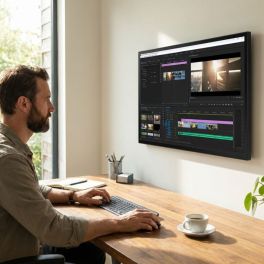
Apple Studio Display 27-inch 5K nano-textured glass, VESA mount
Call us for availability27-inch 5K display with nano-textured glass and VESA mounting, designed for Mac workstations, fixed installations and high-brightness environments.- Nanotextured glass: reduces glare and improves visibility
- 5120 x 2880 Retina 5K display: crisp text, exceptional detail and precise colour reproduction
- 600 nits brightness and P3 colour gamut: supports 1 billion colours
- 12MP camera with auto-framing and low-angle view
- Six high-fidelity speakers and three studio-quality microphones
- Thunderbolt 5 and USB-C ports for peripherals and accessories
- 10 x 10 cm VESA mount: wall or arm mounting, in landscape or portrait orientation
£2,013.99 £2,416.79 Incl. VATRef: APMFF24FDACompare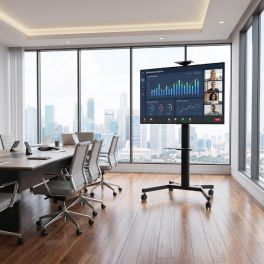
Pack Sony BRAVIA BZ40L 55-inch 4K Display + Vision VFM-F19 stand
Call us for availabilityA 24/7 digital signage solution for professional environments, featuring a 55-inch Sony 4K HDR display and a Vision mobile stand with dual shelves and adjustable height.- 55” 4K UHD resolution for sharp and detailed professional content
- 700 nits brightness ensures visibility in bright environments
- Cognitive Processor XR delivers advanced image processing and upscaling
- Compatibility: screens from 31" to 80"
- Maximum load capacity: 50kg
- VESA compatibility: 200x200, 200x400, 300x300, 300x400, 350x350, 400x200, 400x300, 400x400, 600x400mm
£1,363.89£1,164.95 £1,397.94 Incl. VATRef: SOFW55BZ40LSSCompare
Sony Bravia BZ40L 65-inch 4K Display + Wall Mount
Call us for availabilityPackage including a Sony Bravia 65" 4K UHD professional display and a Vision 32–75" wall mount, ideal for digital signage and corporate environments.- Special professional display: 24/7 operation
- 65'' panel with 4K UHD resolution
- HDR technology: sharp, detailed images
- Compatibility: screens from 32 to 75 inches
- Maximum load capacity: 100 kg
- Mount type: fixed
£1,929.95£1,569.44 £1,883.33 Incl. VATRef: SOFW65BZ40LSMCompare
iiyama ProLite LH5560UHS-B2AG 55" Display + Neomounts FPMA-C340BLACK ceiling mount
55-inch screen from iiyama + Neomounts FPMA-C340BLACK ceiling mount: Professional ceiling mounting for digital signage.- Usage: indoor digital signage
- Android 11: display without an external PC
- 55'' 4K UHD screen (3840 x 2160)
- Fully adjustable ceiling mount for 32–75" screens
- Maximum load capacity: 50 kg
- Flexibly adjustable with 25° tilt, 360° swivel, 6° rotation
Call us for availability5.0 of 1 Reviews£742.69£682.86 £819.43 Incl. VATRef: IIYLH5560UHSB2ASPLCompare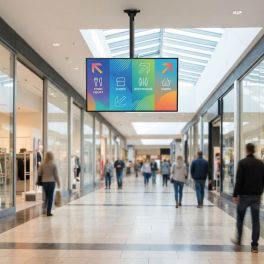
Pack iiyama ProLite LH6560UHS-B2AG 65" + ceiling mount Neomounts FPMA-C340BLACK
iiyama 65” display + Neomounts FPMA-C340BLACK ceiling mount: professional suspended installation for digital signage.- Fully adjustable ceiling mount for 32–75" screens
- Maximum load capacity: 50 kg
- Flexibly adjustable with 25° tilt, 360° swivel, 6° rotation
Call us for availability5.0 of 1 Reviews£972.69£899.17 £1,079.00 Incl. VATRef: IIYLH6560UHSB2AGSPLCompare
Philips 43BDL3751T 43" 4K Touchscreen
Call us for availability43" professional touchscreen with Android 13 and 4K resolution, designed for interactive kiosks, self-service terminals and digital information points.- 43" 4K touchscreen for kiosks, information points and interactive signage.
- PCAP technology with 20 simultaneous touch points for seamless interaction.
- Built-in Android 13 to run applications without an external media player.
- 24/7 operation designed for professional environments requiring continuous use.
- 450 cd/m² brightness for clear viewing in demanding indoor environments.
- Wi-Fi 6 and Bluetooth 5.2 with USB-C, HDMI, DisplayPort, LAN and OPS connectivity.
- Compatible with PPDS Wave for remote management, monitoring and maintenance.
£1,545.99£1,204.99 £1,445.99 Incl. VATRef: PH43BDL3751TCompare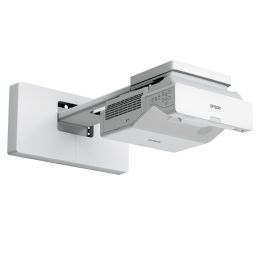
Epson EB-760W Ultra-short-throw laser projector
Call us for availabilityUltra-short-throw WXGA laser projector with a screen size of up to 150 inches, built-in Wi-Fi and advanced connectivity for meeting and teaching rooms.- Projection up to 150 inches with a bright, scalable WXGA display
- 4,100-lumen 3LCD technology: vibrant colours and excellent visibility
- Ultra-short-throw lens reduces shadows and glare
- Wi-Fi, Miracast and Wi-Fi Direct for wireless content sharing
- 3 HDMI inputs and numerous connectivity options
- Up to 30,000 hours of lamp life in economy mode
£1,575.99£1,209.99 £1,451.99 Incl. VATRef: EPSEB760WCompare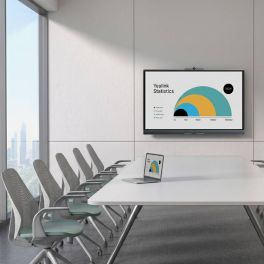
Yealink MeetingBoard C EDLA 75-inch BYOM interactive display
Out of stock75-inch all-in-one interactive display with Android 15, Google EDLA, a 50 MP 4K camera, 8 microphones, a collaborative whiteboard and BYOM.- 75-inch 4K interactive display with anti-glare panel and 20 touch points
- Google EDLA with Android 15: access to Chrome, Google Meet and compatible apps
- 50 MP 4K camera with auto-framing, speaker tracking and AI features
- Full-duplex audio with 8 microphones, 8 m range and noise cancellation
- Collaborative whiteboard with low-latency writing (21 ms) and export via QR code
- BYOM via the VCH51 Pro (optional) for single-cable meetings
£3,501.99£2,891.99 £3,470.39 Incl. VATRef: YEAMB75CEDLACompare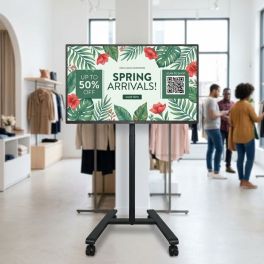
Pack Philips D-Line 32-inch Display + B-Tech BT7504 Mobile Stand
Call us for availabilityA compact digital signage solution featuring a 32-inch Philips screen and a B-Tech mobile stand – ideal for shops and public reception areas.- 32-inch Full HD digital signage display with 1920 x 1080 resolution
- 24/7 operation for continuous professional use
- 400 cd/m² brightness for clear, high-contrast content
- Mobile display trolley for screens up to 55 inches
- Maximum load capacity of 25 kg for small to medium-sized displays
- VESA compatibility up to 400 x 400 mm
£823.18£765.31 £918.37 Incl. VATRef: PHIL32BDL4511DBTSPCompare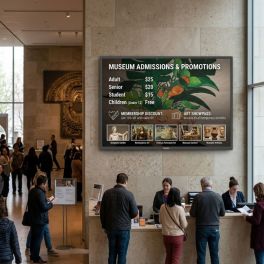
Pack Philips D-Line 86-inch Display + B-Tech XL Wall Mount
Call us for availabilityA complete solution for digital signage installations featuring a professional 86-inch Philips 4K display and a B-Tech XL wall mount for secure and reliable installation.- 86" 4K professional display designed for large-scale installations
- 24/7 operation suitable for intensive use
- High brightness of 500 cd/m²: excellent content visibility
- XL wall mount for professional displays from 65" to 120"
- Maximum capacity of 200 kg for large-format displays and touchscreens
- VESA compatibility up to 1000x600 and non-VESA mounts
£3,721.98£3,328.05 £3,993.66 Incl. VATRef: PH86BDL4511DBTSMCompare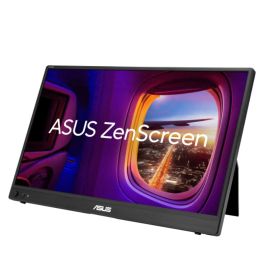
ASUS ZenScreen MB16AHVE 16 Zoll FHD IPS Monitor
Call us for availabilityPortable 16-inch FHD IPS monitor with two USB-C ports, Mini-HDMI, automatic screen rotation and bidirectional power delivery.- 16-inch portable monitor: a slim and lightweight design for an extended workspace on the move
- Full HD IPS display: 1920 × 1080 pixels for a clear display and wide viewing angles
- Flexible connectivity: two multifunctional USB-C ports and Mini-HDMI
- Power Pass Through: bidirectional power supply between the monitor and a compatible laptop
- Automatic screen rotation: switch between landscape and portrait orientation using ASUS DisplayWidget Centre
- ASUS Eye Care: TÜV Rheinland-certified Flicker-Free and Low Blue Light technologies
- Single-cable connection: USB-C transmits both video signals and power to compatible devices
£174.99 £209.99 Incl. VATRef: ASUMB16AHVECompare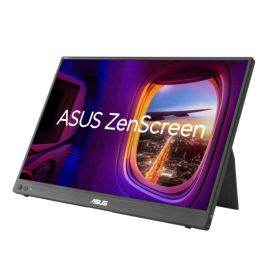
ASUS ZenScreen MB16FC 16-inch WUXGA LED
Call us for availabilityPortable 16-inch LED monitor with an IPS panel, WUXGA resolution, 75 Hz, USB-C, Mini-HDMI and Power Pass Through for flexible workspaces.- Portable 16-inch LED monitor: slim 16:10 display for more workspace on the go
- WUXGA resolution: 1920 × 1200 pixels and an IPS panel with a 178° viewing angle
- Up to 75 Hz: smooth display with a 5 ms GTG response time
- Flexible connectivity: two USB-C ports with DP Alt Mode and Mini-HDMI
- Power Pass Through: bidirectional power delivery with up to 65 W
- Automatic rotation: Switch between portrait and landscape orientation via ASUS DisplayWidget Centre
- ASUS Eye Care: TÜV-certified Flicker-Free and Low-Blue-Light technologies
£181.99 £218.39 Incl. VATRef: ASUMB16FCCompare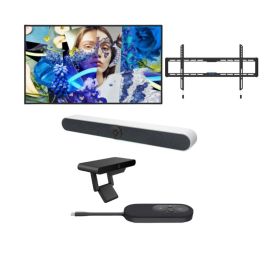
Pack 55" 4K BYOD Video Conferencing with Cleyver Room Bar & Fanvil CA200
Call us for availabilityComplete meeting room solution with 55" 4K display, AI video bar, wireless BYOD screen sharing and wall mount.- 55-inch 4K UHD display with 3840 x 2160 resolution and 500 nits brightness for professional digital signage
- Android 13 operating system with quad-core Cortex-A55 processor, 4 GB RAM and 32 GB storage
- 4K Ultra HD camera with 10x digital zoom and 120° angle
- Advanced AI features: auto-framing and voice tracking
- Wall mount for 43” to 86” screens supporting large professional displays
- Fixed installation for a stable and secure setup
- Wireless screen sharing without software installation
- Support for multiple participating devices
£1,563.92£1,353.11 £1,623.73 Incl. VATRef: HKDS6055ODMLPWCompare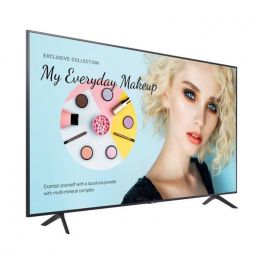
Samsung BE43C-H
Call us for availabilityProfessional 4K monitor with TV tuner ideal for retail and corporate use!- Professional 43-inch (109cm) screen
- Commercial and business special: Integrated TV tuner
- 2-in-1: content sharing + television
- Display 4K UHD+ anti-glare treatment
- Maximum operating time:16H/day; 7 days a week
- Templates available: photos, promos, menus, ...
- Remote management via the Samsung Business TV app
£720.00£522.99 £627.59 Incl. VATRef: SABE43CHUKCompare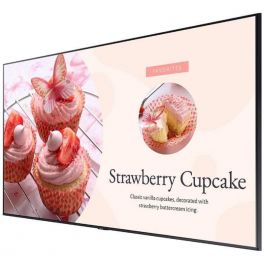
Samsung BE65C-H
Call us for availabilityProfessional 4K monitor with TV tuner ideal for retail and corporate use!- Professional 65-inch (165cm) screen
- Commercial and business special: Integrated TV tuner
- 2-in-1: content sharing + television
- Display 4K UHD+ anti-glare treatment
- Maximum operating time:16H/day; 7 days a week
- Templates available: photos, promos, menus, ...
- Remote management via the Samsung Business TV app
£1,260.00£853.99 £1,024.79 Incl. VATRef: SABE65CHUKCompare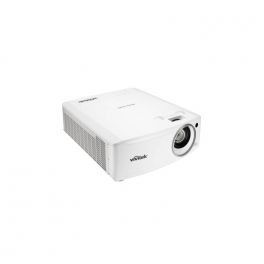
Vivitek DU4771Z 6000 ANSI
Call us for availabilityProject vivid colours with high brightness when using the DU4771Z with advanced laser light source technology.- High Brightness of 6000 Lumens
- Full HD (1920 x 1080) WUXGA resolution
- Battery Life of up to 20,000 hours
- 2 Built-in 5W Speaker
- DLP Technology
£2,813.79£2,557.99 £3,069.59 Incl. VATRef: VIDU4771ZUKCompare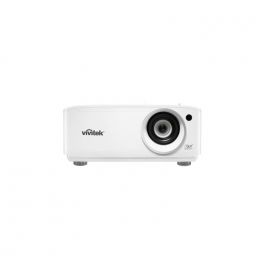
Vivitek DU4871Z 7000 ANSI
Call us for availabilityA powerful projector with the technology to fill your images with life with breathtaking clarity and astounding adaptability.- High brightness of 7000 lumens
- WUXGA Resolution
- Up to 20,000 hours of use with Eco mode
- Built-in 2 5W speakers
- Image adjustment with vertical and horizontal keystone correction
£2,603.99 £3,124.79 Incl. VATRef: VIDU4871ZUKCompare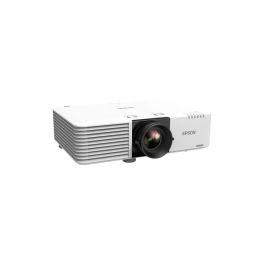
Epson EB-L530U
Call us for availabilityThe EB-L530U fixed-lens laser projector offers 5,200 lumens and is ideal for education, business and tourist attractions.
- Compact projector with stylish design
- Brightness of 5,200 lumens
- Sharp Full HD images
- Support for 4K input, HDMI, HDBaseT,
- Integrated Wi-Fi
- Easy and flexible installation
£2,112.41£2,071.99 £2,486.39 Incl. VATRef: EPSEBL530UUKCompare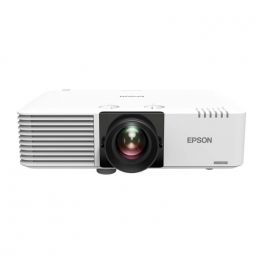
Epson EB-L730U
Call us for availabilityEB-L730U fixed lens laser projector offers 7,000 lumens and is ideal for education, business, retail and tourist attractions.- Fixed-lens laser projector with 7000 lumens
- Full HD images
- Support for 4K input, HDMI, HDBaseT
- Integrated Wi-Fi
- Easy and flexible installation
- Lightweight and compact design with high lens rotation
£3,503.08£3,435.99 £4,123.19 Incl. VATRef: EPSEBL730UUKCompare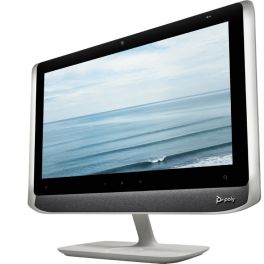
Poly Studio P21 Personal Meeting Display
Call us for availabilityAll-in-one 21.5" personal video conferencing display with integrated 1080p camera, stereo speakers, microphone and adjustable lighting, connecting to PC or Mac via USB.- All-in-one video: 21.5" monitor, camera, speakers and microphone
- Full HD 1080p camera with 4x digital zoom
- Integrated stereo speakers and directional microphone
- Adjustable ambient lighting: stay properly illuminated during video calls
- Simple USB connection to PC or Mac
- Integrated privacy shutter and control buttons
- Poly Lens management platform: device monitoring, configuration and updates
£461.95£459.99 £551.99 Incl. VATRef: POSTUDIOP21UKCompare
Samsung OMDX32
Call us for availabilityBoost your shop windows with this all-in-one digital signage screen with an ultra-slim design!- Ultra-slim design: 45.6 mm
- Very high brightness even in extreme conditions
- Integrated Wi-Fi for easy content management
- IP5X: certified protection against dust and overheating
- Flexible installation (portrait or landscape)
- Automatic brightness adjustment
- Tizen 8.0 operating system
- Designed for 24/7 operation
£1,396.99 £1,676.39 Incl. VATRef: SAOMDX32UKCompare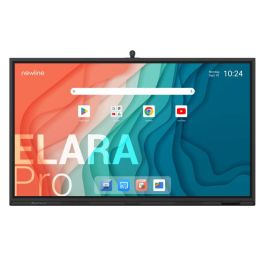
Newline Elara Pro 86'' Screen
Call us for availability86" all-in-one interactive display with 4K camera, 8 microphones, Bluetooth, and Google EDLA certification - designed to reinvent collaboration.- Google EDLA certified: integrated Google apps
- Operating system: Android 13
- 86’’ 4K resolution display
- Anti-glare and antibacterial glass
- 50-point multi-touch technology
- Built-in wide-angle 4K camera (120°)
- Integrated subwoofer + 8 microphones
- Wired or wireless content sharing
- Wi-Fi 6 and Bluetooth 5.2: modern and secure connectivity
£2,749.99 £3,299.99 Incl. VATRef: NEWTT8623QCACompare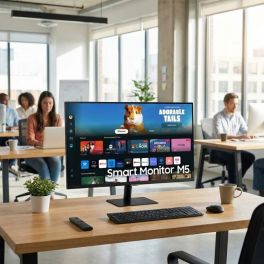
Samsung M50D 32'' Full HD Smart Monitor
Call us for availability32-inch Full HD smart monitor with integrated apps, WiFi connectivity and remote access features, ideal for flexible workspaces and multimedia use.- 32” Full HD display for clear visuals in work and multimedia applications
- Smart TV apps built-in including streaming platforms without external devices
- WiFi and Bluetooth connectivity for wireless access and device pairing
- Remote PC and Office 365 access for flexible and remote working environments
- Multiple inputs with HDMI and USB for versatile connectivity
- Integrated speakers for a complete all-in-one setup
- Clean, minimalist design suitable for modern workspaces and home offices
£229.99£212.99 £255.59 Incl. VATRef: SALS32DM500EUXXUCompare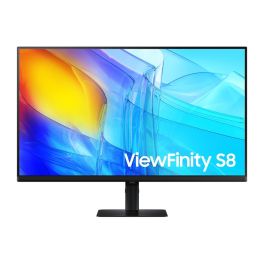
Samsung ViewFinity S8 S32D800EAU 32'' 4K Monitor
Call us for availability32-inch 4K UHD professional monitor with IPS panel, HDR10 support and ergonomic design, ideal for precision work and multitasking.- 32” 4K UHD display : ultra-sharp 3840 x 2160 resolution for detailed work
- IPS panel : accurate colours and wide viewing angles
- HDR10 support : enhanced contrast and image depth
- Ergonomic stand : height, tilt, swivel and pivot adjustments
- Integrated USB hub : connect peripherals directly to the monitor
- Multiple inputs : HDMI and DisplayPort connectivity
- Eye comfort features : flicker-free and low blue light mode
£339.99£283.99 £340.79 Incl. VATRef: SALS32D800EAUXXUCompare
Characteristics and Core Functions
Professional displays represent a specialised category of visual technology engineered specifically for commercial and institutional applications. Unlike consumer-grade screens, these solutions offer enhanced durability, extended operational lifespans, and advanced features tailored to business-critical deployments. Commercial LED displays and professional digital signage systems provide exceptional visual clarity whilst maintaining reliable performance throughout continuous daily operation.
| Brightness (nits) | High-brightness panels (typically 350–700 nits, up to 2,500+ for outdoor) ensure excellent visibility even in brightly lit environments such as retail spaces and reception areas |
| Resolution (Full HD / 4K / 8K) | Higher resolutions deliver crisp, detailed imagery essential for corporate presentations, detailed product displays, and professional content |
| Panel Technology (IPS / VA) | IPS panels provide wide viewing angles ideal for collaborative spaces, whilst VA technology offers superior contrast for immersive visual experiences |
| Connectivity Options | Multiple inputs, including HDMI, DisplayPort, USB-C, and LAN connectivity, ensure compatibility with various content sources and network management systems |
| 16/7 or 24/7 Operation | Commercial-grade components support extended or continuous operation without performance degradation, crucial for digital signage and public information displays |
| Remote Management | Network-based control and monitoring capabilities enable centralized administration across multiple locations, reducing maintenance overhead |
| Touch Functionality | Interactive touch options transform displays into engagement tools for wayfinding, self-service, and collaborative applications |
How to Select the Right Display for Your Requirements
- OKScreen Size and Viewing Distance: Select dimensions based on audience proximity and viewing angles; larger formats (55"–98") suit lobbies and auditoriums, whilst moderate sizes (32"–43") work well in meeting rooms and smaller retail spaces.
- OKBrightness and Ambient Lighting: Assess the lighting conditions in your installation environment; high-brightness displays (500+ nits) perform optimally in window-facing areas or brightly illuminated retail settings.
- OKResolution and Content Type: 4K and 8K displays prove essential when showcasing detailed product imagery, architectural visualisations, or high-definition corporate content.
- OKConnectivity and Integration: Verify compatibility with existing AV infrastructure, content management systems, and network architecture; prioritise displays offering your required input types and network protocols.
- OKOperational Schedule: Match the display's operational rating (16/7, 24/7) to your intended usage pattern; continuous-operation models feature enhanced cooling and component longevity.
- OKInteractive Functionality: Determine whether touch capability enhances your application; touchscreen displays excel in wayfinding, interactive presentations, and self-service scenarios.

Applications Across Professional Environments
Professional displays serve critical communication and information functions throughout diverse business sectors. In corporate environments, these solutions facilitate dynamic presentations during board meetings, enhance videoconferencing experiences with crystal-clear visuals, and support collaborative workflows through interactive touchscreen technology.
Modern offices deploy professional displays in reception areas to project brand messaging and visitor information, whilst internal signage networks keep employees informed across multiple locations.
The retail sector leverages commercial LED displays and professional digital signage to create compelling customer experiences, from shop window displays that capture attention to in-store screens highlighting promotions and product features.
Educational institutions use large-format touchscreens to support collaborative learning and deploy high-resolution displays in lecture halls to ensure content visibility.
In healthcare, screens communicate patient information, wayfinding guidance, and health education content, while transport hubs, public institutions, and hospitality venues rely on robust, always-on displays for passenger information, schedules, and guest services.
Why Partner with Onedirect?
Onedirect specialises in providing professional display solutions backed by comprehensive technical expertise and reliable supply chain management. Our permanent stock availability helps projects stay on schedule, whilst fast delivery reduces installation lead times.
As an official reseller of leading brands including Samsung, LG, Sony, Philips, and Iiyama, we guarantee authentic products with full manufacturer warranties and support. Our team provides expert technical guidance across display technologies, connectivity standards, and integration requirements, whether for a single meeting room or a multi-site digital signage rollout.
Beyond initial supply, our after-sales service supports troubleshooting and warranty administration to keep your display infrastructure delivering reliable performance throughout its operational lifespan.
FAQ – Frequently Asked Questions
What is the difference between a professional display and a consumer TV?
Professional displays are designed for commercial use, offering stronger components, longer lifecycles, and duty-cycle ratings such as 16/7 or 24/7 operation. They also provide enhanced thermal management, professional connectivity options, and remote management features not typically found on consumer televisions.
What brightness level do I need for a professional display?
Brightness requirements depend on ambient light. Standard offices and meeting rooms typically require 350–500 nits, while retail environments or window-facing installations benefit from 500+ nits. Outdoor or direct-sunlight applications require significantly higher brightness levels.
Is 4K necessary for business displays?
4K is not mandatory for all applications but is recommended for large screens, close viewing distances, or content with fine detail such as product imagery, dashboards, or design visuals. Full HD remains suitable for many presentation and signage use cases.
How do I choose between 16/7 and 24/7 operation?
Choose a 16/7 display for standard business hours and occasional extended use. Select a 24/7 model for environments where screens must remain on continuously, such as transport hubs, hospitals, or always-on digital signage networks.
Can professional displays be managed remotely?
Yes. Many professional displays support network-based management via LAN or WiFi, allowing centralised control of settings, monitoring of screen status, scheduling, and content updates across single or multiple locations.
Related Resources
Digital Signage Display Icon Touchscreen Displays Icon Meeting Room Displays Icon
Show more filters