
My Cart



Best professional displays 2026
Medium and large professional displays are increasingly used in meeting rooms, corporate environments, clothing stores, hospitality and restaurants, medical centers, and more. These displays are similar to commonly known televisions but have certain features that make them more suitable for professional use, such as extended playback times for intensive use, multiple connections for connecting peripherals, mounting options, and more. With more options available to suit each user's needs, we’ve created this list of the top 10 best professional displays. Discover our ranking and choose the model that best fits your environment!
IconTOP 10 Icon Comparison table IconFAQ

Our winning trio
Number 1

Samsung professional monitor Series QET - 65'' version
IN STOCK
Energy-efficient with lower power consumption.
Supports HDMI, USB, and network inputs for flexibility
Slim and modern design
Number 2
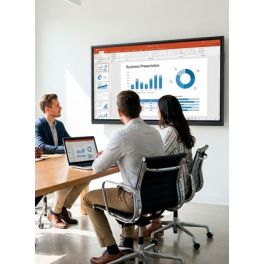
Ensures excellent visibility from various angles, ideal for large rooms.
Provides sharp, detailed images for impressive visual clarity.
Multiple HDMI, USB, and DisplayPort inputs for flexible setup.
Number 3

Delivers sharp, vivid images with excellent color accuracy.
I has multiple connectivity options:
Integrated Samsung MagicInfo for simple content scheduling and playback.
Our complete ranking:
Best image quality / budget balance
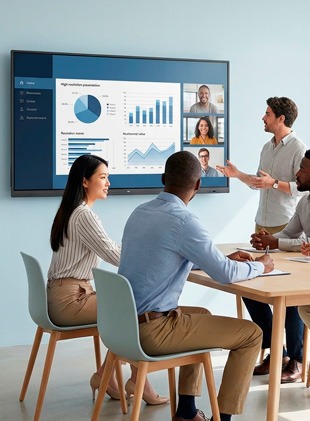
We kick off this ranking with one of the big names in the audiovisual market: Samsung! With its 65-inch QET model, it makes digital signage accessible to everyone! Part of the series of the same name, this monitor is available in six different versions, making it suitable for any environment: meeting rooms, shops, station concourses, etc. In addition to its remarkable image quality (UHD), its real strength lies in its ease of use: to add content, everything goes through the MagicInfo Player software, and for management and broadcasting, it's via PC or USB! By Sector
Retail
Public administrations
Corporate and Office
Features
200 - 300 cd/m²
16h per day
Built in Microphones, Content Sharing, Remote Control Included
4K
65''
400 × 300 mm
Pros
Energy-efficient with lower power consumption.
Supports HDMI, USB, and network inputs for flexibility
Slim and modern design
Cons
May require external speakers for large meeting rooms.
Premium features come at a cost
Best for 24/7 display
The Philips B-Line 75" 4K is a professional television designed to optimise productivity in the workplace. Featuring a 75-inch screen with 4K Ultra HD resolution, it offers exceptional image quality. Its Android TV™ operating system and built-in Chromecast enable seamless wireless content sharing from various devices, facilitating presentations and meetings. By Sector
Retail
Hotels and restaurants

Features
350 - 700 cd/m²
16h per day
Content Sharing, Energy Saving Mode, Remote Control Included, With Android, With TV Tuner
4K
75''
300 × 300 mm
Pros
Ensures excellent visibility from various angles, ideal for large rooms.
Provides sharp, detailed images for impressive visual clarity.
Multiple HDMI, USB, and DisplayPort inputs for flexible setup.
Cons
Lacks interactive features for touch-based collaboration.
Wall mount or stand not included, adding extra setup cost.
Best TV with Chromecast
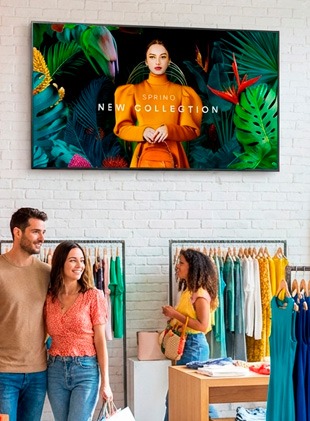
The Samsung QMC 65" is a professional display designed for continuous digital signage. With its 4K resolution and Dynamic Crystal Colour technology, it delivers remarkably sharp visuals and vibrant colours. Thanks to its ultra-slim design, measuring just 28.5 mm thick, it blends seamlessly into any space, whether in portrait or landscape mode. Designed for 24/7 operation, this display meets the demanding needs of reception areas, shops, meeting rooms, etc. The display can be controlled remotely, making it easy for businesses with a fleet of displays to manage and update content. By Sector
Retail
Corporate and Office
Features
350 - 700 cd/m²
24h per day
Content Sharing, Remote Control Included
4K
65''
400 × 300 mm
Pros
Delivers sharp, vivid images with excellent color accuracy.
I has multiple connectivity options:
Integrated Samsung MagicInfo for simple content scheduling and playback.
Cons
Lacks interactive features for touch-based applications.
Higher cost compared to other non-commercial monitors.
Best ultra-thin edge-to-edge design
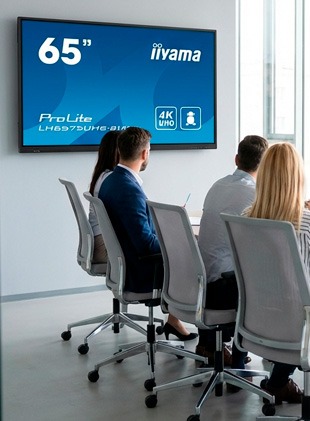
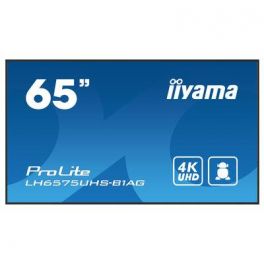
The iiyama ProLite LH6575UHS-B1AG is a 65-inch professional display with 4K UHD resolution, designed for digital signage and demanding corporate environments. It offers a sharp image with an anti-glare IPS panel, high brightness and wide viewing angles, making it suitable for detailed visual content and presentations. This display can operate in landscape or portrait mode 24/7 and has a built-in Android system that allows you to install applications and manage content directly. It is equipped with multiple inputs (HDMI, DisplayPort, LAN) and an SDM slot for integrating a PC or internal module. Features such as FailOver, remote management via CMS and wireless sharing facilitate continuous broadcasting and centralised content management in public or professional spaces. By Sector
Public administrations
Corporate and Office
Features
350 - 700 cd/m²
24h per day
Embedded Content Manager, Remote Control Included, With Android
4K
65''
400 × 400 mm
Pros
Sharp 4K UHD resolution for crystal-clear visuals
Wide viewing angles with vibrant VA panel technology
Multiple connectivity options including HDMI, DisplayPort, and USB
Cons
8ms response time may not suit fast-paced gaming
Brightness of 350 cd/m² might be low for very bright environments
Larger size requires ample desk space or wall mounting
Best for small or tight spaces
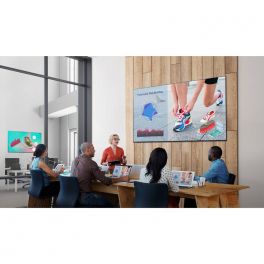
The LG 50UL3J-E is a 50-inch digital signage display with 4K UHD resolution, designed for professional environments such as meeting rooms, reception areas, and public spaces. It offers a sharp, bright image, good colour reproduction, and high stability for continuous 24/7 operation. Thanks to its compatibility with different formats and multiple inputs (HDMI, USB, etc.), it can be easily integrated into existing communication and signage systems. Its slim, modern design adapts to a variety of environments, while its display functions allow for smooth content management. This display is a reliable solution for broadcasting videos, information messages or presentations in a professional manner. By Sector
Retail
Public administrations
Corporate and Office

Features
350 - 700 cd/m²
16h per day
BYOD, Content Sharing, Embedded Content Manager, Remote Control Included, Screen
4K
50''
200 × 200 mm
Pros
Can be easily mounted or used in portrait/landscape mode.
A sleek, modern look.
High brightness, works well in bright environments.
Cons
Not as vivid as premium models.
Lacks some high-end options for premium users.
Best for retail display
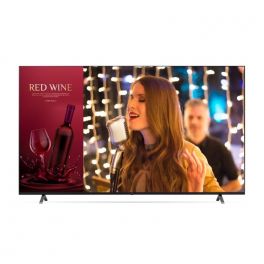
The LG 43UN640S is a 43-inch professional display with 4K UHD resolution that delivers sharp images and vivid colours for presentations, digital signage or corporate content. Designed for versatile use in spaces such as meeting rooms, reception areas or information points, it supports extended operation and easy integration thanks to its multiple video inputs (HDMI, USB) and compatibility with various broadcasting systems. Its slim and discreet design allows for seamless integration into different environments, while its image quality ensures good readability for text and visual content. By Sector
Hotels and restaurants
Health and social action

Features
200 - 300 cd/m²
16h per day
Noise Reduction, PC/Mac Compatible, Remote Control Included, With TV Tuner
4K
43''
200 × 200 mm
Pros
Modern and stylish design.
Energy efficient, consumes less power
Sharp and clear image quality.
Cons
Basic audio, may need external speakers
Limited to standard display features.
Best for meeting room presentations
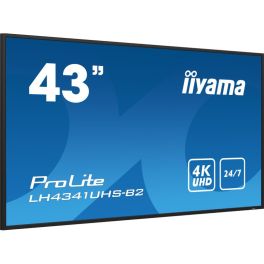
The iiyama ProLite LH4341UHS-B2 is a 43-inch professional monitor designed for continuous digital signage. Its 4K UHD resolution and IPS panel deliver exceptionally sharp images. Designed for 24/7 operation, this display is ideal for commercial, educational or corporate environments. Its slim bezel design and landscape or portrait installation options offer great flexibility in layout. By Sector
Retail
Public administrations

Features
350 - 700 cd/m²
24h per day
Content Sharing, Embedded Content Manager, PC/Mac Compatible, Remote Control Included
4K
43''
200 × 200 mm
Pros
Provides crisp, clear visuals with exceptional detail and color accuracy.
Includes HDMI, DisplayPort, and USB for versatile connections.
Supports direct playback of media files without the need for a connected PC.
Cons
Lacks interactive features for touch-based collaboration.
May not be ideal for very bright or direct sunlight environments.
Best for premium digital signage
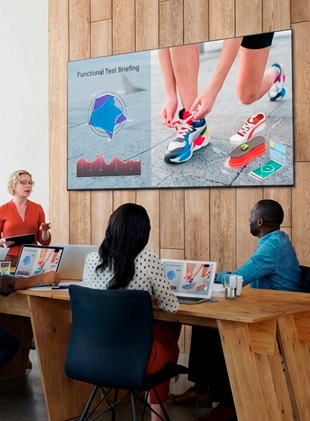
The LG 75UL3J-E is a large 75-inch screen with 4K UHD resolution, designed for professional environments such as meeting rooms, reception areas, or digital signage spaces. It offers sharp, bright image quality, suitable for displaying text and visual content, while supporting extended operation. With multiple inputs (HDMI, USB, etc.), it easily adapts to the connection needs of various devices and systems. Its slim, modern design blends seamlessly into different spaces, providing a reliable solution for presenting information, presentations or corporate content to a wide audience. By Sector
Retail
Corporate and Office
Features
350 - 700 cd/m²
16h per day
Content Sharing, Embedded Content Manager, Remote Control Included
4K
75''
400 × 400 mm
Pros
Easy content sharing via WiFi and LG's One: Click.
Integrated Speakers, no need for external speakers.
Cons
Designed for 16 hours a day use, not 24/7.
Weighs 31.4kg, needs strong support.
Best for intensive business use
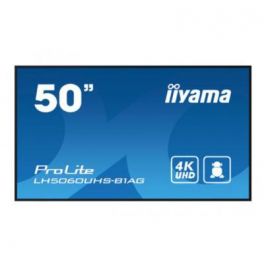
The iiyama ProLite LH5060UHS-B1AG is a 50-inch display designed for continuous digital signage. Its 4K resolution and VA panel deliver exceptionally sharp images with accurate colours, ensuring optimal visual quality to capture the audience's attention. Designed for 24/7 operation, this display is ideal for commercial, educational or corporate environments. Its built-in media player allows content to be played directly from a USB stick. Its slim bezel design and landscape or portrait installation options offer great flexibility in layout. By Sector
Retail
Public administrations
Corporate and Office

Features
350 - 700 cd/m²
24h per day
Content Sharing, Remote Control Included, With Android
4K
50''
400 × 400 mm
Pros
Reduces reflections, ensuring visibility in bright environments.
Offers sharp, high-quality visuals with impressive detail and clarity.
Multiple Cconnectivity options
Cons
Wall mount or stand sold separately, adding to setup costs.
Built-in speakers may require external audio support for larger spaces.
Best for auditoriums or entrance halls
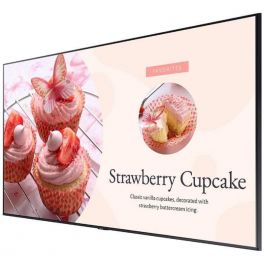
The Samsung BE65C-H is a 65-inch professional display designed for corporate environments and digital signage. With its 4K UHD resolution, it delivers a sharp and bright image suitable for demanding visual content, whether for information messages, presentations or promotional campaigns. This display is designed for continuous 24/7 operation, making it reliable for use in reception areas, retail outlets, or meeting rooms. Its multiple inputs make it easy to connect to different devices and systems, while its slim, modern design blends seamlessly into a variety of professional spaces. By Sector
Retail
Corporate and Office

Features
200 - 300 cd/m²
16h per day
Content Sharing, Remote Control Included, With TV Tuner
4K
65''
400 × 300 mm
Pros
Anti-Glare Coating
Energy-Saving Timer
Cons
Can only be mounted in landscape orientation.
Designed for 16 hours a day, 7 days a week.
| 1 | 2 | 3 | 4 | 5 | 6 | 7 | 8 | 9 | 10 | |
| Brightness | 200 - 300 cd/m² | 350 - 700 cd/m² | 350 - 700 cd/m² | 350 - 700 cd/m² | 350 - 700 cd/m² | 200 - 300 cd/m² | 350 - 700 cd/m² | 350 - 700 cd/m² | 350 - 700 cd/m² | 200 - 300 cd/m² |
| Operating hours | 16h per day | 16h per day | 24h per day | 24h per day | 16h per day | 16h per day | 24h per day | 16h per day | 24h per day | 16h per day |
| Other Features | Built in Microphones, Content Sharing, Remote Control Included | Content Sharing, Energy Saving Mode, Remote Control Included, With Android, With TV Tuner | Content Sharing, Remote Control Included | Embedded Content Manager, Remote Control Included, With Android | BYOD, Content Sharing, Embedded Content Manager, Remote Control Included, Screen | Noise Reduction, PC/Mac Compatible, Remote Control Included, With TV Tuner | Content Sharing, Embedded Content Manager, PC/Mac Compatible, Remote Control Included | Content Sharing, Embedded Content Manager, Remote Control Included | Content Sharing, Remote Control Included, With Android | Content Sharing, Remote Control Included, With TV Tuner |
| Resolution | 4K | 4K | 4K | 4K | 4K | 4K | 4K | 4K | 4K | 4K |
| Screen Size | 65'' | 75'' | 65'' | 65'' | 50'' | 43'' | 43'' | 75'' | 50'' | 65'' |
QUESTIONS
Professional vs Consumer Displays: What’s the Difference?
Extended connectivity options, remote management features and enhanced security: professional displays are specifically designed to meet the unique demands of corporate, educational and commercial environments. Let’s take a look at what sets them apart from consumer-grade models:
- Durability: built for continuous use, they are made from robust materials and high-quality components.
- Image quality: designed to engage employees, visitors or potential customers, they offer superior resolution.
- Brightness: they generally feature higher brightness levels, ensuring clear visibility even in well-lit environments.
- Business features: equipped with functions tailored for professional applications, such as continuous playback, scheduling and remote management.
- Extended warranty: intended for intensive use, they come with longer warranties and additional technical support, providing everyday peace of mind.
- Customisation and flexibility: in terms of mounting, orientation and configuration, only professional models offer such a wide range of options.
- Connectivity and compatibility: thanks to their broad range of connections and compatibility with numerous devices, they integrate seamlessly into existing systems.
In short, choosing a professional display over a consumer model means opting for performance, durability and advanced features.
What Are the Main Application Scenarios for Professional Displays?
True all-rounders, professional displays can adapt to a wide variety of use cases. Most commonly, they are found in the following settings:
- Meeting and conference rooms: for presenting data, team brainstorming and virtual collaboration (they boost creativity).
- Reception and lobby areas: for displaying company information, announcements and welcome messages (they enhance communication).
- Education and training: for interactive classroom learning and corporate training programmes (they encourage participation).
- Advertising and digital signage: for promoting products, services or events in public or commercial spaces (they capture attention).
What Key Factors Should Be Considered When Choosing a Professional Display?
Wall-mounted or on a trolley, portrait or landscape format, display type (dynamic or interactive)… as you can see, choosing the right professional display requires careful consideration. To make the best decision, there are several key criteria to keep in mind, including:
- Intended use: some models are better suited to corporate environments, while others are specifically designed for the education sector.
- Screen size (in inches): 50’’, 65’’, 75’’, 86’’, 98’’… the right choice depends on the room capacity (number of participants) and available space.
- Resolution: this refers to the number of pixels in an image. The higher it is, the sharper the image. Tip: for truly optimal quality, choose a model with an anti-glare panel.
- Interactive features (touchscreens only): consider the type of technology (resistive, capacitive, etc.), handwriting recognition and sharing options (wired or wireless).
- Connectivity options: USB ports, HDMI inputs, Bluetooth… these features allow seamless integration with existing devices and collaboration software.
- Total cost of ownership: beyond the initial purchase price, consider the deployment and maintenance costs associated with the chosen display.
Once these points are clarified, other questions may arise to help refine your choice, such as:
- Do you prefer a particular brand?
- What is your preferred operating system?
- Would you like to integrate additional modules (camera, speakers, etc.)?
How Can I Ensure Effective Use of Professional Displays in My Organisation?
Investing in a professional display is one thing; making the most of it is another. To ensure effective and optimal use, we recommend:
- Training staff on how to use the display’s features (this encourages engagement).
- Establishing policies and procedures to ensure appropriate use of the device.
- Integrating the display with your existing tools (video conferencing software, broadcasting applications, etc.).
- Keeping the product updated to ensure smooth operation.
- Regularly evaluating its effectiveness and adjusting your strategies accordingly.