
My Cart



Conference room solutions
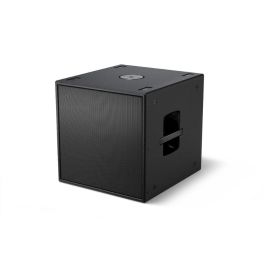
Bose AMS115 Compact Subwoofer Black
Call us for availabilityPowerful 15” subwoofer delivering deep, punchy bass, perfect for live events and permanent installations.£1,899.99£1,832.99 £2,199.59 Incl. VATRef: BOSEAMS115Compare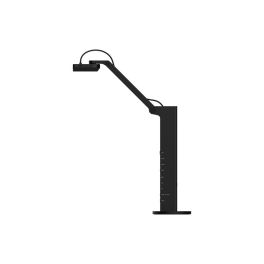
Ipevo VZ-R Ultra 13MP
Call us for availability13MP document camera with HDMI and USB connectivity. Captures in real time without a PC and is suitable for any educational or professional setting.£291.99 £350.39 Incl. VATRef: IP592820800Compare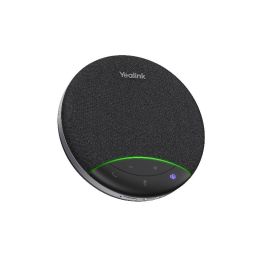
Yealink SP92 USB-C/A
Call us for availabilityBluetooth USB-C speakerphone with AI noise reduction and 20-hour battery life£49.99 £59.99 Incl. VATRef: YEASP92ACCompare
Cisco TelePresence Management Suite - licence - 10 systems
Call us for availabilityProvides control and visibility for both local and remote systems.£3,396.96£2,182.99 £2,619.59 Incl. VATRef: CILICCompare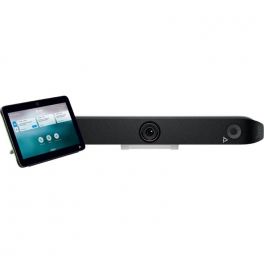
Poly Studio X52 and TC10
Call us for availabilityThe Poly Studio X52 4K UHD videobar combines with the Poly TC10 touchpad to form a powerful and comprehensive conferencing solution.£4,606.95£3,499.99 £4,199.99 Incl. VATRef: POSTX52TC10UKCompare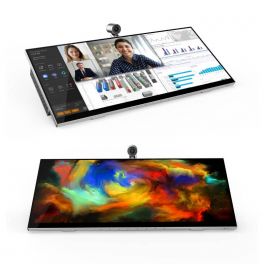
Jupiter Pana 34
Call us for availabilityAll-in-one desktop monitor with 21:9 panoramic display, 4K camera, speakers, and 8 microphones.£1,588.95£946.99 £1,136.39 Incl. VATRef: JUPPANA31TCompare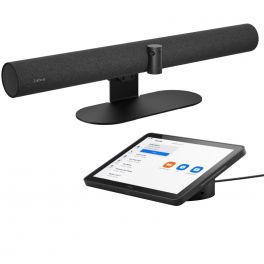
Jabra PanaCast 50 Video Bar System Zoom
Call us for availabilityAll-in-one room system with PanaCast 50 videoconferencing bar and advanced Android processor for computer-free collaboration.£3,199.00£2,999.99 £3,599.99 Incl. VATRef: GNPANA50SYSZUKCompare
Partner Poly Plus for Large Room Kit (3 year)
Call us for availabilityComprehensive support service for Poly devices£549.99 £659.99 Incl. VATRef: POSTUDLR3YCompare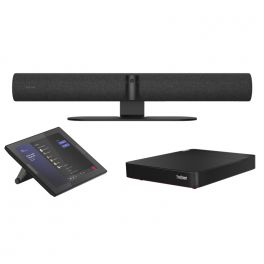
Jabra Panacast 50 Room System - Zoom
Call us for availabilityAll in One Video Conferencing Solution preconfigured to Zoom! Includes Lenovo ThinkSmart Core and Tablet!£3,432.00£2,754.99 £3,305.99 Incl. VATRef: GNPANACAST50ROZUKCompare
1 Year Poly+ Service for Poly Studio P15
Call us for availabilityAdditional warranty for Poly studio P15£19.99 £23.99 Incl. VATRef: POSTUDIOP15PP1YCompare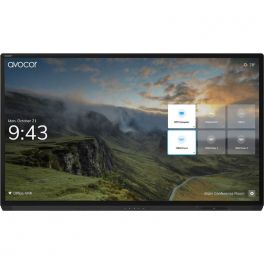
AVOCOR AVG-8560 85" 4K Interactive Display
Call us for availabilityAn interactive display designed for maximum collaboration and high performance.£7,999.00£7,528.99 £9,034.79 Incl. VATRef: AVO8560UKCompare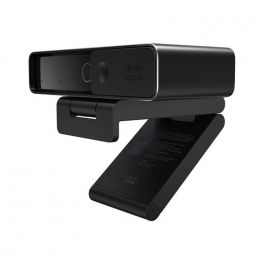
Cisco Webex Desk Camera 4K - Carbon Black
Call us for availabilityPremium 4K camera that provides high-quality video and audio for video conferencing.£381.00£143.99 £172.79 Incl. VATRef: CIWDC13CCompare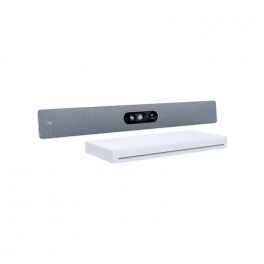
Cisco Webex Room Kit EQ Non-Radio
Call us for availabilityAn AI-powered video collaboration solution with a multi-lens Quad Camera and powerful Codec EQ - Non-Radio£17,799.99 £21,359.99 Incl. VATRef: CIRKEQNRCompare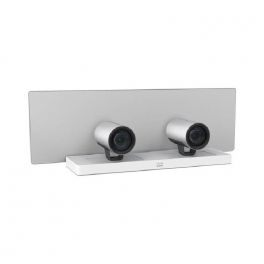
Cisco TelePresence SpeakerTrack 60
Call us for availabilityDual-camera system with accurate speaker tracking.£14,841.35£11,161.99 £13,394.39 Incl. VATRef: CITESP60Compare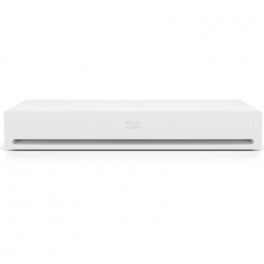
Cisco Webex Codec Plus (Non Radio and Non Crypto) - Video conferencing device
Call us for availabilityA powerful video conferencing solution that is abundant in functionality and adaptable to different environments.£7,374.01£4,794.99 £5,753.99 Incl. VATRef: CIWCPNRNCCompare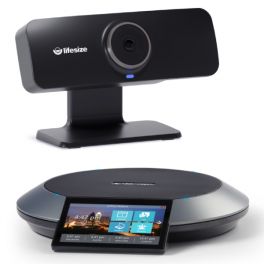
Lifesize Icon 300 with Phone HD Huddle System
Call us for availabilityCamera with 120° ultra-wide field of view to capture everyone in the meeting room.£2,699.99£2,399.99 £2,879.99 Incl. VATRef: LSICON300UKCompare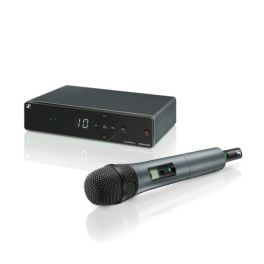
EPOS XSW 1-825-A Vocal Set
Call us for availabilityWireless microphone system, all in one and easy to use£221.99 £266.39 Incl. VATRef: SEXSW1825Compare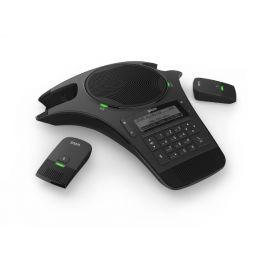
Snom C520 WiMi
Telephone for audioconferencing with DECT and Bluetooth technologyCall us for availability4 of 1 Reviews£317.72£170.99 £205.19 Incl. VATRef: SMC520Compare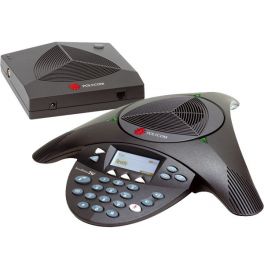
Polycom Soundstation 2W NE Refurb
Call us for availabilityWireless non-expandable analogue conference phone for up to 10 participants - refurbished model£259.99£198.99 £238.79 Incl. VATRef: POS2WNERUKCompare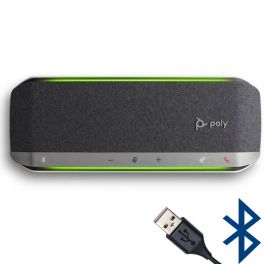
Poly Sync 40 UC
Call us for availabilityPortable speakerphone with microphone, USB-A and Bluetooth connection - ideal for small meeting rooms, huddle rooms£230.40£134.99 £161.99 Incl. VATRef: PLSYNC40USBACompare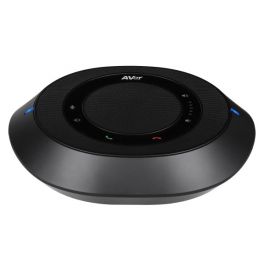
Aver Fone540
Call us for availabilityPortable Bluetooth speaker and USB-A connection ideal for conferences£379.99£329.99 £395.99 Incl. VATRef: AVFONE540UKCompare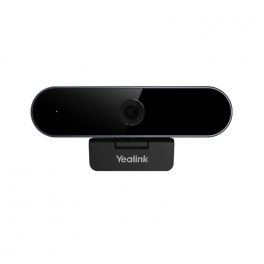
Yealink UVC20
Call us for availabilityUSB webcam with excellent image quality - Ideal for remote working, distance learning, streaming£79.99£64.99 £77.99 Incl. VATRef: YEALINKUVC20Compare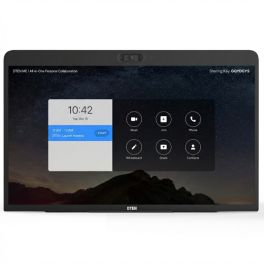
DTEN ME Personal Collaboration Display 27''
Call us for availabilityAll-in-one 27" touchscreen collaboration device with integrated cameras, microphone array and speakers, designed for Zoom meetings and personal hybrid workspaces.£699.99£659.99 £791.99 Incl. VATRef: DTME27UKCompare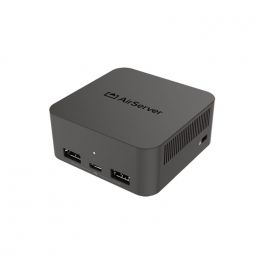
Airserver Connect 3
Call us for availabilityThird-generation screen mirroring and content-sharing system capable of simultaneously managing 12 streams.£929.99 £1,115.99 Incl. VATRef: AIRSERCON3Compare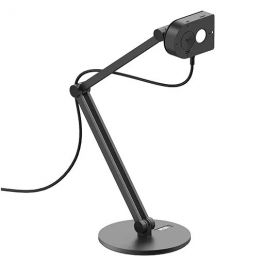
Ipevo MP-8M (with Bracket & Clamp)
Call us for availabilityMP-8M camera with 4K ultra HD, AI Noise Reduction, Magnetic Mount, On-board LED light£109.00£99.99 £119.99 Incl. VATRef: IPEVMP8MPACKCompare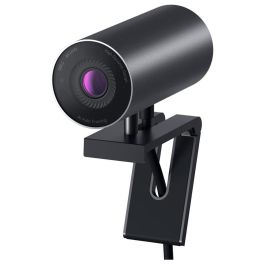
DELL UltraSharp 4K Webcam WB7022
Experience the world’s best image quality with the DELL UltraSharp WebcamCall us for availability5 of 1 Reviews£182.59£164.99 £197.99 Incl. VATRef: DELLWB7022Compare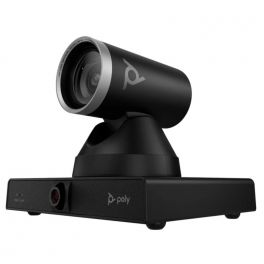
Poly Studio E60
Call us for availabilityPTZ camera with 12x optical zoom, AI control and USB connection, perfect for large professional and educational spaces!£1,499.99£1,329.99 £1,595.99 Incl. VATRef: POSTE60PTZCompare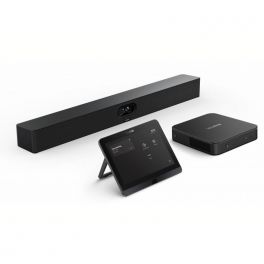
Yealink MVC S40
Call us for availabilityNative Microsoft Teams system for small and medium-sized rooms with video bar, mini-PC and touchscreen tablet.£2,499.00£2,291.99 £2,750.39 Incl. VATRef: YEAMVCS40UKCompare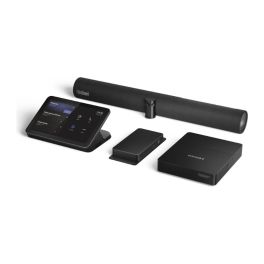
Lenovo ThinkSmart 12WN000CUK Kit Bar + IP Controller
Call us for availabilityMicrosoft Teams Rooms kit with 180° camera bar, 10.1'' anti-glare touch controller, and Core Ultra 5 compute£3,999.99£3,493.99 £4,192.79 Incl. VATRef: LEN12WN000CUKCompare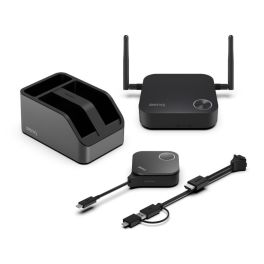
BenQ InstaShow® WDC15 4K UHD Wireless Presentation System
Call us for availabilityPlug & Play wireless 4K UHD presentation system with no drivers and no app required – perfect for small and medium-sized meeting rooms£658.99 £790.79 Incl. VATRef: BENQWDC15Compare
Apple Studio Display 27-inch 5K Display with tilting stand
Call us for availability27-inch 5K display with a 12 MP camera, built-in audio system and Thunderbolt 5 connectivity, ideal for Mac workstations and video conferencing.£1,663.99£1,357.99 £1,629.59 Incl. VATRef: APMFEX4FDACompare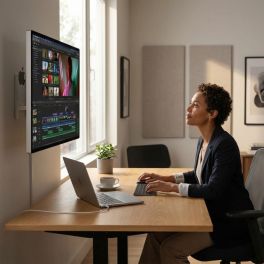
Apple Studio Display XDR 27-inch 5K Standard Glass
Call us for availabilityA 27-inch professional display with Retina XDR 5K, standard glass and VESA mounting, ideal for desktop use, editing and advanced visual work.£4,377.99£2,939.99 £3,527.99 Incl. VATRef: APMFEN4FDACompare
Apple Studio Display 27-inch 5K with nano-textured glass
Call us for availability27-inch 5K display with nano-textured glass, a 12 MP camera and a stand with adjustable height and tilt, designed for demanding Mac workstations.£2,626.99£1,916.99 £2,300.39 Incl. VATRef: APMFF04FDACompare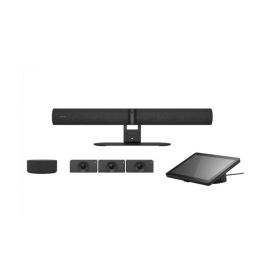
Jabra PanaCast 55 VBS Kit Multi Android
Call us for availabilityModular video conferencing system featuring a Jabra Android video bar, a Huddly Crew multi-camera system and a speaker, designed for large, flexible rooms.£12,228.69£9,082.99 £10,899.59 Incl. VATRef: GNPANACAST55KMCompare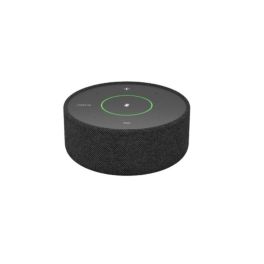
Jabra PanaCast Speakermic Conference Microphone
Call us for availabilityExtension microphone for Jabra PanaCast systems, featuring 360° voice pickup for clear audio quality in large meeting rooms.£549.95£422.99 £507.59 Incl. VATRef: GNPANACASTMICCompare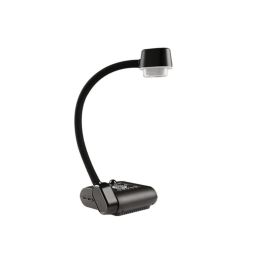
AVer AVerVision F50+ Flexible 4K Document Camera
Call us for availability13-megapixel portable document camera with 4K resolution at 60 frames per second and a flexible arm, ideal for interactive teaching, presentations and content capture.£524.99 £629.99 Incl. VATRef: AVF50PLUSCompare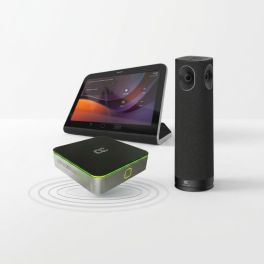
AudioCodes RXV200-B360 Kit Microsoft Teams Rooms 360°
Call us for availabilityMicrosoft Teams Rooms system with a 360° panoramic camera, built-in audio and touch controls for small and medium-sized rooms.£2,626.99£1,923.99 £2,308.79 Incl. VATRef: AUDRXV200B360Compare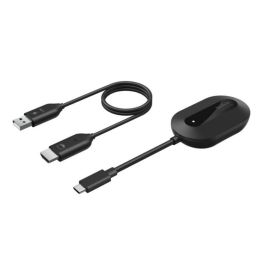
Belkin ConnectAir Wireless HDMI Adapter for Displays
Out of stockWireless HDMI display adapter for mirroring or extending screen content in meeting rooms, classrooms and workspaces – plug-and-play without Wi-Fi or Bluetooth.£95.99£82.99 £99.59 Incl. VATRef: BELCOAIRHDMICompare
Yealink 3-year extended warranty for the A40-031
Call us for availabilityExtend the warranty on your Yealink A40-031 by a further three years to ensure your meetings run smoothly and to safeguard your investment in the long term.£656.99£579.99 £695.99 Incl. VATRef: YEAAMSA400313YCompare
Yealink 2-year extended warranty for the A50-010
Call us for availabilityGet two years’ extra cover for your Yealink A50-010 and ensure your meetings run smoothly whilst keeping your maintenance costs under control.£533.99£461.99 £554.39 Incl. VATRef: YEAAMSA500102YCompare
Characteristics and Core Functions
Video conferencing solutions for meeting rooms combine advanced technologies to create modern collaborative environments where on-site and remote teams interact naturally. They ensure high-quality audio and video, multi-platform compatibility and seamless integration with collaboration tools. These solutions bring dispersed teams together and enable real-time content sharing, regardless of the professional environment.
| Full HD / 4K video | Optimal image quality for presentations, training sessions and hybrid meetings. |
| Multi-platform compatibility | Works with Teams, Zoom and other UC solutions for maximum flexibility. |
| Custom room sizing | Configurations adapted to room capacity and primary use cases. |
| Wireless connectivity | Simplified content sharing and reduced cable clutter in meeting rooms. |
| Equipment integration | Compatible with displays, video bars, cameras and official accessories. |
How to choose the right solution?
- OK Room capacity: number of regular participants for optimal sizing of audio-visual equipment.
- OK Video conferencing frequency: occasional use or daily hybrid meetings requiring higher performance.
- OK Main communication platform: Microsoft Teams Rooms, Zoom Rooms or universal compatibility.
- OK IT support: self-installation or the need for external assistance.
- OK Required accessories: depending on the room (microphones, mounts, speakers).

Applications across professional environments
Video conferencing solutions are used across many B2B environments. In corporate meeting rooms, they facilitate day-to-day collaboration with remote teams and support decision-making. In education, they enable hybrid learning. HR departments use these systems to optimise recruitment and training processes. In retail and logistics, they help coordinate operations across dispersed sites. Finally, they are essential for multi-site seminars, workshops and conferences, where audio and video quality ensures an immersive experience.
Why partner with Onedirect?
Onedirect offers video conferencing solutions from leading brands such as Poly, Logitech, Yealink, Jabra and Cleyver. As an official reseller, we guarantee fast and secure delivery, permanent stock availability and dedicated after-sales support. Our expert guidance helps you design spaces aligned with your IT infrastructure, ensuring successful deployment and maximum user satisfaction.
FAQ – Frequently asked questions
What is the difference between a standard meeting room and a video conferencing room?
A video conferencing room integrates cameras, microphones and speakers to allow remote participants to actively take part in meetings, whereas a standard meeting room is limited to on-site collaboration.
Which types of rooms can be equipped?
From small meeting rooms to large auditoriums, our professional solutions adapt to all types of spaces.
Can an existing meeting room be equipped progressively?
Yes. A modular approach is possible. You can start with the display and the video system (camera or video bar), then gradually add components as your needs evolve and budget allows.
How can communication security be ensured?
Systems include encryption protocols and regular software updates to protect your communications.
Which accessories are available?
Mounts, extension microphones, interactive displays and video bars can be added to complete the installation.
Related resources
Touchscreen Displays Icon Content sharing Icon Room reservation systems Icon