My Cart



Video conferencing
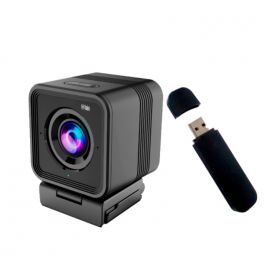
Laia B&H PC Pro Wifi
DiscontinuedPlug & Play professional wireless wifi webcam with 360° rotation and built-in microphone. Exclusively at Onedirect!- Wireless wifi camera with 3h of autonomy
- 360° rotating and 110° tilting bracket
- Microphone with 180° coverage up to 3 meters
- Full HD quality and fixed focus
- Compatible with all conferencing software
- Exclusivity Onedirect!
Check similar productsRef: LAIABHPCPROWCompare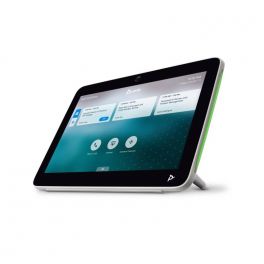
Poly TC10 White
Discontinued2-in-1 touch panel for room scheduling and meeting control.- 2-in-1 tablet: room reservation + meeting control
- 10" touch screen with LED indicators
- Single cable system (PoE)
- Proximity sensor available
- Seamless integration with Zoom
- Also available in black
Check similar productsRef: POSTTC10WCompare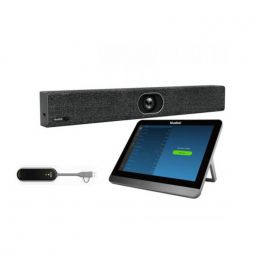
Yealink MeetingBar A20 with CTP18 touch panel & WPP30
All-in-One Android Video Bar for Small Rooms, compatible with Teams, Zoom, or any other video conference app.- Video bar for small rooms
- 20MP lens + 133° field of view
- AI: Auto framing + voice tracking
- 8 MEMS microphones + 5W speaker
- Full-Duplex experience via Yealink Noise Proof technology
- Yealink WPP30 wireless system
- Multiple connection hubs to connect peripherals to your video systems
- Management via the CTP18 touchscreen tablet
- Multi-platform: Teams, Zoom, BYOD
Discontinued5 of 1 ReviewsCheck the alternative productRef: YEAA20CTP18WPP30UKCompare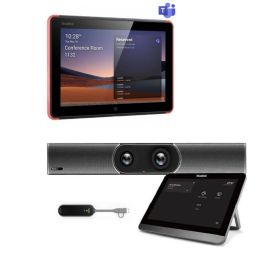
Yealink MeetingBar A30 with CTP18 touch panel & WPP30 + Yealink RoomPanel for Microsoft Teams
All-in-One Android Video Bar and a Touch Panel for Meeting Room Management- Medium room video bar
- Dual 8MP PTZ lens
- Wide fields of view at 90° and 120
- 8-inch touch panel for room management
- 10 interactive points: easy to use
- With portrait or landscape orientation to choose from
Discontinued5.0 of 1 ReviewsCheck similar productsRef: YEAA30CTP18P30PAUKCompare
Poly Studio X50 + Poly TC8
DiscontinuedVideo bar with 5x digital zoom and intuitive touch interface- ideal for small to medium meeting rooms ***Special offer, while stock lasts***- For small and medium-sized rooms
- Quick wireless content sharing
- Stereo speakers with exceptional audio
- Noise-cancelling technology
- 4K resolution with 5x digital zoom
- 8" high-resolution intuitive touch display
Check the alternative productRef: POSTX50TC8KITUKCompare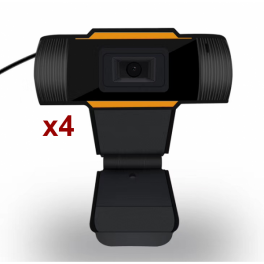
Pack USB Webcam for PC
Buy 3 and get 1 FREE.bloc-refurb-pdt a { color: #fff; font-size: 15px; margin: 10px 0; padding: 6px 20px; border: 1px solid #c72828; text-decoration: none; background: #c72828;}.bloc-refurb-pdt a:hover { color: #c72828; background: #fff; text-decoration: none;} BUY 3 and GET 1 FREE- Webcam with 2 in1 USB connection and 3.5mm Jack
- Connect it easily: Plug & Play
- Provides a high-quality 480-pixel image
- Noise-cancelling microphone
- Clip for display mounting
- 1.5m USB cable
Discontinued4.3 of 3 ReviewsCheck similar productsRef: MINSWEBCAMX4Compare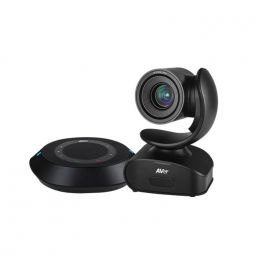
AVer VC540
DiscontinuedSpeakerphone and camera for quality videoconferencing - ideal for medium to large rooms- Videoconferencing camera for your meeting rooms
- With Sony sensor for 4K Ultra HD image quality
- With wireless speaker microphone for your calls
- 16X total zoom for clear meetings
- Ideal for medium to large rooms with automatic framing
- Bluetooth, USB-C, Micro USB, IP (RJ45) connections
- Video streaming and remote control via IP
- Compatible with all softphones on the market
- Certified for Teams, Skype and Zoom
Check the alternative productRef: AVC540Compare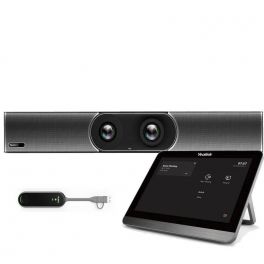
Yealink MeetingBar A30 with CTP18 touch panel & WPP30 (OPEN BOX)
DiscontinuedAll-in-One Android Video Bar for Medium Rooms, compatible with Teams, Zoom, or any other video conference app- Medium room video bar
- Dual 8MP PTZ lens
- Wide fields of view at 90° and 120
- AI: Auto framing + voice tracking
- 8 MEMS microphones + dual speakers
- Full-Duplex experience via Yealink Noise Proof technology
- Management via the CTP18 touchscreen tablet
- WPP30: 4K Wireless Presentation Pod
- Multi-platform: Teams, Zoom, BYOD
Check similar productsRef: R-YEAA30CTP18WPP30UKCompare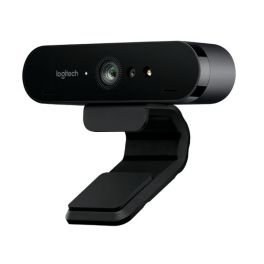
Logitech Brio
Ultra HD Webcam ideal for work, home and fun - ideal for home working- Video conference in Ultra HD 4K
- Zoom digital 5x and Full HD
- Expansive field of vision
- Autofocus
- Omni-directional microphones
- USB Plug and Play
- Infrared sensor technology
Discontinued5 of 2 ReviewsCheck the alternative productRef: LOBRIOCompare- Ref: POREALEAGLEMSRCompare
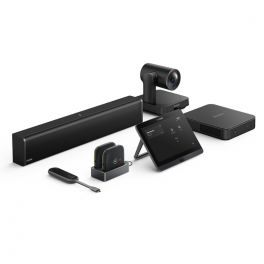
Yealink MVC640 Gen 3
Native Microsoft Teams Rooms system for Medium rooms- Autoframing camera with 4K sensor
- 11th Gen Intel® Core i5 mini-PC
- 8-inch touch screen panel
- One-click share with Yealink WPP30
- Multi-device AVHub
- 360° omnidirectional pickup array microphone
Discontinued4 of 1 ReviewsCheck similar productsRef: YEAMVC640G3UKCompare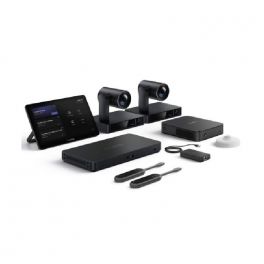
Yealink MVC S90
DiscontinuedMicrosoft Teams Rooms native system for extra large rooms with HUB to improve the accessibility of your conference rooms to any USB device.- 12x optical zoom 4K cameras that capture all movements
- Wireless content sharing with a single click
- 11th generation Intel® Core i5 mini PC
- 11.6'' touchscreen panel for meeting control
- Mini PC with 11.6'' touch screen
- Cable management with MCore Pro
- AVHub multi-device
- Flexible options to customise audio solutions
- Plug&Play HUB with USB cable to laptop
- Optimised for Microsoft Teams
Check similar productsRef: YEAMVCS90UKCompare
Yealink MeetingBar A60
DiscontinuedAll-in-one AI-driven video collaboration bar for more immersive meetings in medium-sized rooms.- All-in-one video bar for medium-sized rooms
- Android system: personal PC not required
- Dual 4K cameras with 120° view
- Automatic speaker and group framing
- Noise-cancelling microphones
- Dual HDMI output: video conferencing on 2 screens
- Optimised for Microsoft Teams Room and Zoom Room
Check the alternative productRef: YEALINKA60UKCompare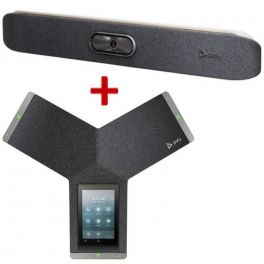
Poly Trio C60 IP Teams + Studio X30 Pack
DiscontinuedAudio conferencing and video conferencing pack - ideal for meetings up to 6 participants- Soundbar with 4K camera
- Camera: 120º FOV and move image closer to each participant
- Microphones: voice recording with automatic detection
- Full Duplex technology
- Compatible with all softphones
- Easy to use and install solution
- IP audio conferencing ideal for medium or large rooms
- SIP Ethernet network connection, via USB cable or Bluetooth
- Conferences with clear sound and intuitive use 5 '' screen
- 360º sounding coverage with a range of 6 meters
- Compatible with all softphones on the market
- Optimized for Teams and Zoom
Check the alternative productRef: POSTX30C60TUKCompare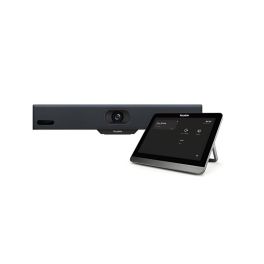
Yealink MeetingBar A10 with CTP18 Touch Panel
DiscontinuedCompact all-in-one video conferencing bar for huddle rooms and home offices with a 4K camera.- 4K camera with 120° field of view
- Electronic privacy shutter
- AI-powered auto framing & speaker tracking
- Integrated 8 MEMS microphones
- AI-based noise suppression
- Full-duplex audio for natural conversation
- Built-in Wi-Fi & Bluetooth
- Content sharing via USB-C or optional dongle
Check the alternative productRef: YEAA10020Compare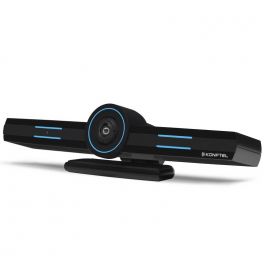
Konftel - CC200 Video conferencing
DiscontinuedHybrid and collaborative All-in-One videoconferencing system- All-in-One Video Conferencing Bar
- Full-duplex OmniSound
- Multiple connectivity, hybrid system
- Possibility of linking several devices
- Content sharing - real-time collaboration
- Compatible with all softphones
Check similar productsRef: KOCC200Compare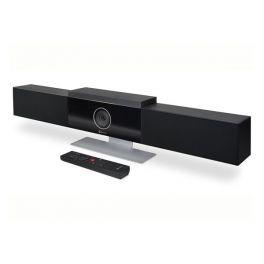
Poly Studio
The ultimate videoconferencing solution for small rooms- Exceptional audio quality
- Plug&Play solution
- NoiseBlock and Polycom Acoustic Fence: noise-cancelling technology
- Dynamic video experience: clear imaging
- USB connectivity
- Compatible with almost all platforms on the market: Zoom, Teams etc
Discontinued5 of 8 ReviewsCheck the alternative productRef: POSTUDIOCompare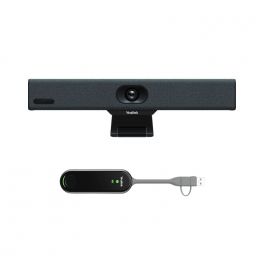
Yealink MeetingBar A10 with WPP30
DiscontinuedAll-in-One Android Video Bar for Huddle Rooms, compatible with Teams, Zoom, or any other video conference app.- 4K Videoconferencing with 120º field of view
- Plug&Play
- Auto framing and auto-tracking
- 8 built-in microphones with ANC (noise cancellation)
- WPP30: 4K Wireless Presentation Pod
- Certified for Microsoft Teams, Zoom, BYOD
Check similar productsRef: YEAA10TWPP30UKCompare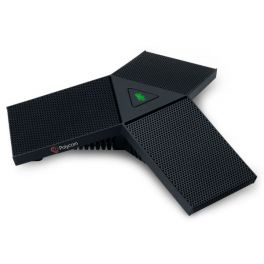
Poly Studio and RealPresence Expansion Microphone
Three-point tabletop microphone to expand the audio pickup of the Poly Studio and RealPresence Debut- HD audio
- 360° microphone coverage
- 7.6 metre cable
Discontinued5 of 1 ReviewsCheck the alternative productRef: PORPDEBUTMICCompare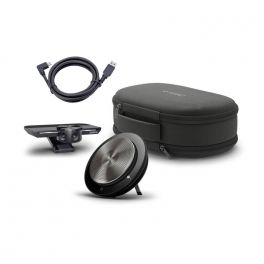
Jabra PanaCast Meet Anywhere MS
DiscontinuedPlug&Play videoconferencing travel pack - everything you need to transform any space into a meeting room- Meet anywhere with the portable, complete, and intuitive meeting pack
- Switch from one place to another unnoticed with this travel pack easy to transport
- See and be seen by everyone, no more feeling left out in meetings
- Enjoy high-end 4K panoramic view and high-quality video meetings from wherever
- Save time and trouble with the unique Plug&Play USB connection
- Quick and easy connectivity with USB and Bluetooth
- No more interruptions during your professional meetings with clear-cut sound quality
- Join your meetings in no time with Microsoft Teams integration
Check similar productsRef: GNPANACASTMAMSCompare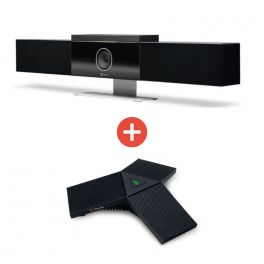
Poly Studio + Expansion Mic
The ultimate videoconferencing solution for small rooms- Exceptional audio quality
- Plug&Play solution
- NoiseBlock and Polycom Acoustic Fence: noise-cancelling technology
- Dynamic video experience: clear imaging
- USB connectivity
- Compatible with almost all platforms on the market: Zoom, Teams etc
- HD audio
- 360° microphone coverage
- 7.6 metre cable
Discontinued5.0 of 9 ReviewsCheck similar productsRef: POSTUDMICCompare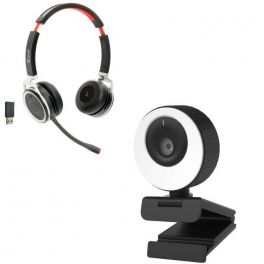
Cleyver Vlogger
The "vlogger" audiovisual pack dedicated to individual employees.- Individual all-in-one "vlogger" collaboration pack
- USB webcam with 1080p HD resolution and 96 ° FOV
- Adjustable LED light ring for better brightness
- HD audio quality : 2 built - in stereo microphones
- Integrated Magnetic Privacy Shutter
- Quick and easy connection: Plug & Play
- Webcam ideal for recording and streaming
- Bluetooth headset for mobile and tablet
- Bluetooth USB dongle for wireless connection on PC/Mac
- Multipoint: connect 2 devices at the same time
- Noise canceling microphone
- Optional charging base
- Compatible with all Softphones on the market
Discontinued4.2 of 11 ReviewsCheck similar productsRef: ODNW65CAMLCompare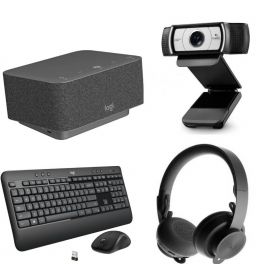
Logitech Dock + C930E + Zone Wireless Teams + MK540 Pack
All-in-one individual collaboration solution for professionals.- All-in-one base station
- Allows you to connect and charge multiple devices simultaneously
- Wireless stereo headset
- Style modern and discreet
- 90º field of view
- HD 1080p video
- Wireless keyboard + mouse duo for professionals
- Simplified organization and navigation
Discontinued4.7 of 7 ReviewsCheck similar productsRef: LODOBETUKCompare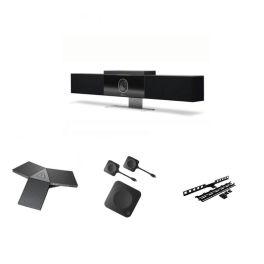
Pack Poly Studio + Microphones + ClickShare + Mounting Bracket
Complete package for medium to large rooms with expansion microphones, mounting bracket, and screen sharing. Your professional meetings start right here!- Exceptional audio quality
- Plug&Play solution
- Extension microphone for visio system
- Increases sound coverage in a room
- USB-C connection for PC/MAC
- Full BYOD support
- Your Poly Studio is secure with no surprises
- Monitor mounting kit
Discontinued5.0 of 10 ReviewsCheck similar productsRef: POSTUDIOCX30PCompare

Characteristics and Core Functions
Modern professional video conferencing delivers communication experiences close to physical presence through advanced audio-visual technologies. Whether webcams, cameras, video bars or 360° cameras, video conferencing solutions ensure natural interactions and optimal image and sound quality to maintain engagement and collective productivity. They are particularly valuable for geographically distributed organisations requiring reliable and regular connections between remote teams.
| Professional video quality | HD/4K resolutions ensuring clear images for meetings and presentations. |
| UC compatibility | Works with Teams, Zoom, Google Meet and more. |
| Adapted configurations | Individual solutions, huddle rooms, medium-sized rooms and large auditoriums. |
| Connectivity | USB, HDMI and wireless options depending on the model. |
| Operational reliability | Professional technologies ensuring meeting stability. |
How to choose the right solution?
- OKRoom type: capacity and usage to select appropriately sized video equipment.
- OKExpected frequency of use: occasional use or daily video conferencing.
- OKCollaboration platforms: Teams standardisation, Zoom or universal multi-application compatibility.
- OKExisting IT infrastructure: integration with network, systems and corporate security policies.
- OKAccessories: tripods, mounts, extension microphones, remote controls and more.

Applications across professional environments
Video conferencing systems are used by businesses for daily meetings and remote working to maintain strong connections with geographically dispersed teams. In training and education, these solutions democratise learning by connecting trainers and remote learners. In consulting and professional services, they enable effective remote client support, while HR teams use them to expand talent pools without geographical constraints.
Why partner with Onedirect?
Onedirect offers video conferencing solutions tailored to every need from leading brands such as Poly, Logitech, Cleyver, Yealink and Jabra. As an official reseller, we ensure fast and secure delivery and provide dedicated after-sales support to assist with your projects. Our team helps you identify the ideal solution based on room architecture and IT infrastructure, ensuring a successful transformation of your collaborative practices.
FAQ – Frequently asked questions
What are the benefits of video conferencing for a business?
Reduced travel and associated costs, improved collective productivity, access to remote talent, increased responsiveness, reduced carbon footprint, better employee satisfaction and greater organisational flexibility for enhanced competitiveness.
Which video conferencing solution should be chosen depending on company size?
For SMEs, individual solutions or BYOD kits are sufficient. For mid-sized organisations, Android kits are recommended for a stable yet flexible setup. Large organisations should opt for standardised kits with centralised management and enterprise support.
Does video conferencing require a fast internet connection?
Yes. A minimum of 2–4 Mbps per participant is required for HD quality. For rooms with multiple participants and content sharing, at least 10–20 Mbps is recommended for stable, low-latency performance.
How can business video conferencing be secured?
Use corporate platforms with encryption, strong authentication, waiting rooms, access control and compliance with IT security policies to ensure confidentiality.
Which accessories can complement a video system?
Screens, speakerphones, soundbars, extension microphones, screen sharing solutions and room booking panels can help you deploy a high-performance video conferencing space.
Related resources
Webcams Icon Conference cameras Icon Meeting bars Icon 360° cameras Icon