
My Cart



Computer and Network
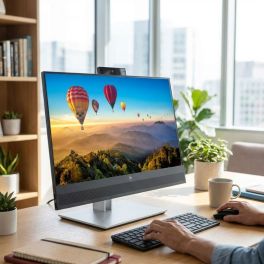
HP E24m G4 FHD USB-C Conferencing Monitor
Call us for availability23.8” Full HD IPS conferencing monitor with integrated webcam, microphones and speakers, plus USB-C docking for efficient hybrid work and video collaboration.- 23.8” Full HD IPS display for clear visuals and comfortable daily use
- Integrated 5MP webcam with privacy shutter for secure video conferencing
- Dual microphones and front speakers for optimised audio collaboration
- USB-C docking with 65W power delivery for single-cable laptop connection
- Pop-up webcam with Windows Hello for fast and secure login
- Ergonomic stand with height, tilt, swivel and pivot adjustments
- Advanced connectivity with DisplayPort, HDMI and USB hub
£364.09£332.99 £399.59 Incl. VATRef: HP40Z32AAUKCompare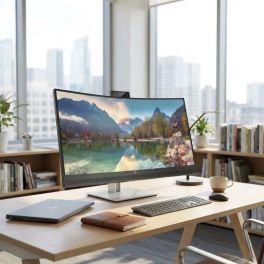
HP E34m G4 WQHD Curved USB-C Conference Display
Call us for availability34” WQHD curved conferencing monitor with integrated webcam, microphones and USB-C docking, designed for immersive collaboration and efficient multitasking.
- 34” WQHD curved display for immersive viewing and multitasking
- Integrated 5MP webcam with privacy shutter for secure video conferencing
- Dual microphones and speakers for clear audio collaboration
- USB-C docking with 65W power delivery for single-cable connectivity
- 21:9 ultra-wide format ideal for productivity and side-by-side workflows
- Ergonomic adjustability with height and tilt for user comfort
- Advanced connectivity including HDMI, DisplayPort, USB hub and Ethernet
£559.99 £671.99 Incl. VATRef: HP40Z26AAUKCompare
HP E24mv G4 FHD Conferencing Monitor
Call us for availability23.8” Full HD IPS conferencing monitor with integrated webcam, microphones and speakers, designed for efficient video collaboration in professional environments.- 23.8” Full HD IPS display for clear video and everyday productivity
- Integrated 5MP webcam with privacy shutter for secure conferencing
- Dual microphones and speakers for optimised audio performance
- Plug-and-play USB connectivity for easy setup with laptops and desktops
- HP Eye Ease technology to reduce blue light without colour distortion
- 3-sided micro-edge bezel ideal for multi-monitor configurations
- Ergonomic stand with height, tilt, swivel and pivot adjustments
£209.99 £251.99 Incl. VATRef: HP169L0AAUKCompare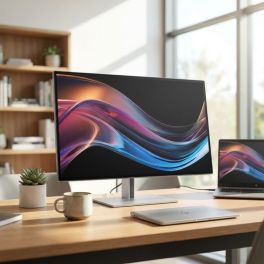
HP 27" 4K Thunderbolt 4 Pro Monitor
Call us for availability27” 4K UHD IPS monitor with Thunderbolt 4 connectivity, high colour accuracy and advanced docking features for professional and creative workflows.- 27” 4K UHD (3840x2160) resolution for ultra-sharp detail and precision work
- Thunderbolt 4 connectivity with high-speed data, video and power delivery
- IPS Black panel technology for deeper contrast and accurate colours
- Wide colour coverage including DCI-P3 for creative workflows
- Daisy chaining support to connect multiple displays efficiently
- Ergonomic design with height, tilt, swivel and pivot adjustments
- Advanced connectivity hub with multiple ports for professional setups
£658.89£498.99 £598.79 Incl. VATRef: HP8J9G2AAUKCompare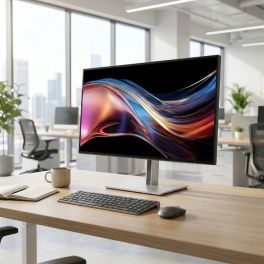
HP Series 7 Pro 27-inch QHD Thunderbolt 4 Monitor
Call us for availability27-inch QHD professional monitor with IPS Black panel, Thunderbolt 4 connectivity and factory-calibrated colour for precise and efficient workflows.- 27" QHD display: sharp and detailed visuals
- IPS Black technology with 2000:1 contrast: deeper blacks and improved clarity
- Thunderbolt 4 connectivity with up to 100W power delivery
- Factory-calibrated colour with 98% Display P3
- 120 Hz refresh rate with AMD FreeSync Premium: smooth performance
- Ergonomic adjustability: height, tilt, swivel and pivot
£589.99 £707.99 Incl. VATRef: HP8J9E6AAUKCompare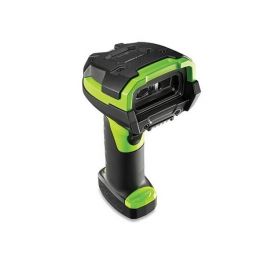
Zebra LI3608 – Ultra-rugged barcode scanner
Call us for availabilityUltra-rugged 1D barcode scanner with Bluetooth.- 1D barcode scanner with Bluetooth
- High-performance scanning
- Extended range
- IP65 and IP67
- Ultra-rugged: withstands repeated drops from 2.40m onto concrete
£594.99 £713.99 Incl. VATRef: ZEBLI3608Compare
EIZO FlexScan EV2480 24-inch IPS USB-C Monitor
Call us for availability23.8-inch Full HD IPS monitor with USB-C connectivity and 70W power delivery, designed for ergonomic office use and efficient single-cable setups.- 23.8" Full HD IPS display with wide viewing angles and clear image
- USB-C connectivity with up to 70W power delivery
- Flicker-free technology and low blue light
- Auto EcoView sensor adjusts brightness based on ambient light
- Ergonomic stand: height, tilt, swivel and pivot adjustment
- Integrated USB hub with multiple downstream ports for peripherals
£269.99 £323.99 Incl. VATRef: EIZOEV2480UKCompare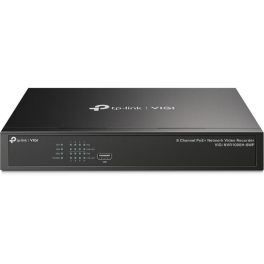
TP-Link VIGI NVR1008H-8MP 8 Channel PoE+ Network Video Recorder
Call us for availabilityEnjoy 24/7 recording capabilities, remote monitoring, and plug-and-play installation for quick setup.- 4K HDMI Video Output: Ensure sharp image definition up to 8MP for every detail.
- Simplified Deployment with PoE+: Easily connect and power your IP camera with one cable.
- 8-Channel Simultaneous Playback: Review footage from up to 8 cameras at the same time for quick analysis.
- H.265+ Compression: Save disk space and reduce monitoring costs without compromising quality.
- ONVIF Compatibility: Add IPCs from various brands without hassle.
- Plug & Play Installation: Automatically add new VIGI IP Cameras for faster setup.
- 24/7 Continuous Recording: Store up to 10 TB of footage for easy data access.
- Remote Monitoring: Access your surveillance feeds from anywhere using the VIGI app.
£295.99£289.99 £347.99 Incl. VATRef: TPLVNVR1008H8MPCompare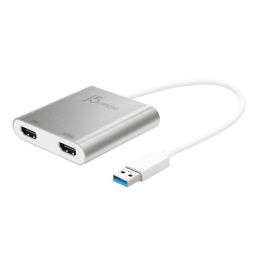
j5create JUA365-N USB 3.0
Call us for availabilityAdd two displays via one USB port for effortless dual-screen productivity for laptops and desktops- Dual HDMI output: add two external displays from a single USB 3.0 port
- Supports up to 4K (3840×2160 @ 30Hz) + 2K (2048×1152 @ 60Hz) resolution
- Compatible with Windows and macOS, no internal graphics card needed
- Four display modes: Extended, Mirror, Primary, Rotation (Windows only)
- Bus-powered, no external power supply required
- Hot-swappable USB: add or remove monitors without rebooting
- Compact aluminium housing, portable and ideal for mobile workstations
- Ideal for multitasking, spreadsheets, editing, presentations and more
£46.99 £56.39 Incl. VATRef: J5JUA365NUKCompare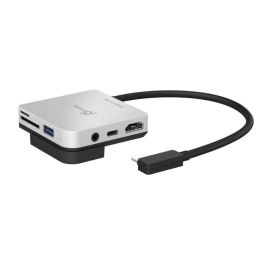
J5Create JCD612-N USB-C Travel Dock
Call us for availabilityA compact 4K travel dock that unlocks desktop-style viewing anywhere.- Enables 4K 60Hz output from USB-C devices, including iPad Pro
- Lightweight design ideally suited for travelling and mobile work
- Includes USB-C Power Delivery pass-through for simultaneous charging
- HDMI port supports smooth, high-refresh-rate output
- Additional USB ports for essential peripherals and storage
- Perfect for presentations, media viewing and external displays
- Driver-free installation for quick plug-in use
£54.99 £65.99 Incl. VATRef: J5JCD612NUKCompare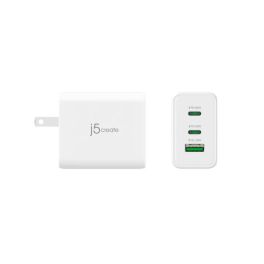
J5create JUP3365 65W GaN USB-C 3-Port Charger
Call us for availabilityHigh-power 65W GaN charger with three ports for fast, simultaneous charging of laptops, phones and tablets.- Delivers up to 65W via USB-C Power Delivery
- Suitable for charging laptops, tablets and phones
- UK three-pin plug for direct wall connection
- Smart power negotiation adapts to connected devices
- Compact housing despite high output capability
- Built-in protection against overheating and overcurrent
- Ideal replacement or secondary charger for USB-C laptops
£35.99 £43.19 Incl. VATRef: J5JUP3365FFNUKCompare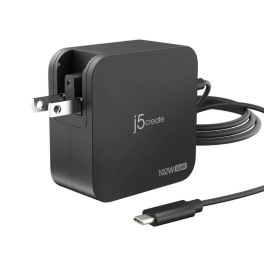
J5CREATE JUP25102 102W USB-C 2-Port Charger
Call us for availabilityPowerful 102W dual USB-C GaN charger with smart power sharing, compact, efficient and perfect for charging multiple devices at once.- Up to 102W total output for fast charging of laptops and mobile devices
- Dual USB-C ports with intelligent power distribution
- Advanced GaN technology for higher efficiency and reduced heat
- Supports USB-C Power Delivery (PD 3.0)
- Compact, space-saving design ideal for desks and travel
- Built-in safety protection against overcurrent and overheating
- Universal compatibility with modern USB-C devices
£48.99 £58.79 Incl. VATRef: J5JUP25102VNUKCompare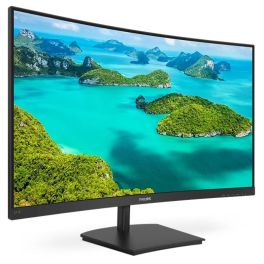
Philips 241E1SCA FHD Curved Monitor 24 inch
Call us for availability24-inch curved Full HD monitor with VA panel, designed for immersive viewing and comfortable daily use in office and home environments.- 24 inch curved display: Immersive viewing experience with enhanced field of vision
- Full HD resolution: Sharp and clear image quality for work and multimedia
- VA panel technology: High contrast and deep blacks for improved visual performance
- Adaptive Sync: Smooth visuals without screen tearing
- Built-in speakers: Integrated audio solution for desk efficiency
- Eye comfort features: FlickerFree and LowBlue Mode reduce eye strain
£157.99 £189.59 Incl. VATRef: PHI241E1SCACompare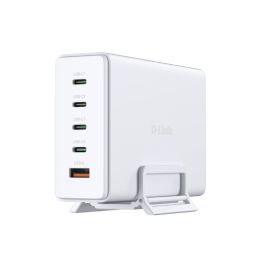
D-LINK 240W GaN Charger
Call us for availability240 W GaN charger with 4 USB-C ports, 1 USB-A port and simultaneous charging for up to 5 devices, ideal for use at a desk or when working from home.- 240 W GaN charger: powers PCs, tablets, smartphones and accessories
- Charge up to 5 devices simultaneously thanks to 4 USB-C ports and 1 USB-A port
- Up to 140 W via USB-C for high-performance laptops
- GaN technology: high power output with reduced heat generation
- Advanced protection against overcurrent, overvoltage, overcharging, overheating and short circuits
- Intelligent power distribution depending on the ports in use
£108.99 £130.79 Incl. VATRef: DCF241ECompare
Apple Studio Display XDR 27-inch 5K with adjustable height
Call us for availabilityA 27-inch professional display featuring Retina XDR 5K technology, mini-LED and an adjustable stand, ideal for video editing, graphic design and advanced video conferencing.- 27-inch 5K Retina XDR display: precise images, crisp text and exceptional detail
- Mini-LED with high dynamic range: up to 1,000 nits in SDR and up to 2,000 nits in HDR
- 120Hz refresh rate with adaptive sync: smoother motion
- P3 and Adobe RGB colours: accurate colour reproduction for design, photography and printing
- 12 MP camera with Center Stage: video conferencing and framing of documents and objects
- Built-in audio: 3 studio-quality microphones + 6 speakers with spatial audio and Dolby Atmos
- Thunderbolt 5 and USB-C ports for peripherals and accessories
£4,377.99 £5,253.59 Incl. VATRef: APMFEL4FDACompare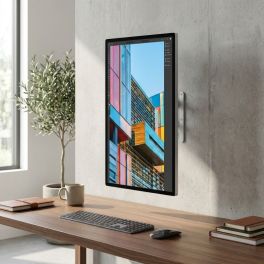
Apple Studio Display 27-inch 5K standard glass, VESA mount
Call us for availability27-inch 5K display with standard glass and VESA mounting, designed for Mac workstations, fixed installations and professional video conferencing.- Standard glass and 600 nits: designed for everyday professional use
- 5K Retina display with 5120 x 2880 resolution: crisp text, exceptional detail and precise display
- 12MP camera with auto-framing and overhead view
- Six high-fidelity speakers and three studio-quality microphones
- Thunderbolt 5 and USB-C ports for peripherals, storage and accessories
- 10 x 10 cm VESA mount: wall or arm mounting, horizontal or vertical orientation
- All-in-one solution for productivity, content creation and hybrid collaboration
£1,750.99 £2,101.19 Incl. VATRef: APMFEY4FDACompare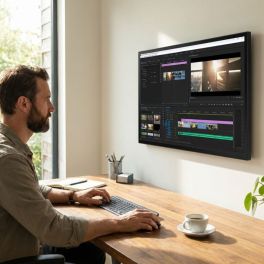
Apple Studio Display 27-inch 5K nano-textured glass, VESA mount
Call us for availability27-inch 5K display with nano-textured glass and VESA mounting, designed for Mac workstations, fixed installations and high-brightness environments.- Nanotextured glass: reduces glare and improves visibility
- 5120 x 2880 Retina 5K display: crisp text, exceptional detail and precise colour reproduction
- 600 nits brightness and P3 colour gamut: supports 1 billion colours
- 12MP camera with auto-framing and low-angle view
- Six high-fidelity speakers and three studio-quality microphones
- Thunderbolt 5 and USB-C ports for peripherals and accessories
- 10 x 10 cm VESA mount: wall or arm mounting, in landscape or portrait orientation
£2,013.99 £2,416.79 Incl. VATRef: APMFF24FDACompare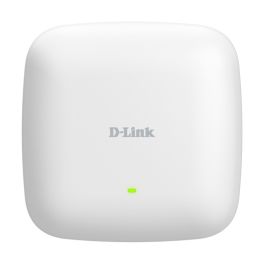
D-Link DAP-X3060 Wi-Fi 6 Access Point
Call us for availabilityProfessional Wi-Fi 6 access point with PoE, centralised management via Nuclias Connect and multi-gigabit connectivity, designed for enterprise networks.- High user capacity: ideal for dense environments
- Wi-Fi 6 AX3000: up to 2,975 Mbps dual-band
- 2.5 Gigabit PoE port: high-speed network connectivity
- Centralised management: Nuclias Connect solution included
- Network optimisation: Airtime Fairness and Band Steering
- Advanced security: WPA3, captive portal and RADIUS
- Flexible deployment: standalone or multi-site
£174.99 £209.99 Incl. VATRef: DLDAPX3060Compare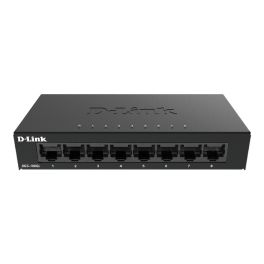
D-Link DGS-108GL/E 8-Port Gigabit Switch
Call us for availability8-port Gigabit unmanaged switch with a compact metal housing, designed to easily expand a business network via plug-and-play.- Cost-effective solution: ideal for SMEs and remote working
- 8 Gigabit Ethernet ports: fast network connections up to 1000 Mbps
- Plug-and-play installation: ready to use immediately without configuration
- Metal housing: robust design
- Compact design: easy integration on a desk or in a rack
- Silent operation: fanless
- Energy saving: IEEE 802.3az EEE technology
£51.99 £62.39 Incl. VATRef: DLDGS108GLECompare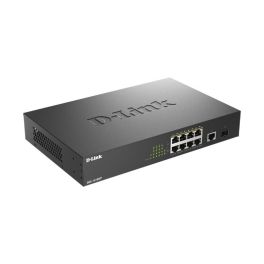
D-Link DGS-1010MP Smart Switch PoE 125W
Call us for availabilitySmart managed Gigabit switch with 8 PoE ports and a total power budget of 125 W, ideal for small networks with IP cameras, access points and VoIP.- 8 Gigabit PoE+ ports for powering devices via Ethernet
- 125 W PoE budget for multiple cameras, phones or access points
- 2 additional uplink ports: flexible network configuration
- Smart management features: VLAN, QoS and IGMP Snooping
- Plug & Play installation with simple web management
- Fanless design: silent operation in the office
£115.99 £139.19 Incl. VATRef: DLDGS1010MPECompare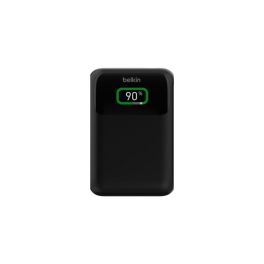
Belkin BoostCharge Pro 20,000 mAh USB-C Power Bank
Out of stockA professional 20,000 mAh power bank with USB Power Delivery fast charging up to 65 W, PPS technology, three USB ports and an LCD display, ideal for powering laptops, tablets and smartphones wherever you are.- Capacity 20,000 mAh (74 Wh): ideal for charging laptops, tablets and smartphones
- 65 W Power Delivery 3.0 with PPS technology: fast and efficient charging
- 2 USB-C ports and 1 USB-A port: powers up to 3 devices simultaneously
- Digital LCD display: real-time monitoring of battery level and charging status
- Charges the power bank at up to 45 W via USB-C
- Ideal for professionals on the move
£78.99 £94.79 Incl. VATRef: BELPOWERBA20KCompare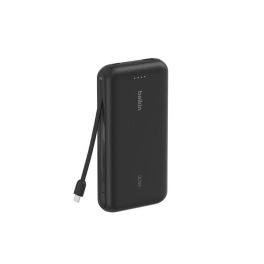
Belkin BoostCharge 20,000mAh Power Bank with Cable
Out of stockA 20,000 mAh power bank with a built-in USB-C cable, Power Delivery fast charging up to 30 W, and the ability to charge up to three devices at the same time.- 20,000 mAh power bank for smartphones, tablets and USB-C devices
- Built-in USB-C cable: no additional cable required
- Fast charging up to 30 W
- Simultaneous charging of 3 devices
- Pass-Through function to charge the power bank whilst powering another device
- LED indicator for easily checking the remaining battery level
- Complies with air travel regulations
- Made from recycled materials
£38.99 £46.79 Incl. VATRef: BELPOWERBA20KUSBCCompare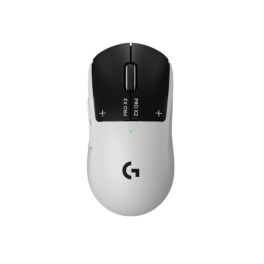
Logitech G PRO X2 SUPERSTRIKE LIGHTSPEED Mouse
Call us for availabilityWireless gaming mouse with HITS technology, a HERO 2 sensor with up to 44,000 DPI and customisable clicks for competitive gaming.- HITS technology: an inductive system with haptic feedback for the main buttons.
- Configurable click: 10 actuation points and 5 levels of quick reset.
- Haptic feedback: 6 intensity levels to customise the click sensation.
- HERO 2 sensor: resolution of up to 44,000 DPI and tracking speed exceeding 888 IPS.
- LIGHTSPEED connection: wireless performance designed for competitive gaming.
- High precision: acceleration of up to 88 G for rapid movements.
£157.99 £189.59 Incl. VATRef: LOGPROX2Compare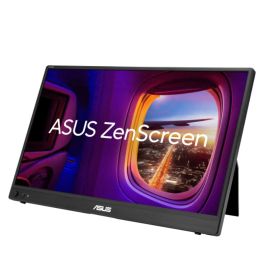
ASUS ZenScreen MB16AHVE 16 Zoll FHD IPS Monitor
Call us for availabilityPortable 16-inch FHD IPS monitor with two USB-C ports, Mini-HDMI, automatic screen rotation and bidirectional power delivery.- 16-inch portable monitor: a slim and lightweight design for an extended workspace on the move
- Full HD IPS display: 1920 × 1080 pixels for a clear display and wide viewing angles
- Flexible connectivity: two multifunctional USB-C ports and Mini-HDMI
- Power Pass Through: bidirectional power supply between the monitor and a compatible laptop
- Automatic screen rotation: switch between landscape and portrait orientation using ASUS DisplayWidget Centre
- ASUS Eye Care: TÜV Rheinland-certified Flicker-Free and Low Blue Light technologies
- Single-cable connection: USB-C transmits both video signals and power to compatible devices
£174.99 £209.99 Incl. VATRef: ASUMB16AHVECompare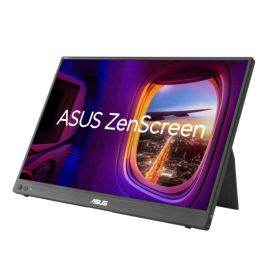
ASUS ZenScreen MB16FC 16-inch WUXGA LED
Call us for availabilityPortable 16-inch LED monitor with an IPS panel, WUXGA resolution, 75 Hz, USB-C, Mini-HDMI and Power Pass Through for flexible workspaces.- Portable 16-inch LED monitor: slim 16:10 display for more workspace on the go
- WUXGA resolution: 1920 × 1200 pixels and an IPS panel with a 178° viewing angle
- Up to 75 Hz: smooth display with a 5 ms GTG response time
- Flexible connectivity: two USB-C ports with DP Alt Mode and Mini-HDMI
- Power Pass Through: bidirectional power delivery with up to 65 W
- Automatic rotation: Switch between portrait and landscape orientation via ASUS DisplayWidget Centre
- ASUS Eye Care: TÜV-certified Flicker-Free and Low-Blue-Light technologies
£181.99 £218.39 Incl. VATRef: ASUMB16FCCompare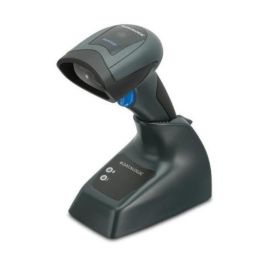
Datalogic QuickScan QM2131 Wireless 1D Scanner
Call us for availabilityWireless 1D barcode scanner with a 433 MHz radio, a range of up to 25 metres and a charging dock, for use in retail, stock-taking and goods receipt.- High-speed 1D code scanning: up to 400 scans per second
- Wireless freedom: Datalogic STAR 2.0 system at 433 MHz with a range of up to 25 m
- Up to 30,000 scans per charge: replaceable 1,400 mAh Li-ion battery
- Immediate visual confirmation of successful scans
- Robust: IP42 rating and drop resistance from a height of 1.5 m
- Long-code scanning: wide reading field and optimised depth
- Complete kit: includes a docking station/charger and a USB cable
£139.99 £167.99 Incl. VATRef: DATAQM2131Compare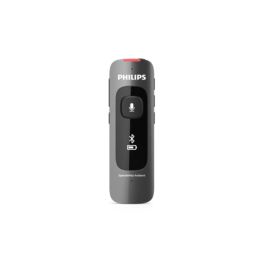
Philips SpeechMike Ambient PSM5000
Call us for availabilityA portable microphone with 4 MEMS microphones, Bluetooth LE and up to 10 hours’ battery life for dictation, voice recognition and AI workflows.- Professional audio capture: 4-microphone MEMS array
- AI-optimised for transcription workflows, documentation and compatible assistants
- ‘Environment’ and ‘Dictation’ modes: adapts recording to the ambient sound
- Bluetooth Low Energy: encrypted wireless connection with a range of up to 25 metres
- Up to 10 hours’ battery life
- Portable and hands-free use: includes a clip and a neck strap
- Compatible with Philips SpeechLive and various Dragon and Solventum solutions
£437.99 £525.59 Incl. VATRef: PHPSM5000Compare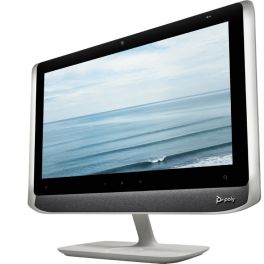
Poly Studio P21 Personal Meeting Display
Call us for availabilityAll-in-one 21.5" personal video conferencing display with integrated 1080p camera, stereo speakers, microphone and adjustable lighting, connecting to PC or Mac via USB.- All-in-one video: 21.5" monitor, camera, speakers and microphone
- Full HD 1080p camera with 4x digital zoom
- Integrated stereo speakers and directional microphone
- Adjustable ambient lighting: stay properly illuminated during video calls
- Simple USB connection to PC or Mac
- Integrated privacy shutter and control buttons
- Poly Lens management platform: device monitoring, configuration and updates
£461.95£459.99 £551.99 Incl. VATRef: POSTUDIOP21UKCompare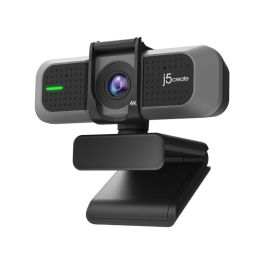
j5create JVU430 USB 4K Ultra HD Webcam
Call us for availabilityExperience Crystal Clear Video Calls with 4K Clarity- Supports MJPEG image formats
- Ultra HD 4K image 8MP sensor with wide angle lens
- Supports 4K at 30 FPS and 1080P at 60 FPS
- 94° field of view with nearly zero distortion
- Built-in high-fidelity dual microphones
- Ultra-low illumination F/2.0 aperture lens for enhanced light sensitivity
- Privacy cover
£70.83£69.99 £83.99 Incl. VATRef: J5JVU430NCompare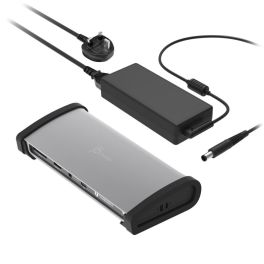
j5create 8K Thunderbolt 4 Docking Station
Call us for availabilityStreamline your setup with the power and versatility of the j5create Thunderbolt 4 Dock.- Providing the ultimate connectivity for Thunderbolt 4 laptops
- Intel Thunderbolt 4 certified for reliability and compatibility
- Capable of ultra-high data transfer speeds
- Supports dual 4K at 60Hz displays or one high-resolution 8K display with crystal clear image quality
- Supports Thunderbolt daisy chain feature to connect more Thunderbolt devices
- Perfectly made for MacBook Pro 2021 and Thunderbolt™4 laptops
- 3 x Thunderbolt 4 USB-C 40Gbps
£303.59£224.99 £269.99 Incl. VATRef: J5JTD562FNCompare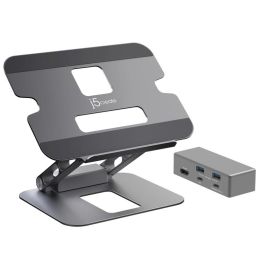
j5create Multi-Angle 4K Docking Stand
Call us for availabilityStreamline your setup with style and functionality, j5create Multi-Angle 4K Docking Stand.- Fits most laptops up to 16 in.
- Aluminum construction with a weight capacity of up to 9 lbs. (4 kg)
- Adjustable viewing angles and heights help reduce eye strain and improve posture
- Nonslip protective pads help prevent slipping and scratches
- Foldable design for easy storage and portability
- Integrated USB-C mini dock features a 4K HDMI output and three USB SuperSpeed 5Gbps ports
- Easily connect your Thunderbolt 3/4 or USB-C laptop with DP Alt mode to a 4K 30Hz display
£78.33£69.99 £83.99 Incl. VATRef: J5JTS327NCompare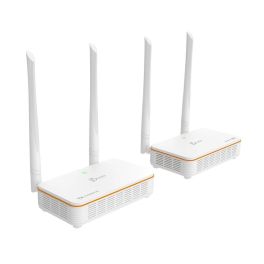
j5create Wireless Display HDMI Extender - White
Call us for availabilitySeamless wireless HD streaming up to 200 ft with total control at your fingertips.- Wirelessly stream from a distant device without the hassle of installing cables
- Antenna 5 dB, AC 2 x 2 supports up to 200 ft (60m) wireless range
- Transmit HDMI audio and video signal with ultra-low latency (less than 0.06s/60ms)
- 5 GHz wireless technology ensures a stable connection for a smooth streaming experience
- Built-in infrared signal lets you control video sources with the original remote via included IR extender cable
- Compliant with HDMI 1.3, HDCP 1.2 and DVI 1.0
- Compatible with all HDMI enabled devices including game consoles, set-top boxes, and more
£114.16£113.99 £136.79 Incl. VATRef: J5JVAW53NCompare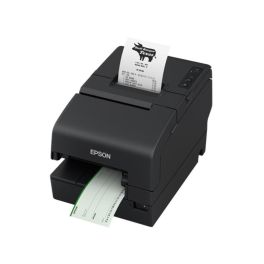
Epson TM-H6000VI 180 DPI POS Printer
Call us for availabilityA high-performance, connected POS printer with a resolution of 180 x 180 DPI and extensive compatibility.- Fast printing speeds for better transaction times
- Accurate check processing with a MICR accuracy of 99.9%
- Built for reliability: long-life printhead and auto cutter
- Paper-saving options reduce costs by up to 49%
- Remote monitorin: easy management and maintenance
£699.99 £839.99 Incl. VATRef: EPTMH6000VICompare
TP Link Deco X1500 3-Pack Mesh
Call us for availabilityWhole Home Mesh Wi-Fi 6 System with ultra-fast speeds and seamless coverage- Connects up to 120 devices
- Seamless whole-home coverage
- Ultra-low latency for gaming & streaming
- Robust parental controls
- AI-driven mesh network
- 2x Gigabit Ethernet ports
£120.83£119.99 £143.99 Incl. VATRef: TPDECOX1500Compare
TP Link Archer BE230 Wi-Fi 7 Router
Call us for availabilityHigh-speed Wi-Fi 7 router with 3.6 Gbps dual-band speeds, 2× 2.5 Gbps ports, and Beamforming for superior coverage.- Wi-Fi 7 technology for ultra-fast speeds
- Dual 2.5 Gbps ports for high-performance networking
- Beamforming & 4 antennas for extended coverage
- Multi-Link Operation (MLO) for lower latency
- EasyMesh support for seamless whole-home coverage
- TP-Link HomeShield for enhanced security & parental controls
- USB 3.0 port for file sharing & media streaming
- VPN Client & Server support for secure browsing
£89.99£88.99 £106.79 Incl. VATRef: TPARBE230Compare
TP Link TL-WPA4220KIT Wi-Fi Powerline
Call us for availabilityExtend Wi-Fi to every room using your home’s electrical wiring!- Wi-Fi speed up to 300 Mbps
- Powerline speed up to 600 Mbps
- Two Ethernet ports on extender
- Plug & Play with Wi-Fi Clone
- Up to 300m range over wiring
- IGMP support for IPTV
- 128-bit AES encryption
- Works with all AV/AV2 adapters
£37.49£36.99 £44.39 Incl. VATRef: TPWPA4220KUKCompare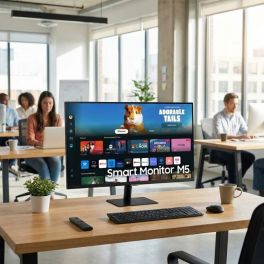
Samsung M50D 32'' Full HD Smart Monitor
Call us for availability32-inch Full HD smart monitor with integrated apps, WiFi connectivity and remote access features, ideal for flexible workspaces and multimedia use.- 32” Full HD display for clear visuals in work and multimedia applications
- Smart TV apps built-in including streaming platforms without external devices
- WiFi and Bluetooth connectivity for wireless access and device pairing
- Remote PC and Office 365 access for flexible and remote working environments
- Multiple inputs with HDMI and USB for versatile connectivity
- Integrated speakers for a complete all-in-one setup
- Clean, minimalist design suitable for modern workspaces and home offices
£229.99£212.99 £255.59 Incl. VATRef: SALS32DM500EUXXUCompare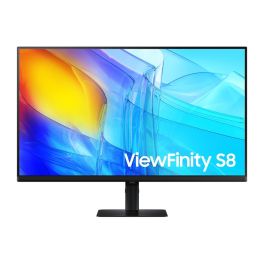
Samsung ViewFinity S8 S32D800EAU 32'' 4K Monitor
Call us for availability32-inch 4K UHD professional monitor with IPS panel, HDR10 support and ergonomic design, ideal for precision work and multitasking.- 32” 4K UHD display : ultra-sharp 3840 x 2160 resolution for detailed work
- IPS panel : accurate colours and wide viewing angles
- HDR10 support : enhanced contrast and image depth
- Ergonomic stand : height, tilt, swivel and pivot adjustments
- Integrated USB hub : connect peripherals directly to the monitor
- Multiple inputs : HDMI and DisplayPort connectivity
- Eye comfort features : flicker-free and low blue light mode
£339.99£283.99 £340.79 Incl. VATRef: SALS32D800EAUXXUCompare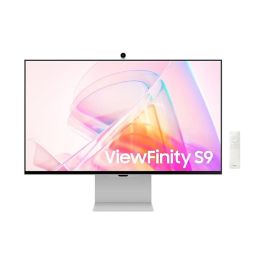
Samsung ViewFinity S90PC 27'' LCD 5K monitor
Call us for availability27-inch 5K professional monitor with a resolution of 5120 x 2880, ideal for graphic design, creative work and high-precision work environments.- 5K resolution: ultra-detailed images and maximum precision
- 27-inch screen in 16:9 aspect ratio
- Built-in 4K camera and speakers
- LED LCD panel: crisp, uniform image
- 75 Hz refresh rate: smooth display
- Eye-care features: Eye Saver, Flicker Free
- Ergonomic design: height-adjustable, swivel and tilt
- Thunderbolt 4: power your PC via the monitor!
£1,339.99£1,058.99 £1,270.79 Incl. VATRef: SALS27C902PAUXXUCompare
HP Series 7 Pro 37.5-inch Curved WQHD+ Monitor
Call us for availabilityUltra-wide 37.5-inch curved monitor with WQHD+ resolution, IPS Black panel and Thunderbolt 4 connectivity for high-performance multitasking and colour-critical workflows.- 37.5" WQHD+ curved ultrawide display: immersive multitasking
- IPS Black technology with 2000:1 contrast: deeper blacks and enhanced detail
- Thunderbolt 4 connectivity with up to 100W power delivery
- Factory-calibrated colour accuracy with 98% Display P3
- Integrated Poly Studio speakers with DTS Virtual:X
- Ergonomic design: height, tilt and swivel adjustment
£1,099.99 £1,319.99 Incl. VATRef: HP8K167AAUKCompare
Discover Computer and Network Solutions
staying connected and equipped with the right technology is no longer optional, it’s essential. Whether you're running a small startup or managing a large enterprise, reliable computing and networking solutions are the backbone of productivity and growth. In this section, we will explore the various types of products available, tips for choosing the right equipment, and answer some of the most frequently asked questions regarding PC and Network Tools.
Choose the Right Computer and Network Solutions According to Your Needs
Selecting IT and networking equipment can feel overwhelming, but breaking it down into key categories makes the process much easier. Here are some of the main areas to consider:
- Routers and Switches: These devices are the backbone of your network, facilitating communication between devices. Routers connect multiple networks and provide internet access, while switches distribute data within the same network. Choose high-performance models for larger businesses that require robust connectivity.
- Network Security: Safeguarding your data is crucial. Investing in firewalls, VPNs, and intrusion detection systems helps protect your network from external threats. Make sure you choose solutions that comply with industry standards and provide comprehensive support.
- Wireless Access Points: For businesses requiring flexibility, wireless access points are essential. They extend your network's range, allowing employees to connect seamlessly from different locations. Look for models that support the latest Wi-Fi standards for optimal performance.
- Networking Cables: Don't underestimate the importance of quality cables. Ethernet cables, fiber optic cables, and patch panels play a vital role in maintaining a stable connection. Choose durable and high-speed options to ensure minimal signal loss.
- Computing Devices: From desktops to laptops, the computing devices you choose can greatly impact productivity. Consider your team's needs regarding processing power and portability.
Tips Before Buying Computer and Network Solutions
Before making a purchase, here are some crucial tips to guide you in selecting the right Computer & Networking products:
- Assess Your Needs: Evaluate the size of your business and the extent of your networking requirements. Understanding how many devices will be connected and the bandwidth needed will help you choose the right solutions.
- Research Brands and Models: Not all products are created equal. Look for reputable brands with positive reviews and reliable customer support. It's wise to compare different models to find the best fit for your operational needs.
- Consider Scalability: As your business grows, your networking needs may change. Opt for solutions that allow for easy upgrades and expansions without requiring a complete overhaul of your existing setup.
- Check Compatibility: Make sure all devices are compatible with each other and your existing infrastructure. This includes hardware, software, and any specific protocols you may be using.
- Evaluate Security Features: Security should be a top priority. Look for products with built-in security features and the ability to integrate with your existing security policies.
- Budget Wisely: While it's tempting to opt for the cheapest option, consider the long-term value of your investment. Quality products may have a higher upfront cost but can save you money in maintenance and replacements down the line.
Frequently Asked Questions About Computer and Network Solutions
- What is the difference between a router and a switch? A router connects different networks and directs data traffic, while a switch connects devices within the same network, enabling communication between them.
- How do I know if I need a wireless access point? If your business requires internet access in multiple locations or areas where a router's signal is weak, a wireless access point can enhance connectivity.
- What should I look for in a network security solution? Look for features such as intrusion detection, data encryption, firewall capabilities, and compatibility with existing security measures.
- How often should I upgrade my networking equipment? Regularly assess your equipment's performance and functionality. Generally, it's recommended to upgrade every 3-5 years or when you notice significant performance issues.
- Can I set up a home office network? Yes! A home office network can be established using routers, switches, and wireless access points, depending on your specific needs.