My Cart



Headsets
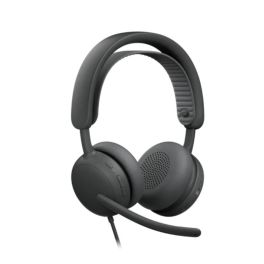
Logitech Zone Wired 2 Graphite UC
Call us for availabilityWired USB-C headset for UC platforms with adaptive hybrid ANC, dual AI microphones and compatibility with Zoom, Google Meet and Voice.- UC version: compatible with all major platforms
- Adaptive hybrid ANC with 5 modes
- Two AI noise-cancelling microphones: clear calls in open spaces
- Custom-designed 40 mm speakers optimised for calls and music
- USB-C or USB-A connection (adapter included)
- Comfortable design and replaceable parts: long-lasting, intensive use
£139.99 £167.99 Incl. VATRef: LOZONEW2GCompare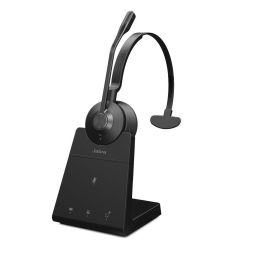
Jabra Engage 45 SE Mono
Call us for availabilityMono DECT headset with optimised microphone and enhanced security, perfect for clear, uninterrupted phone calls.- For desk phones: DECT technology
- Designed for intensive use: lightweight and durable
- Dual noise-cancelling microphone + wideband speaker
- Hearing protection: Jabra SafeTone and PeakStop
- 13 hours of talk time
- Fast charging in 90 minutes
- Long range: up to 150m
- Compatible with leading softphones and desk phones
£198.99£176.99 £212.39 Incl. VATRef: GNENG45MSEUKCompare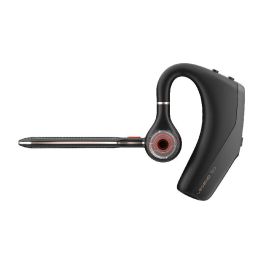
Poly Voyager Legend 50 UC
Call us for availabilityWireless Bluetooth earpiece with high-quality sound and comfort for optimised communication!- 4 high-quality noise-cancelling microphones
- NoiseBlockAI technology: AI-based noise reduction
- WindSmart technology: reduces wind noise
- Easy integration with UC platforms
- Lightweight and comfortable design
- Fast charging via USB-C
£109.95£99.99 £119.99 Incl. VATRef: PLVOYLEG50UKCompare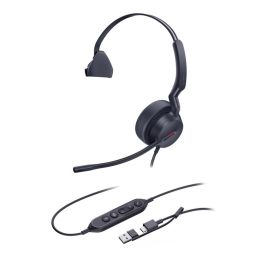
Yealink UH44 Mono Teams Headset
Call us for availabilityExperience all-day comfort and superior sound quality.- All-day Comfort - Designed for long hours of use without discomfort.
- AI Noise Cancellation - Blocks out unwanted background noise for clear calls.
- Plug & Play - Easy to connect with no additional software required.
- Inline Controls - Convenient access to answer calls, adjust volume, and mute.
- Superior Audio Quality - Enjoy crystal-clear conversations with high-fidelity sound.
£40.69£34.99 £41.99 Incl. VATRef: YEAUH44MTACCompare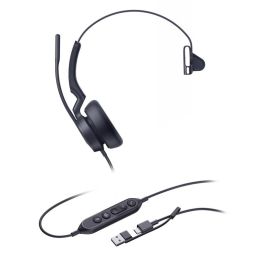
Yealink UH46 Mono Teams USB-C/A Headset
Call us for availabilityExperience professional-grade audio for your calls.- AI Noise Cancellation ensures uninterrupted clarity during calls.
- All-day Comfort lets you wear the headset for hours without discomfort.
- Plug & Play design allows for immediate use with no setup required.
- Inline Controls put you in charge of your call experience at your fingertips.
- Superior Audio Quality captures every note and nuance for an immersive experience.
£49.99 £59.99 Incl. VATRef: YEAUH46TCACompare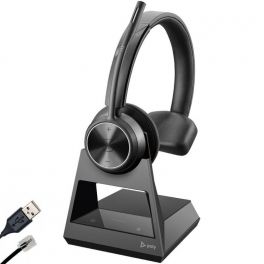
Poly Savi 7310 Office
Call us for availabilityMono DECT headset with charging base - Ideal for professionals working with landlines and PCs- Wireless Headset for Landline and PC
- DECT base connected by cable
- 180-meter range: freedom of movement
- Noise cancellation for excellent sound
- Very secure communication with military standards
- Acoustic shock protection
- Monaural headset with large padding
- Autonomy of up to 13 hours and 52 hours in standby
- Compatible with all softphones on the market
£372.95£219.99 £263.99 Incl. VATRef: PLW7310OCDCompare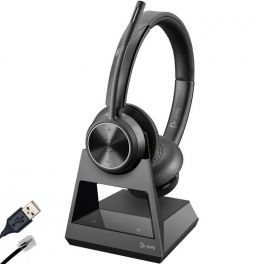
Poly Savi 7320 Office Stereo
Call us for availabilityStereo DECT headset with charging base - Ideal for professionals working with landlines and PCs- Wireless Headset for Landline and PC
- DECT base connected by cable
- 180-meter range: freedom of movement
- Noise cancellation for excellent sound
- Very secure communication with military standards
- Acoustic shock protection
- Stereo headset with large padding
- Autonomy of up to 13 hours and 52 hours in standby
- Compatible with all softphones on the market
£391.95£283.99 £340.79 Incl. VATRef: PLW7320OCDCompare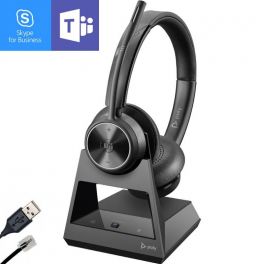
Poly Savi 7320 Office Stereo MS
Call us for availabilityStereo DECT headset with charging base - Teams Optimised - Ideal for professionals working with landlines and PCs- Wireless Headset for Landline and PC
- DECT base connected by cable
- 180-meter range: freedom of movement
- Noise cancellation for excellent sound
- Very secure communication with military standards
- Acoustic shock protection
- Stereo headset with large padding
- Autonomy of up to 13 hours and 52 hours in standby
- Teams Optimised
- Compatible with all softphones on the market
£391.95£206.99 £248.39 Incl. VATRef: PLW7320OCDMCompare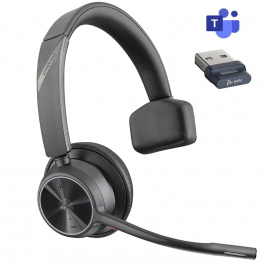
Poly Voyager 4310 USB-A - Teams
Flexible and comfortable professional wireless headset for communication on the go- Mono wireless headset for PC/Mac and mobile devices
- Connectivity: Bluetooth + USB-A (via included dongle)
- Multipoint solution: simultaneous connection to 2 devices
- Speaker with full range optimised dynamic equaliser
- Built-in dual microphone: natural voice transmission
- Acoustic Fence Technology: background noise reduction
- Enhanced battery life: up to 24 hours talk time (50 days standby)
- Headset controls: call acceptance, ON/OFF, mute, volume ±, Bluetooth
- Microsoft Teams certified and optimised for unified communications
Call us for availability5 of 1 Reviews£161.95£84.99 £101.99 Incl. VATRef: PLVOY4310AMCompare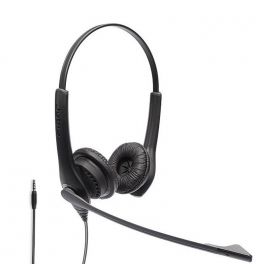
Jabra Biz 1100 EDU - USB
Call us for availabilityComfortable and flexible stereo headset for optimal communications- Wired stereo headset for PC, mobile phone, and tablet
- Lightweight design - ideal for intensive use
- Flexible and adjustable microphone boom
- Wideband audio for call quality
- Unidirectional microphone with passive noise reduction
- HD speakers: you won't miss any details of your meetings
- PeakStop Technology: protects the user's hearing
- Connectivity: USB
- Quick and easy to connect: Plug & Play
- Compatible with all softphones on the market
- Ideal for education: online classes, students...
£92.00£60.99 £73.19 Incl. VATRef: GN1100DUSBCompare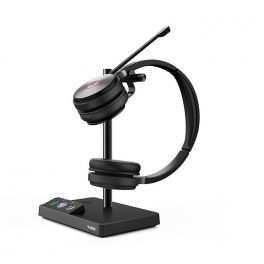
Yealink WH62 Dual Teams
DECT wireless Duo headset optimised for Teams - ideal for office environments- Wireless Duo DECT headset for your PC or Yealink deskphone
- Connection: USB (PC/ Yealink VoIP phone)
- 120m range: no loss of communication
- Busylight to avoid interruptions
- With docking station for wireless control
- Compatible with all softphones on the market
- Optimised for Microsoft Teams
Call us for availability4 of 1 Reviews£162.99£119.99 £143.99 Incl. VATRef: YEALINKWH62DUKCompare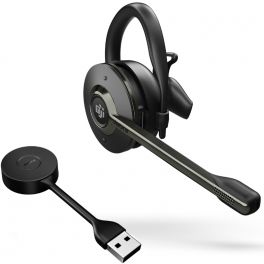
Jabra Engage 55 MS USB-A Convertible Headset
Call us for availabilityCordless DECT headset that offers sound quality for calls on the move- Convertible wireless headset only for PCs
- DECT technology: extended range and security
- Unidirectional ECM microphone with noise reduction
- SafeTone 2.0 noise protection technology
- 9-hour battery life
- Microsoft Teams certified model
£240.00£160.99 £193.19 Incl. VATRef: GNENGAGE55CCompare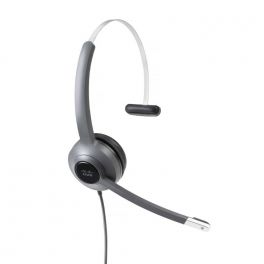
Cisco 521 3.5mm & USB-A Mono Headset
Call us for availabilityThe Cisco Headset 500 Series is a professional range of wired and wireless headsets optimized for Cisco IP phones, soft clients, and desktop video devices.- Available in monaural (521) and binaural (522) variants
- Variety of connectivity variants, including:
- USB-A
- USB-C
- 3.5mm
- On-ear busy indicator light
£188.99 £226.79 Incl. VATRef: CI521JUACompare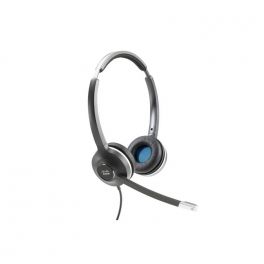
Cisco 532 USB-A Binaural Headset
Call us for availabilityThe Cisco Headset 500 Series is a professional range of wired and wireless headsets optimized for Cisco IP phones, soft clients, and desktop video devices.- Available in monaural (531) and binaural (532) variants
- Quick disconnect cabling options
- Variety of connectivity variants, including
- USB-A
- USB-C
- RJ9
- On-ear busy indicator light
- Integrated headset management
£227.99£168.99 £202.79 Incl. VATRef: CI532ACompare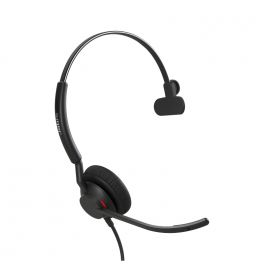
Jabra Engage 40 - USB-A UC Mono
Call us for availabilityUSB-A headset compatible with all UC Platforms- Mono PC Headset
- Comfortable and lightweight
- Connectivity: USB-A
- Google Meet and Zoom certified
- Compatible with all UC platforms
- Plug and play: easy installation
- Background noise cancellation
- BalancedVoiceTM system to optimise the sound of incoming calls
- 2 noise-cancelling microphones
- Multicolour status light
£136.00£90.99 £109.19 Incl. VATRef: GNENG40UCACompare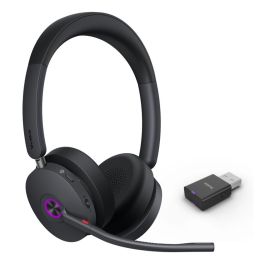
Yealink WH68 Hybrid Teams Headset
Call us for availabilityStay focused and connected without interruption.- DECT & Bluetooth Dual Mode for flexible connectivity options.
- Hybrid ANC ensuring clear conversations by reducing background noise.
- Up to 150m/492ft Wireless Range for mobility in your workspace.
- 4-mic Noise Cancelling technology for superior audio quality.
- All-day Comfort allows for extended wear without discomfort.
£159.99£139.99 £167.99 Incl. VATRef: YEAWH68TCompare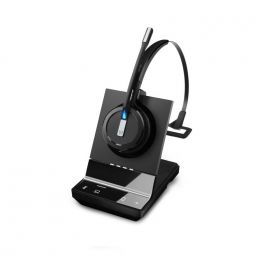
EPOS IMPACT SDW 5013 EU/UK/AUS
Call us for availabilityWireless DECT headset with wideband audio and noise reduction for softphone / PC.- Three wearing styles: Headband, Ear Hook or Neckband
- Compatible with Softphones / PC
- Super broadband audio
- Noise cancellation system with two microphones
- Optimised for UC
- Long-range wireless range: 180m
- Up to 10 hours of talk time
- Improved security features
£319.00£222.99 £267.59 Incl. VATRef: SESDW5013V2Compare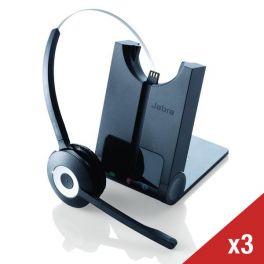
Jabra PRO 920 Mono- Pack of 3
Simple, dependable and affordable cordless model for desktop phones - Pack of 3Range of up to 120mNoise cancelling microphoneEasy to install with voice promptsSupports 4-way conferencingAdjusts power consumption intelligentlyCall us for availability5.0 of 1 Reviews£618.00£398.64 £478.37 Incl. VATRef: GN920X3UKCompare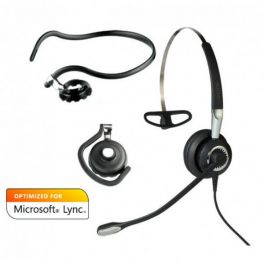
Jabra BIZ 2400 II USB Mono CC MS PC Headset
Call us for availabilityMonaural noise-cancelling headset with 3 wearing styles, USB connection and in-line controls. Optimised for Microsoft Lync.- Monaural version
- Optimised for Microsoft Lync
- Noise-cancelling microphone
- USB connection
- HD wideband sound
- 360º rotatable arm boom
- In-line controls: mute, volume, answer/hang up
£195.00£130.99 £157.19 Incl. VATRef: GN2400USBNB-2Compare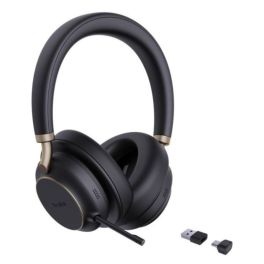
Yealink BH76 Plus UC Bluetooth Headset with ANC
Call us for availabilityWireless Bluetooth headset with ANC, 5 microphones and up to 40 hours of battery life for professional communication and focused work.- Bluetooth 5.3 headset with a range of up to 45 m and multi-device connectivity
- 5 microphones with Acoustic Shield for clear voice transmission without background noise
- 3-level active noise cancellation for focused work in any environment
- Up to 40 hours of battery life for long working days without interruption
- Hybrid ANC and passive damping with up to 35 dB noise reduction
- Flexible design with on-ear and over-ear wearing options
- Busylight indicator to reduce interruptions in the office
£279.99£174.99 £209.99 Incl. VATRef: YEABH76PLUSUCCompare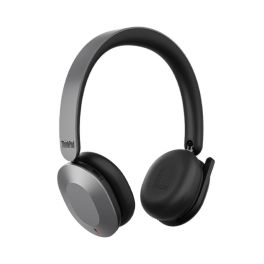
Lenovo ThinkPad 8550 Wireless ANC Headset
Call us for availabilityProfessional foldable wireless headset with adaptive active noise cancellation, ‘Sound by Bose’ audio technology and Microsoft Teams certification for hybrid working.- Audio by Bose: crystal-clear calls and high-fidelity music
- Adaptive active noise cancellation: improved focus in open spaces and on the move
- Microphones with ENC and AI: clear voice quality
- Foldable design ideal for hybrid working and on the go
- Bluetooth 5.3 with simultaneous connection to 2 devices + USB dongle included
- 51-hour battery life and fast charging for uninterrupted work
- Microsoft Teams certified and compatible with Zoom, Webex, Google Meet
£529.99 £635.99 Incl. VATRef: LEN8550USBCTCompare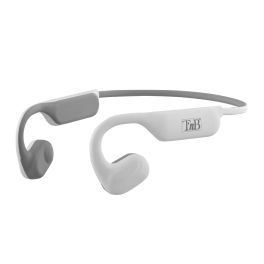
T'nB ENERGY Air Open-Ear Sports Earphones
Call us for availabilityWireless open-ear sports earphones with Bluetooth 5.1, up to 30 hours’ battery life with the charging case, and an IPX5 water-resistant, ergonomic design.- Sporty ‘Open Ear’ design: comfortable and secure fit
- Bluetooth 5.1: reliable wireless connection with smartphones and tablets
- Up to 30 hours’ total battery life thanks to the charging case
- IPX5 certification: resistant to sweat, rain and splashes
- Built-in touch controls: easy management of music and calls
- Hands-free microphone for making calls whilst you’re training
£78.99 £94.79 Incl. VATRef: TNBEBENERGYRCompare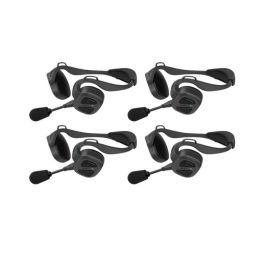
Pack of 4 Sena Nautitalk Bosun MESH headsets
Call us for availabilityPack of 4 Sena NautiTalk Bosun Mesh professional headsets featuring Mesh Intercom™ technology, advanced noise cancellation and IPX7 water resistance for reliable communication between crew members.- Headset with multichannel communication and Bluetooth 5.2
- IPX7: waterproof and submersible, suitable for maritime use
- Group communication with Mesh Intercom™ 3.0 technology
£1,199.96£1,047.56 £1,257.07 Incl. VATRef: SENANAUTIBOS1X4Compare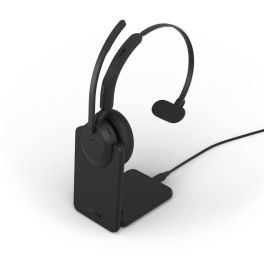
Jabra Evolve3 45 Mono USB-A MS + Charging Stand
Call us for availabilityMicrosoft Teams-certified wireless mono headset with USB-A connectivity, a charging dock, ANC and three ClearVoice™ microphones for seamless communication throughout the day.- Dedicated charging dock: easily recharge and store the headset between calls
- Microsoft Teams certification: native integration with your collaboration platform
- USB-A connectivity: optimal compatibility with both new and existing PCs
- 3 ClearVoice™ microphones: exceptional voice quality, even in open-plan offices
- Active noise cancellation (ANC) with HearThrough function
- Ultra-lightweight mono headset with reversible microphone boom
£215.99£151.99 £182.39 Incl. VATRef: GNEVOL345MCASTMSCompare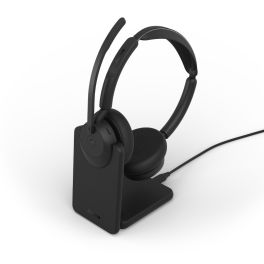
Jabra Evolve3 45 Duo USB-A MS + Charging Stand
Call us for availabilityMicrosoft Teams-certified Bluetooth headset for two, with USB-A adaptor, a charging dock, advanced ANC and three ClearVoice™ microphones for high-performance collaboration throughout the day.- Microsoft Teams certification: optimised collaboration experience
- USB-A Bluetooth adapter compatible with computers equipped with USB-A ports
- Jabra ClearVoice™ technology with 3 microphones
- Active noise cancellation (ANC): perfectly intelligible conversations
- Charging cradle included
- Jabra Air Comfort™ with a weight of approximately 102 g
- Up to 21 hours’ talk time
£226.99£224.99 £269.99 Incl. VATRef: GNEVOL345DCASTMSCompare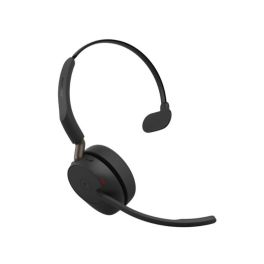
Jabra Evolve3 65 Mono USB-C MS Wireless ANC Headset
Call us for availabilityA Microsoft Teams-certified Bluetooth headset, featuring adaptive ANC and ClearVoice technology, designed to deliver crystal-clear calls without cutting you off from your surroundings.- Certified for Microsoft Teams: seamless integration with the platform
- ClearVoice™: crystal-clear voice quality thanks to advanced 3-microphone technology
- Adaptive ANC: reduces ambient noise and distractions
- Single-ear design: lightweight, comfortable and leaves one ear free
- Bluetooth 5.3: range of up to 30 m and USB-C dongle
- Up to 31 hours’ talk time with fast charging and a replaceable battery
£210.99 £253.19 Incl. VATRef: GNEVOL365MCMSCompare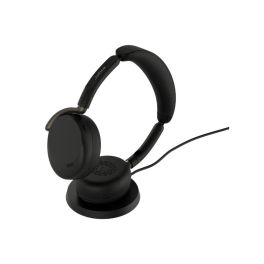
Jabra Evolve3 65 Flex USB-A UC Wireless ANC Headset + Base
Call us for availabilityFoldable UC professional headset without a microphone boom, featuring adaptive active noise cancellation (ANC), ClearVoice AI technology, a Link 390a USB-A dongle and wireless charging.- New generation: a more compact, foldable design, ideal for hybrid workers
- Clear calls without a microphone boom: Jabra ClearVoice™ technology isolates the voice from background noise
- Adaptive active noise cancellation (ANC) with 4 microphones: adjusts to the user and the environment
- Professional audio comfort: Jabra Air Comfort™, spatial audio and ultra-wide bandwidth
- Battery life: 16 hours 30 minutes of talk time, with fast charging and wireless charging cradle included
- Bluetooth 5.3 multipoint + USB-A dongle: range up to 30 m, 2 simultaneous connections
- UC-certified: compatible with leading communication platforms
£305.99 £367.19 Incl. VATRef: GNEVOL365FLEXCASTUCCompare
Jabra Engage 55 SE Convertible UC USB-A With Charging Stand
Call us for availabilityConvertible DECT wireless headset with enhanced security and superior sound quality for calls from anywhere- Convertible wireless headsets for PC
- DECT-C technology: High security and 150m range
- Acoustic protection: PeakStop™, Jabra SafeTone™ 2.0, EU Noise at Work, G616
- USB-C port on: headsets, charging base, and PC connection
- Improved usage quality with enhanced noise and performance measurements
- Talk time: Up to 9 hours
- Connectivity: USB-A
- Compatible with all softphones on the market
£292.00£195.99 £235.19 Incl. VATRef: GNENG55CONASPSECompare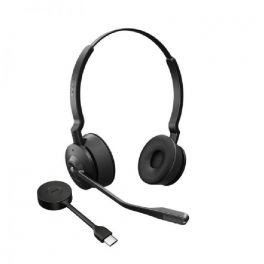
Jabra Engage 55 SE Stereo USB-C MS
Call us for availabilityWireless DECT headset with enhanced security and superior sound quality to call from anywhere- Wireless Duo Headset for PC
- DECT-C Technology: High security and 150 m range
- Acoustic protection: PeakStop™, Jabra SafeTone™ 2.0, EU Noise at Work, G616
- Enhanced user experience with improved noise and performance measurements
- Talk time: Up to 13 hours
- Connectivity: USB-C
- Certified for Microsoft Teams
£257.00£171.99 £206.39 Incl. VATRef: GNENGAGE55DCSECompare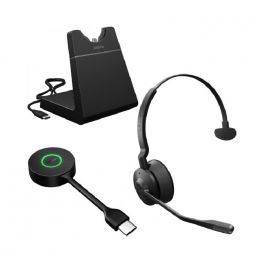
Jabra Engage 55 SE Mono USB-C UC with Charging Stand
Call us for availabilityWireless DECT headset with enhanced security and superior sound quality for calls from anywhere- Mono wireless headset for PC
- DECT-C technology: high security and 150 m range
- Acoustic protection: PeakStop™, Jabra SafeTone™ 2.0, EU Noise at Work, G616
- USB-C ports on headset, charging base, and PC connection
- Enhanced user experience with improved noise and performance measurements
- Talk time: up to 13 hours
- Connectivity: USB-C
- Model compatible with all UC platforms
£292.00£194.99 £233.99 Incl. VATRef: GNENGAGE55MCSUCCSECompare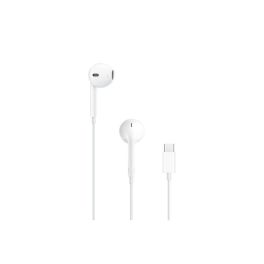
Apple EarPods Wired USB-C Earphones
Out of stockApple wired earphones with a USB-C connector, built-in microphone and remote control, designed to deliver high-quality audio, maximum comfort and intuitive control over calls and multimedia content.- Compatibility: iPhone, iPad, Mac and other devices with a USB-C port
- Ergonomic design: optimal comfort for a wide range of users
- Remote control for adjusting volume, controlling playback and managing calls
- Built-in microphone: clear conversations and voice control functionality
- Sweat- and splash-resistant
- Balanced sound with deep bass for music, videos, podcasts and video conferences
£23.99 £28.79 Incl. VATRef: APPWIREDEARPODSCompare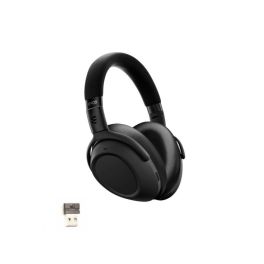
EPOS Adapt 660 USB-A
Call us for availabilityAuriculares Bluetooth para profesionales móviles con ANC adaptativo, sonido estéreo de alta fidelidad y certificación Microsoft Teams.- Para viajes y entornos ruidosos.
- Comodidad duradera: diseño supraaural con espuma viscoelástica
- Sonido estéreo de alta definición personalizable
- Cancelación activa de ruido híbrida inteligente
- Hasta 23 horas de tiempo de llamada
- Carga rápida: 90 min de duración de batería en 15 min
- Bluetooth multipunto: 2 conexiones simultáneas
- Compatible con UC, Teams, Zoom, Webex y más
£274.99£249.99 £299.99 Incl. VATRef: SEAD660ACompare
Yealink WH63 E2 Teams
Call us for availabilityConvertible DECT headset for PC and IP phones with multi-device control, dual mics and Yealink Acoustic Shield for clear calls.- Convertible wearing: earbud, earhook, headband; optional neckband.
- Dual microphones with Yealink Acoustic Shield noise reduction.
- DECT wireless range up to 185 metres.
- Multi-device connectivity: telephone and PC, mixed-mode conferencing.
- Secure DECT Step C for protected communications.
- Hearing protection: Peak Block, AU G616, daily exposure.
- Lightweight 16 g headset; base controls with ringer.
- USB connectivity to PC and IP phones.
£119.99£91.99 £110.39 Incl. VATRef: YEAWH63E2TEAMSCompare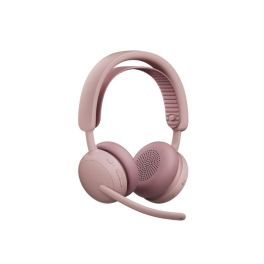
Logitech Zone Wireless 2 ES Teams Pink with receiver
Call us for availabilityWireless business headset with adaptive hybrid ANC and AI-optimised microphones for focused work.- Adaptive hybrid ANC: adjusts to the environment
- Two AI-powered noise-cancelling microphones
- Large 40 mm drivers for clear sound and powerful bass
- Smart, silent firmware updates via Logitech Sync
- Multipoint connectivity: switch seamlessly between two devices
- Replaceable components (earpads, battery)
- Lightweight, comfortable design with even weight distribution
- Sustainable materials: recycled plastic & FSC-certified packaging
£220.99£176.99 £212.39 Incl. VATRef: LO981001521Compare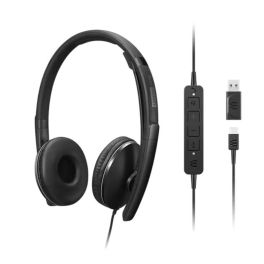
Lenovo Gen 2 USB-C Wired ANC Headset
Call us for availabilitySecond-generation Lenovo headset with ANC and USB-C connection, designed for unified communications and hybrid working.- Active Noise Cancellation (ANC): improves concentration in noisy environments
- Professional microphone with voice optimisation
- EPOS ActiveGard® hearing protection against sound peaks
- Comfortable on-ear design with leatherette ear cushions
- In-line controls: volume, mute, ANC and call management
- USB-C connection with USB-A adapter: compatible with all PCs
- Microsoft Teams and Zoom certified
£157.99 £189.59 Incl. VATRef: LENGEN2USBCCompare- Back to WorkPromotional price valid until 25/09/2026.
Extra discount: £25 off orders over £400 with BACK25
£50 off orders over £700 with BACK50
£80 off orders over £1,000 with BACK80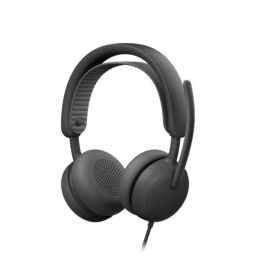
Logitech Zone Wired 2 Graphite Teams
Call us for availabilityWired USB-C headset for Microsoft Teams with adaptive hybrid ANC, dual AI microphones and premium certification for open offices.- Microsoft Teams certified: native professional integration
- Adaptive hybrid ANC with 5 modes
- Two AI noise-cancelling microphones: clear calls in open spaces
- Custom-designed 40 mm speakers optimised for calls and music
- USB-C or USB-A connection (adapter included)
- Comfortable design and replaceable parts: long-lasting, intensive use
£139.99 £167.99 Incl. VATRef: LOZONEW2Compare - Back to WorkPromotional price valid until 25/09/2026.
Extra discount: £25 off orders over £400 with BACK25
£50 off orders over £700 with BACK50
£80 off orders over £1,000 with BACK80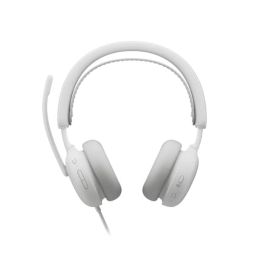
Logitech Zone Wired 2 White Teams
Call us for availabilityMicrosoft Teams-certified USB-C wired headset with adaptive hybrid ANC, dual AI microphones and comfortable design for professional open spaces.- Microsoft Teams certified: native professional integration
- Adaptive hybrid ANC with 5 modes
- Two AI noise-cancelling microphones: clear calls in open spaces
- Custom-designed 40 mm speakers optimised for calls and music
- USB-C or USB-A connection (adapter included)
- Comfortable design and replaceable parts: long-lasting, intensive use
£139.99 £167.99 Incl. VATRef: LOZONEW2WCompare 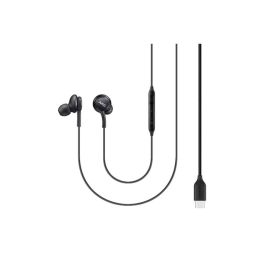
Samsung EO-IC100BBEGEU Earphones
Call us for availabilityWired in-ear headset with USB-C, 2-way drivers and clear voice playback.- USB-C direct connection, no additional adapter required
- Dual drivers (11 mm + 8 mm) for balanced sound
- Sensitivity 94.3 dB ±3 dB for precise playback
- Impedance 32 Ω, suitable for mobile devices
- In-line microphone with controls (volume & calls)
- Cable with textile sheath to prevent tangling
- Compatible with Samsung devices without 3.5 mm jack
- Lightweight design (approx. 18.35 g) for hours of comfort
£16.49£14.99 £17.99 Incl. VATRef: SAEOIC100BBEGEUCompare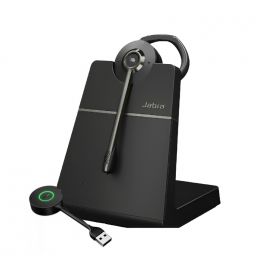
Jabra Engage 55 SE Convertible MS USB-A with Charging Stand
Call us for availabilityConvertible DECT cordless headset with enhanced security and superior sound quality for calls from anywhere- Convertible wireless headsets for PC
- DECT-C technology: high security and 150m range
- Acoustic protection: PeakStop™, Jabra SafeTone™ 2.0, EU Noise at Work, G616
- USB-C port on: headset, charging dock and PC connection
- Better quality of use with improved noise measurements and performance
- Talk time: up to 9 hours
- Connectivity: USB-A
- Certified for Microsoft Teams
£292.00£195.99 £235.19 Incl. VATRef: GNENG55CONAMSPSECompare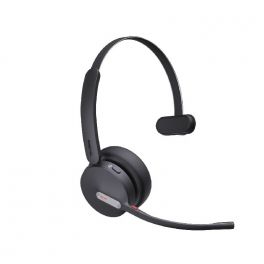
Yealink BH70 Mono UC USB-C
Call us for availabilityCordless mono Bluetooth headset with AI-controlled microphones for noise cancellation. USB-C dongle- Wireless headset with Yealink Acoustic Shield technology
- Bluetooth 5.2
- Pair up to 8 devices
- 3-microphone noise cancellation
- Radio range: 50m/164ft
- Busylight on the headset
- Call time: Up to 35 hours
- Compatible with all common UC platforms
£88.00£74.99 £89.99 Incl. VATRef: YEABH70MCUCCompare
Explore Our Premium Headphones for Every Business Need
In a world where every call matters, having the right headset can transform the way you work. Whether you're managing a busy office, leading online meetings, or simply trying to stay focused in a noisy environment, choosing the right gear is essential. This article walks you through the various types of headphones available, tips to find the one that suits your needs, and answers to common questions so you can make a confident choice
Choosing Headsets According to Your Needs
Selecting a headset that matches your working style is key. Here’s a breakdown of the different types and their best uses:
- Office Headsets: Perfect for professionals who spend long hours on calls. These headsets typically feature comfortable padding, noise-cancellation technology, and in-line controls for easy call management.
- Wireless Headsets: For those who prefer mobility, wireless headsets offer the freedom to move around while on a call. They connect via Bluetooth and often come with a long battery life, making them ideal for busy work environments and people who need to move around.
- Gaming Headsets: Although primarily designed for gamers, these headphones are also great for immersive conference calls, featuring high-quality sound and a built-in microphone for clear communication.
- Noise-Cancelling Headsets: These are excellent for open offices or noisy environments. They help to block out background noise, allowing you to focus on the conversation at hand.
- USB Headsets: Ideal for those using VoIP services, USB headsets offer direct connectivity to computers and come with simple plug-and-play functionality.
By assessing your work environment and communication needs, you can find a headset or headphone that’s practical and effective./p>
Things to Consider Before Buying a Headset
Before making a purchase, it’s essential to consider several factors to ensure you choose the best headset for your needs. Here are some tips to guide your decision:
- Comfort: Look for headsets with adjustable headbands and cushioned ear pads, especially if you’ll be wearing them for long periods. A comfortable fit can significantly affect your productivity.
- Sound Quality: Ensure the headset offers clear audio and effective noise cancellation. Read reviews or test them out if possible to gauge sound performance.
- Microphone Quality: A good microphone is essential for clear communication. Look for models with noise-cancelling microphones to minimize background noise and therefor have effective conversations.
- Wired vs. Wireless: Decide whether you prefer the freedom of wireless headsets or the reliability of wired options. Each has its pros and cons regarding battery life, connectivity, and sound quality.
- Durability: Consider the build quality of the headset. Investing in a durable model can save you money in the long run by reducing the need for replacements.
- Compatibility: Make sure the headset/ headphone is compatible with your devices, whether it’s a computer, smartphone, or VoIP system. Check the connection type (USB, 3.5mm jack, Bluetooth) before purchasing.
- Budget: Headsets come in a variety of price ranges. Determine your budget beforehand, but remember that investing in a quality headset can lead to better communication and productivity.
By following these tips, you can narrow down your options and select the perfect headset/ headphone that meets your professional needs.
FAQs
- Are wireless headsets worth the investment? Yes, wireless headsets provide convenience and mobility, allowing you to move freely during calls. They are particularly beneficial in dynamic work environments.
- How do I maintain my headset to ensure longevity? Regularly clean the ear pads and microphone, store them properly when not in use, and avoid exposing them to extreme temperatures or moisture.
- Can I use a headset with multiple devices? Many modern headphones offer multi-device connectivity, allowing you to switch between your computer, smartphone, and tablet effortlessly.
- Is it better to choose a wired or wireless headset? It depends on your usage preferences. Wired headsets often provide better sound quality, while wireless ones offer more freedom of movement.
- What features should I look for in a noise-cancelling headset? Look for active noise cancellation, comfortable fit, and high-quality audio performance to enhance your listening experience while using your headphone.
If you’re ready to enhance your communication experience with the perfect headphone, check out our comprehensive buying guide for more tips and recommendations.
Show more filters