
My Cart



Computer and Network
- Ref: ALBREMSC100Compare
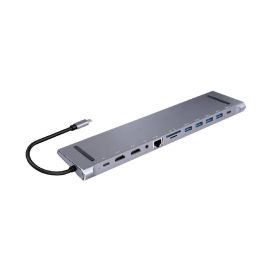
Cleyver Dock USB C 12 ports
DiscontinuedUSB-C Dock with 12 Ports: full connectivity, fast 100W charging, compact design- 12 ports to connect all your devices
- Fast charging up to 100W via USB-C
- 2 HDMI 4K/60Hz ports for dual display
- 4 USB-A 3.0 ports for your peripherals
- Built-in LAN port for a stable network connection
- Integrated SD and TF card readers
- Ultra-compact design that fits under your laptop
- Can be used as a laptop stand
Check the alternative productRef: ODHUB12DOCKCompare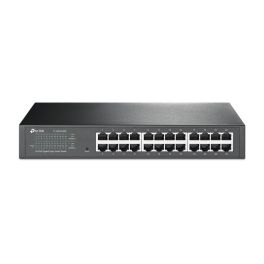
TP Link TL-SG1024DE Switch
Discontinued24-Port Gigabit Ethernet switch with VLAN, QoS, and fanless design for noise-free operation- 24 Gigabit RJ45 ports
- Fanless for silent operation
- Supports up to 32 VLANs
- 48 Gbps switching capacity
- Advanced QoS with 4 queues
- IGMP Snooping V1/V2/V3
- Rack mountable design
- Cable diagnostics support
Check similar productsRef: TPSG1024DECompare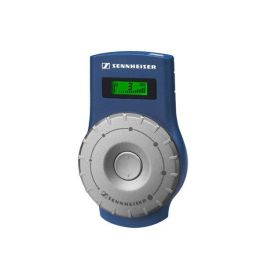
Sennheiser EK 2020-D-II Receiver
DiscontinuedReceiver for Sennheiser Tour Guide 2020 guided tour system- Receiver for Sennheiser Tourguide system
- Range up to 100 m outdoors and 50 m indoors
- Backlit display with all settings
- Battery life up to 16 hours
- Compatible with 3.5mm mono or stereo 3.5mm headphones
- Rugged housing
- Requires an earpiece or induction neckloop
Check similar productsRef: SEEK2020DIICompare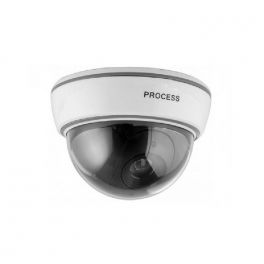
Decoy Interior Dome Camera
Imitation interior dome camera to act as deterrent- Like-for-like imitation: this camera is based on a widely-known model in order to discourage potential intruders
- LED: flashing red light puts off potential intruders
- Easy installation: can be placed anywhere in your home or office
Discontinued5 of 2 ReviewsCheck similar productsRef: CAMFACDCompare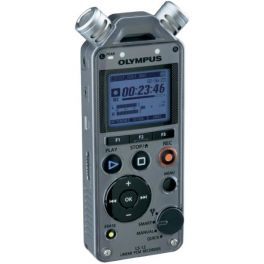
Olympus LS-12
User friendly digital recorder with high-sensitivity microphones, ideal for musicians- 2 high sensitivity, noise cancelling microphones with low cut filter
- Tuner and LED metronome functions
- Recording & Playback format PCM (WAV) / MP3
- Pre-recording function
- 2GB memory and SD card slot (up to 32GB)
- USB connection for data transfer
- Built-in 28mm speaker
Discontinued5 of 1 ReviewsCheck similar productsRef: OLLS12Compare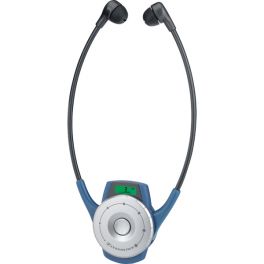
EPOS 2020-D TourGuide Receiver
DiscontinuedA lightweight, one-piece digital stethoset with wireless audio, 8-hour battery life, automatic power-off, adjustable volume, and clear reception.- Wireless headset / receiver
- Scope: between 50 and 100m of the emitter according to conditions
- Autonomy: up to 8 hours
- 6 channels within the free frequency range of Europe: 863-865 MHz
- Rechargeable battery included
- Headphones compatible with cargo bag TOURGUIDE
Check similar productsRef: SE2020ACompare
TP Link Tapo L530E 2-Pack Smart Light Bulb
DiscontinuedSmart multicolour Wi-Fi bulb with dimming, scheduling and voice control – no hub required!- Multicolour & dimmable via app or voice
- Remote control through Tapo app
- Voice control with Alexa & Google Assistant
- Away Mode simulates occupancy
- Schedule & timer functions
- Energy monitoring via app
- Saves up to 85% energy
- No hub required for setup
Check similar productsRef: TPTAPOL530ECompare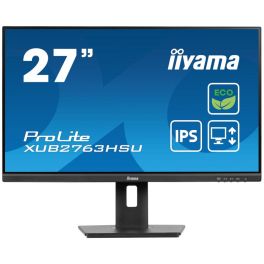
iiyama ProLite XUB2763HSU-B1 27'' Monitor
DiscontinuedExperience stunning visuals with sustainable design.- Eye Comfort: Protects your eyes with low blue light technology.
- Eco-Friendly: Made with 85% recycled materials, contributing to a sustainable future.
- Ergonomic Design: Features a 150mm height adjustable stand for optimal viewing comfort.
- Vivid Colours: IPS technology ensures accurate colours and wide viewing angles.
- USB Hub: Easily connect your devices with the built-in USB hub.
Check similar productsRef: IIYXUB2763HS6Compare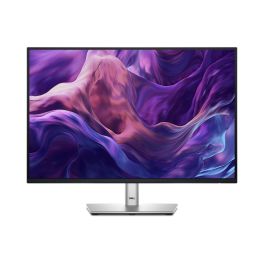
Dell P2425E Pro Plus Monitor USB C Hub 24 Inch
DiscontinuedA professional 24-inch monitor in 16:10 aspect ratio with WUXGA resolution and a built-in USB-C hub, ideal for advanced productivity and business environments.- 24" WUXGA 1920x1200 display with a 16:10 aspect ratio for more vertical space
- Integrated USB-C hub for video, data and power via a single cable
- LCD LED panel for clear images and everyday use
- 60Hz refresh rate ideal for office environments
- Professional and ergonomic design for modern workstations
- Improved energy efficiency to reduce power consumption
Check similar productsRef: DELLP2425ECompare
iiyama XUB2792HSU-B6 27-inch Full HD LED Monitor – Black
Discontinued27-inch Full HD IPS monitor with an ultra-slim design, ergonomic stand and integrated USB hub, ideal for professional office environments requiring comfort and versatility.- 27” IPS panel with Full HD resolution for accurate colours and wide viewing angles
- Ergonomic height-adjustable stand with pivot, tilt and swivel for optimal comfort
- Integrated USB hub to easily connect peripherals directly to the monitor
- Flicker-free + Blue Light reducer to reduce eye fatigue during long working hours
- Multiple inputs including HDMI, DisplayPort and VGA for flexible connectivity
- Ultra-slim bezel design ideal for multi-monitor setups in professional environments
Check similar productsRef: IIYXUB2792HS6Compare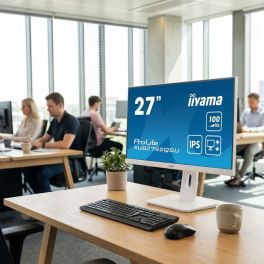
iiyama ProLite XUB2792QSU W6 27 Inch QHD IPS Monitor
Discontinued27-inch QHD IPS monitor in white with ergonomic stand and USB hub, designed for professional environments requiring precision, comfort and modern aesthetics.- 27” QHD IPS panel (2560x1440) for sharp detail and increased workspace
- White ultra-slim design ideal for modern professional environments
- Ergonomic stand with height adjustment, tilt, swivel and pivot
- Integrated USB hub for convenient connection of peripherals
- Flicker-free + Blue Light reducer to reduce eye fatigue during long sessions
- Multiple inputs including HDMI, DisplayPort and VGA for flexible connectivity
- Borderless design perfect for multi-monitor configurations
Check similar productsRef: IIYXUB2792QW6Compare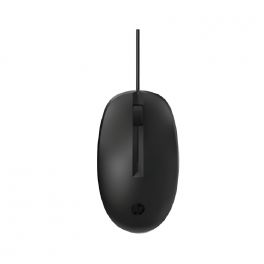
HP 125 Wired Mouse
DiscontinuedWired mouse, easy to clean, for comfortable all-day work.- Simple connectivity via USB-A cable
- Antimicrobial coating
- Ambidextrous design
Check similar productsRef: HP125SFCompare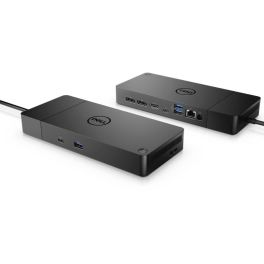
Dell Dock – WD19S 180W
DiscontinuedExtensive connectivity options and expansion of notebook connectivity in professional environments- Monitors: Connect up to two 4K monitors simultaneously
- Extensive connectivity: including USB-A, USB-C, DisplayPort and HDMI
- Fast notebook charging: with up to 130 W of power
- Supports: Wake-on-LAN, PXE Boot and MAC address passthrough
- Design: Compact and space-saving
- Easy plug-and-play installation: no additional drivers required
- Compatible: with various Dell notebooks and other USB-C-enabled laptops
- Integrated security features: supports VESA mounting options
Check the alternative productRef: DELLWD19SCompare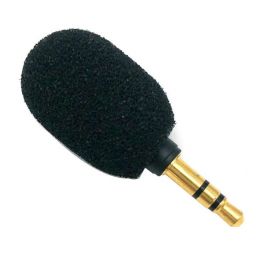
Plug-in microphone for Escolta Bravo HE-P
DiscontinuedPlug-in microphone for the Escolta Bravo HE-P intercom system- Microphone with foam rubber
- Compatible with the Escolta Bravo HE-P intercom system
Check similar productsRef: ESPM01Compare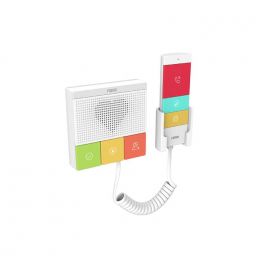
FANVIL Healthcare Intercom Y501W-Y SIP
DiscontinuedSIP intercom systems for emergency communication in healthcare specifically for home care, nursing homes and other indoor applications.- Healthcare intercom
- 2 SIP accounts and 6 detachable function keys
- Made of antibacterial material
- Built-in 2.4G&5G Wi-Fi
- Supports PoE power supply
- IP54 waterproof and dustproof
- Wall mounting optional
Check similar productsRef: FAY501WYCompare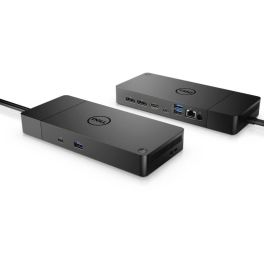
Dell Performance Dock – WD19DCS
DiscontinuedHigh-performance, modular dual USB-C docking station designed to maximise productivity in professional environments.- Supports resolutions up to 5K: at 60 Hz for a single display
- Simultaneous display support: up to three 4K displays possible
- High-power delivery with 210 W for Dell systems
- Comprehensive connectivity: including DisplayPort, HDMI, USB-A and USB-C
- Supports advanced network features: Wake-on-LAN and PXE Boot
- Compact design: with dimensions of 205 x 90 x 29 mm
- Compatible with various operating systems: including Windows 10/11 and Linux
- Integrated security features: supports Kensington and Noble Wedge locks
Check similar productsRef: DELLWD19DCSCompare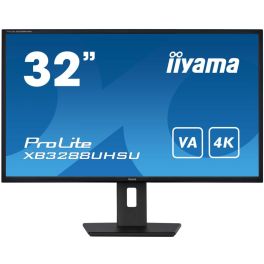
iiyama ProLite XB3288UHSU-B5
Discontinued32'' 4K monitor with swivel and tilt functions – ideal for data virtualisation, photo editing, and web design.- 80 cm (32'') PC monitor
- 16:9 4K display
- VA panel for better contrast
- Blue light reduction
- 2 x 3W speakers
- HDMI, DisplayPort, headphone jack – full connectivity
- Fully adjustable: height, swivel, and tilt
Check similar productsRef: IIYXB3288Compare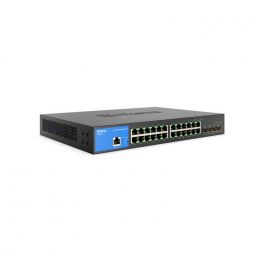
Lynksis Business Switch - 24 Port
DiscontinuedGigabit Ethernet switch with 24 Gigabit Ethernet ports and 4 10G SFP+ uplinks- 10G SFP+ uplink ports (4)
- Advanced network security and QoS
- TAA compliant
- Spanning Tree Protocol (STP) and Storm Control
- Advanced DHCP snooping and IP-MAC binding features
Check similar productsRef: LILGS328CEUCompare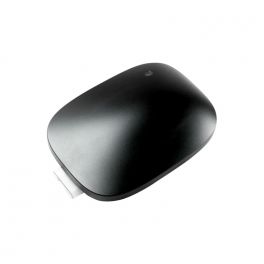
Airtame Hub
DiscontinuedConvert any collaboration space into a hybrid meeting room with Airtame Rooms running on the Airtame Hub- 2 HDMI outputs
- 2 USB-A and 1 USB-C connections
- Ethernet network 10/100/1000
- Bluetooth 5.2
- Safe, stable and simple
- Apple Airplay, MiraCast
- 1 year free subscription to Airtame Rooms
Check similar productsRef: AIRTAMEHUBCompare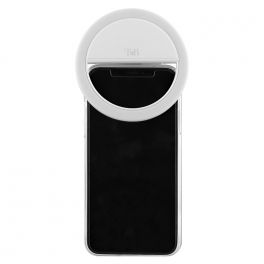
T’NB Influence – Smartphone LED ring
DiscontinuedA light and powerful ring light- provides optimal lighting in all circumstances- LED ring light for smartphone
- Optimal clarity: 3 intensity levels
- Integration of 36 LEDs
- Compact and light: easily transportable
- Rubber reinforcement: anti-scratch protection
- Battery: Li-Ion of 200mAh (80 minutes use time)
- Connectivity: Micro-USB (for charging)
- Compatible with all smartphone models
Check similar productsRef: TNBLEDPORTCompare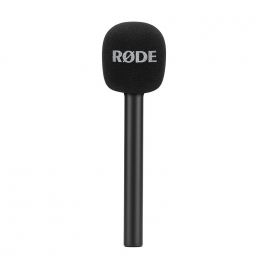
RØDE Interview GO
DiscontinuedSound adapter to turn your transmitter into a comfortable and compact handheld microphone- Converts the transmitter into a handheld microphone
- Ideal for reports or interviews
- Mounting system for optimal stability
- Superior sound quality even in noisy environments
- High-density foam reduces all types of noise
- RØDE exclusive accessory
- Compatible only with RØDE Wireless GO
Check similar productsRef: RPINTERGOCompare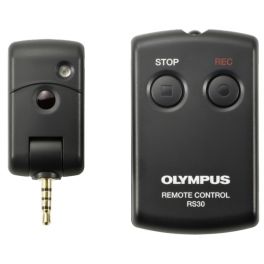
Olympus RS30W Remote Control
Infrared remote control- operable from a distance- Infrared remote control
- 2 buttons: REC / STOP
- Compatible with Olympus DM and LS ranges
Discontinued5 of 1 ReviewsCheck similar productsRef: OLLS10CRCompare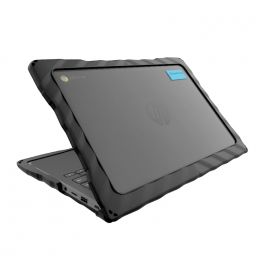
Gumdrop DropTech for HP Chromebook 11 G8/G9 EE (Clamshell)
DiscontinuedShock-resistant case for HP Chromebook 11 G8/G9 EE (Clamshell)- Air-Cell CornersFlex for maximum shock absorption
- 2-piece, co-molded TPU and PC case construction
- Easy clip-on installation
- Works in charging carts but is ideal for take-home device programs
- Asset tag friendly with transparent top and bottom
Check similar productsRef: GDTHPCLAMCompare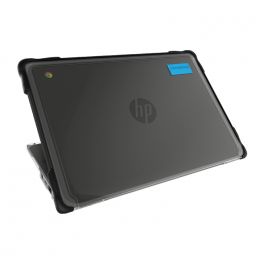
Gumdrop Slimtech for HP Chromebook 11 G8/G9 EE (Clamshell)
DiscontinuedShock-resistant case for HP Chromebook 11 G8/G9 EE (Clamshell)- 2-piece case construction
- Co-molded TPU bumpers on the top shell for bump and scratch protection
- PC bottom shell for additional protection
- Easy clip-on installation
- Textured grip areas and frosted edges for additional protection from scuffs and scratches
- Clean design with transparent top and bottom for easy asset tagging
- Lightweight and charge cart optimized
- Affordable price
Check similar productsRef: GDSTHPCLAMCompare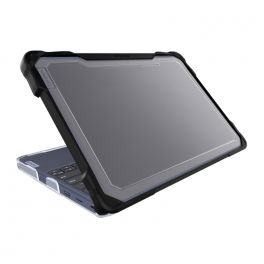
Gumdrop SlimTech for Lenovo 100e/100w Chromebook 3rd Gen (Clamshell)
DiscontinuedShock-resistant case for Lenovo 100e/100w Chromebook 3rd Gen (Clamshell)- 2-piece case construction
- Co-molded TPU bumpers on the top shell for bump and scratch protection
- PC bottom shell for additional protection
- Easy clip-on installation
- Textured grip areas and frosted edges for additional protection from scuffs and scratches
- Clean design with transparent top and bottom for easy asset tagging
- Lightweight and charge cart optimized
- Full functionality when moving from desktop to tablet mode
- Affordable price
Check similar productsRef: GDSTLEN100Compare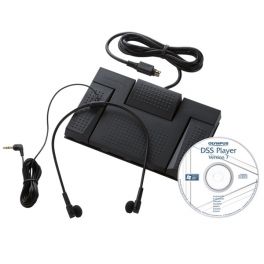
Olympus AS-2400 Transcription Kit
Professional foot-controlled transcription kit- Easy transcription
- DSS, DSSPro, WAV, WMA and MP3 file management
- DSS file management using separate folders
- Job-status info: finished, pending and cancelled
- Individual organisation of dictations
- Compatible with Olympus DS2500, 2500, 3400, 3500, DR1000, 2000, VN-3500PC and VN-5500PC recorders.
Discontinued4.5 of 16 ReviewsCheck similar productsRef: OLAS2400Compare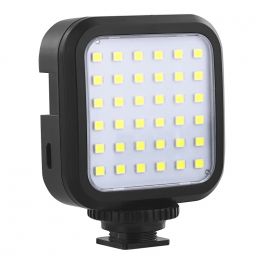
T’NB Influence – Mini LED Projector
DiscontinuedA lightweight and ultra-efficient mini LED projector to optimize the brightness of your content- Mini LED projector for camera and smartphones
- Optimal clarity: 3 intensity levels
- Integration of 36 LEDs
- Illumination angle at 120°
- Compact and light: easily transportable
- Powerful built-in Lithium-Ion battery
- Connectivity: Micro-USB (for charging)
- Compatible with all cameras and smartphone mounts
Check similar productsRef: TNBLEDCAMCompare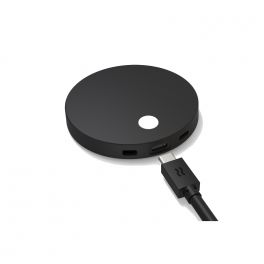
Airtame 2 Wireless HDMI Adapter
DiscontinuedEnterprise-grade wireless screen sharing,digital signage and remote device management.- Secure Sharing
- No shared content leaves your local network
- Share from any device with Miracast, AirPlay, GoogleCast, or from the Airtame App
- Cast to multiple screens
- Full screen mirroring or single window
Check similar productsRef: AIRTAMEDG2Compare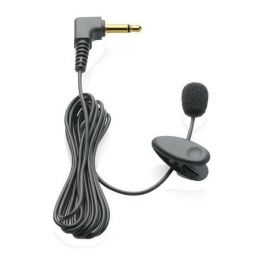
Philips LFH9173 Tie-clip Microphone
Microphone for Digital Pocket Memos and Digital Voice Tracers- Electric condenser microphone for superb recording quality
- Built-in clip
- Omni-directional microphone features a 360 degree sound pick up
- Wind shield improves sound potential by prevening noise
- 3.5mm to 2.5mm adapter
Discontinued4 of 1 ReviewsCheck similar productsRef: PH9173Compare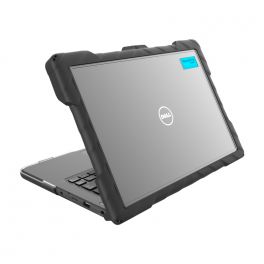
Gumdrop DropTech for Dell Latitude 3300/3310 13-inch (Clamshell)
DiscontinuedShock-resistant case for Dell Chromebook 3300/3310- 2-piece, co-molded TPU and PC case construction
- Easy installation in 20 seconds
- Works in charging carts
- Asset tag friendly
- Drop tested to protect against falls up to 4 feet (TechShell Rugged 4-26 Certified)
Check similar productsRef: GDTDELLCLCompare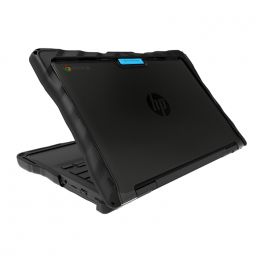
Gumdrop DropTech for HP Chromebook x360 11MK G3 EE (2-in-1)
DiscontinuedShock-resistant case for HP Chromebook x360 11MK G3 EE (2-in-1)- Air-Cell Corners and air pockets flex for maximum shock absorption
- Modified bumped-out corners for extra drop protection
- 2-piece, co-molded TPU and PC case construction
- Easy slide and clip-on installation
- Works in charging carts
- Interior shock ribs to cushion device falls
- Ideal for take-home device programs
- Asset tag friendly with transparent top and bottom
- Compatible with Universal Stylus Holder
Check similar productsRef: GDTHP2I1Compare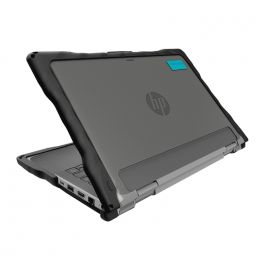
Gumdrop DropTech for HP ProBook x360 11 G5/G6/G7 EE
DiscontinuedShock-resistant case for HP ProBook x360 11 G5/G6/G7 EE- Air-Cell Corners and air pockets Flex for maximum shock absorption
- Bumped out corners for extra drop protection
- 2-piece, co-molded TPU and PC case construction
- Easy slide and clip-on installation
- Works in charging carts
- Interior TPU ribs to cushion devices in falls
- Ideal for take-home device programs
- Asset tag friendly with transparent top and bottom
- Compatible with Universal Stylus Holder
Check similar productsRef: GDTHPPEOCompare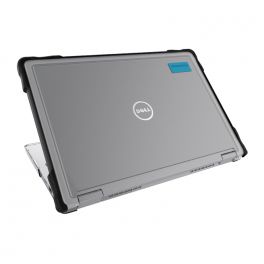
Gumdrop SlimTech for Dell Latitude 3310 13-inch (2-in-1)
DiscontinuedShock-resistant case for Dell Latitude 3310 13-inch (2-in-1)- 2-piece case construction
- Co-molded TPU bumpers on the top shell for bump and scratch protection
- PC bottom shell for additional protection
- Easy clip-on installation
- Textured grip areas and frosted edges for additional protection from scuffs and scratches
- Clean design with transparent top and bottom for easy asset tagging
- Lightweight and charge cart optimized
- Affordable price
- Full functionality when moving from desktop to tablet mode
Check similar productsRef: GDSTDELLLATCompare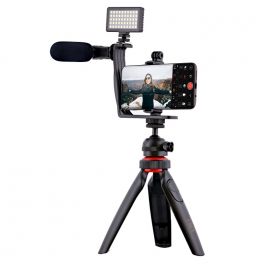
T’NB Influence – Vlogger Video Pack
A complete and practical video kit to reveal your creativity- ideal for vlogging- Production of professional audiovisual content
- Optimal clarity: powerful projector with 50 LEDs
- Custom visual effects: 3 colour filters available
- Superior audio quality: wired microphone
- Natural transcription: 360° coverage
- Bluetooth remote control
- Plug&Play technology
- Flexible & compatible with all devices
Discontinued5 of 1 ReviewsCheck similar productsRef: TNBVLOGPACKCompare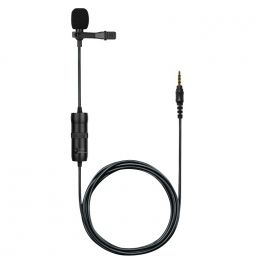
T’NB Influence – Omnidirectionnal Jack Lapel Microphone
DiscontinuedA discreet and lightweight hands-free microphone for recording- ideal for interviews- For hands-free communications
- Optimal sound quality: integrated omnidirectional microphone
- 360° sound capture: natural and precise transcription
- Connectivity: 3.5mm jack
- Easy and quick connection: Plug&Play
- Compatible with all models equipped with a 3.5mm jack
Check similar productsRef: TNBMICCompare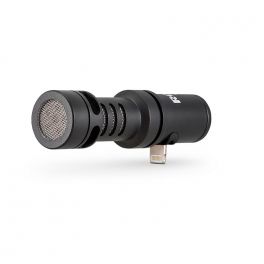
RØDE VideoMic Me-L
DiscontinuedCompact and powerful microphone to record your voice directly - compatible with Apple devices- Portable microphone for iPad and iPhone
- Optimal audio quality: directional microphone
- Superior clarity: detachable furry windshield
- Compact and lightweight design: easy to transport
- Flexible: adjustable mounting bracket
- Connectivity: 1 3.5mm jack input and 1 Lightning output
- Quick and easy connection: Plug & Play
- Compatible with all Apple devices with iOS 11 or later
Check similar productsRef: ROVIDEOMICMELCompare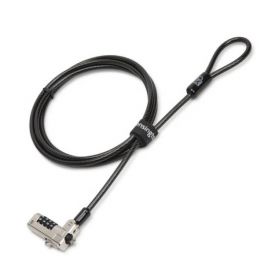
Kensington N17 Security Lock
DiscontinuedRugged padlock for PCs and Tablets with 4-digit resettable code- ideal for protecting your devices- Padlock for PC and mobile devices
- Kensington Anti-Theft cable with sturdy lock head
- Easy to use with one-handed locking
- Unique connection with side hooks
- Carbon steel cable
- For standard Kensington wedge slots
Check similar productsRef: KENN17Compare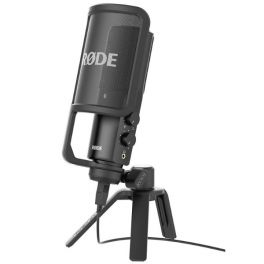
Rode NT-USB
DiscontinuedVersatile studio-quality USB microphone- ideal for podcasting- Hands-free recording
- Increased stability: table stand included
- Optimal audio quality: built-in omnidirectional microphone
- Cardioid microphone: captures front and side voices
- Maximum clarity: removable device with noise filter
- Controls for adjusting listening level and mixing
- Connectivity: USB + 1 x 3.5 mm jack input
- Compatible with all devices running Windows or Mac OS
Check similar productsRef: RONTUSBCompare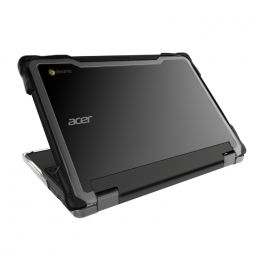
Gumdrop SlimTech for Acer Chromebook Spin 511/R753T (2-in-1)
DiscontinuedShock-resistant case for Acer Chromebook Spin 511/R753T (2-in-1)- 2-piece case construction
- Co-molded TPU bumpers on the top shell for bump and scratch protection
- PC bottom shell for additional protection
- Easy clip-on installation
- Textured grip areas and frosted edges for additional protection from scuffs and scratches
- Clean design with transparent top and bottom for easy asset tagging
Check similar productsRef: GDSTACER2Compare

Discover Computer and Network Solutions
staying connected and equipped with the right technology is no longer optional, it’s essential. Whether you're running a small startup or managing a large enterprise, reliable computing and networking solutions are the backbone of productivity and growth. In this section, we will explore the various types of products available, tips for choosing the right equipment, and answer some of the most frequently asked questions regarding PC and Network Tools.
Choose the Right Computer and Network Solutions According to Your Needs
Selecting IT and networking equipment can feel overwhelming, but breaking it down into key categories makes the process much easier. Here are some of the main areas to consider:
- Routers and Switches: These devices are the backbone of your network, facilitating communication between devices. Routers connect multiple networks and provide internet access, while switches distribute data within the same network. Choose high-performance models for larger businesses that require robust connectivity.
- Network Security: Safeguarding your data is crucial. Investing in firewalls, VPNs, and intrusion detection systems helps protect your network from external threats. Make sure you choose solutions that comply with industry standards and provide comprehensive support.
- Wireless Access Points: For businesses requiring flexibility, wireless access points are essential. They extend your network's range, allowing employees to connect seamlessly from different locations. Look for models that support the latest Wi-Fi standards for optimal performance.
- Networking Cables: Don't underestimate the importance of quality cables. Ethernet cables, fiber optic cables, and patch panels play a vital role in maintaining a stable connection. Choose durable and high-speed options to ensure minimal signal loss.
- Computing Devices: From desktops to laptops, the computing devices you choose can greatly impact productivity. Consider your team's needs regarding processing power and portability.
Tips Before Buying Computer and Network Solutions
Before making a purchase, here are some crucial tips to guide you in selecting the right Computer & Networking products:
- Assess Your Needs: Evaluate the size of your business and the extent of your networking requirements. Understanding how many devices will be connected and the bandwidth needed will help you choose the right solutions.
- Research Brands and Models: Not all products are created equal. Look for reputable brands with positive reviews and reliable customer support. It's wise to compare different models to find the best fit for your operational needs.
- Consider Scalability: As your business grows, your networking needs may change. Opt for solutions that allow for easy upgrades and expansions without requiring a complete overhaul of your existing setup.
- Check Compatibility: Make sure all devices are compatible with each other and your existing infrastructure. This includes hardware, software, and any specific protocols you may be using.
- Evaluate Security Features: Security should be a top priority. Look for products with built-in security features and the ability to integrate with your existing security policies.
- Budget Wisely: While it's tempting to opt for the cheapest option, consider the long-term value of your investment. Quality products may have a higher upfront cost but can save you money in maintenance and replacements down the line.
Frequently Asked Questions About Computer and Network Solutions
- What is the difference between a router and a switch? A router connects different networks and directs data traffic, while a switch connects devices within the same network, enabling communication between them.
- How do I know if I need a wireless access point? If your business requires internet access in multiple locations or areas where a router's signal is weak, a wireless access point can enhance connectivity.
- What should I look for in a network security solution? Look for features such as intrusion detection, data encryption, firewall capabilities, and compatibility with existing security measures.
- How often should I upgrade my networking equipment? Regularly assess your equipment's performance and functionality. Generally, it's recommended to upgrade every 3-5 years or when you notice significant performance issues.
- Can I set up a home office network? Yes! A home office network can be established using routers, switches, and wireless access points, depending on your specific needs.