
My Cart



Computer and Network
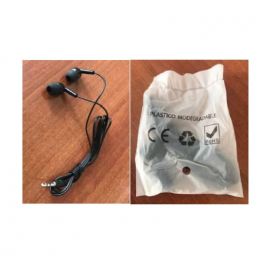
Disposable earphones for guided tours
DiscontinuedEarphone kit for guidance headsets: ideal for hygiene and comfort- Single-use earphones
- 3.5 mm jack connection
- Colour: Black
- Silicone ear cushions
- 1m cable length
- Compatible with Okayo WR300 guided tour receivers
- Special price for large quantity: Contact us
Check similar productsRef: OKKITRV2Compare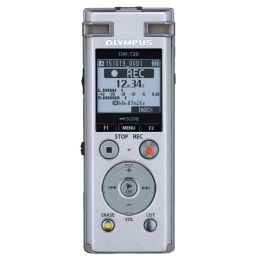
Olympus DM-770
DiscontinuedLight-weight voice recorder with HD audio- Light-weight
- Milestone-marker feature
- Voice Guidance and Distinctive Button Contours
- HD audio
- Sonority Audio Notebook Plug-in
Check the alternative productRef: OLDM770Compare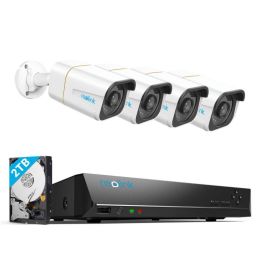
Reolink 4K+ Security System with NVR and 4 Bullet Cameras
DiscontinuedUltra-clear 10MP video, smart AI detection, and easy mobile control to protect your home or business.- CCTV camera set for monitorig and/or recording in10MP Ultra HD
- Smart AI powered detections
- Smart motion notificatios
- Ultra clear night vision
- Smart playback
- Continuous Recording
- Plug and Play PoE Technology
- Reolink App to view real time feed
Check similar productsRef: REONVS85KB4AUKCompare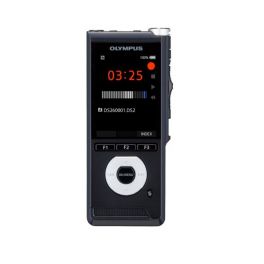
Olympus DS2600
DiscontinuedDigital stereo and professional voice recorder- Directional stereo recording
- Precise slide switch
- Includes DSS Player Standard
- 2 microphones
- Full colour 2.4" screen
- Motion sensor
- High-speed USB
Check similar productsRef: OLDS2600Compare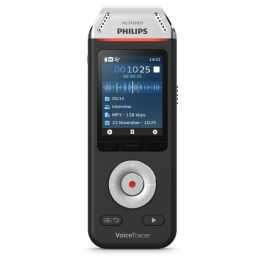
Philips Voice Tracer DVT 2110
DiscontinuedMobile recorder for interviews, conversations and small meetings- 8 GB digital recorder
- Colour LCD screen
- High-quality dual microphone with noise reduction
- Optimised for recording interviews
- Up to 2147 hours of continuous recording
- One touch for immediate recording
- Plug and Play on Windows and Mac
- 2 x 3.5mm jacks (microphone + headphones)
- 1000 mAh battery: Fast charge
Check similar productsRef: PHDVT2110Compare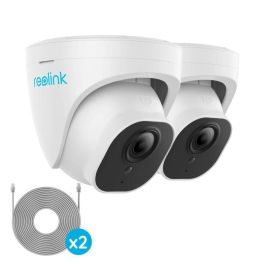
Reolink 4K Security System Add-On Dome Cameras (2-Pack)
DiscontinuedEnhance your security system effortlessly with high-resolution monitoring, advanced AI detection, and real-time notifications- CCTV camera set for monitorig and/or recording in10MP Ultra HD
- Smart AI powered detections
- Smart motion notificatios
- Ultra clear night vision
- Plug and Play PoE Technology
- Works with Reolink NVRs
- Include 18M Network Ethernet Cable for easy installation
- Monitoring with Reolink App
Check similar productsRef: REONVCD10M2PKUKCompare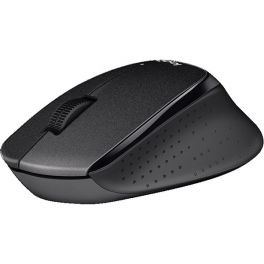
Logitech Silent B330 Plus Wireless Mouse
DiscontinuedWork in silence with the Logitech mouse.- Right-handed wireless mouse
- Noise reduction of more than 90%
- Simple and reliable: Connection up to 10 meters thanks to the nano-receiver
- Battery life up to 24 months
- Curved ergonomic design
Check similar productsRef: LOB330SCompare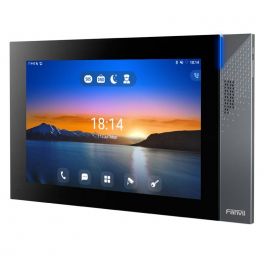
Fanvil i57A
DiscontinuedIndoor station with large touch screen for managing movements on your premises.- Premises movement control
- 10.1-inch colour tactile display
- Real-time video monitoring
- Integrated light effects
- Dual speakersof 2W
- Acoustic echo cancellation
- Bluetooth 5.0 and WiFi 2.4GHz/5G built-in
- Aluminium panel
- Operating system Android 9.0
- PoE support, wall mount
Check similar productsRef: FANI57ACompare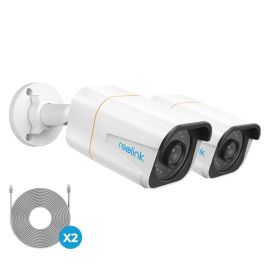
Reolink 4K Security System Add-On Bullet Cameras (2-Pack)
DiscontinuedEnhance your Reolink NVR setup with 4K+ clarity and smart AI detection for superior security.- CCTV camera set for monitorig and/or recording in10MP Ultra HD
- Smart AI powered detections
- Smart motion notificatios
- Ultra clear night vision
- Plug and Play PoE Technology
- Works with Reolink NVRs
- Monitoring with Reolink App
Check similar productsRef: REONVCB10M2PKUKCompare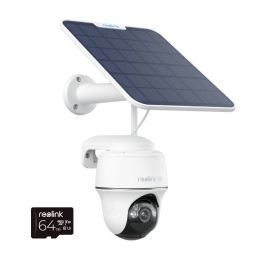
Reolink 4K Argus PT Ultra 360° AI Battery Cam Kit +64GB
Discontinuedwire-free security solution designed to deliver premium monitoring!- 4K Ultra HD
- 355°Pan & 140°Tilt
- Dual-Band WiFi
- Battery & Solar
- Advanced Smart AI
- Colour Night Vision
- Built-in alarm
- Two Way Audio
- MicroSD Storage
- Weatherproof and dustproof
- Access to Reolink app
Check similar productsRef: REOA4KPTS2M64UKCompare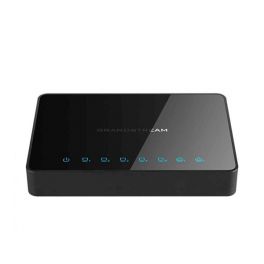
Grandstream GWN7000
DiscontinuedGrandstream GWN700 enterprise-grade multi-WAN Gigabit VPN router.- Intuitive web-based central network management
- Embedded controller to manage 300+ WiFi APs without a separate controller
- Auto-discovery & provisioning of in-network WiFi AP devices from any GWN700 WiFi AP
- Multiple Gigabit WAN ports with load balancing and failover support
- 1M packets routing & 10Gbs switching power
Check similar productsRef: GRAGWN7000UKCompare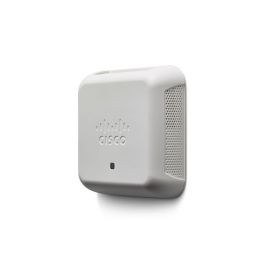
Cisco WAP150 Dual Radio Access Point with PoE
DiscontinuedThe cost-effective Cisco WAP150 Dual Radio ensures faster WI-FI- Provides 802.11ac connectivity with speeds up to 1.2 Gbps
- Gigabit Ethernet LAN interface with Power over Ethernet (PoE) offers flexible installation
- A captive portal can enable highly secure guest access with customized roles and rights
- Single Point Setup requires no controller for easy, cost-effective deployment of multiple access points
- Works out of the box with easy installation and a simple web-based configuration and wizard
Check similar productsRef: CIWAP150UKCompare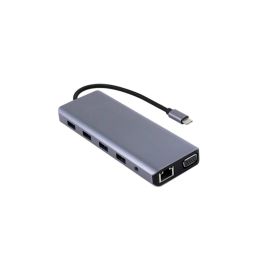
Cleyver Hub USB C 12 ports
12-port hub for full connectivity on your PC (USB-C/A, SD, jack, VGA, HDMI, LAN).- 1 USB-C Power Delivery port (100 W) for charging
- 4 USB-A ports for your standard peripherals
- 2 HDMI ports compatible with 4K / 60 Hz
- 1 VGA port for older monitors
- 1 RJ45 LAN port for a stable network connection
- 1 3.5 mm jack port for headphones or microphone
- 1 SD card reader and 1 microSD (TF) card reader
- Compact design, ideal for travel
Discontinued5 of 1 ReviewsCheck the alternative productRef: ODHUB12Compare- IconBest Seller
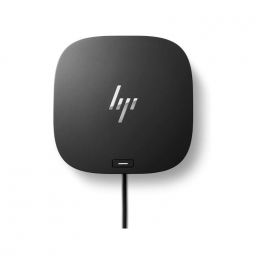
HP G5 Docking Station
USB-C hub to connect a PC to multiple devices.- USB-C connection hub
- To connect the PC to different devices and charge it
- Clean setup with a single cable
- Connections: USB-C; HDMI; USB; DisplayPort; RJ45
- Compatible with both HP and non-HP models
Discontinued5 of 1 ReviewsCheck the alternative productRef: HP5TW10AACompare 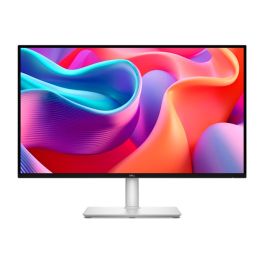
Dell S2725DC Monitor USB C QHD 27 Inch
DiscontinuedA 27-inch professional monitor with QHD resolution, USB-C connectivity and a sleek design, ideal for productivity and modern workplaces.- 2560x1440 QHD display for crisp images and an expanded workspace
- 27-inch screen ideal for multitasking and productivity
- USB-C connectivity for video, data and power via a single cable
- 60Hz refresh rate for smooth office use
- LED LCD panel with good colour reproduction and visual comfort
- Modern and elegant design perfect for offices and professional workstations
Check similar productsRef: DELLS2725DCCompare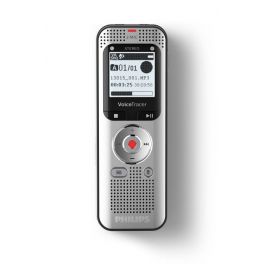
Philips DVT2050 Digital VoiceTracer
DiscontinuedCompact mobile recorder with quality sound and large storage capacity- 8 GB digital recorder
- LCD screen
- High-quality dual microphone
- Optimised for recording ideas
- Up to 2370 hours of continuous recording
- One touch for immediate recording
- Plug and Play on Windows and Mac
- 2 x 3.5mm jacks (microphone + headphones)
- 1300 mAh battery: Fast charge
Check the alternative productRef: PHDVT2050Compare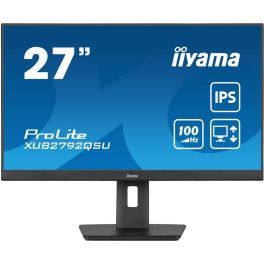
iiyama ProLite XUB2792QSU-B6
Discontinued27" QHD Monitor with USB Hub and Multiple Adjustment Options – Ideal for Multi-Monitor Setups.- 68.6 cm (27") PC Monitor
- 16:9 QHD Display
- 100Hz Refresh Rate
- Blue Light Reduction
- Two 2W Built-in Speakers
- 4 USB Ports for Convenient Connectivity
- Fully Adjustable: Height, Pivot, Swivel, Tilt
Check similar productsRef: IIYXUB2792QSUB6Compare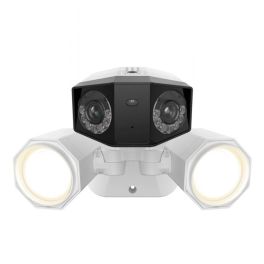
Reolink 4K Duo 2 PoE 180° Smart AI Floodlight Cam
DiscontinuedProtect your home/business with the best panoramic view security cam!- CCTV camera with 4K Ultra HD resolution
- 180° Panorama View
- Built-in Floodlight with adjustable 1800 lumens of brightness
- Colour Night Vision: highest level visual detail 24/7
- Advanced Smart AI powered detections
- Built-in alarm
- Two Way Audio
- Works with Reolink NVRs & Supports up to 256GB SD Card
Check similar productsRef: REODLP4KFUKCompare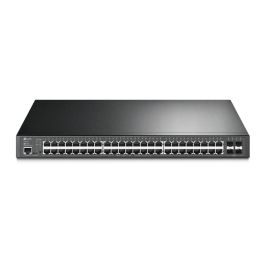
TP LINK TL-SG3452P
DiscontinuedManaged switch with 52 Gigabit ports including 48 PoE+, ideal for demanding professional networks.- For demanding networks: 48 PoE+ ports with a total budget of 384W
- 4 Gigabit SFP ports: flexible and fast uplinks
- Omada SDN integration: efficient, centralised cloud management
- Advanced L2+ features
- Robust security with ACL, 802.1X, and port security
- Autonomous management via web interface, CLI, SNMP, and RMON
- 1U rackmount: easy integration into your existing infrastructure
Check similar productsRef: TPTLSG3452PCompare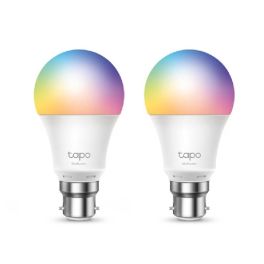
TP Link Tapo L530B 2-Pack Smart Light Bulb
DiscontinuedSmart Wi-Fi multicolor bulb with app control, voice commands, timers, and dimming.- Multicolor light with 1–100% dimming
- Voice control via Alexa or Google
- App-based remote control
- No hub required for setup
- Energy monitoring via app
- Preset lighting scenes
- Away Mode for added security
- Schedule and countdown timer
Check similar productsRef: TPL530BCompare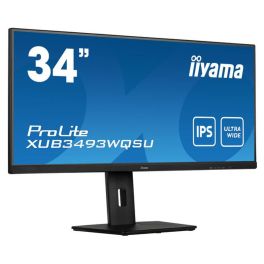
iiyama ProLite XUB3493WQSU-B5 34" Monitor
Discontinued34” ultra-wide UWQHD IPS monitor with accurate colour reproduction, ergonomic stand and eye care technologies, ideal for multitasking and professional work environments.- 34” ultra-wide UWQHD display for efficient multitasking and side-by-side applications
- IPS panel technology delivering accurate colours and wide viewing angles
- 75Hz refresh rate and 4ms response time for smooth image performance
- Flicker-Free and Low Blue Light to reduce eye strain during long work sessions
- Ergonomic height-adjustable stand for optimal viewing comfort
- Versatile connectivity with HDMI, DisplayPort and USB hub
Check similar productsRef: IIYB3493WQSUBUKCompare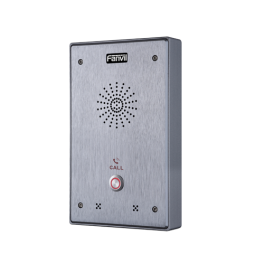
Fanvil i12 N 01 SIP Intercom
DiscontinuedIntelligent Security SIP Intercom- HD Voice with G.722 encoding
- Anti-tamper alarm
- Security Linkage
- Advanced protection with IP65 and IK10
- Noise reduction
Check the alternative productRef: FANI12-01Compare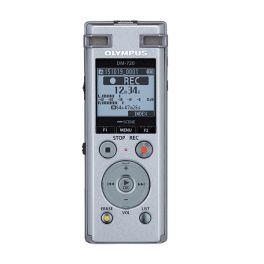
Olympus DM-720
A versatile, reliable and easy-to-use digital voice recorder with advanced features- 3 microphone system - directional/omnidirectional microphones
- Extended editing operations
- Various playback functions
- Noise cancelling
- Built-in USB
- Easy-to-use interface
- 4GB memory
- Versatile
Discontinued4.5 of 2 ReviewsCheck similar productsRef: OLDM720Compare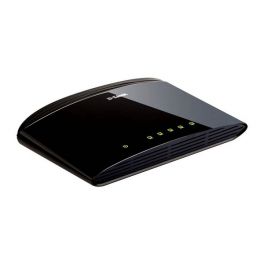
D-Link DES-1005D
DES-1005D 5-Port Fast Ethernet Unmanaged Desktop Switch for quick wired-network set up- 5-Port Fast Ethernet Unmanaged Destop Switch
- Auto-detection and negotiation for maximum speed to all devices
- MDI/MDIX crossover supported eliminating the need for additional wires or ports
- Flow control for secure transmission
Discontinued4.5 of 2 ReviewsCheck similar productsRef: DLDES1005DCompare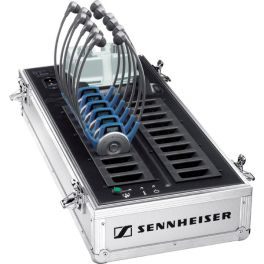
Epos Tourguide Case
DiscontinuedEZL 2020-20L is a charging case for 20 receivers and 2 transmitters, with fast charging, temperature control, and a ‘Copy’ button for quick channel sync.- Charging case for wireless headphones
- Dedicated system for guided tours
- Holds up to 20 units
- Acts as a recharging base for transmitter and receivers
- Case sold on its own (without earphones)
Check similar productsRef: SE2020Compare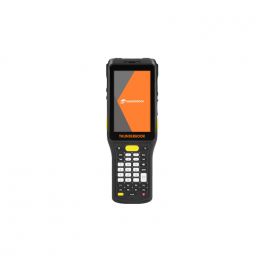
Thunderbook Vega A400 - 2D Barcode Reader
Discontinued4" rugged PDA with 1D + 2D short range barcode scanner- PDA 4" ruggedised
- Short range 1D + 2D barcode scanner between 15 and 30cm range
- Android 9 operating system (GMS + AER)
- Hot swap battery
- Battery life 12h and charge in 4h
- IP65 resistant and works with gloves .
Check similar productsRef: THUNVEGA400CACompare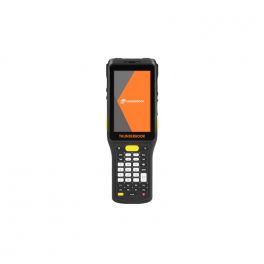
Thunderbook Vega A400 - External UFH Reader
Discontinued4" rugged PDA with 1D + 2D barcode reader with external UHF reader- 4" rugged PDA
- 1D + 2D barcode reader
- With an external UHF RFID reader
- Android 9 operating system (GMS + AER)
- Hot swap battery - hot-swappable
- 12h battery life and 4h charging time
- IP65 resistant and works with gloves
Check similar productsRef: THUNVEGA400Compare
Dell Pro 27 Plus P2725H Monitor Full HD
DiscontinuedA 27-inch Full HD professional monitor with an IPS panel, advanced ergonomic features and comprehensive connectivity for everyday productivity and multitasking.- 27" Full HD professional monitor ideal for business productivity and multitasking
- IPS panel with wide viewing angles for consistent images and accurate colours
- Slim-bezel design perfect for modern multi-monitor setups
- Full ergonomic adjustability with height, tilt, swivel and pivot adjustments
- Versatile professional connectivity with HDMI, DisplayPort and integrated USB hub
- ComfortView Plus technology to reduce eye strain during prolonged use
- 27" display ideal for professional workstations and remote working environments
Check similar productsRef: DELLP2725HCompare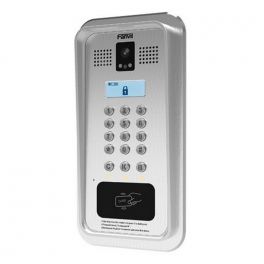
Fanvil i33VF
DiscontinuedUltra-resistant, mounted intelligent videophone intercom.- Intercom system for businesses and residences
- Designed for outdoor deployment
- Integration into the security system
- Full duplex HD audio with 3W speaker
- Integrated 112° HD 2MP videophone
- Advanced protection with IP65 and IK10
- Quick button, keypad and RFID card reader
- Compatible with all systems
Check the alternative productRef: FANI33VFCompare
iiyama XUB2492HSU-W6 23.8'' Full HD Monitor
Discontinued23.8-inch Full HD IPS monitor in white with ergonomic stand and USB hub, ideal for modern workspaces requiring comfort, clarity and clean design.- 23.8” IPS panel with Full HD resolution for sharp image quality and accurate colours
- White ultra-slim design ideal for modern and clean office environments
- Ergonomic stand with height adjustment, tilt, swivel and pivot functions
- Integrated USB hub for convenient connection of peripherals
- Flicker-free + Blue Light reducer to minimise eye strain during long work sessions
- Multiple inputs including HDMI, DisplayPort and VGA for flexible connectivity
- Borderless design perfect for multi-monitor setups
Check similar productsRef: IIYB2492HSUW6Compare
iiyama ProLite XUB3293UHSN-B5 31.5'' 4K Monitor
DiscontinuedElevate your workspace with stunning 4K clarity.- Exceptional clarity with 4K Ultra HD resolution.
- Seamless connectivity through a USB-C dock for easy setup.
- Intuitive multi-device control thanks to the built-in KVM switch.
- Optimised viewing experience with IPS technology for lifelike colours.
- Comfortable use with flicker-free and low blue light features.
Check similar productsRef: IIYXUB3293UHSCompare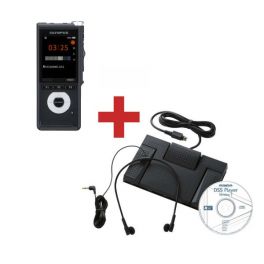
Olympus DS2600 + AS2400 Transcription Kit
DiscontinuedDigital voice recorder with transcription starter kit- Precise slide switch
- Includes DSS Player Standard
- 2 microphones
- Full color 2.4" screen
- Motion sensor
- High-speed USB
- USB foot pedal
- Lightweight headphones (28g)
- DSS player software
Check similar productsRef: OLDS2600ASCompare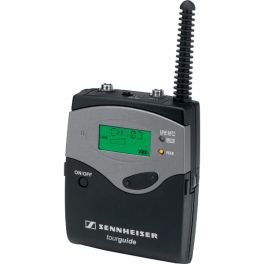
Sennheiser SK 2020-D Tourguide Transmitter
DiscontinuedDeliver high quality professional guided tours.- 6 channels within licence free frequency range (EU, US)
- Microphone input (3.5 mm jack) with sensitivity adjustment
- Line input (3.5 mm jack) with sensitivity setting (to connect MP3, recorder etc)
Check similar productsRef: SE2020ECompare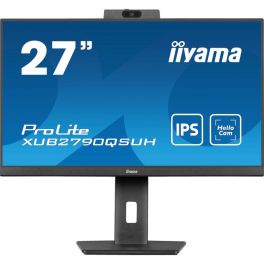
iiyama ProLite XUB2790QSUH-B1 QHD Monitor 27''
Discontinued27" QHD IPS desktop monitor with built-in Windows Hello webcam, microphone and USB-C connectivity, designed for professional workspaces and video collaboration.- 27" QHD IPS display with 2560 × 1440 resolution
- Integrated 1080p webcam with microphone
- Windows Hello support for secure authentication and video conferencing.
- USB-C connectivity with 65W power delivery
- Ergonomic adjustable stand with height, tilt, swivel and pivot functions
- Integrated USB hub and KVM switch for easy connection
- Blue Light Reducer and flicker-free technology help reduce eye strain
Check the alternative productRef: IIYXUB2790QSUHCompare- Ref: ALBREMSC100Compare
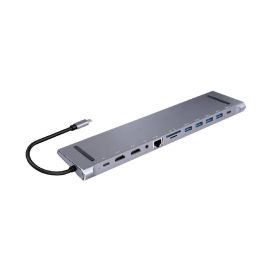
Cleyver Dock USB C 12 ports
DiscontinuedUSB-C Dock with 12 Ports: full connectivity, fast 100W charging, compact design- 12 ports to connect all your devices
- Fast charging up to 100W via USB-C
- 2 HDMI 4K/60Hz ports for dual display
- 4 USB-A 3.0 ports for your peripherals
- Built-in LAN port for a stable network connection
- Integrated SD and TF card readers
- Ultra-compact design that fits under your laptop
- Can be used as a laptop stand
Check the alternative productRef: ODHUB12DOCKCompare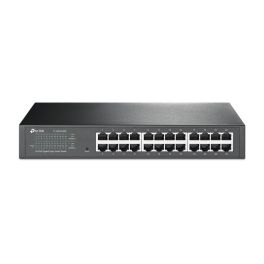
TP Link TL-SG1024DE Switch
Discontinued24-Port Gigabit Ethernet switch with VLAN, QoS, and fanless design for noise-free operation- 24 Gigabit RJ45 ports
- Fanless for silent operation
- Supports up to 32 VLANs
- 48 Gbps switching capacity
- Advanced QoS with 4 queues
- IGMP Snooping V1/V2/V3
- Rack mountable design
- Cable diagnostics support
Check similar productsRef: TPSG1024DECompare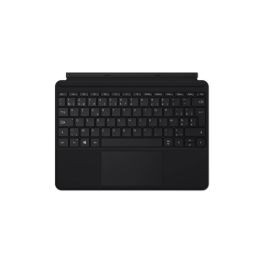
Microsoft Surface Pro Type Cover AZERTY
DiscontinuedAZERTY keyboard that turns your Surface Pro tablet into a laptop.- Compatibility: Microsoft Surface Pro 3; 4; 5; 6 and 7
- AZERTY layout
- Backlit keys
- Glass touchpad: smooth, precise navigation
- Magnetic attachment: fast, stable connection
- Slim design: uncompromising portability
Check similar productsRef: MICROCOVCompare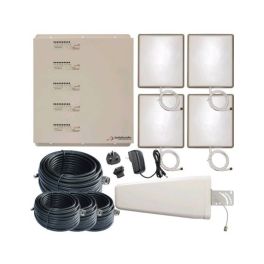
STELLA REPEATER 5 BAND
Discontinued5-band mobile signal amplifier for uninterrupted connectivity in professional environments.- For medium to large buildings
- Simultaneous amplification of 4G, 3G and 2G signals
- Compatibility: all mobile operators
- Multi-user support without quality degradation
- Complies with European standards
- Remote monitoring via StellaControl
Check similar productsRef: ST1002LGDWH4RCompare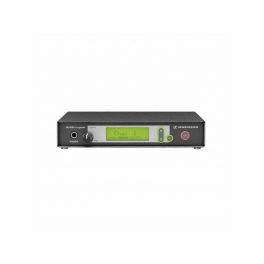
EPOS SR 2020-D
DiscontinuedCompact, high-tech transmitter for your productions.- Compact high-tech transmitter
- Allows simultaneous interpretation of 8 languages
- Operates on 6 to 8 channels
- Backlit display
- Selectable content via CD, DVD or network
- Digital RF signal transmission
- 19’ rack mounting kit included
- Compatible with SEEK2020DII and SE2020A models
Check similar productsRef: SE2020DCompare

Discover Computer and Network Solutions
staying connected and equipped with the right technology is no longer optional, it’s essential. Whether you're running a small startup or managing a large enterprise, reliable computing and networking solutions are the backbone of productivity and growth. In this section, we will explore the various types of products available, tips for choosing the right equipment, and answer some of the most frequently asked questions regarding PC and Network Tools.
Choose the Right Computer and Network Solutions According to Your Needs
Selecting IT and networking equipment can feel overwhelming, but breaking it down into key categories makes the process much easier. Here are some of the main areas to consider:
- Routers and Switches: These devices are the backbone of your network, facilitating communication between devices. Routers connect multiple networks and provide internet access, while switches distribute data within the same network. Choose high-performance models for larger businesses that require robust connectivity.
- Network Security: Safeguarding your data is crucial. Investing in firewalls, VPNs, and intrusion detection systems helps protect your network from external threats. Make sure you choose solutions that comply with industry standards and provide comprehensive support.
- Wireless Access Points: For businesses requiring flexibility, wireless access points are essential. They extend your network's range, allowing employees to connect seamlessly from different locations. Look for models that support the latest Wi-Fi standards for optimal performance.
- Networking Cables: Don't underestimate the importance of quality cables. Ethernet cables, fiber optic cables, and patch panels play a vital role in maintaining a stable connection. Choose durable and high-speed options to ensure minimal signal loss.
- Computing Devices: From desktops to laptops, the computing devices you choose can greatly impact productivity. Consider your team's needs regarding processing power and portability.
Tips Before Buying Computer and Network Solutions
Before making a purchase, here are some crucial tips to guide you in selecting the right Computer & Networking products:
- Assess Your Needs: Evaluate the size of your business and the extent of your networking requirements. Understanding how many devices will be connected and the bandwidth needed will help you choose the right solutions.
- Research Brands and Models: Not all products are created equal. Look for reputable brands with positive reviews and reliable customer support. It's wise to compare different models to find the best fit for your operational needs.
- Consider Scalability: As your business grows, your networking needs may change. Opt for solutions that allow for easy upgrades and expansions without requiring a complete overhaul of your existing setup.
- Check Compatibility: Make sure all devices are compatible with each other and your existing infrastructure. This includes hardware, software, and any specific protocols you may be using.
- Evaluate Security Features: Security should be a top priority. Look for products with built-in security features and the ability to integrate with your existing security policies.
- Budget Wisely: While it's tempting to opt for the cheapest option, consider the long-term value of your investment. Quality products may have a higher upfront cost but can save you money in maintenance and replacements down the line.
Frequently Asked Questions About Computer and Network Solutions
- What is the difference between a router and a switch? A router connects different networks and directs data traffic, while a switch connects devices within the same network, enabling communication between them.
- How do I know if I need a wireless access point? If your business requires internet access in multiple locations or areas where a router's signal is weak, a wireless access point can enhance connectivity.
- What should I look for in a network security solution? Look for features such as intrusion detection, data encryption, firewall capabilities, and compatibility with existing security measures.
- How often should I upgrade my networking equipment? Regularly assess your equipment's performance and functionality. Generally, it's recommended to upgrade every 3-5 years or when you notice significant performance issues.
- Can I set up a home office network? Yes! A home office network can be established using routers, switches, and wireless access points, depending on your specific needs.