My Cart



Meeting Room Displays
- Ref: IIYLH8664UHSB2Compare

iiyama ProLite TE8612MIS-B3AG
Discontinued4K Touchscreen for Education and Business with Built-in Speakers, User Profiles, and iiyama Share.Check similar productsRef: IIYTE8612MISB3AGCompare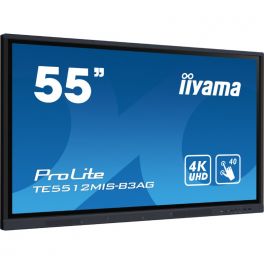
IIyama ProLite TE5512MIS-B3AG
Discontinued4K Touchscreen Display for Education and Business with Speakers, 64GB Internal Storage, User Profiles, and iiyama Share.Check similar productsRef: IIYTE5512MISB3AGUKCompare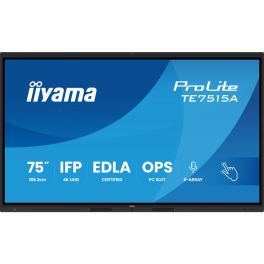
iiyama ProLite TE7515A-B1AG
Discontinued75" 4K UHD Interactive Display, Google EDLA Certified, designed for seamless collaboration and hybrid teaching.Check the alternative productRef: IIYTE7515AB1AGCompare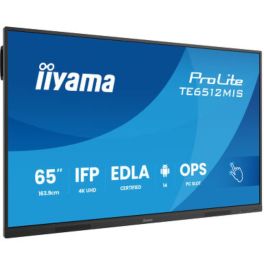
iiyama ProLite TE6512MIS-B4AG
Discontinued65'' 4K UHD interactive touch screen with PureTouch-IR, Android 14 & USB-C Power Delivery.Check the alternative productRef: IIYTE6512Compare
iiyama ProLite TE7513A-B1AG 75" Interactive Display
Discontinued75" professional interactive display with 4K UHD resolution and Android 14, designed for advanced collaboration in business and educational environments.Check the alternative productRef: IIYTE7513AB1AGCompare
iiyama ProLite TE7513A-B2AG 75" 4K Interactive Display
DiscontinuedProfessional 75-inch interactive display with 4K UHD resolution, Android 14, Google EDLA and advanced touch technology for collaboration, training and video conferencing in large venues.Check the alternative productRef: IIYTE7513AB2AGCompare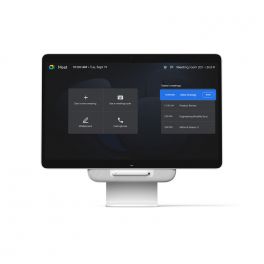
Avocor Google Meet One Desk 27''
DiscontinuedAll-in-one solution: meeting screen, interactive whiteboard, monitor and laptop docking station.Check similar productsRef: AVOMEET27Compare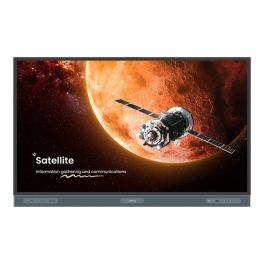
BenQ Board Master RM6504
Discontinued65'' BenQ Board Master RM6504 interactive 4K display, bright, touch-responsive, and built for smarter, more engaging classrooms.Check similar productsRef: BENQRM6504MCompare
iiyama ProLite TE8614MIS-B2AG
Discontinued86'' 4K UHD interactive display with PureTouch-IR+ technology, WiFi, and Google EDLA certification – perfect for seamless collaborationCheck similar productsRef: IIYTE8614MISB2AGCompare
Newline 86'' C Series Plug and Play Touch Display
DiscontinuedElevate your conference experience with stunning visuals!Check similar productsRef: NEWTT8623CUKCompare
Newline C Series 86” 4K Touch Display
DiscontinuedProfessional 86-inch interactive display with 4K UHD resolution, Stellar Touch technology and USB-C connectivity, designed for education and collaboration with PCs or OPS.Check the alternative productRef: NEWLTT8623CCompare
iiyama ProLite TE8613A-B1AG 86" Interactive Display
Discontinued86" professional interactive display with 4K UHD resolution and Android 14, designed for advanced collaboration in large meeting rooms and education.Check the alternative productRef: IIYTE8613AB1AGCompare
BenQ RE7504 75'' Display
Discontinued75'' 4K UHD interactive display with Android 14, High Precision IR touch, and ClassroomCare® technology.Check similar productsRef: BENQRE7504Compare
Iiyama ProLite TE7514MIS-B2AG
Discontinued75" 4K interactive display with ultra-precise touchscreen technology and iiWare 12E – perfect for meetings and education.Check the alternative productRef: IITE7514MISB2AGCompare
Newline 75'' C Series Plug and Play Touch Display
DiscontinuedTransform your collaboration with stunning 4K clarity.Check similar productsRef: NEWTT7523CUKCompare
Characteristics and Core Functions
Meeting Room Displays are built to run for extended hours in corporate settings while maintaining image consistency and reliable connectivity. They are designed to work closely with videoconferencing peripherals and presentation tools to minimise friction for end users.
| 4K UHD resolution | Fine detail in slides, spreadsheets and remote participant feeds improves comprehension for all attendees |
| Brightness tuned for office environments | Panels are calibrated for meeting rooms with mixed daylight and artificial lighting, reducing reflections and eye strain |
| HDMI / USB-C / LAN connectivity | Multiple input options support varied devices and enable neat cabling solutions, including single-cable laptop connections |
| UC platform compatibility | Displays integrate with room systems for Teams, Zoom and Meet, simplifying installation and ongoing use |
| Wireless mirroring and smart functions | Built-in casting features reduce setup time and allow rapid content sharing without additional hardware |
| Anti-glare surfaces | Reflections are minimised, ensuring that information remains readable from different positions in the room |
| 16/7 operational rating | Designed to cope with frequent daily use in busy organisations without reliability concerns |
How to Select the Right Meeting Room Display
- OK Room dimensions and layout – Assess seating distance and wall space to determine suitable screen size and mounting height.
- OK Collaboration style – Identify whether meetings are presentation-led, discussion-based or workshop-orientated to weigh up standard versus interactive displays.
- OK Videoconferencing approach – Decide if the display will be part of an all-in-one room system or paired with separate cameras and audio devices.
- OK Connectivity strategy – Consider cable routing, table boxes and the need for USB-C or BYOD scenarios.
- OK Future expansion – Ensure the chosen model series offers consistency if additional rooms will be added over time.
- OK Mounting options – Confirm whether fixed wall mounts or mobile stands best support your meeting space usage patterns.
Applications Across Professional Environments
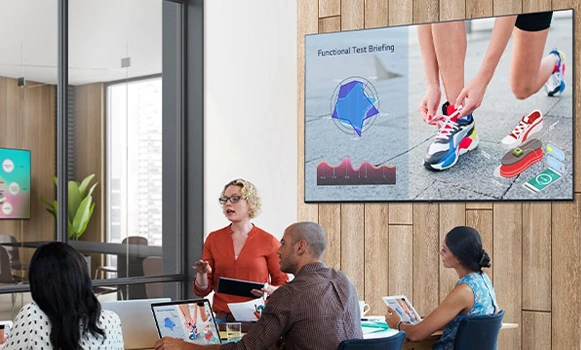
In internal meeting rooms, these displays form the focal point for team updates, project reviews and departmental briefings. Clear imagery and dependable connectivity help keep sessions on schedule and prevent time being lost to technical issues.
Boardrooms and executive suites use premium displays to support strategic presentations, financial reviews and high-level client engagements, where visual clarity and a professional appearance are paramount. Hybrid collaboration spaces rely on Meeting Room Displays to show remote participants, shared content and whiteboards simultaneously.
Training rooms and innovation labs employ these screens as the primary visual interface for workshops, skills development and interactive sessions with distributed teams.
Why Partner with Onedirect?
Onedirect offers a curated range of Meeting Room Displays from manufacturers including Samsung, iiyama, Sony and Maxhub. Our strong stock positions and efficient logistics allow you to align delivery schedules with fit-out timelines and room availability.
Our experts help match display specifications to your room typologies, videoconferencing stack and presentation needs. We take into account brightness, mounting, cabling and compatibility with existing equipment so that installations run smoothly.
After implementation, our support services remain available for replacement units, additional rooms or upgrades as your collaboration strategy develops.
FAQ – Frequently Asked Questions
What size display is best for a meeting room?
The ideal size depends on room dimensions and viewing distance. Small rooms typically suit 43–55 inch displays, while medium and large rooms often require 65 inches or more for clear visibility.
Are meeting room displays compatible with Teams and Zoom?
Yes. Professional meeting room displays are designed to integrate with common UC platforms such as Microsoft Teams, Zoom and Google Meet, either via room systems or connected devices.
Is USB-C connectivity important in meeting rooms?
USB-C enables single-cable connections for power, video and audio, simplifying setup and supporting BYOD environments where users bring their own laptops.
Do meeting room displays need anti-glare coatings?
Yes. Anti-glare surfaces help reduce reflections from windows and lighting, ensuring content remains readable from all seating positions.
Can meeting room displays be used for digital signage when rooms are idle?
Many professional displays support signage or information display modes, allowing rooms to show schedules, announcements or branding when not in use.
Related Resources
Meeting Room Touchscreen Displays Icon LED / LCD Displays Icon Meeting Room Kits Icon
Show more filters