My Cart



Meeting Room Displays
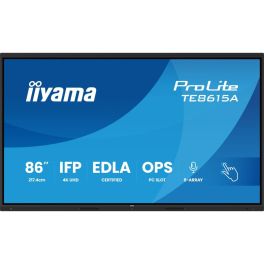
iiyama ProLite TE8615A-B1AG
Call us for availability86" 4K UHD Interactive Display, Google EDLA Certified, designed for seamless collaboration and hybrid teaching.- Ideal for: connected classrooms or meeting spaces
- 86" UHD anti-glare display
- 40-point touch functionality: intuitive interaction
- 8 built-in microphones
- Google EDLA certified with Android 14 built-in
- WiFi 6, Bluetooth 5.0, NFC and PIR sensor
- iiWare 21E suite: whiteboard, EShare, iiControl, browser, etc.
- Premium fanless design with antibacterial fabric finish
£2,159.00£2,094.99 £2,513.99 Incl. VATRef: IIYTE8615AB1AGCompare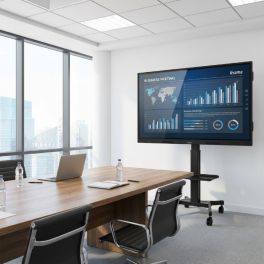
Pack iiyama ProLite LH6560UHS-B2AG 65-inch Display + Vision VFM-F22 stand
Call us for availabilityA package designed for professional 24/7 digital signage, featuring a 65-inch iiyama 4K display with portrait/landscape orientation and a Vision mobile stand with a large shelf and lockable castors.- Compatibility: screens from 31 to 80 inches
- Maximum load capacity: 60kg
- VESA compatibility: 200x200, 200x400, 300x300, 300x400, 350x350, 400x200, 400x300, 400x400, 600x400mm
£1,298.99£1,233.82 £1,480.58 Incl. VATRef: IIYLH6560UHSB2AGSSCompare
Pack Sony BRAVIA BZ40L 65" Display + Neomounts FPMA-C340BLACK wall mount
Sony BRAVIA BZ40L 65” display with Neomounts ceiling mount: clear, unobtrusive signage, ideal for indoor promotions and information.- Special professional display: 24/7 operation
- 65'' panel with 4K UHD resolution
- HDR technology: sharp, detailed images
- Fully adjustable ceiling mount for 32–75" screens
- Maximum load capacity: 50 kg
- Flexibly adjustable with 25° tilt, 360° swivel, 6° rotation
Call us for availability5.0 of 1 Reviews£1,873.69£1,556.83 £1,868.20 Incl. VATRef: SOFW65BZ40LSPLCompare
Pack Sony BRAVIA BZ40L 75" Display + Neomounts FPMA-C340BLACK ceiling mount
75-inch Sony BRAVIA display with ceiling mount: a striking solution for digital signage in large, well-lit spaces.- Special professional display: 24/7 operation
- 75'' panel with 4K UHD resolution
- HDR technology: sharp, detailed images
- Voll bewegliche Deckenhalterung für 32-75" Bildschirme
- Maximale Belastbarkeit: 50 kg
- Flexibel einstellbar mit 25° Neigung, 360° Drehung, 6° Rotation
Call us for availability5.0 of 1 Reviews£2,573.69£2,381.33 £2,857.60 Incl. VATRef: SOFW75BZ40LSPLCompare
Samsung BE85FX-H 85 4K
Call us for availability85-inch 4K UHD professional display designed for large-format professional display, with Tizen Smart TV, Samsung VXT cloud management and a three-sided borderless design.- For digital signage: 16/7 operation
- 85" 4K UHD display: maximum visibility in large spaces
- Samsung Business TV for combining TV content and promotional messaging
- Tizen™ Smart TV operating system: smooth, secure, and easy to manage
- Integrated 20 W speakers with 2 channels
- 3-sided bezel-less design: premium integration
- Wi-Fi 5 connectivity: fast and reliable wireless connection
- Samsung VXT compatible: centralized remote management
£2,188.99£1,572.99 £1,887.59 Incl. VATRef: SABE85FXHUKCompare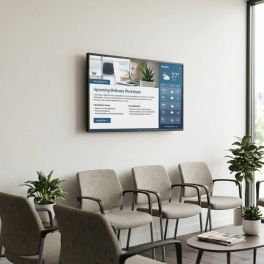
Philips D-Line 32" FHD Monitor Pack + Wall Mount
Call us for availabilityA ready-to-install digital signage solution combining the Philips D-Line 32-inch Full HD professional display with an ultra-slim wall mount for a sleek and discreet installation.- 32-inch Full HD digital signage display with 1920 x 1080 resolution
- 24/7 operation for continuous professional use
- 400 cd/m² brightness for clear, high-contrast content
- Ultra-slim fixed wall mount for screens up to 28 inches
- VESA compatibility up to 100x100 for professional monitors and displays
- Ultra-slim 15 mm profile for a discreet and elegant installation
£644.18£608.17 £729.80 Incl. VATRef: PHIL32BDL4511DBTSMCompare
Pack Philips D-Line 86" Screen + B-Tech BT8545 Mobile Stand
Call us for availabilityA complete solution featuring an 86-inch Philips D-Line 4K professional display and a B-Tech mobile trolley, ideal for flexible digital signage in businesses, retail outlets and public spaces.- 86" 4K professional display designed for large-scale installations
- 24/7 operation suitable for intensive use
- High brightness of 500 cd/m²: excellent content visibility
- Professional mobile stand for interactive screens and displays from 55" to 86"
- Maximum capacity of 100 kg for touchscreens and digital signage
- VESA compatibility up to 900x600 for professional AV installations
£3,896.98£3,497.80 £4,197.36 Incl. VATRef: PH86BDL4511DBTSPCompare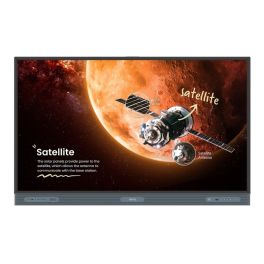
BenQ RP7504 Display
Call us for availability75'' 4K interactive display built for smarter teaching and teamwork, featuring advanced touch precision, health-conscious design, and seamless connectivity.- 75'' 4K UHD (3840 × 2160) LED display
- Up to 50 touch points (Windows) / 32 (Android)
- Germ-resistant, anti-glare tempered glass
- Low Blue Light and Flicker-Free eye-care
- Built-in air ioniser and light sensors
- Android 13 system with 8GB RAM and 64GB storage
- Dual 20W speakers and 16W subwoofer
£3,145.99 £3,775.19 Incl. VATRef: BENQRP7504Compare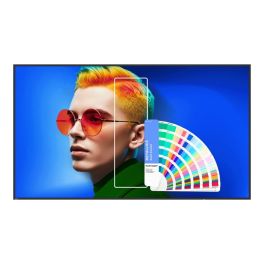
BenQ SL7504 Smart Signage Display
Call us for availabilityCreate vibrant, lifelike visuals with this 75" 4K smart display.- 75" 4K UHD (3840x2160) display with 500 nits brightness
- Pantone® & Pantone® SkinTone™ Validated for true-to-life colour
- Android 13 with EDLA certification and Google Play Store
- 24/7 operation and ENERGY STAR® 8.0 certified efficiency
- X-Sign 3.0 for content creation and management
- InstaShare 2 for wireless screen sharing
- Dual 12W speakers for clear integrated sound
- Anti-glare screen with low blue light technology
£2,061.99 £2,474.39 Incl. VATRef: BENQSL7504Compare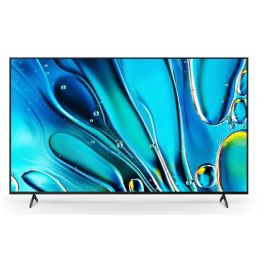
Sony Bravia 3 - 85'' 4K HDR LED Display
Call us for availability85” Full HD Smart TV with Android TV platform and built-in Chromecast, designed for large professional spaces requiring simple and reliable content display.- 85” Full HD display for large-format visual communication
- Android TV platform with access to apps and content
- Chromecast built-in for wireless screen sharing
- Multiple connectivity options including HDMI, USB and LAN
- Reliable operation for professional environments
- Easy integration into existing AV installations
£2,999.95£2,345.99 £2,815.19 Incl. VATRef: SOFWD85S35Compare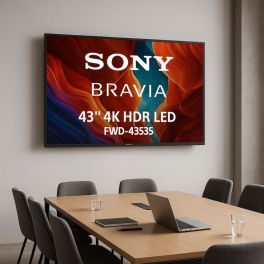
Sony Bravia FWD 43S35 43 Inch Full HD Smart TV
Call us for availabilityExperience stunning 4K entertainment with this 43-inch Sony smart TV featuring Triluminos Pro display, powerful X1 Processor, and immersive Dolby Vision.- 43-inch 4K Ultra HD Display: Stunning 3840 x 2160 resolution with Triluminos Pro technology for vibrant, natural colors
- X1 Processor: AI-powered processing upscales content to near 4K quality while minimizing noise
- Smart Features: Google TV with built-in Chromecast, voice control via Google Assistant, and Apple AirPlay 2 support
- Gaming Ready: Auto Low Latency Mode (ALLM) and eARC for responsive gaming experience
- Premium Sound: X-Balanced Speaker system delivers clear dialogue and deep bass
- HDR Support: Compatible with Dolby Vision, HDR10, and HLG for enhanced contrast and detail
- Connectivity: 4 HDMI ports, 2 USB 2.0 ports, and built-in Wi-Fi
- Energy Efficient: Eco Dashboard 2.0 for optimal power management
£810.69£736.99 £884.39 Incl. VATRef: SOFWD43S35Compare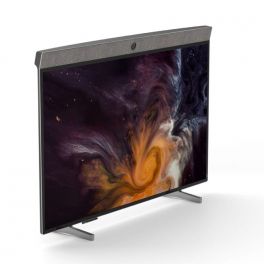
Neat Board
Call us for availability65" all-in-one multi-touch screen- perfect for collaborative meeting rooms- 65-inch 4K multi-touch display
- All-in-one: Camera, microphone and speakers
- Audio system with echo cancellation and noise cancellation
- 120° wide-angle camera
- Integrated 5-microphone array
- Wifi and Ethernet connection
- Technology with functions for content sharing, note-taking, etc.
- Certified for Microsoft Teams and Zoom
£5,892.69£5,283.99 £6,340.79 Incl. VATRef: NEATBOARD65UKCompare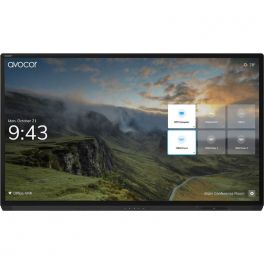
AVOCOR AVG-8560 85" 4K Interactive Display
Call us for availabilityAn interactive display designed for maximum collaboration and high performance.- 86" 4K UHD resolution touch screen display
- Multi-touch technology that allow up to 20 points of touch the screen simultaneously for increased collaboration
- Multi-device connectivity options with HDMI, USB, VGA and DisplayPort inputs
- Four built-in 10W speakers for high-quality sound
- Anti-glare surface and zero parallax allow viewing from any angle
£7,999.00£7,528.99 £9,034.79 Incl. VATRef: AVO8560UKCompare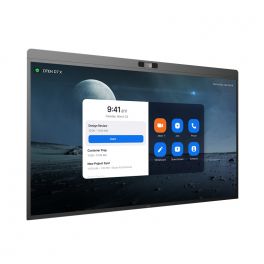
DTEN D7X 75" - Windows Edition
Call us for availabilityInteractive display for meeting collaboration- LED 75” display
- Windows edition
- 4K UHD resolution
- 20 touch-points
- Low latency - 50 ms response time
- 180 touch-point reporting rate
- 15-microphone array
- 2x Integrated speakers
- 129º field of view
- PTZ and preset camera
- Zoom Rooms Auto framing & Smart Gallery
- DTEN Smart Framing
- Acoustic Echo Cancellation
- Automatic Gain Control and Noise Reduction
- Smart Connect via single charging USB-C Cable
£8,113.00£7,057.99 £8,469.59 Incl. VATRef: DTD7X75WUKCompare
Samsung 43" Interactive Display QMB-T
Call us for availabilityIntelligent 4K touchscreen ideal for retail, kiosk and enterprise interactions.- 43-inch touch screen
- 4K UHD resolution + anti-reflective treatment
- SmartView+: multiple wireless content sharing
- Automatic display adjustment when the screen is rotated
- Content calibration and customisable menu
- MagicInfo Player: content management
- Scalable web engine
- Ideal for kiosks, shops and businesses
£1,781.31£1,749.99 £2,099.99 Incl. VATRef: SAQM43BTUKCompare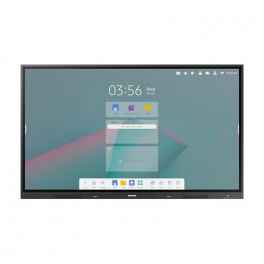
Samsung 86" Interactive E-board WAC
Call us for availability4K touchscreen with Android 11 and multi-window option, ideal for collaborative meetings and classrooms.- Interactive display for classrooms
- Android 11: customisable user interface
- 86-inch panel with 4K resolution
- 20-point multi-touch technology
- Integrated stereo front speaker
- Wireless screen sharing (up to 9) + multi-window options
- Wifi, Bluetooth, HDMI Out and USB-C 3-in-1
- With Samsung WhiteBoard
£3,665.00£2,209.99 £2,651.99 Incl. VATRef: SAWA86CUKCompare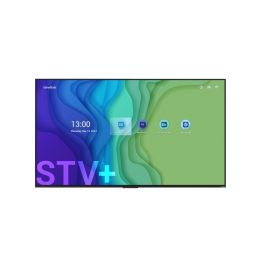
Newline STV+ 55'' Commercial Display
Call us for availabilityModern 55" 4K UHD commercial display with Android 14 and wireless Cast+ sharing.- True 4K UHD resolution
- Sleek edge-to-edge form
- Android 14 operating system
- Cast+ for fast screen sharing
- Signage Pro integration
- 24/7 display usage
- Long 50,000-hour lifespan
- Wake-on-LAN & Wake-on-WiFi
£699.99 £839.99 Incl. VATRef: NEWSTV5524UKCompare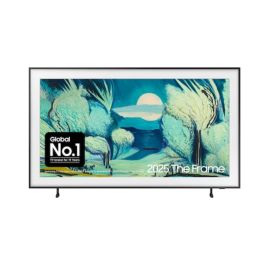
Samsung QE55LS03FAUXXU 55'' The Frame QLED 4K Vision AI Smart TV
Call us for availability55” The Frame QLED 4K Smart TV with Vision AI - stunning art-inspired design, vibrant colour, and cinematic sound for every space.- Art Mode turns your TV into a personal gallery
- Quantum Dot QLED display for lifelike 4K visuals
- Vision AI for smarter, more adaptive performance
- Customisable bezels to match your home décor
- Matte, glare-free screen for natural viewing
- Powerful 40W 2.0.2ch speakers with Dolby Atmos
- Slim Fit Wall Mount for seamless installation
- Certified for energy efficiency and long-term use
£1,499.99 £1,799.99 Incl. VATRef: SAMQE55LS03FAUKCompare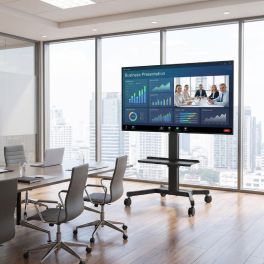
Pack Sony BRAVIA BZ40L 65-inch 4K Screen + Vision VFM-F22 stand
Call us for availabilityA 24/7 digital signage solution for professional environments, featuring a 65-inch high-brightness 4K Sony display and a Vision mobile stand with a large shelf and lockable castors.- Special professional display: 24/7 operation
- 65'' panel with 4K UHD resolution
- HDR technology: sharp, detailed images
- Compatibility: screens from 31 to 80 inches
- Maximum load capacity: 60kg
- VESA compatibility: 200x200, 200x400, 300x300, 300x400, 350x350, 400x200, 400x300, 400x400, 600x400mm
£2,199.99£1,891.48 £2,269.78 Incl. VATRef: SOFW65BZ40LSSCompare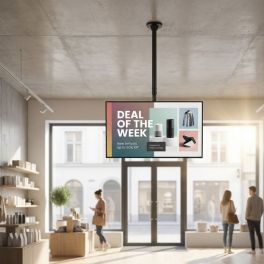
iiyama ProLite LH4360UHS-B2AG 43" Monitor + Neomounts FPMA-C340BLACK Ceiling Mount
43” iiyama display + Neomounts FPMA-C340BLACK ceiling mount: professional suspended installation for digital signage.- Stunning 4K Resolution: Experience vibrant visuals at 3840 x 2160 pixels.
- Bright Display: With 500 cd/m² brightness, your content shines in any lighting.
- 24/7 Operation: Designed for constant use, ideal for high-traffic environments.
- Fully adjustable ceiling mount for 32–75" screens
- Maximum load capacity: 50 kg
- Flexibly adjustable with 25° tilt, 360° swivel, 6° rotation
Call us for availability5.0 of 1 Reviews£552.69£504.38 £605.26 Incl. VATRef: IIYLH4360UHSB2AGSPLCompare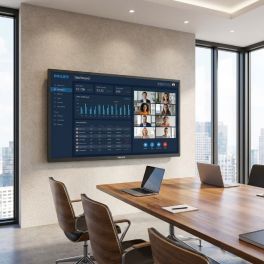
Philips D-Line 86BDL4511D 86-inch 4K TV
Call us for availability86-inch professional Ultra HD display designed for large-format digital signage, offering continuous operation, high visibility and centralised management.- 86" 4K professional display designed for large-scale installations
- 24/7 operation suitable for intensive use
- High brightness of 500 cd/m²: excellent content visibility
- Centralised CMND & Control management via LAN and RS232
- Integrated FailOver ensuring uninterrupted playback in the event of a failure
- USB multimedia playback with SmartPlayer
- Professional connectivity with HDMI 2.0, DisplayPort and OPS
£3,502.99£3,211.99 £3,854.39 Incl. VATRef: PH86BDL4511DCompare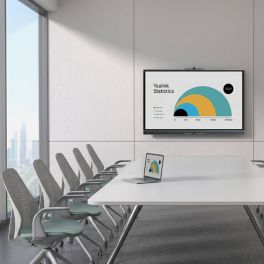
Yealink MeetingBoard C EDLA 65-inch BYOM interactive display
Out of stock65-inch all-in-one interactive display with Android 15, Google EDLA, a 50 MP 4K camera, 8 microphones, a collaborative whiteboard and BYOM.- 65-inch 4K interactive display with anti-glare panel and 20 touch points
- Google EDLA with Android 15: access to Chrome, Google Meet and compatible apps
- 50 MP 4K camera with auto-framing, speaker tracking and AI features
- Full-duplex audio with 8 microphones, 8 m range and noise cancellation
- Collaborative whiteboard with low-latency writing (21 ms) and export via QR code
- BYOM via the VCH51 Pro (optional) for single-cable meetings
£3,063.99£2,141.99 £2,570.39 Incl. VATRef: YEAMB65CEDLACompare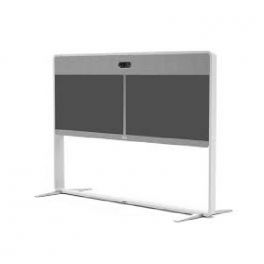
Cisco - Stand - for Webex Room 55 Dual
Call us for availabilityFloor Stand for Webex Room 55 Dual.- Floor Stand for Webex Room 55 Dual.
£4,200.38£3,383.99 £4,060.79 Incl. VATRef: CISTDUO55Compare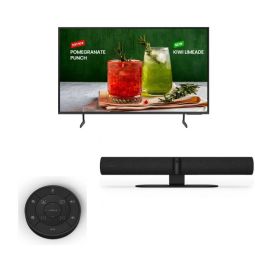
Samsung BED-H 65’’ + Jabra PanaCast 50 Black + Jabra PanaCast 50 Remote control
Pack with 65-inch 4K UHD LCD TV, All-in-one smart 4K video bar and remote control ideal for all meetings!- All-in-one video conferencing solution
- Designed for rooms of up to 10 people
- Remote control for the Jabra PanaCast 50
- Controls for volume, zoom, ...
- 65'' 4K UHD TV
- Business TV: allows scheduling and managing content remotely.
Call us for availability4.0 of 1 Reviews£2,015.49£1,619.87 £1,943.85 Incl. VATRef: GNPANA50SPUKCompare
Logitech Rally Board 65'' White
Call us for availabilityEffortless 65” touchscreen video conferencing with 4K clarity, powerful audio, AI enhancements, and eco-friendly design.- 65‘’ touch screen for smooth and natural collaboration
- 4K camera with 4X HD digital zoom
- High quality stereo speakers
- Beamforming microphones: Clear and accurate voice capture.
- AI technology: Automatic adjustments for a better experience.
- Works with Microsoft Teams, Zoom and Google Meet.
- Eco-friendly design: Recycled materials and sustainable packaging.
- Second display support, up to UHD 4K60 (3840 x 2160)
£6,035.99£5,689.99 £6,827.99 Incl. VATRef: LORALLYBO65BUKCompare
Iiyama ProLite TE6514MIS-B2AG
Call us for availability65" Interactive 4K Display with PureTouch-IR Technology, Android 11, and iiWare 9.0, ideal for Education and Business- 65" UHD 4K Display (3840 x 2160 pixels)
- PureTouch-IR: Precise 1mm Touch Accuracy
- iiWare 9.0 with Built-in Web Browser, Cloud Access, and WPS Office
- Integrated Dual Speakers (2 x 10W)
- USB-C with 65W Power Delivery
- Anti-Glare Coating for Low-Reflection Use
- 24/7 Operation for Demanding Environments
- Supports AirPlay, Chromecast, and Miracast
£1,765.00£1,699.99 £2,039.99 Incl. VATRef: IIYTE6514MISB2AGUKCompare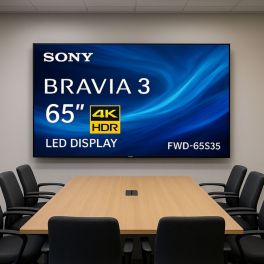
Sony Bravia FWD 65S35 65 Inch Full HD Smart TV
Call us for availabilityExperience stunning 4K Ultra HD entertainment with this 65-inch smart TV featuring Triluminos Pro display technology, powerful sound, and seamless Google TV integration.- 65-inch 4K Ultra HD Display: Delivers crystal-clear 3840 x 2160 resolution with vibrant colors and sharp contrast
- Triluminos Pro Technology: Reproduces billions of accurate colors for lifelike picture quality
- X1 Processor: AI-powered processing upscales content to near-4K quality
- Smart Features: Google TV interface with built-in Chromecast and Apple AirPlay 2 support
- Gaming Optimized: Features Auto Low Latency Mode and enhanced gaming features for PS5
- Premium Audio: X-Balanced Speaker system delivers clear dialogue and deep bass
- Energy Efficient: Eco Dashboard 2.0 helps optimize power consumption
- Professional Support: Includes 3-year PrimeSupport coverage with technical assistance
£1,599.99£1,299.99 £1,559.99 Incl. VATRef: SOFWD65S35Compare
Sony FWD 32W8001 32 Inch HD Smart TV
Call us for availabilityCompact 32” HD professional Smart TV with integrated tuner, ideal for hospitality, small spaces and hybrid use between live TV and digital content.- 32” HD Ready display with TV tuner for live TV and content playback
- Compact professional Smart TV ideal for hospitality and small rooms
- Android TV platform with access to apps and streaming services
- Hybrid usage combining broadcast TV and digital signage
- Flexible connectivity with HDMI, USB, Wi-Fi and Ethernet
- Easy installation with VESA mounting compatibility
£359.68 £431.62 Incl. VATRef: SOFWD32W8001Compare
iiyama 98" LH9875UHS-B1AG Interactive Display
Call us for availabilityProfessional 4K monitor with Android 11, 4K resolution, speakers and dual portrait/landscape orientation - for 24/7 digital signage.- 4K monitor of 98'' with Android 11
- For dynamic display in professional environments
- 2 speakers of 16W each integrated
- FailOver : signal detection on input sources
- Continuous operation: 24/7
- Includes a complete connectivity system
- iiSignage2 : software for management and content creation
- Dual portrait and landscape orientation
£5,200.00£3,749.99 £4,499.99 Incl. VATRef: IIYLH9875UHSUKCompare
Iiyama ProLite LH7575UHS-B1AG | Screen
Call us for availabilityImmersive Visual Experience, Professional Performance- Exceptional Clarity: Immerse yourself in stunning 4K UHD resolution for detailed work tasks or cinematic entertainment.
- Versatile Connectivity: HDMI, DisplayPort, VGA, and USB inputs offer seamless connectivity with various devices for enhanced productivity.
- Professional Performance: Enjoy vibrant colors, wide viewing angles, and rapid response times for a smooth and immersive visual experience.
- Flexible Mounting: VESA mount compatibility allows you to optimize your workspace layout for improved productivity.
- Intelligent Integration: Seamlessly integrate the display into your AV setups with RS-232C control, providing ease of operation in complex installations.
£1,415.00£1,319.99 £1,583.99 Incl. VATRef: IIYLH7575UHSUKCompare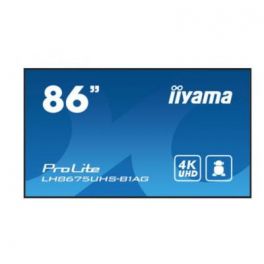
Iiyama ProLite LH8675UHS-B1AG
Call us for availabilityElevate Your Visual Experience- Immersive 4K UHD Resolution: 3840 x 2160 pixels for crystal-clear images.
- Vivid VA Panel Technology: Vivid colors, deep blacks, and 178°/178° wide viewing angles.
- Seamless Connectivity: HDMI, DisplayPort, VGA, and USB inputs for versatile connectivity.
- Enhanced Productivity: 8ms response time, 350 cd/m² brightness, and 4000:1 contrast ratio.
- Flexible Mounting Options: VESA mount compatibility (200 x 200 mm) for easy installation.
- Intelligent RS-232C Control: Seamlessly integrate with AV setups using RS-232C control.
£2,089.00£1,949.99 £2,339.99 Incl. VATRef: IIYLH8675UHSUKCompare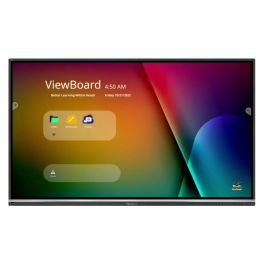
Viewsonic ViewBoard IFP6550-5F 65-inch
Call us for availability65-inch 4K interactive display with Android 13 and whiteboard functionality, for seamless and interactive collaboration in the workplace.- For collaborative environments
- 65-inch 4K resolution screen
- Ultra-thin touch technology with 40 touch points
- High brightness of 500 cd/m²
- High-quality speakers: enhanced immersion
- MyViewBoard: real-time screen sharing and annotation
- Runs on Android 13
£1,999.99£1,265.99 £1,519.19 Incl. VATRef: VSIFP65505Compare
Newline 86'' C Series Plug and Play Touch Display
Call us for availabilityElevate your conference experience with stunning visuals!- No On-board OS: Enjoy seamless connections with your preferred devices.
- Ultra Bright Display: Achieve vibrant visuals with 400 cd/m² brightness.
- 4K UHD Resolution: Experience stunning clarity with 3840 x 2160 pixels.
- Up to 40 Points of Touch: Engage multiple users simultaneously for dynamic collaboration.
- Plug & Play Design: Start meetings effortlessly with a single cable connection.
£1,794.99 £2,153.99 Incl. VATRef: NEWTT8623CUKCompare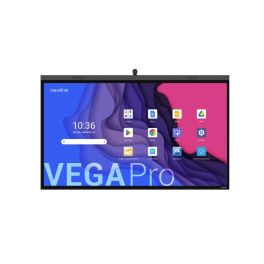
Newline 86'' Vega Pro Touch Panel
Call us for availability86" interactive display with 4K AI camera, PCAP touch, Android 13, and high-performance audio-visual system.- 86" 4K LED screen
- PCAP touch with optical bonding
- 4K AI camera + 120° FOV
- 8-mic array with 8m range
- Android 13 certified
- 20W stereo speakers + 15W subwoofer
- Wi-Fi 6 + Bluetooth 5.2
- 100W USB-C + OPS/SDM slots
£4,824.99 £5,789.99 Incl. VATRef: NEWTT8624ZUKCompare
Newline STV+ 75'' Commercial Display
Call us for availability75-inch 4K UHD screen with 24/7 uptime, Android 14 OS, and Cast+ sharing feature.- 4K UHD resolution
- Android 14 built-in system
- Cast+ device mirroring
- Modern ultra-slim display
- Signage Pro ready
- Long runtime: 24/7 usage
- Advanced HDMI 2.1 ports
- Display Management Plus
£1,199.99 £1,439.99 Incl. VATRef: NEWSTV7524UKCompare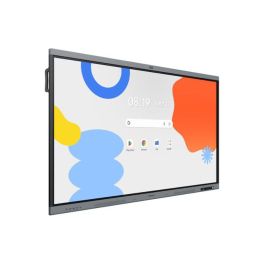
Samsung WA86FX-P 86 inch 4K Interactive Display
Call us for availability86-inch interactive display for education and business, featuring 4K resolution, multi-touch and built-in collaboration tools for efficient teamwork.- 86" 4K UHD display: Clear display of content for presentations and lessons
- Multi-touch technology: Simultaneous use by multiple people
- Integrated Android system: Direct access to apps and whiteboard functions
- Screen sharing: Wireless content transmission from multiple devices
- Writing and annotation tools: Intuitive real-time collaboration
- Robust design: For intensive use in schools and businesses
£4,377.99£2,613.99 £3,136.79 Incl. VATRef: SALH86WAFPLGCXENCompare- Back to WorkPromotional price valid until 25/09/2026.
Extra discount: £25 off orders over £400 with BACK25
£50 off orders over £700 with BACK50
£80 off orders over £1,000 with BACK80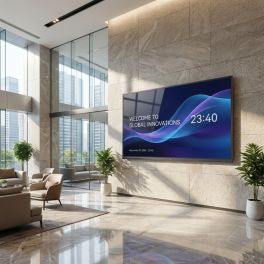
MAXHUB ND75CMB 75-inch 4K digital display
Call us for availabilityA 75-inch professional 4K display designed for 24/7 continuous operation, hybrid meetings and digital signage, featuring high brightness and advanced connectivity.- Digital signage for retail, business, hospitality and public spaces
- 75-inch 4K UHD screen: precise professional display
- 24/7 operation
- 500 nits brightness and anti-glare coating
- Wireless sharing and BYOD via USB-C, dongle or Miracast, AirPlay and Chromecast
- Microsoft Teams Rooms compatibility with dedicated meeting mode
- Connectivity: HDMI, USB-C, dual Ethernet and RS-232/IP control
- Centralised CMS management compatible with MAXHUB Pivot, Goodview and third-party platforms
£1,505.99 £1,807.19 Incl. VATRef: MAXND75CMBCompare 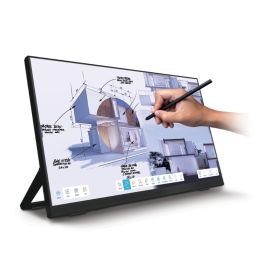
iiyama ProLite T2755QSC-B1 27-inch touchscreen
Call us for availability27-inch QHD touchscreen with IPS panel, PCAP technology and a USB-C port – ideal for retail, meeting rooms and point-of-sale applications.- Robust construction suitable for commercial environments
- 27-inch QHD IPS display: clear visuals and high level of detail
- 10-point PCAP touchscreen: precise and responsive interaction
- Edge-to-edge glass design: modern styling
- USB-C connectivity for video, data and power
- VESA 100 x 100 mm mount
- Connections: HDMI, DisplayPort and USB
£431.99 £518.39 Incl. VATRef: IIYT2755QSCCompare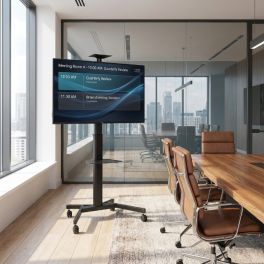
Pack iiyama ProLite LH4360UHS-B2AG 43-inch 4K Display + Vision VFM-F19 mobile stand
Call us for availabilityA package designed for professional 24/7 digital signage, featuring a 43-inch iiyama 4K display with portrait/landscape orientation and a Vision mobile stand with dual shelves and adjustable height.- Stunning 4K Resolution: Experience vibrant visuals at 3840 x 2160 pixels.
- Bright Display: With 500 cd/m² brightness, your content shines in any lighting.
- 24/7 Operation: Designed for constant use, ideal for high-traffic environments.
- Compatibility: screens from 31" to 80"
- Maximum load capacity: 50kg
- VESA compatibility: 200x200, 200x400, 300x300, 300x400, 350x350, 400x200, 400x300, 400x400, 600x400mm
£942.99£777.92 £933.50 Incl. VATRef: IIYLH4360UHSB2AGSSCompare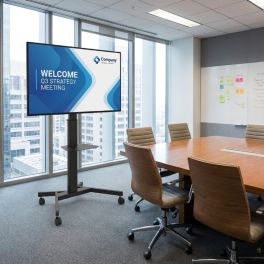
Pack iiyama LH5560UHS-B2AG 55-inch 4K Display + Vision VFM-F19 stand
Call us for availabilityA package designed for professional 24/7 digital signage, featuring a 55-inch iiyama 4K display with portrait/landscape orientation and a Vision mobile stand with dual shelves and adjustable height.- Usage: indoor digital signage
- Android 11: display without an external PC
- 55'' 4K UHD screen (3840 x 2160)
- Compatibility: screens from 31" to 80"
- Maximum load capacity: 50kg
- VESA compatibility: 200x200, 200x400, 300x300, 300x400, 350x350, 400x200, 400x300, 400x400, 600x400mm
£1,132.99£956.40 £1,147.68 Incl. VATRef: IIYLH5560UHSB2ASSCompare
Characteristics and Core Functions
Meeting Room Displays are built to run for extended hours in corporate settings while maintaining image consistency and reliable connectivity. They are designed to work closely with videoconferencing peripherals and presentation tools to minimise friction for end users.
| 4K UHD resolution | Fine detail in slides, spreadsheets and remote participant feeds improves comprehension for all attendees |
| Brightness tuned for office environments | Panels are calibrated for meeting rooms with mixed daylight and artificial lighting, reducing reflections and eye strain |
| HDMI / USB-C / LAN connectivity | Multiple input options support varied devices and enable neat cabling solutions, including single-cable laptop connections |
| UC platform compatibility | Displays integrate with room systems for Teams, Zoom and Meet, simplifying installation and ongoing use |
| Wireless mirroring and smart functions | Built-in casting features reduce setup time and allow rapid content sharing without additional hardware |
| Anti-glare surfaces | Reflections are minimised, ensuring that information remains readable from different positions in the room |
| 16/7 operational rating | Designed to cope with frequent daily use in busy organisations without reliability concerns |
How to Select the Right Meeting Room Display
- OK Room dimensions and layout – Assess seating distance and wall space to determine suitable screen size and mounting height.
- OK Collaboration style – Identify whether meetings are presentation-led, discussion-based or workshop-orientated to weigh up standard versus interactive displays.
- OK Videoconferencing approach – Decide if the display will be part of an all-in-one room system or paired with separate cameras and audio devices.
- OK Connectivity strategy – Consider cable routing, table boxes and the need for USB-C or BYOD scenarios.
- OK Future expansion – Ensure the chosen model series offers consistency if additional rooms will be added over time.
- OK Mounting options – Confirm whether fixed wall mounts or mobile stands best support your meeting space usage patterns.
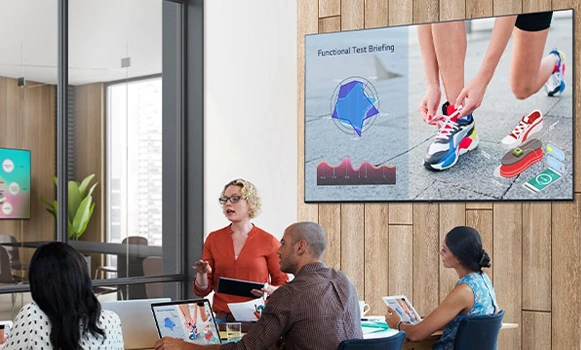
Applications Across Professional Environments
In internal meeting rooms, these displays form the focal point for team updates, project reviews and departmental briefings. Clear imagery and dependable connectivity help keep sessions on schedule and prevent time being lost to technical issues.
Boardrooms and executive suites use premium displays to support strategic presentations, financial reviews and high-level client engagements, where visual clarity and a professional appearance are paramount. Hybrid collaboration spaces rely on Meeting Room Displays to show remote participants, shared content and whiteboards simultaneously.
Training rooms and innovation labs employ these screens as the primary visual interface for workshops, skills development and interactive sessions with distributed teams.
Why Partner with Onedirect?
Onedirect offers a curated range of Meeting Room Displays from manufacturers including Samsung, iiyama, Sony and Maxhub. Our strong stock positions and efficient logistics allow you to align delivery schedules with fit-out timelines and room availability.
Our experts help match display specifications to your room typologies, videoconferencing stack and presentation needs. We take into account brightness, mounting, cabling and compatibility with existing equipment so that installations run smoothly.
After implementation, our support services remain available for replacement units, additional rooms or upgrades as your collaboration strategy develops.
FAQ – Frequently Asked Questions
What size display is best for a meeting room?
The ideal size depends on room dimensions and viewing distance. Small rooms typically suit 43–55 inch displays, while medium and large rooms often require 65 inches or more for clear visibility.
Are meeting room displays compatible with Teams and Zoom?
Yes. Professional meeting room displays are designed to integrate with common UC platforms such as Microsoft Teams, Zoom and Google Meet, either via room systems or connected devices.
Is USB-C connectivity important in meeting rooms?
USB-C enables single-cable connections for power, video and audio, simplifying setup and supporting BYOD environments where users bring their own laptops.
Do meeting room displays need anti-glare coatings?
Yes. Anti-glare surfaces help reduce reflections from windows and lighting, ensuring content remains readable from all seating positions.
Can meeting room displays be used for digital signage when rooms are idle?
Many professional displays support signage or information display modes, allowing rooms to show schedules, announcements or branding when not in use.
Related Resources
Meeting Room Touchscreen Displays Icon LED / LCD Displays Icon Meeting Room Kits Icon
Show more filters