
My Cart



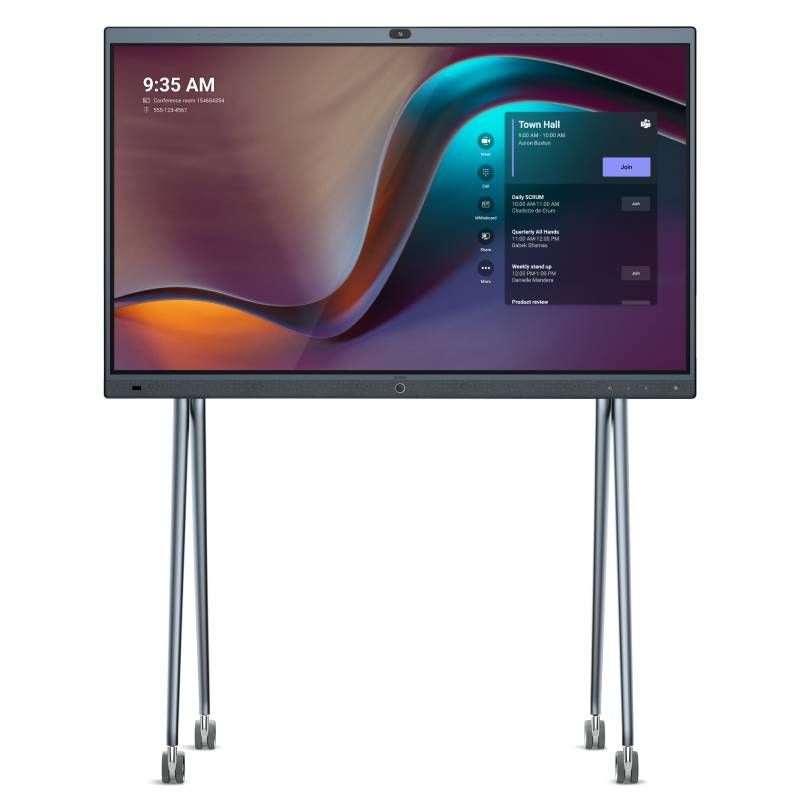
Yealink MeetingBoard 86'' Screen
Internal ref: YEAMEEBO86UK // Manufacturer part #: MB86-A001
The new visualization system for Microsoft Teams that revolutionizes collaboration.
This product is no longer manufactured
To better meet your needs we offer a list of similar products



Product description
Yealink MeetingBoard: Say Yes to Next Generation Collaboration
Take your digital collaboration to the next level with Yealink. Its latest display system, the 86" MeetingBoard, is an innovative, smart and slim professional display. Incorporating a scalable Android OPS and a native Microsoft Teams app, this new model pushes the limits of AV media performance. Meeting the demands of all hybrid collaborators, this wall or floor mountable display (stand not included) can be used in all your environments, from executive offices to large training rooms, co-creation spaces and breakout rooms. of conferences.
Halfway between interactive collaboration and video conferencing, Yealink's new display satisfies all your content sharing and virtual exchange needs. With a full range of connection ports, as well as wireless, Bluetooth, NFC and Wi-Fi connections, this all-in-one model is as complete as it is capable of connecting additional audio and video modules, especially for large school and corporate spaces.
The perfect combination of interactive collaboration and video conferencing
Dedicated to Microsoft Teams rooms, the new 86" MeetingBoard revolutionizes and simplifies content sharing in the workplace. Running through the cloud, it significantly increases team productivity and efficiency as each employee can access all meeting content at any time. Without complex setup, this all-in-one model supports the whiteboard and all its tools, allowing you to annotate projected content with multiple people. Enjoy amazing viewing sharp at all times with this 4K resolution D-LED screen, its anti-reflective and anti-fingerprint coating limits the appearance of unwanted marks on the screen.
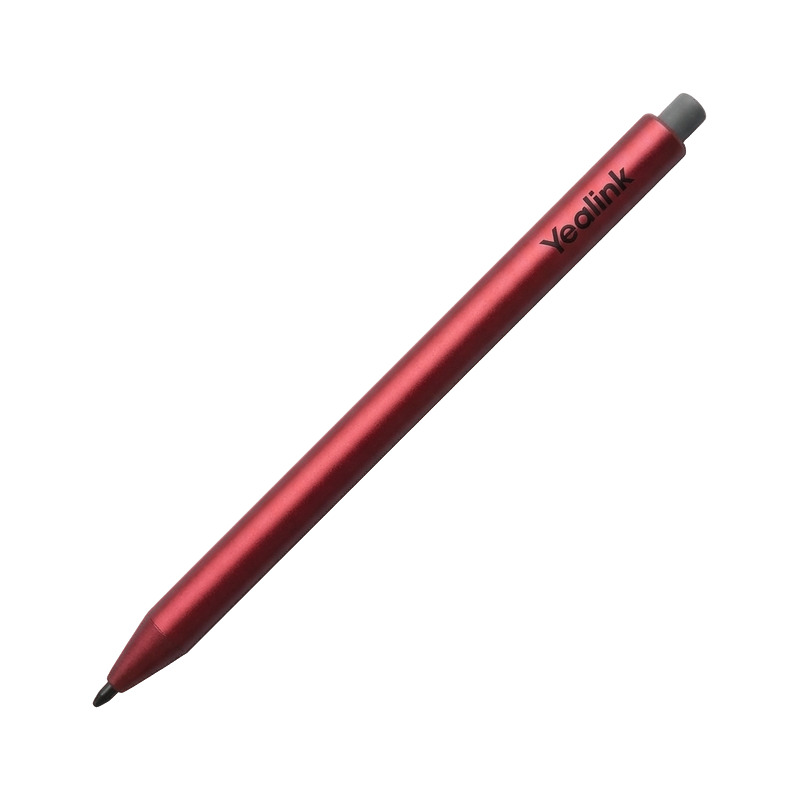
With 20 touch points and 4 styluses, this model offers smooth and precise annotation of your content, and its 64GB capacity gives you all the freedom you need to store all kinds of content and applications. Also dedicated to video conferencing, this new display features an 8 MP smart camera, 4x zoom and a wide 120° field of view, along with auto framing, allowing for great shots with all participants in focus. This display solution, which supports the addition of an additional camera via the available PTZ port, it delivers an incredibly immersive audio experience, with 16 microphones ensuring every word you say is seamlessly transcribed, and 6 speakers providing 360° streaming. Use the voice tracking feature to accurately track each speaker, with Yealink Enhanced Noise Proof technology dedicated to removing any noise that might interfere with your speech.
Key Characteristics:
Audiovisual properties
- 86" D-LED screen with dual functionality (projection + video collaboration)
- Anti-glare and anti-fingerprint coating to improve visibility
- 4K Ultra HD resolution at 3840 x 2160 pixels
- 20 point touch screen
- 178° (H) / 178° (V) viewing angle
- Refresh rate: 60 Hz
- Built-in LED light strips (depending on camera working status)
- Integrated camera with 8 MP Sony sensor
- 4x zoom and 120° field of view
- AI features: auto-framing and voice tracking
- Array of 16 integrated MEMS beamforming microphones
- 4 full-range stereo speakers and 2 tweeter modules
- Yealink Enhanced Noise Proof technology: improved soundproofing
- Includes acoustic echo cancellation and reverb functions
- Available buttons: home; input source and volume up/down
- Microsoft Teams features: One-click meetings; share content; board; meeting control; add participants; pause/resume; activate/deactivate the camera; mute/unmute; volume up/down; hang; Teams admin center
Additional information
- Professional display for video sharing and collaboration
- Ideal for: executive office, co-creation space, conference room and large training rooms
- Built-in Microsoft Teams native app
- Operating systems: OPS Windows + OPS Android upgradeable + Microsoft Teams
- Internal storage: 64 GB (40 GB available)
- Power: AC 100-240V / 0.5A
- Power consumption: 10W standby / 10.5W normal use and 14W maximum
- Network and security features: IPv4 and IPv6; VLANs and LLDP; IEEE802.1X; SCEP
- Ports and interfaces: 1 removable PTZ camera port; 1 HDMI output; 1 HDMI input; 2 RCA audio inputs; 2 RCA audio outputs; 1 Yealink VCH port (RJ45); 3 USB-A ports; 1 Ethernet port; 1 power port; 1 Windows OPS slot
- Wireless connections: Bluetooth 5.0; NFC and Wifi6 2x2 dual-band MIMO
- VESA: 800 mm x 600 mm
Related guides
Product Specs.
| Manufacturer part # | MB86-A001 |
|---|---|
| EAN | 6938818310025 |
| Warranty | 2 years |
| Screen Size | Between 81 and 86 inches |
| Screen Size | 86'' |
| Resolution | 4K |
| Compatible With | Teams |
| Other Features | Interactive Whiteboard, Integrated video conferencing, Built in Microphones, With Android, Compatible with Stylus, All in One |
Accessories
Ref: YEAMBSTYLUS4A
Ref: YEALINKVCH51PRO
Frequently Asked Questions
Hello Mark,
THe Yealink Meetingboard is native to Microsoft Teams only you can receive Teams calls on it but you can only Host through Teams. For something open to multiple platforms you may want to consider either of the below options<
Newline LYRA 86" 4K Android 11 - Tailored towards educational applications and Video Conferencing.
ViewSonic ViewBoard IFP8652-1A - Best in class communication and collaboration tool.
We are able to source mounting options for either of these.
Please call our sales team for more information or a quote on 0333 123 3050
Thanks for your question!
Yealink mentions they offer compatibility with third party audio input but they dont state which ones. We recommend that you pair their own microphones such as the Yealink VCM35: 360° microphone array for conference rooms or the Yealink VCM36-W wireless mic for clear video conferencing