
My Cart



Content sharing
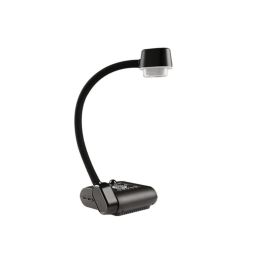
AVer AVerVision F50+ Flexible 4K Document Camera
Out of stock13-megapixel portable document camera with 4K resolution at 60 frames per second and a flexible arm, ideal for interactive teaching, presentations and content capture.- Portable document camera for professional and educational environments
- 4K quality with 13 MP sensor: detailed images
- 230X total zoom to magnify the finest details
- 60 frames per second: seamless real-time video
- Flexible, adjustable arm: maximum versatility
- Capture and record with a single gesture
- AVerTouch software included for annotation and collaboration
£524.99 £629.99 Incl. VATRef: AVF50PLUSCompare
Logitech Reach Webcam
Call us for availabilityTransform your teaching with limitless perspectives.- Allows you to rotate the camera 360° with a single gesture.
- Captures content in 1080p at 60 fps with complete clarity.
- Optical zoom with 4.3x magnification without quality loss.
- Instant plug-and-play connection via USB-C.
- Easy to use on any platform.
- Versatile design with multiple mounting options for different environments.
£259.99 £311.99 Incl. VATRef: LOREACHCAMERACompare
IPEVO VZ-X Wireless / HDMI / USB 8MP Document Camera + EZC-CS2
Call us for availabilityVersatile 8MP wireless document camera with HDMI, USB and Wi-Fi, perfect for classrooms, meetings and remote collaboration.- Capture clear, detailed images with the high-quality 8MP camera
- Connect easily via Wi-Fi, HDMI or USB for flexible use
- Present anywhere with a long-lasting built-in rechargeable battery
- Adjust and position content effortlessly with a flexible arm design
- Enjoy smooth, hands-free visuals thanks to autofocus and LED light
- Works seamlessly with popular teaching and video conferencing platforms
£386.09£350.99 £421.19 Incl. VATRef: IPB01100800Compare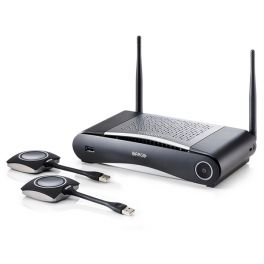
Barco Clickshare CSE-200 - Refurbished
Call us for availabilityBringing multiple users together for seamless content sharing in every conference- Connect up to 16 people simultaneously
- Wireless content sharing from laptop, tablet or smartphone
- Perfect for small to medium-sized meeting rooms
- 3 predefined enhanced security features
- Up to 16 people simultaneously connected
- Up to 2 users on-screen
- Comes with 2 ClickShare Buttons
- Versatile connectivity options: Airplay, Google Cast, non-HDCP content
£1,199.99£825.99 £991.19 Incl. VATRef: BARCOCSE200RCompare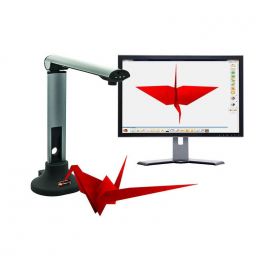
Multiclass MCV8140 document camera
Document camera that lets you scan any media- Easy-to-use document camera
- With built-in microphone
- LED light
- 8 megapixel image sensor
- Compatible with any display or whiteboard on the market
Call us for availability5 of 1 Reviews£145.99 £175.19 Incl. VATRef: MULTIMCV8140Compare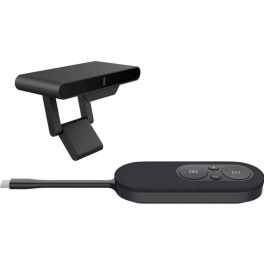
Fanvil CA200 Wireless Conference Kit
Call us for availabilityWireless conference kit for professional meetings with 4K screen sharing, BYOD support, and simple plug-and-play operation.- Wireless screen sharing without software installation
- Support for multiple participating devices
- 4K UHD transmission: clear presentations
- BYOD compatible: flexible meetings
- Plug-and-play: quick start-up
- Stable wireless connection
- Reduces the number of cables in the meeting room
£200.99 £241.19 Incl. VATRef: FACA200Compare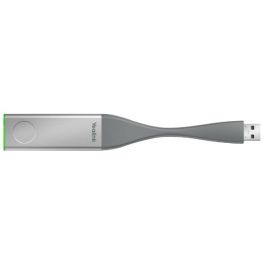
Yealink WPP20 - Wireless presentation USB
DiscontinuedYealink WPP20 Plug and Play USB, the easiest way of content sharing
- USB 2.0 connection
- Plug & Play
- Low latency
- 1080P 30fps Full HD shared content
- Integrated Meeting Assistant software
- Windows / macOS support
- Apple AirPlay support
- Compatible with next-generation Yealink VC
Check the alternative productRef: YEALINKWPP20Compare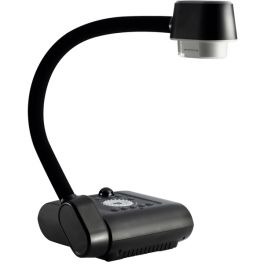
AVerVision F50HD
DiscontinuedProjector with flexible arm display, HD quality and 200X zoom- Flexible arm
- 200X magnification capability
- Built-in annotation tool
- Full HD1080p with HDMI output
- Surface of shooting: portrait A4
- Direct recording on USB stick or SDHC card
Check the alternative productRef: AVF508MCompare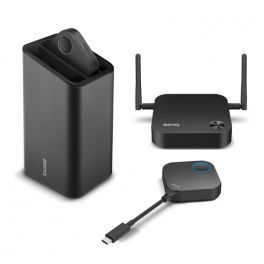
BenQ InstaShow WDC10C
DiscontinuedA next-generation wireless presentation system that boosts content sharing- Wireless presentation device
- Scalable system: up to 16 buttons can be connected simultaneously
- Multimedia content sharing via "mode" button
- Smooth Full HD video and audio resolution
- Button connectivity: USB-C
- LED indicators on all devices
- Plug&Play: no installation required
Check similar productsRef: BENQWDC10CCompare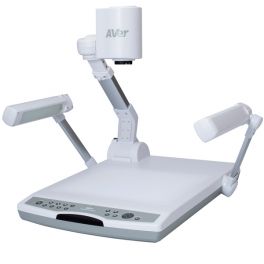
AVer PL50
DiscontinuedA professional document camera with built-in lightbox, 16x optical zoom and HDMI output- Professional viewer
- Large capture area (400 x 300 mm), ideal for displaying large documents and 3D objects
- Box with built-in lightbox
- Salida HDMI, Full HD 1080p con 30fps
- 16X optical zoom and 240X total zoom
- Internal memory and microSD slot
- Presentation tools
- Built-in microphone
Check similar productsRef: AVPL50Compare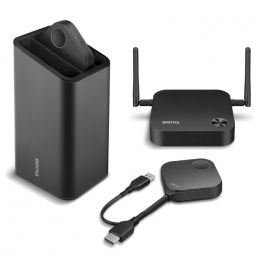
BenQ Instashow WDC10
DiscontinuedWireless Presentation & Screen Sharing For Enterprises- Auto Channel Selection
- Video and Audio Support
- Assured Performance
- Extended Desktop
- True Plug & Play
- No Software, InstaVideo
- Wireless 802.11ac
Check the alternative productRef: BENQWDC10UKCompare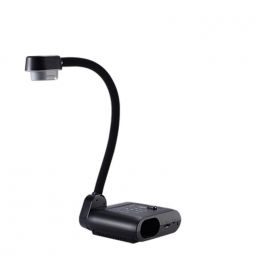
AVerVision F17HD+
DiscontinuedHD visualiser with flexible arm and direct recording features.
- Flexible arm
- 32X total zoom
- Full HD1080p with HDMI output
- Direct recording on SDHC card
- Smart storage mode
- A+ suite
Check similar productsRef: AVF17HDCompare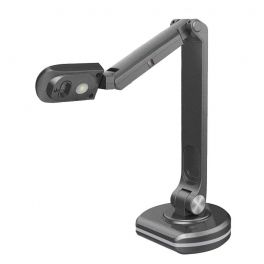
Connect UHD Visualiser
DiscontinuedA USB projector for easy sharing of documents in high definition.- UHD resolution content projector
- Wide capture area in A3 (420 x 297mm)
- 10x digital zoom with autofocus
- Built-in microphone
- Functions: LED light; annotation; photo; recording etc.
- Quick and easy connection: Plug & Play USB
Check similar productsRef: CSCAMDOCCVCompare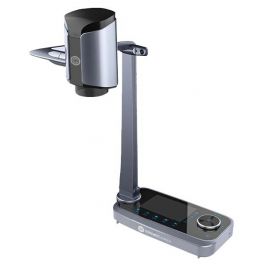
Connect UHD Visualiser Pro Plus
DiscontinuedA document projector with a preview screen for high-definition broadcasts.- UHD resolution content projector
- Wide capture area: 420 x 297mm
- X10 Digital zoom and x12 optical zoom
- Built-in microphone
- 5’’ LCD display for preview
- Functions: annotation, photo, recording, OCR
- Adjustable and foldable to suit your preferences
Check similar productsRef: CSCAMDOCCVPROPLUSCompare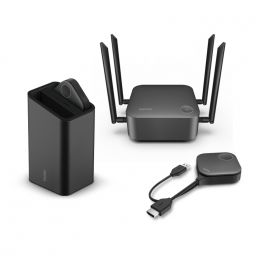
BenQ InstaShow WDC30
DiscontinuedWireless presentation system with 2 buttons, germ protection and enhanced security.- Wireless content sharing via Wifi 6
- Compatible with PCs, mobiles and tablets (InstaShare)
- Connection: up to 64 buttons "split": simultaneous sharing of 4 people on a split screen
- 4K video resolution with mirroring
- Button connectivity: USB-A + HDMI
- Protection against germs
- Plug & Play ready to use
- Certified according to the highest security standards (EAL6+; WPA3)
Check the alternative productRef: BENQWDC30Compare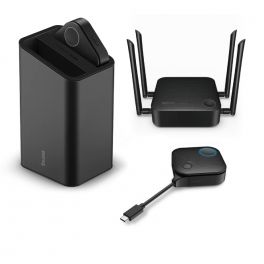
BenQ InstaShow VS20
DiscontinuedWireless presentation system with 2 buttons - ideal for hybrid meetings.- Wireless content sharing via Wi-Fi 5
- Connection: up to 32 buttons
- Split mode: simultaneous sharing from 4 users on a split screen
- 4K video resolution with mirroring
- Transmitter with 1.5m microphone and mute button
- Button connectivity: USB-A + HDMI or USB-C
- Plug & Play – ready to use
- Compatible with PCs, tablets and smartphones
Check the alternative productRef: BENQVS20Compare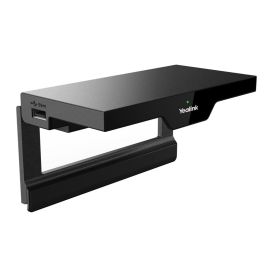
Yealink RoomCast Wireless Presentation System
DiscontinuedExperience seamless presentations without cables.- 4K Ultra HD Quality ensures clarity and precision in every presentation.
- Cable-free Convenience allows for easy casting from various devices without apps.
- Multi-screen Functionality supports casting to up to four screens simultaneously.
- Robust Data Security protects your content with advanced encryption methods.
- Easy Installation simplifies setup with Power over Ethernet options for a clean workspace.
Check similar productsRef: YEALROOMCASTKITV2Compare
Characteristics and Core Functions
Content sharing solutions enable effective projection, distribution and collaboration in professional environments. Whether wireless systems, buttons, hubs or document visualisers, content sharing enhances participant engagement while simplifying technical management. Our solutions support interactive presentations, hybrid learning and remote teamwork.
| Multiple connection options | USB, HDMI, Miracast, AirPlay and more to cover every need. |
| Multi-user support | Simultaneous sharing from multiple sources with smooth management. |
| High resolution | Full HD or 4K display for clear documents, charts and videos. |
| Enhanced security | Encryption protocols to protect sensitive data. |
| Plug & play | Intuitive use with no complex configuration required. |
How to choose the right solution?
- OKType of content to share: physical documents, digital presentations or multimedia.
- OKPrimary use case: formal presentations, hybrid teaching, team collaboration or client demonstrations.
- OKNumber of simultaneous users: sharing capacity for 4, 8 or 16+ participants.
- OKRequired connectivity: wireless, USB, USB-C, HDMI and more.
- OKNetwork installation: secure corporate network or standalone operation.

Applications across professional environments
Content sharing solutions are widely used in meeting rooms to support collaborative presentations and accelerate decision-making. In education, universities and schools adopt these technologies for hybrid learning, enabling students to share work and teachers to display varied materials. In corporate environments, sales presentations and client demonstrations gain impact through instant sharing. Internal workshops use these solutions to boost participation and encourage brainstorming, while modern management spaces rely on them to handle reports and dashboards in an agile and secure way.
Why partner with Onedirect?
Onedirect offers a comprehensive range of content sharing solutions tailored to professional needs. As an official reseller of leading brands such as IPEVO, Barco, BenQ and ScreenBeam, we guarantee authentic products. Our permanent stock ensures immediate availability for your projects and fast delivery to minimise installation delays. Our specialist teams support you in selecting the optimal solution based on your infrastructure, network constraints and specific use cases. Our responsive after-sales service provides reliable technical support throughout the lifecycle of your equipment.
FAQ – Frequently asked questions
What is the difference between a wireless system and a document visualiser?
A wireless system allows content to be shared over a Wi-Fi network without physical cables, while a document visualiser uses USB or HDMI connections to project physical objects and documents.
How many users can share their screen simultaneously?
This depends on the selected model. Entry-level solutions typically support 4 simultaneous users, while advanced systems allow up to 16 participants or more, with intelligent display management.
Are these solutions compatible with all devices?
Yes. Most professional solutions support Windows, macOS, iOS, Android and ChromeOS. Some models also offer dedicated applications to simplify connection and enhance user experience.
Can these systems be integrated with existing video conferencing tools?
Absolutely. Modern content sharing solutions are certified for Microsoft Teams, Zoom, Google Meet and other UC platforms, enabling seamless integration into your collaboration ecosystem.
What level of security do these solutions provide for sensitive data?
Professional systems include data encryption, user authentication and network access control. Some models also offer restricted guest modes for external participants.