
My Cart



TOP 10 – Video Conferencing solutions 2026
It's a fact: videoconferencing is now an integral part of our daily lives! Today, it is an essential tool for keeping in touch with people who are far away, whether for personal reasons, when working remotely, travelling or in a conference room. Are you looking to organise videoconference meetings efficiently and economically? Discover our selection of the 10 best videoconferencing equipment of 2026, and find the best option for setting up the perfect room!
IconTOP 10 Icon Comparison table IconFAQ
Our winning trio
Number 1
Flexible installation: Connects in BYOD or to the room system
Advanced AI: Enhances user experience
Simplified management: Efficient remote administration
Number 2
360° panoramic camera: covers all rooms
Plug & Play USB-C connection
Compatible with all video conferencing software
Number 3
180º wide angle field of view
4K video quality with 3 cameras
4 stereo speakers with vibration suppression
Our complete ranking:
Best for small rooms
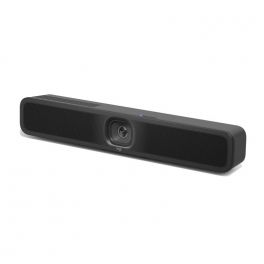
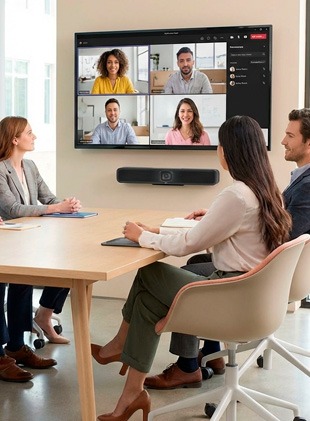
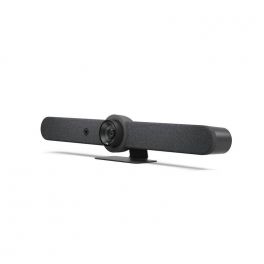
The Logitech MeetUp 2 is an all-in-one video conferencing camera optimized for small meeting rooms. Thanks to artificial intelligence, it provides a fair meeting experience for each participant (detecting and framing the speaker and displaying individual thumbnails). In addition to its 6 MEMS microphones and anti-vibration speakers, it is equipped with Bluetooth: you can turn it into a giant speakerphone by simply pairing your smartphone! By Sector
Hotels and restaurants
Corporate and Office
Hybrid work
Features
Auto Framing
4K
All Softphones / UC
With PC- Laptop
Small Meeting Room (4-6)
Pros
Flexible installation: Connects in BYOD or to the room system
Advanced AI: Enhances user experience
Simplified management: Efficient remote administration
Cons
Reliance on AI: advanced features that require regular updates.
Best 360° camera
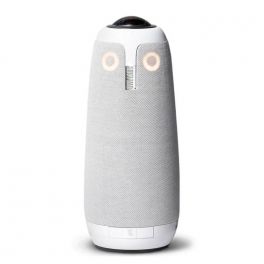
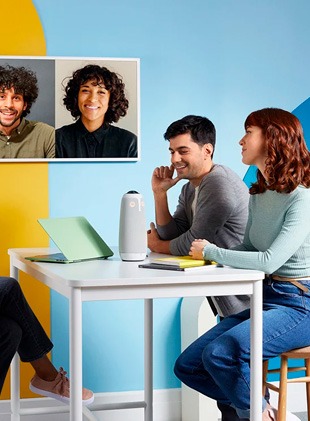
The Meeting Owl 3 from Owl Labs fits perfectly into this ranking! With its 360° lens, it is the perfect camera to equip any size of meeting room. Scalable, you can add 2 additional cameras in a cascade and 1 extension microphone to expand its capabilities to larger spaces. With the face-to-face view mode, all attention is focused on the active speaker, significantly improving meeting clarity. 8 microphones and 3 speakers deliver rich and clear sound, particularly thanks to volume equalization that amplifies low-intensity voices. By Sector
Hotels and restaurants
Public administrations
Education
Corporate and Office
Hybrid work
Features
Auto Tracking
Full HD 1080p
All Softphones / UC
With PC- Laptop
Small Meeting Room (4-6)
Pros
360° panoramic camera: covers all rooms
Plug & Play USB-C connection
Compatible with all video conferencing software
Cons
No 4K resolution
Best all-in-one bar
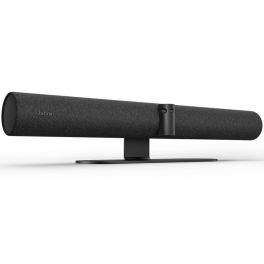
Jabra PanaCast 50 is an audiovisual product that outperforms all others when it comes to smart features. Designed to revolutionize the world of small and medium group video conferencing as we know it, this is a next-generation all-in-one video bar for workspaces of up to 10 people. It incorporates AI "intelligent technology" that allows you to carry out virtual conferences so naturally that you will forget the distance between people.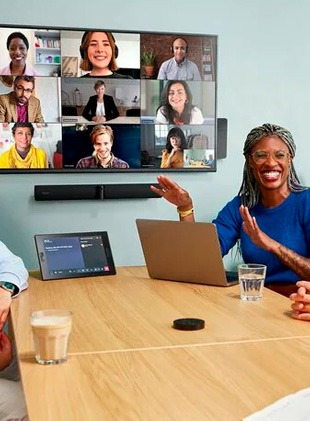
Features
Auto Framing
Full HD 1080p
All Softphones / UC
With PC- Laptop
Medium Meeting Room (6-12)
Pros
180º wide angle field of view
4K video quality with 3 cameras
4 stereo speakers with vibration suppression
Cons
Not wireless
Remote control not included
Best for large rooms
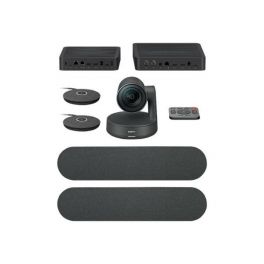
The Logitech Rally Plus Video Conferencing Kit offers professional quality video and audio for large rooms. The combination of the camera, speakers, and mic pods makes screen sharing more efficient. The Rally components provide superior versatility with style for the comfort of your meeting participants.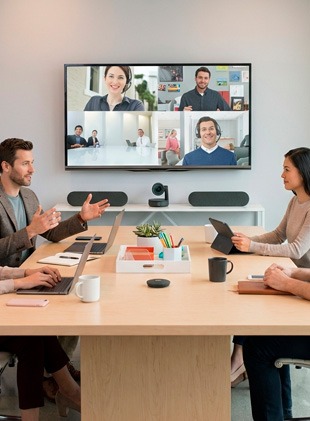
Features
Auto Framing and Tracking
Full HD 1080p
All Softphones / UC
With PC- Laptop
Large Meeting Room (+10)
Pros
All-in-one Solution for Large rooms
Up to 7 expansion mics
HD resolution with 180º resolution
Supports all Video Conferencing platforms
Cons
Not all-in-one: hardly portable
WIred expansion mics
Installation time
Best plug & play camera
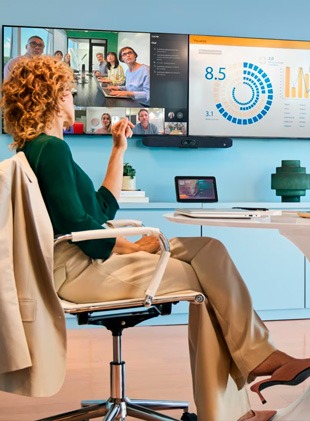
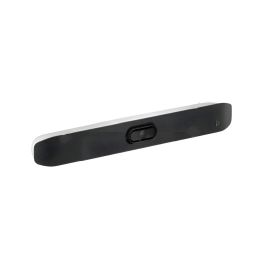
Poly Studio V12 is a video bar designed for small meeting rooms. It features a 20 MP 4K UHD camera and a wide 120° field of view, so all participants are clearly visible on screen. Poly DirectorAI technology uses AI to automatically adjust the image framing, making every meeting more fluid and natural. The audio system relies on multiple MEMS microphones and stereo speakers for clear sound reproduction. The bar uses advanced technologies, such as Poly NoiseBlockAI and Poly Acoustic Fence, to minimise background noise and focus on human voices, improving audio transmission quality in sometimes noisy environments. It is easy to install, connects to a PC or Mac (BYOD) via USB-C, and can be powered by USB-C or PoE++, depending on the installation. By Sector
Public administrations
Education
Corporate and Office
Features
Auto Framing and Tracking
4K
All Softphones / UC
With PC- Laptop
Small Meeting Room (4-6)
Pros
DirectorAI intelligent framing technology for a more dynamic meeting experience
Crisp, clear sound with NoiseBlockAI and Acoustic Fence
Simple USB-C connection and flexible power supply (USB-C or PoE++)
Cons
Limited audio expansion performance for very large rooms
PoE++ power may require special network devices
Best modular setup
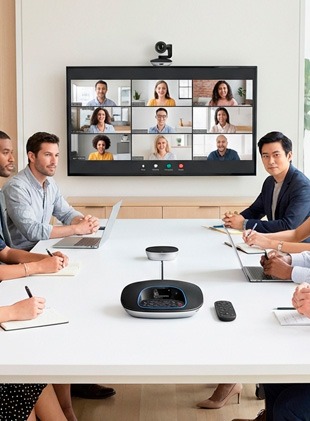
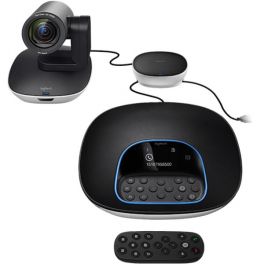
Logitech introduces a new all-in-one standalone collaboration system designed to revolutionize the world of video conferencing. The Logitech Group is a video conferencing solution that provides a wide field of view and clear audio for more collaborative, productive meetings. The Logitech GROUP Video Conferencing system offers professional-quality video and audio. The Logitech conferencing solution comes with remote control for easy camera operation and navigation. By Sector
Public administrations
Education
Health and social action
Hybrid work
Features
Auto Framing and Tracking
Full HD 1080p
All Softphones / UC
With PC- Laptop
Medium Meeting Room (6-12)
Pros
Full HD video resolution
Full duplex speakerphone
90º field of view with 260º pan
Dockable remote control
PTZ camera with 10x zoom
Cons
Wired components: harder to setup
Not all-in-one
Limited cable range
Best dual-camera bar
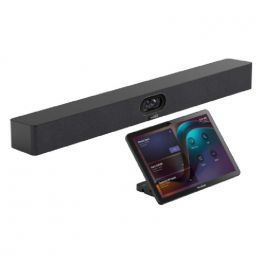
The Yealink MeetingBar A40 + CTP25 is a comprehensive solution designed for small and medium-sized meeting rooms. It combines an all-in-one video bar with a dual-lens 4K UHD camera, integrated audio system and artificial intelligence for natural, optimised video and audio rendering, as well as a CTP25 touch controller for easy meeting management. The bar captures a wide 120° area to include all participants in the frame, automatically adjusts the framing according to the speakers, and provides clear voice capture thanks to noise reduction and echo compensation. It runs on Android 13, allowing it to operate independently: no external computer is needed to start or join meetings. Deployment is simplified by reduced cabling and direct integration with the touch controller, making it intuitive and quick to use for everyone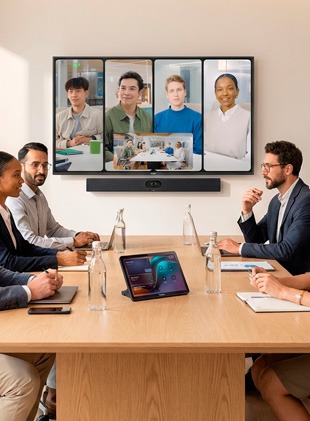
Features
Auto Framing and Tracking
4K
Microsoft Teams
-
Large Meeting Room (+10)
Pros
Dual 4K UHD camera with wide field of view and intelligent framing
High-quality audio with extended voice pickup and noise reduction
CTP25 touch controller for easy meeting management
Cons
Significant investment compared to a video bar alone
Best for medium rooms
Logitech Rally Bar offers you an all-in-one video conferencing system that makes it easy to start your meetings. Advanced audio engineering delivers sounds with excellent clarity. With a USB Plug & Play connection, you can connect your Logitech bar to your PC or MAC and start your meetings quickly.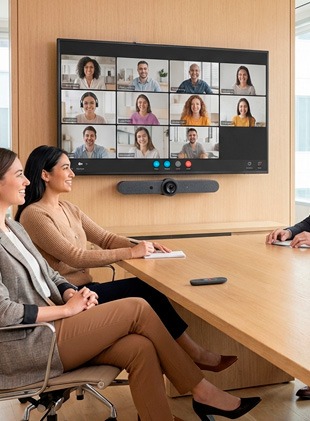
Features
Auto Framing
Full HD 1080p
All Softphones / UC
With PC- Laptop
Medium Meeting Room (6-12)
Pros
4K camera with 5x optical zoom
Certified for Teams and Zoom
Advanced audio engineering
AI viewfinder and robotic PTZ functions
Automatic voice leveling and noise suppression
Cons
Space-taking camera
Limited field of view: 90º
Not wireless
Best standalone Android camera
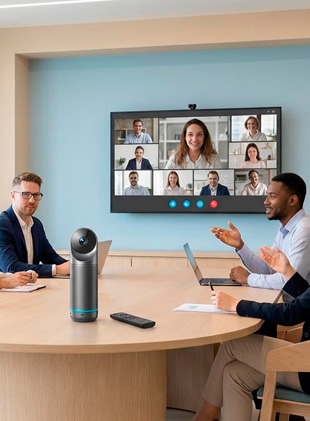
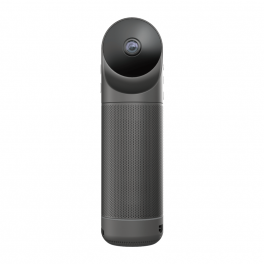
Kandao Meeting Pro is equipped with a 360-degree lens, an Omnidirectional audio system, a Hi-Fi speaker, and an embedded Android system, Kandao Meeting Pro has been designed to be the most powerful. This device applies a sophisticated algorithm to achieve efficient recognition, precise location, and tracking. The 360º camera offers multiple conference modes to meet different requirements: Discussion mode, Global mode, Presentation mode, and Custom mode. By Sector
Construction
Transportation & logistics
Hotels and restaurants
Public administrations
Education
Features
Auto Framing and Tracking
Full HD 1080p
All Softphones / UC
With PC- Laptop
Small Meeting Room (4-6)
Pros
360º video conferencing
With or without PC
4K camera with autofocus on speaker
4 Built-in microphones
Compatible with all softphones
Cons
USB connection only
Not expandable
Not wireless
Best touch solution for executives
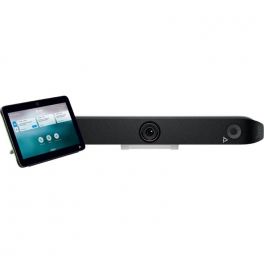
The Poly Studio X52 is an all-in-one video conferencing bar designed for medium-sized meeting rooms. With its 20MP 4K sensor, it delivers ultra-high-definition images, while Poly DirectorAI technology ensures automatic framing and intelligent speaker tracking. The TC10 touch controller makes meeting management easier: in the room, it manages your devices and ongoing meetings, while outside, it handles room booking!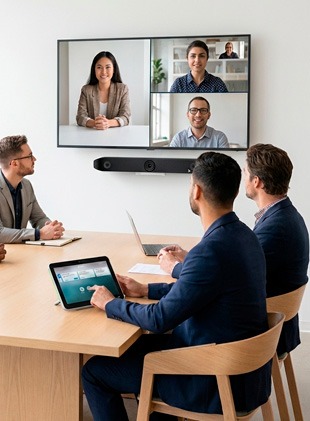
Features
Auto Framing
4K
All Softphones / UC
Without PC - Laptop
Medium Meeting Room (6-12)
Pros
Exceptional images: thanks to the 20MP 4K sensor
Poly DirectorAI: fair meeting experience for all participants
Simplified management: touchscreen tablet for room booking + meeting control
Cons
Microphone range: Effective capture up to 6m, insufficient for very large rooms.
| 1 | 2 | 3 | 4 | 5 | 6 | 7 | 8 | 9 | 10 | |
| Camera Features | Auto Framing | Auto Tracking | Auto Framing | Auto Framing and Tracking | Auto Framing and Tracking | Auto Framing and Tracking | Auto Framing and Tracking | Auto Framing | Auto Framing and Tracking | Auto Framing |
| Camera field of view | 120° | 360° | 180° | 180° | 120° | 90° | 120° | 90° | 360° | 95° |
| Camera resolution | 4K | Full HD 1080p | Full HD 1080p | Full HD 1080p | 4K | Full HD 1080p | 4K | Full HD 1080p | Full HD 1080p | 4K |
| Compatible With | All Softphones / UC | All Softphones / UC | All Softphones / UC | All Softphones / UC | All Softphones / UC | All Softphones / UC | Microsoft Teams | All Softphones / UC | All Softphones / UC | All Softphones / UC |
| Connects to | With PC- Laptop | With PC- Laptop | With PC- Laptop | With PC- Laptop | With PC- Laptop | With PC- Laptop | - | With PC- Laptop | With PC- Laptop | Without PC - Laptop |
| Operating System | BYOD - USB | BYOD - USB | BYOD - USB | BYOD - USB | BYOD - USB | BYOD - USB | Android | BYOD - USB | BYOD - USB | Android |
| Room Size | Small Meeting Room (4-6) | Small Meeting Room (4-6) | Medium Meeting Room (6-12) | Large Meeting Room (+10) | Small Meeting Room (4-6) | Medium Meeting Room (6-12) | Large Meeting Room (+10) | Medium Meeting Room (6-12) | Small Meeting Room (4-6) | Medium Meeting Room (6-12) |
| Size | 73,3 x 469,2 x 73mm | 111 x 111 x 273 mm | 650 x 80 x 125 mm | 182.5 x 152 x 152 mm | 6.68 x 57.65 x 7.8 cm | 130 x 170 x 138 mm | 650 × 62 × 80 mm | 164 x 910 x 160 mm | 78,2 mm × 282,6 mm |
What is a video conference?
A telephone or other long-distance communication that allows several people to talk and see each other on a screen and sometimes even share documents.
What are the best video conferencing devices?
Our selection of the best video conferencing devices is comprised of our most recommended and client tested solutions. It is important to know before deciding on the type of kit you need, what room size and set up you have. We will also need to consider the maximum number of participants and any additional devices you will need such as expansion microphones.
What do you need for a video conference?
In simple terms, a webcam and speaker phone however, this is very basic and something you can use at home. For the office however this is very different. You could use an All-in-one Video Bar for you your huddle space or you may need a PTZ Camera with Speaker tracking for your boardroom. We have all bases covered.
Which videoconferencing platform is best?
The most commonly used today are:
Zoom: with a maximum of 40 minutes in the free version, after that time you have to start a new session, it has a limit of 100 participants, you can record the meeting and share screen.
Meet (Google): with 3 possibilities (the free version, the Google Workspace Essentials plan and the Google Workspace Enterprise subscription (250 people, in the other 100) It allows captioning, you can request time, thematic rooms, etc.. You share a screen and cannot record the meeting.
Cisco Webex: allows you to start your meetings via Microsoft Teams, Slack or Facebook Workplace, start and schedule meetings from Outlook or Google Calendar, the free option has a limit of 100 participants, 50-minute meetings, allows screen sharing and recording.
Microsoft Teams: up to 30 people for 1 hour. Allows screen sharing but no recording.
What is the difference between a video call and a video conference?
The first is a quick and informal communication between two people with voice and video and the video conference is more formal and involves more than 2 people.
Is it possible to set up a room for video conferencing wirelessly?
Unfortunately not. Wireless audio and content sharing is possible however video capability still requires a wired connection at this time.