
My Cart



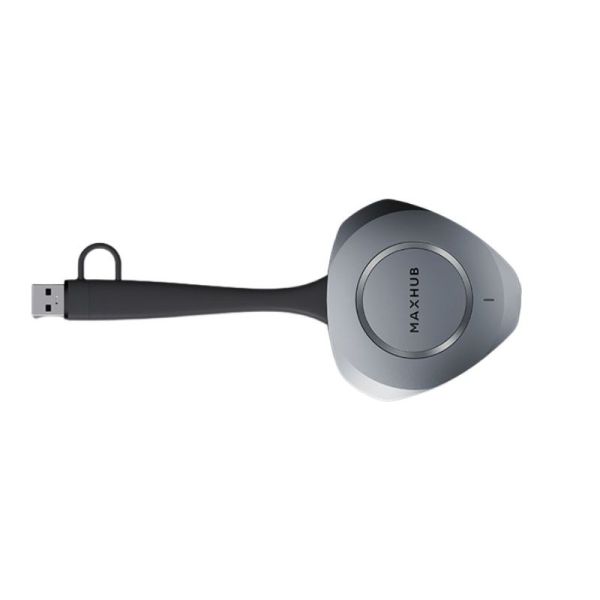
MAXHUB WT15M 4K Wireless Dongle with BYOD
Internal ref: MAXHWT15M // Manufacturer part #: WT15M
Share 4K presentations and use the room’s video conferencing equipment from your laptop, with a fast and secure connection.
NEW
£262.99
£315.59 Incl. VAT
1 year of manufacturer warranty Subject to manufacturer conditions
Pay in 3 interest-free payments of Show more

Key features
- Wireless 4K presentation: resolution up to 3840 x 2160 at 30 Hz
- BYOD functionality: wireless access to the room’s audiovisual equipment in Full HD
- Plug & Play: quick start-up of presentations via USB-C
- Flexible connection: USB-C with integrated USB-A adapter
- 5 GHz Wi-Fi transmission: wireless range of up to 12 metres
- Enterprise-grade security: 128-bit AES encryption and multi-layered authentication
- Compatibility: Windows, macOS and Touchback
In the box
- 1x MAXHUB WT15M wireless dongle
- 1x Built-in USB-A adapter




Product description
MAXHUB WT15M: 4K wireless presentation and BYOD collaboration for meeting rooms
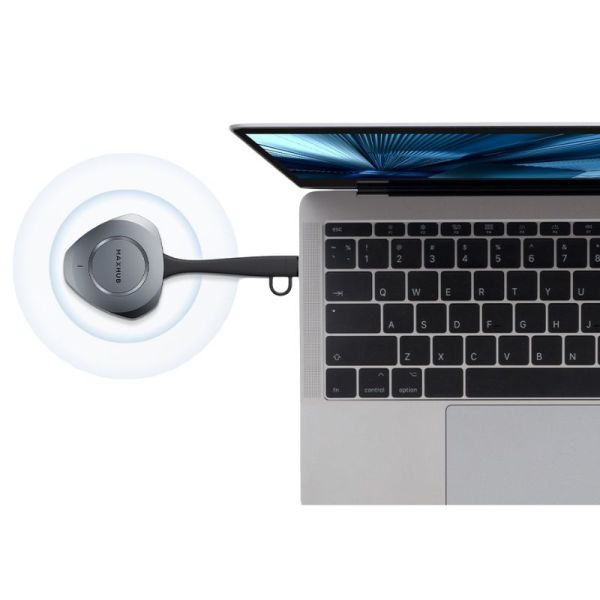
The MAXHUB WT15M is a wireless adapter designed to share a laptop screen and facilitate collaboration in meeting rooms. Thanks to its Plug & Play connection via USB-C or USB-A, it allows you to start presenting quickly without relying on a wired video connection between the computer and the room’s display.
As well as sharing content at a resolution of up to 4K UHD, this model features BYOD functionality, which allows you to wirelessly use compatible video conferencing devices – such as cameras, microphones and room speakers – from your personal computer.
Wireless presentations in 4K resolution
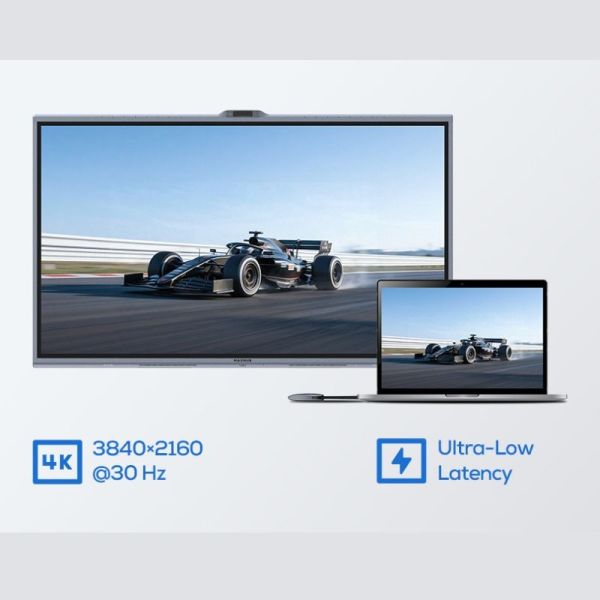
The MAXHUB WT15M allows content to be streamed wirelessly at a maximum resolution of 3840 x 2160 pixels at 30 Hz, suitable for displaying presentations, documents, graphics and multimedia content in great detail.
It utilises 5 GHz Wi-Fi with 802.11a/n/ac standards and offers a maximum wireless range of 12 metres, facilitating presentations from different positions within the room.
The transmission is designed to deliver a smooth response. The technical specifications state a transmission latency at 1080p of 90 ms or higher, which may vary depending on operating conditions.
Plug & Play connection via USB-C and USB-A
Its design allows the dongle to be connected directly to a laptop via USB-C or using the built-in USB-A adapter, making it easy to use with computers featuring different types of ports.
The manufacturer states a start-up time of 3 seconds or more via USB-C and 10 seconds or more via USB-A, measured from the moment the device is connected until it is ready to project.
This feature simplifies the start of meetings and reduces the need for video cables when sharing presentations with a compatible display.
BYOD functionality for wireless video conferencing
The MAXHUB WT15M features BYOD functionality, which allows you to use compatible audiovisual equipment in the room from the computer connected to the dongle.
This allows you to utilise cameras, microphones and speakers from a compatible video conferencing system whilst running the meeting from your own laptop.
The BYOD function supports a maximum resolution of 1920 x 1080 pixels at 30 Hz and features hardware decoding to improve transmission stability.
This feature is specific to the WT15M model and requires a compatible receiver system. The dongle does not incorporate its own camera, microphones or speakers.
Touchback Control for interactive presentations
The device supports Touchback Control, a feature that allows you to control the connected computer directly from a compatible interactive display.
This feature makes it easy to navigate documents, interact with applications and deliver presentations from the room’s screen, without having to constantly return to the laptop.
It is particularly useful for collaborative meetings, training sessions and sessions where several participants need to view or edit content.
Transmission security for business environments
The MAXHUB WT15M incorporates 128-bit AES encryption and multi-layered security mechanisms to protect wireless communications.
It also utilises dynamic key negotiation and multi-factor authentication, providing protection features for content sharing in professional environments.
These features allow the solution to be used in meeting rooms and corporate spaces where adequate control over connections needs to be maintained.
Compact design for frequent professional use
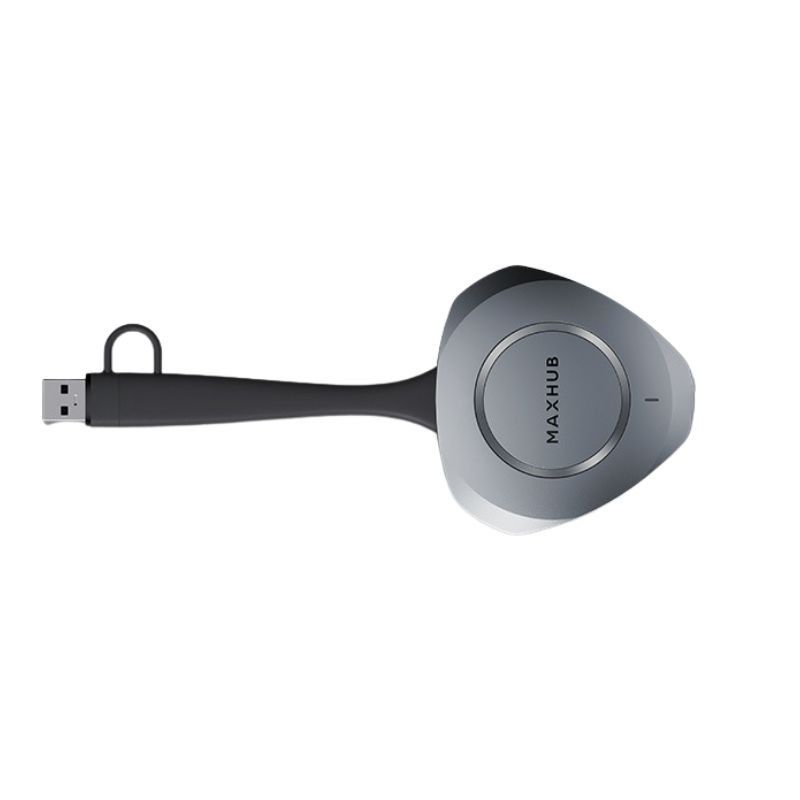
The dongle features a compact design with a built-in USB-A adapter, making it easy to use with different laptops without the need to carry a separate adapter.
Its cable is designed to withstand frequent use, with over 20,000 flex cycles in the manufacturer’s specified tests.
It also features a strap hole to help prevent loss when the device is used in shared spaces.
Weighing approximately 73 grams and with a maximum power consumption of 2.5 W, it offers a portable solution for meeting rooms and collaborative workspaces.
Professional applications and compatibility
The MAXHUB WT15M is particularly well-suited to meeting rooms, video conferencing spaces, classrooms and hybrid work environments where content needs to be shared from personal computers.
It enables wireless presentations and, through its BYOD function, allows users to utilise the audiovisual equipment in a compatible room to participate in meetings from their laptop.
The manufacturer confirms compatibility with Windows 7, 10 and 11, as well as with macOS 10.12 or later. Compatibility with receiver screens, video conferencing systems and the Touchback and BYOD features must be checked depending on the equipment used.
Technical specifications:
| Feature | Value |
|---|---|
| Product type | Wireless presentation and BYOD dongle |
| Maximum presentation resolution | 3840 x 2160 at 30 Hz (4K UHD) |
| Maximum BYOD resolution | 1920 x 1080 at 30 Hz (Full HD) |
| BYOD function | Yes, with a compatible receiver system |
| Touchback control | Yes, Touchback Control |
| Main connector | USB-C |
| Adapter | Integrated USB-A |
| Wireless connection | 5 GHz Wi-Fi |
| Wi-Fi standards | IEEE 802.11a/n/ac |
| Maximum wireless range | 12 m |
| USB-C start-up time | ≥ 3 seconds |
| USB-A boot time | ≥ 10 seconds |
| Shutdown time | ≥ 5 seconds |
| 1080p transmission latency | ≥ 90 ms |
| Security | 128-bit AES encryption, dynamic keys and multi-factor authentication |
| Compatible operating systems | Windows 7/10/11, macOS 10.12 or later |
| Status indicator | Multi-coloured LED |
| Power supply | 5 V / 500 mA |
| Maximum power consumption | 2.5 W |
| Operating temperature | 0 °C to 40 °C |
| Operating humidity | 10% to 90% RH |
| Dimensions | 182.5 x 15.4 x 76.1 mm |
| Net weight | 73 g |
Files
MAXHUB WT15M - Datasheet
Product Specs.
| Manufacturer part # | WT15M |
|---|---|
| Warranty | 1 year |
| Presentation system type | Wireless presentation |
| Screen sharing from | PC/Mac |
| Sharing options | Button, WiFI |
| Resolution | 4K, Ultra HD |
| Touch screen compatible | Yes |
| Number of buttons included | 1 |
| Features | Screen sharing, Screen sharing and video conferencing |
| Connectivity | USB-A Dongle, Dongle USB-C, Wifi |
| AI-compatible | No |
| Size | 182,5 × 15,4 × 76,1 mm |
Similar products
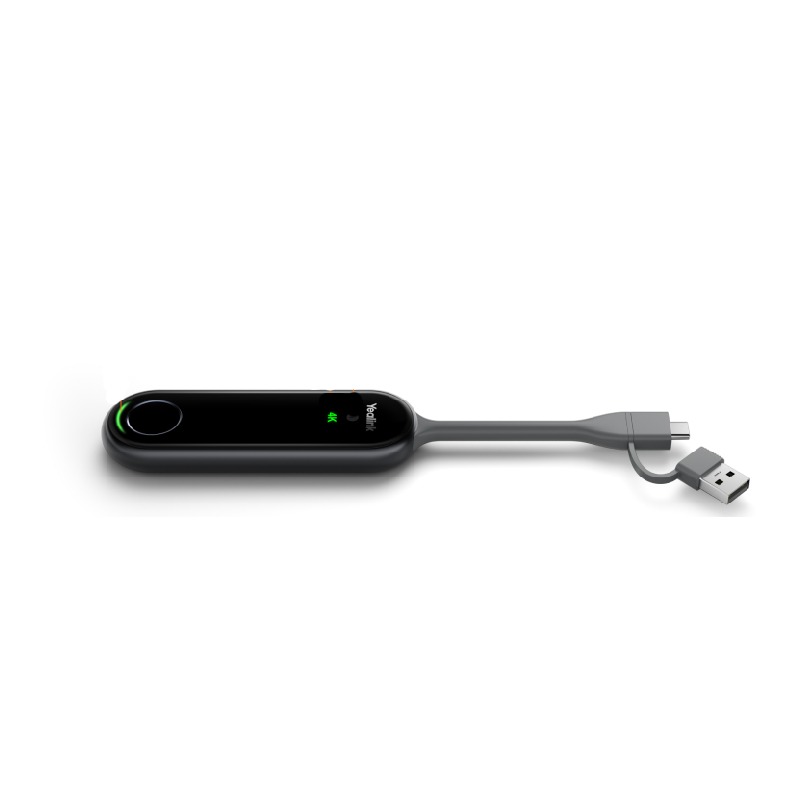
Ref: YEAPA20
Similar products compare
 MAXHUB WT15M 4K Wireless Dongle with BYOD £262.99 £315.59 Incl. VAT |  Yealink PA20 5 of 1 Reviews | |
| Connectivity | USB-A Dongle | USB-A |
| Size | 182,5 × 15,4 × 76,1 mm | -- |
| Resolution | 4K | -- |
| Screen sharing from | PC/Mac | PC/Mac |
| Sharing options | Button | Button |
| Features | Screen sharing | Screen sharing |
| Number of buttons included | 1 | -- |
| Touch screen compatible | Yes | -- |
| Presentation system type | Wireless presentation | Wireless presentation |
| AI-compatible | No | -- |
Frequently Asked Questions
Currently there are no questions for this product.