My Cart



Wireless headsets
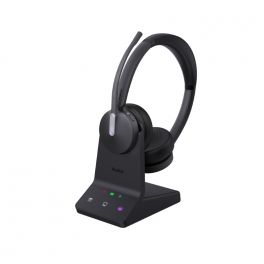
Yealink DECT WH64 Duo UC and Teams with base station
IN STOCKWireless headset designed for business communication, combining DECT and Bluetooth for maximum efficiency and flexibility.£239.99£139.99 £167.99 Incl. VATRef: YEAWH64DTSUPCompare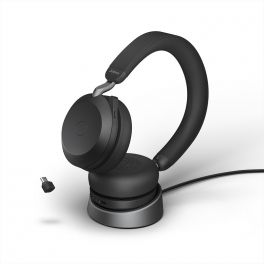
Jabra Evolve2 75 USB-C UC with charging base
IN STOCKSmart wireless headset for flexible business communication. Ideal for Office workers.£364.00£242.99 £291.59 Incl. VATRef: GNEVOL275DSUPCBCompare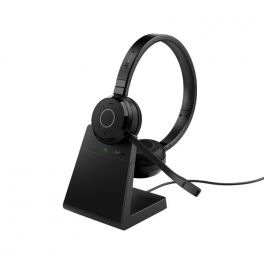
Jabra Evolve 65 TE USB-A UC Stereo with Charging Stand
IN STOCKBluetooth headset with USB-A connector and charging base, perfect for everyday calls and listening to music£222.00£147.99 £177.59 Incl. VATRef: GNEVOL65DPTECompare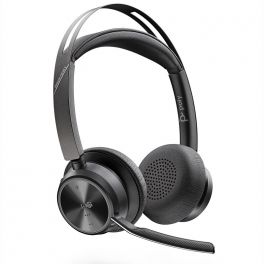
Poly Voyager Focus 2 Teams - USB-A
A low-profile, powerful Bluetooth binaural headset for high-end voice exchangeIN STOCK5 of 4 Reviews£254.95£139.99 £167.99 Incl. VATRef: PLVOYFOCUS2AMCompare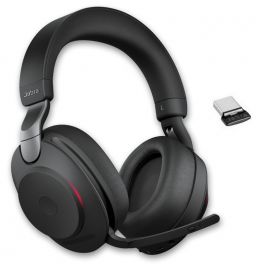
Jabra Evolve2 85 UC USB-C Stereo - Black
IN STOCKHigh Quality Wireless Headset for PC and Mobile Phone with USB-C dongle connection£443.00£295.99 £355.19 Incl. VATRef: GNEVOL285DCBCompare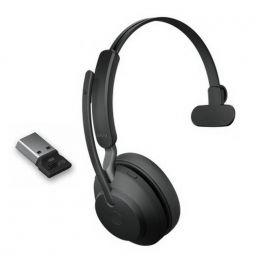
Jabra Evolve2 65 MS Mono USB-A - Black
Wireless headset with USB-A connection optimized for Microsoft Teams - ideal for intensive useIN STOCK5 of 2 Reviews£206.00£131.99 £158.39 Incl. VATRef: GNEVOL265MABCompare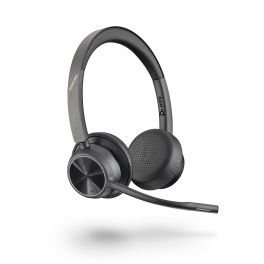
Poly Voyager 4320 USB-A
IN STOCKFlexible, wireless stereo headset for total sound immersion during your remote meetings.£195.79£97.99 £117.59 Incl. VATRef: PLVOY4320AUCCompare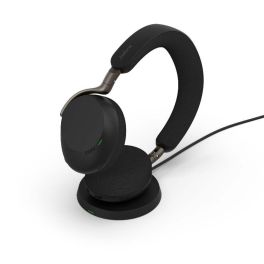
Jabra Evolve3 75 MS USB-C with Charging Base
IN STOCKMicrosoft Teams-certified wireless headphones with USB-C dongle, adaptive ANC and charging base for seamless collaboration and a workstation that's always ready.£388.99£258.99 £310.79 Incl. VATRef: GNEVOL375DCMSPCompare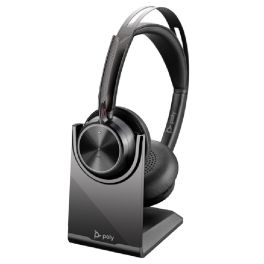
Poly Voyager Focus 2 USB-C-C + USB-C to USB-A Adapter + Charging Base
IN STOCKBluetooth headset compatible with USB-A / USB-C, featuring 3 levels of hybrid ANC to eliminate distractions during your conversations.£169.99£138.99 £166.79 Incl. VATRef: PLVOYFOCUS2ACPCompare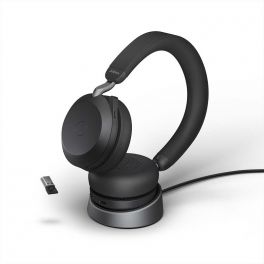
Jabra Evolve2 75 USB-A MS with charging base
Smart wireless headset for flexible business communication. Ideal for Office workersIN STOCK4.7 of 4 Reviews£364.00£234.99 £281.99 Incl. VATRef: GNEVOL275DMSUPABCompare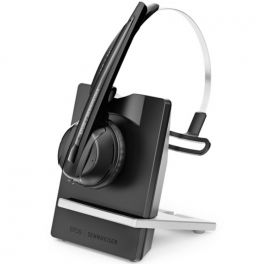
EPOS IMPACT D 10 Phone II
IN STOCKFlexible and high-performance wireless monaural headphones - ideal for noisy office environments£199.00£133.99 £160.79 Incl. VATRef: SED10PIIUKCompare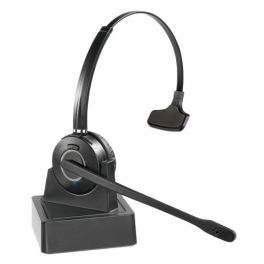
Cleyver HW10 Mono
DECT Wireless Headset with Charging CradleIN STOCK3.7 of 149 Reviews£70.00£57.99 £69.59 Incl. VATRef: ODHW10Compare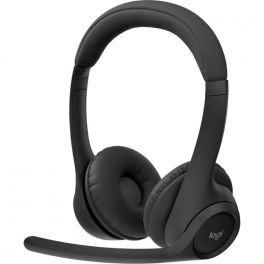
Logitech Zone 305 Teams
IN STOCKWireless headset with a 30-meter Bluetooth range, dual-microphone noise cancellation, and 20 hours of battery life.£109.99£66.99 £80.39 Incl. VATRef: LOZONE305TCompare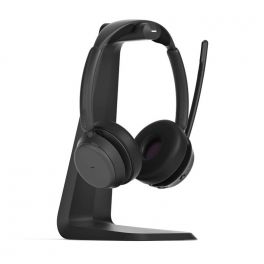
EPOS IMPACT 1061 ANC
IN STOCKOpen Office Bluetooth headset from Epos that counteracts brain fatigue.£315.00£209.99 £251.99 Incl. VATRef: SEIMP1061ANCCompare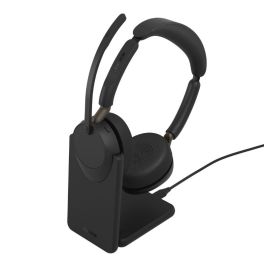
Jabra Evolve3 65 Duo USB-C UC + Stand
IN STOCKUC Bluetooth headset with adaptive active noise cancellation (ANC), ClearVoice technology and a charging cradle, designed for clear calls and improved concentration in noisy offices.£263.99£176.99 £212.39 Incl. VATRef: GNEVOL365DCSTUCCompare
Jabra Engage 55 SE Stereo USB-C UC with Charging Stand
IN STOCKWireless DECT Headset with Enhanced Security and Superior Sound Quality for Calls from Anywhere£310.00£212.99 £255.59 Incl. VATRef: GNENGAGE55DCSUCCSECompare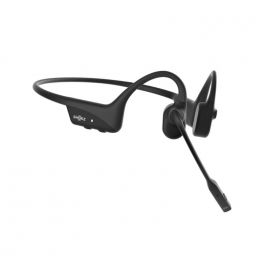
Shokz OpenComm2 UC Black USB-C
IN STOCKWireless Bluetooth Headset with Open-ear design and Bone Conduction technology.£219.99£169.99 £203.99 Incl. VATRef: SHOPCOMMUC2CBKCompare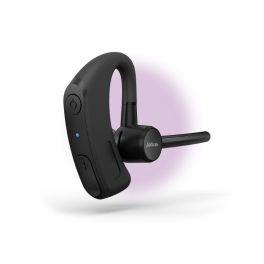
Jabra Perform 45 SE Bluetooth Push-to-Talk Headset
IN STOCKWireless Bluetooth mono headset with push-to-talk, enhanced microphone noise cancellation and up to 11 hours’ talk time for professional use in the retail sector.£113.99£90.99 £109.19 Incl. VATRef: GNPERFORM45SECompare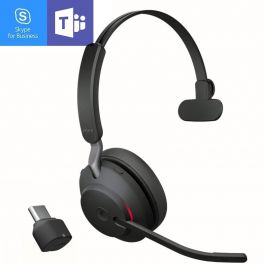
Jabra Evolve2 65 MS Mono USB-C - Black
IN STOCKUC wireless headset with USB-C connection optimized for Microsoft Teams - ideal for intensive use£206.00£136.99 £164.39 Incl. VATRef: GNEVOL265MCBCompare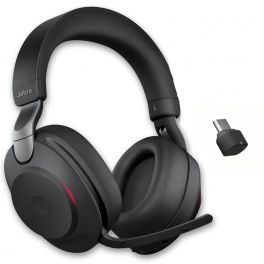
Jabra Evolve2 85 MS Teams USB-C Stereo - Black
Wireless headset with dual connection to boost concentration and collaboration - optimised for Microsoft Teams.IN STOCK4 of 2 Reviews£443.00£295.99 £355.19 Incl. VATRef: GNEVOL285DMCBCompare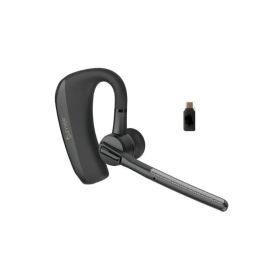
Cleyver Nomad Earpiece UC
IN STOCKMultipoint Bluetooth earpiece with 2 ENC microphones, long battery life, and a 30 m range — ideal for making calls anywhere, free from noise and movement restrictions.£51.99£41.99 £50.39 Incl. VATRef: ODNWEARUCCompare
Jabra Engage 55 SE Convertible USB-C MS with Charging Stand
IN STOCKConvertible DECT wireless headset with enhanced security and superior sound quality for calls from anywhere£292.00£195.99 £235.19 Incl. VATRef: GNENG55CONCMSPSECompare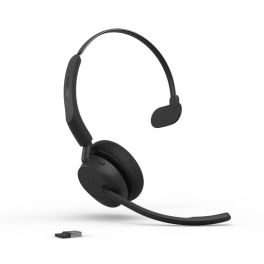
Jabra Evolve3 45 Mono USB-A MS wireless headset
IN STOCKMicrosoft Teams-certified wireless mono headset with USB-A connectivity, ANC, 3 ClearVoice™ microphones and a lightweight design for seamless communication throughout the day.£163.99£108.99 £130.79 Incl. VATRef: GNEVOL345MCAMSCompare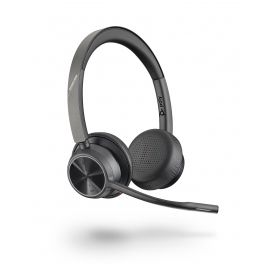
Poly Voyager 4320 USB-C
IN STOCKFlexible, wireless stereo headset for total sound immersion during your remote meetings.£177.95£93.99 £112.79 Incl. VATRef: PLVOY4320CUCCompare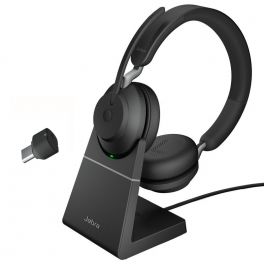
Jabra Evolve2 65 MS Stereo USB-C with Charging Stand - Black
IN STOCKWireless headphones for PC and mobile phone USB-C connection - ideal for offices and intensive use£257.00£184.99 £221.99 Incl. VATRef: GNEVOL265DMSUPCBCompare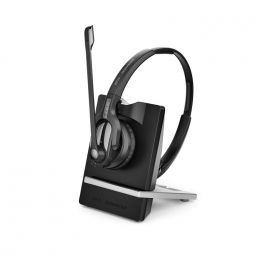
EPOS | Sennheiser IMPACT D 30 Phone
IN STOCKA flexible and ultra-powerful wireless stereo headset for sharing the way you like - Ideal for offices£239.00£158.99 £190.79 Incl. VATRef: SED30PUKCompare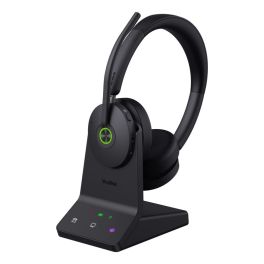
Yealink WH68 Teams Headset
IN STOCKElevate your communication with superior sound and comfort.£199.99£152.99 £183.59 Incl. VATRef: YEAWH68TEAMSCompare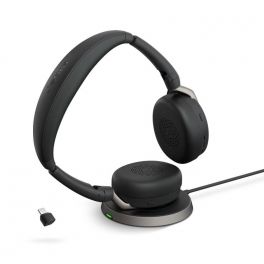
Jabra Evolve2 65 Flex USB-C UC Stereo with Wireless Charger
IN STOCKHigher concentration and more flexibility for undisturbed, professional and hybrid work.£310.00£199.99 £239.99 Incl. VATRef: GNEVOL265FDCSUPCompare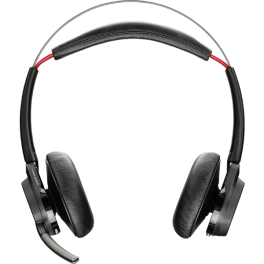
Poly Voyager Focus UC B825-M Headset
Professional binaural UC headset for use with PCs, mobiles and tablets - optimised for Skype for businessIN STOCK4.9 of 9 Reviews£182.59£167.99 £201.59 Incl. VATRef: PLVOYFOCUSMCompare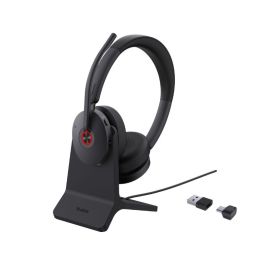
Yealink BH74 with Stand UC USB-C/A
IN STOCKWireless Bluetooth headset with dual USB-C/A connectivity and charging stand, designed for UC platforms and hybrid work.£102.99£95.99 £115.19 Incl. VATRef: YEABH74DUSBCACSCompare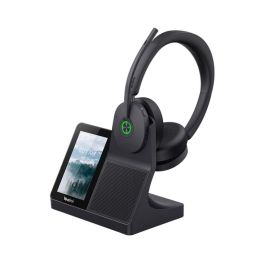
Yealink WH68 Workstation UC DECT Headset with Bluetooth
IN STOCKAll-in-one UC workstation with DECT and Bluetooth headsets, a touchscreen and a built-in hands-free system for professional desktop communication.£314.99£164.99 £197.99 Incl. VATRef: YEAWH68WORKSTCompare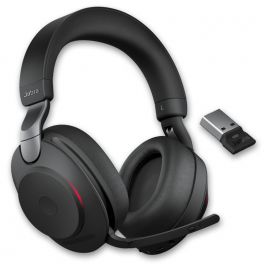
Jabra Evolve2 85 UC Stereo - Black
Duo Wireless headset perfect for concentrating and collaboratingIN STOCK5 of 1 Reviews£443.00£295.99 £355.19 Incl. VATRef: GNEVOL285DABCompare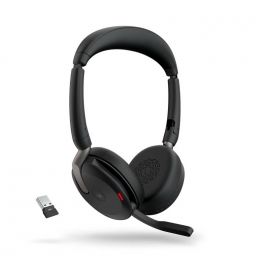
Jabra Evolve2 65 Flex USB-A MS Stereo
Higher concentration and more flexibility for undisturbed, professional and hybrid work.IN STOCK4.7 of 4 Reviews£265.00£150.99 £181.19 Incl. VATRef: GNEVOL265FDAMCompare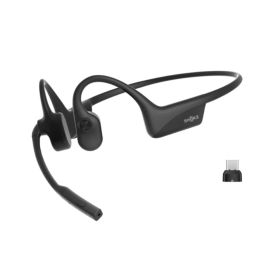
SHOKZ OPENCOMM2 UC USB-C 2025 Upgrade
IN STOCK7th generation bone conduction headset, comfortable for all-day wear, with noise-cancelling microphone and fast charging – ideal for hybrid working.£202.99£191.99 £230.39 Incl. VATRef: SHOPCOMM2UCUSBCCompare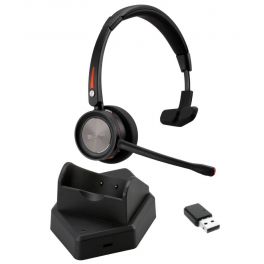
Cleyver NW30 UC
Wireless headset with dual USB (dongle) and Bluetooth connection - ideal for offices and remote workIN STOCK4.3 of 10 Reviews£64.99£59.99 £71.99 Incl. VATRef: ODNW30UCCompare
Lindy BNX-60XT Wireless Active Noise Cancelling Headphones with aptX
IN STOCKThe BNX-60XT delivers powerful sound, long-lasting comfort, and modern features£77.99 £93.59 Incl. VATRef: LINDY73163UKCompare- BEST ONLINE PRICEDon’t miss our special offer! Use the code:
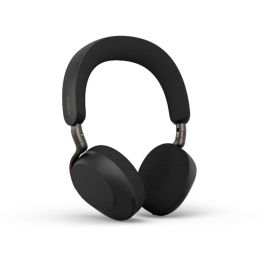
Jabra Evolve3 75 MS USB-C with Dongle
Microsoft Teams-certified wireless headphones with USB-C dongle and adaptive ANC for seamless collaboration and professional calls in the office and when working remotely.IN STOCK5 of 1 Reviews£344.99£232.99 £279.59 Incl. VATRef: GNEVOL375DCMSCompare 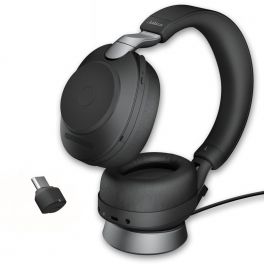
Jabra Evolve2 85 MS Stereo USB-C with charging stand - Black
Wireless duo headphones perfect for concentrating and collaborating with charging base, microsoft Teams version.IN STOCK4 of 1 Reviews£482.00£319.99 £383.99 Incl. VATRef: GNEVOL285DMSUPCBCompare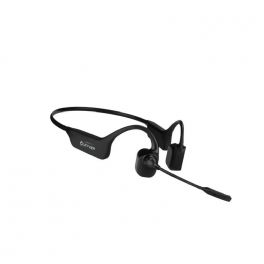
Cleyver Open ear UC
Bone Conduction Headset with Bluetooth Multipoint and USB-A Dongle compatible with PC and mobile phonesIN STOCK3.2 of 5 Reviews£96.99£91.99 £110.39 Incl. VATRef: ODBCWUCCompare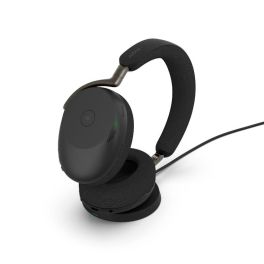
Jabra Evolve3 85 MS USB-C + Charging base
Microsoft Teams-certified wireless over-ear headset with USB-C dongle and charging base, for professional collaboration and tidy workstation management.IN STOCK5 of 1 Reviews£536.99£359.99 £431.99 Incl. VATRef: GNEVOL385DCMSPCompare
Key features and functions
Professional wireless headsets make communication easier by eliminating the cable between the headset and the connected device. Depending on the model, they use Bluetooth or DECT, two technologies designed to meet different needs in terms of connectivity, range and mobility. A wireless headset with mic allows you to make calls, join video meetings and communicate with colleagues. Some models offer multipoint connectivity, noise reduction at the microphone or active noise cancellation for listening. Your choice will depend on your devices, the noise levels in your working environment and how frequently you use your headset.
| Bluetooth or DECT connectivity | Wireless technologies that allow communication with compatible devices, with different operating ranges depending on the model. |
| Noise-cancelling microphone | Reduces background noise picked up during conversations to make your voice easier to understand. |
| Freedom of movement | Allows you to move away from your desk while staying connected, within the operating range of the wireless technology used. |
| Monaural or binaural design | One earpiece to remain aware of your surroundings or two earpieces to help you concentrate. |
| Battery life and charging | Battery life varies depending on usage, with charging via a cable or docking station according to the model. |
| Controls and call management | Built-in volume adjustment, microphone mute and call controls, with available functions depending on the headset and connected device. |
How to choose the right headset
- OK Choose your connection technology: Bluetooth for compatible devices or DECT for suitable professional telephone systems.
- OK Check compatibility: consider the computers, smartphones, desk phones and communication software you use every day.
- OK Assess the range you need: consider whether you work in a busy environment or regularly need to move around.
- OK Select a monaural or binaural headset: depending on whether you need to stay aware of colleagues or minimise distractions.
- OK Consider the microphone and sound isolation: prioritise noise-reduction features suited to your working environment.
- OK Compare battery life and charging options: choose a battery and charging solution that suit the length of your working day.

Uses across professional sectors
Wireless headsets meet the needs of a wide range of professional environments. In offices, wireless headphones with mic allow employees to join video meetings while retaining some mobility. Sales teams can use a Bluetooth headset to communicate through a computer or smartphone, depending on the model's connection options. When working from home, a wireless headset with microphone lets you move between meetings and calls without being physically connected to your device. In shared workspaces, models with noise-cancelling microphones and two earpieces can help make conversations more comfortable. DECT solutions are also suitable for professional telephone systems that require an appropriate wireless range.
Why choose Onedirect?
Onedirect offers a selection of wireless headsets designed for professionals and businesses. Explore Bluetooth and DECT headsets, monaural and binaural models, and a range of options with microphones for calls and video meetings. Whether you need a wireless headset for your computer, a cordless headset for your business telephone or wireless headphones for working from home, you can compare devices based on connectivity, battery life, comfort and features. Our specialists can help you choose a wireless office headset suited to your devices and working practices, making communication easier for your team.
FAQ – Frequently asked questions
What is the difference between a Bluetooth wireless headset and a DECT headset?
A Bluetooth headset connects to compatible devices, such as a computer or smartphone, sometimes using a USB adapter. A DECT headset generally uses a dedicated base station or adapter to communicate with a compatible business telephone or computer. DECT can provide a suitable range for moving around the workplace, while Bluetooth makes it easier to connect to different devices. Actual performance depends on the model and the environment.
Can I connect a wireless headset with mic to both a computer and a smartphone?
Yes, some wireless headsets with microphones can connect to multiple compatible devices. Multipoint Bluetooth models may maintain connections to two devices, depending on their specifications. Other headsets require a dedicated adapter or base station. Check whether simultaneous connections and switching between devices are supported before choosing your model.
How much battery life do I need from a professional wireless headset?
Battery life depends on the battery itself, listening volume, enabled features and time spent on calls. For intensive use, choose a model with an advertised talk time that covers your working day. A charging dock can also be useful for keeping your headset ready between uses.
Which wireless headset with mic should I choose for a noisy office?
In a noisy office, choose a wireless headset with mic that features noise-reduction technology to limit the background sounds transmitted to people on your calls. A binaural model can also help you concentrate. If you want to reduce the noise you hear, look for active noise cancellation (ANC). Comfort and battery life are also important for prolonged use.
Related resources
Bluetooth headsets Icon DECT headsets Icon Bone conduction headsets Icon Guide: Choosing between Bluetooth and DECT connections Icon