
My Cart



TOP 10 – Best Webcams 2026
A high-quality PC webcam ensures clear, professional video quality during online meetings and video conferences. Whether in the office or working from home, modern web cameras offer Full HD or 4K resolution, built-in microphones and intelligent features such as auto-framing. A reliable USB webcam makes everyday video communication easier.
Looking for the best computer camera for your workspace? Our Top 10 Webcams 2026 guide compares the best webcams for professional use. Explore image quality, features and USB connectivity to find the right webcam for your PC and video conferencing needs.
IconTOP 10 Icon Comparison Table IconFAQ
Our winning trio
Number 1
Detailed 4K video with a 13 MP sensor
RightLight 3 and adjustable field of view
Windows Hello facial recognition
Number 2

4K video with RightLight 5 enhancement
Automatic framing with RightSight
Show Mode for desk presentations
Number 3

4K video with a 90° field of view
Built-in noise-reducing microphone
Portable design with travel case
Our complete ranking:
Best 4K webcam for video conferencing
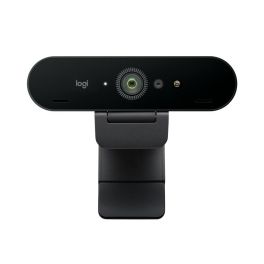
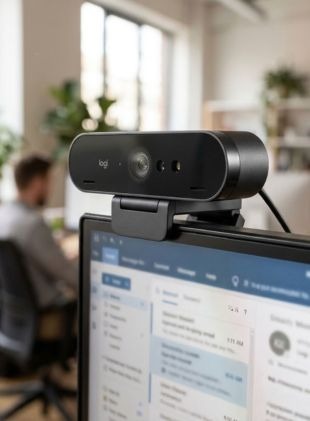
The Logitech BRIO 4K is a USB webcam designed for professional video conferencing on a PC. Its 4K resolution, RightLight 3 technology and adjustable field of view help deliver detailed images in different lighting conditions. Windows Hello facial recognition is an added benefit for office users. By Sector
Retail
Public administrations
Education
Corporate and Office
Hybrid work
Features
90°
4K
60fps
Pros
Detailed 4K video with a 13 MP sensor
RightLight 3 and adjustable field of view
Windows Hello facial recognition
Cons
Not all meeting platforms support 4K video
No motorised camera tracking
Ideal for demanding office workstations
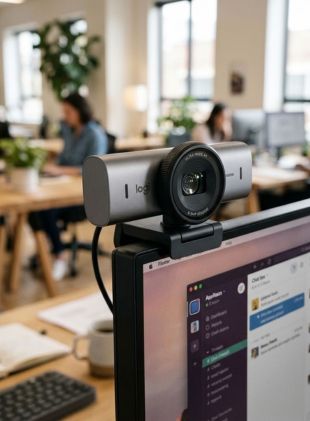
The Logitech MX Brio 705 for Business is a premium 4K webcam for professional video meetings. RightLight 5 enhances image quality in changing lighting conditions, while RightSight automatically adjusts the framing. Show Mode also makes it easy to present documents and objects during online collaboration. By Sector
Public administrations
Education
Corporate and Office
Hybrid work
Features
90°
4K
60fps
Pros
4K video with RightLight 5 enhancement
Automatic framing with RightSight
Show Mode for desk presentations
Cons
No motorised camera tracking
Advanced settings require Logitech software
Top webcam for hybrid working
The Jabra PanaCast 20 is a compact 4K webcam for video conferencing in the office, at home or while travelling. Its 90° field of view, intelligent imaging features and noise-reducing microphone support professional online meetings. USB plug-and-play connectivity and an included travel case make it particularly convenient for hybrid workers. By Sector
Public administrations
Education
Corporate and Office

Features
90°
4K
30fps
Pros
4K video with a 90° field of view
Built-in noise-reducing microphone
Portable design with travel case
Cons
Better suited to individual users than large rooms
No motorised camera tracking
Best value for money
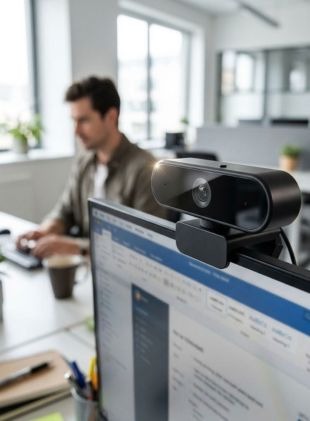
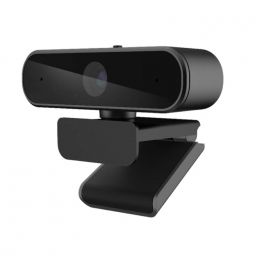
The Cleyver Cam 902K is a USB webcam for office and home-working video calls. It combines a 4 MP sensor, 90° field of view, True WDR light adjustment and two microphones with AI noise reduction. Plug-and-play connectivity makes it straightforward to use with a PC or Mac. By Sector
Public administrations
Education
Corporate and Office
Call center
Features
90°
2K
60fps
Pros
4 MP sensor and 90° field of view
Two microphones with AI noise reduction
USB plug-and-play and privacy shutter
Cons
No 4K resolution
No motorised camera tracking
Best automatic camera tracking
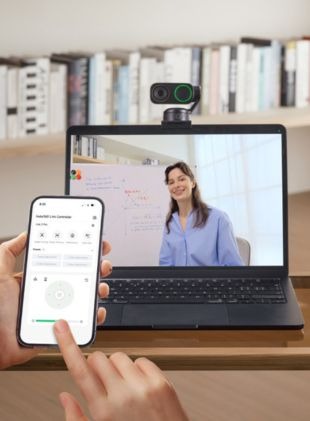
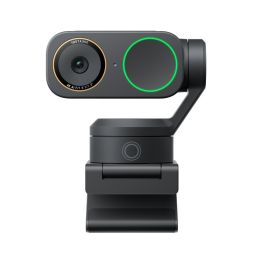
The Insta360 Link 2 Pro is a 4K webcam with AI tracking for video conferencing, presentations and online training. Its large 1/1.3-inch sensor captures detailed images, while a motorised two-axis gimbal follows your movements. Whiteboard mode and gesture controls provide additional flexibility for interactive meetings. By Sector
Corporate and Office
Hybrid work
Features
84,5°
4K
30fps
Pros
4K video with a large 1/1.3-inch sensor
Motorised gimbal with AI tracking
Whiteboard mode and gesture controls
Cons
More advanced than necessary for basic video calls
Motorised mechanism requires additional clearance
Ideal for video conferencing with a wide field of view
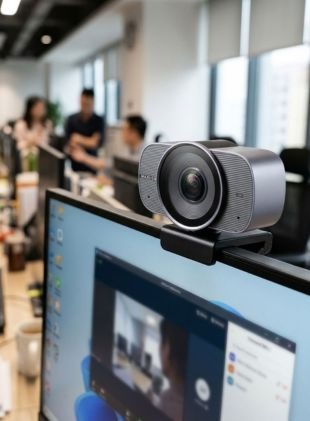
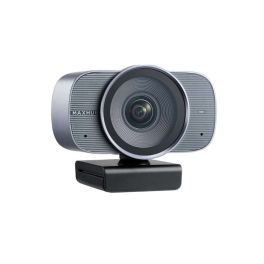
The MAXHUB UC W31 is a 4K USB webcam for professional video conferencing on a PC. Its 5x digital zoom and automatic framing help users adjust the image to suit their workspace. Microsoft Teams certification and plug-and-play connectivity make it convenient for everyday office meetings. By Sector
Education
Corporate and Office
Health and social action
Hybrid work
Features
120°
4K
30fps
Pros
4K video with 5x zoom
Automatic framing
Microsoft Teams certification and plug-and-play
Cons
4K video limited to 30 fps
No motorised camera tracking
Ideal for daily Microsoft Teams and Zoom meetings
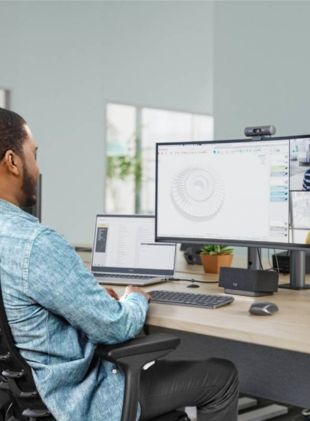
The Logitech Brio 505 is a Full HD webcam for office and home-working video calls. RightLight 4 with HDR automatically adjusts the picture to changing lighting conditions. Two noise-reducing microphones, USB-C connectivity and certifications for major meeting platforms make it well suited to everyday collaboration. By Sector
Hotels and restaurants
Public administrations
Education
Corporate and Office
Features
90°
Full HD 1080p
30fps
Pros
Full HD 1080p with RightLight 4 and HDR
Two noise-reducing microphones
USB-C and certifications for Teams, Zoom and Meet
Cons
No 4K resolution
No motorised camera tracking

Best image quality with exceptional detail
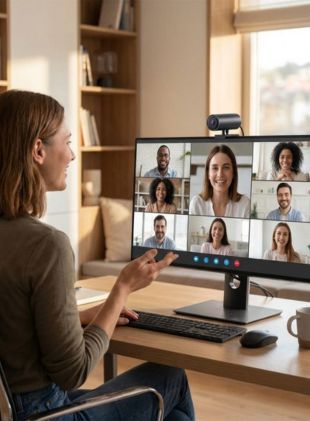
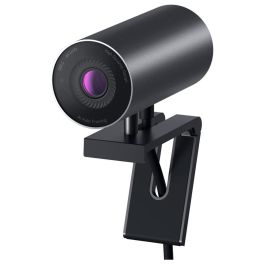
The Dell UltraSharp WB7022 is a 4K webcam for professional video conferencing and demanding office workstations. Its 8.3 MP sensor, intelligent autofocus and automatic light adjustment deliver detailed images. A 5x digital zoom offers flexible framing, although a separate microphone is required for audio. By Sector
Education
Corporate and Office
Hybrid work
Features
90°
4K
30fps
Pros
4K resolution with an 8.3 MP sensor
Intelligent autofocus and light correction
5x digital zoom
Cons
No built-in microphone
No motorised camera tracking
Ideal for presentations and online meetings
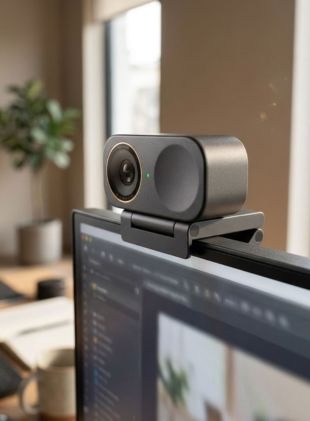
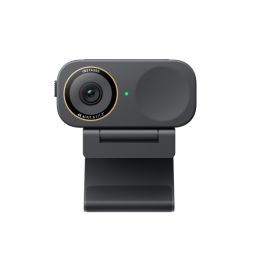
The Insta360 Link 2C Pro is a compact 4K webcam with AI-powered framing for video conferencing and online presentations. Its large 1/1.3-inch sensor captures detailed images, while automatic framing helps keep the user in view. Two built-in microphones and a privacy shutter complete the design. By Sector
Public administrations
Education
Corporate and Office
Hybrid work
Features
84,5°
4K
30fps
Pros
4K video with a large 1/1.3-inch sensor
AI-powered automatic framing
Two microphones and privacy shutter
Cons
No motorised gimbal unlike the Link 2 Pro
Cannot physically pan to follow movement
Reliable webcam for everyday office use
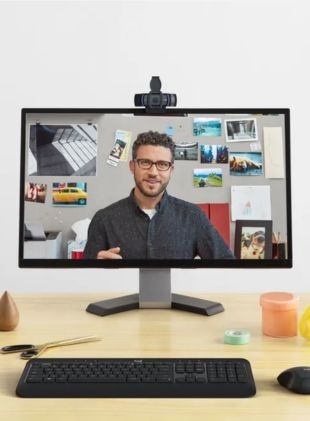
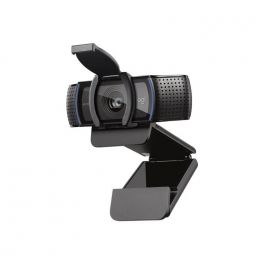
The Logitech C920e is a reliable Full HD webcam for video conferencing in the office or when working from home. It delivers 1080p video at 30 fps, with autofocus and automatic light correction for clear images. Two built-in microphones and a 78° field of view make it a practical choice for everyday online meetings. By Sector
Hotels and restaurants
Public administrations
Education
Corporate and Office
Health and social action
Call center
Features
78°
Full HD 1080p
30fps
Pros
Full HD video with autofocus
Two built-in microphones and 78° field of view
Easy USB connection to PCs and laptops
Cons
No 4K resolution
No motorised camera tracking
| 1 | 2 | 3 | 4 | 5 | 6 | 7 | 8 | 9 | 10 | |
| Camera field of view | 90° | 90° | 90° | 90° | 84,5° | 120° | 90° | 90° | 84,5° | 78° |
| Camera resolution | 4K | 4K | 4K | 2K | 4K | 4K | Full HD 1080p | 4K | 4K | Full HD 1080p |
| Compatible With | All Platforms (UC) | All Platforms (UC) | All Platforms (UC) | All Platforms (UC) | All Platforms (UC) | All Platforms (UC) | All Platforms (UC) | All Platforms (UC) | All Platforms (UC) | All Platforms (UC) |
| FPS | 60fps | 60fps | 30fps | 60fps | 30fps | 30fps | 30fps | 30fps | 30fps | 30fps |
| Other Features | PC/Mac Compatible, Privacy Shutter, Softphone Compatible, With Windows | Built in Microphones, Compatible with Tripod, Noise Reduction, PC/Mac Compatible, Privacy Shutter, Softphone Compatible, With Windows | Built in Microphones, Compatible with Tripod, Noise Reduction, PC/Mac Compatible, Privacy Shutter, Softphone Compatible | Built in Microphones, Compatible with Tripod, Noise Reduction, PC/Mac Compatible, Portable, Privacy Shutter, Softphone Compatible, With Windows | Built in Microphones, Compatible with Tripod, Noise Reduction, PC/Mac Compatible, Softphone Compatible, With Windows | BYOD, PC/Mac Compatible, Privacy Shutter, Softphone Compatible | Built in Microphones, Noise Reduction, PC/Mac Compatible, Privacy Shutter, Softphone Compatible, With Windows | Compatible with Tripod, PC/Mac Compatible, Privacy Shutter, Softphone Compatible, With Windows | Built in Microphones, Compatible with Tripod, Noise Reduction, PC/Mac Compatible, Portable, Privacy Shutter, Softphone Compatible, With Windows | Built in Microphones, Compatible with Tripod, PC/Mac Compatible, Privacy Shutter, Softphone Compatible, With Windows |
FAQ – Frequently Asked Questions About Webcams
Which webcam is best for a PC?
A good PC webcam should offer at least Full HD resolution (1080p), autofocus and reliable automatic light adjustment. For professional video conferencing, clear image quality in different lighting conditions and compatibility with Microsoft Teams, Zoom and Google Meet are also important. Depending on your needs, additional features such as auto-framing, built-in microphones or 4K resolution can make a computer camera even more effective for everyday use.
What is the difference between a Full HD webcam and a 4K computer camera?
A Full HD webcam offers a resolution of 1920 × 1080 pixels, while a 4K computer camera captures significantly more detail at 3840 × 2160 pixels. Full HD is generally sufficient for everyday video calls and online meetings. However, a 4K webcam may be a better choice if you need sharper images or digital zoom without significantly reducing image quality. The actual video quality also depends on your video conferencing platform and internet connection.
What resolution should a webcam have for video conferencing?
For professional video conferencing, a Full HD webcam with 1080p resolution is generally sufficient. It provides clear image quality for online meetings on Microsoft Teams, Zoom and Google Meet. A 4K webcam is particularly suitable for more demanding applications where greater image detail or digital zoom capabilities are important. Besides resolution, features such as autofocus, automatic exposure adjustment and frame rate also play an important role in ensuring good video quality.
Are USB webcams compatible with Microsoft Teams, Zoom and Google Meet?
Many modern USB webcams are compatible with Microsoft Teams, Zoom and Google Meet. In most cases, you simply connect the USB webcam to your computer using a USB-A or USB-C port and select it in your video conferencing software settings. Some models also offer specific platform certifications or additional software features. Before purchasing a webcam camera for your PC, check its compatibility with your operating system and preferred communication platform.
What should I look for when buying a webcam for my PC?
When choosing a webcam for your PC, consider the resolution, frame rate, field of view and image quality in different lighting conditions. Autofocus, microphone performance and the type of USB connection are also important. For professional use, make sure the computer camera is compatible with your operating system and video conferencing platforms. Additional features such as auto-framing, a privacy shutter or an adjustable mount can make your USB webcam more convenient for everyday use.
Which webcam is best for working from home?
For working from home, a USB webcam with Full HD resolution, autofocus and automatic light correction is a good choice. This type of web camera is ideal for daily video calls, online training sessions and virtual meetings. If image quality is a priority, a 4K webcam with intelligent framing may be worth considering. A built-in privacy shutter also provides additional peace of mind when the camera is not in use.
What does auto-framing mean on a webcam?
Auto-framing is a feature that automatically adjusts the camera's field of view to keep you properly positioned in the frame. If you move during a video conference, the webcam can adjust the image to keep you visible. Depending on the model, this is achieved through intelligent image processing or AI-powered technology. Auto-framing is particularly useful for presentations, interactive meetings and professionals who need greater freedom of movement during video calls.