
My Cart



TOP 10 – Best Visualisers 2026
Which document camera is best? Whether for teaching, training, presentations or video conferencing, a modern document camera lets you display documents, books, handwritten notes and physical objects directly on screen. Depending on the model, even small details can be enlarged and made clearly visible to everyone in the room or meeting.
However, not every visualiser is suited to every application. In our document camera comparison, we compare 10 selected models from IPEVO, AVer and Logitech. Explore our Top 10 visualisers and document cameras to find the model that best suits your teaching, training or presentation needs.
IconTOP 10 Icon Comparison table IconFAQ
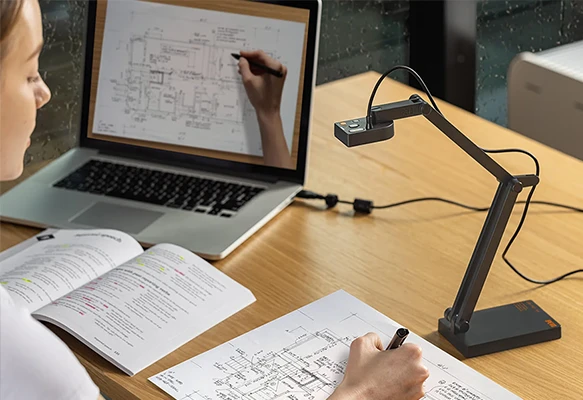
Our winning trio
Number 1
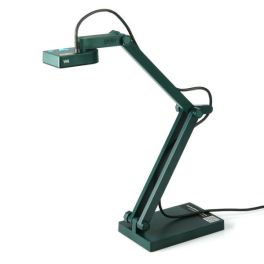
8 MP with up to 3264 × 2448 pixels
Fast autofocus
Good image quality even in low light
Number 2
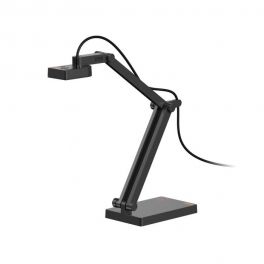
120° wide-angle view for documents up to A3
4K UHD resolution
AI microphone and built-in LED lighting
Number 3
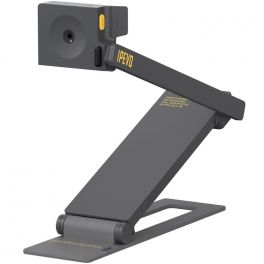
Compact and easy to carry
8 MP camera
Compatible with PC, Mac and Chromebook
Our complete ranking:
Versatile all-rounder for documents and presentations
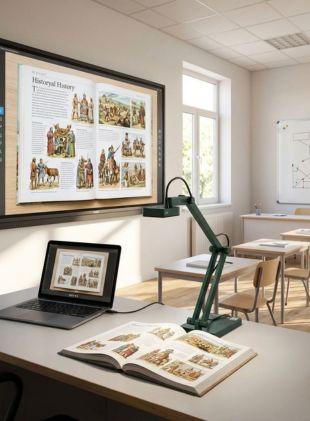
The IPEVO V4K is a straightforward USB document camera for teaching, training and presentations. Its 8 MP sensor delivers images at up to 3264 × 2448 pixels, while fast autofocus makes it easy to switch between documents and objects. The Sony CMOS sensor also provides good image quality in lower-light conditions. By Sector
Manufacturing
Construction
Hotels and restaurants
Public administrations
Education
Corporate and Office
Features
USB-A
Full HD (1080p)
Screen sharing
Pros
8 MP with up to 3264 × 2448 pixels
Fast autofocus
Good image quality even in low light
Cons
USB connection only
No direct connection to a projector
Best for large documents up to A3
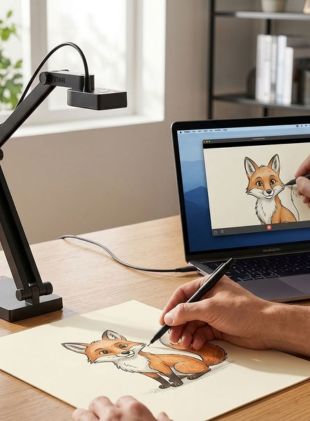
The IPEVO V4K Pro 120 stands out for its wide 120° field of view, making it suitable for capturing large documents up to A3 size. 4K resolution, built-in LED lighting and a microphone with AI noise reduction also make it a strong option for hybrid training and presentations. By Sector
Hotels and restaurants
Public administrations
Education
Features
USB-A
4K
Screen sharing
Pros
120° wide-angle view for documents up to A3
4K UHD resolution
AI microphone and built-in LED lighting
Cons
Wired USB connection only
No HDMI port for direct connection to a display
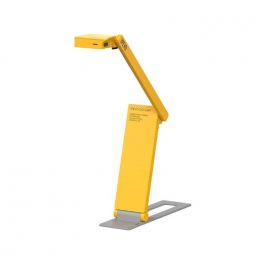
Ideal for mobile use
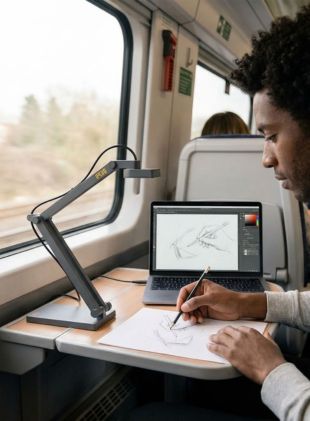
The IPEVO DO-CAM is particularly useful when your document camera needs to travel with you. Its compact, foldable design makes it quick to set up, while the 8 MP camera is suitable for displaying documents and other visual content. It connects via USB to PC, Mac and Chromebook. By Sector
Retail
Hotels and restaurants
Public administrations
Education
Features
USB-A
Full HD (1080p)
Screen sharing
Pros
Compact and easy to carry
8 MP camera
Compatible with PC, Mac and Chromebook
Cons
USB connection only
No direct HDMI connection to a display or projector
Ideal for presentations without a PC
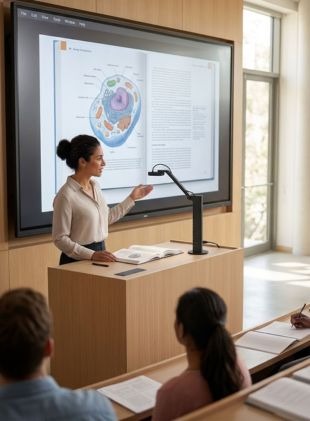
The IPEVO VZ-R Ultra stands out for its HDMI and USB dual-mode connectivity. Using HDMI, content can be displayed directly on a monitor or projector without requiring a computer. Its 13 MP sensor, articulated arm and stable base make it particularly well suited to permanent classroom and presentation setups. By Sector
Hotels and restaurants
Public administrations
Education
Features
HDMI, USB-A, USB-C
4K, Ultra HD
Screen sharing and video conferencing
Pros
Direct HDMI output without a PC
High-resolution 13 MP sensor
Stable base and flexible articulated arm
Cons
No wireless connectivity
Microphone only works in USB mode
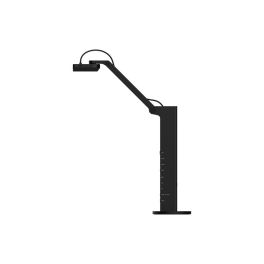
Specialist for close-ups and fine details
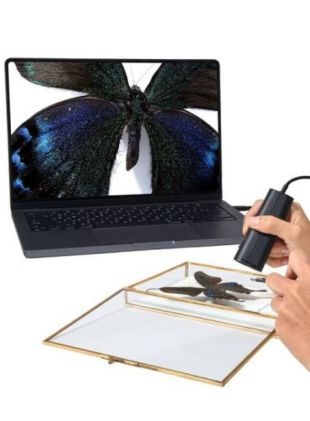
The IPEVO P2V Ultra combines a compact design with versatile functionality. With the super macro focus from 1 cm, even the tiniest details can be captured at close quarters. The flexible articulated arm makes it suitable for presenting documents and objects or for use during video meetings. It is a useful choice for anyone looking for one presentation camera for several applications. By Sector
Manufacturing
Hotels and restaurants
Public administrations
Education
Features
USB-A, USB-C
4K
Screen sharing
Pros
13 MP sensor with 4K
Fast autofocus
Versatile use with documents, objects and video meetings
Cons
USB connection only
No HDMI or Wi-Fi connectivity
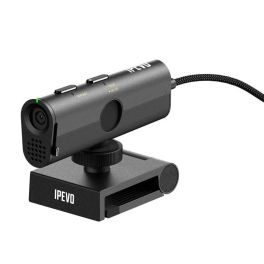
Best document camera for powerful magnification
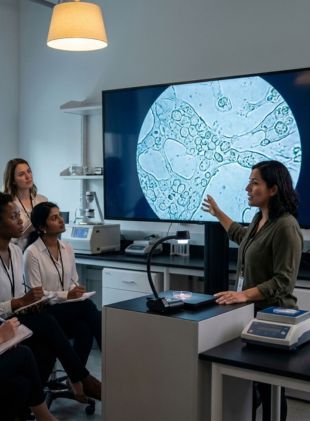
The AVerVision F50+ is particularly well suited to users who need to display very small details. Its standout feature is its up to 230x total zoom. A 13 MP sensor, 4K output at 60 fps and a flexible arm make it a powerful solution for education, technical demonstrations and professional presentations. By Sector
Hotels and restaurants
Public administrations
Education
Features
For 3.5mm jack, HDMI, USB-A, USB-C
4K
Annotation, Multiple display
Pros
Up to 230x total zoom
13 MP and 4K at 60 fps
Flexible arm for different viewing angles
Cons
Less compact than small USB document cameras
More features than required for basic document presentations
Best choice for wireless presentations
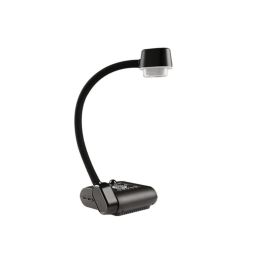
The IPEVO VZ-X Ultra offers particularly versatile connectivity, with content sharing via Wi-Fi, HDMI or USB. Its built-in battery provides up to 9 hours of runtime, making this visualiser particularly useful in rooms where flexible, cable-free presentations are important. By Sector
Hotels and restaurants
Public administrations
Education

Features
HDMI, USB-C, Wifi
Full HD (1080p)
Annotation, Screen sharing, Screen sharing and video conferencing
Pros
Wi-Fi, HDMI and USB
Up to 9 hours of battery life
Presentations possible without a PC
Cons
HDMI and Wi-Fi output limited to Full HD
Built-in microphone only works in USB mode
Complete kit for maximum flexibility
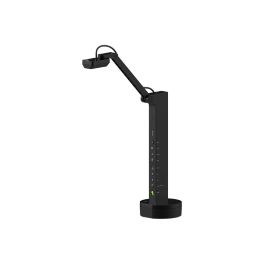
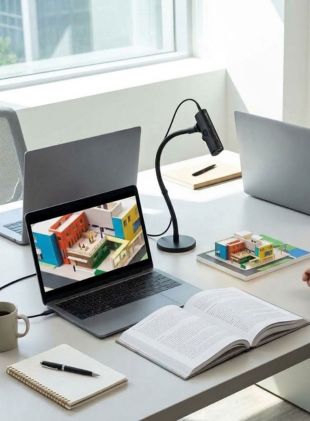
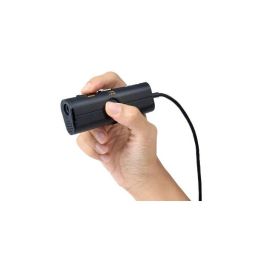
The IPEVO P2V Ultra Full Pack is designed for users who need one camera for a variety of shooting positions. It can be used as a handheld camera, webcam or document camera and comes with a camera clamp and stand. Its 13 MP sensor and super macro focus down to 1 cm also make detailed close-ups possible. By Sector
Retail
Hotels and restaurants
Public administrations
Education
Corporate and Office
Features
USB-C
4K
Screen sharing, Screen sharing and video conferencing
Pros
3-in-1: handheld camera, webcam and document camera
Super macro focus down to 1 cm
Clamp and stand included
Cons
No HDMI connection
More accessories to handle than with a standard compact document camera
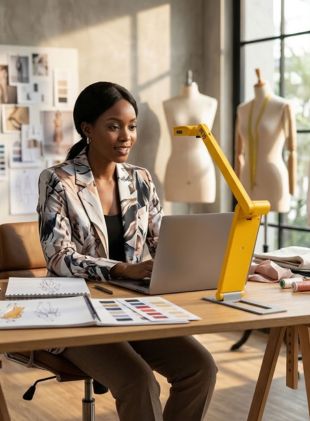
ompact document camera for creative workspaces
The IPEVO DO-CAM Creator's Edition combines a document camera and webcam in one compact device. Users can switch between the two applications at the touch of a button. Its large 354 × 266 mm capture area, 8 MP camera and foldable design make it particularly practical for creative presentations and mobile workspaces. By Sector
Manufacturing
Hotels and restaurants
Public administrations
Education
Corporate and Office
Features
USB-A
Full HD (1080p)
Screen sharing and video conferencing
Pros
Switches between document camera and webcam
Large 354 × 266 mm capture area
Foldable and easy to transport
Cons
USB connection only
No wireless connectivity
Our pick for dynamic live demonstrations
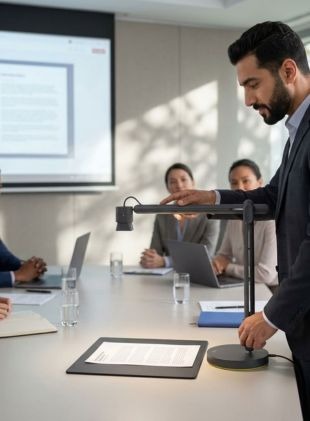
The Logitech Reach is designed for presentations where the camera position needs to change frequently. Its flexible 360° rotating design provides different viewing angles for documents and objects. Full HD at 60 fps, autofocus and Plug and Play functionality make it particularly useful for interactive teaching and live demonstrations. By Sector
Corporate and Office
Features
USB-C
Full HD (1080p)
Screen sharing
Pros
Highly flexible camera positioning with 360° rotation
Full HD 1080p at 60 fps
Plug and Play for popular platforms
Cons
No 4K resolution
At around 4 kg, considerably heavier than compact document cameras

| 1 | 2 | 3 | 4 | 5 | 6 | 7 | 8 | 9 | 10 | |
| Resolution | Full HD (1080p) | 4K | Full HD (1080p) | 4K, Ultra HD | 4K | 4K | Full HD (1080p) | 4K | Full HD (1080p) | Full HD (1080p) |
| Screen sharing from | PC/Mac | PC/Mac | PC/Mac | - | PC/Mac | - | PC/Mac, Smartphone (iOS/Android), Tablet | PC/Mac | PC/Mac | PC/Mac |
| Features | Screen sharing | Screen sharing | Screen sharing | Screen sharing and video conferencing | Screen sharing | Annotation, Multiple display | Annotation, Screen sharing, Screen sharing and video conferencing | Screen sharing, Screen sharing and video conferencing | Screen sharing and video conferencing | Screen sharing |
| Sharing options | App | App | App | HDMI | App | HDMI | App, HDMI, WiFI | App | App | App |
FREQUENTLY ASKED QUESTIONS ABOUT DOCUMENT CAMERAS
What should you look for when buying a document camera?
When comparing different document cameras, resolution should not be the only factor you consider. Several technical and practical features determine which model is best suited to your needs.
- Resolution: A high resolution makes it easier to display fine text, drawings and small details clearly. Models with 4K resolution can be particularly useful when content needs to be enlarged or displayed on large screens.
- Zoom: Zoom allows you to highlight specific areas of a document or small objects. If you regularly need to show fine details, it is worth paying particular attention to the camera's zoom capabilities.
- Autofocus: Good autofocus is useful when frequently switching between flat documents and objects of different heights.
- Capture area: The capture area determines how large a document or object can be displayed in full. This is particularly important when presenting full book pages or larger documents.
- Connectivity: Many compact document cameras connect to a computer via USB. Depending on the model, other visualisers offer additional connections for displays or projectors.
- Flexible camera arm: An adjustable arm allows the camera to capture content from different angles. This is particularly useful when presenting three-dimensional objects as well as documents.
Document camera or webcam – what's the difference?
A traditional webcam is primarily designed to capture people in front of the camera. A document camera, on the other hand, is designed to capture content on a work surface. Its flexible design allows the camera to be positioned above a document or object, making it much easier to present book pages, drawings, products and handwritten notes. Some models combine both functions and can be used as both a visualiser and a webcam. This can be particularly useful for online teaching, training and hybrid presentations.
What is the difference between a document camera and an overhead projector?
A document camera can perform many of the same tasks as a traditional overhead projector, but offers much greater versatility. Unlike an overhead projector, a document camera is not limited to transparent sheets and can be used to display standard documents, books, photographs and three-dimensional objects. You can also write directly on paper, move an object or demonstrate a process during a presentation. Viewers can follow everything in real time on the connected display or projector.
Do I always need a computer to use a document camera?
No. It depends on the model. Many USB document cameras require a computer for video output. Other visualisers feature additional video outputs and, depending on their connectivity, can be connected directly to a display or projector. Check the available connections before choosing your document camera.
Can I connect a document camera directly to a projector?
Yes, if the document camera has a suitable video output. USB-only document cameras, however, are normally connected to a computer, which then sends the image to the projector. The available connections on both the document camera and projector are therefore important when choosing a model.
Can I use a document camera to show three-dimensional objects?
Yes. This is one of the main advantages of a document camera compared with a traditional scanner. With a flexible visualiser, you can present not only paper documents but also products, components, models and other three-dimensional objects in real time.
Which document camera is suitable for teachers and schools?
For teaching and classroom use, a document camera should be easy to operate and offer a flexible camera arm and a sufficiently large capture area. If the document camera needs to be moved between classrooms, a compact design and low weight are also useful.
Can I use a document camera for online teaching and video conferencing?
Yes, provided the model supports use with a computer. A document camera can be used to share worksheets, handwritten explanations, products and other physical content with participants during online lessons, training sessions and video conferences.
Icon