
My Cart



TOP 10 - Best Displays for Meeting Rooms in 2026
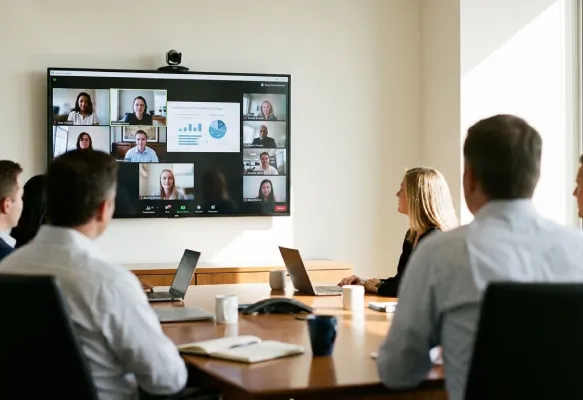
Professional displays play a key role in meeting rooms, making presentations, content sharing and collaboration easier. But how do you choose the right one? Explore our selection of the 10 best meeting room displays for 2026, from professional 4K monitors to interactive displays. Screen size, resolution, connectivity and collaboration features: compare the key specifications of each model to find the display that best suits your meeting space, requirements and budget.

Our winning trio
Number 1

65-inch interactive display with 4K resolution
Digital whiteboarding tools for notes and sketches
Well suited to workshops and collaborative meetings
Number 2
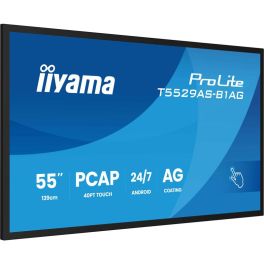
55-inch 4K display with up to 20 touch points
Android 14 with whiteboarding and screen-sharing features
HDMI and USB-C connectivity for external devices
Number 3
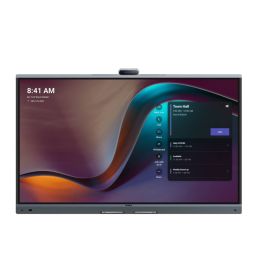
65" 4K UHD PCAP touchscreen with 20-point multi-touch support
Built-in 4K AI camera with auto framing and speaker tracking
Native Microsoft Teams Rooms support plus Zoom compatibility
Our complete ranking:
Best for interactive meetings
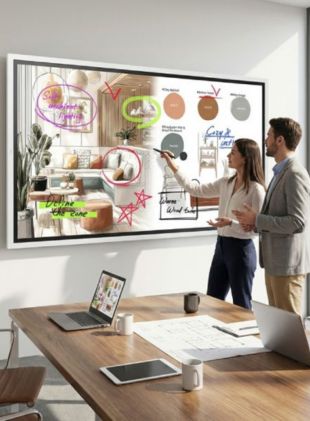
The Samsung Flip Pro WM65FX is a 65-inch interactive 4K display designed for meeting rooms where teams need to share ideas and work directly on screen. Its touchscreen makes it easy to write notes, sketch out concepts and annotate documents during discussions. With a large working area and digital whiteboarding features, it's particularly well suited to workshops, training sessions and collaborative meetings. By Sector
Manufacturing
Construction
Retail
Transportation & logistics
Hotels and restaurants
Public administrations
Education
Corporate and Office
Health and social action
Features
350 - 700 cd/m²
4K
65''
Touchscreen
Pros
65-inch interactive display with 4K resolution
Digital whiteboarding tools for notes and sketches
Well suited to workshops and collaborative meetings
Cons
Additional camera and audio equipment needed for video calls
Touchscreen features may be unnecessary for basic presentations
Best for small meeting rooms
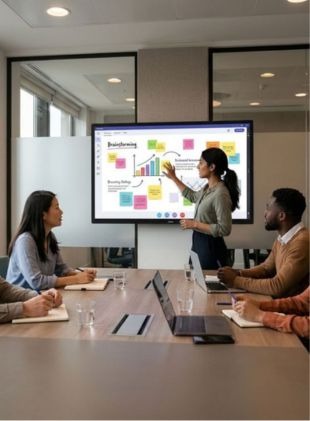
The iiyama ProLite T5529AS-B1AG is a 55-inch interactive 4K display designed for smaller meeting rooms and collaborative workspaces. Its PCAP touchscreen supports up to 20 simultaneous touch points, allowing several people to work together. Running Android 14, it includes digital whiteboarding and wireless screen-sharing features, while HDMI and USB-C connections make it easy to connect external devices. By Sector
Retail
Hotels and restaurants
Public administrations
Education
Corporate and Office
Features
350 - 700 cd/m²
4K
55''
Touchscreen
Pros
55-inch 4K display with up to 20 touch points
Android 14 with whiteboarding and screen-sharing features
HDMI and USB-C connectivity for external devices
Cons
55-inch screen may be too small for larger meeting rooms
15 W USB-C charging is insufficient for many laptops
Best for team collaboration
The Yealink Meeting Board 65 Pro is an all-in-one collaboration solution designed for modern meeting rooms and hybrid work environments. It combines a 65-inch 4K UHD touchscreen, a smart 4K camera and a professional audio system in a single device. The touchscreen offers smooth interaction thanks to multi-touch, ideal for annotating, sharing ideas or using the interactive whiteboard. The built-in camera automatically adjusts the framing and tracks speakers for more natural and engaging meetings. On the audio side, the built-in microphone array clearly picks up voices in the room, while the speakers ensure clear sound reproduction for all participants. Running on Android, the Meeting Board 65 Pro is compatible with major video conferencing platforms and enables wireless content sharing. By Sector
Manufacturing
Retail
Hotels and restaurants
Public administrations
Education
Corporate and Office
Health and social action

Features
350 - 700 cd/m²
4K
65''
Touchscreen
Pros
65" 4K UHD PCAP touchscreen with 20-point multi-touch support
Built-in 4K AI camera with auto framing and speaker tracking
Native Microsoft Teams Rooms support plus Zoom compatibility
Cons
Limited to Android 13 OS unless using optional OPS slot
Large size requires ample space and sturdy installation
May require additional setup for full integration with all conferencing systems
Best for presentations
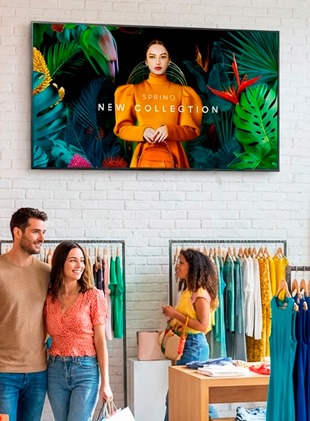
The Samsung QMC 65" is a professional display designed for continuous digital signage. With its 4K resolution and Dynamic Crystal Colour technology, it delivers remarkably sharp visuals and vibrant colours. Thanks to its ultra-slim design, measuring just 28.5 mm thick, it blends seamlessly into any space, whether in portrait or landscape mode. Designed for 24/7 operation, this display meets the demanding needs of reception areas, shops, meeting rooms, etc. The display can be controlled remotely, making it easy for businesses with a fleet of displays to manage and update content. By Sector
Retail
Hotels and restaurants
Public administrations
Education
Corporate and Office
Features
350 - 700 cd/m²
4K
65''
Non-touch
Pros
Delivers sharp, vivid images with excellent color accuracy.
I has multiple connectivity options:
Integrated Samsung MagicInfo for simple content scheduling and playback.
Cons
Lacks interactive features for touch-based applications.
Higher cost compared to other non-commercial monitors.

Best value for money
The iiyama ProLite LH6560UHS-B2AG is a professional 65-inch 4K display offering a practical combination of picture quality, connectivity and everyday reliability. With 500 cd/m² brightness and an anti-glare screen, it keeps presentations clear in well-lit meeting rooms. Three HDMI inputs, built-in Wi-Fi and Android 11 provide flexible ways to display content. Designed for 24/7 operation, it's equally suited to regular meetings and continuous information displays. By Sector
Manufacturing
Construction
Retail
Hotels and restaurants
Public administrations
Education
Corporate and Office
Health and social action

Features
350 - 700 cd/m²
4K
65''
Non-touch
Pros
65-inch 4K display with 500 cd/m² brightness
Three HDMI inputs, built-in Wi-Fi and Android 11
Designed for reliable 24/7 operation
Cons
No interactive touchscreen functionality
No USB-C video input for direct laptop connection

Best for compact spaces
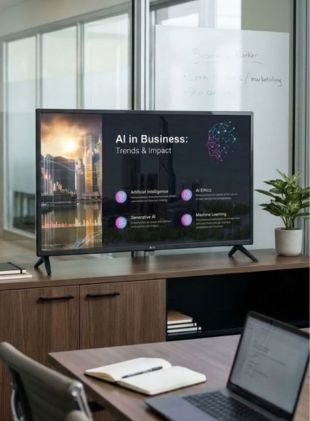
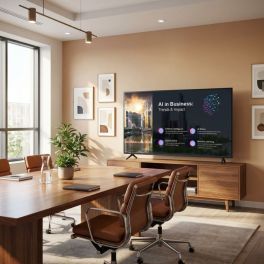
The LG 43PK640S is a compact 43-inch 4K display designed for small meeting rooms, private offices and spaces where a larger screen would be impractical. It runs webOS 25 and includes built-in Wi-Fi and screen-sharing capabilities, making it easy to display presentations and business content. With 270 cd/m² brightness and support for up to 16 hours of daily operation, it's a sensible choice for smaller rooms with controlled lighting. By Sector
Retail
Hotels and restaurants
Public administrations
Corporate and Office
Features
200 - 300 cd/m²
Ultra HD
43''
Non-touch
Pros
Compact 43-inch display with 4K UHD resolution
webOS 25 with Wi-Fi and screen-sharing features
Space-saving design for smaller meeting rooms
Cons
270 cd/m² brightness is less suitable for very bright rooms
43-inch screen may be too small for longer viewing distances
Best for large meeting rooms
The Newline Lyra Pro 75 is a 75-inch interactive 4K display designed for larger meeting rooms, training spaces and collaborative workshops. Running Android 13 with Google EDLA certification, it provides access to familiar Google services and interactive tools for everyday teamwork. Wi-Fi 6, Bluetooth 5.2 and USB-C connectivity make it easy to connect devices and share content, while the built-in 20 W speakers support presentations without additional audio equipment. It's a practical choice for businesses looking for a large touchscreen with flexible connectivity. By Sector
Hotels and restaurants
Public administrations
Education

Features
350 - 700 cd/m²
4K
75''
Touchscreen
Pros
75-inch interactive display with 4K UHD resolution
Android 13 with Google EDLA certification
Wi-Fi 6, Bluetooth 5.2 and USB-C connectivity
Cons
Large dimensions require sufficient installation space
Separate camera and microphones needed for video conferencing

Best all-in-one touchscreen
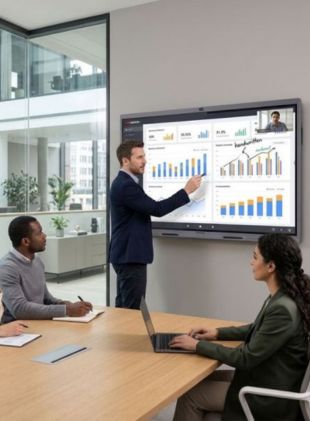
The Hikvision DS-D5C65RB/B2L brings interactive collaboration and video conferencing together in a single 65-inch 4K display. Its responsive touchscreen supports up to 50 simultaneous touch points, making it easy for several people to write, annotate and work on content together. A built-in 4K camera, eight microphones and integrated speakers support hybrid meetings, while WonderCast enables wireless screen sharing from up to nine devices. With 540 cd/m² brightness, Wi-Fi 6 and USB-C connectivity, it's a versatile choice for businesses looking to equip a modern meeting room without relying on multiple separate devices. By Sector
Public administrations
Education
Corporate and Office
Features
350 - 700 cd/m²
4K
65''
Touchscreen
Pros
65-inch 4K touchscreen with up to 50 touch points
Built-in 4K camera, eight microphones and speakers
Wireless screen sharing from up to nine devices
Cons
Optional Windows OPS module required for certain Windows-based workflows
65-inch screen may be too small for larger conference rooms
Best for sharing content
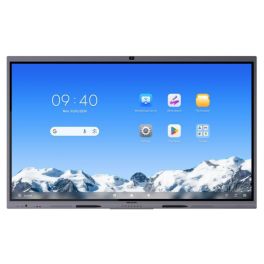
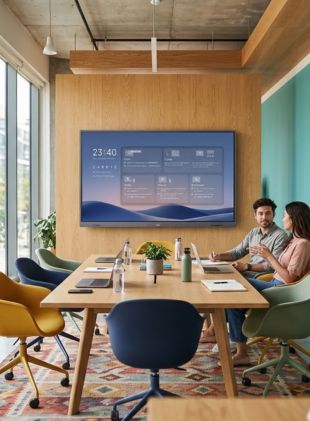
The MAXHUB ND65CMB is a professional 65-inch 4K display designed for meeting rooms and business content sharing. It offers 500 cd/m² brightness, Android 14 and a range of connections, including HDMI and USB-C with up to 65 W power delivery. This makes it convenient to connect a laptop and display presentations on the larger screen. Built-in Wi-Fi, Bluetooth and MAXHUB Pivot management support provide additional flexibility, while 24/7 operation makes it suitable for both meetings and digital information displays. By Sector
Retail
Hotels and restaurants
Public administrations
Education
Corporate and Office
Features
350 - 700 cd/m²
4K
65''
Non-touch
Pros
65-inch 4K display with 500 cd/m² brightness
Android 14 and USB-C with up to 65 W power delivery
24/7 operation and central management through MAXHUB Pivot
Cons
No touchscreen functionality for handwritten annotations
Separate camera and microphones required for video calls

Best large-format display
The LG CreateBoard 86TR3DQ is an 86-inch interactive 4K display designed for large meeting rooms, training sessions and collaborative presentations. Running Android 14 with Google EDLA certification, it supports up to 50 simultaneous touch points. With 400 cd/m² brightness, HDMI, DisplayPort and USB-C connectivity, plus digital whiteboarding tools, teams can work directly on content and share ideas more easily. Its generous screen size makes it particularly suitable for businesses running workshops and interactive meetings. By Sector
Hotels and restaurants
Public administrations
Education
Corporate and Office

Features
350 - 700 cd/m²
Ultra HD
86''
Touchscreen
Pros
86-inch interactive 4K display with up to 50 touch points
Android 14 with Google EDLA certification
HDMI, DisplayPort and USB-C connectivity
Cons
Weight of approximately 54 kg requires suitable installation
Large dimensions make it impractical for smaller meeting rooms

| 1 | 2 | 3 | 4 | 5 | 6 | 7 | 8 | 9 | 10 | |
| Brightness | 350 - 700 cd/m² | 350 - 700 cd/m² | 350 - 700 cd/m² | 350 - 700 cd/m² | 350 - 700 cd/m² | 200 - 300 cd/m² | 350 - 700 cd/m² | 350 - 700 cd/m² | 350 - 700 cd/m² | 350 - 700 cd/m² |
| Operating hours | 12h per day | 24h per day | 16h per day | 24h per day | 24h per day | 16h per day | 24h per day | 16h per day | 24h per day | 16h per day |
| Resolution | 4K | 4K | 4K | 4K | 4K | Ultra HD | 4K | 4K | 4K | Ultra HD |
| Screen Size | 65'' | 55'' | 65'' | 65'' | 65'' | 43'' | 75'' | 65'' | 65'' | 86'' |
| Touch functionality | Touchscreen | Touchscreen | Touchscreen | Non-touch | Non-touch | Non-touch | Touchscreen | Touchscreen | Non-touch | Touchscreen |
How did we select the best meeting room displays?
To put together this selection, the Onedirect team considered the key features that matter most in a business environment: screen size, resolution, brightness, connectivity and interactive features. We also looked at compatibility with video conferencing systems, ease of installation and the needs of different working environments.
Our Top 10 includes professional displays and interactive touchscreens for meeting rooms of all sizes, from compact spaces for quick catch-ups to larger rooms designed for team collaboration. Our aim is to help you compare the available options and choose the right display for your business.
FAQs – Frequently Asked Questions
What is the best display for a meeting room?
The best meeting room display depends on the size of your room and how you plan to use it. A professional 4K display may be all you need for presentations and video conferencing. If you want to annotate documents, share ideas and interact directly with content, an interactive display is a better choice. Connectivity, viewing comfort and budget are also important factors to consider.
What screen size should I choose for my meeting room?
For a small meeting room, a 43 to 55-inch display may be sufficient. In medium-sized rooms, 55 to 65-inch models generally offer a good balance between visibility and space. For larger meeting rooms, consider a 75 to 86-inch display or even bigger. Viewing distance and the type of content being displayed are also key factors when choosing the right size.
What is the difference between an interactive display and a standard professional display?
A standard professional display is primarily designed to show presentations, videos and content shared from a computer. An interactive display features a touchscreen that allows users to write, annotate documents and interact directly with on-screen content. This makes it particularly suitable for collaborative meetings, training sessions and brainstorming.
Is a 4K display worth it for a meeting room?
A 4K UHD display (3840 × 2160 pixels) is particularly useful for showing spreadsheets, charts and detailed documents. It provides sharper images than a Full HD display of the same size, provided the content supports the higher resolution. For larger screens and professional presentations, 4K is generally a worthwhile choice.
Are meeting room displays compatible with Microsoft Teams and Zoom?
Yes, many professional displays can be used with Microsoft Teams and Zoom when connected to a compatible computer or video conferencing system. However, a display alone is not usually enough for a complete video conferencing setup. You may also need a camera, microphones and speakers, although some meeting room systems already include these components.
What connectivity options should I look for in a meeting room display?
HDMI is essential for connecting a laptop or video conferencing system. A USB-C port can simplify connections by transmitting video and, depending on the model, charging your laptop at the same time. For collaborative meetings, also consider wireless screen sharing, USB ports and compatibility with your existing equipment.