My Cart



Professional Displays
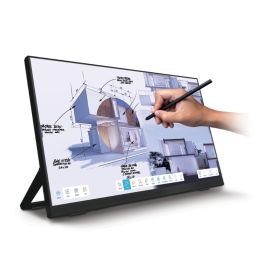
iiyama ProLite T2755QSC-B1 27-inch touchscreen
Call us for availability27-inch QHD touchscreen with IPS panel, PCAP technology and a USB-C port – ideal for retail, meeting rooms and point-of-sale applications.- Robust construction suitable for commercial environments
- 27-inch QHD IPS display: clear visuals and high level of detail
- 10-point PCAP touchscreen: precise and responsive interaction
- Edge-to-edge glass design: modern styling
- USB-C connectivity for video, data and power
- VESA 100 x 100 mm mount
- Connections: HDMI, DisplayPort and USB
£431.99 £518.39 Incl. VATRef: IIYT2755QSCCompare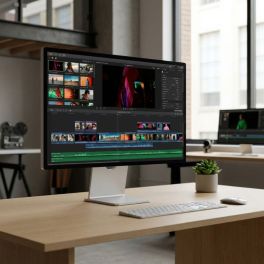
Apple Studio Display XDR 27-inch 5K with nano-textured glass
Call us for availabilityA 27-inch professional display with Retina XDR 5K, nano-textured glass and an adjustable stand, designed for editing, graphic design and advanced video collaboration.- Nano-textured glass: diffuses light to reduce glare and improve visibility
- 5K Retina XDR display: precise images, crisp text and exceptional detail
- High Dynamic Range Mini-LED: up to 1,000 nits in SDR and 2,000 nits in HDR
- 120Hz refresh rate with adaptive sync: smoother motion
- Colours: supports 1 billion colours, wide P3 and Adobe RGB colour gamuts
- Camera and audio: 12 MP camera with Centre Stage, 3 microphones and 6 high-fidelity speakers
- Stand tilts from -5° to +25°, height adjustable by 10.5 cm
£4,552.99 £5,463.59 Incl. VATRef: APMFEP4FDACompare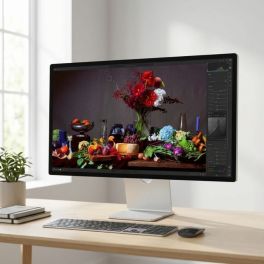
Apple Studio Display 27-inch 5K with standard glass, height-adjustable
Call us for availability27-inch Apple display with 5K resolution, standard glass, 12 MP camera, built-in audio system and an adjustable stand for Mac workstations.- Standard glass and 600 nits: designed for everyday professional use
- 27-inch 5K Retina display: crisp text, exceptional detail and precise display
- 12MP camera with auto-framing and overhead view
- Built-in audio and voice: 6 high-fidelity speakers and 3 studio-quality microphones
- Thunderbolt 5 and USB-C ports for peripherals, storage and accessories
- Stand tilts from -5° to +25° and is height-adjustable by 10.5cm
- All-in-one solution for productivity, content creation and hybrid collaboration.
£2,188.99 £2,626.79 Incl. VATRef: APMFEW4FDACompare
Pack Iiyama LH4360UHS 43-inch 4K Display + Wall Mount
Call us for availabilityIiyama 43‘ 4K UHD professional display bundle with a fixed wall mount (32–65’), ideal for digital signage installations in business environments. At Onedirect- Stunning 4K Resolution: Experience vibrant visuals at 3840 x 2160 pixels.
- Bright Display: With 500 cd/m² brightness, your content shines in any lighting.
- 24/7 Operation: Designed for constant use, ideal for high-traffic environments.
- Compatibility: screens from 32 to 75 inches
- Maximum load capacity: 100 kg
- Mount type: fixed
£608.95£516.99 £620.39 Incl. VATRef: IIYLH4360UHSB2AGSMCompare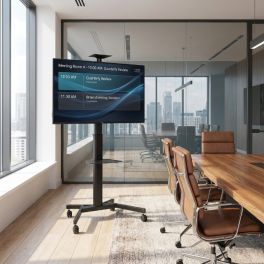
Pack iiyama ProLite LH4360UHS-B2AG 43-inch 4K Display + Vision VFM-F19 mobile stand
Call us for availabilityA package designed for professional 24/7 digital signage, featuring a 43-inch iiyama 4K display with portrait/landscape orientation and a Vision mobile stand with dual shelves and adjustable height.- Stunning 4K Resolution: Experience vibrant visuals at 3840 x 2160 pixels.
- Bright Display: With 500 cd/m² brightness, your content shines in any lighting.
- 24/7 Operation: Designed for constant use, ideal for high-traffic environments.
- Compatibility: screens from 31" to 80"
- Maximum load capacity: 50kg
- VESA compatibility: 200x200, 200x400, 300x300, 300x400, 350x350, 400x200, 400x300, 400x400, 600x400mm
£942.99£777.92 £933.50 Incl. VATRef: IIYLH4360UHSB2AGSSCompare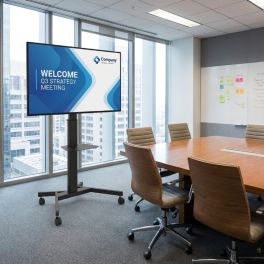
Pack iiyama LH5560UHS-B2AG 55-inch 4K Display + Vision VFM-F19 stand
Call us for availabilityA package designed for professional 24/7 digital signage, featuring a 55-inch iiyama 4K display with portrait/landscape orientation and a Vision mobile stand with dual shelves and adjustable height.- Usage: indoor digital signage
- Android 11: display without an external PC
- 55'' 4K UHD screen (3840 x 2160)
- Compatibility: screens from 31" to 80"
- Maximum load capacity: 50kg
- VESA compatibility: 200x200, 200x400, 300x300, 300x400, 350x350, 400x200, 400x300, 400x400, 600x400mm
£1,132.99£956.40 £1,147.68 Incl. VATRef: IIYLH5560UHSB2ASSCompare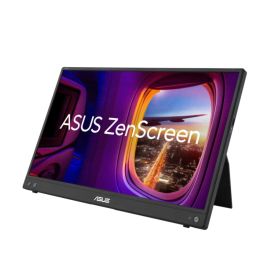
ASUS ZenScreen MB16AHV Portable FHD Monitor
Call us for availability15.6" Full HD portable monitor with USB-C and mini HDMI, ideal for remote working, presentations and productivity on the go.- 15.6" Full HD IPS display with a wide 178° viewing angle for crisp images and consistent colours
- Ultra-portable and lightweight design weighing just 0.91 kg, ideal for working on the move
- Versatile USB-C and mini HDMI connectivity compatible with laptops, tablets and consoles
- Integrated foldable stand with adjustable tilt for more comfortable use
- ASUS Eye Care technologies with blue light filter and Flicker-Free to reduce eye strain
- Splendid and GamePlus modes to optimise display settings based on content
- Compatible with dual-screen setups to boost professional productivity anywhere
£305.99 £367.19 Incl. VATRef: ASUMB16AHVCompare
Dell Pro 24 Plus P2425DE Monitor USB-C QHD
Call us for availability24-inch professional QHD monitor with a built-in USB-C hub, IPS panel and advanced ergonomic features, designed for modern workstations and business productivity.- 24" QHD professional monitor ideal for multitasking and advanced productivity
- Built-in USB-C hub with video, data and power transmission via a single cable
- 2560 x 1440 QHD resolution for crisp images and a larger workspace
- IPS panel with wide viewing angles for consistent colours and visual quality
- Full ergonomic adjustment with height, tilt, swivel and pivot
- Advanced professional connectivity with HDMI, DisplayPort, RJ45 and USB hub
- ComfortView Plus technology to reduce eye strain during prolonged use
£494.99 £593.99 Incl. VATRef: DELLP2425DECompare
HP Series 5 Pro 527pm QHD USB C Monitor
Call us for availability27-inch QHD USB-C conferencing monitor designed for professional environments with business-focused connectivity and collaboration features.- 27-inch QHD conferencing monitor designed for professional workspaces
- USB-C connectivity for simplified desktop integration
- Business-focused display solution for hybrid working environments
- Professional conferencing monitor for collaborative meetings and communication
- Part of the HP Series 5 Pro range for business users
- Designed for business customers requiring professional display performance
£369.99£356.99 £428.39 Incl. VATRef: HP527PMQHD27UKCompare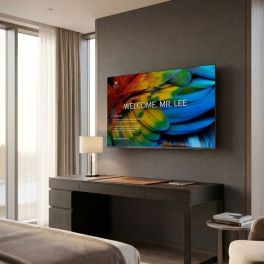
Philips 58HFL6214U Professional 4K Android Display
Call us for availability58-inch professional display with Android TV, built-in Chromecast and advanced remote management, designed for hotels, care homes, hospitals and corporate environments.- 58-inch 4K Ultra HD LED screen: crisp images and exceptional detail
- Built-in Android TV with access to the Google Play Store and business apps
- Built-in Chromecast: wireless sharing from smartphones, tablets and PCs
- Centralised remote management via CMND & Control, AppControl
- Customisable interface with logos, corporate colours and messages
- Extensive connectivity: Wi-Fi, Ethernet, HDMI 2.0, USB 3.0
£964.69£848.99 £1,018.79 Incl. VATRef: PH58HFL6214UTVCompare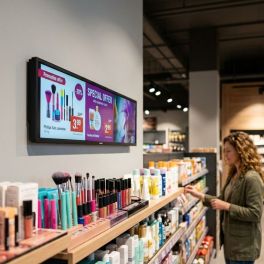
Philips 37BDL3050S 32:9 Stretch Signage Display
Call us for availabilityA 37" professional widescreen display with a 32:9 aspect ratio, 700 cd/m² brightness and 24/7 operation for digital signage in confined spaces.- 37" Stretch display with a 32:9 widescreen aspect ratio for high-impact digital signage.
- 1920 x 540 resolution optimised to display more information in less space.
- 700 cd/m² brightness for excellent visibility in bright environments.
- Built-in Android 8 to run applications and manage content directly from the screen.
- 24/7 operation designed for continuous digital signage applications.
- HDMI daisy chain connection to easily create multi-screen setups.
- Built-in media player with content playback from USB.
£1,108.99 £1,330.79 Incl. VATRef: PH37BDL3050SCompare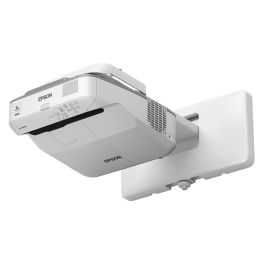
Epson EB-685W WXGA Ultra-Short-Throw Projector
Call us for availabilityA 3,500-lumen ultra-short-throw WXGA projector featuring 3LCD technology, designed for classrooms and collaborative spaces requiring large-format projection without shadows.- Screen sizes up to 100 inches for classrooms and collaborative spaces
- 3LCD WXGA technology: bright images and vibrant colours
- 3,500 lumens brightness: excellent visibility in well-lit rooms
- Ultra-short throw reduces shadows and glare
- Split-screen function to display multiple pieces of content simultaneously
- Optional wireless connectivity via the Epson iProjection app
- Long-life lamp lasting up to 10,000 hours in economy mode
£1,575.99£1,082.99 £1,299.59 Incl. VATRef: EPSEB685WCompare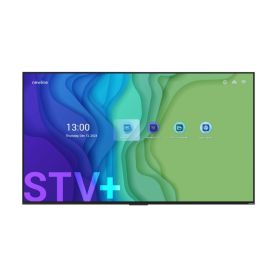
Newline STV-11524-Plus 115" 4K Smart Display
Call us for availabilityA 115-inch 4K commercial display with Android 14, wireless casting, 24/7 operation and enterprise management tools for large professional environments.- 115-inch 4K UHD display for impactful presentations, digital signage and large meeting spaces
- Android 14 operating system with enhanced performance, security and connectivity
- Newline Cast and Broadcast for wireless content sharing from Windows, macOS, Android and iOS devices
- 24/7 continuous operation designed for demanding professional environments
- Wide 178° viewing angle and high colour accuracy for clear visibility across large rooms
- Remote management features including IP Control, Wake-on-LAN and Wake-on-WiFi
- Integrated speakers and versatile connectivity for easy deployment in corporate and public spaces
£13,277.99 £15,933.59 Incl. VATRef: NEWSTV115UKCompare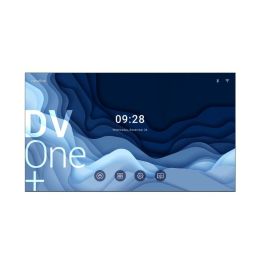
Newline DV-18924-Plus 189" All-in-One LED Display
Call us for availabilityA 189-inch all-in-one LED display with Full HD resolution, Android 13, wireless collaboration and front-access maintenance for large-scale professional presentations.- 189-inch all-in-one LED display designed for auditoriums, conference centres and large corporate spaces
- Full HD resolution with fine-pitch LED technology for clear and immersive viewing
- Android 13 operating system delivers a modern and intuitive user experience
- Newline Cast and Broadcast enable wireless content sharing from multiple device platforms
- Front-access maintenance design simplifies servicing and reduces downtime
- Integrated speakers provide powerful audio for presentations and events
- Professional connectivity and remote management support enterprise deployment and administration
£40,486.99 £48,584.39 Incl. VATRef: NEWDV189UKCompare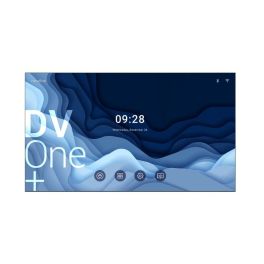
Newline DV-21624-Plus 216" All-in-One LED Display
Call us for availabilityA 216-inch all-in-one LED display with Full HD resolution, Android 13, wireless collaboration and front-access maintenance for large-scale professional communication.- 216-inch all-in-one LED display designed for auditoriums, conference venues and large corporate environments
- Full HD resolution with fine-pitch LED technology for detailed and immersive visuals
- Android 13 operating system delivers a modern and intuitive collaboration experience
- Newline Cast and Broadcast support wireless screen sharing from multiple device platforms
- Front-access maintenance design enables simplified servicing and reduced downtime
- Integrated speakers provide powerful audio for presentations and events
- Professional connectivity and remote management for seamless enterprise integration
£56,429.99 £67,715.99 Incl. VATRef: NEWDV215UKCompare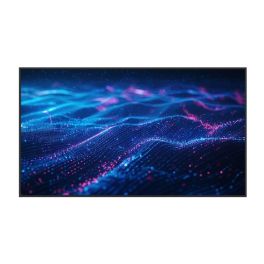
Newline DSX-5526 55" 4K Digital Signage Display
Call us for availabilityA 55-inch 4K digital signage display with 700-nit brightness, Android 14 and 24/7 operation, built for professional content delivery in commercial environments.- 55-inch 4K UHD display designed for professional digital signage and visual communication
- 700-nit brightness delivers clear and vibrant content in high-visibility environments
- 24/7 continuous operation for reliable performance in commercial installations
- Android 14 operating system with integrated Newline Signage Pro platform
- Portrait and landscape support for flexible deployment across multiple applications
- Wi-Fi 6, Bluetooth 5.2 and HDMI Out enable seamless connectivity and content distribution
- Advanced remote management features including LAN, RS232, Wake-on-LAN and Wake-on-WiFi
£928.99 £1,114.79 Incl. VATRef: NEWDSX55UKCompare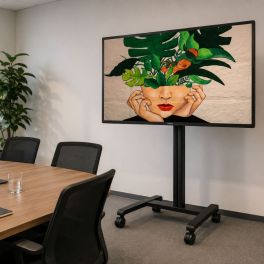
Pack Philips D-Line 43-inch Display + B-Tech BT7504 Mobile Stand
Call us for availabilityA complete set comprising a 43-inch Philips 4K digital display and a B-Tech mobile trolley – ideal for flexible presentations and professional digital signage applications.- 43" 4K professional display for continuous digital signage
- High brightness (500 cd/m²) with 178° wide-angle ADS panel
- 24/7 operation in landscape or portrait mode
- Mobile display trolley for screens up to 55 inches
- Maximum load capacity of 25 kg for small to medium-sized displays
- VESA compatibility up to 400 x 400 mm
£1,032.98£936.03 £1,123.24 Incl. VATRef: PH43BDL4511DBTSPCompare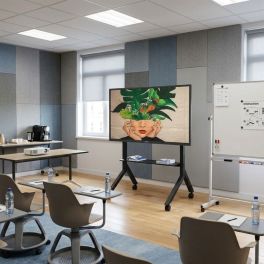
Pack Philips D-Line 75-inch 4K Display + B-Tech BT8545 Mobile Stand
Call us for availabilityA complete set comprising a 75" Philips D-Line 4K digital signage display and a B-Tech BT8545 mobile display trolley – ideal for large conference rooms and professional presentations.- 75" 4K professional display designed for high-traffic display environments
- Wide-angle ADS panel: optimal visibility and consistent colours
- 24/7 continuous operation in landscape or portrait mode
- Professional mobile stand for interactive screens and displays from 55" to 86"
- Maximum capacity of 100 kg for touchscreens and digital signage
- VESA compatibility up to 900x600 for professional AV installations
£2,587.98£2,315.37 £2,778.44 Incl. VATRef: PH75BDL465BTSPCompare
iiyama ProLite TN6505A 65 inch 4K Touch
Call us for availabilityProfessional 65-inch 4K touchscreen display without an operating system, featuring 40 touch points, USB-C and an OPS slot, designed for controlled IT environments.- 64.5-inch 4K UHD touchscreen for presentations, collaboration and interactive applications.
- Without an integrated operating system for high levels of IT control, easy management and security-critical environments.
- DeepContrast-IR+ touch technology with up to 40 touch points and an accuracy of ± 1 mm.
- Bright IPS panel with 500 cd/m², anti-reflective coating and antibacterial coating.
- USB-C port with 65 W for video, data, touch control and power delivery via a single cable.
- OPS slot compliant with the Intel OPS80 standard for flexible integration of a compatible plug-in PC.
- Extensive connectivity with HDMI, DisplayPort, VGA, USB-C, LAN, RS-232C and built-in speakers.
£1,372.99 £1,647.59 Incl. VATRef: IIYTN6505AB1AGCompare
ASUS 15.6" LED - ZenScreen MB16AHP portable Monitor
Call us for availabilityPortable 15.6-inch IPS monitor with Full HD, built-in 7,800 mAh battery, USB-C and Micro-HDMI for productive working on the move- 15.6-inch portable display: a compact secondary monitor for productive working on the move.
- Full HD IPS panel: 1920 × 1080 pixels and a 178° viewing angle
- Integrated 7800 mAh battery: enables up to 4 hours of mobile use
- Flexible connections: USB-C with DisplayPort Alternate Mode and Micro-HDMI
- Easy to carry: weighing just 860 g and with a housing depth of 9 mm
- Flexible orientation: switch between portrait and landscape mode.
- Eye-care technologies: TÜV-certified Flicker-Free and Low-Blue-Light technologies
£351.99£279.99 £335.99 Incl. VATRef: ASUMB16AHPCompare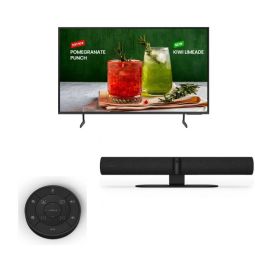
Samsung BED-H 65’’ + Jabra PanaCast 50 Black + Jabra PanaCast 50 Remote control
Pack with 65-inch 4K UHD LCD TV, All-in-one smart 4K video bar and remote control ideal for all meetings!- All-in-one video conferencing solution
- Designed for rooms of up to 10 people
- Remote control for the Jabra PanaCast 50
- Controls for volume, zoom, ...
- 65'' 4K UHD TV
- Business TV: allows scheduling and managing content remotely.
Call us for availability4.0 of 1 Reviews£2,015.49£1,619.87 £1,943.85 Incl. VATRef: GNPANA50SPUKCompare
Philips 32BDL4511D/00 D Line 32-inch FHD display
Call us for availability32-inch digital signage display with Full HD resolution, 400 cd/m² brightness, 24/7 operation, CMND & Control and FailOver for professional applications.- 32-inch Full HD digital signage display with 1920 x 1080 resolution
- 24/7 operation for continuous professional use
- 400 cd/m² brightness for clear, high-contrast content
- ADS panel with 178° viewing angle for consistent image display
- CMND & Control and SmartPlayer for centralised management and content planning
- Failover technology for automatic switchover in the event of signal failure
- Flexible installation in portrait or landscape format
£618.19£607.99 £729.59 Incl. VATRef: PHIL32BDL4511DCompare
iiyama ProLite T1732MSC-B1S
Call us for availability17" PC monitor with touchscreen capabilities and tilt options, perfect for all office tasks.- 43cm (17") PC monitor
- 5:4 display with 1280 x 1024px resolution
- 10-point touchscreen technology
- Scratch-resistant screen
- Two 1W speakers
- HDMI, DisplayPort, VGA, mini-jack: full connectivity
- Tiltable 90° forwards and 5° backwards
£350.00£349.99 £419.99 Incl. VATRef: IIYT1732MSCB1SCompare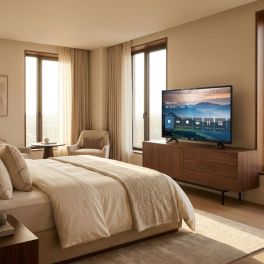
Philips 43HFL5114 43-inch Android Professional TV
43-inch Full HD professional Smart TV with Android TV, Chromecast, Netflix and the CMND platform, designed for hotels and residential properties.- Ideal for hotels, residential care homes, hospitals and university campuses
- 43-inch Full HD LED screen: detailed and bright images
- Android TV with Google Play Store: apps, streaming content and digital services
- Chromecast: wireless content sharing from PCs and mobile devices
- CMND & Control and CMND & Check-in for centralised management
- Built-in Netflix with direct access via the remote control
- Wi-Fi, LAN and IPTV: advanced professional connectivity
Call us for availability5 of 1 Reviews£695.99£465.99 £559.19 Incl. VATRef: PH43HFL5114Compare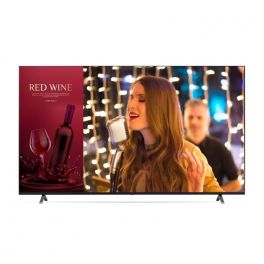
LG 65UN640S (UK)
Call us for availability65'' Ultra HD TV screen with slimmer design, Bluetooth and WiFi, ideal for broadcasting any multimedia content.- 65'' digital signage screen
- 4K UHD resolution
- High performance based on webOS
- 2 built-in speakers (10W each)
- Integrated content and group management
- Wifi and Bluetooth connections
- LG SuperSign CMS and Control: optimised management and control
- Slimmer design in ash blue (57.5mm)
- Compatible with Cisco
£810.00£759.99 £911.99 Incl. VATRef: LG65UN640SUKCompare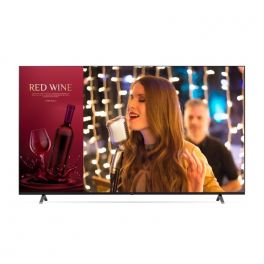
LG 75UN640S (UK)
Call us for availability75'' Ultra HD TV screen with slimmer design, Bluetooth and WiFi, ideal for broadcasting any multimedia content.- 75'' digital signage screen
- 4K UHD resolution
- High performance based on webOS
- 2 built-in speakers (10W each)
- Integrated content and group management
- Wifi and Bluetooth connections
- LG SuperSign CMS and Control: optimised management and control
- Slimmer design in ash blue (59mm)
- Compatible with Cisco
£1,196.00£1,004.99 £1,205.99 Incl. VATRef: LG75UN640SUKCompare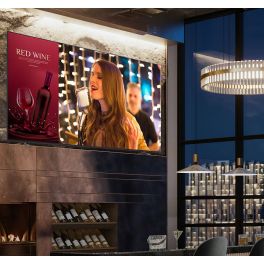
LG 86UN640S (UK)
Call us for availability86'' Ultra HD TV screen with slimmer design, Bluetooth and WiFi, ideal for broadcasting any multimedia content.- 86" digital signage screen
- 4K UHD resolution
- High performance based on webOS
- 2 built-in speakers (10W each)
- Integrated content and group management
- Wifi and Bluetooth connections
- LG SuperSign CMS and Control: optimised management and control
- Slimmer design in ash blue (59mm)
- Compatible with Cisco
£1,929.00£1,620.99 £1,945.19 Incl. VATRef: LG86UN640SUKCompare
Sony BRAVIA BZ40L 65’’
Call us for availabilityHigh-performance 4K HDR LED screen with Deep Black Non-Glare technology and 24/7 display, perfect for professional integration.- Special professional display: 24/7 operation
- 65'' panel with 4K UHD resolution
- HDR technology: sharp, detailed images
- Deep Black Non-Glare technology to minimise reflections
- Integrated Android TV with support for Google Meet
- 32GB storage for applications and content
- HDMI (x4), USB and LAN connections
£1,800.00£1,549.99 £1,859.99 Incl. VATRef: SOFW65BZ40LCompare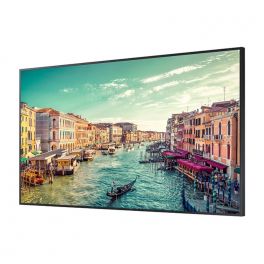
Samsung QB98T-B
Call us for availabilityGiant 4K screen with intelligent scaling and anti-reflective treatment, ideal for 24/7 professional display.- Dynamic display
- XL size: 98 inches
- 4K UHD resolution
- anti-glare and UHD scaling
- Indoor use: brightness of 350 nits
- Ultra-thin edges: space-saving
- Continuous operation: 24/7
- Perfect for airports, railway stations, businesses etc.
£7,770.39£4,357.99 £5,229.59 Incl. VATRef: SAQB98TBUKCompare
Newline Elara 75 Pro 75" 4K Touch Display
Call us for availabilityProfessional 75-inch interactive display with 4K UHD resolution, Android 13 with Google EDLA, advanced multi-touch technology, and integrated 4K camera.- 75" professional interactive display for meeting rooms and classrooms
- 4K UHD resolution (3840 x 2160) for accurate viewing
- Android 13 with Google EDLA certification and access to Google Play
- High-precision Stellar Touch (IR) multi-touch technology
- 4K AI ModCam+ camera and integrated microphones for video conferencing
- Designed for continuous professional use in collaborative environments
£2,324.99 £2,789.99 Incl. VATRef: NEWTT7523QCACompare
Newline Lyra Pro 98''
Call us for availabilityInteractive touch display with Wifi and Bluetooth and native Google EDLA certification- Interactive touch display
- Memory: 128 GB / 8 GB RAM
- Wifi 6 & Bluetooth 5.2
- Plug & play USB-C connection
- Android 13 OS
- 4K resolution
- 178° viewing angle
- Integrated 20W speakers
£5,394.99 £6,473.99 Incl. VATRef: NEWLYPRO98UKCompare
PHILIPS 75BDL4003H
Call us for availability75-inch digital signage display with high brightness (3000 cd/m²), designed for 24/7 use in bright environments such as shop windows, retail outlets and public spaces.- 75" Ultra HD 4K display for crisp, detailed images
- 3000 cd/m² brightness ideal for very bright environments
- 24/7 operation for continuous professional applications
- IPS panel with a wide 178° viewing angle
- Integrated OPS slot for PCs and Android modules
- Automatic failover for content continuity
- Remote control and network management via LAN, RS232 and IR
£7,060.89£6,042.99 £7,251.59 Incl. VATRef: PH75BDL4003HCompare
iiyama T4362AS-B1
Call us for availabilityInteractive Signage Display for Modern Environments- Interactive flat panel design
- 4K Ultra HD resolution (3840 x 2160)
- 42.5" (108 cm) IPS display with 500 cd/m² brightness
- 24/7 operational capacity
- Multi-touch PCAP touchscreen technology
- Built-in Android 8.0 processor
- Seamless integration in vertical and horizontal orientations
£1,006.99 £1,208.39 Incl. VATRef: IIYT4362ASCompare
MAXHUB V6550 XBoard V7 65" Collaborative Display
Call us for availability65" all-in-one collaborative display with 4K UHD display, triple camera, intelligent audio for advanced video conferencing.- Usage: meeting rooms, videoconferencing, hybrid collaboration
- 65-inch 4K UHD surface: high colour accuracy
- Triple 50 MP camera with automatic framing and tracking
- Infrared touchscreen with 50 simultaneous touch points
- Anti-glare coating: optimal visibility
- 2.1 smart audio: 16-microphone array and AI processing
- BYOM features: MAXHUB Share, wireless dongle or USB-C
- MAXHUB MT71 OPS module required
£2,367.99 £2,841.59 Incl. VATRef: MAXHV6550Compare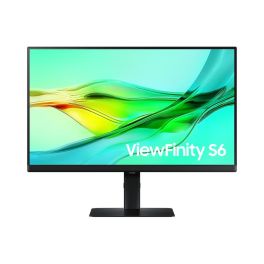
Samsung ViewFinity S6 S24D600UAU 24 Inch QHD Monitor
Call us for availability24" QHD IPS monitor with USB-C connectivity and ergonomic stand, designed for professional workspaces requiring clarity, comfort and efficient multitasking.- 24-inch QHD resolution for sharp detail and improved workspace productivity
- IPS panel technology ensures consistent colours and wide viewing angles
- USB-C connectivity for video, data and device charging via a single cable
- Ergonomic adjustable stand with tilt, swivel and height adjustment
- Eye comfort features, including flicker-free and low blue light mode
- Multiple inputs including HDMI and DisplayPort for flexible setups
£249.99£207.99 £249.59 Incl. VATRef: SALS24D600UAUXXUCompare
iiyama ProLite TF2234MC-B7X 21.5'' Touchscreen Monitor
Call us for availabilityElevate your interaction with the iiyama touch monitor.- Engaging Touch Experience - Multi-user capabilities enhance interactivity.
- Sharp Full HD Display - 1920 x 1080 resolution delivers vibrant visuals.
- Durable Scratch Resistance - Glass overlay ensures longevity and clarity.
- Robust IP65 Rating - Dust and water resistance for reliable usage in various environments.
- Versatile Connectivity Options - Features multiple ports including HDMI and DisplayPort for broad compatibility.
£462.37£393.99 £472.79 Incl. VATRef: IIYTF2234MB7XCompare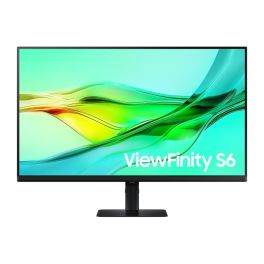
Samsung ViewFinity S60UD 32'' QHD Monitor
Call us for availability32-inch QHD professional monitor with USB-C connectivity, IPS panel and ergonomic design, ideal for productivity and multi-device workspaces.- 32” QHD display : sharp 2560 x 1440 resolution for detailed work
- IPS panel : consistent colours and wide viewing angles
- USB-C connectivity : video, data and charging via one cable
- 100Hz refresh rate : smoother visuals and improved comfort
- Ergonomic stand : height, tilt, swivel and pivot adjustments
- Multiple inputs : HDMI, DisplayPort and USB hub
- Eye comfort features : reduced blue light and flicker-free
£319.99£299.99 £359.99 Incl. VATRef: SALS32D600UAUXXUCompare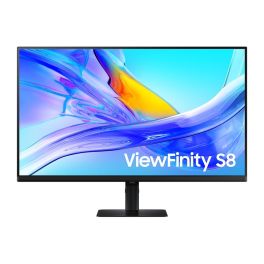
Samsung ViewFinity S80UD 27'' 4K USB-C Monitor
Call us for availability27-inch 4K UHD monitor with USB-C connectivity, IPS panel and ergonomic stand, designed for professional productivity and clean desk setups.- 27” 4K UHD display : sharp 3840 x 2160 resolution for detailed work
- IPS panel : consistent colours with wide viewing angles
- USB-C connectivity : video, data and charging via one cable
- HDR10 support : improved contrast and image depth
- Easy Setup Stand : tool-free installation and ergonomic adjustments
- Integrated USB hub : connect peripherals directly to the monitor
- Eye comfort features : flicker-free and low blue light mode
£362.99£299.99 £359.99 Incl. VATRef: SALS27D800UAUXXUCompare
Samsung S4 S40GD 27'' FHD IPS Monitor
Call us for availability27-inch Full HD monitor with IPS panel and 100Hz refresh rate, designed for smooth performance and everyday professional productivity.- 27” Full HD display : 1920 x 1080 resolution for daily tasks
- IPS panel : consistent colours and wide viewing angles
- 100Hz refresh rate : smoother visuals and improved comfort
- Ergonomic stand : height, tilt, swivel and pivot adjustments
- Multiple connectivity : HDMI and DisplayPort inputs
- Eye comfort features : flicker-free and Eye Saver Mode
- Slim bezel design : suitable for multi-monitor setups
£129.99£117.99 £141.59 Incl. VATRef: SALS27D406GAUXXUCompare
Neat Board 50
Call us for availability50'' touchscreen with a 50 MP high-resolution camera and flawless audio for perfect collaboration that will transform your meetings.- 50'' capacitive multi-touch LCD screen
- Ultra HD 4K with 3840 × 2160 resolution
- Anti-glare and anti-fingerprint coating with 7H glass surface
- 50 MP camera with 113° field of view
- Adaptive group framing, dynamic individual framing and speaker tracking
- Supports connection to a second screen
- Built-in sensors for ambient light, temperature, humidity, and air quality
- Table stand included
£5,229.99£4,384.99 £5,261.99 Incl. VATRef: NEATBOARD50SECompare
Characteristics and Core Functions
Professional displays represent a specialised category of visual technology engineered specifically for commercial and institutional applications. Unlike consumer-grade screens, these solutions offer enhanced durability, extended operational lifespans, and advanced features tailored to business-critical deployments. Commercial LED displays and professional digital signage systems provide exceptional visual clarity whilst maintaining reliable performance throughout continuous daily operation.
| Brightness (nits) | High-brightness panels (typically 350–700 nits, up to 2,500+ for outdoor) ensure excellent visibility even in brightly lit environments such as retail spaces and reception areas |
| Resolution (Full HD / 4K / 8K) | Higher resolutions deliver crisp, detailed imagery essential for corporate presentations, detailed product displays, and professional content |
| Panel Technology (IPS / VA) | IPS panels provide wide viewing angles ideal for collaborative spaces, whilst VA technology offers superior contrast for immersive visual experiences |
| Connectivity Options | Multiple inputs, including HDMI, DisplayPort, USB-C, and LAN connectivity, ensure compatibility with various content sources and network management systems |
| 16/7 or 24/7 Operation | Commercial-grade components support extended or continuous operation without performance degradation, crucial for digital signage and public information displays |
| Remote Management | Network-based control and monitoring capabilities enable centralized administration across multiple locations, reducing maintenance overhead |
| Touch Functionality | Interactive touch options transform displays into engagement tools for wayfinding, self-service, and collaborative applications |
How to Select the Right Display for Your Requirements
- OKScreen Size and Viewing Distance: Select dimensions based on audience proximity and viewing angles; larger formats (55"–98") suit lobbies and auditoriums, whilst moderate sizes (32"–43") work well in meeting rooms and smaller retail spaces.
- OKBrightness and Ambient Lighting: Assess the lighting conditions in your installation environment; high-brightness displays (500+ nits) perform optimally in window-facing areas or brightly illuminated retail settings.
- OKResolution and Content Type: 4K and 8K displays prove essential when showcasing detailed product imagery, architectural visualisations, or high-definition corporate content.
- OKConnectivity and Integration: Verify compatibility with existing AV infrastructure, content management systems, and network architecture; prioritise displays offering your required input types and network protocols.
- OKOperational Schedule: Match the display's operational rating (16/7, 24/7) to your intended usage pattern; continuous-operation models feature enhanced cooling and component longevity.
- OKInteractive Functionality: Determine whether touch capability enhances your application; touchscreen displays excel in wayfinding, interactive presentations, and self-service scenarios.

Applications Across Professional Environments
Professional displays serve critical communication and information functions throughout diverse business sectors. In corporate environments, these solutions facilitate dynamic presentations during board meetings, enhance videoconferencing experiences with crystal-clear visuals, and support collaborative workflows through interactive touchscreen technology.
Modern offices deploy professional displays in reception areas to project brand messaging and visitor information, whilst internal signage networks keep employees informed across multiple locations.
The retail sector leverages commercial LED displays and professional digital signage to create compelling customer experiences, from shop window displays that capture attention to in-store screens highlighting promotions and product features.
Educational institutions use large-format touchscreens to support collaborative learning and deploy high-resolution displays in lecture halls to ensure content visibility.
In healthcare, screens communicate patient information, wayfinding guidance, and health education content, while transport hubs, public institutions, and hospitality venues rely on robust, always-on displays for passenger information, schedules, and guest services.
Why Partner with Onedirect?
Onedirect specialises in providing professional display solutions backed by comprehensive technical expertise and reliable supply chain management. Our permanent stock availability helps projects stay on schedule, whilst fast delivery reduces installation lead times.
As an official reseller of leading brands including Samsung, LG, Sony, Philips, and Iiyama, we guarantee authentic products with full manufacturer warranties and support. Our team provides expert technical guidance across display technologies, connectivity standards, and integration requirements, whether for a single meeting room or a multi-site digital signage rollout.
Beyond initial supply, our after-sales service supports troubleshooting and warranty administration to keep your display infrastructure delivering reliable performance throughout its operational lifespan.
FAQ – Frequently Asked Questions
What is the difference between a professional display and a consumer TV?
Professional displays are designed for commercial use, offering stronger components, longer lifecycles, and duty-cycle ratings such as 16/7 or 24/7 operation. They also provide enhanced thermal management, professional connectivity options, and remote management features not typically found on consumer televisions.
What brightness level do I need for a professional display?
Brightness requirements depend on ambient light. Standard offices and meeting rooms typically require 350–500 nits, while retail environments or window-facing installations benefit from 500+ nits. Outdoor or direct-sunlight applications require significantly higher brightness levels.
Is 4K necessary for business displays?
4K is not mandatory for all applications but is recommended for large screens, close viewing distances, or content with fine detail such as product imagery, dashboards, or design visuals. Full HD remains suitable for many presentation and signage use cases.
How do I choose between 16/7 and 24/7 operation?
Choose a 16/7 display for standard business hours and occasional extended use. Select a 24/7 model for environments where screens must remain on continuously, such as transport hubs, hospitals, or always-on digital signage networks.
Can professional displays be managed remotely?
Yes. Many professional displays support network-based management via LAN or WiFi, allowing centralised control of settings, monitoring of screen status, scheduling, and content updates across single or multiple locations.
Related Resources
Digital Signage Display Icon Touchscreen Displays Icon Meeting Room Displays Icon
Show more filters