My Cart



Meeting Room Displays
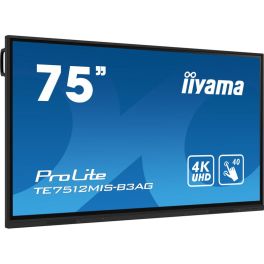
iiyama ProLite TE7512MIS-B3AG
Discontinued75'' touchscreen display with 4K resolution, Android 11, and WiFi – designed to engage teams with stunning visuals.- Collaborative meetings and lessons: touchscreen surface
- 190.5 cm (75") screen
- Stunning 3840 x 2160 resolution
- Anti-glare IPS technology
- PureTouch IR touch: precision of ±1.5 mm
- Speakers: 2 x 16W
- 24/7 operation
- VESA mounting: 800 x 400 mm
Check similar productsRef: IIY7512MISB3AGCompare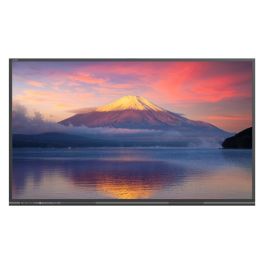
Newline 65'' C Series Plug and Play Touch Display
DiscontinuedEnhance your meetings with stunning 4K clarity.- No On-board OS: Connect easily with your devices without worrying about software installations.
- Ultra Bright Display: Enjoy clear visuals even in bright environments with 400 cd/m² brightness.
- 4K UHD Resolution: Experience sharp and vivid images with a stunning 3840 x 2160 resolution.
- Up to 40 Points of Touch: Collaborate effortlessly with multiple users interacting simultaneously.
- OPS Capable: Expand functionality with an optional powerful on-board computer module.
Check similar productsRef: NEWTT6523CUKCompare
Newline 65'' Vega Touch Panel
DiscontinuedAll-in-one 65" display with edge-to-edge glass, 4K camera, Android 11, PCAP touch, and 100W USB-C!- 4K UHD resolution
- PCAP touch with optical bonding
- 2 x passive pens included
- Anti-glare antimicrobial glass
- 20W x2 front speakers
- 15W rear subwoofer
- Built-in 4K camera
- 8-microphone array
Check similar productsRef: NEWTT6522ZUKCompare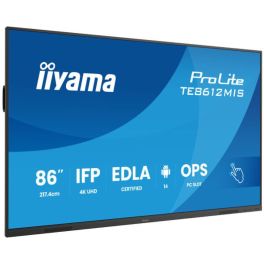
iiyama ProLite TE8612MIS-B4AG
Discontinued86'' 4K UHD interactive touch screen with PureTouch-IR, Android 14 & USB-C Power Delivery.- 86-inch 4K UHD VA panel with Direct-LED
- 40 touch points with PureTouch-IR, ±1.5 mm accuracy
- Thin bezels and zero-gap air bonding glass
- Android 14 / iiWare 13E including Google EDLA & DMS
- USB-C with 65 W Power Delivery & Display/Touch/Audio support
- Front-facing integrated speakers (2 × 16 W)
- 24/7 operation with fanless design
- Wide range of connectivity options: HDMI, DisplayPort, VGA, RJ-45, USB ports
Check the alternative productRef: IIYTE8612Compare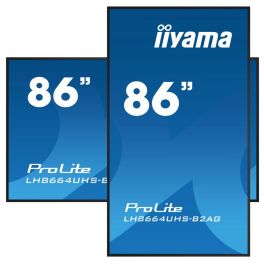
iiyama ProLite LH8664UHS-B2AG
Discontinued- Indoor display: 500 cd/m² brightness
- 86" screen (2.18 m)
- 4K Ultra HD image processing
- 32W built-in speakers
- Android 11: enhanced customisation
- iiSignage² technology: simplified content management
- 24/7 continuous operation
- Extensive connectivity with Wi-Fi, HDMI, DisplayPort, and more
- VESA mount: 800 x 600mm
Check the alternative productRef: IIYLH8664UHSB2Compare
iiyama ProLite TE8612MIS-B3AG
Discontinued4K Touchscreen for Education and Business with Built-in Speakers, User Profiles, and iiyama Share.- Screen designed for education and professional collaboration
- 86" 4K display
- 40-point touchscreen: works with stylus, finger, or glove
- Anti-glare coating
- Two built-in 16W speakers
- Wi-Fi (OWM002 module included) and Bluetooth supported
- iiWare 10 (Android OS)
- iiyama Share: share content via AirPlay, Miracast, and ChromeCast
Check similar productsRef: IIYTE8612MISB3AGCompare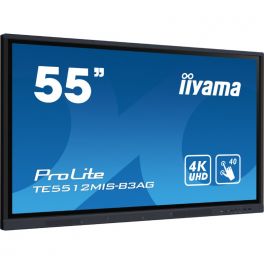
IIyama ProLite TE5512MIS-B3AG
Discontinued4K Touchscreen Display for Education and Business with Speakers, 64GB Internal Storage, User Profiles, and iiyama Share.- Display Designed for Education and Professional Collaboration
- 55'' IPS Surface with 4K Display
- 40-Point Touch Capability via Stylus, Finger, or Glove
- Anti-Glare Coating
- 2 x 16W Speakers
- Extended Internal Memory: 64GB
- Supports WiFi (OWM002 module included) and Bluetooth
- iiWare 10 (Android OS): Downloadable Apps
- iiyama Share: Content Sharing via AirPlay, Miracast, and ChromeCast
Check similar productsRef: IIYTE5512MISB3AGUKCompare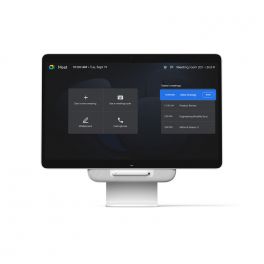
Avocor Google Meet One Desk 27''
DiscontinuedAll-in-one solution: meeting screen, interactive whiteboard, monitor and laptop docking station.- Versatile 27" touchscreen
- Optimised for Google Meet, compatible with other services
- Tiltable for whiteboard use
- One-touch meeting start
- USB-C connection for laptop
- Integrated camera, microphone and TrueVoice® audio
- Google AI voice commands (coming soon)
- Google licence required for activation
Check similar productsRef: AVOMEET27Compare
iiyama ProLite TE8614MIS-B2AG
Discontinued86'' 4K UHD interactive display with PureTouch-IR+ technology, WiFi, and Google EDLA certification – perfect for seamless collaboration- Display for education and professional collaboration
- 86'' surface with 4K UHD screen
- Supports up to 50 touch points
- WiFi and Bluetooth connectivity
- iiWare 12E system based on Android 13
- Anti-glare coating and tempered glass
- Built-in speakers and 8-array microphone
- Horizontal and vertical display orientation
Check similar productsRef: IIYTE8614MISB2AGCompare
BenQ Board Master RM6504
Discontinued65'' BenQ Board Master RM6504 interactive 4K display, bright, touch-responsive, and built for smarter, more engaging classrooms.- 65'' 4K UHD interactive display for education
- Infrared touch with up to 50 touchpoints
- 450 nits brightness and wide 178° viewing angle
- Dual speakers and subwoofer for clear classroom audio
- EZWrite whiteboard software for real-time collaboration
Check similar productsRef: BENQRM6504MCompare
Newline C Series 86” 4K Touch Display
DiscontinuedProfessional 86-inch interactive display with 4K UHD resolution, Stellar Touch technology and USB-C connectivity, designed for education and collaboration with PCs or OPS.- 86" interactive display for large classrooms and meeting rooms
- 4K UHD resolution for crisp, detailed content
- Stellar Touch technology with up to 40 simultaneous touch points
- No operating system, ideal for use with external PC or OPS
- Plug & Play USB-C connectivity for audio, video, data and touch
- Integrated front speakers 15 W x2
Check the alternative productRef: NEWLTT8623CCompare
Iiyama ProLite TE7514MIS-B2AG
Discontinued75" 4K interactive display with ultra-precise touchscreen technology and iiWare 12E – perfect for meetings and education.- Touchscreen designed for education and business use
- 75" display with 4K UHD resolution
- PureTouch-IR touch technology: millimetre-level precision
- 4 built-in speakers and 8 integrated microphones
- iiWare 12E: built-in web browser, cloud access, and WPS Office
- Continuous 24/7 operation
- Supports AirPlay, Chromecast, and Miracast
Check the alternative productRef: IITE7514MISB2AGCompare
Newline 75'' C Series Plug and Play Touch Display
DiscontinuedTransform your collaboration with stunning 4K clarity.- No On-board OS - Connect your preferred devices without complexity.
- Ultra Bright Display - Enjoy vibrant visuals even in well-lit environments.
- 4K UHD Resolution - Experience exceptional clarity and detail during meetings.
- Up to 40 Points of Touch - Facilitate collaboration by supporting multiple users simultaneously.
- Plug & Play Design - Set up quickly to maximise productivity in any environment.
Check similar productsRef: NEWTT7523CUKCompare
Characteristics and Core Functions
Meeting Room Displays are built to run for extended hours in corporate settings while maintaining image consistency and reliable connectivity. They are designed to work closely with videoconferencing peripherals and presentation tools to minimise friction for end users.
| 4K UHD resolution | Fine detail in slides, spreadsheets and remote participant feeds improves comprehension for all attendees |
| Brightness tuned for office environments | Panels are calibrated for meeting rooms with mixed daylight and artificial lighting, reducing reflections and eye strain |
| HDMI / USB-C / LAN connectivity | Multiple input options support varied devices and enable neat cabling solutions, including single-cable laptop connections |
| UC platform compatibility | Displays integrate with room systems for Teams, Zoom and Meet, simplifying installation and ongoing use |
| Wireless mirroring and smart functions | Built-in casting features reduce setup time and allow rapid content sharing without additional hardware |
| Anti-glare surfaces | Reflections are minimised, ensuring that information remains readable from different positions in the room |
| 16/7 operational rating | Designed to cope with frequent daily use in busy organisations without reliability concerns |
How to Select the Right Meeting Room Display
- OK Room dimensions and layout – Assess seating distance and wall space to determine suitable screen size and mounting height.
- OK Collaboration style – Identify whether meetings are presentation-led, discussion-based or workshop-orientated to weigh up standard versus interactive displays.
- OK Videoconferencing approach – Decide if the display will be part of an all-in-one room system or paired with separate cameras and audio devices.
- OK Connectivity strategy – Consider cable routing, table boxes and the need for USB-C or BYOD scenarios.
- OK Future expansion – Ensure the chosen model series offers consistency if additional rooms will be added over time.
- OK Mounting options – Confirm whether fixed wall mounts or mobile stands best support your meeting space usage patterns.
Applications Across Professional Environments
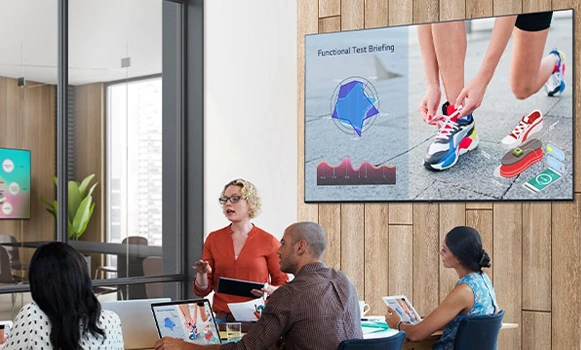
In internal meeting rooms, these displays form the focal point for team updates, project reviews and departmental briefings. Clear imagery and dependable connectivity help keep sessions on schedule and prevent time being lost to technical issues.
Boardrooms and executive suites use premium displays to support strategic presentations, financial reviews and high-level client engagements, where visual clarity and a professional appearance are paramount. Hybrid collaboration spaces rely on Meeting Room Displays to show remote participants, shared content and whiteboards simultaneously.
Training rooms and innovation labs employ these screens as the primary visual interface for workshops, skills development and interactive sessions with distributed teams.
Why Partner with Onedirect?
Onedirect offers a curated range of Meeting Room Displays from manufacturers including Samsung, iiyama, Sony and Maxhub. Our strong stock positions and efficient logistics allow you to align delivery schedules with fit-out timelines and room availability.
Our experts help match display specifications to your room typologies, videoconferencing stack and presentation needs. We take into account brightness, mounting, cabling and compatibility with existing equipment so that installations run smoothly.
After implementation, our support services remain available for replacement units, additional rooms or upgrades as your collaboration strategy develops.
FAQ – Frequently Asked Questions
What size display is best for a meeting room?
The ideal size depends on room dimensions and viewing distance. Small rooms typically suit 43–55 inch displays, while medium and large rooms often require 65 inches or more for clear visibility.
Are meeting room displays compatible with Teams and Zoom?
Yes. Professional meeting room displays are designed to integrate with common UC platforms such as Microsoft Teams, Zoom and Google Meet, either via room systems or connected devices.
Is USB-C connectivity important in meeting rooms?
USB-C enables single-cable connections for power, video and audio, simplifying setup and supporting BYOD environments where users bring their own laptops.
Do meeting room displays need anti-glare coatings?
Yes. Anti-glare surfaces help reduce reflections from windows and lighting, ensuring content remains readable from all seating positions.
Can meeting room displays be used for digital signage when rooms are idle?
Many professional displays support signage or information display modes, allowing rooms to show schedules, announcements or branding when not in use.
Related Resources
Meeting Room Touchscreen Displays Icon LED / LCD Displays Icon Meeting Room Kits Icon
Show more filters