
My Cart



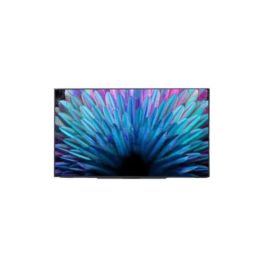
Yealink MD55 55 Inch 4K MeetingDisplay
Internal ref: YEALMD55 // Manufacturer part #: 1203708
Equip smaller Microsoft Teams Rooms with a 55-inch 4K display offering 24/7 operation, synchronised device control and integrated MCore mounting.
NEW
£844.99
£1,013.99 Incl. VAT
2 years of manufacturer warranty Subject to manufacturer conditions
Pay in 3 interest-free payments of Show more

Key features
- 55-inch 4K UHD IPS display: 3840 × 2160 resolution, 500 cd/m² brightness and anti-glare coating for professional meeting rooms
- Designed for Microsoft Teams Rooms: Integrates with compatible Yealink MeetingBar, UVC camera and MCore systems
- 24/7 operation: Continuous-use rating for meeting spaces requiring extended display availability
- Unified device coordination: Synchronised power, sleep/wake functions and digital signage switching with compatible Yealink MTR equipment
- Flexible content sharing: 3 HDMI 2.1 inputs, AirPlay, Miracast and optional Yealink Wireless Presentation Pod
- Integrated connectivity: Dual Gigabit Ethernet ports, WiFi 6, Bluetooth 5.1 and 2 × 12W speakers
- Centralised administration: YMCS/YDMP management, console-based configuration and integrated mounting provisions
In the box
- Yealink MD55 MeetingDisplay
- Cable pack
- 3m AC power cable
- 3m CAT5E network cable
- Quick Start Guide
- Cable ties
- Infrared remote control
- AAA batteries × 2
- MCore mounting bracket
Product range:


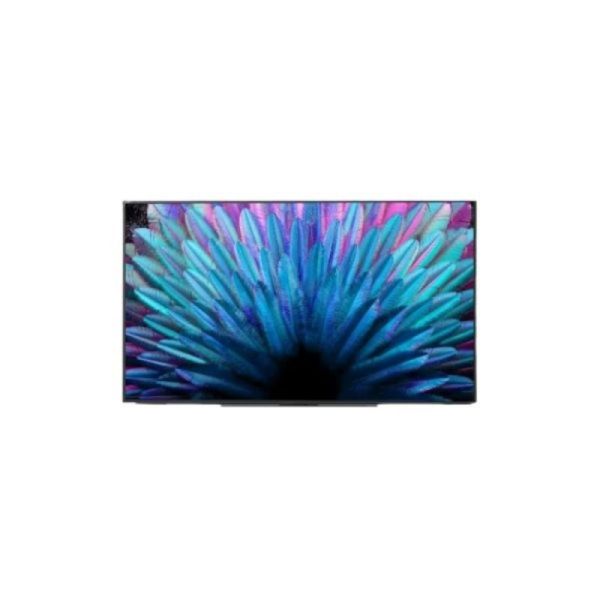
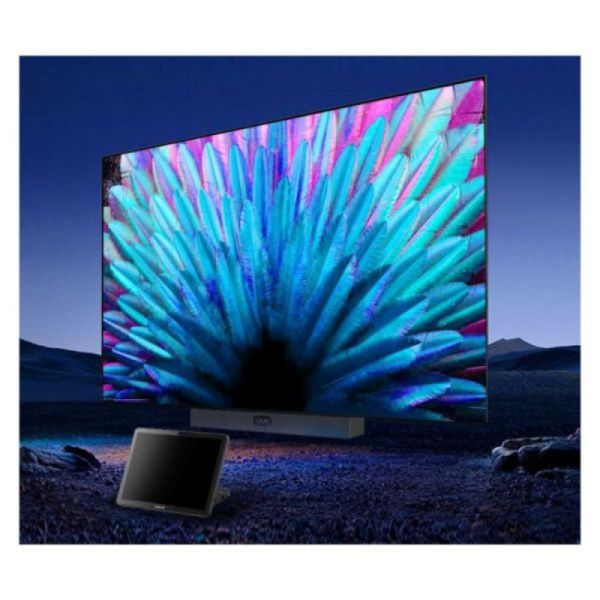
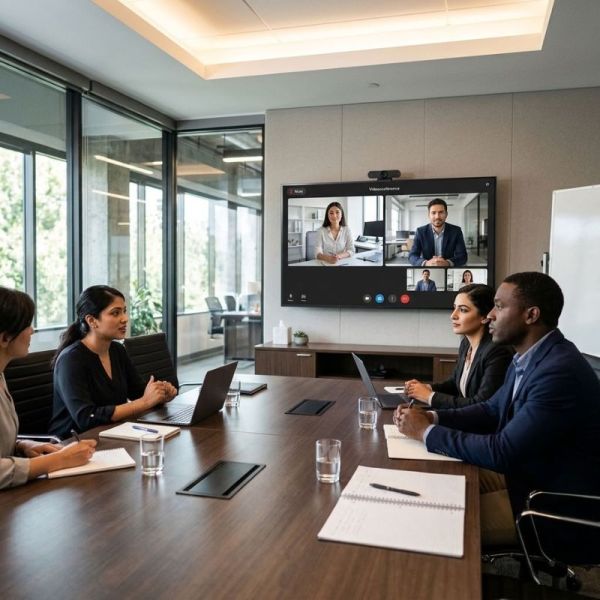



Product description
Yealink MD55: 55-Inch 4K MeetingDisplay for Microsoft Teams Rooms
The Yealink MD55 MeetingDisplay is a 55-inch professional 4K screen designed to work with compatible Yealink Microsoft Teams Rooms (MTR) systems. It combines Ultra HD image quality, 24/7 operation and unified device management to simplify the deployment and operation of meeting room technology.
Unlike a conventional standalone monitor, the MD55 is designed to integrate with Yealink MeetingBar, UVC camera and MCore equipment. Its customised mounting structure, coordinated power management and centralised administration help businesses create a more consistent meeting room experience.
55-Inch 4K IPS Display with 500 cd/m² Brightness
The MD55 features a 55-inch IPS panel with 3840 × 2160 resolution, providing detailed images for video meetings, presentations and shared business content.
Its 500 cd/m² brightness helps maintain visibility in professional meeting spaces, while the anti-glare coating reduces distracting reflections.
The display also offers a 178° horizontal and vertical viewing angle, allowing participants seated around a meeting table to see the content from different positions.
With a 1200:1 contrast ratio, 10-bit colour depth and 60Hz refresh rate, the screen is designed to reproduce meeting content with consistent image quality.
24/7 Operation for Extended Meeting Room Availability
A distinctive advantage of the MD55 is its 24-hour, seven-day operating rating, making it suitable for meeting rooms that require extended display availability.
This differs from the larger 65-inch, 75-inch and 86-inch models in the same MeetingDisplay family, which have an 18-hour-per-day operating rating.
For businesses operating across multiple shifts or international time zones, the MD55 can support meeting room use throughout the day.
Its compatibility with coordinated sleep and wake functions also helps organisations manage display availability and power consumption when the room is not in use.
Purpose-Built Integration with Yealink Microsoft Teams Rooms
The Yealink MD55 is designed as a display component for Yealink Microsoft Teams Rooms systems, rather than as a complete video conferencing system on its own.
It can be combined with compatible Yealink MeetingBar, UVC camera and MCore devices to create an integrated meeting room installation.
When connected to the supported Yealink MTR infrastructure, the display and conferencing equipment can operate together, reducing the need to manage each device independently.
This integration is particularly useful for organisations standardising Microsoft Teams Rooms across multiple meeting spaces.
Integrated Mounting Structure for Faster Installation
The MD55 incorporates a customised rear mounting structure designed to accommodate compatible Yealink conferencing equipment.
Using the appropriate mounting accessories, installers can attach supported MeetingBar, UVC camera and MCore devices directly to the display assembly without drilling additional mounting holes into the wall for each device.
Yealink states that individual compatible devices can be installed in under five minutes using the designed mounting structure.
An MCore bracket is included with the display and is compatible with MCore 4, which is sold separately.
Wall mounts, mobile stands and dedicated camera or video bar brackets are optional accessories and must be selected according to the intended room configuration.
Synchronised Power, Sleep and Digital Signage Functions
The MD55 supports unified coordination with compatible Yealink MTR equipment, allowing the display and conferencing devices to respond together to selected system operations.
Supported functions include automatic sleep and wake-up, synchronised power control and intelligent digital signage switching.
This coordination reduces the number of manual operations required when starting or ending a meeting and helps avoid leaving equipment unnecessarily active.
Digital signage functionality also allows the display to participate in supported room information or signage workflows when integrated with the appropriate Yealink system.
HDMI and Wireless Content Sharing
The Yealink MD55 provides three HDMI 2.1 inputs for connecting compatible wired video sources.
This allows businesses to display content from supported computers, conferencing equipment and other HDMI devices.
For wireless presentation workflows, the display supports Apple AirPlay and Miracast, enabling compatible devices to share content without a direct HDMI connection.
The MD55 also supports the Yealink Wireless Presentation Pod as an optional accessory, subject to regional availability.
These presentation options make the display suitable for meetings where participants need to share documents, presentations and other visual information.
Dual Gigabit Ethernet, WiFi 6 and Bluetooth 5.1
The MD55 provides a range of network interfaces for integration into professional meeting room infrastructure.
Its two Gigabit Ethernet RJ45 ports support 10/100/1000Mbps network connectivity. The display can also provide network connectivity to compatible Yealink MeetingBar and MCore devices.
Integrated dual-band WiFi 6 supports 2.4GHz and 5GHz wireless networks using IEEE 802.11a/b/g/n/ac/ax standards.
The display also incorporates Bluetooth 5.1, providing an additional wireless interface for supported functions.
For external control and integration, the MD55 includes an RS232 interface and IP control through the LAN connection.
Integrated Stereo Speakers for Meeting Audio
The MD55 includes two integrated 12W speakers, providing a total rated speaker output of 24W.
These speakers allow the display to reproduce audio from compatible connected sources without requiring separate display speakers.
A 3.5mm stereo audio output is also available for connection to compatible external audio equipment.
When the display forms part of a complete Yealink Microsoft Teams Rooms installation, the final audio configuration will depend on the connected conferencing equipment and system design.
Unified Configuration Through the Meeting Room Console
The Yealink MD55 supports unified configuration with compatible MTR equipment, reducing the need to adjust individual devices separately.
Administrators can use the supported room touch console to configure settings such as display brightness, audio and basic device parameters.
This coordinated configuration approach helps businesses maintain consistent settings across meeting rooms and simplifies the operation of integrated Yealink conferencing systems.
Centralised Management with YMCS and YDMP
For organisations managing multiple meeting rooms, the MD55 supports centralised administration through Yealink Management Cloud Service (YMCS) and Yealink Device Management Platform (YDMP).
These platforms allow administrators to manage supported MeetingDisplay and MTR devices through a unified environment rather than maintaining separate management systems.
Yealink also specifies that the MeetingDisplay can be managed through a connected MTR device even when the display does not have its own network connection.
Device status information can be synchronised with the management platform, helping IT teams monitor equipment across different meeting spaces.
Android 13 and Professional Hardware Interfaces
The MD55 operates on Android 13 and includes 4GB of memory and 32GB of internal flash storage.
Its physical interfaces include three HDMI inputs, two USB-A 2.0 ports, one USB-B 2.0 port, two Gigabit Ethernet connections and a 3.5mm audio output.
These interfaces support integration with compatible conferencing systems, external content sources and room control equipment.
The display is intended to work within Yealink's supported meeting room ecosystem; Android 13 should not be interpreted as confirmation that arbitrary Android applications can be installed.
Flexible Wall and Floor-Stand Installation
The Yealink MD55 supports wall-mounted and floor-stand installation, allowing organisations to select a suitable arrangement for permanent meeting rooms or flexible spaces.
The display measures 1237 × 56 × 717mm and weighs 15.6kg without packaging.
Its 400 × 400mm VESA mounting pattern supports installation with compatible mounting equipment, using M6 mounting screws.
The MD-WallMount wall bracket and MB-FS-VESA floor stand are available separately. When using the MB-FS-VESA with the MD55, Yealink specifies that the stand cannot accommodate the combined MD55 and MCore 4 installation.
These mounting considerations should be checked when planning a complete Microsoft Teams Rooms system.
Business Applications and Compatibility
The Yealink MD55 55-inch 4K professional meeting display is particularly suitable for smaller Microsoft Teams Rooms, corporate meeting spaces and organisations standardising their video conferencing infrastructure.
In small meeting rooms, its 55-inch IPS panel provides a clear display for remote participants, presentations and shared documents.
For corporate offices and hybrid working environments, unified management and coordinated device operation help simplify the experience of using Yealink conferencing systems.
In training rooms and collaborative workspaces, HDMI, AirPlay and Miracast content sharing provide flexibility for presenting information from compatible devices.
The manufacturer specifically identifies the MeetingBar A25 as a suitable pairing for MeetingDisplay 55, using the optional MD-AVBracket-S mounting accessory.
The display can also be combined with the Yealink MVC S40 solution using the appropriate mounting accessories and the included MCore bracket. The manufacturer notes that the MB-FS-VESA stand is not suitable for the MD55 and MVC S40 combination.
Additional compatible equipment includes the Yealink MCore 4, using the supplied MCore bracket. The MCore 4 itself is sold separately.
For complete installation, businesses should select the appropriate wall mount, floor stand and conferencing-device brackets according to the Yealink compatibility guidance.
Technical specifications:
| Specification | Value |
|---|---|
| Product type | Professional meeting room display |
| Screen size | 55 inches |
| Display technology | IPS |
| Resolution | 3840 × 2160 pixels (4K UHD) |
| Brightness | 500 cd/m² |
| Contrast ratio | 1200:1 |
| Refresh rate | 60Hz |
| Response time | 8ms (grey-to-grey) |
| Viewing angle | 178° horizontal / 178° vertical |
| Colour depth | 10-bit, 1.07 billion colours |
| Colour gamut | 72% NTSC |
| Surface treatment | Anti-glare coating |
| Haze | 25% |
| Rated operating time | 24 hours/day, 7 days/week |
| Integrated speakers | 2 × 12W |
| Total speaker output | 24W |
| HDMI inputs | 3 × HDMI 2.1 |
| USB-A ports | 2 × USB 2.0 |
| USB-B ports | 1 × USB 2.0 |
| Ethernet ports | 2 × RJ45 Gigabit Ethernet |
| Ethernet speed | 10/100/1000Mbps |
| Audio output | 3.5mm stereo mini jack |
| Serial control | 1 × RS232 |
| IP control | Supported via LAN |
| Infrared control | Supported |
| WiFi | Dual-band WiFi 6 |
| WiFi frequency bands | 2.4GHz and 5GHz |
| Wireless standards | IEEE 802.11a/b/g/n/ac/ax |
| Bluetooth | Bluetooth 5.1 |
| Wired content sharing | HDMI |
| Wireless content sharing | AirPlay, Miracast, optional Wireless Presentation Pod |
| Operating system | Android 13 |
| System memory | 4GB |
| Internal storage | 32GB |
| Microsoft Teams Rooms integration | Compatible Yealink MTR systems |
| Unified device coordination | Sleep/wake, power synchronisation, digital signage switching |
| Centralised management | YMCS / YDMP |
| Room console configuration | Supported with compatible Yealink MTR equipment |
| Mounting methods | Wall-mounted or floor stand |
| VESA mounting pattern | 400 × 400mm |
| VESA screw specification | M6 |
| Dimensions (W × D × H) | 1237 × 56 × 717mm |
| Net weight | 15.6kg |
| Packaging dimensions (W × D × H) | 1340 × 185 × 790mm |
| Gross weight | 21.6kg |
| Bezel width (left/right/top/bottom) | 11.9 / 11.9 / 11.9 / 12.5mm |
| Power supply | 100–240V AC, 50/60Hz |
| Typical power consumption | 82W |
| Maximum power consumption | 138W |
| Off-mode power consumption | Less than 0.5W |
| Operating temperature | 0°C to 40°C |
| Storage temperature | -20°C to 60°C |
| Operating humidity | 10% to 95% |
| Warranty | 3 years |
| Included MCore bracket | Compatible with MCore 4 |
| Optional wall mount | MD-WallMount |
| Optional floor stand | MB-FS-VESA |
| Optional motorised stand | MB-FS-Lift |
Files
Yealink MeetingDisplay - Datasheet
Product Specs.
| Manufacturer part # | 1203708 |
|---|---|
| EAN | 6938818325005 |
| Warranty | 2 years |
| By Sector | Public administrations, Education, Corporate and Office |
| Use type | Meeting Room |
| Intended use | Indoor screen |
| Screen type | Flat Screen |
| Screen Technology | LED - LCD |
| Screen Orientation | Horizontal |
| Screen Size | 55 inches |
| Screen Size | 55'' |
| Resolution | 4K |
| Compatible With | Teams |
| Operating hours | 24h per day |
| Brightness | 350 - 700 cd/m² |
| Other Features | Content Sharing, PC/Mac Compatible, With Android, Remote Control Included, Energy Saving Mode |
| VESA standard | 400 × 400 mm |
Accessories
Ref: YEAMDWALL
Frequently Asked Questions
Currently there are no questions for this product.