
My Cart



Yamaha CS-700 AV
Internal ref: YACS700AV // Manufacturer part #: CS700AV
Professional video conferencing system, audio, TV and IT management
This product is no longer manufactured
To better meet your needs we offer a list of similar products
Product description
Video conferencing system with IT management
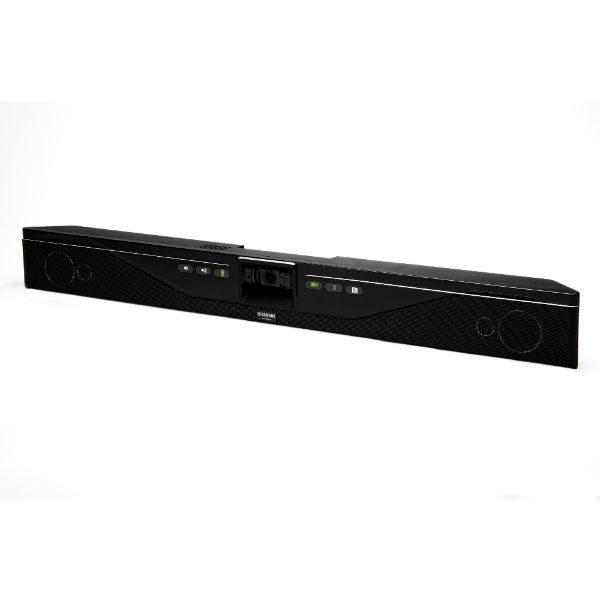
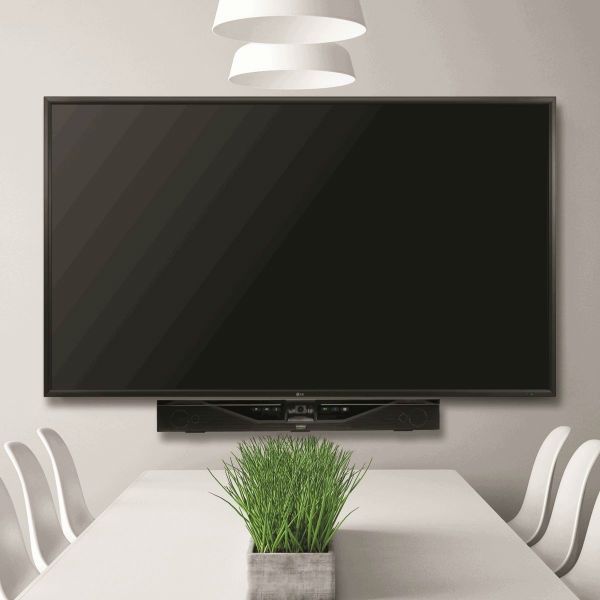
The Yamaha CS-7000 AV is an all-in-one solution specifically designed for small meeting rooms "huddle rooms", typically between 3 and 6 people. The CS-700 combines the best audio with a high quality video and comes in a simple, wall-mounted format.
Control the system, any time from any place
Audio, video and screen sharing is done through a USB cable. In addition, the remote control capability allows any IT department located anywhere in the world to remotely monitor and control the system.
As well as monitoring the units, you can configure and update them remotely and automatically through an IP interface.
Video
A 120-degree wide angle camera can focus all meeting participants in a single field of view. Its high resolution ensures a clear capture of anyone in the room, located up to 3m away from the camera.
Audio
A 4-element speaker provides incredible audio throughout the room ensuring that every word spoken is heard. This combined with the audio processing technology integrated in the CS-700, allows an easy and natural conversation between participants.
The Yamaha CS-700 is a wall mounted system, eliminating the need for table space. Wall mounting provides easy installation and connection of cables.
Available models:
CS-700AV: audio, video, IT management
CS-700DL: audio, video, IT management, DisplayLink ™
CS-700SP: audio, video, IT management, SIP interface
CS-700DS: audio, video, IT management, DisplayLink ™, SIP
Features:
- 4-element speaker
- 180-degree audio pickup
- Full-duplex audio
- Echo cancellation
- LED indicator
- Wall mounting bracket
- USB connector
- RJ45 ethernet
- Bluetooth audio only
- 3.5mm jack
- HD camera sensor
- Compatible with all major UC systems
Files
Yamaha CS-700 - Quick Start Guide
Yamaha CS-700 - User Guide
Product Specs.
| Manufacturer part # | CS700AV |
|---|---|
| EAN | 0040232561351 |
| Warranty | 2 years |
| Room Size | Small Meeting Room (4-6) |
| Connects to | With PC- Laptop |
| Compatible With | All Softphones / UC |
| Camera resolution | Full HD 1080p |
| Camera Features | Auto Framing |
Frequently Asked Questions
Yes, we currently do but this might not be always the case, we recommend that you keep an eye on the stock status shown on the product page.
It does not come with a remote. The unit has physical buttons on the front of the unit for basic funtions such as volume up, volume down, audio mute, camera mute. For the rest of the functions you need to use the web user interface which you can access from the computer you have the system connected to. For more info check the user guide: Yamaha CS-700 Operations Guide (onedirect.co.uk)