My Cart



Video conferencing

Grandstream GVC3212 HD
IN STOCKHD videoconferencing terminal – ideal for small meeting rooms and remote workers£79.99£77.99 £93.59 Incl. VATRef: GRAGVC3212Compare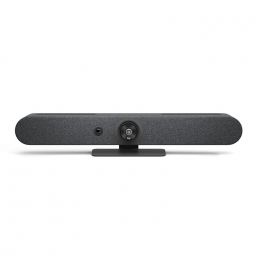
Logitech Rally Bar Mini - Graphite
IN STOCKPowerful all-in-one solution for hassle-free video conferencing and collaboration£2,699.99£2,167.99 £2,601.59 Incl. VATRef: LORALLYBARMINIGUKCompare
Poly Studio Small Room Kit - Microsoft Teams
IN STOCKMicrosoft Teams Rooms certified conferencing solution ideal for small rooms£1,616.95£1,576.34 £1,891.61 Incl. VATRef: POSMTRDELLUKCompare
EPOS Expand Vision 1
IN STOCKComplete your hybrid work setup with the EXPAND Vision 1. This compact, portable USB webcam delivers ultra-sharp video and exceptional voice pickup.£179.00£143.99 £172.79 Incl. VATRef: SESEXPANDVI1Compare
Aver PTC310UV2
IN STOCKAI 4K Auto tracking camera with IR sensor for video presentation£2,499.99£2,152.99 £2,583.59 Incl. VATRef: AVPTC310UV2Compare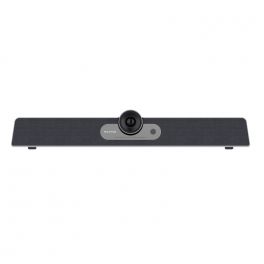
MAXHUB UC S07 USB Videobar
IN STOCKAll-in-one 4K Ultra HD USB videobar with integrated device management and AI features£586.29£466.99 £560.39 Incl. VATRef: MAXHUCS07Compare
Pack Cleyver Small Meet Bar+ + Cleyver 14" Single Screen Extension + Cleyver Mouse Pad + Cleyver Laptop Case 15.6''
IN STOCKVideoconferencing bar pack, 14'' screen extender, mouse pad, and laptop case for complete productivity.£391.96£350.13 £420.16 Incl. VATRef: ODCAM4KPACKSCompare
Yealink MVC S90-C5U Microsoft Teams Rooms System
IN STOCKNative Microsoft Teams Rooms kit with dual 4K PTZ cameras, AVHub processor, and 11.6" touch panel for extra-large meeting spaces. MVC S90-C5-004£6,858.99£5,547.99 £6,657.59 Incl. VATRef: YEAMVCS90C5UCompare
Yealink SmartVision 80 4K PTZ Camera with AI
IN STOCK4K PTZ camera with four lenses, 20x optical zoom and AI tracking, for large meeting rooms and multi-camera set-ups.£2,538.99£1,659.99 £1,991.99 Incl. VATRef: YEAPTZ80Compare
Huddly Crew 3x L1 Cameras AI Multi-Camera System
IN STOCKAI-powered multi-camera system with three L1 cameras for automatic camera tracking in medium-sized and large meeting rooms.£9,576.59£6,175.99 £7,411.19 Incl. VATRef: HUDCREWX3Compare
Huddly C1 AI Videobar 4K
IN STOCKAI-powered barra video for small and medium meeting rooms with 4K video, intelligent framing and advanced noise cancellation.£1,629.99 £1,955.99 Incl. VATRef: HUDC1UKCompare
Midland FOLLOW-U
IN STOCKFull HD webcam with person tracking to 355º ideal for offices and education£120.99£45.99 £55.19 Incl. VATRef: MIFOLLOWCompare
Logitech Room Solutions for Zoom - Base (OPEN BOX)
IN STOCKLogitech Tap touch-screen controller with NUC, preconfigured for Zoom Rooms£1,899.99£1,499.99 £1,799.99 Incl. VATRef: R-LOTAPZOOMMBASEUKCompare
Screenbeam USB Pro Switch
IN STOCKTurn your meeting room into a fully integrated space£138.99£122.99 £147.59 Incl. VATRef: SBEAMUSBPUKCompare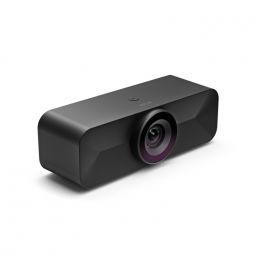
EPOS Expand Vision 1M
Wide-angle 4k USB webcam that fits any meeting spaceIN STOCK5 of 1 Reviews£619.99£421.99 £506.39 Incl. VATRef: SESEXPANDVI1MCompare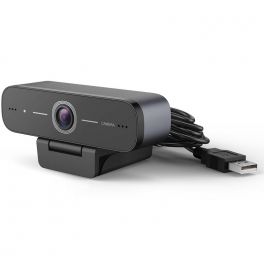
Cleyver HD 90 Pro USB Webcam
HD Webcam with USB connection for PC ideal for offices and communication professionalsIN STOCK4 of 1 Reviews£59.99 £71.99 Incl. VATRef: ODWCAM90Compare
ProXtend Webcam X301
Full HD 5MP webcam, ideal for private meetings and remote workingIN STOCK5 of 1 Reviews£59.99£28.99 £34.79 Incl. VATRef: PROX301Compare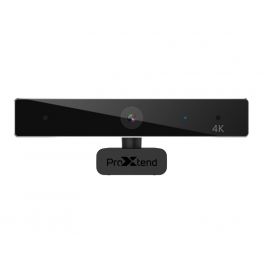
ProXtend Webcam X701
IN STOCK4K webcam for your videoconferencing, ideal for small rooms£109.99£68.99 £82.79 Incl. VATRef: PROX701Compare
Barco CX30 Gen 2 + Logitech Rally Bar
Wireless sharing video conferencing solution for small to medium rooms.IN STOCK5.0 of 1 Reviews£6,058.59£4,540.55 £5,448.66 Incl. VATRef: BARCX30BARG2UKCompare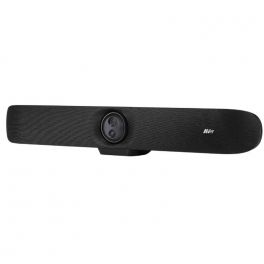
AVer VB350
IN STOCKLarge room USB video conferencing bar with dual 4K lenses!£1,851.00£1,367.99 £1,641.59 Incl. VATRef: AVVB350Compare
Logitech C925E Webcam
IN STOCKFull HD webcam with two stereo microphones, for perfect video calls£98.99£49.99 £59.99 Incl. VATRef: LOC925Compare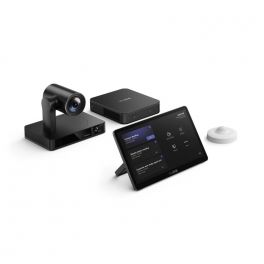
Yealink MVC860 Gen 3 (No Audio)
IN STOCKNative Microsoft Teams Rooms system for Medium-to-large rooms£3,791.00£3,744.99 £4,493.99 Incl. VATRef: YEAMVC860NAG3UKCompare
Logitech MX Brio 705 for Business
IN STOCKThe sustainable and smart Logitech MX Brio 705 webcam with crystal-clear 4K video quality£185.89£168.99 £202.79 Incl. VATRef: LOBRIO705Compare- Black DaysEnjoy our special offers from 3 to 30 November 2026!
£10 off orders of £249.99 or more with BLACK10
£25 off orders of £399.99 or more with BLACK25
£50 off orders of £599.99 or more with BLACK50
£100 off orders of £999.99 or more with BLACK100
Promotional codes are only valid on products marked with the "Black Days" label.
Audiocodes RXVCAM360 360° Conference Camera 4K USB
IN STOCK360° video conferencing camera with 4K resolution and built-in audio for small to medium-sized meeting rooms and hybrid meetings.£795.99£599.99 £719.99 Incl. VATRef: AUDRXVCAM360Compare 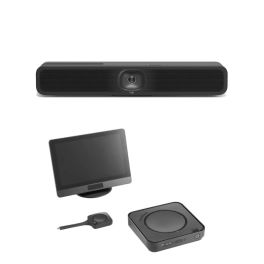
Pack Logitech MeetUp 2 + Barco ClickShare Hub Core
4K video conferencing kit with AI and wireless content sharing, ideal for small meeting rooms.IN STOCK5.0 of 1 Reviews£3,679.98£3,267.91 £3,921.49 Incl. VATRef: BARCOHUBCOREMEET2Compare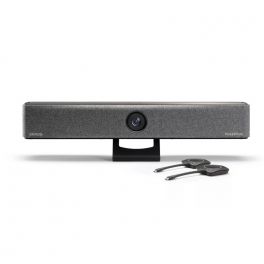
Barco ClickShare Bar Pro
IN STOCKAll-in-one video bar for wireless conferencing in medium-sized conference rooms on any platform£2,999.99£2,297.99 £2,757.59 Incl. VATRef: BARCOBARPROCompare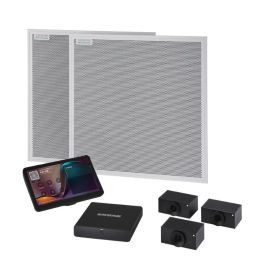
Shure IntelliMix Room Kit IMXRK80 Large Room
IN STOCKMicrosoft Teams Rooms certified videoconferencing solution with IntelliMix Room DSP, Shure ceiling microphone array and advanced AI camera, designed for very large rooms.£12,258.99 £14,710.79 Incl. VATRef: SHIMXRK80Compare
Logitech Tap Room Solution for Microsoft Teams - Base
IN STOCKWindows-based system with Logitech Tap Cat5e - certified for Teams£2,665.00£2,055.99 £2,467.19 Incl. VATRef: LOTAPMSTBASEINT2UKCompare
Polycom EagleEye Mini Camera Kit
HD video conferencing camera for Polycom audio solutionsIN STOCK5 of 1 Reviews£115.00£72.99 £87.59 Incl. VATRef: POEEMINIUSBCompare
Huddly Canvas - Whiteboard Content Camera Kit
IN STOCKThe whiteboard camera is the ultimate collaboration tool in your Teams or Zoom meeting£1,156.02£820.99 £985.19 Incl. VATRef: HUDCANVASUKCompare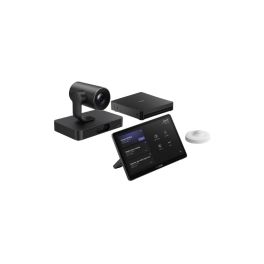
Yealink MVC S80-C5U Microsoft Teams Rooms System
IN STOCKNative Microsoft Teams Rooms kit with SmartVision 80 camera, MTouch Plus controller and MCore 4 PC for large rooms.£4,571.99£3,773.99 £4,528.79 Incl. VATRef: YEAMVCS80Compare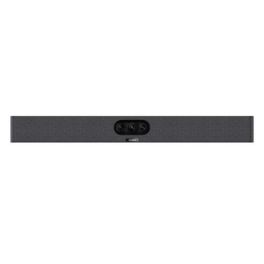
Yealink MeetingBar A25
IN STOCKCompact all-in-one video bar with 151° ultra-wide-angle camera and AI audio for small focus rooms.£1,397.99£1,092.99 £1,311.59 Incl. VATRef: YEALINKA25Compare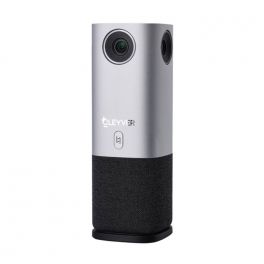
Cleyver Huddle Meet 360
IN STOCKFirst Cleyver 360° camera with AI tracking and framing technologies.£430.99£419.99 £503.99 Incl. VATRef: ODHCAM360Compare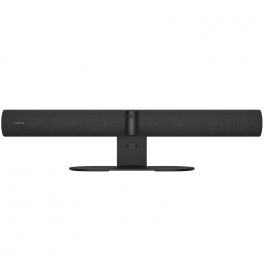
Jabra PanaCast 50 Video Bar System UC
IN STOCKAll-in-one video conferencing system with intelligent video and audio, designed for seamless UC integration in medium to large meeting rooms.£3,199.99£2,735.99 £3,283.19 Incl. VATRef: GNPANA50SYSTEMUCCompare
Huddly S1
IN STOCKCamera for high-quality video conferences- ideal for small and medium rooms£1,440.99£1,039.99 £1,247.99 Incl. VATRef: HUDDS1Compare
AudioCodes RXV100 Room Bundle for Microsoft Teams Room
IN STOCKVideo conferencing solution for medium meeting rooms with smart HUB and video bar£3,165.82£2,349.99 £2,819.99 Incl. VATRef: AURX1B20UKCompare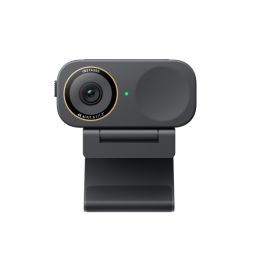
Insta360 Link 2C Pro Black 4K AI Webcam
IN STOCKBlack 4K webcam with a 1/1.3" sensor, privacy shutter, AI-powered auto-framing, autofocus, dual microphones and smart tools for meetings and presentations.£218.99£175.99 £211.19 Incl. VATRef: INSTALINK2CPROCompare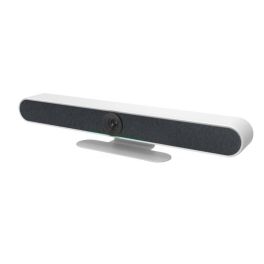
Cleyver Medium Large Room Bar 4K Zoom 10x
Call us for availability3-in-1 videoconferencing bar with 4K camera, stereo audio and smart features, ideal for meeting rooms with up to 12 people.£437.99£419.99 £503.99 Incl. VATRef: ODMLCAMBAR4KCompare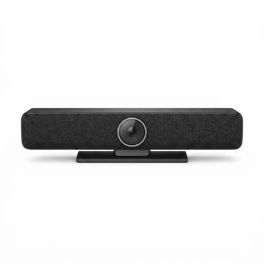
Cleyver Medium Room Bar 4K 90° AI Camera
Call us for availability3-in-1 video conferencing bar with 4K camera, integrated audio and AI features, designed to effectively equip small and medium-sized meeting rooms.£262.99£251.99 £302.39 Incl. VATRef: ODMCAMBAR4KCompare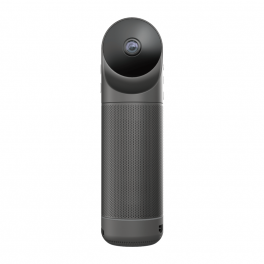
Kandao Meeting Pro
All-in-one 360º video conferencing solution - the best ally to make your meetings a successCall us for availability3.7 of 3 Reviews£790.89£621.99 £746.39 Incl. VATRef: KANMEEPROCompare
Characteristics and Core Functions
Modern professional video conferencing delivers communication experiences close to physical presence through advanced audio-visual technologies. Whether webcams, cameras, video bars or 360° cameras, video conferencing solutions ensure natural interactions and optimal image and sound quality to maintain engagement and collective productivity. They are particularly valuable for geographically distributed organisations requiring reliable and regular connections between remote teams.
| Professional video quality | HD/4K resolutions ensuring clear images for meetings and presentations. |
| UC compatibility | Works with Teams, Zoom, Google Meet and more. |
| Adapted configurations | Individual solutions, huddle rooms, medium-sized rooms and large auditoriums. |
| Connectivity | USB, HDMI and wireless options depending on the model. |
| Operational reliability | Professional technologies ensuring meeting stability. |
How to choose the right solution?
- OKRoom type: capacity and usage to select appropriately sized video equipment.
- OKExpected frequency of use: occasional use or daily video conferencing.
- OKCollaboration platforms: Teams standardisation, Zoom or universal multi-application compatibility.
- OKExisting IT infrastructure: integration with network, systems and corporate security policies.
- OKAccessories: tripods, mounts, extension microphones, remote controls and more.

Applications across professional environments
Video conferencing systems are used by businesses for daily meetings and remote working to maintain strong connections with geographically dispersed teams. In training and education, these solutions democratise learning by connecting trainers and remote learners. In consulting and professional services, they enable effective remote client support, while HR teams use them to expand talent pools without geographical constraints.
Why partner with Onedirect?
Onedirect offers video conferencing solutions tailored to every need from leading brands such as Poly, Logitech, Cleyver, Yealink and Jabra. As an official reseller, we ensure fast and secure delivery and provide dedicated after-sales support to assist with your projects. Our team helps you identify the ideal solution based on room architecture and IT infrastructure, ensuring a successful transformation of your collaborative practices.
FAQ – Frequently asked questions
What are the benefits of video conferencing for a business?
Reduced travel and associated costs, improved collective productivity, access to remote talent, increased responsiveness, reduced carbon footprint, better employee satisfaction and greater organisational flexibility for enhanced competitiveness.
Which video conferencing solution should be chosen depending on company size?
For SMEs, individual solutions or BYOD kits are sufficient. For mid-sized organisations, Android kits are recommended for a stable yet flexible setup. Large organisations should opt for standardised kits with centralised management and enterprise support.
Does video conferencing require a fast internet connection?
Yes. A minimum of 2–4 Mbps per participant is required for HD quality. For rooms with multiple participants and content sharing, at least 10–20 Mbps is recommended for stable, low-latency performance.
How can business video conferencing be secured?
Use corporate platforms with encryption, strong authentication, waiting rooms, access control and compliance with IT security policies to ensure confidentiality.
Which accessories can complement a video system?
Screens, speakerphones, soundbars, extension microphones, screen sharing solutions and room booking panels can help you deploy a high-performance video conferencing space.
Related resources
Webcams Icon Conference cameras Icon Meeting bars Icon 360° cameras Icon