
My Cart



Wireless presentation systems
Characteristics and Core Functions
Wireless presentation systems enable content to be shared from a PC, tablet or smartphone without any wired connection. They ensure smooth meetings, spontaneous collaboration and reduced technical constraints.
| Instant connection | Screen sharing from any device via an application or a button. |
| Multi-protocol compatibility | Supports AirPlay, Miracast, Google Cast and dedicated applications depending on the system. |
| Multi-user connection | Multiple participants can connect and share their screen. |
| Built-in enterprise security | Authentication, encryption and integration with IT security policies. |
| Professional resolutions | Full HD or 4K support for clear content display. |
| Simple installation | Single connection to the network and display for permanent use, without reconfiguration. |
How to choose the right solution?
- OKMain devices used: Windows, macOS, iOS, Android.
- OKRequired security level: open BYOD or environments requiring strict authentication.
- OKResolution quality: Full HD or 4K for detailed high-definition presentations.
- OKNumber of presenters: single presenter or multi-user configuration.
- OKSharing method: via a dedicated application or a simple USB / USB-C button.
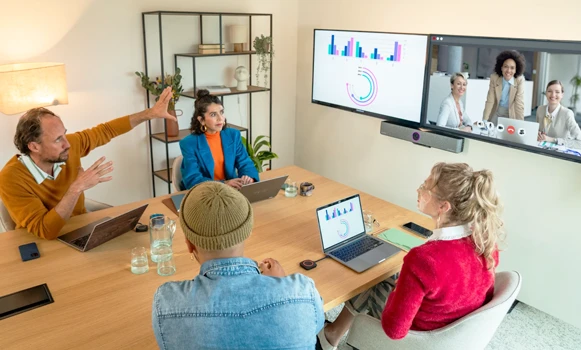
Applications across professional environments
Wireless screen sharing solutions are used in meeting rooms to enable content sharing from any device without technical constraints, and in coworking spaces to encourage collaboration without specific setup. They enhance interactivity in universities and educational institutions, while sales teams use them for real-time client demonstrations and product presentations.
Why partner with Onedirect?
Onedirect offers wireless screen sharing solutions developed by recognised brands such as Barco, BenQ, Yealink, ScreenBeam and AirServer. As an official reseller, we guarantee fast and secure delivery and maintain permanent stock to support evolving needs. Our team advises you on device compatibility, network integration and security policies, ensuring successful deployment across your collaborative spaces.
FAQ – Frequently asked questions
What is the difference between wireless screen sharing and a traditional HDMI cable?
Wireless sharing removes the need for cables, offers greater freedom of movement and enables instant connection from any device. HDMI remains useful for demanding video content, as it provides higher transmission stability and minimal latency.
Are wireless presentation systems secure for businesses?
Professional systems include authentication, encryption and access control. It is recommended to ensure that the available security features match your organisation’s requirements.
Can content be shared from smartphones and tablets?
Yes. Modern systems support iOS and Android via AirPlay, Miracast or dedicated applications, offering full flexibility with personal and professional mobile devices.
Can multiple devices share content simultaneously?
Yes. Some models support multi-user sharing, making it possible to display several screens at the same time.
Is there any latency with wireless screen sharing?
When sharing presentations and documents, latency is generally imperceptible. For video or animations, latency depends on the selected system and network infrastructure.