
My Cart



TOP 10 – Best Meeting Bars 2026
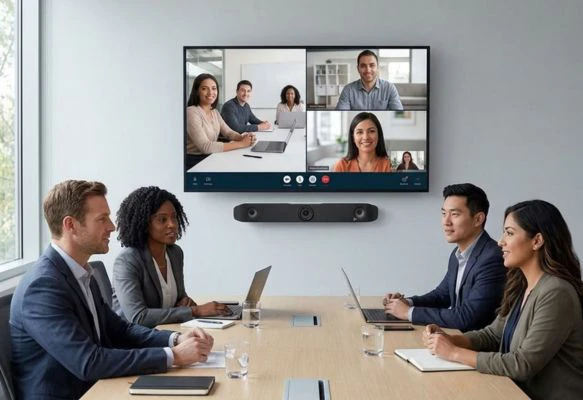
A video bar or meeting bar combines a camera, microphones and speakers in one compact device, providing a practical video conferencing system for professional meetings. Instead of installing multiple separate components, businesses can equip their meeting rooms with a compact solution designed for videoconferencing. Depending on the model, meeting bars can be used in huddle rooms, standard meeting rooms or larger conference rooms.
But which meeting bar is right for your meeting room? Our selection features 10 meeting bars for different room sizes and requirements, ranging from compact USB solutions to all-in-one video conferencing systems for Microsoft Teams and Zoom. Compare cameras, fields of view, microphone pickup range, connectivity and intelligent features to find the right solution for your hybrid meetings.
IconTOP 10 Icon Comparison table IconFAQ
Our winning trio
Number 1
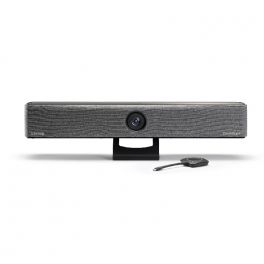
Wireless BYOD with ClickShare Button or App
4K camera with 120° field of view and AI-powered framing
Platform-independent use
Number 2
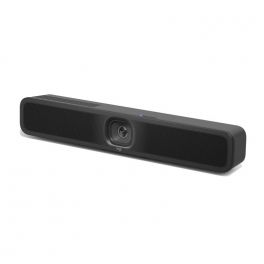
Flexible installation: Connects in BYOD or to the room system
Advanced AI: Enhances user experience
Simplified management: Efficient remote administration
Number 3
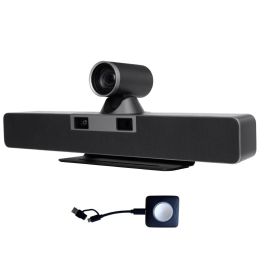
Dual 4K cameras with 12x optical zoom
6 beamforming microphones with an 8 m voice pickup range
Auto Framing, Smart Gallery and Speaker Tracking
Our complete ranking:
Best meeting bar for wireless collaboration
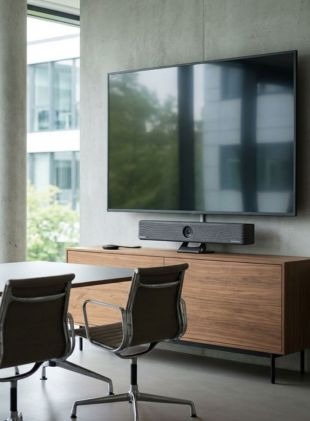
The Barco ClickShare Bar CB Core is an all-in-one meeting bar designed for small to medium-sized meeting rooms. Its key strength is wireless collaboration: using the included ClickShare Button or the ClickShare App, users can connect their laptop to the meeting bar and use their preferred video conferencing platform. A 4K ePTZ camera with a 120° field of view, AI-powered video features, integrated microphones and stereo speakers deliver professional-quality audio and video for videoconferencing. By Sector
Manufacturing
Retail
Hotels and restaurants
Public administrations
Education
Corporate and Office
Features
Auto Framing
120°
4K
Small Meeting Room (4-6)
Pros
Wireless BYOD with ClickShare Button or App
4K camera with 120° field of view and AI-powered framing
Platform-independent use
Cons
A PC or laptop is required for use
3x AI zoom/ePTZ – less suitable when participants further away need to be shown in close-up
Ideal for small meeting rooms
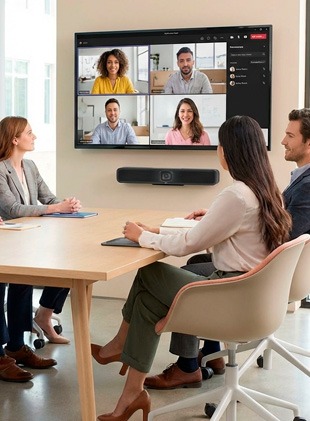
The Logitech MeetUp 2 is an all-in-one video conferencing camera optimized for small meeting rooms. AI-powered framing helps ensure participants are clearly represented on screen, while individual participant views can improve visibility during hybrid meetings. Bluetooth also allows the MeetUp 2 to be used as a speakerphone for audio calls. By Sector
Manufacturing
Construction
Retail
Transportation & logistics
Hotels and restaurants
Public administrations
Education
Corporate and Office
Health and social action
Features
Auto Framing
120°
4K
Small Meeting Room (4-6)
Pros
Flexible installation: Connects in BYOD or to the room system
Advanced AI: Enhances user experience
Simplified management: Efficient remote administration
Cons
Reliance on AI: advanced features that require regular updates.
Ideal for large meeting rooms
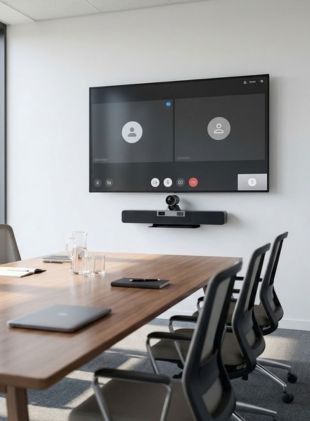
The Cleyver Large Room DUALBAR PTZ is a powerful all-in-one meeting bar designed for large meeting rooms with around 12 or more participants. Its standout feature is its dual 4K camera system: a wide-angle camera captures the room, while the PTZ camera with 12x optical zoom can focus on participants seated further away. Six beamforming microphones with a pickup range of up to 8 metres, together with AI-powered features such as Auto Framing, Smart Gallery and Speaker Tracking, complete the solution. By Sector
Manufacturing
Transportation & logistics
Hotels and restaurants
Public administrations
Education
Corporate and Office
Call center
Features
Auto Framing and Tracking
117°
4K
Large Meeting Room (+10)
Pros
Dual 4K cameras with 12x optical zoom
6 beamforming microphones with an 8 m voice pickup range
Auto Framing, Smart Gallery and Speaker Tracking
Cons
Comparatively large meeting bar, measuring 600 × 208.6 × 127.3 mm
A PC or laptop is required for video meetings
Best value for medium-sized meeting rooms
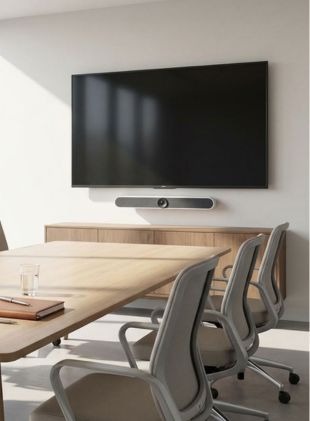
The Cleyver Medium Large Room Bar 4K is a 3-in-1 meeting bar designed for meeting rooms with 6 to 12 participants. It combines a 4K camera with a 120° field of view and 10x digital zoom with six MEMS microphones and two 10 W stereo speakers. Auto Framing and Speaker Tracking automatically adjust the camera view during video conferencing. The meeting bar connects to a PC or laptop via USB-C and is compatible with all softphones. By Sector
Manufacturing
Retail
Hotels and restaurants
Public administrations
Education
Corporate and Office
Health and social action
Features
Auto Framing and Tracking
120°
4K
Medium Meeting Room (6-12)
Pros
4K camera with a 120° field of view and 10x digital zoom
Auto Framing and Speaker Tracking
6 microphones with a pickup range of up to 6 m
Cons
No optical zoom for participants seated further away
Requires a PC or laptop for video conferencing
Specialist for ultra-wide room coverage
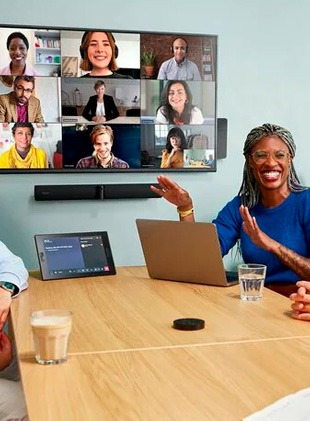
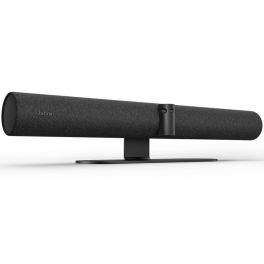
Jabra PanaCast 50 is an audiovisual product that outperforms all others when it comes to smart features. Designed to revolutionize the world of small and medium group video conferencing as we know it, this is a next-generation all-in-one video bar for workspaces of up to 10 people. It incorporates AI "intelligent technology" that allows you to carry out virtual conferences so naturally that you will forget the distance between people. By Sector
Hotels and restaurants
Public administrations
Education
Features
Auto Framing
180°
4K
Medium Meeting Room (6-12)
Pros
180º wide angle field of view
4K video quality with 3 cameras
4 stereo speakers with vibration suppression
Cons
Not wireless
Remote control not included
Best compact meeting bar for huddle rooms
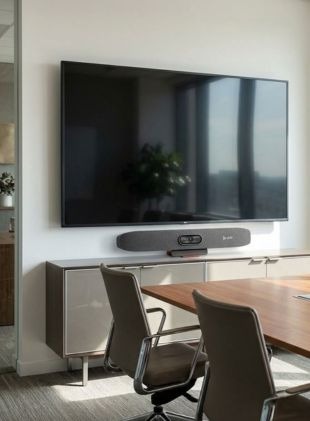
The Poly Studio R30 is a compact USB meeting bar designed for huddle rooms and small meeting rooms. Its 4K camera offers a wide 120° field of view and 5x electronic zoom. Poly DirectorAI provides automatic camera control with Auto Framing and Speaker Tracking. Three beamforming microphones, together with NoiseBlock AI and Acoustic Fence, help deliver clear voice transmission. The meeting bar connects easily to a PC or Mac via USB. By Sector
Hotels and restaurants
Public administrations
Education
Features
Auto Framing
120°
4K
Small Meeting Room (4-6)
Pros
4K camera with 120° field of view
Poly DirectorAI with Auto Framing and Speaker Tracking
NoiseBlock AI and Acoustic Fence to reduce distracting background noise
Cons
Requires a PC or Mac for video conferencing
Less suitable for larger meeting rooms
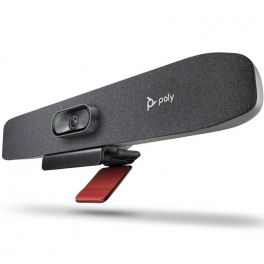
Top all-in-one meeting bar for Microsoft Teams and Zoom
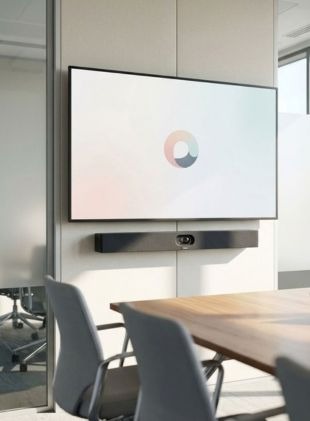
The Yealink MeetingBar A40 is an all-in-one meeting bar designed for small to medium-sized meeting rooms. It combines two 48 MP cameras with 4K resolution and a 120° field of view with eight MEMS microphones and intelligent features such as Auto Framing and Speaker Tracking. Thanks to Android 13, it can support Microsoft Teams and Zoom without an additional room PC, while BYOD provides the flexibility to use personal devices. By Sector
Hotels and restaurants
Public administrations
Education
Features
Auto Framing and Tracking
120°
4K
Medium Meeting Room (6-12)
Pros
Dual 4K camera with 120° field of view and intelligent framing
8 MEMS microphones with a pickup range of up to 6 m and AI-powered noise reduction
Native support for Microsoft Teams and Zoom, plus BYOD
Cons
6x digital zoom instead of optical zoom – less suited to focusing on participants seated further away
Less suitable for large and deep meeting rooms
Our recommendation for intelligent camera framing
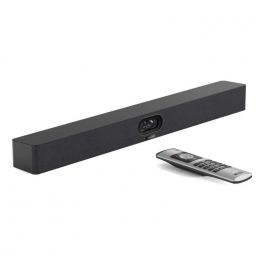
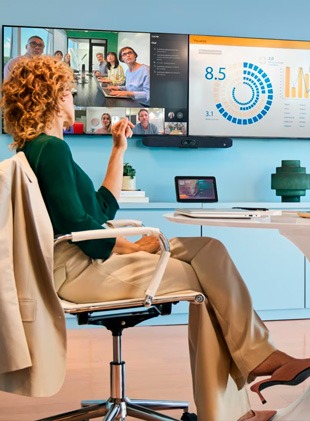
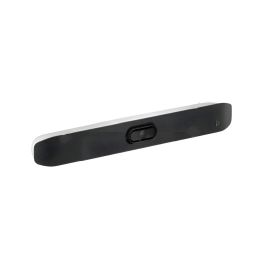
Poly Studio V12 is a video bar designed for small meeting rooms. It features a 20 MP 4K UHD camera and a wide 120° field of view, so all participants are clearly visible on screen. Poly DirectorAI technology uses AI to automatically adjust the image framing, making every meeting more fluid and natural. The audio system relies on multiple MEMS microphones and stereo speakers for clear sound reproduction. The bar uses advanced technologies, such as Poly NoiseBlockAI and Poly Acoustic Fence, to minimise background noise and focus on human voices, improving audio transmission quality in sometimes noisy environments. It is easy to install, connects to a PC or Mac (BYOD) via USB-C, and can be powered by USB-C or PoE++, depending on the installation. By Sector
Public administrations
Education
Corporate and Office
Features
Auto Framing and Tracking
120°
4K
Small Meeting Room (4-6)
Pros
DirectorAI intelligent framing technology for a more dynamic meeting experience
Crisp, clear sound with NoiseBlockAI and Acoustic Fence
Simple USB-C connection and flexible power supply (USB-C or PoE++)
Cons
Limited audio expansion performance for very large rooms
PoE++ power may require special network devices
Ideal for professional hybrid meetings
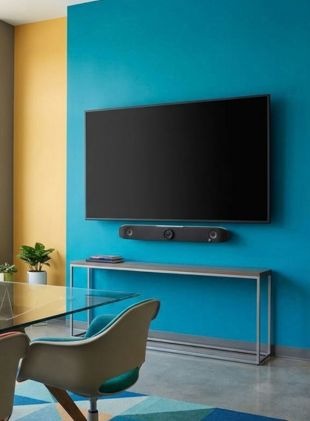
The Poly Studio V52 is a professional USB meeting bar designed for medium-sized meeting rooms with 6 to 12 people. It combines a 20 MP 4K camera with a 110° field of view, four microphones and two stereo speakers. Poly DirectorAI provides features such as Speaker, Group and People Framing, while NoiseBlockAI and Acoustic Fence help reduce distracting background noise. Via USB, the meeting bar can be easily connected to a PC or laptop and used with various video conferencing platforms. By Sector
Hotels and restaurants
Public administrations
Education
Features
Auto Framing and Tracking
110°
4K
Medium Meeting Room (6-12)
Pros
Poly DirectorAI with Speaker, Group and individual People Framing
4 microphones with a pickup range of up to 6 m and AI-powered noise reduction
USB Plug & Play and compatible with all video conferencing platforms
Cons
110° field of view – less wide-angle than some other meeting bars in the Top 10
Not designed for large meeting rooms with more than 12 people
All-in-one solution for quick and easy video meetings
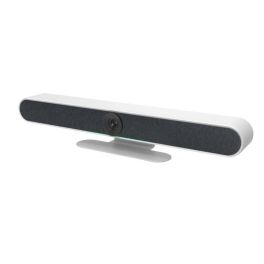
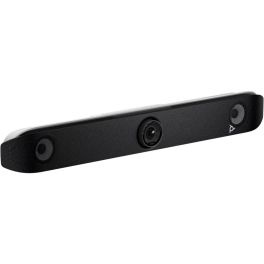
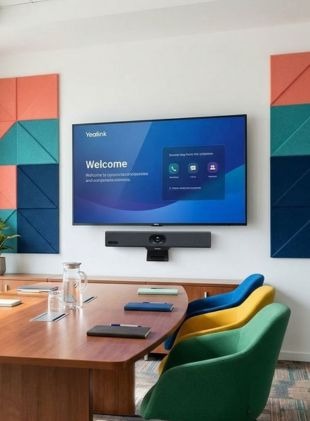
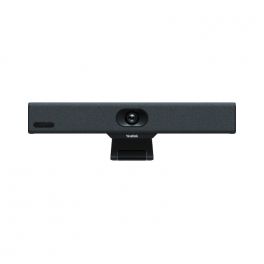
The Yealink MeetingBar A10 is a compact all-in-one meeting bar designed for huddle rooms with 2 to 3 people. It combines a 4K camera with a 120° field of view, eight integrated MEMS microphones and a speaker. AI-powered features such as Auto Framing and Speaker Tracking automatically adjust the camera view during the meeting. Thanks to Android, the A10 can be used without an additional room PC and supports Microsoft Teams, Zoom and BYOD. By Sector
Hotels and restaurants
Public administrations
Education
Features
Auto Framing and Tracking
120°
4K
Huddle Room (2-3)
Pros
All-in-one system that can be used without an additional room PC
4K camera with 120° field of view, Auto Framing and Speaker Tracking
8 integrated microphones with AI-powered noise reduction
Cons
4x electronic zoom instead of optical zoom
Accessories for additional features must be purchased separately
| 1 | 2 | 3 | 4 | 5 | 6 | 7 | 8 | 9 | 10 | |
| Camera Features | Auto Framing | Auto Framing | Auto Framing and Tracking | Auto Framing and Tracking | Auto Framing | Auto Framing | Auto Framing and Tracking | Auto Framing and Tracking | Auto Framing and Tracking | Auto Framing and Tracking |
| Camera field of view | 120° | 120° | 117° | 120° | 180° | 120° | 120° | 120° | 110° | 120° |
| Camera resolution | 4K | 4K | 4K | 4K | 4K | 4K | 4K | 4K | 4K | 4K |
| AI-compatible | Yes | Yes | Yes | Yes | Yes | Yes | Yes | Yes | Yes | Yes |
| Compatible With | All Softphones / UC | All Softphones / UC | All Softphones / UC | All Softphones / UC | All Softphones / UC | All Softphones / UC | Microsoft Teams | All Softphones / UC | All Softphones / UC | Microsoft Teams |
| Operating System | BYOD - USB | BYOD - USB | BYOD - USB | BYOD - USB | BYOD - USB | BYOD - USB | Android | BYOD - USB | BYOD - USB | Android |
| Room Size | Small Meeting Room (4-6) | Small Meeting Room (4-6) | Large Meeting Room (+10) | Medium Meeting Room (6-12) | Medium Meeting Room (6-12) | Small Meeting Room (4-6) | Medium Meeting Room (6-12) | Small Meeting Room (4-6) | Medium Meeting Room (6-12) | Huddle Room (2-3) |
FREQUENTLY ASKED QUESTIONS
Which meeting bar is suitable for which room size?
The right meeting bar depends primarily on the size and layout of the meeting room and the number of participants. For small huddle rooms, models with a wide field of view are particularly useful, as participants are often seated close to the camera. In medium-sized and larger rooms, a longer microphone pickup range, zoom capabilities and intelligent camera features become increasingly important. For very large or complex spaces, a modular video conferencing system may be more suitable.
Can I use a meeting bar with my own laptop?
Many meeting bars support BYOD (Bring Your Own Device). This allows users to connect their own laptop to the meeting bar and use its camera, microphones and speakers for videoconferencing. The available connections and supported platforms depend on the individual model.
Was ist der Unterschied zwischen einer Videobar und einem modularen Videokonferenzsystem?
Bei einer Videobar befinden sich Kamera, Mikrofone und Lautsprecher in einem kompakten Gerät. Ein modulares System besteht dagegen aus mehreren separaten Komponenten, die individuell im Raum positioniert werden können. Videobars eignen sich besonders für standardisierte Besprechungsräume, während modulare Lösungen bei großen Räumen oder besonderen Anforderungen mehr Flexibilität bieten können.
What is the difference between a meeting bar and a modular video conferencing system?
A meeting bar combines the camera, microphones and speakers in one compact device. A modular video conferencing system, on the other hand, consists of several separate components that can be positioned individually around the room. Meeting bars are particularly suitable for standardised meeting rooms, while modular systems can provide greater flexibility for larger spaces or rooms with more complex requirements.
Can I add extra microphones to a meeting bar?
This depends on the model. Some meeting bars support expansion microphones, which can extend voice pickup coverage in larger or longer meeting rooms. Other systems are designed as compact all-in-one solutions and offer limited expansion options. If the meeting room may be enlarged or reconfigured in the future, it is worth considering microphone expansion options when choosing a system.
What should I consider when looking at the microphone pickup range of a meeting bar?
The microphone pickup range should suit the depth of the meeting room and the position of the participants. People seated at the far end of the conference table should still be picked up clearly. For larger meeting rooms, models with beamforming microphones, noise reduction or support for additional expansion microphones can provide more suitable audio coverage.
Which is better: a USB meeting bar or an all-in-one meeting bar with an integrated system?
A USB meeting bar provides greater flexibility because video conferencing meetings can be started from a connected laptop or room PC. An all-in-one meeting bar with an integrated system can, depending on the model, provide direct access to platforms such as Microsoft Teams or Zoom without requiring users to connect a laptop for every meeting. The right option depends on how the meeting room is used and whether the business prefers a BYOD setup or a dedicated room-based videoconferencing solution.