
My Cart



Computer and Network
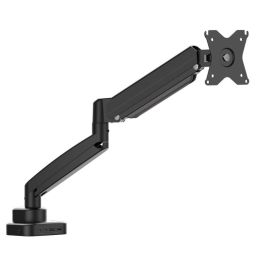
JTSA301 Ergonomic Monitor Mount with Dock
Call us for availabilityOne arm, one dock, one clean and ergonomic workspace.- Monitor arm with integrated USB-C docking functionality
- Supports height, tilt, swivel and rotation adjustments
- Reduces desk clutter by combining mount and connectivity
- Single USB-C cable powers display, data and peripherals
- Designed to improve posture and viewing comfort
- Solid construction for stable monitor positioning
- Ideal for modern laptops and flexible desk setups
£120.99 £145.19 Incl. VATRef: J5JTSA301NUKCompare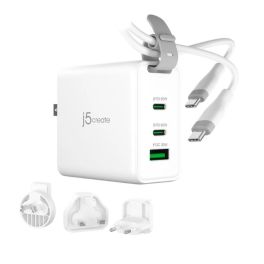
j5create JUP3565CV 65W GaN USB-C3-Port Travel Charger
Call us for availabilityCompact 65W GaN travel charger with three ports and interchangeable plugs for fast, safe charging wherever you work.- Provides up to 65W USB-C Power Delivery output
- Designed for laptops, tablets and high-demand USB-C devices
- Efficient power management for consistent charging
- Compact housing suitable for desk or travel use
- Automatically adjusts output based on connected device
- Integrated safety controls for long-term reliability
- Ideal as a primary or backup USB-C charger
£39.99 £47.99 Incl. VATRef: J5JUP3365CVNUKCompare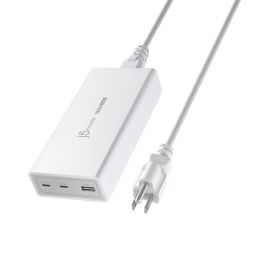
J5create JUP37185W 185W GaN PD 3.1 USB-C 3-Port Charger
Call us for availabilityAll-in-one 185W GaN charger with PD 3.1 – fast, safe charging for laptops and mobile devices across three ports.- 185W total output with GaN efficiency for fast, powerful charging
- PD 3.1 USB-C port supplies up to 140W ideal for laptops
- Second USB-C port delivers up to 45W for tablets & smaller devices
- USB-A port provides up to 12W fast charging for phones & accessories
- Automatic power balancing when multiple devices are connected
- Built-in protection: surge, overcharge, overcurrent & overheat
- Compact GaN design reduces heat and size
- Versatile compatibility with laptops, phones, tablets & game consoles
£88.99 £106.79 Incl. VATRef: J5JUP37185WFNUKCompare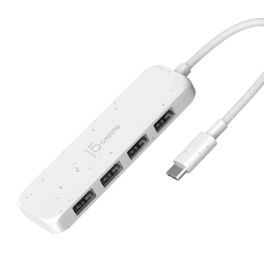
J5create USB-C to 4-Port Type-A Gen 2 Hub
Call us for availabilityCompact USB-C hub with four high-speed USB-A Gen 2 ports, delivering fast data expansion for modern laptops and workspaces.- Expands one USB-C port into four USB-A ports
- USB 3.2 Gen 2 technology with up to 10 Gbps data transfer
- Ideal for connecting peripherals, storage and accessories
- Backward compatible with USB 3.0 and USB 2.0 devices
- Bus-powered design with no external power required
- Plug-and-play operation with no drivers needed
- Compact and lightweight for mobile professionals
£23.99 £28.79 Incl. VATRef: J5JCH341EWNUKCompare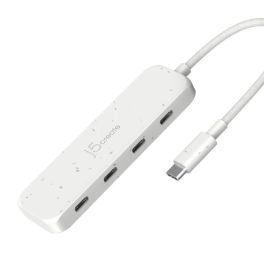
J5Create USB-C to 4-Port Type-C Gen 2 Hub
Call us for availabilityHigh-speed USB-C hub with four USB-C Gen 2 ports, delivering fast, flexible data expansion for modern laptops and workspaces.- Expands a single USB-C port into four USB-C ports
- USB 3.2 Gen 2 technology with up to 10 Gbps data transfer
- Ideal for high-speed storage and USB-C peripherals
- Bus-powered design with no external power adapter required
- Backward compatible with USB 3.0 and USB 2.0 devices
- Plug-and-play operation with no drivers needed
- Compact, lightweight design for mobile professionals
£26.99 £32.39 Incl. VATRef: J5JCH345EWNUKCompare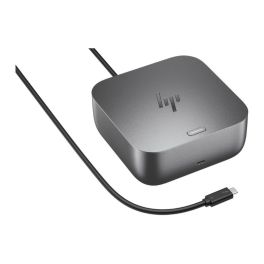
HP Thunderbolt 4 G6 100W Docking Station
Out of stockPowerful USB-C/Thunderbolt™ 4 docking station with 100 W Power Delivery, versatile connections and centralised IT management for modern workplaces.- Thunderbolt™ 4 with 100W charging power
- Intuitive LED status indicator: overview of the workstation
- Selection of multifunctional ports for displays and peripherals
- Support for IT management tools such as eTag and HP CMSL
- Robust construction and durable design
- Integrated security and firmware tools
- Compatible with standard business laptops
£314.99 £377.99 Incl. VATRef: HPG6100W10AACompare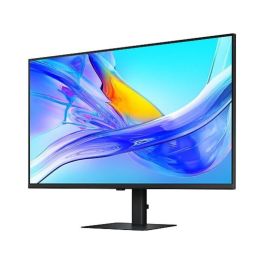
Samsung S80UD 37 inch 4K USB C Monitor
Call us for availability37-inch 4K monitor with USB-C, ideal for professional multitasking environments, offering high image clarity and efficient connectivity in the office- 37-inch 4K UHD for maximum workspace and razor-sharp display
- USB-C connection for video, data and power via a single cable
- Ergonomic design with height adjustment and pivot function
- IPS panel for consistent colours and wide viewing angles
- Multiple connectivity options including HDMI, DisplayPort and USB hub
- Ideal for multitasking thanks to the large screen and high resolution
£568.99£401.99 £482.39 Incl. VATRef: SALS37D800UAUXENCompare
D-Link DCF-141 GaN charger, 140 W
Call us for availability140 W GaN charger with 3 USB-C ports, 1 USB-A port and fast charging, designed to power up to 4 devices at your desk or whilst working from home.- 140 W GaN charger: powers PCs, tablets, smartphones and accessories
- Charge up to 4 devices simultaneously thanks to 3 USB-C ports and 1 USB-A port
- Up to 140 W via the USB-C1 and USB-C2 ports, compatible with PD 3.1 and QC 4.0
- GaN technology: high power output with improved thermal management
- Intelligent power distribution depending on the type of device
- Advanced protection against overcurrent, overvoltage, overcharging, overheating and short circuits
- Ideal for office use, home working and shared workspaces
£60.99 £73.19 Incl. VATRef: DCF141ECompare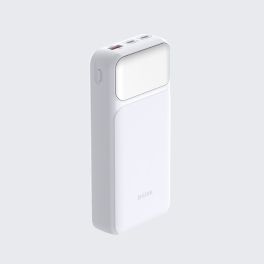
D-Link DPP-201 External Power Bank with 20,000 mAh
Call us for availability20,000 mAh power bank with fast charging up to 65 W, 2 USB-C ports, 1 USB-A port and a digital LED display for laptops, tablets and smartphones.- 20,000 mAh power bank: charges PCs, smartphones, tablets, etc.
- Fast charging up to 65 W: reduces waiting times and improves productivity
- Simultaneous charging of up to 3 devices thanks to 2 USB-C ports and 1 USB-A port
- Digital LED display: check the battery level at a glance
- USB-C input up to 65 W for fast recharging of the power bank
- Electronic protection against overcurrent, overvoltage, overcharging, overheating and short circuits
£34.99 £41.99 Incl. VATRef: DPP201Compare
Apple Studio Display 27-inch 5K Display with tilting stand
Out of stock27-inch 5K display with a 12 MP camera, built-in audio system and Thunderbolt 5 connectivity, ideal for Mac workstations and video conferencing.- 27-inch 5K Retina display: exceptional detail and precise visuals
- 600 nits brightness and P3 colour gamut: consistent colour reproduction
- 12MP camera with Centre Stage: automatic framing and document view
- Six speakers: immersive sound with Spatial Audio and Dolby Atmos support
- Studio-quality microphones: clear voice capture for calls and meetings
- Thunderbolt 5 and USB-C connectivity: direct connection to your Mac
- Adjustable stand: tilt from -5° to 25°
£1,663.99 £1,996.79 Incl. VATRef: APMFEX4FDACompare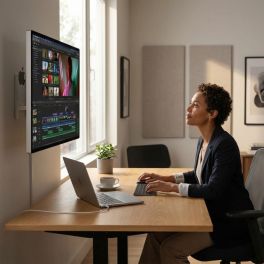
Apple Studio Display XDR 27-inch 5K Standard Glass
Out of stockA 27-inch professional display with Retina XDR 5K, standard glass and VESA mounting, ideal for desktop use, editing and advanced visual work.- 27-inch 5K Retina XDR display: precise images, crisp text and exceptional detail
- High Dynamic Range Mini-LED: up to 1,000 nits in SDR and 2,000 nits in HDR
- 120Hz refresh rate with adaptive sync: smoother motion
- Support for 1 billion colours, wide P3 and Adobe RGB colour gamuts
- 12 MP camera with auto-framing and top-down view
- Six high-fidelity speakers and 3 microphones for meetings and multimedia content
- 10x10 cm VESA mount: wall or arm mounting, in landscape or portrait orientation
£4,377.99 £5,253.59 Incl. VATRef: APMFEN4FDACompare
Apple Studio Display 27-inch 5K with nano-textured glass
Out of stock27-inch 5K display with nano-textured glass, a 12 MP camera and a stand with adjustable height and tilt, designed for demanding Mac workstations.- Nanotextured glass: reduces glare and improves visibility in very bright conditions
- 5K Retina display with 5120 x 2880 resolution: crisp text, exceptional detail and precise display
- 600 nits brightness and P3 colour gamut: supports 1 billion colours
- 12MP camera with auto-framing and overhead view
- 6 high-fidelity speakers and 3 microphones for meetings and multimedia content
- Thunderbolt 5 and USB-C ports for peripherals and accessories
- Stand tilts from -5° to +25° and is height-adjustable by 10.5 cm
£2,626.99 £3,152.39 Incl. VATRef: APMFF04FDACompare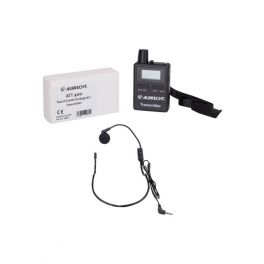
Midland Additional transmitter Albrecht ATT400
Call us for availabilityAdditional transmitter for the Albrecht ATT400 system- Additional transmitter for the Albrecht ATT400 system
- Includes microphone
- 2.3 GHz ISM band technology
- It can be combined with an unlimited number of receivers
£87.99 £105.59 Incl. VATRef: ALBTR400TCompare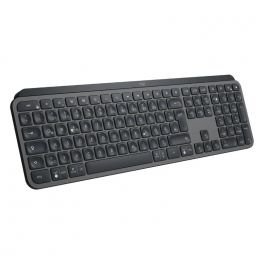
Logitech MX Keys
Call us for availabilityWireless backlit keyboard with advanced performance.- Wireless keyboard for professionals
- Simplified organization and navigation
- Ultra-precise keyboard with concave keys : perfect typing
- Improved key stability with noise reduction
- Backlighting can be activated via hand proximity sensors
- Rechargeable via USB-C : autonomy between 10 days and 5 months
- Logi Options+ software : customization of parameters
- Wireless range: up to 10 meters
- Connectivité : dongle USB Unifying ou Bluetooth Low Energy
- Pairing possible with 3 devices with simplified Easy-Switch switching
£119.99£99.99 £119.99 Incl. VATRef: LOMXKEYSPOUKCompare
Olympus LS-P5 Linear PCM Recorder
Out of stockPortable PCM recorder with TRESMIC II microphones, directional control and Bluetooth for capturing high-quality sound during interviews, videos and meetings with smooth streaming.- Hi-Res recording up to 96 kHz / 24-bit in linear PCM
- TRESMIC II directional microphones supporting up to 125 dB SPL
- Built-in Bluetooth for wireless control and monitoring
- 16 GB internal memory expandable via microSD
- PCM, FLAC and MP3 formats: great flexibility
- Up to 37 hours of battery life: long-term recording
£230.99£209.99 £251.99 Incl. VATRef: OLLSP5Compare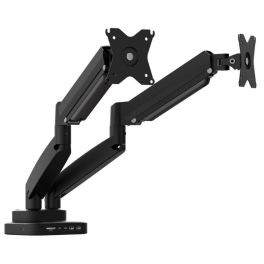
JTSA302 Dual-Monitor Mount with Docking Station
Call us for availabilityA unified dual-screen solution combining ergonomics and connectivity- Supports two monitors on a single ergonomic desk mount
- Integrated USB-C docking station for streamlined connectivity
- Independent height, tilt and swivel adjustment per screen
- Single-cable connection for power, video and data
- Reduces desk clutter while improving viewing alignment
- Robust arm design for stable dual-display setups
- Ideal for productivity-focused and data-intensive workflows
£225.99 £271.19 Incl. VATRef: J5JTSA302NUKCompare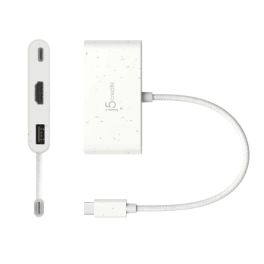
J5CRreate USB-C to HDMI & USB-A Power Delivery
Call us for availabilityUSB-C multi-adapter with 4K HDMI, USB-A data port and Power Delivery pass-through, ideal for modern workspaces and mobile setups.- USB-C to HDMI adapter with additional USB-A port
- Supports up to 4K Ultra HD HDMI video output
- USB-A port for data transfer and peripheral connectivity
- USB-C Power Delivery pass-through for device charging
- Compact, lightweight design for mobile professionals
- Plug-and-play operation with no drivers required
- Ideal for presentations, hot-desking and remote working
£23.99 £28.79 Incl. VATRef: J5JCA379EWNUKCompare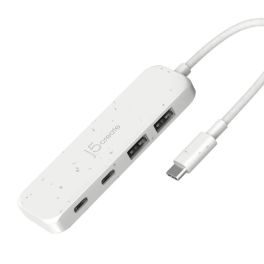
J5create USB-C to 4-Port Type-C & Type-A Gen 2 Hub
Call us for availabilityVersatile USB-C hub with four Gen 2 ports, combining USB-C and USB-A connectivity for fast, flexible laptop expansion.- Expands one USB-C port into four high-speed USB ports
- Combination of USB-C and USB-A ports for flexible connectivity
- USB 3.2 Gen 2 technology with up to 10 Gbps data transfer
- Ideal for external drives, peripherals and accessories
- Bus-powered design with no external power supply required
- Backward compatible with USB 3.0 and USB 2.0 devices
- Compact, lightweight design for mobile professionals
£26.99 £32.39 Incl. VATRef: J5JCH342EWNUKCompare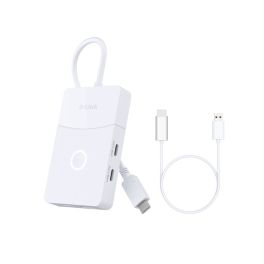
D-Link DUP 501 5-in-1-USB-C-Hub
Call us for availability5-in-1 USB-C hub with HDMI (wired and wireless), USB 3.0 and PD charging up to 100 W to enhance connectivity in the office and on the go.- 5-in-1 hub: connections for display, peripherals and charging from a single port
- Wired HDMI output up to 4K at 60 Hz: sharp image
- Wireless HDMI up to Full HD at 60 Hz: smooth wireless sharing
- Fast data transfer: 2 USB-C 3.0 + 1 USB-A 3.0 with up to 5 Gbps
- PD pass-through charging up to 100 W to power connected devices
- Front button to quickly switch between wired and wireless modes
- Plug and Play: compatible with macOS, Windows and Android
£48.99 £58.79 Incl. VATRef: DUP501Compare
Apple Studio Display XDR 27-inch 5K with nano-textured glass
Out of stockA 27-inch professional display with Retina XDR 5K, nano-textured glass and an adjustable stand, designed for editing, graphic design and advanced video collaboration.- Nano-textured glass: diffuses light to reduce glare and improve visibility
- 5K Retina XDR display: precise images, crisp text and exceptional detail
- High Dynamic Range Mini-LED: up to 1,000 nits in SDR and 2,000 nits in HDR
- 120Hz refresh rate with adaptive sync: smoother motion
- Colours: supports 1 billion colours, wide P3 and Adobe RGB colour gamuts
- Camera and audio: 12 MP camera with Centre Stage, 3 microphones and 6 high-fidelity speakers
- Stand tilts from -5° to +25°, height adjustable by 10.5 cm
£4,552.99 £5,463.59 Incl. VATRef: APMFEP4FDACompare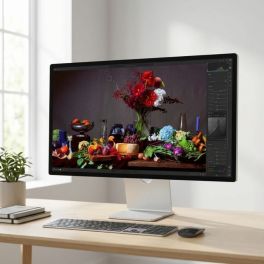
Apple Studio Display 27-inch 5K with standard glass, height-adjustable
Out of stock27-inch Apple display with 5K resolution, standard glass, 12 MP camera, built-in audio system and an adjustable stand for Mac workstations.- Standard glass and 600 nits: designed for everyday professional use
- 27-inch 5K Retina display: crisp text, exceptional detail and precise display
- 12MP camera with auto-framing and overhead view
- Built-in audio and voice: 6 high-fidelity speakers and 3 studio-quality microphones
- Thunderbolt 5 and USB-C ports for peripherals, storage and accessories
- Stand tilts from -5° to +25° and is height-adjustable by 10.5cm
- All-in-one solution for productivity, content creation and hybrid collaboration.
£2,188.99 £2,626.79 Incl. VATRef: APMFEW4FDACompare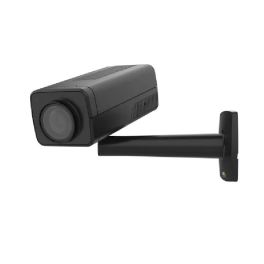
Axis 02220-001 Security Camera
Call us for availabilityExperience high-definition security with intelligent features.- High Definition - Enjoy crystal clear 1080p video at 60 fps.
- Advanced Object Analytics - Gain accurate insights with deep learning capabilities.
- Flexible Mounting Options - Install it easily on ceilings or walls.
- Robust Cybersecurity - Protect your data with built-in security features.
- 2-Way Audio Support - Communicate effectively with built-in audio capabilities.
£1,132.99 £1,359.59 Incl. VATRef: AXQ1715BLKCAMCompare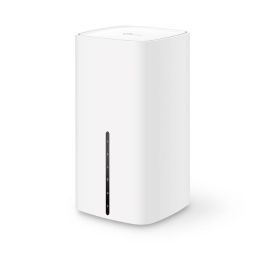
TP-Link NX510v 5G WiFi Router
Out of stockHigh-performance 5G WiFi 6 AX3000 router to optimise your connectivity- 5G speeds up to 3.4 Gbps
- WiFi 6 for fast connections
- Smooth connectivity for multiple devices
- Ideal for a stable connection
- QoS to prioritise essential traffic
- 4G LTE backup for continuous connectivity
- Enhanced data security
- Management via Omada Cloud Controller
£334.99 £401.99 Incl. VATRef: TPLNX540VV1Compare
TP Link Deco BE25 3-Pack Wi-Fi 7 Mesh
Call us for availabilityWhole-home Mesh Wi-Fi 7 system with 2.5 Gbps multi-gig ports, AI-driven roaming, and HomeShield security!- Wi-Fi 7 technology for ultra-fast speeds
- 2.5 Gbps multi-gig Ethernet ports
- AI-driven roaming for seamless connectivity
- Backwards compatibility with all Wi-Fi generations
- HomeShield security for enhanced protection
- Connects over 150 devices simultaneously
- Supports wired and wireless backhaul
- Easy setup via Deco app
£270.83£269.99 £323.99 Incl. VATRef: TPDECOBE25Compare
TP Link Deco M4 3-Pack
Call us for availabilityWhole-home mesh Wi-Fi system with seamless roaming, AC1200 dual-band speed, and robust parental controls!- Whole-home Wi-Fi coverage
- AC1200 dual-band for fast and stable internet
- Seamless roaming with a single SSID
- MU-MIMO technology for multiple devices
- Parental controls with content filtering
- Two modes: Router and Access Point
- Gigabit Ethernet ports for wired connections
- Easy setup via the Deco app
£99.99£98.99 £118.79 Incl. VATRef: TPDECOM4Compare
TP Link Tapo L530E 2-Pack Smart Light Bulb
Call us for availabilitySmart multicolour Wi-Fi bulb with dimming, scheduling and voice control – no hub required!- Multicolour & dimmable via app or voice
- Remote control through Tapo app
- Voice control with Alexa & Google Assistant
- Away Mode simulates occupancy
- Schedule & timer functions
- Energy monitoring via app
- Saves up to 85% energy
- No hub required for setup
£12.49£11.99 £14.39 Incl. VATRef: TPTAPOL530ECompare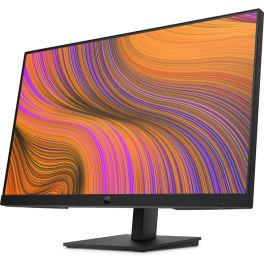
HP P24h G5 FHD IPS Monitor 24''
Call us for availability23.8" Full HD IPS monitor with 75Hz refresh rate, built-in speakers and ergonomic stand, designed for comfortable everyday productivity in office and home workspaces.- 23.8" Full HD IPS display with 1920 × 1080 resolution
- 75Hz refresh rate: smoother visuals and improved motion clarity
- Integrated dual speakers: convenient audio for meetings and media
- 3-sided micro-edge bezel: seamless multi-monitor setups
- Height and tilt adjustable stand
- Low Blue Light mode and anti-glare panel help reduce eye strain
- Multiple connectivity options including HDMI, DisplayPort and VGA
£155.25£139.99 £167.99 Incl. VATRef: HP64W34AAUKCompare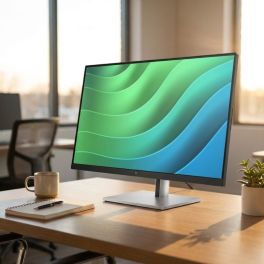
HP E27 G5 FHD Monitor
Call us for availability27” Full HD IPS monitor with 3-sided micro-edge design, eye comfort features and flexible connectivity, ideal for modern office environments and multi-screen setups.- 27” IPS monitor with FHD resolution
- Office or home: stylish micro-edge design
- Vivid colours from every angle: 99% sRGB
- Visual comfort: blue light filter and flicker-free technology
- Connections: USB-A, USB-B, HDMI, DisplayPort
- Easy management: HP Display Manager and Display Center
- Customisable: tilt, swivel and rotate
- Eco-friendly: 80% recycled materials and 25% recycled metals
£216.69£203.99 £244.79 Incl. VATRef: HP6N4E2AAUKCompare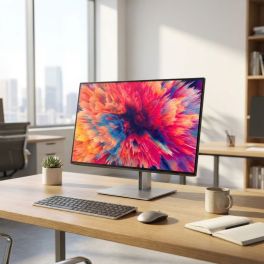
HP Z24q G3 QHD Monitor
Call us for availability23.8” QHD IPS professional monitor with precise colour accuracy, ergonomic design and advanced connectivity for demanding creative and business workflows.- 23.8” QHD (2560x1440) resolution for sharp detail and increased workspace
- IPS panel with factory colour calibration for accurate and consistent visuals
- 99% sRGB colour coverage suitable for professional content creation
- HP Eye Ease technology for reduced blue light without colour shift
- 4-sided micro-edge design ideal for seamless multi-monitor setups
- Ergonomic adjustability with height, tilt, swivel and pivot
- Professional connectivity including DisplayPort, HDMI and USB hub
£399.99 £479.99 Incl. VATRef: HP4Q8N4AAUKCompare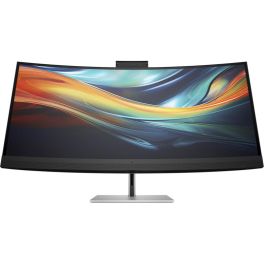
HP 7 Series Pro 39.7" 5K2K Conference Display
Call us for availabilityElevate your meetings to a new level of visual clarity.- Enhanced productivity: Manage multitasking more easily on a 39.7-inch ultra-wide curved screen.
- Accurate colours: Factory calibrated, offering full sRGB coverage.
- Simultaneous work: Use two computers at once with HP DeviceBridge 2.0.
- Increased sustainability: Made with 85% recycled materials, environmentally friendly.
- Immersive sound and image: Built-in 4K webcam and high-fidelity speakers for a lifelike experience.
£1,475.09£1,233.99 £1,480.79 Incl. VATRef: HP8Y2R2AAUKCompare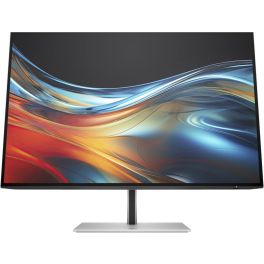
HP 7 Series Pro 24'' WUXGA Display - 724pn
Call us for availabilityDiscover the display that boosts your productivity!- WUXGA resolution for exceptional clarity.
- Micro-edges on 4 sides for an immersive display.
- 100 Hz refresh rate for smooth images.
- Adjustable ergonomics for optimal comfort.
- Eco-friendly commitment with recycled materials.
£272.79£247.99 £297.59 Incl. VATRef: HP8X534AAUKCompare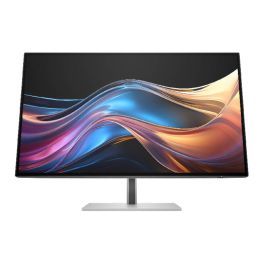
HP 7 Pro QHD 27'' Monitor
Call us for availability27" QHD display, true-to-life colours, USB-C connectivity, and ergonomic settings for everyday professional use.- QHD resolution (2560 x 1440)
- IPS Black technology (deep blacks and high contrast)
- Refresh rate up to 120 Hz
- Pantone certified for colour accuracy
- Ergonomics: height, tilt, swivel, and pivot adjustments
- Extended connectivity: HDMI, DisplayPort, USB-C, USB-A
- Visual comfort features: HP Eye Ease, ambient light sensor
- Eco-friendly design with sustainable materials.
£449.99 £539.99 Incl. VATRef: HP8J4D8AAUKCompare
Yealink DeskVision A24 for Teams
Call us for availabilityAll-in-one 23.8” desktop display with 4K camera, stereo speakers, and USB-C docking- All-in-one collaboration display
- 4K camera with auto framing
- 23.8” multi-touch screen
- High-quality stereo speakers
- USB-C docking with power delivery
- Qi wireless charging
- Dual-mode: Android & UC workstation
- Certified for Teams & Zoom
£1,099.99 £1,319.99 Incl. VATRef: YEALDESKVISIONA24UKCompare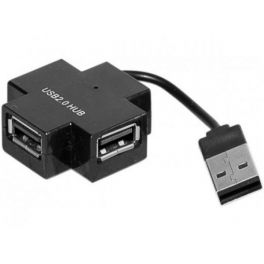
3 port USB hub
Call us for availability3-port USB 2.0- Connect up to three devices
- Plug into another device or socket
- Lightweight travel tool
- USB 2.0 connector
£4.99 £5.99 Incl. VATRef: HUBUSBCompare
1 Channel License for Vidicode VoIP Call Recorder
Call us for availabilityLicense to expand the range of calls to record on your VoIP channel network- A single license for the Vidicode VoIP call recorder comes as standard
- License to expand your range of recording: up to four lines on any one device
£71.99 £86.39 Incl. VATRef: VDVOIPLCompare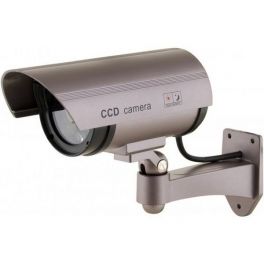
Decoy Exterior Camera with LED
Ultra-resistant imitation security camera for outdoor use- IP67 rating: Resistant against dust and water
- LED: Flashing red light to deter intruders
- Easy installation: Wall support and moveable arm
Call us for availability4.6 of 9 Reviews£11.99 £14.39 Incl. VATRef: CAMFACEXCompare
iiyama ProLite XCB4594DQSN-B1 Curved Monitor 45''
Call us for availability45" curved ultra-wide monitor with Dual QHD resolution, USB-C dock, LAN connectivity and KVM switch, designed for multitasking workstations and immersive productivity.- 45" curved ultra-wide display with Dual QHD (5120 × 1440) resolution
- 1500R curved VA panel delivers immersive viewing
- Integrated USB-C dock with 90W power delivery
- KVM switch and RJ45 LAN port allow control of multiple computers
- Multiple connectivity options including HDMI, DisplayPort, USB hub and USB-C
- Ergonomic stand with tilt adjustment and VESA mounting compatibility
£601.69£546.99 £656.39 Incl. VATRef: IIYXCB4594DQSNB1Compare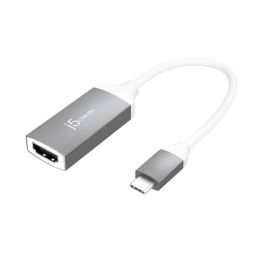
j5create USB-C to 4K HDMI Adapter
Call us for availabilityConnect, project, and excel effortlessly with the j5create USB-C to 4K HDMI Adapter.- HDMI Female Connector
- Easy-to-use cable
- 4K at 30 Hz to 4K at 60 Hz max resolution
- Compliant with HDMI 2.0 specifications
- Compatible with DisplayPort Mode over USB-C
- Ideal for USB-C equipped devices
- Aluminum housing for durability
£21.66£20.99 £25.19 Incl. VATRef: J5JCA153GNCompare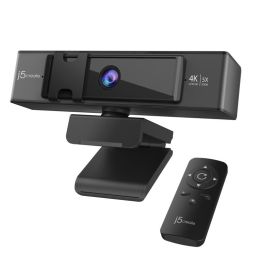
j5create USB 4K ULTRA HD Webcam
Call us for availabilityRedefine clarity, control, and connectivity with the j5create 4K Ultra HD Webcam.- 8.29 MP 3840 x 2160 pixels 30 fps
- Full HD
- Built-in microphone
- Privacy camera
- Interface: USB
- Mounting type: Clip/Stand
- Black, Grey
£89.16£77.99 £93.59 Incl. VATRef: J5JVCU435NCompare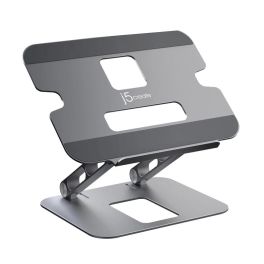
j5create Multi-Angle Laptop Stand
Call us for availabilityWork smarter and stay comfortable with the versatile j5create Multi-Angle Laptop Stand.- Fits most laptops up to 16 in.
- Aluminum construction with a weight capacity of up to 9 lbs. (4 kg)
- Adjustable viewing angles and heights help reduce eye strain and improve posture
- Nonslip protective pads help prevent slipping and scratches
- Foldable design for easy storage and portability
£47.29£32.99 £39.59 Incl. VATRef: J5JTS127NCompare
Discover Computer and Network Solutions
staying connected and equipped with the right technology is no longer optional, it’s essential. Whether you're running a small startup or managing a large enterprise, reliable computing and networking solutions are the backbone of productivity and growth. In this section, we will explore the various types of products available, tips for choosing the right equipment, and answer some of the most frequently asked questions regarding PC and Network Tools.
Choose the Right Computer and Network Solutions According to Your Needs
Selecting IT and networking equipment can feel overwhelming, but breaking it down into key categories makes the process much easier. Here are some of the main areas to consider:
- Routers and Switches: These devices are the backbone of your network, facilitating communication between devices. Routers connect multiple networks and provide internet access, while switches distribute data within the same network. Choose high-performance models for larger businesses that require robust connectivity.
- Network Security: Safeguarding your data is crucial. Investing in firewalls, VPNs, and intrusion detection systems helps protect your network from external threats. Make sure you choose solutions that comply with industry standards and provide comprehensive support.
- Wireless Access Points: For businesses requiring flexibility, wireless access points are essential. They extend your network's range, allowing employees to connect seamlessly from different locations. Look for models that support the latest Wi-Fi standards for optimal performance.
- Networking Cables: Don't underestimate the importance of quality cables. Ethernet cables, fiber optic cables, and patch panels play a vital role in maintaining a stable connection. Choose durable and high-speed options to ensure minimal signal loss.
- Computing Devices: From desktops to laptops, the computing devices you choose can greatly impact productivity. Consider your team's needs regarding processing power and portability.
Tips Before Buying Computer and Network Solutions
Before making a purchase, here are some crucial tips to guide you in selecting the right Computer & Networking products:
- Assess Your Needs: Evaluate the size of your business and the extent of your networking requirements. Understanding how many devices will be connected and the bandwidth needed will help you choose the right solutions.
- Research Brands and Models: Not all products are created equal. Look for reputable brands with positive reviews and reliable customer support. It's wise to compare different models to find the best fit for your operational needs.
- Consider Scalability: As your business grows, your networking needs may change. Opt for solutions that allow for easy upgrades and expansions without requiring a complete overhaul of your existing setup.
- Check Compatibility: Make sure all devices are compatible with each other and your existing infrastructure. This includes hardware, software, and any specific protocols you may be using.
- Evaluate Security Features: Security should be a top priority. Look for products with built-in security features and the ability to integrate with your existing security policies.
- Budget Wisely: While it's tempting to opt for the cheapest option, consider the long-term value of your investment. Quality products may have a higher upfront cost but can save you money in maintenance and replacements down the line.
Frequently Asked Questions About Computer and Network Solutions
- What is the difference between a router and a switch? A router connects different networks and directs data traffic, while a switch connects devices within the same network, enabling communication between them.
- How do I know if I need a wireless access point? If your business requires internet access in multiple locations or areas where a router's signal is weak, a wireless access point can enhance connectivity.
- What should I look for in a network security solution? Look for features such as intrusion detection, data encryption, firewall capabilities, and compatibility with existing security measures.
- How often should I upgrade my networking equipment? Regularly assess your equipment's performance and functionality. Generally, it's recommended to upgrade every 3-5 years or when you notice significant performance issues.
- Can I set up a home office network? Yes! A home office network can be established using routers, switches, and wireless access points, depending on your specific needs.