My Cart



Meeting bars
Characteristics and Core Functions
Video conferencing bars are all-in-one solutions designed to optimise space and simplify meeting room setup without compromising audio-visual quality. They integrate a camera, microphones and speakers into a single device, eliminating complex cabling and ensuring fast deployment with maximum operational efficiency.
| All-in-one integration | Camera, microphones and speakers combined in a single device. |
| Fast installation | Simple USB or network connection for quick deployment. |
| Wide-angle camera | 90°–180° field of view to effectively capture all participants. |
| Broad compatibility | Works with all collaboration platforms (excluding certified models). |
| Elegant design | Refined finishes that blend seamlessly into modern workspaces. |
How to choose the right solution?
- OKAudio and video capture: based on target room capacity and number of regular participants.
- OKRequired field of view: standard 90° angle or ultra-wide 120°–180° for specific layouts.
- OKRequired audio quality: standard pickup or premium audio with advanced beamforming and echo cancellation.
- OKSmart features: fixed camera or AI-powered system with automatic tracking and intelligent framing.
- OKPreferred connection type: USB BYOD for flexibility or Teams/Zoom certification for native integration.
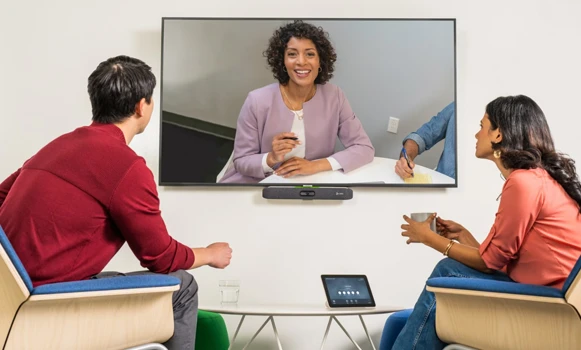
Applications across professional environments
Video conferencing bars are used by businesses to quickly increase the number of accessible collaborative spaces. In SMEs, they enable the deployment of professional solutions while keeping budgets under control, and they are a compact option for coworking spaces. They are also valued for private meetings in executive offices, demonstrations in commercial environments and training sessions requiring fast and efficient interactions.
Why partner with Onedirect?
Onedirect offers professional video conferencing bars from leading brands such as Yealink, Poly, Logitech, Jabra and many others. As an official reseller, we guarantee authentic products, fast and secure delivery, and dedicated after-sales support. Our team helps you identify the right solution based on room capacity and platform choice according to your infrastructure, ensuring a successful installation and optimal user satisfaction.
FAQ – Frequently asked questions
What is the difference between a video conferencing bar and a separate kit?
Video bars natively integrate all audio and video components into a single device, optimising space. Separate kits offer greater positioning flexibility, which can be beneficial in more complex rooms.
Do video bars require an external computer?
USB BYOD video bars require a personal computer. Certified MTR Windows bars include a mini-PC and a dedicated controller for fully autonomous operation.
How should a video conferencing bar be positioned in a room?
Ideally below or above a display, centred facing participants at seated eye level. Some models also support wall mounting depending on architectural constraints.
Can video bars be expanded with additional components?
Some models support extension microphones for larger rooms. For major future changes, modular systems may be a better option from the outset.
Which accessories can complement a video bar?
Depending on the model, wall mounts, TV mounts, extension microphones and room booking panels can complete your video conferencing setup.
Related resources
Show more filters