
My Cart




Professional solutions for communication and collaboration
By combining HP's technology expertise with Poly's experience in professional communications, the brand brings together IT, audio and video within a single business ecosystem. Headsets, video conferencing and audio conferencing solutions, phones, PCs, monitors and peripherals: a complete range designed to support businesses as working practices evolve.
From individual workstations to meeting rooms, discover HP Poly solutions designed to make communication, collaboration and hybrid working easier.
Why choose HP Poly?
Icon
Expertise in two key areas
HP's expertise in IT combines with Poly's long-standing experience in audio and video communications to meet a wide range of business needs.
Icon
A complete ecosystem
PCs, monitors, peripherals, headsets, phones and collaboration solutions: HP Poly covers everything from individual workstations to meeting spaces.
Icon
Ranges designed for hybrid working
Whether in the office, at home or on the move, HP Poly solutions enable employees to work and communicate effectively across different environments.
Icon
Compatibility with your tools
Some Poly devices are available in versions designed for Microsoft Teams and Zoom, depending on the model and certifications.
Explore the HP Poly ecosystem
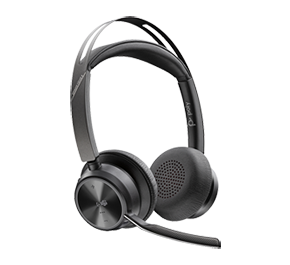
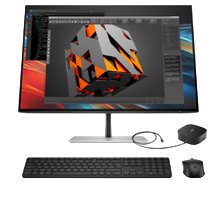
HP Poly Headsets
Whether making calls, joining video conferences or working in a busy environment, HP Poly headsets support professionals in their day-to-day communications. With both wired and wireless options available, the different ranges meet the needs of both desk-based and mobile users.
View all HP Poly headsets Icon
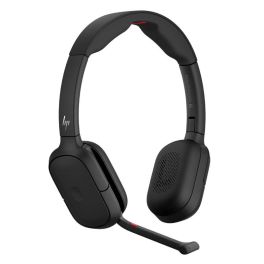
Professional stereo Bluetooth headset with hybrid active noise cancellation, AI-optimised microphones and long-lasting comfort for hybrid working and business calls.
- Hybrid Active Noise Cancellation (ANC) to minimise distractions
- 4 microphones with AI technology: clear voice reproduction even in noisy environments
- Bluetooth 5.4 multipoint connection for easy switching between multiple devices
- Comfortable stereo design: padded magnetic ear cushions
- Long battery life suitable for a full day’s work
- Convenient: replaceable battery and fold-away microphone boom
- Microsoft Teams Open Office certified
£248.99 £298.79 Incl. VAT
Ref: PLFOCUS625
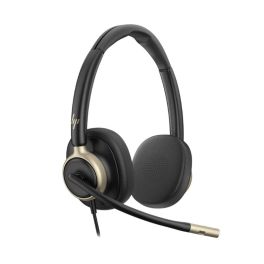
USB-C duo headset for the office with ANC, 4 microphones and a 'busy' light, designed to offer greater focus, comfort and clarity during your daily calls.
- Dual design: improved focus and more immersive calls
- 4 microphones with AI noise cancellation
- Active ANC: improved focus in open-plan offices
- Super wideband audio and 32mm speakers
- USB-C connector with USB-A adapter included
- Faux leather ear cushions
- Busylight on the ear cups: fewer interruptions
- In-line controller with ANC switch: better call management
£104.99 £125.99 Incl. VAT
Ref: PLMIS825USBCAD
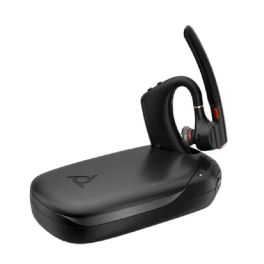
Wireless Bluetooth earpiece certified for Microsoft Teams
- 4 high-definition noise-cancelling microphones
- Intelligent ambient noise reduction
- Certified for Microsoft Teams
- Lightweight and ergonomic design
- Fast charging
4.7 of 3 Reviews
Ref: PLVOYLEG50T
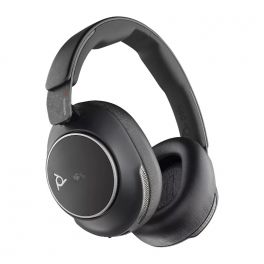
Wireless Bluetooth headset without microphone boom. Certified for Microsoft Teams
- Native Bluetooth certification: direct connection to compatible devices without a USB adapter
- Wireless Bluetooth Headset
- For mobile phone and PC/laptop
- Without microphone boom
- Latest Bluetooth 5.3 version
- Adaptive ANC cancels out unwanted noise
- 21 hours of talk time
- Intuitive touch control for calls and music
- Certified for Microsoft Teams and Open Office
Ref: PLVOYSUR80M
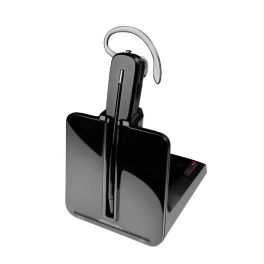
Convertible professional DECT headset with a desk base, noise-cancelling microphone, a wireless range of up to 120 m and three wearing styles, designed for intensive use with a landline telephone.
- DECT technology: secure communications with a range of up to 120 metres
- Convertible design: behind-the-ear, headband or neckband (optional)
- Background noise-cancelling microphone: clearer conversations
- Up to 7 hours’ talk time
- SoundGuard technology protects hearing from sudden loud noises
- Compatible with desk phones via RJ-11 and expandable with an electronic off-hook switch or HL10
Ref: PLCS540V2
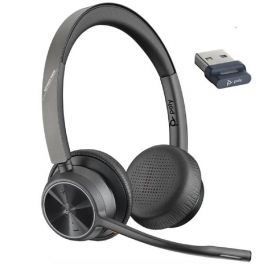
Flexible wireless stereo headset for total audio immersion in remote meetings
- Wireless stereo headphones for PC/Mac, mobile phone and tablet
- Connectivity: Bluetooth + USB-A (via included dongle) with up to 2 devices
- Optimised dynamic equalizer speakers and Acoustic Fence Technology
- Built-in dual microphone: natural voice transmission
- SoundGuard Digital Technology: hearing protection for users
- Enhanced battery life: up to 24 hours talk time (50 days standby)
- Headset controls: call acceptance, ON/OFF, mute, volume ±, Bluetooth
- Certified for Microsoft Teams and UC optimised
5 of 4 Reviews
Ref: PLVOY4320AM
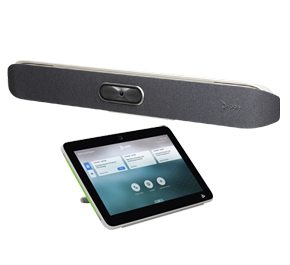
HP Poly Video Conferencing Solutions
From small meeting rooms to large collaborative spaces, HP Poly offers video solutions suited to a range of room configurations. Cameras, video bars and video conferencing systems make communication easier between in-room and remote participants.
Discover the full range Icon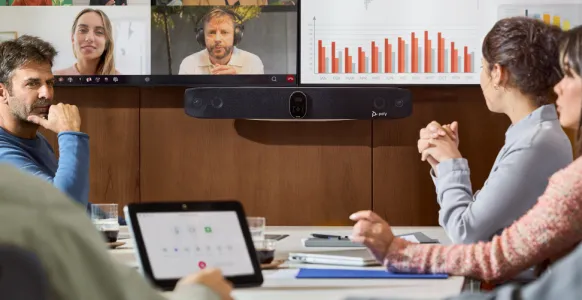
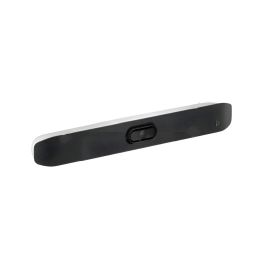
A 4K USB video bar with premium sound, smart AI features, and eco-friendly design for seamless small-room meetings.
- USB video bar for small rooms
- 20 MP 4K UltraHD camera with 5x zoom
- 120° horizontal and 132° diagonal field of view
- Dynamic video experience with Poly DirectorAI
- Poly NoiseBlockAI and Acoustic Fence: noise cancellation
- Eco-friendly design with 65% recycled plastic
- Quality audio with stereo speakers and beamforming mics
- For use with room PC or BYOD use
Ref: POSTV12UK
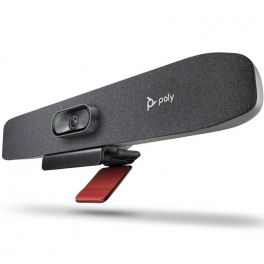
USB Video bar for Small Conference Spaces
- New generation all-in-one video bar
- Ideal for small meeting rooms
- PTZ camera with 4K UHD sensor
- 120° field of view with automatic framing of participants
- Integrated array of 3 beamforming microphones
- AI noise and echo suppression technologies
- Remote management and adjustment via Poly Lens
- Connection: USB Plug & Play
- Certified for Zoom Rooms and Microsoft Teams
5 of 1 Reviews
Ref: POSTUR30UK
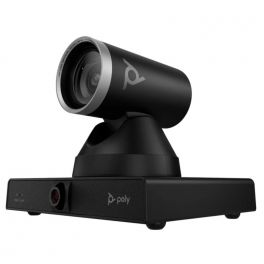
PTZ camera with 12x optical zoom, AI control and USB connection, perfect for large professional and educational spaces!
- PTZ camera for medium to large spaces
- Dual 8MP 4K lenses
- Powerful 12x optical zoom
- Poly Director AI: presenter tracking + group framing
- Plug & Play USB-B connection
- Poly Lens software: remote management and hardware analysis
- Compatible with all video platforms
Ref: POSTE60PTZ
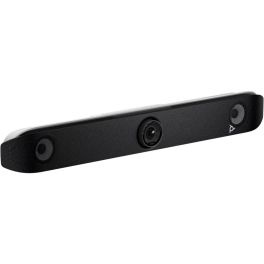
4K video bar with long-range microphones, AI-powered control and USB connectivity – ideal for medium-sized meeting rooms!
- All-in-one video bar
- For medium-sized meeting rooms
- 20MP sensor with 4K UHD resolution
- 110° field of view
- Poly Director AI: voice tracking, group framing and picture-in-picture view
- 2 stereo speakers + 4 long-range microphones
- NoiseBlock AI: removes background noise
- Plug & Play USB connection
- Poly Lens software: remote management and device analytics
- Compatible with all video conferencing platforms
Ref: POSTV52UK
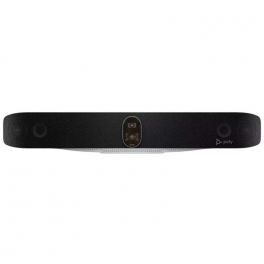
All-in-one video conferencing system with USB connectivity and advanced audiovisual technologies – perfect for large meeting rooms.
- All-in-one video bar for large spaces
- Dual 20MP sensor with 4K UHD resolution
- Wide 120° field of view (HFOV)
- Poly DirectorAI: smart framing
- 2 high-sensitivity microphones with 7.62m pickup range
- Bidirectional speakers
- Can be paired with Poly E360 and tabletop microphones
Ref: POSTV72
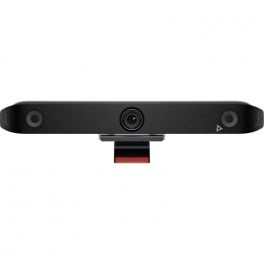
A state-of-the-art collaboration tool that transforms how teams interact and work together in the modern workplace.
- 20MP 4K UHD 95° FOV Camera
- Integrated microphones with Poly noise filtering technologies
- Built-in Speakers
- All-in-one design with simple set-up
- Poly DirectorAI smart camera technology and Auto-Framing
Ref: POSTX52UK
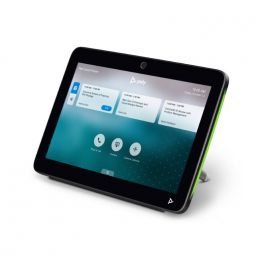
2-in-1 touch panel for room scheduling and meeting control.
- 2-in-1 tablet: room reservation + meeting control
- 10" touch screen with LED indicators
- Single cable system (PoE)
- Proximity sensor available
- Seamless integration with Zoom
- Also available in white
Ref: POSTTC10N
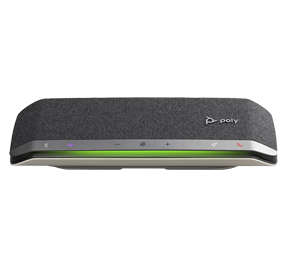
HP Poly Audio Conferencing Solutions
For meetings where audio remains at the heart of communication, HP Poly offers speakerphones and conference phones that enable multiple participants to communicate easily with people joining remotely.
View audio conferencing solutions Icon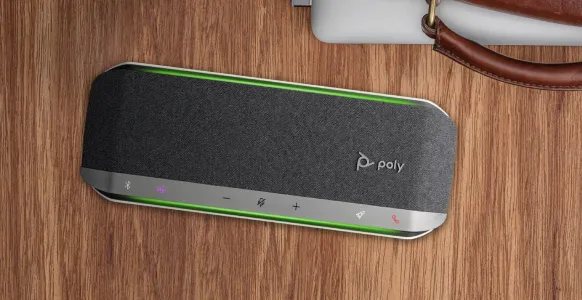
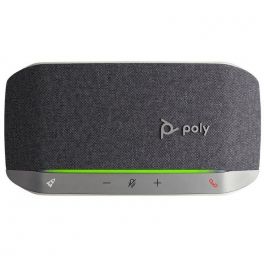
Speakerphone with USB-A connection (PC) and Bluetooth (mobile devices) ideal for your meetings and free time
- Highly Portable speakerphone for work and leisure
- USB-A connection (PC) and Bluetooth (Smartphone)
- Microphone with full duplex audio for your calls
- Dust and splash resistant (IP64)
- Great battery life up to 20 hours!
- Seamless communications with noise cancellation
- Compatible with all softphones on the market
4.8 of 3 Reviews
Ref: PLSYNC20USBA
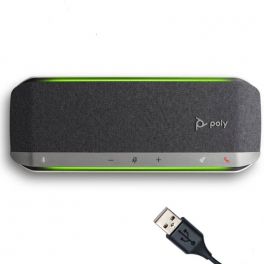
Portable speaker with microphone, USB-A connection and Bluetooth optimized for Teams - ideal for small meeting rooms
- Portable speaker for your small meeting rooms
- USB-A connection for PC or Bluetooth for disp. mobile
- Built-in noise-canceling microphone
- Full duplex sound for clear and successful calls
- Dust and splash resistant (IP64)
- Power Bank function
- Can be paired with another unit wirelessly
- Optimized for Teams
£230.40 £276.48 Incl. VAT
Ref: PLSYNC40MUSBA
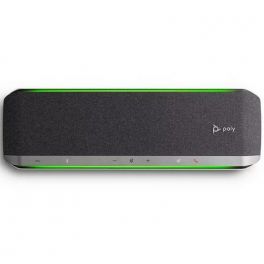
Portable speaker microphone with bluetooth and USB connection - Teams optimised
- USB/Bluetooth speaker for medium-sized rooms
- Full Duplex sound for exceptional quality
- Dust and water-resistant: IP64
- Clear communication with noise cancellation
- Optimised for Teams
Ref: PLSYNC60MUSBA
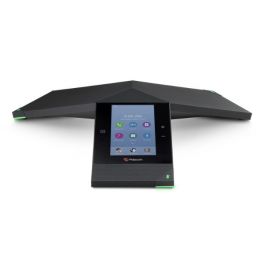
A smart hub for group collaboration which transforms the three-point conference phone into a voice, video and content sharing system
- Three-point conference phone
- Range: 6 metres
- Polycom HD Voice and NoiseBlock
- 5-inch colour LCD
- Power-over-Ethernet
- Bluetooth 4.0 and NFC
- Voice activity detection
- Comfort noise generation
4 of 1 Reviews
Ref: POREALPTRIO
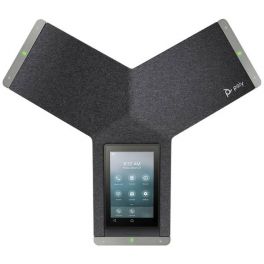
IP audio conferencing with USB and Bluetooth connection - ideal for any meeting room
- IP audio conferencing ideal for medium to large rooms
- SIP Ethernet network connection, via USB or Bluetooth cable
- Conferences with clear sound and intuitive use 5" display
- 360º sound coverage with a range of 6 metres
- Designed for videoconferencing with the Poly Studio X30/50 and G7500
- Compatible with all softphones on the market
- Optimised for Teams and Zoom
Ref: POTRIOC60T
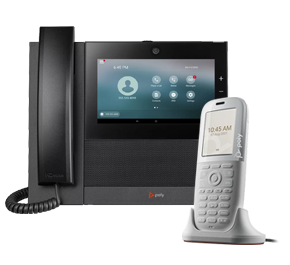
HP Poly Phones
HP Poly phones are designed to equip individual workstations and shared spaces. A range of solutions is available to meet the communication needs of different business environments.
Discover the full range Icon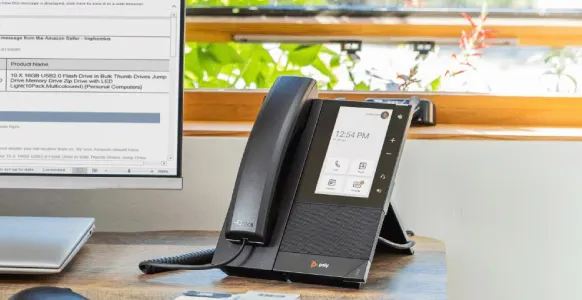
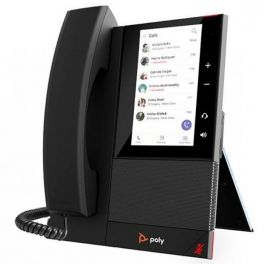
Intuitive Microsoft Teams desk phone with Poly HD Voice and 5" colour LCD display
- Entry-level business phone optimised for Microsoft Teams
- 5" intuitive LCD colour display screen
- Polycom HD Voice and Acoustic Clarity
- Poly Acoustic Fence technology: removes background noise
- Android 9.0 operating system
- Full-duplex speakerphone with echo cancellation
- Wall mounting option
Ref: POCCX400TEAMS
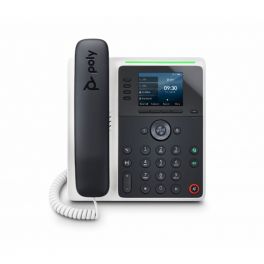
The Poly Edge E220 phone keeps you sounding professional. These future-forward phones pair the famous Poly noise blocking technology with cutting-edge design that brings style to any desktop or reception area.
- 4-line keys supporting up to 16 lines, features and contacts.
- Integrated Bluetooth® 5.0 for mobile phone or headset pairing.
- Signature Poly HD voice.
- Poly NoiseBlockAI and Poly Acoustic Fence technologies.
- Bright 2.8” color IPS LCD display.
Ref: POEDGEE220
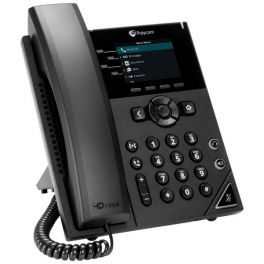
IP telephone with 4 SIP lines, version with pre-installed Poly OBi software
- Desktop IP telephone, with 4 SIP lines
- Version with Poly OBi software pre-installed
- This phone has 12 virtual lines
- Certified for Google Voice
- 2.8" color LCD screen (320x240 px)
- 2 Ethernet ports 10/100/1000
- Built-in USB port
- Compatible with Poly OBiWiFi5G dongle for WiFi (optional)
Ref: POVVX250OBI
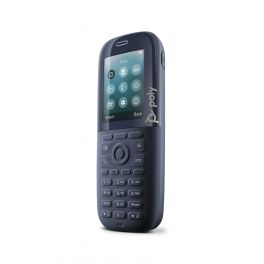
Compact and robust DECT cordless phone - Designed for all professionals
- Rugged DECT cordless phone
- Up to 18 hours talk time
- 3.5 mm Jack for headphones
- 4 programmable line keys
- IP65 certified: dust-tight and water-resistant technology
- Drop-proof: up to 6.6 ft / 2 m
- Microban® antimicrobial product protection
Ref: POROVE30DECTUK
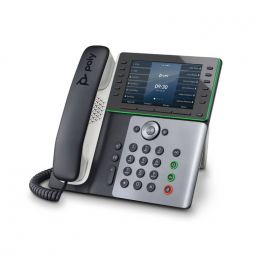
Polys most versatile phone to date, the Poly Edge E500 Series offers industry-leading Poly audio and a host of advanced features.
- 12-line keys supporting up to 48 lines, features, and contacts.
- Integrated Bluetooth® 5.0 for mobile phone or headset pairing (E550).
- Poly NoiseBlockAI and Poly Acoustic Fence technologies.
- Signature Poly HD voice and bass-frequency-enhancing speaker design.
- Large 5” color IPS LCD display.
Ref: POEDGEE550

Business-grade audio with no background noise, reliable and low cost
- 2 Lines - 10/100MB
- Sleek design
- Plug and play
- No Background noise
- 5-way Conferencing
- RJ9 and 3.5mm headset ports
Ref: POEDGEB20
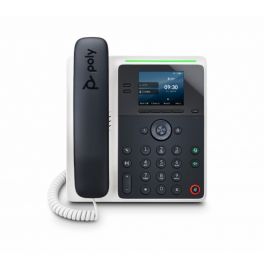
The Poly Edge E100 phone keeps you sounding professional. These future-forward phones pair the famous Poly noise blocking technology with cutting-edge design that brings style to any desktop or reception area.
- 2-line keys supporting up to 8-lines, features and contacts.
- Signature Poly HD voice.
- Poly NoiseBlockAI and Poly Acoustic Fence technologies.
- Bright 2.8” color IPS LCD display.
- Text-to-speech and new accessibility options.
5 of 1 Reviews
Ref: POEDGEE100
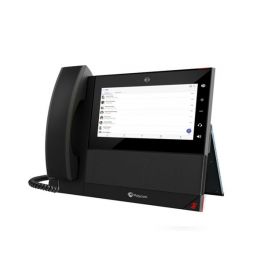
Business media phone with a dedicated Microsoft Teams button and 7" intuitive touch screen
- 7" multi-touch LCD display
- Dedicated Microsoft Teams button: optimised for Skype for Business
- Poly HD Voice and Acoustic Clarity
- Poly Acoustic Fence technology: removes background noise
- Easy to install and uses integrated Wi-Fi
- Flexible headset connectivity options
Ref: POCCX600TEAMS
HP IT Solutions
Business PCs, monitors, keyboards, mice, hubs, docking stations and accessories make it possible to create a complete workstation tailored to employees' needs, whether they are working in the office or remotely.
View all IT solutions Icon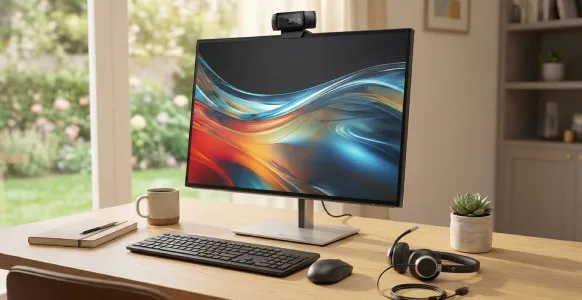
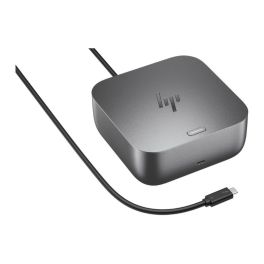
Powerful USB-C/Thunderbolt™ 4 docking station with 100 W Power Delivery, versatile connections and centralised IT management for modern workplaces.
- Thunderbolt™ 4 with 100W charging power
- Intuitive LED status indicator: overview of the workstation
- Selection of multifunctional ports for displays and peripherals
- Support for IT management tools such as eTag and HP CMSL
- Robust construction and durable design
- Integrated security and firmware tools
- Compatible with standard business laptops
£314.99 £377.99 Incl. VAT
Ref: HPG6100W10AA
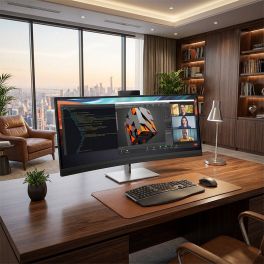
Ultra-wide 39.7" 5K2K curved conferencing monitor with integrated webcam, Thunderbolt connectivity and precise colour accuracy for advanced workspaces.
- 39.7" 5K2K ultrawide display: expansive workspace with high pixel density
- Curved 21:9 format: immersive viewing and improved multitasking
- Integrated 4K webcam: video conferencing with privacy shutter
- Thunderbolt connectivity: high-speed data, video and power delivery
- Wide colour accuracy: 100% sRGB and 98% Display P3 with factory calibration
- HP Device Bridge 2.0: control two devices with one keyboard and mouse
Ref: HP8Y2R2AAUK
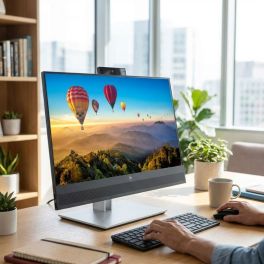
23.8” Full HD IPS conferencing monitor with integrated webcam, microphones and speakers, plus USB-C docking for efficient hybrid work and video collaboration.
- 23.8” Full HD IPS display for clear visuals and comfortable daily use
- Integrated 5MP webcam with privacy shutter for secure video conferencing
- Dual microphones and front speakers for optimised audio collaboration
- USB-C docking with 65W power delivery for single-cable laptop connection
- Pop-up webcam with Windows Hello for fast and secure login
- Ergonomic stand with height, tilt, swivel and pivot adjustments
- Advanced connectivity with DisplayPort, HDMI and USB hub
Ref: HP40Z32AAUK
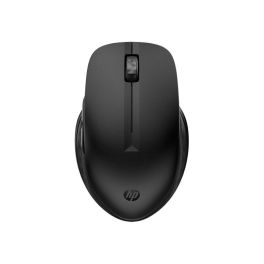
Work smarter with a mouse that adapts to your needs.
- Seamless device switching: Move content across devices effortlessly.
- Customizable shortcuts: Enjoy easy access by programming buttons to suit your workflow.
- Long-lasting battery life: A single AA battery lasts up to 24 months, enhancing productivity.
- Comfortable design: The ambidextrous shape fits comfortably in any hand, reducing strain.
- Eco-friendly materials: Made with 77% recycled plastic, reducing your carbon footprint.
Ref: HPM435
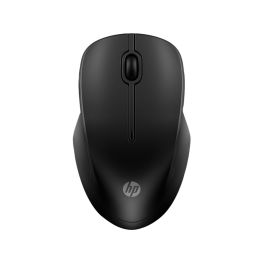
Experience seamless connectivity and comfort.
- Versatile Connectivity – Enjoy quick connection options with RF Wireless or Bluetooth.
- Long-lasting Battery – One AA battery can last up to 12 months.
- Smooth Performance – With a 1600 DPI optical sensor for precise control.
- Ambidextrous Design – Comfortable for both left and right-handed users.
- Eco-friendly Materials – Made with 50% recycled plastics and 100% recyclable packaging.
£16.99 £20.39 Incl. VAT
Ref: HPM255
IconFAQ – HP Poly Solutions
What is the difference between HP, Poly and Plantronics?
Plantronics, a long-standing specialist in headsets and professional communications, became Poly following its merger with Polycom. Poly later joined HP, bringing its audio, video and collaboration expertise into the group's ecosystem. Depending on the product generation, you may therefore still come across the Plantronics, Poly or HP Poly names.
How do you choose an HP Poly video conferencing solution based on room size?
The choice mainly depends on the number of participants, the size of the room and the video conferencing platform being used. A compact solution may be suitable for a huddle room or small meeting room, while a medium or large meeting room requires audio and video coverage designed for a larger space.
Which HP Poly headset should you choose for working in an open-plan office?
In a noisy environment, choose a headset that provides good sound isolation and, if necessary, active noise cancellation (ANC) to reduce distractions. For calls, a microphone with background noise reduction also helps your callers hear you more clearly.
Are HP Poly devices compatible with Microsoft Teams and Zoom?
Many HP Poly products are designed to work with leading video conferencing and unified communications platforms. Some models also have specific Microsoft Teams or Zoom certifications. However, these certifications vary depending on the model and version selected, so it is important to check each individual product.
Can you fully equip a workstation with HP Poly?
Yes. The combination of HP and Poly brings together PCs, monitors, webcams, keyboards, mice, docking stations, headsets and other peripherals around the workstation. The exact set-up will then depend on the employee's requirements and working environment.