My Cart



PC Monitors
Characteristics and Core Functions
Business PC monitors are engineered to deliver accurate images while supporting healthy working conditions. Ergonomic stands and eye-care technologies contribute to user well-being over long sessions.
| IPS / VA panels with wide viewing angles | Colours and contrast remain stable when users move or when multiple people view the screen |
| Full HD / 2K / 4K resolution options | Choice of pixel density tailored to office applications, creative tasks or analytical work |
| HDMI / DisplayPort / USB-C connectivity | Supports a variety of PC, laptop and docking configurations, including single-cable USB-C setups |
| Low Blue Light and Flicker-Free modes | Eye-care features help reduce fatigue during extended use |
| Ergonomic stands | Height, tilt, swivel and pivot adjustments allow users to position screens correctly for comfort |
| Energy-efficient design | Lower power consumption supports sustainability initiatives and reduces running costs |
| VESA mounting compatibility | Allows use with monitor arms or multi-screen mounts for advanced desk setups |
| Productivity features | Window-organisation tools and picture-by-picture modes enhance multitasking |
How to Select the Right PC Monitor
- OKPrimary workload – Determine whether users focus on office applications, data-heavy dashboards, design tasks or mixed usage
- OKScreen size and resolution – Balance available desk space and pixel density according to typical viewing distances
- OKConnectivity and docking – Decide whether USB-C power delivery, daisy-chaining or legacy ports are required
- OKErgonomic policies – Align stand adjustability and mounting options with occupational health and safety guidelines
- OKMulti-monitor requirements – Plan for dual or triple monitor configurations where productivity demands it
- OKHybrid work considerations – Ensure monitors used at home or in hot-desking setups integrate seamlessly with corporate laptops
Applications Across Professional Environments
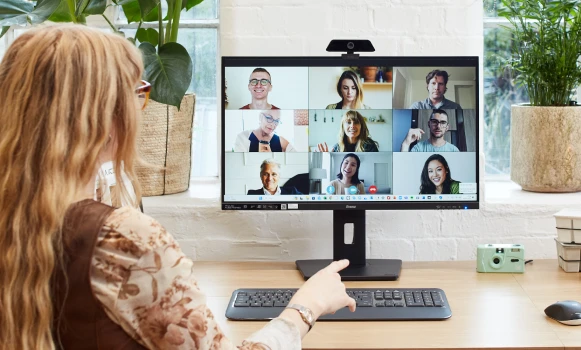
Office staff use business monitors for email, document creation and collaboration tools, benefiting from sharp text and comfortable ergonomics. Finance and administrative teams often choose higher resolutions or ultrawide formats to view spreadsheets, dashboards and reports more efficiently.
IT departments, support desks and control-room environments rely on multi-monitor setups to manage logs, monitoring tools and remote sessions simultaneously. Consistent image quality and reliability are essential for accurate oversight and fast response.
Marketing and design teams use colour-accurate business monitors for layout work, campaign planning and content review, particularly when connected to laptops or docking stations via USB-C.
Why Partner with Onedirect?
Onedirect offers a wide range of business PC monitors from recognised manufacturers, giving organisations reliable solutions for both large-scale deployments and targeted upgrades. Our portfolio prioritises professional features over consumer-focused extras.
We help you define standard monitor profiles for different user groups, simplifying procurement, rollout and asset management. Connectivity, ergonomics and energy efficiency are evaluated against your IT and workplace standards.
With fast delivery and dependable after-sales support, Onedirect helps maintain a consistent and comfortable desktop experience across offices, hybrid workspaces and home-working environments.
FAQ – Frequently Asked Questions
What is the difference between a business monitor and a consumer monitor?
Business monitors prioritise ergonomics, eye-care features, reliability and long-term availability, making them better suited to daily professional use.
Is USB-C important for modern office monitors?
USB-C allows video, data and power delivery through a single cable, simplifying desk setups and supporting laptop-based workstations.
What resolution is best for office work?
Full HD is sufficient for standard office tasks, while 2K or 4K is beneficial for larger screens, data-heavy work or multitasking.
Are ergonomic stands really necessary?
Yes. Height, tilt and swivel adjustments help reduce neck and eye strain, supporting employee comfort and compliance with ergonomic guidelines.
Can business monitors be used in multi-screen setups?
Yes. Many models support VESA mounting and daisy-chaining, making them suitable for dual or triple monitor configurations.