
My Cart



Meeting Room Displays
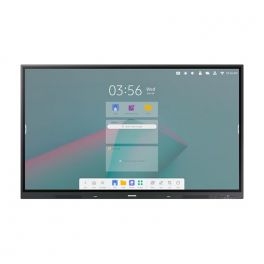
Samsung 65" Interactive E-board WAC
Discontinued4K touchscreen with Android 11 and multi-window option, ideal for collaborative meetings and classrooms.
- Interactive display for classrooms
- Android 11: customisable user interface
- 65-inch panel with 4K resolution
- 20-point tactilemulti-touch technology
- Integrated stereo front speaker
- Wireless screen sharing (up to 9) + multi-window options
- Wifi, Bluetooth, HDMI Out and USB-C 3-in-1
- With Samsung WhiteBoard
Check similar productsRef: SAWA65CUKCompare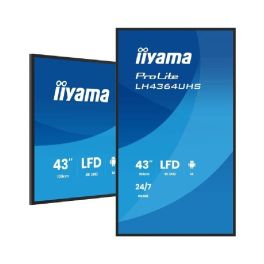
IIYAMA PROLITE LH4364UHS-B1AG (Open Box)
DiscontinuedEnhance your visual messaging with exceptional 4K detail.- Impressive 4K UHD delivers crystal-clear imagery for all content types.
- Android OS allows easy app installation and customisation.
- 24/7 Operation ensures reliability for constant messaging needs.
- Flexible Orientation adapts to your display environment with landscape or portrait mode.
- Seamless Content Management with iiSignage² for effortless content control.
Check similar productsRef: IIYLH4364UHSUKRCompare
Iiyama ProLite TE7514MIS-B2AG
Discontinued75" 4K interactive display with ultra-precise touchscreen technology and iiWare 12E – perfect for meetings and education.- Touchscreen designed for education and business use
- 75" display with 4K UHD resolution
- PureTouch-IR touch technology: millimetre-level precision
- 4 built-in speakers and 8 integrated microphones
- iiWare 12E: built-in web browser, cloud access, and WPS Office
- Continuous 24/7 operation
- Supports AirPlay, Chromecast, and Miracast
Check the alternative productRef: IITE7514MISB2AGCompare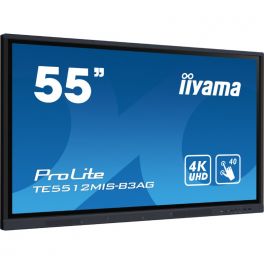
IIyama ProLite TE5512MIS-B3AG
Discontinued4K Touchscreen Display for Education and Business with Speakers, 64GB Internal Storage, User Profiles, and iiyama Share.- Display Designed for Education and Professional Collaboration
- 55'' IPS Surface with 4K Display
- 40-Point Touch Capability via Stylus, Finger, or Glove
- Anti-Glare Coating
- 2 x 16W Speakers
- Extended Internal Memory: 64GB
- Supports WiFi (OWM002 module included) and Bluetooth
- iiWare 10 (Android OS): Downloadable Apps
- iiyama Share: Content Sharing via AirPlay, Miracast, and ChromeCast
Check similar productsRef: IIYTE5512MISB3AGUKCompare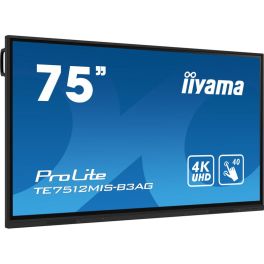
iiyama ProLite TE7512MIS-B3AG
Discontinued75'' touchscreen display with 4K resolution, Android 11, and WiFi – designed to engage teams with stunning visuals.- Collaborative meetings and lessons: touchscreen surface
- 190.5 cm (75") screen
- Stunning 3840 x 2160 resolution
- Anti-glare IPS technology
- PureTouch IR touch: precision of ±1.5 mm
- Speakers: 2 x 16W
- 24/7 operation
- VESA mounting: 800 x 400 mm
Check similar productsRef: IIY7512MISB3AGCompare
iiyama ProLite TE8612MIS-B3AG
Discontinued4K Touchscreen for Education and Business with Built-in Speakers, User Profiles, and iiyama Share.- Screen designed for education and professional collaboration
- 86" 4K display
- 40-point touchscreen: works with stylus, finger, or glove
- Anti-glare coating
- Two built-in 16W speakers
- Wi-Fi (OWM002 module included) and Bluetooth supported
- iiWare 10 (Android OS)
- iiyama Share: share content via AirPlay, Miracast, and ChromeCast
Check similar productsRef: IIYTE8612MISB3AGCompare
Upgrade Your Workspace with Premium Meeting Room Displays
Meeting room displays, like conference room screens, meeting screens, and boardroom displays, are essential for smooth presentations and team collaboration. These smart devices not only make visuals more engaging but also improve how teams work together during meetings. In this guide, we'll dive into the many benefits of adding these displays to your workspace, answer your top questions, and help you choose the best option for your business.
Advantages of Using Meeting Room Displays
- Improved Collaboration: Meeting room displays foster teamwork by allowing multiple users to connect and share content effortlessly, enhancing group discussions.
- High-Quality Visuals: With crystal-clear resolutions and vibrant colors, conference room screens ensure that every detail is visible, making presentations more impactful.
- Versatile Connectivity: Most meeting screens support various connectivity options, including HDMI, USB-C, and wireless connections, making it easy to link devices.
- Enhanced Productivity: By reducing setup time and minimizing technical difficulties, these displays allow teams to focus on what truly matters—getting work done.
- Smart Features: Many modern meeting screens come equipped with smart capabilities, such as built-in video conferencing tools and touch functionality, providing an all-in-one solution.
- Customizable Layouts: Whether you're using boardroom displays or meeting screens, customization options allow you to tailor settings to fit your specific meeting needs.
- Durability: Designed for heavy usage, these displays are built to withstand the rigors of daily business operations, ensuring longevity and reliability.
- Remote Collaboration: With integrated software, meeting room displays facilitate remote participation, making it easier for teams to connect regardless of location.
- Energy Efficiency: Many modern displays are designed to consume less power, contributing to a more sustainable workplace.
- Smooth Integration: Easy to integrate with existing technology infrastructures, these displays enhance your current setup without requiring significant changes.
FAQs about Meeting Room Displays
- What size meeting room display should I choose? The size of your display depends on the room's dimensions and the number of participants. Generally, a larger screen is recommended for bigger rooms to ensure visibility from all angles.
- Can I use a meeting room display for video conferencing? Yes, most modern conference room screens come with built-in video conferencing capabilities, allowing you to connect with remote participants seamlessly.
- What connectivity options are available? Meeting screens typically offer a range of connectivity options, including HDMI, USB-C, Wi-Fi, and Bluetooth, making it easy to connect various devices.
- Are meeting room displays easy to install? Installation is generally straightforward, with many displays designed for simple wall mounting or stand options. Professional installation services are also available if needed.
- How do I maintain my meeting room display? Regular cleaning and ensuring that software is up-to-date will help maintain performance. Avoid using abrasive materials when cleaning the screen surface.
- Can I use my meeting room display for presentations from my laptop or tablet? Absolutely! Most displays allow for easy connection from laptops and tablets, providing flexibility for presentations.
- What is the lifespan of a meeting room display? Depending on the brand and usage, meeting room displays can last several years, with many manufacturers offering warranties of 3 years or more.
- Do meeting room displays come with warranty support? Yes, most brands offer warranties that cover defects and service support, ensuring peace of mind with your investment.