Need help?
Professional advice available Monday to Friday, 8.30am-5.30pm Mon. to Fri. 8:30 a.m. – 6:30 p.m. 0333 123 3050 Call us!
brand
product-type
subcategory
PRICE
  • 0
    ,00 
    5 999
    ,00 

Clickshare mac

1  - 5 of 5 results found
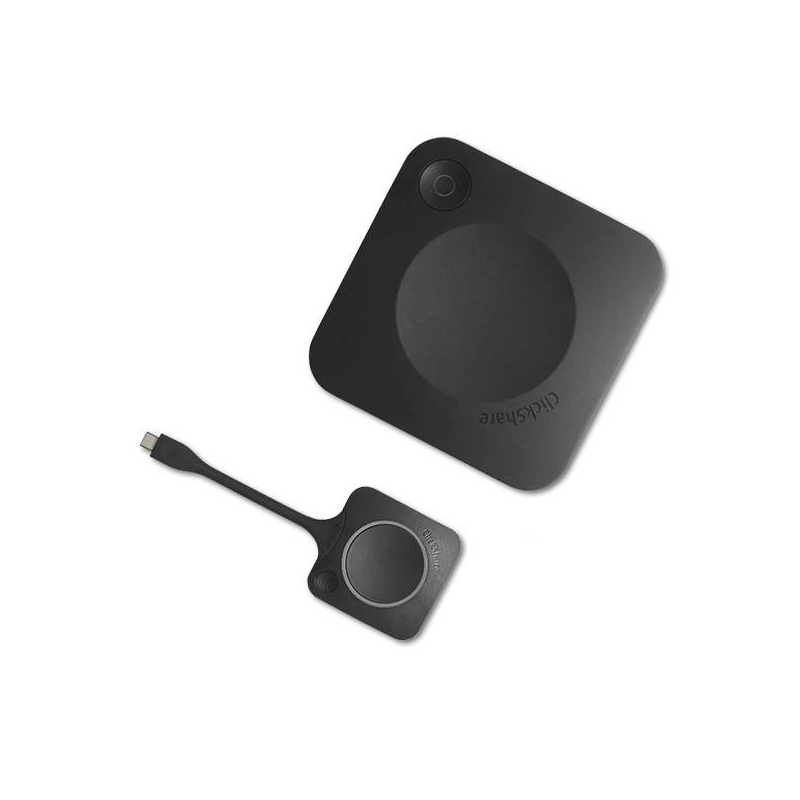
Barco ClickShare CX-20 GEN2 + Free ClickShare button

Barco ClickShare CX-20 GEN2 + Free ClickShare button

Barco ClickShare CX-20 GEN2 + Free Button Turn meetings into interactive presentationsWith the Barco ClickShare CX-20 Gen2, you can maintain clear communication and share files, presentations, and other materials during meetings. Simply connect the ClickShare button to your PC or connect your mobile device via WiFi, and you'll be ready to collaborate in just 7 seconds.Made with new internal components, this 2nd generation model features a new Gen 4.1 button with a USB-C connection designed to simplify setup and connectivity. You can now connect the Barco wireless presentation system via a power supply or USB-C cable. The video presentation will be via HDMI or USB-C DisplayPort. This model also includes a free second USB-C ClickShare button!  Any softphone, any device, and any peripheralThis conferencing and collaboration system supports Zoom, MS Teams, Skype, BlueJeans, and any application you need. The Barco CX-20 ClickShare is also compatible with PC, Mac, and mobile devices. Connect via the ClickShare button or WiFi and you'll have access to all the devices in the room: video conferencing systems, speakers, microphones, and cams. Everything will be under your control, without complications.Technical Specifications:ClickShare USB-C button offeredWindows 10 operating system and above macOS 11 (BigSur) and aboveAndroid v11 and above (ClickShare app)iOS 14 and above (ClickShare app)System Requirements For a smooth experience with Microsoft Teams or ZoomMinimum: Intel i3 dual-core processor / 8GB RAM / Operating system: the latest version of Windows 10 or latest version of MojaveRecommended: Intel i5 quad-core processor / 8GB RAM / Operating system: latest version of Windows 10 or latest version of Mac OS4K UHD (3840*2160) video outputs at 30 Hz. HDMI 1.4b or USB-C DisplayPort 1.2 (Gen2 only)USB audio output, HDMIUSB 1 X USB-A, 1 X USB-CClickShare buttons 1ClickShare App Desktop and MobileNative protocols Airplay, Google Cast, MiracastMaximum number of simultaneous connections (with Buttons and/or App) 32Kensington lock anti-theft systemWireless conferencing via App or ButtonLocal room screen view onlyNetwork connection LAN and Wi-FiDimensions and weight: 34 x 135 x 135mm / 900gPower source: standard 110/220V AC outlet or USB-C (Gen2 only)Power consumption: 5-10W, 24W max.
£2305.00
£1679.99
-27%
Ref: BARCOCX20G2BUTG
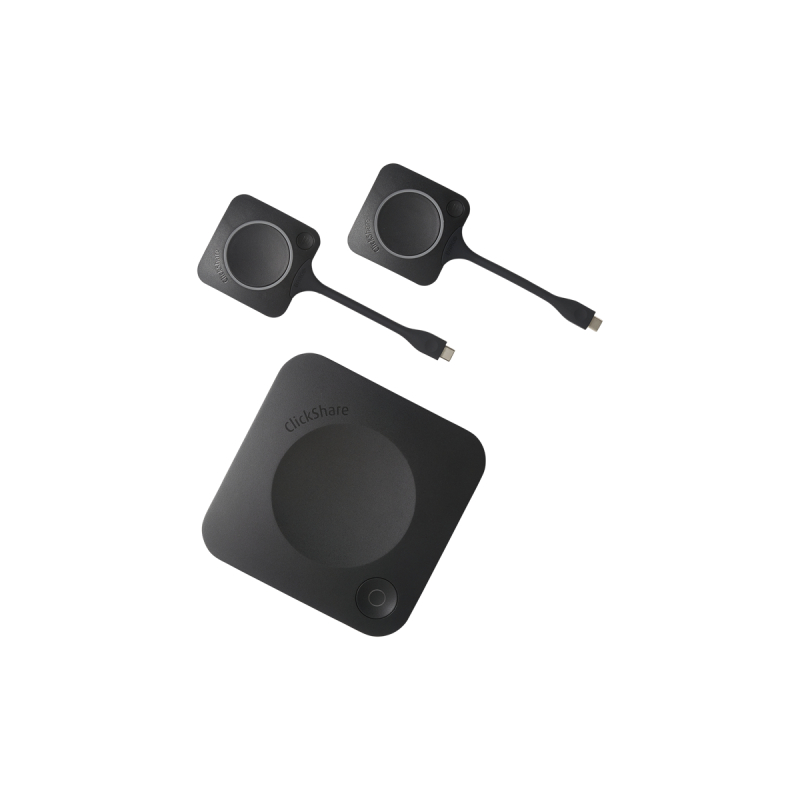
Barco ClickShare CX-30 GEN2

Barco ClickShare CX-30 GEN2

Barco ClickShare CX-30 GEN2Turn meetings into interactive presentationsWith the Barco ClickShare CX-30 GEN2, you can maintain clear, high-quality communication, and share files, presentations, and all necessary materials during meetings. Simply connect the new generation ClickShare buttons to your PC or use Wi-Fi with your mobile device, and Barco ClickShare Conference does the rest, connecting you in seconds.Hassle-free remote collaborationSmall to medium-sized meeting rooms are transformed into high-quality conference facilities by the conferencing and collaboration system, allowing any employee, user, or visitor to connect remotely, without any complications. Once the ClickShare CX-30 Barco is connected, anyone can connect with their device to collaborate. Your files and equipment (cameras, microphones, etc.) are available, providing quick and easy connectivity. With the Barco ClickShare CX-30 GEN2, you can say goodbye to cables, installation time, and meeting delays caused by technical issues. With just one click, collaboration becomes easier than ever before.Any softphone, any device, and any peripheralThis conferencing and collaboration system accepts Zoom, MS Teams, Skype, BlueJeans, and any application of your choice. Moreover, it is compatible with PC, Macs, and mobile devices. Connect with the ClickShare button or via Wi-Fi and access all devices installed in the room: video conferencing systems, speakers, microphones, and cameras. All are under your control, with no fuss.Ideal for small to medium-sized meeting roomsCX-30 GEN2 has two USB-C buttons for meetings, making it the perfect addition to medium-sized meeting rooms. You can organize meetings to collaborate, discuss and communicate with up to 8 participants, including one or more speakers, who can share content via their PC/MAC or mobile device, and the other participants can share and view high-quality materials. As two conference buttons are included, you also have the option of using the added moderation function. Multiple devices can share materials during the meeting, allowing for better collaboration. Key Features:Operating system Windows 10 and higher macOS 11 (BigSur) and higher.Android v11 and higher (ClickShare App)iOS 14 and higher (ClickShare App)System requirements For a smooth experience with Microsoft Teams or Zoom.Minimum: Intel i3 dual-core processor / 8GB RAM / OS: Windows 10 latest build or Mojave latest build;Recommended: Intel i5 4-core processor / 8GB RAM / OS: Windows 10 latest build or Mac OS latest buildVideo outputs 4K UHD (3840*2160) @ 30Hz. HDMI 1.4b or USB-C DisplayPort 1.2Audio output USB, HDMIUSB 1 X USB-A, 1 X USB-CClickShare Buttons 2ClickShare App Desktop & MobileNative protocols Airplay, Google Cast, MiracastMaximum number of simultaneous connections (with Buttons and/or App) 32Anti-theft system Kensington lockDimensions (HxWxD) 34 mm x 135 mm x 135 mmPower supply Standard 110/220 V AC plug or USB-CPower consumption Operational: 5-10W, 24W MaxWeight 900 grWarranty 1-year standard. 5 years of coverage via SmartCare
£2459.59
£1981.99
-19%
Ref: BARCOCX30G2
Barco ClickShare CX-20 GEN2

Barco ClickShare CX-20 GEN2

BARCO ClickShare CX-20 GEN2Transform meetings into interactive presentationsUse your PC/MAC or mobile device, your video calling app, and your videoconferencing system to transform meetings into interactive presentations. With the Barco ClickShare CX-20 Gen2, you can maintain clear high-quality communication, and share files, presentations, and all necessary materials during meetings. You only have to connect the ClickShare button to your PC or connect your mobile device using WiFi, and Barco ClickShare Conference will do the rest and connect you in 7 seconds flat.Remote hassle-free collaborationSmall meeting rooms will be transformed into high-quality conference facilities using the conference and collaboration system, which will allow any employee, user, or visitor to connect remotely without any complications. Once the CX-20 module is connected, you will only have to connect your device to start collaborating. Your files and peripherals (cameras, microphones, etc.) will be available for use and can be connected quickly and easily. With the new Barco ClickShare CX-20, you can say goodbye to cables, installation time, and meeting delays caused by technical hiccups. With just one click, collaboration will be easier than ever before.Any softphone, any device, and any peripheralThis conference and collaboration system accepts Zoom, MS Teams, Skype, BlueJeans, and any application you require. The CX-20 ClickShare Barco is also compatible with PC, Macs, and mobile devices. Connect using the ClickShare button or via WiFi and have access to all peripherals installed in the room: videoconferencing systems, speakers, microphones, and cameras. Everything will be placed under your control, without any fuss.Ideal for small meeting roomsCX-20 includes a USB-C button for your meetings, making it the perfect addition to small meeting rooms. You can organize presentations, visits, or meetings with up to 4 participants including one speaker, allowing you to share your content using your PC/MAC or mobile device, and the other participants can view the materials in high quality.What are the key features of the new generation version?The ClickShare CX-20 Gen2 Barco is made with new internal components, from recycled materials (label Eco A). In addition, the 2nd Generation Barco CX-20 has a new Gen 4.1 generation button with a USB-C connection designed to simplify installation and connectivity. You can now connect the Barco wireless presentation system via a power supply or the USB-C cable. The video presentation will be via HDMI or USB-C DisplayPort.Technical Features:Operating system Windows 10 and higher macOS 11 (BigSur) and higherAndroid v11 and higher (ClickShare App)iOS 14 and higher (ClickShare App)System requirements For a smooth experience with Microsoft Teams or ZoomMinimum: Intel i3 dual-core processor / 8GB RAM / OS: Windows 10 latest build or Mojave latest buildRecommended: Intel i5 4-core processor / 8GB RAM / OS: Windows 10 latest build or Mac OS latest buildVideo outputs 4K UHD (3840*2160) @ 30Hz. HDMI 1.4b or USB-C DisplayPort 1.2 (only Gen2)Audio output USB, HDMIUSB 1 X USB-A, 1 X USB-CClickShare Buttons 1ClickShare App Desktop & MobileNative protocols Airplay, Google Cast, MiracastMaximum number of simultaneous connections (with Buttons and/or App) 32Anti-theft system Kensington lockWireless conferencing via App or ButtonLocal view of the room display onlyNetwork connection LAN & WiFiManagement and reporting YesDimensions (HxWxD) 34 mm x 135 mm x 135 mmPower supply Standard 110/220 V AC plug or USB-C (only Gen2)Power consumption Operational: 5-10W, 24W MaxWeight 900 grWarranty: 1 year
£2305.00
£1679.99
-27%
Ref: BARCOCX20G2
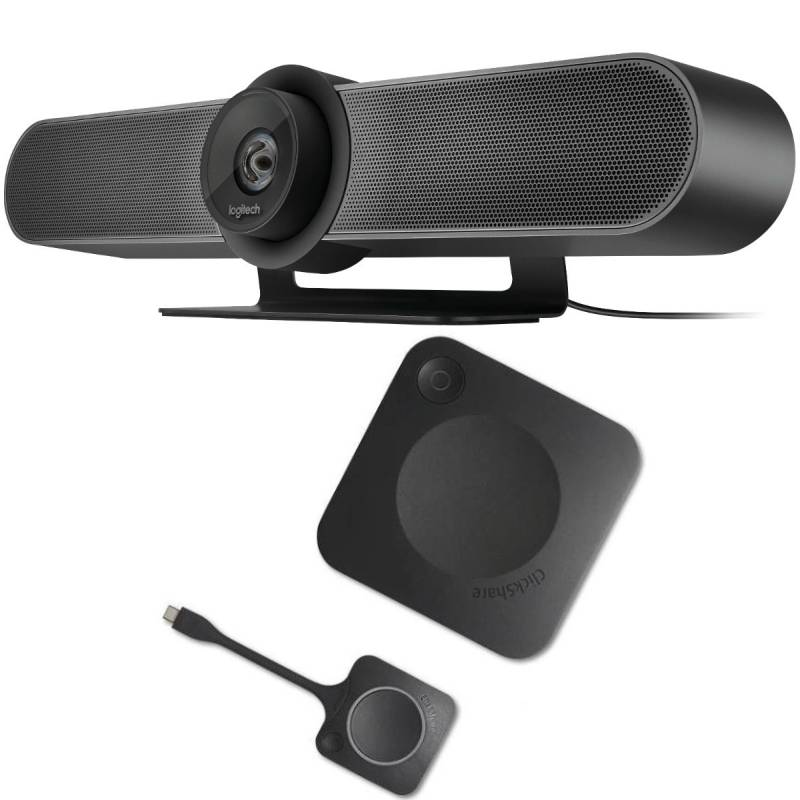
Pack Poly Studio + Microphones + ClickShare + Mounting Bracket

Pack Poly Studio + Microphones + ClickShare + Mounting Bracket

Polycom StudioThe ultimate video conferencing solution for small rooms The Poly Studio is a premium all-in-one video conference camera and soundbar system that helps your team connect & come up with big ideas. Connect to different cloud services Always be heardWith room-filling sound and pinpoint accurate microphones, the device enables participants on both ends of your calls to hear and be heard clearly. With intelligent features like Polycom Acoustic Fence and NoiseBlock, Polycom Studio automatically mutes and removes distracting background noises and other unwanted soundsExperience professional video qualityThe device has exclusive technology that automatically directs the HD camera to the speaker. Thanks to the intelligent framing system, the camera makes it possible to clearly see each participant for more interactive conversations. Everyone will always be clearly visible thanks to the 4k resolution, an electronic zoom of 5x and a field of view of 120 degrees.Easy to use right out of the boxThis system works with most collaboration platforms including Microsoft Teams, Zoom, GoToMeeting, Cisco Webex and more—making it easy to deploy and use with nearly any type of video call.Centralised and simplified managementThe device facilitates the management of multiple rooms with an external update of all rooms. Thanks to the USB plug and play connection, installation is possible within a few minutes.1-year maintenance for Polycom StudioThe 1-year maintenance for Poly Studio allows Polycom to provide organisations with access to whatever critical resources they may require, on an immediate basis. Services included as part of this maintenance service include software upgrades and updates as and when they are released, unlimited telephone technical support and extensive online support. Not to mention, Polycom also offers next business day delivery of replacement parts when required, at little to no additional cost. Alternatively, they also provide the option of next business day onsite support, to install the replacement parts. Due to all of this, the 1-year maintenance for Polycom Studio is highly recommended.Features: High compatibilityUp to 4 participants1080dpi resolutionCamera: speaker trackingCamera: 4K supportCamera: 5x zoomCamera: 120º field of viewMuteStereo microphonesEcho cancellationBackground noise reductionDimensions: 105 x 700 x 70 mmWeight: 2342gDimensions (remote control): 183 x 40 x 19 mmMicro d’extension pour Poly Studio USB/X50/X52/X70Expansion microphone for Poly Studio USB/X50/X52/X70 This expansion microphone is your guarantee of always being heard, even in the largest meeting rooms! Compatible with the Poly Studio USB, X50, X52 and X70 models, this accessory offers 360° sound coverage, for even diffusion in the space. Delivered with a 7.6-metre RJ11 cable, as well as extending the sound of your visio system, it allows you to mute the sound instantly thanks to the mute button implanted. Plug & Play, all you have to do to use it is plug it in!Barco ClickShare CX-30 GEN2Barco ClickShare CX-30 GEN2Turn meetings into interactive presentationsWith the Barco ClickShare CX-30 GEN2, you can maintain clear, high-quality communication, and share files, presentations, and all necessary materials during meetings. Simply connect the new generation ClickShare buttons to your PC or use Wi-Fi with your mobile device, and Barco ClickShare Conference does the rest, connecting you in seconds.Hassle-free remote collaborationSmall to medium-sized meeting rooms are transformed into high-quality conference facilities by the conferencing and collaboration system, allowing any employee, user, or visitor to connect remotely, without any complications. Once the ClickShare CX-30 Barco is connected, anyone can connect with their device to collaborate. Your files and equipment (cameras, microphones, etc.) are available, providing quick and easy connectivity. With the Barco ClickShare CX-30 GEN2, you can say goodbye to cables, installation time, and meeting delays caused by technical issues. With just one click, collaboration becomes easier than ever before.Any softphone, any device, and any peripheralThis conferencing and collaboration system accepts Zoom, MS Teams, Skype, BlueJeans, and any application of your choice. Moreover, it is compatible with PC, Macs, and mobile devices. Connect with the ClickShare button or via Wi-Fi and access all devices installed in the room: video conferencing systems, speakers, microphones, and cameras. All are under your control, with no fuss.Ideal for small to medium-sized meeting roomsCX-30 GEN2 has two USB-C buttons for meetings, making it the perfect addition to medium-sized meeting rooms. You can organize meetings to collaborate, discuss and communicate with up to 8 participants, including one or more speakers, who can share content via their PC/MAC or mobile device, and the other participants can share and view high-quality materials. As two conference buttons are included, you also have the option of using the added moderation function. Multiple devices can share materials during the meeting, allowing for better collaboration. Key Features:Operating system Windows 10 and higher macOS 11 (BigSur) and higher.Android v11 and higher (ClickShare App)iOS 14 and higher (ClickShare App)System requirements For a smooth experience with Microsoft Teams or Zoom.Minimum: Intel i3 dual-core processor / 8GB RAM / OS: Windows 10 latest build or Mojave latest build;Recommended: Intel i5 4-core processor / 8GB RAM / OS: Windows 10 latest build or Mac OS latest buildVideo outputs 4K UHD (3840*2160) @ 30Hz. HDMI 1.4b or USB-C DisplayPort 1.2Audio output USB, HDMIUSB 1 X USB-A, 1 X USB-CClickShare Buttons 2ClickShare App Desktop & MobileNative protocols Airplay, Google Cast, MiracastMaximum number of simultaneous connections (with Buttons and/or App) 32Anti-theft system Kensington lockDimensions (HxWxD) 34 mm x 135 mm x 135 mmPower supply Standard 110/220 V AC plug or USB-CPower consumption Operational: 5-10W, 24W MaxWeight 900 grWarranty 1-year standard. 5 years of coverage via SmartCareSoporte de pared para Poly StudioPoly Studio Display Mounting KitThe bracket is made for mounting on the wall, above or below a monitor (suitable for VESA 100 mm x 100 mm to 600 mm x 600 mm).
£3690.66
£2529.81
-31%
Ref: POSTUDIOCX30P
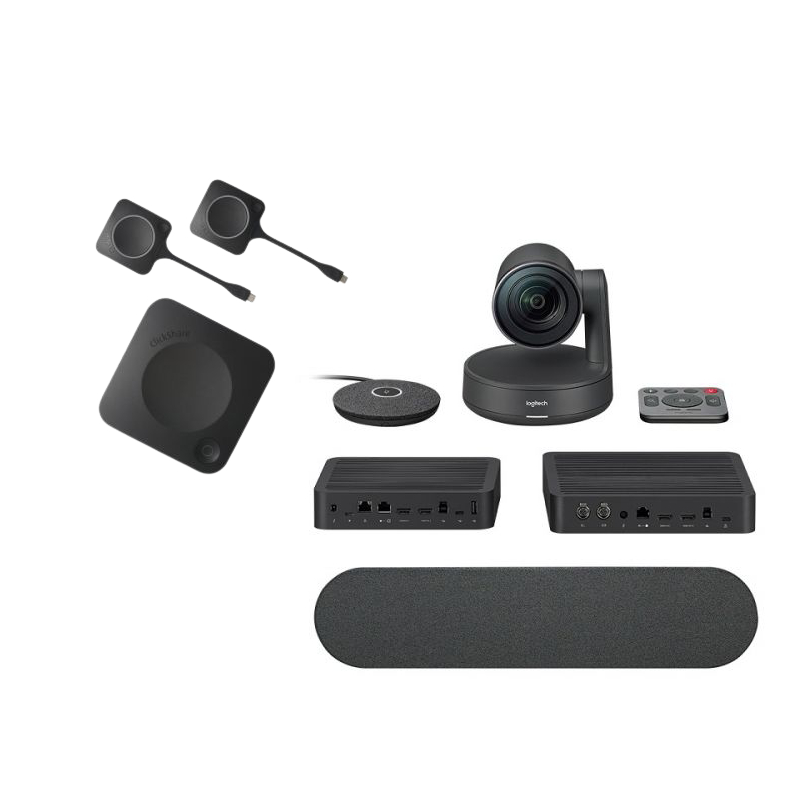
Barco CX30 Gen 2 + Poly Studio

Barco CX30 Gen 2 + Poly Studio

Barco CX30 Gen 2 + Poly StudioThe new small room video conferencing solution. This bundle contains the Barco ClickShare CX-30 GEN2 wireless presentation system and the Poly Studio Video Conferencing Bar.The CX-30 GEN2 is the ideal addition to medium-sized meeting rooms because it contains two USB-C meeting buttons. Up to eight people, including one or more presenters, can participate in meetings to cooperate, talk, and interact. Speakers can share content using a PC, MAC, or mobile device, and the other attendees can view and exchange high-quality materials. You also have the choice of employing the additional moderating function because there are two conference buttons present. During the meeting, many devices can share materials, improving teamwork. The conferencing and collaboration technology converts small to medium-sized meeting rooms into high-quality conference facilities, enabling any employee, user, or guest to connect remotely, without any issues. Once the ClickShare CX-30 Barco is connected, anyone can connect with their device to collaborate. The Poly Studio has exclusive technology in the device automatically points the HD camera at the speaker. The camera allows for clear visibility of each participant for more engaged talks due to its clever framing system. Thanks to the 4k resolution, electronic 5x zoom, and 120 degree field of vision, everyone will always be clearly visible. This solution is simple to implement and use with almost any type of video conference because it is compatible with the majority of collaboration systems, including Microsoft Teams, Skype for Business, Zoom, GoToMeeting, Cisco Webex, and more. The tool makes it easier to manage several rooms by updating every area from the outside. Installation takes only a few minutes because of the USB plug and play connection.Features:Barco ClickShare CX-30 GEN2Operating system Windows 10 and higher macOS 11 (BigSur) and higher.Android v11 and higher (ClickShare App)iOS 14 and higher (ClickShare App)System requirements For a smooth experience with Microsoft Teams or Zoom.Minimum: Intel i3 dual-core processor / 8GB RAM / OS: Windows 10 latest build or Mojave latest build;Recommended: Intel i5 4-core processor / 8GB RAM / OS: Windows 10 latest build or Mac OS latest buildVideo outputs 4K UHD (3840*2160) @ 30Hz. HDMI 1.4b or USB-C DisplayPort 1.2Audio output USB, HDMIUSB 1 X USB-A, 1 X USB-CClickShare Buttons 2ClickShare App Desktop & MobileNative protocols Airplay, Google Cast, MiracastMaximum number of simultaneous connections (with Buttons and/or App) 32Anti-theft system Kensington lockDimensions (HxWxD) 34 mm x 135 mm x 135 mmPower supply Standard 110/220 V AC plug or USB-CPower consumption Operational: 5-10W, 24W MaxWeight 900gWarranty 1-year standard. 5 years of coverage via SmartCarePoly StudioHigh compatibilityUp to 4 participants1080dpi resolutionCamera: speaker trackingCamera: 4K supportCamera: 5x zoomCamera: 120º field of viewMuteStereo microphonesEcho cancellationBackground noise reductionDimensions: 105 x 700 x 70 mmWeight: 2342gDimensions (remote control): 183 x 40 x 19 mm
£3304.58
£2391.98
-28%
Ref: BARCX30STUDIOG2UK